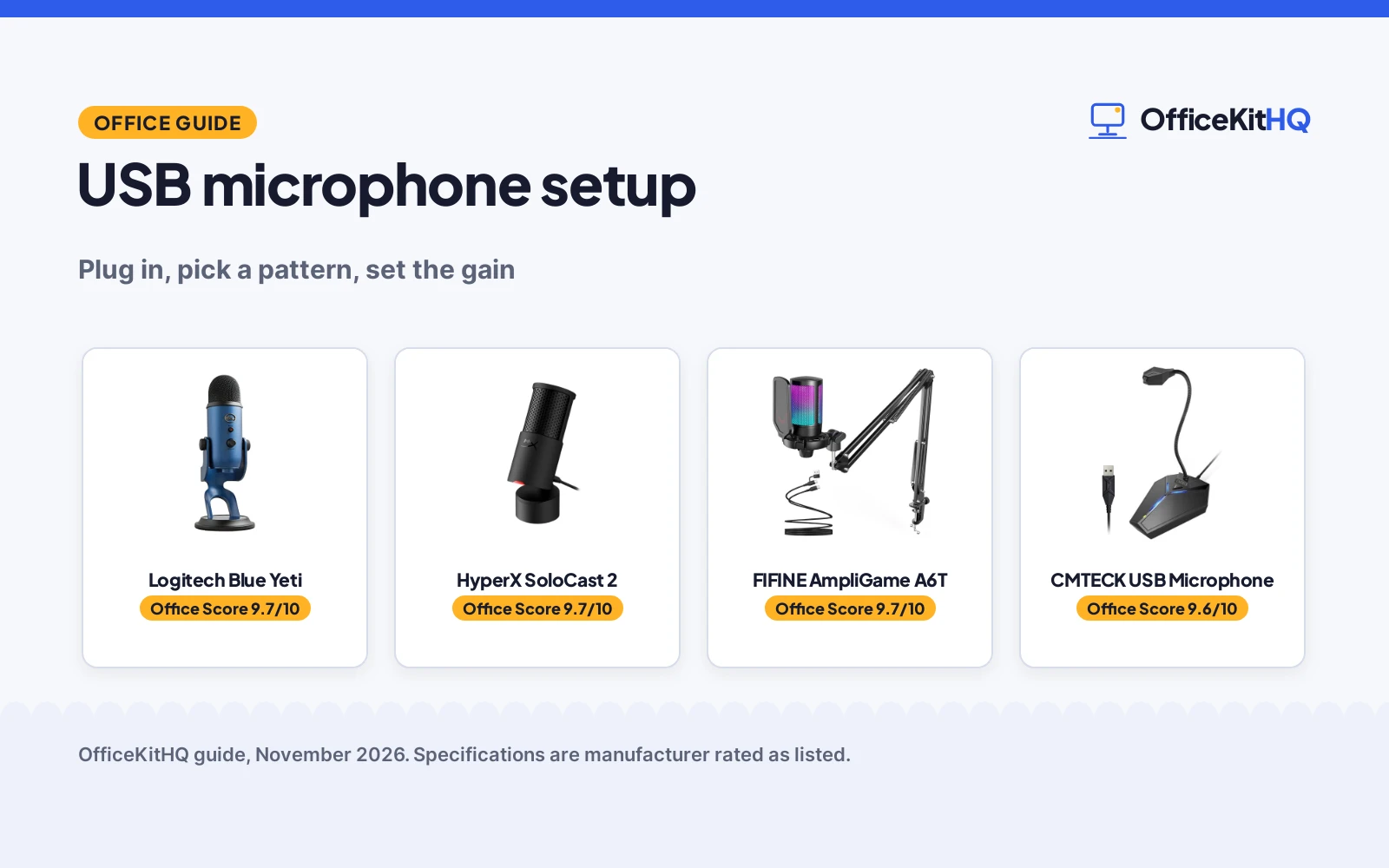
A morning call starts with a dim webcam, a laptop running everything off a hub, and a USB microphone setup that nobody checked. The answer is simple: plug the mic in, pick a pickup pattern, set the gain, and place the mic where your voice lands. This guide walks through each step and scores USB microphones by pickup pattern, onboard controls and mounting.
OfficeKitHQ earns a commission when you buy through links on this page, at no extra cost to you. As an Amazon Associate I earn from qualifying purchases. Affiliate disclosure.
USB microphone setup in short
Plug the mic into a USB port and let the computer find it. Pick a pickup pattern on the mic: cardioid takes sound from the front and cuts pickup from the sides and rear, while the Blue Yeti adds omni, bidirectional and stereo patterns for vocals, instruments and podcasts. Set the gain so your voice stays clear, place the mic close, and check the mute control before the call.
Step 1: Plug in and pick the mic
Plug the USB cable into the computer and let the computer find the mic. The FIFINE kit includes an 8.2 ft USB-C cable, and the CMTECK mic has a 6 ft USB cable with a built-in sound card, so no drivers are needed. Pick the mic as the input in the call app and speak to check that the level moves.
Step 2: Pick a pickup pattern
Cardioid is the pattern the FIFINE and HyperX mics list: it takes sound from the front and cuts pickup from the sides and rear. The Blue Yeti lists 4 pickup patterns: cardioid, omni, bidirectional and stereo, for vocals, instruments and podcasts. Pick cardioid for calls and voice work, and switch patterns on the Yeti when the recording needs a wider pickup.
Step 3: Set gain and mute
Set the gain on the mic before the call. The Blue Yeti lists mic gain among its onboard audio controls, and the FIFINE kit has a gain knob on the base. Tap the mute control and watch the light: the FIFINE touch-mute button cuts the signal and the RGB light shows the status, the HyperX tap-to-mute (on Amazon) shows a red LED when live and no light when muted, and the CMTECK mute button shows green for connected and red for mute.
Step 4: Place the mic and mind the cable
Pivot the Blue Yeti on its adjustable desktop stand so it faces your voice. Swing the FIFINE boom arm, which rotates nearly 180 degrees, and clamp it to a desk up to 2 in thick. Tilt the HyperX SoloCast 2 on its weighted base, or bend the CMTECK gooseneck (on Amazon), which adjusts through 360 degrees, to bring the mic close. Route the cable so it stays clear of the keyboard: the FIFINE cable runs 8.2 ft and the CMTECK cable runs 6 ft.
The gear for USB microphone setup
The steps above need a USB mic, a way to mute, and a mount that holds it close, and the 4 mics below cover those parts.
| # | Product | Office Score | Buy |
|---|---|---|---|
| 1 |  Logitech Blue Yeti | 9.7/10 | Buy on Amazon |
| 2 |  HyperX SoloCast 2 | 9.7/10 | Buy on Amazon |
| 3 |  FIFINE AmpliGame A6T | 9.7/10 | Buy on Amazon |
| 4 |  CMTECK USB Microphone | 9.6/10 | Buy on Amazon |

Logitech Blue Yeti
A USB condenser mic with a three-capsule array, 4 pickup patterns, Blue VO!CE software and onboard headphone volume, pattern selection, instant mute and mic gain.
Pros
- 4 pickup patterns: cardioid, omni, bidirectional and stereo
- Three-capsule array for vocals, instruments and podcasts
- Onboard headphone volume, pattern selection, instant mute and mic gain
- Adjustable desktop stand pivots the mic toward the sound source
Cons
- No boom arm is listed with the mic
- Voice effects run through the maker's software, not onboard filters
- Instant mute has no LED indicator stated
- No cable length is stated in the listing
Detailed Review
Logitech lists the Blue Yeti as a USB condenser mic with a three-capsule array, 4 pickup patterns (cardioid, omni, bidirectional and stereo) and Blue VO!CE software for broadcast vocal sound. Onboard controls cover headphone volume, pattern selection, instant mute and mic gain, and the adjustable desktop stand pivots the mic toward the sound source, with no-latency monitoring through headphones. The spec table gives a 4.9 by 4.7 by 11.6 in size, a 3.2 lb item weight and a 2 year warranty.
Who it's for: someone who wants 4 pickup patterns and onboard gain and mute for calls, streaming and podcasting. Who should skip it: anyone who wants a boom arm included or a mute light on the mic.
Its Office Score of 9.7/10 comes from performance 32/35, build 22/25, value 21/25, safety 7/10 and warranty 3/5: 85 of 100 points, placed on our 9.2 to 9.8 scale.
Key Specifications
| Pickup patterns | 4: cardioid, omni, bidirectional, stereo |
|---|---|
| Item weight | 3.2 lb |
| Size | 4.9 by 4.7 by 11.6 in |
| Warranty | 2 year |
Figures as published on the retailer listing, collected 13 November 2026. Performance figures are manufacturer rated.
Safety and Warranty
What this listing states. Instant mute and headphone volume with no-latency monitoring are stated, so safety scores 7 of 10. 2 year. It does not say everything a buyer needs, such as who pays return shipping, so warranty scores 3 of 5. See How We Pick.
Protect your hearing. Keep volume moderate during long calls, take breaks, and treat noise cancelling and battery figures as the maker's claims.
This is general buying information, not professional advice. Follow each product manual and local rules, and see our Safety Disclaimer.
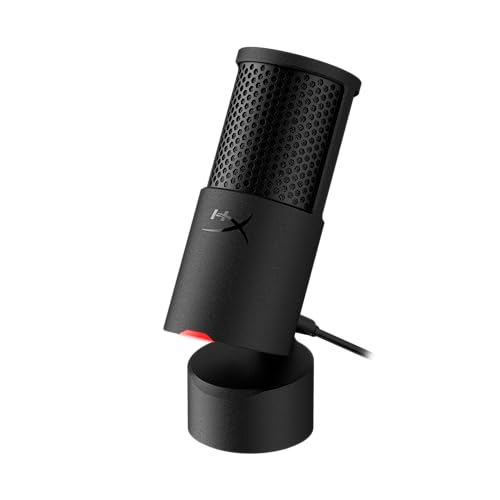
HyperX SoloCast 2
A USB-C condenser mic with 24-bit, 96kHz recording, a cardioid pattern, tap-to-mute with an LED, and a built-in suspension system.
Pros
- 24-bit, 96kHz recording with a cardioid pattern
- Tap-to-mute with an LED: red when live, off when muted
- Built-in suspension system gives shock mount benefits
- 3/8 in and 5/8 in threads mount the mic to compatible arms
Cons
- Cardioid pattern only, with no pattern selection listed
- No gain knob is listed; filters run through HyperX NGENUITY software
- No mic arm is included; 3/8 in and 5/8 in threads fit compatible arms
- No cable length is stated in the listing
Detailed Review
HyperX lists the SoloCast 2 as a USB-C condenser mic with 24-bit recording, a 96kHz sampling rate and a cardioid pattern that takes sound from the front and cuts pickup from the sides and rear. A built-in suspension system gives shock mount benefits, a foam pop filter is built in, and the tiltable stand has a weighted base. Tap-to-mute shows a red LED when live and no light when muted, and 3/8 in and 5/8 in threads mount the mic to compatible arms. The spec table lists a 53.0 in dimension that does not fit the compact design the bullets describe, so that figure is not used here. The spec table gives a 2 Year Manufacturer warranty.
Who it's for: someone who wants a compact USB-C mic with tap-to-mute and a cardioid pattern for focused vocal recording. Who should skip it: anyone who wants more than one pickup pattern or a gain knob on the mic.
Its Office Score of 9.7/10 comes from performance 30/35, build 21/25, value 20/25, safety 8/10 and warranty 3/5: 82 of 100 points, placed on our 9.2 to 9.8 scale.
Key Specifications
| Recording | 24-bit, 96kHz |
|---|---|
| Polar pattern | Cardioid |
| Mute | Tap-to-mute with LED |
| Warranty | 2 Year Manufacturer |
Figures as published on the retailer listing, collected 13 November 2026. Performance figures are manufacturer rated.
Safety and Warranty
What this listing states. Tap-to-mute with a red LED when live and no light when muted is stated, so safety scores 8 of 10. 2 Year Manufacturer. It does not say everything a buyer needs, such as who pays return shipping, so warranty scores 3 of 5. See How We Pick.
Protect your hearing. Keep volume moderate during long calls, take breaks, and treat noise cancelling and battery figures as the maker's claims.
This is general buying information, not professional advice. Follow each product manual and local rules, and see our Safety Disclaimer.

FIFINE AmpliGame A6T
A plug-and-play USB condenser mic kit with a 192kHz/24bit sampling rate, a cardioid pattern, a metal boom arm, a shock mount and a pop filter.
Pros
- 192kHz/24bit sampling rate with over 70 dB SNR
- Metal boom arm rotates nearly 180 degrees and folds away
- Touch-mute button with RGB light as a mute indicator
- 8.2 ft USB-C cable and a shock mount and pop filter included
Cons
- 1 Year Manufacturer warranty is shorter than the 2 year terms the other mics list
- Cardioid pattern only, with no pattern selection listed
- C-clamp fits desks up to 2 in thick
- No headphone monitoring is listed
Detailed Review
FIFINE lists the A6T as a plug-and-play USB condenser mic kit with a 192kHz/24bit sampling rate, over 70 dB SNR and a cardioid pattern that takes voice from the front and rejects keyboard clicks from the back. The kit includes a metal boom arm with nearly 180 degrees of rotation, a shock mount, an external pop filter and an 8.2 ft USB-C cable, and the touch-mute button cuts the signal while the RGB light shows the status. The spec table gives a 1 Year Manufacturer warranty.
Who it's for: someone who wants a full kit with a boom arm, shock mount and pop filter for streaming and recording. Who should skip it: anyone who wants more than one pickup pattern or a warranty longer than 1 year.
Its Office Score of 9.7/10 comes from performance 30/35, build 22/25, value 21/25, safety 7/10 and warranty 2/5: 82 of 100 points, placed on our 9.2 to 9.8 scale.
Key Specifications
| Sampling rate | 192kHz/24bit |
|---|---|
| Signal-to-noise ratio | Over 70 dB |
| Cable | 8.2 ft USB-C |
| Warranty | 1 Year Manufacturer |
Figures as published on the retailer listing, collected 13 November 2026. Performance figures are manufacturer rated.
Safety and Warranty
What this listing states. Touch-mute button with RGB light as a mute indicator is stated, so safety scores 7 of 10. 1 Year Manufacturer. It does not say everything a buyer needs, such as who pays return shipping, so warranty scores 2 of 5. See How We Pick.
Protect your hearing. Keep volume moderate during long calls, take breaks, and treat noise cancelling and battery figures as the maker's claims.
This is general buying information, not professional advice. Follow each product manual and local rules, and see our Safety Disclaimer.

CMTECK USB Microphone
A plug-and-play USB mic with a 360 degree adjustable gooseneck, a one-touch mute button with an LED, and a 6 ft USB cable.
Pros
- 360 degree adjustable gooseneck positions the mic where needed
- One-touch mute with LED: green for connected, red for mute
- Built-in sound card; no drivers needed for plug and play
- Blue LED light switches on or off for a visual effect
Cons
- No pickup pattern is stated in the listing
- Not compatible with Raspberry Pi or Xbox
- No boom arm or shock mount is listed
- No gain control is listed
Detailed Review
CMTECK lists the mic as a plug-and-play USB microphone with a built-in sound card, so no drivers are needed, and a metal gooseneck tube that adjusts through 360 degrees on an ABS shockproof base. The one-touch mute button shows green for connected and red for mute, the blue LED light switches on or off, and the USB cable runs 6 ft. The spec table gives a 5.1 by 4.3 by 13.8 in size, a 0.46 lb item weight and a 2 Year warranty.
Who it's for: someone who wants a simple gooseneck mic with one-touch mute for calls and classes. Who should skip it: anyone who wants a stated pickup pattern or a boom arm mount.
Its Office Score of 9.6/10 comes from performance 28/35, build 20/25, value 20/25, safety 7/10 and warranty 3/5: 78 of 100 points, placed on our 9.2 to 9.8 scale.
Key Specifications
| Gooseneck | 360 degree adjustable |
|---|---|
| Cable | 6 ft USB |
| Item weight | 0.46 lb |
| Warranty | 2 Year |
Figures as published on the retailer listing, collected 13 November 2026. Performance figures are manufacturer rated.
Safety and Warranty
What this listing states. One-touch mute with LED indicator, green for connected and red for mute, is stated, so safety scores 7 of 10. 2 Year. It does not say everything a buyer needs, such as who pays return shipping, so warranty scores 3 of 5. See How We Pick.
Protect your hearing. Keep volume moderate during long calls, take breaks, and treat noise cancelling and battery figures as the maker's claims.
This is general buying information, not professional advice. Follow each product manual and local rules, and see our Safety Disclaimer.
As an Amazon Associate I earn from qualifying purchases.
FAQ
Do USB microphones need an audio interface?
No. The FIFINE kit states no extra audio interface is needed, and the CMTECK mic has a built-in sound card. Plug the USB cable into the computer and pick the mic as the input.
Which pickup pattern is right for calls?
Cardioid, which the FIFINE and HyperX mics list. It takes sound from the front and cuts pickup from the sides and rear, so your voice stays in front and keyboard clicks stay behind the mic.
How do you mute a USB microphone fast?
Tap the mute control on the mic and watch the light. The FIFINE touch-mute button cuts the signal and the RGB light shows the status, the HyperX tap-to-mute shows a red LED when live, and the CMTECK button shows green for connected and red for mute.
Can a USB microphone mount on a boom arm?
Yes, when the mic lists the mount. The FIFINE kit includes a metal boom arm with a C-clamp for desks up to 2 in thick, and the HyperX SoloCast 2 has 3/8 in and 5/8 in threads for compatible mic arms.
More for your workspace
See the best USB microphones, the best wired dynamic USB microphones for gaming, the best boom microphone stands and the headset types guide.