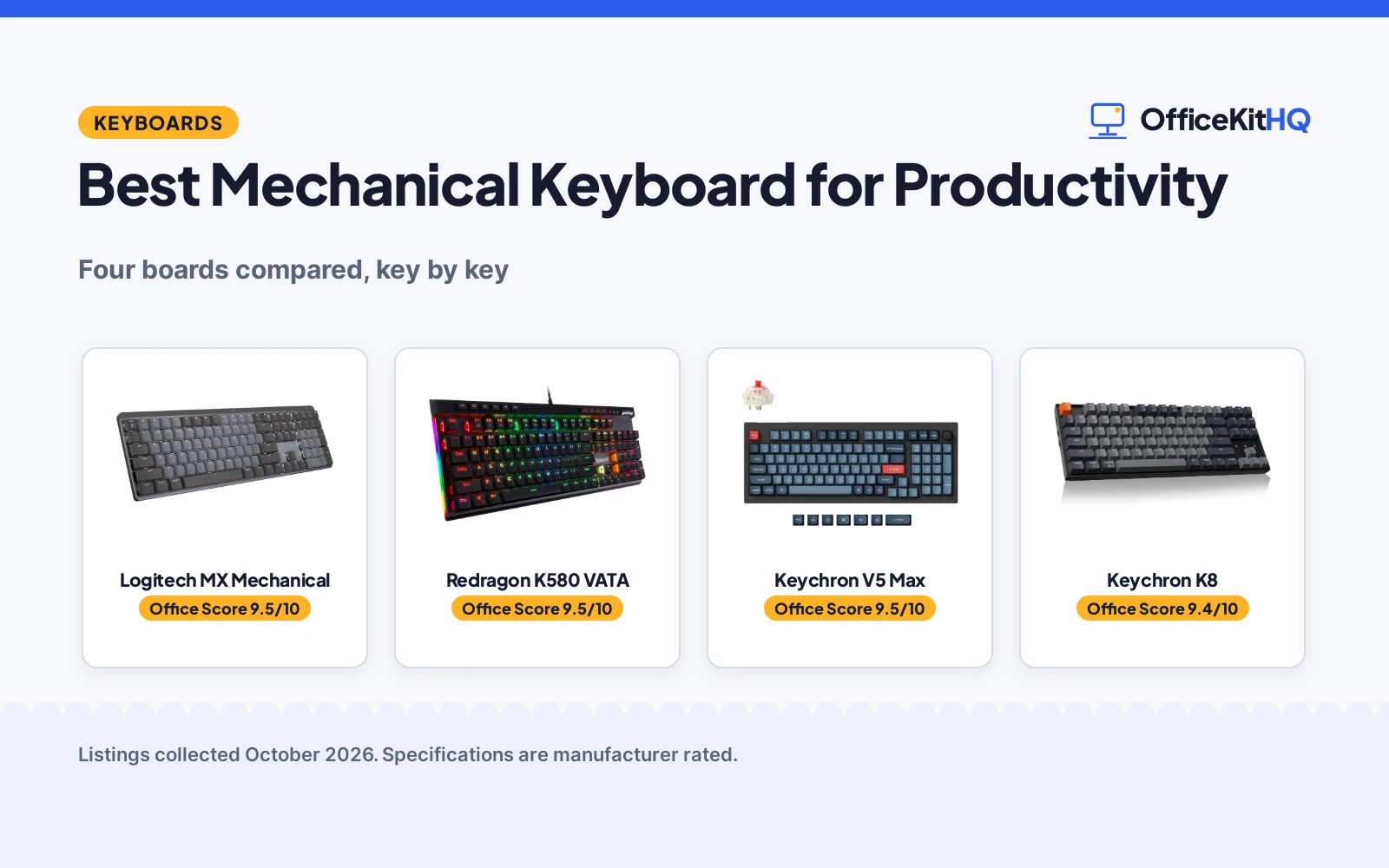
The best mechanical keyboard for productivity is the one whose layout, switch feel and device switching match the way you actually work, because a board that fights your workflow is a board you stop enjoying. A programmer who lives in shortcuts needs different keys than a writer who types eight hours straight. We compared four mechanical keyboards by layout, switch type, connection options, multi-device support, battery or wired power, backlighting and warranty term, using only what each listing publishes.
OfficeKitHQ earns a commission when you buy through links on this page, at no extra cost to you. As an Amazon Associate I earn from qualifying purchases. Affiliate disclosure.
Quick picks
 Best Overall Logitech MX Mechanical: 3-device wireless, low-profile, smart backlight. Check price on Amazon
 Best Wired Redragon K580 VATA: 5 macro keys, hot-swap socket, media wheel. Check price on Amazon
 Best Custom Keychron V5 Max: 96%, QMK, hot-swap, 2.4 GHz and Bluetooth. Check price on Amazon
 Best for Mac Keychron K8: TKL, Mac/Windows keycaps, 4000 mAh battery. Check price on Amazon
The picks
| # | Product | Office Score | Buy |
|---|---|---|---|
| 1 | Logitech MX Mechanical | 9.5/10 | Buy on Amazon |
| 2 | Redragon K580 VATA | 9.5/10 | Buy on Amazon |
| 3 | Keychron V5 Max | 9.5/10 | Buy on Amazon |
| 4 | Keychron K8 | 9.4/10 | Buy on Amazon |

Logitech MX Mechanical
A full-size low-profile wireless keyboard with 3-device pairing and smart backlighting for multi-device desk workers; skip it if you need a compact board.
Pros
- Pairs with up to 3 devices via Bluetooth or the included Logi Bolt receiver
- Smart backlight lights up as hands approach and auto-adjusts to the room
- Up to 15 days per charge, up to 10 months with backlighting off
- Logi Options+ enables Flow cross-computer control and Fn customization
Cons
- No stated switch lifespan in the listing
- Single-color backlighting, not RGB
- Enclosure material not stated in the spec table
- 2.5 pounds; not the lightest to move around
Detailed Review
The Logitech MX Mechanical is the most purpose-built productivity board here: low-profile clicky switches, a full-size layout, smart illumination and three-device pairing aimed squarely at desk workers who live across machines. The 15-day battery with backlighting on, stretching to 10 months with it off, means charging is a rare event.
What it gives up is tinkering. There is no hot-swap socket, no RGB, and the enclosure material is not stated, so buyers who customize switches or chase per-key lighting should look at the Keychron picks. For a type-all-day, switch-between-devices workflow, though, the feature set lines up exactly with the job.
Its Office Score of 9.5/10 comes from performance 33/35, build 20/25, value 20/25, safety 0/10 and warranty 1/5: 74 of 100 points, placed on our 9.2 to 9.8 scale.
Key Specifications
| Layout | Full-size, 104 keys |
|---|---|
| Switch | Clicky, low-profile |
| Connection | Bluetooth, Logi Bolt receiver, USB-C |
| Devices | Up to 3 |
| Battery | Up to 15 days; up to 10 months backlight off |
| Backlight | Single color, smart auto-adjust |
| Dimensions | 20.5 x 6.4 x 1.02 in |
| Weight | 2.5 pounds |
| Warranty | 1 Year Limited Hard Warranty |
Figures as published on the retailer listing, collected 17 October 2026. Performance figures are manufacturer rated.
Safety and Warranty
What this listing states. No FCC or other safety listing is stated, so safety scores zero. 1 Year Limited Hard Warranty. It does not say everything a buyer needs, such as who pays return shipping, so warranty scores 1 of 5. See How We Pick.
Fit the desk first. Check the stated size against your desk depth and keyboard tray, and charge or pair as the manual describes. No keyboard, mouse or wrist rest prevents or treats injury.
This is general buying information, not professional advice. Follow each product manual and local rules, and see our Safety Disclaimer.

Redragon K580 VATA
A wired 104-key board with 5 macro keys, a media wheel and a hot-swap socket for shortcut-heavy workflows; skip it if you need wireless.
Pros
- Five dedicated macro keys (G1-G5) save combos with no software required
- Hot-swap socket accepts almost any switch, per the listing
- Dedicated media controls and a volume roller
- Double-shot keycaps rated for 50 million keystrokes
Cons
- Wired only; no wireless option
- Clicky Blue switches are loud for shared offices
- Weight contradiction: 0.97 kg in one field against 1200 g in another
- Gaming styling may not suit a formal office
Detailed Review
The Redragon K580 VATA is a gaming board that moonlights as a productivity tool: five on-board macro keys record shortcuts without software, the media wheel handles volume and playback, and the hot-swap socket lets you change switches without soldering. The aluminum plate and double-shot keycaps read as built for heavy daily use.
The trade-offs are noise and a cable. Outemu Blue clicky switches are satisfying alone and loud beside coworkers, and wired-only means no device hopping. The listing also contradicts its own weight, 0.97 kg in one field against 1200 g in another, so treat the listed weight as approximate.
Its Office Score of 9.5/10 comes from performance 26/35, build 20/25, value 20/25, safety 3/10 and warranty 1/5: 70 of 100 points, placed on our 9.2 to 9.8 scale.
Key Specifications
| Layout | Full-size, 104 keys |
|---|---|
| Switch | Outemu Blue, hot-swappable |
| Connection | Wired, USB-C |
| Macro keys | 5 (G1-G5) |
| Backlight | RGB |
| Keycaps | Double-shot, 50M keystrokes |
| Water resistance | Stated |
| Dimensions | 15.75 x 5.91 x 0.98 in |
| Warranty | 1 year |
Figures as published on the retailer listing, collected 17 October 2026. Performance figures are manufacturer rated.
Safety and Warranty
What this listing states. The listing states water resistance., so safety scores 3 of 10. 1 year. It does not say everything a buyer needs, such as who pays return shipping, so warranty scores 1 of 5. See How We Pick.
Fit the desk first. Check the stated size against your desk depth and keyboard tray, and charge or pair as the manual describes. No keyboard, mouse or wrist rest prevents or treats injury.
This is general buying information, not professional advice. Follow each product manual and local rules, and see our Safety Disclaimer.

Keychron V5 Max
A 96% tri-mode custom keyboard with QMK programming and hot-swap switches for tinkerers; skip it if you want a stated warranty or battery figure.
Pros
- Tri-mode: 2.4 GHz, Bluetooth 5.1 and USB-C, with 1000 Hz polling on 2.4 GHz
- QMK-based launcher remaps any key on macOS, Windows or Linux
- Hot-swap socket plus double-shot PBT keycaps
- 96% layout keeps the number pad in a compact frame
Cons
- No warranty term stated in the listing
- No battery capacity stated
- Linear Red switches; tactile typists should look elsewhere
- Plastic enclosure
Detailed Review
The Keychron V5 Max is the customizer's pick: a 96% board with a number pad, tri-mode connectivity, a hot-swap socket, sound-absorbing foam and a gasket design, all programmable through a QMK-based web launcher. The 1000 Hz polling on 2.4 GHz keeps wireless typing lag-free.
The listing's gaps are the catch. No warranty term and no battery capacity are stated, so buyers cannot compare support or endurance against the others. It is the board for someone who will remap every key and swap every switch, not for someone who wants every spec on paper first.
Its Office Score of 9.5/10 comes from performance 30/35, build 20/25, value 22/25, safety 0/10 and warranty 0/5: 72 of 100 points, placed on our 9.2 to 9.8 scale.
Key Specifications
| Layout | 96%, 97 keys |
|---|---|
| Switch | Gateron Jupiter Red, linear, hot-swappable |
| Connection | 2.4 GHz, Bluetooth 5.1, USB-C |
| Polling | 1000 Hz on 2.4 GHz |
| Keycaps | Double-shot PBT, OSA profile |
| Backlight | South-facing RGB |
| Compatibility | macOS, Windows, Linux |
Figures as published on the retailer listing, collected 17 October 2026. Performance figures are manufacturer rated.
Safety and Warranty
What this listing states. No FCC or other safety listing is stated, so safety scores zero. No warranty term, so warranty scores zero. See How We Pick.
Fit the desk first. Check the stated size against your desk depth and keyboard tray, and charge or pair as the manual describes. No keyboard, mouse or wrist rest prevents or treats injury.
This is general buying information, not professional advice. Follow each product manual and local rules, and see our Safety Disclaimer.

Keychron K8
A tenkeyless wireless board with Mac and Windows keycaps and a 4000 mAh battery for Mac-first typists; skip it if you need a number pad.
Pros
- Mac and Windows keycaps included, with a system toggle
- 4000 mAh battery; up to 200 hours with backlight off, per the listing
- QMK support for remapping keys
- Two-level adjustable feet for typing angle
Cons
- Not hot-swappable, per the spec table
- Bluetooth version contradiction: 5.1 in bullets against 5.2 in the spec table
- Tenkeyless; no number pad
- White backlight only, not RGB
Detailed Review
The Keychron K8 is the Mac-first pick: a tenkeyless 87-key board that ships with both Mac and Windows keycaps, connects over Bluetooth or USB-C, and packs a 4000 mAh battery the listing rates at up to 200 hours with the backlight off. Gateron G Pro Brown switches give tactile feedback without the clicky noise.
The limits are fixed switches and a missing numpad. The spec table says the K8 is not hot-swappable, so the Brown switches are permanent, and the Bluetooth version reads 5.1 in the bullets against 5.2 in the spec table. For a compact Mac desk setup, though, the battery and the included keycaps carry it.
Its Office Score of 9.4/10 comes from performance 28/35, build 19/25, value 20/25, safety 0/10 and warranty 1/5: 68 of 100 points, placed on our 9.2 to 9.8 scale.
Key Specifications
| Layout | Tenkeyless, 87 keys |
|---|---|
| Switch | Gateron G Pro Brown, tactile |
| Connection | Bluetooth, USB-C wired |
| Devices | Up to 3 via Bluetooth |
| Battery | 4000 mAh; up to 200 hours backlight off |
| Backlight | White, single color |
| Hot-swap | No |
| Dimensions | 14.1 x 4.84 x 1.65 in |
| Weight | 1 kg |
| Warranty | 1 year limited warranty |
Figures as published on the retailer listing, collected 17 October 2026. Performance figures are manufacturer rated.
Safety and Warranty
What this listing states. No FCC or other safety listing is stated, so safety scores zero. 1 year limited warranty. It does not say everything a buyer needs, such as who pays return shipping, so warranty scores 1 of 5. See How We Pick.
Fit the desk first. Check the stated size against your desk depth and keyboard tray, and charge or pair as the manual describes. No keyboard, mouse or wrist rest prevents or treats injury.
This is general buying information, not professional advice. Follow each product manual and local rules, and see our Safety Disclaimer.
As an Amazon Associate I earn from qualifying purchases.
Compare the picks
| Product | Office Score | Layout | Switch | Connection | Warranty | Amazon |
|---|---|---|---|---|---|---|
| Logitech MX Mechanical | 9.5/10 | Full-size 104 | Clicky low-profile | Bluetooth, USB-C | 1 Year Limited | View on Amazon |
| Redragon K580 VATA | 9.5/10 | Full-size 104 | Outemu Blue | Wired USB-C | 1 year | View on Amazon |
| Keychron V5 Max | 9.5/10 | 96% 97-key | Gateron Jupiter Red | 2.4 GHz, BT, USB-C | Not stated | View on Amazon |
| Keychron K8 | 9.4/10 | TKL 87-key | Gateron G Pro Brown | Bluetooth, USB-C | 1 year limited | View on Amazon |
Specifications are manufacturer rated as listed, collected 17 October 2026.
How we scored them
| Product | Office Score | Perf. /35 | Build /25 | Value /25 | Safety /10 | Warranty /5 |
|---|---|---|---|---|---|---|
| Logitech MX Mechanical | 9.5 | 33 | 20 | 20 | 0 | 1 |
| Redragon K580 VATA | 9.5 | 26 | 20 | 20 | 3 | 1 |
| Keychron V5 Max | 9.5 | 30 | 20 | 22 | 0 | 0 |
| Keychron K8 | 9.4 | 28 | 19 | 20 | 0 | 1 |
Scores run from 9.2 to 9.8: each product’s point total is placed on that range, so more points always means a higher score.
The Office Score weighs performance, build, value, safety and warranty, as explained on our How we pick page. For productivity keyboards, performance covers layout fit, switch type, multi-device support and programmability. The Logitech earns the top mark for its purpose-built productivity feature set, while the Keychron V5 Max scores on customization at the cost of a stated warranty.
How to choose the best mechanical keyboard for productivity
Pick the layout for your work, not your desk
Full-size boards like the Logitech and Redragon keep the number pad for spreadsheet and data work, the 96% V5 Max keeps it in a smaller frame, and the tenkeyless K8 drops it entirely. If you never touch the numpad, the smaller boards free real desk space for the mouse. If you do, only the full-size and 96% options qualify.
Key count tells the same story in numbers: 104 keys on the Logitech and Redragon, 97 on the V5 Max, 87 on the K8. Fewer keys means a shorter board and a shorter reach to the mouse, which matters on a small desk. The trade is always the same: compact boards save space, full boards save keystrokes.
Wireless against wired
Three of these cut the cord: the Logitech and Keychron boards pair with up to three devices each, and the V5 Max adds 2.4 GHz with 1000 Hz polling for lag-free typing. The Redragon is wired only, which means zero charging and zero latency but a cable on the desk. Multi-device pairing matters most if you switch between a laptop, a tablet and a desktop during the day.
Battery figures separate the wireless three. The Logitech lists up to 15 days with backlighting on and up to 10 months with it off, while the Keychron K8 lists a 4000 mAh battery at up to 200 hours with the backlight off. The V5 Max listing states no battery capacity at all, so its endurance cannot be compared. All three charge over USB-C.
Switches decide the sound of your workday
Clicky switches like the Logitech’s low-profile clicky and the Redragon’s Outemu Blue give audible feedback that many typists love and coworkers may not. Tactile Browns on the K8 and linear Reds on the V5 Max are quieter choices for shared spaces. The Redragon and V5 Max have hot-swap sockets, so the switch choice is not permanent; the K8’s switches are fixed. Browse all keyboards for more options.
Programmability is the quiet productivity multiplier. The V5 Max programs any key through a QMK-based web launcher, the K8 supports QMK remapping, the Redragon records macros to its five G-keys with no software at all, and the Logitech customizes Fn keys through Logi Options+ with Flow cross-computer control. Decide whether you want to remap keys in a browser, on the board itself, or in vendor software before you buy.
Frequently Asked Questions
Which keyboard is best for switching between devices?
The Logitech MX Mechanical pairs with up to 3 devices via Bluetooth or the included Logi Bolt receiver, and the Keychron K8 and V5 Max each connect to up to 3 devices via Bluetooth. The Redragon K580 is wired only.
Do any of these have a number pad?
The Logitech and Redragon are full-size 104-key boards with a number pad, and the Keychron V5 Max is a 96% layout that keeps the pad in a compact frame. The Keychron K8 is tenkeyless with no number pad.
Which keyboards state a warranty?
The Logitech lists a 1 Year Limited Hard Warranty, the Redragon lists 1 year, and the Keychron K8 lists a 1 year limited warranty. The Keychron V5 Max listing states no warranty term.
Related guides
See every keyboard guide and all computer peripherals guides. Also see our best mechanical keyboard for office typing and our best mechanical keyboard for home office use.
More picks: wrist rests, keyboards for sore wrists and thumbs and computer peripherals.