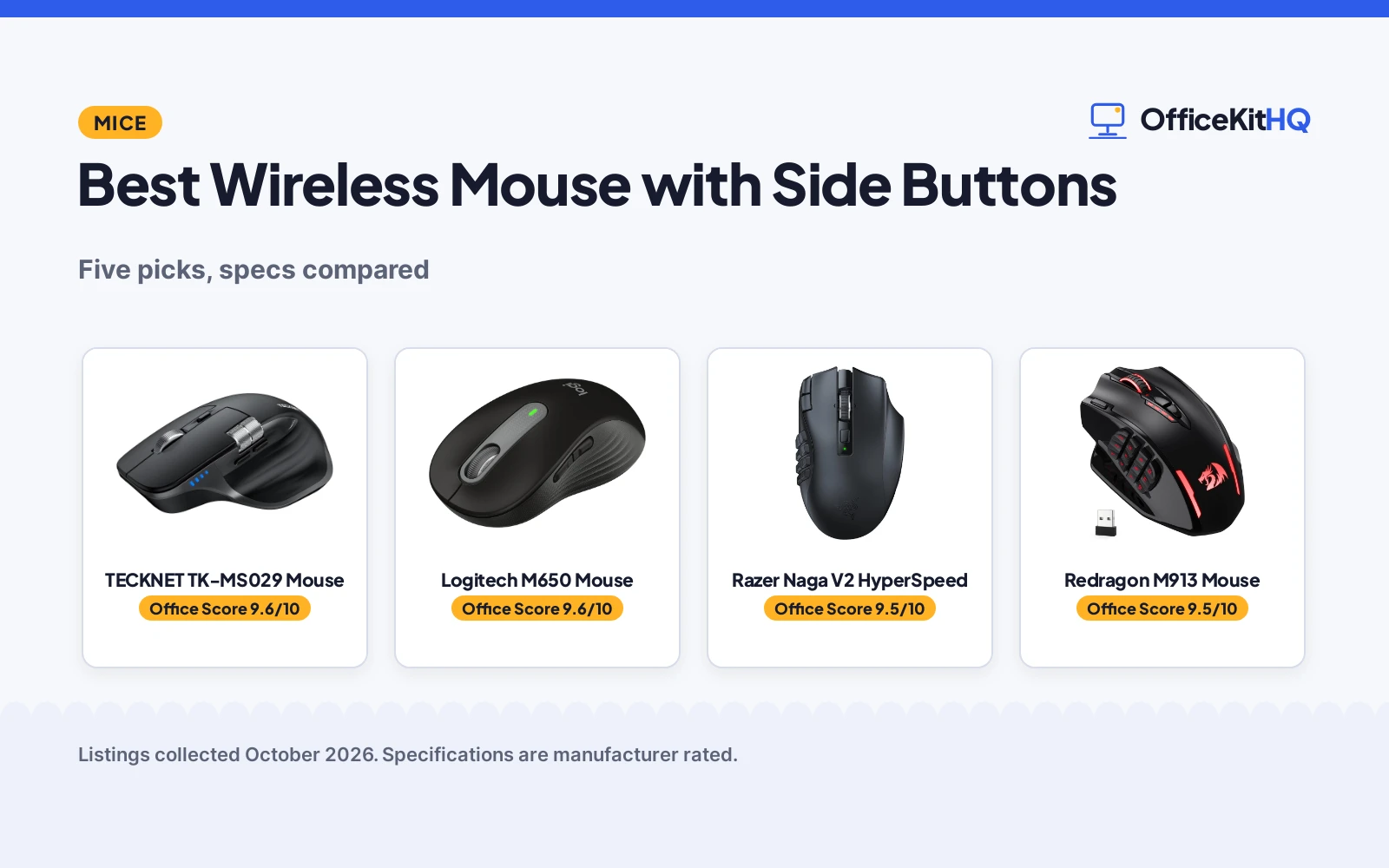
A 9 a.m. video call is no time to fight a trackpad, so the best wireless mouse with side buttons earns its desk space before the first meeting. We compared five wireless mice by stated side buttons, connection type, DPI, battery and warranty, using only what each listing publishes. From quiet office clicks to a 19-button gaming grid, the right mouse puts back, forward and copy under your thumb.
OfficeKitHQ earns a commission when you buy through links on this page, at no extra cost to you. As an Amazon Associate I earn from qualifying purchases. Affiliate disclosure.
Quick picks
 Best Overall TECKNET TK-MS029 Mouse: 3-device, 7 buttons, side scroll, rechargeable, 3-year warranty. Check price on Amazon
 Best Quiet Pick Logitech M650 Mouse: Silent clicks, customizable side buttons, 2-year battery. Check price on Amazon
 Best for Gaming Razer Naga V2 HyperSpeed: 19 buttons, 400-hour Bluetooth battery, 30K sensor. Check price on Amazon
 Best MMO Buttons Redragon M913 Mouse: 12 side buttons, 16000 DPI, wireless and wired. Check price on Amazon
- Best for Large Hands Logitech M650 L Mouse: Large size, customizable side buttons, 2-year battery. Check price on Amazon
The picks
| # | Product | Office Score | Buy |
|---|---|---|---|
| 1 | TECKNET TK-MS029 Mouse | 9.6/10 | Buy on Amazon |
| 2 | Logitech M650 Mouse | 9.6/10 | Buy on Amazon |
| 3 | Razer Naga V2 HyperSpeed | 9.5/10 | Buy on Amazon |
| 4 | Redragon M913 Mouse | 9.5/10 | Buy on Amazon |
| 5 | Logitech M650 L Mouse | 9.5/10 | Buy on Amazon |

TECKNET TK-MS029 Mouse
A 7-button mouse with 3-device switching, a side scroll wheel and rechargeable battery, suited to multi-device workers who want quiet clicks.
Pros
- 3-device switching over 2 Bluetooth and 2.4GHz connections as stated
- Side scroll wheel for horizontal scrolling as stated
- Rechargeable with about 3 months at 2 hours of daily use as stated
- 3-year warranty as stated
Cons
- Side buttons are not supported on macOS as stated
- 173 g is the heaviest weight stated here
- All buttons are non-programmable as stated
- The 36-month warranty in the bullets requires registration
Detailed Review
The listing states a 7-button wireless mouse with two Bluetooth connections plus 2.4GHz, 3-device switching, a side scroll wheel, 6 DPI levels up to 4800 and quiet clicks. It is rechargeable, listed at about 3 months with 2 hours of daily use, and the spec table gives a 3-year warranty.
Who it's for: a multi-device worker who wants side scrolling and quiet clicks across three machines. Who should skip it: a Mac user who needs the side buttons, since the listing states they are not supported on macOS.
Its Office Score of 9.6/10 comes from performance 32/35, build 20/25, value 21/25, safety 0/10 and warranty 4/5: 77 of 100 points, placed on our 9.2 to 9.8 scale.
Key Specifications
| Connection | Bluetooth x2 + 2.4GHz |
|---|---|
| Buttons | 7, non-programmable |
| DPI | Up to 4800, 6 levels |
| Battery | Rechargeable, about 3 months |
Figures as published on the retailer listing, collected 17 October 2026. Performance figures are manufacturer rated.
Safety and Warranty
What this listing states. No FCC or other safety listing is stated, so safety scores zero. 3 years. It does not say everything a buyer needs, such as who pays return shipping, so warranty scores 4 of 5. See How We Pick.
Fit the desk first. Check the stated size against your desk depth and keyboard tray, and charge or pair as the manual describes. No keyboard, mouse or wrist rest prevents or treats injury.
This is general buying information, not professional advice. Follow each product manual and local rules, and see our Safety Disclaimer.

Logitech M650 Mouse
A quiet wireless mouse with customizable side buttons for small to medium hands, suited to home workers who want silent clicks.
Pros
- Customizable side buttons via Logitech Options+ as stated
- 24-month battery from one included AA as stated
- Bluetooth Low Energy or Logi Bolt USB as stated
- 90 percent less click noise as stated
Cons
- Right-hand orientation only as stated
- No DPI switching is stated
- Software customization needs Logitech Options+
- No wired mode is stated
Detailed Review
The listing states a wireless mouse with customizable side buttons, Bluetooth Low Energy or Logi Bolt connection, 4000 DPI, 90 percent less click noise and a 24-month battery from one included AA. The warranty description states a 1 Year Limited Hardware Warranty.
Who it's for: a home worker with small to medium hands who wants quiet, customizable side buttons. Who should skip it: a left-handed user, since the listing states right-hand orientation.
Its Office Score of 9.6/10 comes from performance 32/35, build 21/25, value 21/25, safety 0/10 and warranty 3/5: 77 of 100 points, placed on our 9.2 to 9.8 scale.
Key Specifications
| Connection | Bluetooth LE + Logi Bolt |
|---|---|
| DPI | 4000 |
| Battery | 24 months, 1 AA included |
| Warranty | 1 Year Limited Hardware Warranty |
Figures as published on the retailer listing, collected 17 October 2026. Performance figures are manufacturer rated.
Safety and Warranty
What this listing states. No FCC or other safety listing is stated, so safety scores zero. 1 Year Limited Hardware Warranty. It does not say everything a buyer needs, such as who pays return shipping, so warranty scores 3 of 5. See How We Pick.
Fit the desk first. Check the stated size against your desk depth and keyboard tray, and charge or pair as the manual describes. No keyboard, mouse or wrist rest prevents or treats injury.
This is general buying information, not professional advice. Follow each product manual and local rules, and see our Safety Disclaimer.

Razer Naga V2 HyperSpeed
A 19-button wireless gaming mouse with a 30K sensor and long battery, suited to power users who want a button for every macro.
Pros
- 19 programmable buttons as stated
- Up to 400 hours on Bluetooth as stated
- Focus Pro 30K optical sensor as stated
- Switches rated for 60 million clicks as stated
Cons
- Gaming design may feel oversized for simple office work
- Full feature set needs the Razer Synapse app
- The 19-button layout has a learning curve for new users
- No multi-device pairing across three machines like the TECKNET lists
Detailed Review
The listing states a wireless gaming mouse with 19 programmable buttons, Razer HyperSpeed 2.4GHz and Bluetooth, a Focus Pro 30K optical sensor and up to 400 hours on Bluetooth. The warranty description states 2 year manufacturer.
Who it's for: a gamer or power user who wants a button for every macro. Who should skip it: someone who wants a simple office mouse, since 19 buttons is a lot to learn.
Its Office Score of 9.5/10 comes from performance 32/35, build 21/25, value 19/25, safety 0/10 and warranty 3/5: 75 of 100 points, placed on our 9.2 to 9.8 scale.
Key Specifications
| Connection | 2.4GHz HyperSpeed + Bluetooth |
|---|---|
| Buttons | 19 programmable |
| DPI | 30000 |
| Battery | 400h Bluetooth, 250h wireless |
Figures as published on the retailer listing, collected 17 October 2026. Performance figures are manufacturer rated.
Safety and Warranty
What this listing states. No FCC or other safety listing is stated, so safety scores zero. 2 year manufacturer. It does not say everything a buyer needs, such as who pays return shipping, so warranty scores 3 of 5. See How We Pick.
Fit the desk first. Check the stated size against your desk depth and keyboard tray, and charge or pair as the manual describes. No keyboard, mouse or wrist rest prevents or treats injury.
This is general buying information, not professional advice. Follow each product manual and local rules, and see our Safety Disclaimer.

Redragon M913 Mouse
A wireless and wired gaming mouse with 12 side buttons and 16000 DPI, suited to MMO gamers who want macro keys at their thumb.
Pros
- 12 side buttons out of 16 programmable as stated
- 16000 DPI Pixart 3335 sensor as stated
- Wireless and USB-C wired modes as stated
- 1-year warranty as stated
Cons
- Gaming-first design with RGB lighting
- 45-hour battery with backlight on is the shortest here
- Software customization needs the Redragon app
- 132 g is heavier than the office picks
Detailed Review
The listing states a wireless and USB-C wired mouse with 16 buttons including 12 side buttons, a Pixart 3335 sensor up to 16000 DPI and RGB lighting. Battery is listed at 45 hours with backlight on and 80 hours in eco mode, and the warranty description states 1 year.
Who it's for: an MMO gamer who wants a dozen side buttons with macros. Who should skip it: a worker who wants a quiet office mouse, since this one is built for gaming.
Its Office Score of 9.5/10 comes from performance 30/35, build 20/25, value 20/25, safety 0/10 and warranty 3/5: 73 of 100 points, placed on our 9.2 to 9.8 scale.
Key Specifications
| Connection | 2.4GHz wireless + USB-C wired |
|---|---|
| Buttons | 16, 12 side |
| DPI | 16000 |
| Battery | 45h backlit, 80h eco |
Figures as published on the retailer listing, collected 17 October 2026. Performance figures are manufacturer rated.
Safety and Warranty
What this listing states. No FCC or other safety listing is stated, so safety scores zero. 1 year. It does not say everything a buyer needs, such as who pays return shipping, so warranty scores 3 of 5. See How We Pick.
Fit the desk first. Check the stated size against your desk depth and keyboard tray, and charge or pair as the manual describes. No keyboard, mouse or wrist rest prevents or treats injury.
This is general buying information, not professional advice. Follow each product manual and local rules, and see our Safety Disclaimer.
Logitech M650 L Mouse
A large-size quiet wireless mouse with customizable side buttons, suited to workers with large hands who want the M650 comfort.
Pros
- Large size for large hands as stated
- Customizable side buttons as stated
- 24-month battery from one included AA as stated
- Bluetooth or Logi Bolt with multi-device support as stated
Cons
- No warranty term with a concrete period is stated
- Large size will not suit small hands
- No DPI switching is stated
- Right-hand orientation only as stated
Detailed Review
The listing states a large-size wireless mouse with customizable side buttons, Bluetooth or Logi Bolt connection, 4000 DPI, 90 percent less click noise and a 24-month battery from one included AA. The warranty description names no concrete term, so no warranty term is stated.
Who it's for: a worker with large hands who wants the M650 comfort in a bigger shell. Who should skip it: a small-handed user, since this is the large size.
Its Office Score of 9.5/10 comes from performance 32/35, build 21/25, value 21/25, safety 0/10 and warranty 0/5: 74 of 100 points, placed on our 9.2 to 9.8 scale.
Key Specifications
| Connection | Bluetooth LE + Logi Bolt |
|---|---|
| DPI | 4000 |
| Battery | 24 months, 1 AA included |
| Size | 4.65 x 2.58 inches, large |
Figures as published on the retailer listing, collected 17 October 2026. Performance figures are manufacturer rated.
Safety and Warranty
What this listing states. No FCC or other safety listing is stated, so safety scores zero. No warranty term, so warranty scores zero. See How We Pick.
Fit the desk first. Check the stated size against your desk depth and keyboard tray, and charge or pair as the manual describes. No keyboard, mouse or wrist rest prevents or treats injury.
This is general buying information, not professional advice. Follow each product manual and local rules, and see our Safety Disclaimer.
As an Amazon Associate I earn from qualifying purchases.
More picks to compare
 TECKNET Wireless MouseCheck on Amazon
 Redragon M811 PRO Wireless RGB GamingCheck on Amazon
 Acer Wireless Mouse for LaptopCheck on Amazon
Compare the picks
| Mouse | Office Score | Connection | Buttons | DPI | Battery | Amazon |
|---|---|---|---|---|---|---|
| TECKNET TK-MS029 Mouse | 9.6/10 | BT + 2.4GHz | 7 | 4800 | Rechargeable, about 3 months | View on Amazon |
| Logitech M650 Mouse | 9.6/10 | Bluetooth + Logi Bolt | Customizable side | 4000 | 24 months, 1 AA | View on Amazon |
| Razer Naga V2 HyperSpeed | 9.5/10 | 2.4GHz + Bluetooth | 19 | 30000 | 400h BT, 250h wireless | View on Amazon |
| Redragon M913 Mouse | 9.5/10 | 2.4GHz + USB-C wired | 16, 12 side | 16000 | 45h backlit, 80h eco | View on Amazon |
| Logitech M650 L Mouse | 9.5/10 | Bluetooth + Logi Bolt | Customizable side | 4000 | 24 months, 1 AA | View on Amazon |
Specifications are manufacturer rated as listed, collected 17 October 2026.
How we scored them
The Office Score weighs performance, build, value, safety and warranty. For mice, performance means the click setup: side buttons, connection options, DPI range and battery; safety means stated user protections, and none of these five listings states a safety certification, so that part of the score is zero across the board. Four of the five state a warranty term, from 1 year to 3 years. How we pick explains the weights.
| Product | Office Score | Perf. /35 | Build /25 | Value /25 | Safety /10 | Warranty /5 |
|---|---|---|---|---|---|---|
| TECKNET TK-MS029 Mouse | 9.6 | 32 | 20 | 21 | 0 | 4 |
| Logitech M650 Mouse | 9.6 | 32 | 21 | 21 | 0 | 3 |
| Razer Naga V2 HyperSpeed | 9.5 | 32 | 21 | 19 | 0 | 3 |
| Redragon M913 Mouse | 9.5 | 30 | 20 | 20 | 0 | 3 |
| Logitech M650 L Mouse | 9.5 | 32 | 21 | 21 | 0 | 0 |
Scores run from 9.2 to 9.8: each product’s point total is placed on that range, so more points always means a higher score.
How to choose the best wireless mouse with side buttons
How many side buttons do you need
Two customizable side buttons cover back, forward and copy for most office work: that is the Logitech M650 pair. The Redragon M913 lists 12 side buttons and the Razer Naga V2 lists 19 programmable buttons for macro-heavy work. The TECKNET lists 7 buttons that are non-programmable, so check that line before you buy. Browse all mice and mouse pads for more shapes.
Bluetooth, receiver, or both
The M650 pair connects by Bluetooth Low Energy or Logi Bolt USB receiver with multi-device support. The TECKNET goes further with two Bluetooth connections plus 2.4GHz, switching among 3 devices. The Redragon M913 pairs 2.4GHz wireless with a USB-C wired mode, and the Razer Naga V2 pairs HyperSpeed 2.4GHz with Bluetooth.
Battery or rechargeable
The M650 pair lists 24 months from a single included AA battery. The TECKNET is rechargeable, listed at about 3 months with 2 hours of daily use. The Razer Naga V2 lists up to 400 hours on Bluetooth, while the Redragon M913 lists 45 hours with backlight on and 80 hours in eco mode. For photo work, see our wireless mouse for editing photos picks.
Read the warranty line
The TECKNET lists 3 years, the Razer Naga V2 a 2 year manufacturer term, and the Redragon M913 and small M650 each list 1 year. The large M650 warranty description names no concrete term, so no warranty is stated there.
Setup Notes
- Measure your hand against the sizes: the M650 L is 4.65 by 2.58 inches for large hands, and the small to medium is 4.22 by 2.43 inches.
- The M650 pair connects by Bluetooth or Logi Bolt with no cable; the TECKNET adds a USB-A receiver for 2.4GHz.
- Plan power: the M650 pair runs on one included AA for 24 months, while the TECKNET recharges over USB.
- Mac users should note the TECKNET side buttons are stated as not supported on macOS.
Frequently Asked Questions
What are side buttons for?
The listings describe them for back and forward navigation and copy and paste shortcuts. The TECKNET notes its side buttons are not supported on macOS.
Which mouse fits small hands?
The Logitech Signature M650 in the small to medium size, listed at 4.22 by 2.43 inches. The M650 L at 4.65 by 2.58 inches is the large size.
Do any of these work with multiple devices?
The TECKNET switches among 3 devices over two Bluetooth connections and 2.4GHz. The M650 pair lists multi-device Bluetooth support.
Which has the longest battery life?
The Razer Naga V2 lists up to 400 hours on Bluetooth. The M650 pair lists 24 months from one AA battery.
Are these good for gaming?
The Redragon M913 and Razer Naga V2 are gaming mice with 12 side buttons and 19 programmable buttons respectively. The M650 pair is office-focused with quiet clicks.
Related guides
See every Mice and Mouse Pads guide and all Monitor Mounts, Keyboards and Mice guides.
More picks: wireless mouse for editing photos, wireless mouse for fingertip grip and wireless mouse with charging dock.