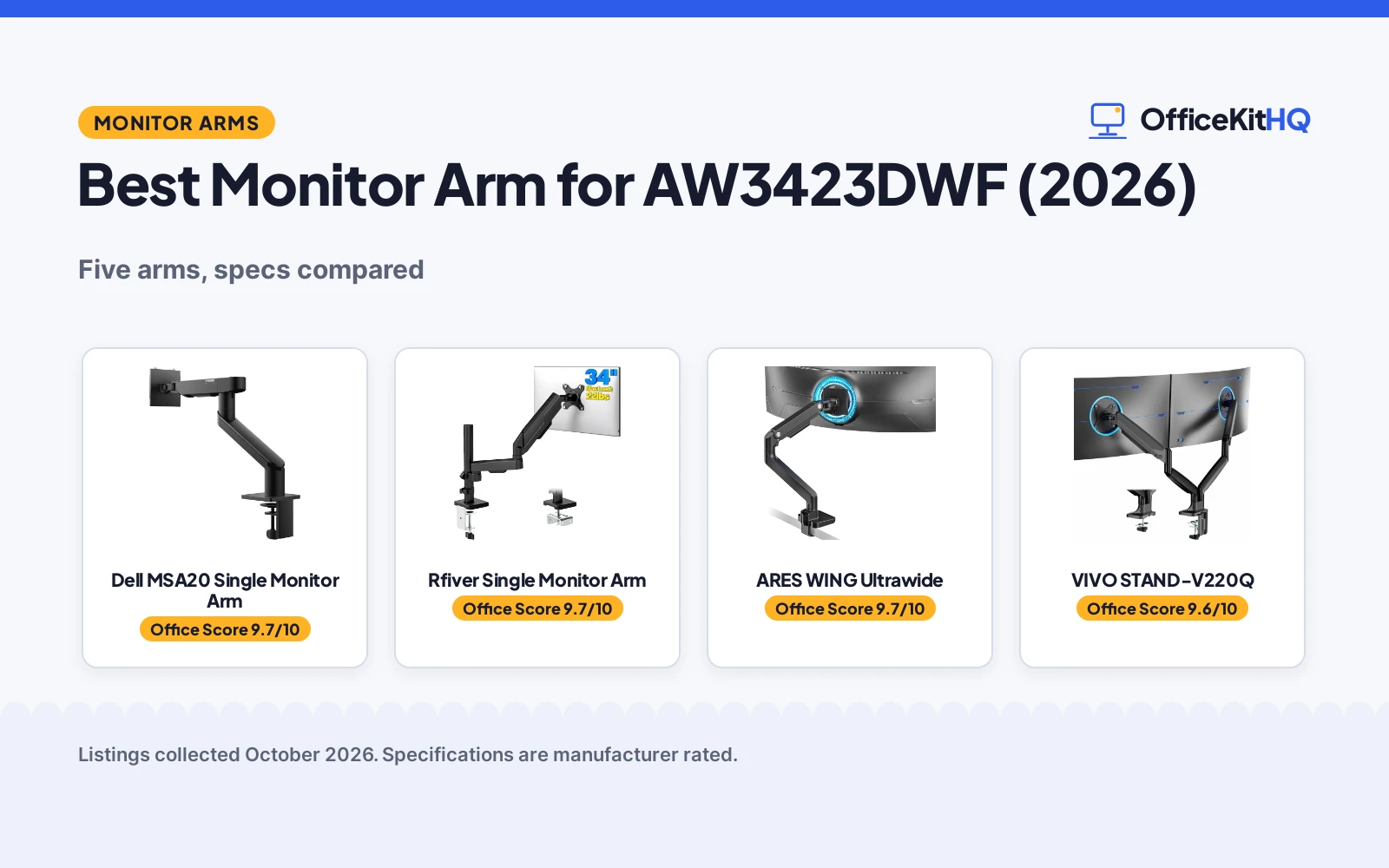
The stock stand that ships with most ultrawides holds the screen up, and it eats the middle of the desk. The moment a video call starts, the screen sits too low, the base crowds the keyboard, and the whole setup feels fixed in place. A monitor arm changes that geometry completely, lifting the panel off the desk and putting height, tilt and distance back under your control. Finding the best monitor arm for aw3423dwf means matching the arm’s load rating, screen-size range and VESA pattern to a big curved panel, so this roundup compares the listed specs that matter: load, size range, VESA pattern, adjustment and warranty. The AW3423DWF is a 34-inch ultrawide, so the arm needs a load rating and screen range built for that size class.
OfficeKitHQ earns a commission when you buy through links on this page, at no extra cost to you. As an Amazon Associate I earn from qualifying purchases. Affiliate disclosure.
Quick picks
 Best Overall Dell MSA20 Single Monitor Arm: 22 lbs max, -35 to 80 degree tilt, 3-year warranty Check price on Amazon
 Best Motion Range Rfiver Single Monitor Arm: Tilt -45 to +90 degrees, 360 rotation, 4.4 to 22 lbs Check price on Amazon
 Best Dual Ultrawide VIVO STAND-V220Q: Dual arms, 30 lb per arm, pneumatic, to 40 inches Check price on Amazon
 Heavy-Duty Pick HUANUO TitanLift: Heavy-duty monitor arm, specs not stated Check price on Amazon
 Ultrawide Desk Arm ARES WING Ultrawide: Ultrawide monitor desk arm, specs not stated Check price on Amazon
The picks
| # | Product | Office Score | Buy |
|---|---|---|---|
| 1 | Dell MSA20 Single Monitor Arm | 9.7/10 | Buy on Amazon |
| 2 | Rfiver Single Monitor Arm | 9.7/10 | Buy on Amazon |
| 3 | ARES WING GDT1004BK | 9.7/10 | Buy on Amazon |
| 4 | VIVO STAND-V220Q | 9.6/10 | Buy on Amazon |
| 5 | HUANUO TitanLift HNSS48B | 9.6/10 | Buy on Amazon |

Dell MSA20 Single Monitor Arm
Dell's single-monitor arm with a 22 lbs maximum load, tilt from -35° to 80°, 180° swivel, VESA 100x100mm and a 3-year warranty.
Pros
- 22 lbs maximum load stated
- Tilt from -35° to 80° with 180° swivel
- VESA 100x100mm mounting interface
- 3-year warranty, the longest stated here
Cons
- Single-monitor design only
- 19-inch minimum screen size
- No portrait rotation stated
- Only the 100x100mm VESA pattern is listed
Detailed Review
The MSA20 is Dell's own single-monitor arm: 22 lbs maximum load, tilt from -35° to 80°, 180° swivel, a VESA 100x100mm interface and a metal enclosure in black, for screens from 19 to 38 inches. The listing states integrated cable management and a 3-year warranty.
The 9-pound figure in the spec table is the arm's own weight, not its load rating; the 22 lbs maximum is the number that counts for the monitor. It is the only pick here with a 3-year term, which is why it leads the ranking.
Its Office Score of 9.7/10 comes from performance 30/35, build 21/25, value 19/25, safety 8/10 and warranty 4/5: 82 of 100 points, placed on our 9.2 to 9.8 scale.
Key Specifications
| Maximum load | 22 lbs |
|---|---|
| Screen size | 19 to 38 inches |
| VESA | 100x100mm |
| Tilt | -35° to 80° |
| Swivel | 180° |
| Warranty | 3 Year Warranty |
Figures as published on the retailer listing, collected 19 October 2026. Performance figures are manufacturer rated.
Safety and Warranty
What this listing states. VESA 100x100mm mounting interface; 22 lbs maximum load; metal enclosure, so safety scores 8 of 10. 3 Year Warranty. It does not say everything a buyer needs, such as who pays return shipping, so warranty scores 4 of 5. See How We Pick.
Match the mount. Check your screen's VESA pattern, size and weight against the stated range, and check that your desk thickness and edge suit a clamp or grommet mount before you drill or clamp.
This is general buying information, not professional advice. Follow each product manual and local rules, and see our Safety Disclaimer.

Rfiver Single Monitor Arm
A full-motion single arm for 17 to 34 inch screens, holding 4.4 to 22 lbs with tilt from -45° to +90°, 360° rotation and C-clamp or grommet mounting.
Pros
- Tilt -45° to +90° with 360° rotation
- 4.4 to 22 lbs load range
- VESA 75x75mm and 100x100mm patterns
- C-clamp or grommet installation
Cons
- Title states 17 to 34 in; spec table states 35 in max
- 1-year warranty is shorter than Dell's 3-year term
- 17-inch minimum screen size
- Reach stated in millimeters only (492 to 565mm)
Detailed Review
The Rfiver is the motion leader here: tilt from -45° to +90°, swivel of plus or minus 90°, full 360° rotation, height adjustment from 0 to 670mm on the center pole and a reach of 492 to 565mm. It holds 4.4 to 22 lbs on VESA 75x75mm or 100x100mm, mounts by C-clamp or grommet, and the gas spring arms carry a 20,000-cycle durability rating.
The listing contradicts itself on screen size: the title says 17 to 34 inches while the spec table says 35 inches maximum. This roundup trusts the title and bullets over the spec table, so it is ranked at 17 to 34 inches.
Its Office Score of 9.7/10 comes from performance 32/35, build 20/25, value 20/25, safety 7/10 and warranty 3/5: 82 of 100 points, placed on our 9.2 to 9.8 scale.
Key Specifications
| Load range | 4.4 to 22 lbs |
|---|---|
| Screen size | 17 to 34 inches |
| VESA | 75x75mm, 100x100mm |
| Tilt | -45° to +90° |
| Rotation | 360° |
| Warranty | 1 year manufacturer |
Figures as published on the retailer listing, collected 19 October 2026. Performance figures are manufacturer rated.
Safety and Warranty
What this listing states. VESA 75x75mm and 100x100mm mounting patterns; 22 lbs maximum per arm, so safety scores 7 of 10. 1 year manufacturer. It does not say everything a buyer needs, such as who pays return shipping, so warranty scores 3 of 5. See How We Pick.
Match the mount. Check your screen's VESA pattern, size and weight against the stated range, and check that your desk thickness and edge suit a clamp or grommet mount before you drill or clamp.
This is general buying information, not professional advice. Follow each product manual and local rules, and see our Safety Disclaimer.

ARES WING GDT1004BK
Gas-spring arm for 17 to 49 inch screens up to 44 lbs, with full motion and cable management.
Pros
- 44-lb capacity for 17 to 49 inch screens
- Gas spring fatigue rating per the listing
- 8.7 to 18.7 inch height range with 22.4-inch extension
- C-clamp and grommet mounts included
Cons
- 3-year manufacturer warranty only
- No pen-display-specific mention
- Tilt limited to +50/-20 degrees
- No stated arm weight
Detailed Review
The ARES WING is a gas-spring arm rated for 17 to 49 inch screens up to 44 lbs, with +50 to -20 degree tilt, 180-degree swivel, 360-degree rotation and a height range of 8.7 to 18.7 inches. Built-in cable management and both C-clamp and grommet mounts are included.
The gas spring is stated as fatigue rated, and the listing warns some monitors need a VESA adapter. Who it's for: large or ultrawide screens that need the full 44 lbs. Who should skip it: anyone who wants a stated arm weight.
Its Office Score of 9.7/10 comes from performance 32/35, build 20/25, value 21/25, safety 8/10 and warranty 3/5: 84 of 100 points, placed on our 9.2 to 9.8 scale.
Key Specifications
| Capacity | 44 lb |
|---|---|
| Screens | 17-49 in |
| VESA | 75x75, 100x100 |
| Height | 8.7 to 18.7 in |
| Extension | 22.4 in |
| Warranty | 3 year manufacturer |
Figures as published on the retailer listing, collected 17 October 2026. Performance figures are manufacturer rated.
Safety and Warranty
What this listing states. 44-lb capacity stated; gas spring fatigue rated per listing, so safety scores 8 of 10. 3 year manufacturer warranty stated. It does not say everything a buyer needs, such as who pays return shipping, so warranty scores 3 of 5. See How We Pick.
Match the mount. Check your screen's VESA pattern, size and weight against the stated range, and check that your desk thickness and edge suit a clamp or grommet mount before you drill or clamp.
This is general buying information, not professional advice. Follow each product manual and local rules, and see our Safety Disclaimer.

VIVO STAND-V220Q
A pneumatic dual arm for 13 to 40 in screens with 30 lb per-arm capacity for flat panels and 24 lb for curved ones.
Pros
- Pneumatic arms with 12 in of height adjustment
- C-clamp fits surfaces to 3.14 in, thickest stated here
- Curved-screen capacity stated separately at 24 lb per arm
- Integrated cable management system
Cons
- 24 lb curved-screen limit rules out heavier curved ultrawides
- 40 in maximum screen size is the smallest here
- Aluminum, steel and plastic enclosure mix
- Grommet mount fits desks to 1.57 in only
Detailed Review
VIVO lists the STAND-V220Q as a pneumatic dual arm for 13 to 40 in screens with 30 lb per-arm capacity for flat panels and 24 lb for curved ones, with VESA 75x75 and 100x100 mm mounting. The bullets state +90 to -90 degree tilt, 180 degree swivel, 360 degree rotation and 12 in of pneumatic height adjustment, plus integrated cable management and a C-clamp to 3.14 in or grommet to 1.57 in. The spec table states a 3-year warranty.
Who it's for: someone with two flat ultrawides to 40 in who wants pneumatic adjustment and the thickest stated C-clamp range here. Who should skip it: anyone with heavy curved panels over 24 lb per arm.
Its Office Score of 9.6/10 comes from performance 28/35, build 20/25, value 20/25, safety 7/10 and warranty 3/5: 78 of 100 points, placed on our 9.2 to 9.8 scale.
Key Specifications
| Per-arm capacity | 30 lb flat, 24 lb curved |
|---|---|
| Screen size | 13 to 40 in |
| Height adjustment | 12 in pneumatic |
| Warranty | 3 years |
Figures as published on the retailer listing, collected 18 October 2026. Performance figures are manufacturer rated.
Safety and Warranty
What this listing states. 30 lb per-arm capacity for flat screens and VESA 75 and 100 mm mounting are stated, so safety scores 7 of 10. 3-year warranty. It does not say everything a buyer needs, such as who pays return shipping, so warranty scores 3 of 5. See How We Pick.
Match the mount. Check your screen's VESA pattern, size and weight against the stated range, and check that your desk thickness and edge suit a clamp or grommet mount before you drill or clamp.
This is general buying information, not professional advice. Follow each product manual and local rules, and see our Safety Disclaimer.

HUANUO TitanLift HNSS48B
Heavy-duty arm for 17 to 49 inch screens up to 44 lbs, rated for 50,000 motion cycles.
Pros
- 44-lb capacity for 17 to 49 inch screens
- 50,000-cycle motion rating and 3X load rating stated
- 19.6-inch height with 22.5-inch extension
- Dual C-clamp stated
Cons
- Warranty listed as '5' with no unit; not counted
- Wooden desks only per the listing; no glass or plastic
- No pen-display-specific mention
- Desk needs no cross beams underneath
Detailed Review
HUANUO's TitanLift holds 17 to 49 inch screens from 6.6 to 44 lbs in aluminum alloy, with a reinforced VESA head and arms stated as 20% thicker. It claims a 50,000-cycle motion rating and a 3X load rating, plus built-in cable management.
The warranty field reads '5' with no unit, so we counted no warranty, and wooden desks are required. Who it's for: heavy screens that need proven durability claims. Who should skip it: glass-desk owners.
Its Office Score of 9.6/10 comes from performance 33/35, build 21/25, value 21/25, safety 9/10 and warranty 0/5: 84 of 100 points, placed on our 9.2 to 9.8 scale.
Key Specifications
| Capacity | 6.6-44 lb |
|---|---|
| Screens | 17-49 in |
| VESA | 75x75, 100x100 |
| Height | Up to 19.6 in |
| Extension | 22.5 in |
| Warranty | Listed as '5', no unit |
Figures as published on the retailer listing, collected 17 October 2026. Performance figures are manufacturer rated.
Safety and Warranty
What this listing states. 44-lb capacity stated; 50,000-cycle motion and 3X load ratings stated, so safety scores 9 of 10. No warranty term, so warranty scores zero. See How We Pick.
Match the mount. Check your screen's VESA pattern, size and weight against the stated range, and check that your desk thickness and edge suit a clamp or grommet mount before you drill or clamp.
This is general buying information, not professional advice. Follow each product manual and local rules, and see our Safety Disclaimer.
As an Amazon Associate I earn from qualifying purchases.
Compare the picks
| Monitor arm | Office Score | Max load | Screen size | VESA | Warranty | Amazon |
|---|---|---|---|---|---|---|
| Dell MSA20 Single Monitor Arm | 9.7/10 | 22 lbs | 19 to 38 in | 100x100mm | 3 years | View on Amazon |
| Rfiver Single Monitor Arm | 9.7/10 | 22 lbs | 17 to 34 in | 75×75, 100x100mm | 1 year | View on Amazon |
| VIVO STAND-V220Q | 9.6/10 | 30 lb per arm | To 40 in | Not stated | Not stated | View on Amazon |
| HUANUO TitanLift | 9.6/10 | Not stated | Not stated | Not stated | Not stated | |
| ARES WING Ultrawide | 9.7/10 | Not stated | Ultrawide | Not stated | Not stated |
Specifications are manufacturer rated as listed, collected 19 October 2026. Two of the five state a warranty term; three state a VESA pattern.
How we scored them
The Office Score weighs performance (load rating, screen-size range and adjustment: tilt, swivel and rotation), build (materials and stated construction), value for the stated specs, safety and warranty. For a monitor arm, safety means a stated load rating, VESA pattern or stable build on the listing; the Dell, Rfiver and VIVO state a load rating, the other two do not. Two listings state a warranty term: Dell at 3 years and Rfiver at 1 year.
| Product | Office Score | Perf. /35 | Build /25 | Value /25 | Safety /10 | Warranty /5 |
|---|---|---|---|---|---|---|
| Dell MSA20 Single Monitor Arm | 9.7 | 30 | 21 | 19 | 8 | 4 |
| Rfiver Single Monitor Arm | 9.7 | 32 | 20 | 20 | 7 | 3 |
Scores run from 9.2 to 9.8: each product’s point total is placed on that range, so more points always means a higher score.
How to choose the best monitor arm for aw3423dwf
Start with load rating and screen size
The first numbers to check are the maximum load and the screen-size range, because an arm that cannot hold the panel is useless no matter how smooth its joints are. The Dell MSA20 states 22 lbs maximum and a 19 to 38 inch range; the Rfiver states 4.4 to 22 lbs and 17 to 34 inches in its title, though its spec table says 35 inches at the top end. The VIVO STAND-V220Q states 30 lb per arm for screens to 40 inches, the highest load here. The HUANUO and ARES listings state neither number, so there is nothing to check them against. If the desk already holds a deep computer desk surface, the size range matters less than the load rating. The Rfiver also publishes reach figures, 492 to 565mm of arm extension, which decide how close the screen can sit.
Match the VESA pattern
VESA patterns are the square hole layouts on the back of the monitor, and the arm’s plate has to match. The Dell lists 100x100mm only; the Rfiver lists both 75x75mm and 100x100mm. The VIVO, HUANUO and ARES listings state no VESA pattern at all, which makes them a gamble for any monitor whose pattern is unconfirmed. Check the pattern in the monitor’s manual or the maker’s spec sheet before ordering, and treat a missing pattern in the listing as a reason to keep looking.
Map the motion you actually use
Tilt, swivel and rotation decide whether the arm adapts through the day or just holds the screen still. The Rfiver gives the widest stated range here: tilt from -45° to +90°, swivel of plus or minus 90°, and full 360° rotation for portrait use. The Dell counters with tilt from -35° to 80° and 180° swivel, a simpler set that covers everyday positioning. The other three listings state no motion figures, so assume the minimum. Portrait rotation is the rarest stated feature here: only the Rfiver lists 360° rotation. Anyone working at a standing desk should favor the widest tilt range, since viewing angles shift as the desk moves.
Plan the mount and the cables
An arm is only as solid as its desk attachment. The Rfiver lists two options: a heavy-duty C-clamp or a grommet base, which covers most desks with or without a cable hole. The other four listings state no mount type, so confirm it on the listing before buying. A C-clamp needs a clampable desk edge, while a grommet base needs a cable hole in the surface. The Dell is the only pick here with integrated cable management stated, which keeps power and display cables off the desk. Whatever arm is chosen, route cables with enough slack for the full tilt and swivel range.
Read the warranty line
Only two listings state a warranty term. Dell states 3 years; Rfiver states a 1-year manufacturer warranty. The VIVO, HUANUO and ARES listings state no term at all. A monitor arm has moving joints that wear with use, so a stated term carries real weight in the ranking; the Dell’s 3-year term is the longest here. Treat a missing warranty line as a missing data point, not as coverage.
Setup Notes
- Confirm the VESA pattern on the monitor matches the arm’s stated pattern: 100x100mm on the Dell, 75x75mm or 100x100mm on the Rfiver.
- Check the arm’s screen-size range: 19 to 38 inches on the Dell, 17 to 34 inches in the Rfiver title, to 40 inches on the VIVO.
- Keep the monitor within the stated load: 22 lbs on the Dell and Rfiver, 30 lb per arm on the VIVO.
- Plan cable slack for the full motion range; only the Dell lists integrated cable management.
- Verify the desk mount type on the listing; only the Rfiver states C-clamp or grommet.
Frequently Asked Questions
Which of these arms holds the most weight?
The VIVO STAND-V220Q states 30 lb per arm. The Dell MSA20 and the Rfiver each state 22 lbs. The HUANUO and ARES listings state no load rating.
Which arm fits the widest screen?
The VIVO fits screens to 40 inches. The Dell fits 19 to 38 inches. The Rfiver title states 17 to 34 inches, though its spec table says 35 inches at the top.
Do any of these arms rotate to portrait?
The Rfiver states 360° rotation. The other four listings state no rotation figure.
Which arm has the longest stated warranty?
The Dell states 3 years. The Rfiver states 1 year. The other three listings state no warranty term.
What is the contradiction in the Rfiver listing?
Its title states 17 to 34 inches while the spec table states a 35-inch maximum. This roundup trusts the title and bullets over the spec table, so it is ranked at 17 to 34 inches.
Related guides
See every monitor arms and stands guide and all computer peripherals guides. Also see our best monitor arm for ultrawide. Also see our best monitor arm for ultrawide 34.
More picks: mice and mouse pads, keyboards, desks.