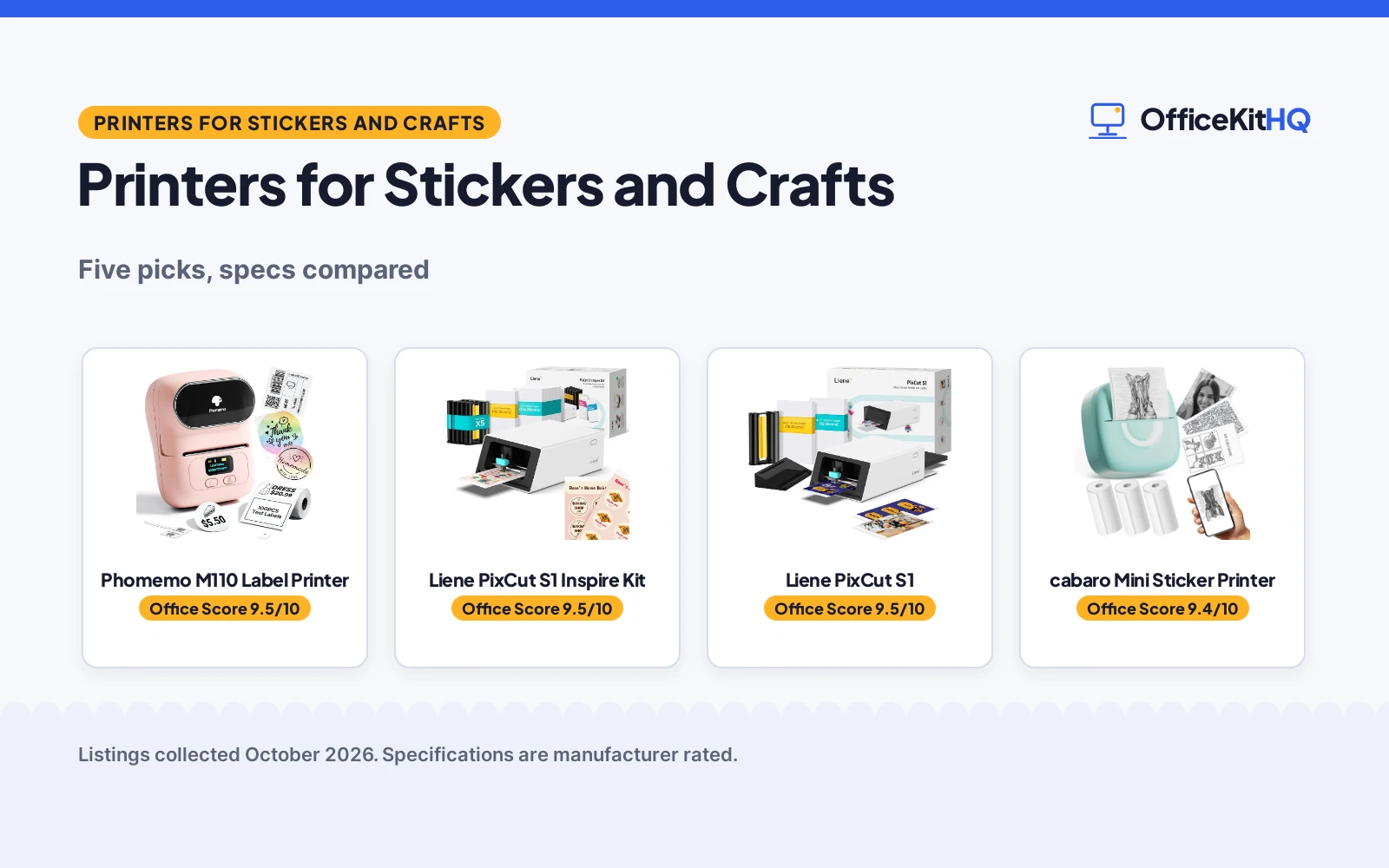
The best printer for stickers and crafts is the one that matches what you actually make: labels for jars and cables, die-cut stickers for a small business, or full sheets of sticker paper run through a printer you already own. A pocket thermal printer and a print-and-cut color machine solve different problems, and sticker paper is not a printer at all. We compared five options by print type, resolution, media size, stated speed and warranty term, using only what each listing publishes. The range runs from a 203 dpi pocket thermal printer at 160 g to a 300 dpi dye-sublimation machine that prints and cuts in one step, plus a 100-sheet kraft paper pack for the printer you already own.
OfficeKitHQ earns a commission when you buy through links on this page, at no extra cost to you. As an Amazon Associate I earn from qualifying purchases. Affiliate disclosure.
Quick picks
 Best Overall Phomemo M110 Label Printer: 203 dpi label printer, 20-50mm labels, 1-year warranty, Bluetooth Check price on Amazon
 Best Print-and-Cut Kit Liene PixCut S1 Inspire Kit: 300 dpi color printing with AI cutting, 180 sheets included Check price on Amazon
 Best Color Stickers Liene PixCut S1: 300 dpi dye-sublimation, waterproof scratch-resistant stickers Check price on Amazon
 Best Pocket Printer cabaro Mini Sticker Printer: Inkless 203 dpi pocket printer, 3 paper rolls included Check price on Amazon
 Best Sticker Paper NATURALABEL Kraft Sticker Paper: 100 sheets 8.5×11 kraft paper for laser and inkjet Check price on Amazon
The picks
| # | Product | Office Score | Buy |
|---|---|---|---|
| 1 | Phomemo M110 Label Printer | 9.5/10 | Buy on Amazon |
| 2 | Liene PixCut S1 Inspire Kit | 9.5/10 | Buy on Amazon |
| 3 | Liene PixCut S1 | 9.5/10 | Buy on Amazon |
| 4 | cabaro Mini Sticker Printer | 9.4/10 | Buy on Amazon |
| 5 | NATURALABEL Kraft Sticker Paper | 9.4/10 | Buy on Amazon |

Phomemo M110 Label Printer
A portable 203 dpi thermal label printer with a display, Bluetooth and a 20 to 50mm label width, for labels rather than shipping or color work.
Pros
- 20 to 50mm label width range for name, price, cable and address labels
- Bluetooth 4.0 with a stated 33 ft wireless range and 2-second pairing
- Clear electronic display with real-time battery monitoring
- App with templates, Excel batch printing and OCR text recognition
Cons
- Not for shipping labels and does not support color printing
- Templates, icons and fonts marked with a diamond icon are exclusive to paid members
- 1 page per minute stated black and white speed
- Title says 6000+ templates while bullets say 3000+: trust the lower bullet figure
Detailed Review
Phomemo lists the M110 as a portable thermal label printer with a clear electronic display, Bluetooth 4.0 with a stated 33 ft range, and a 20 to 50mm label width range. The listing gives 203 dpi resolution, a 4.48 x 4.48 by 2.44 by 3.43 inch body at 222.8 g, app control with Excel batch printing and OCR text recognition, and a stated 1 Year warranty. It is black and white only and not for shipping labels, and templates marked with a diamond icon need a paid membership. The listing contradicts itself on template count: the title says 6000+ while the bullets say 3000+. Trust the bullets.
Who it's for: small businesses and home organizers who print lots of small monochrome labels and want Bluetooth printing from a phone. Who should skip it: anyone who needs shipping labels, color printing, or a fully free template library.
Its Office Score of 9.5/10 comes from performance 28/35, build 20/25, value 20/25, safety 0/10 and warranty 3/5: 71 of 100 points, placed on our 9.2 to 9.8 scale.
Key Specifications
| Label width | 20-50mm |
|---|---|
| Resolution | 203 dpi |
| Connectivity | Bluetooth 4.0, 33 ft range, USB |
| Warranty | 1 Year (spec table) |
Figures as published on the retailer listing, collected 18 October 2026. Performance figures are manufacturer rated.
Safety and Warranty
What this listing states. This product does not plug in or run on a battery, so safety is not part of its score. The spec table lists a 1 Year warranty. It does not say everything a buyer needs, such as who pays return shipping, so warranty scores 3 of 5. See How We Pick.
Follow the manual. Assemble and use the product as the maker describes, stay under any stated capacity, and read the manual before first use.
This is general buying information, not professional advice. Follow each product manual and local rules, and see our Safety Disclaimer.

Liene PixCut S1 Inspire Kit
The PixCut S1 print-and-cut color sticker machine bundled with 180 sheets, for crafters who want to start printing and cutting immediately.
Pros
- 300 dpi thermal dye-sublimation color printing with 16.7 million colors
- Prints and die-cuts in one step with AI image extraction and edge following
- Stickers come out waterproof and scratch-resistant per the listing
- 180 sheets included: 36 photo plus 144 sticker paper
Cons
- No warranty term is stated
- 1 page per minute stated speed in black and white and color
- Bluetooth connectivity only: no USB or Wi-Fi is stated
- Near-duplicate of the base PixCut S1 listing with a larger paper bundle
Detailed Review
Liene lists the PixCut S1 Inspire Kit as the DHP700 all-in-one color sticker printer and cutting machine with a 180-sheet bundle: 36 photo papers and 144 sticker papers. The listing gives 300 dpi dye-sublimation printing, AI image extraction with precision cutting, Bluetooth control from the Liene app, and stickers the maker describes as waterproof and scratch-resistant because the photo paper laminates during printing. The unit measures 11.06 x 7.72 x 4.13 inches at 2.9 kg, and no warranty term is stated. It is the same printer as the base PixCut S1 listing with a larger paper supply.
Who it's for: crafters and small sellers who want color printing plus cutting in one machine with paper to start immediately. Who should skip it: anyone who already owns the base PixCut S1, or who only needs monochrome labels.
Its Office Score of 9.5/10 comes from performance 30/35, build 21/25, value 21/25, safety 0/10 and warranty 0/5: 72 of 100 points, placed on our 9.2 to 9.8 scale.
Key Specifications
| Resolution | 300 dpi color |
|---|---|
| Media | 4x7 in max, 180 sheets (36 photo + 144 sticker) |
| Functions | Print and AI die-cut in one step |
| Size | 11.06 x 7.72 x 4.13 in, 2.9 kg |
Figures as published on the retailer listing, collected 18 October 2026. Performance figures are manufacturer rated.
Safety and Warranty
What this listing states. This product does not plug in or run on a battery, so safety is not part of its score. No warranty term, so warranty scores zero. See How We Pick.
Follow the manual. Assemble and use the product as the maker describes, stay under any stated capacity, and read the manual before first use.
This is general buying information, not professional advice. Follow each product manual and local rules, and see our Safety Disclaimer.

Liene PixCut S1
A 300 dpi color dye-sublimation sticker printer with AI auto-cutting, for vivid waterproof stickers without a separate cutter.
Pros
- 300 dpi thermal dye-sublimation prints with 16.7 million colors
- AI image extraction with high-precision cutting that follows every edge
- Stickers come out waterproof and scratch-resistant per the listing
- Liene app with 50,000+ free images and 10,000+ templates, no subscription
Cons
- No warranty term is stated
- Only 18 photo sheets and a 36-sheet cutter cartridge are included
- 1 page per minute stated speed in black and white and color
- Bluetooth connectivity only: no USB or Wi-Fi is stated
Detailed Review
Liene lists the PixCut S1 as an all-in-one color sticker printer and cutting machine using thermal dye-sublimation at 300 dpi. The listing describes AI image extraction, precision cutting guided by the same AI, Bluetooth editing and printing from a smartphone, and stickers that come out waterproof and scratch-resistant through four-layer lamination during printing. The box includes a pre-installed blade, 18 sheets of 4x6 inch photo paper and a 36-sheet photo sticker cutter ink cartridge, and the unit measures 11 x 7.7 x 4.1 inches at 6.2 pounds. No warranty term is stated.
Who it's for: DIY crafters who want color stickers with professional cut edges from one machine. Who should skip it: high-volume sellers who need faster than the stated 1 page per minute, or anyone who wants a stated warranty.
Its Office Score of 9.5/10 comes from performance 29/35, build 21/25, value 20/25, safety 0/10 and warranty 0/5: 70 of 100 points, placed on our 9.2 to 9.8 scale.
Key Specifications
| Resolution | 300 dpi color |
|---|---|
| Media | 4x7 in max, 18 photo sheets + 36-sheet cartridge |
| Functions | Print and AI die-cut in one step |
| Size | 11 x 7.7 x 4.1 in, 6.2 lb |
Figures as published on the retailer listing, collected 18 October 2026. Performance figures are manufacturer rated.
Safety and Warranty
What this listing states. This product does not plug in or run on a battery, so safety is not part of its score. No warranty term, so warranty scores zero. See How We Pick.
Follow the manual. Assemble and use the product as the maker describes, stay under any stated capacity, and read the manual before first use.
This is general buying information, not professional advice. Follow each product manual and local rules, and see our Safety Disclaimer.

cabaro Mini Sticker Printer
An inkless 203 dpi pocket sticker printer with 3 paper rolls in the box, for photos, notes and journal stickers on the go.
Pros
- Inkless thermal printing: no ink or toner to buy
- 3 rolls of 50 to 53mm thermal sticker paper are included
- 203 dpi printing in a 4 x 3.5 x 1.9 inch, 160 g pocket body
- Bluetooth 4.0 with a companion app for fonts, filters and themes
Cons
- Monochrome thermal printing only: no color
- The stated Lifetime warranty type has no concrete term
- App-dependent printing over Bluetooth 4.0 only
- 120 pages per minute is a stated copy speed figure, not a measured rate
Detailed Review
cabaro lists a mini thermal sticker printer with 3 rolls of 50 to 53mm thermal sticker paper, a charging cable and a user manual in the box. The listing gives 203 dpi monochrome printing, Bluetooth 4.0 for Android and iOS, a 4 x 3.5 x 1.9 inch body at 160 g, and a Fun Print app with fonts, filter effects and themes. It prints photos, memos, study notes and labels in black and white, and the listing states you never buy ink or toner. The warranty type is stated as Lifetime, which has no concrete term, and no safety certification is stated.
Who it's for: students, journalers and kids who want pocket-size monochrome stickers and notes without buying ink. Who should skip it: anyone who needs color, larger formats, or a stated warranty term.
Its Office Score of 9.4/10 comes from performance 26/35, build 19/25, value 21/25, safety 0/10 and warranty 0/5: 66 of 100 points, placed on our 9.2 to 9.8 scale.
Key Specifications
| Resolution | 203 dpi monochrome |
|---|---|
| Paper | 50-53mm thermal, 3 rolls included |
| Connectivity | Bluetooth 4.0, app control |
| Size | 4 x 3.5 x 1.9 in, 160 g |
Figures as published on the retailer listing, collected 18 October 2026. Performance figures are manufacturer rated.
Safety and Warranty
What this listing states. This product does not plug in or run on a battery, so safety is not part of its score. No warranty term, so warranty scores zero. See How We Pick.
Follow the manual. Assemble and use the product as the maker describes, stay under any stated capacity, and read the manual before first use.
This is general buying information, not professional advice. Follow each product manual and local rules, and see our Safety Disclaimer.

NATURALABEL Kraft Sticker Paper
100 sheets of 8.5 x 11 inch kraft sticker paper for laser and inkjet printers, printable and writable with a permanent matte adhesive.
Pros
- 100 sheets of 8.5 x 11 inch sticker paper in one pack
- Stated for both laser and inkjet printers
- Printable and writable with pens, pencils or markers
- Permanent self-adhesive matte finish in a vintage kraft look
Cons
- Paper only: needs a separate laser or inkjet printer
- No warranty term is stated
- Kraft brown matte color only
- Permanent adhesive gives no second chances on placement
Detailed Review
NATURALABEL lists a 100-sheet bulk pack of brown kraft sticker paper at 8.5 x 11 inches. The listing states it suits laser and inkjet printers, prints without jamming, and can also be written on with pens, pencils or markers. The permanent self-adhesive matte finish sticks to cardboard, plastic, paper and flat surfaces, and the vintage kraft look suits gift boxes, tags and labels. It is paper, not a printer, and no warranty term is stated.
Who it's for: crafters and small businesses who already own a laser or inkjet printer and want rustic-looking labels in bulk. Who should skip it: anyone without a printer, or anyone who needs a non-permanent adhesive.
Its Office Score of 9.4/10 comes from performance 26/35, build 19/25, value 20/25, safety 0/10 and warranty 0/5: 65 of 100 points, placed on our 9.2 to 9.8 scale.
Key Specifications
| Sheets | 100, 8.5 x 11 in |
|---|---|
| Printers | Laser and inkjet |
| Finish | Matte, permanent self-adhesive |
| Use | Labels and crafts |
Figures as published on the retailer listing, collected 18 October 2026. Performance figures are manufacturer rated.
Safety and Warranty
What this listing states. No safety listing or safety feature is stated, so safety scores zero. No warranty term, so warranty scores zero. See How We Pick.
Follow the manual. Assemble and use the product as the maker describes, stay under any stated capacity, and read the manual before first use.
This is general buying information, not professional advice. Follow each product manual and local rules, and see our Safety Disclaimer.
As an Amazon Associate I earn from qualifying purchases.
Compare the picks
| Printer | Office Score | Type | Resolution | Warranty | Amazon |
|---|---|---|---|---|---|
| Phomemo M110 Label Printer | 9.5/10 | Thermal label printer | 203 dpi | 1 Year | View on Amazon |
| Liene PixCut S1 Inspire Kit | 9.5/10 | Dye-sublimation, print and cut | 300 dpi | Not stated | View on Amazon |
| Liene PixCut S1 | 9.5/10 | Dye-sublimation, print and cut | 300 dpi | Not stated | View on Amazon |
| cabaro Mini Sticker Printer | 9.4/10 | Thermal pocket printer | 203 dpi | Not stated | View on Amazon |
| NATURALABEL Kraft Sticker Paper | 9.4/10 | Sticker paper, 100 sheets | Printer dependent | Not stated | View on Amazon |
Specifications are manufacturer rated as listed, collected 18 October 2026. One of the five states a warranty term; the other four do not.
How we scored them
The Office Score weighs performance (print type, resolution, media handling and stated speed), build (size, weight and construction), value for the stated specs, safety and warranty. For printers, safety means a stated certification on the listing; none of these five state one. One listing states a warranty term: the Phomemo M110 at 1 year. How we pick explains the weights.
| Product | Office Score | Perf. /35 | Build /25 | Value /25 | Safety /10 | Warranty /5 |
|---|---|---|---|---|---|---|
| Phomemo M110 Label Printer | 9.5 | 28 | 20 | 20 | 0 | 3 |
| Liene PixCut S1 Inspire Kit | 9.5 | 30 | 21 | 21 | 0 | 0 |
| Liene PixCut S1 | 9.5 | 29 | 21 | 20 | 0 | 0 |
| cabaro Mini Sticker Printer | 9.4 | 26 | 19 | 21 | 0 | 0 |
| NATURALABEL Kraft Sticker Paper | 9.4 | 26 | 19 | 20 | 0 | 0 |
Scores run from 9.2 to 9.8: each product’s point total is placed on that range, so more points always means a higher score.
How to choose the best printer for stickers and crafts
Start with labels, stickers or paper
Labels and stickers are different jobs. The Phomemo M110 prints labels from 20 to 50mm wide, which suits jar labels, cable tags and address labels, and it states plainly that it is not for shipping labels and does not support color printing. The cabaro pocket printer makes small monochrome stickers from 50 to 53mm thermal paper, with 3 rolls in the box. The two Liene PixCut S1 machines print in color and cut the sticker out in the same step, and the NATURALABEL kraft pack is paper only: 100 sheets of 8.5 x 11 inch stock for a laser or inkjet printer you already own. Decide which of those three jobs is yours before comparing anything else. Size hints help: the Phomemo lists a 4.48 by 2.44 by 3.43 inch body at 222.8 g, the cabaro a 4 by 3.5 by 1.9 inch body at 160 g, and the Liene machines about 11 by 7.7 by 4.1 inches at 6.2 pounds, so the thermal printers travel in a bag while the Liene sits on a desk. If labels are the whole job, our best label maker with waterproof labels roundup goes deeper.
Color or monochrome
Color costs more and does more. Both Liene PixCut S1 listings give 300 dpi thermal dye-sublimation printing with 16.7 million colors, plus an AI cutting system that follows the edges of the design. The stickers come out waterproof and scratch-resistant per the listing, since the photo paper laminates during printing. The Phomemo and cabaro printers are monochrome thermal at 203 dpi: fine for text labels, barcodes and simple graphics, but they will never print a photo. Match the printer to the artwork: text and line art go thermal, anything with color goes dye-sublimation. The Liene listings state a 4×7 inch maximum media size and 16.7 million colors, with the AI cutting system following each design edge, so one machine replaces a printer plus a separate cutter. The thermal printers state 203 dpi and Bluetooth app control, which is plenty for crisp text at label sizes. For glossy stock specifically, see our best printer for glossy sticker paper guide.
Printer or paper
Sticker paper is the cheapest way in if you already own a printer. The NATURALABEL kraft pack lists 100 sheets at 8.5 x 11 inches, printable and writable, with a permanent self-adhesive matte finish that suits laser and inkjet printers. It needs no ink of its own and no app, but it cannot print anything by itself. The thermal printers need no ink either, which the cabaro listing states outright, while the Liene machines use a cutter ink cartridge plus paper packs. Add up the consumables before you commit: a 100-sheet paper pack plus your printer’s ink, versus thermal rolls like the 3 included with the cabaro, versus the Liene cartridge and paper bundles, where the base listing includes 18 photo sheets and a 36-sheet cartridge and the Inspire Kit includes 180 sheets. The NATURALABEL pack needs no app and no membership, while the Phomemo app gates some templates, icons and fonts behind a diamond icon for paid members. Our best printer for eBay shipping labels roundup covers the label-only side of the same math.
Frequently Asked Questions
Can the Phomemo M110 print shipping labels?
No. The listing states the M110 is not for shipping labels and does not support color printing. Its label width range is 20 to 50mm, which covers name, price, cable and address labels.
Do thermal sticker printers need ink?
No. The cabaro listing states it is an inkless printer, so you do not buy ink or toner, only thermal paper rolls. The Phomemo M110 is also thermal, printing in black and white at 203 dpi.
What is the difference between the two Liene PixCut S1 listings?
The printer is the same DHP700 model with 300 dpi dye-sublimation printing and AI cutting. The Inspire Kit bundles 180 sheets (36 photo plus 144 sticker paper) versus 18 photo sheets and a 36-sheet cartridge with the base listing.
Can I use sticker paper with any printer?
Check the paper’s stated compatibility. The NATURALABEL kraft sticker paper states it suits laser and inkjet printers at 8.5 x 11 inches, and that you can also write on it with pens, pencils or markers.
Related guides
See every home office printer guide and all office machines and storage guides. Also see our best printer for glossy sticker paper. Also see our best label maker with waterproof labels. Also see our best printer for eBay shipping labels. Also see our best printer with refillable ink tank.
More picks: black and white photo printers, label makers for envelopes and printers for Apple products.