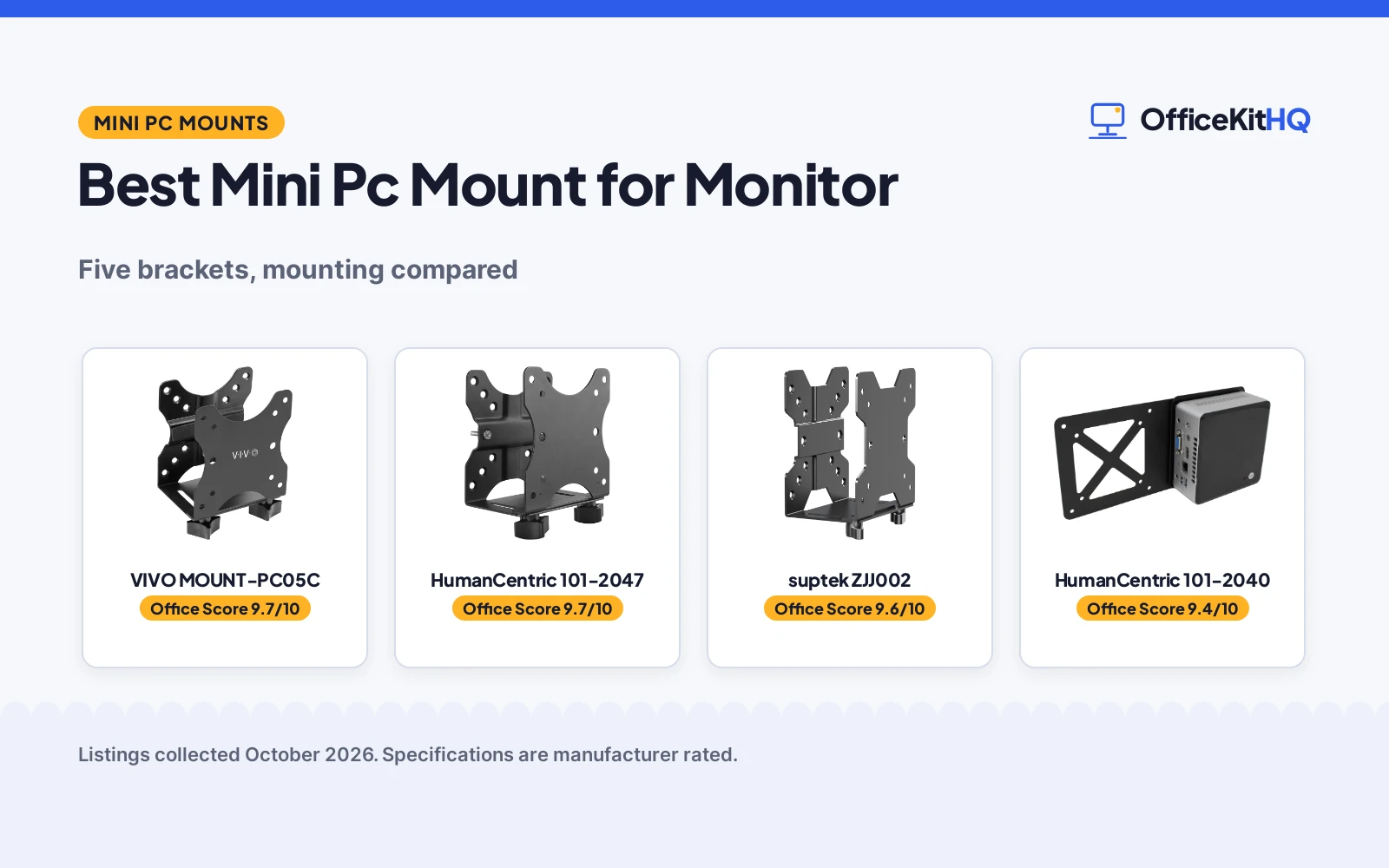
The best mini pc mount for monitor is the bracket that moves the little computer off your desk, because every inch of desk the box used to occupy can now hold the things you actually touch. Picture the 9 a.m. call: the webcam is dim, the keyboard is shoved sideways to make room for a humming mini PC, and its cables sprawl toward the outlet. We compared five mini PC brackets by mounting options, adjustable fit range, stated weight capacity and warranty term, using only what each listing publishes.
OfficeKitHQ earns a commission when you buy through links on this page, at no extra cost to you. As an Amazon Associate I earn from qualifying purchases. Affiliate disclosure.
Quick picks
 Best Overall VIVO MOUNT-PC05C: Limited 3-year warranty, adjustable width, 3 mounting options Check price on Amazon
 Best Fit Range HumanCentric 101-2047: 0.65 to 2.55 in depth range, 11 lb capacity, 3 mounting options Check price on Amazon
 Best Ventilation suptek ZJJ002: Open-frame design for airflow, 11 lb capacity, rubber pads included Check price on Amazon
 Best for Intel NUC HumanCentric 101-2040: VESA 75×75 and 100×100 extension plate made for Intel NUC brackets Check price on Amazon
 Simple Bracket Pick Pholiten MTB001: Alloy steel bracket for thin clients, simply stated with no extras Check price on Amazon
The picks
| # | Product | Office Score | Buy |
|---|---|---|---|
| 1 | VIVO MOUNT-PC05C | 9.7/10 | Buy on Amazon |
| 2 | HumanCentric 101-2047 | 9.7/10 | Buy on Amazon |
| 3 | suptek ZJJ002 | 9.6/10 | Buy on Amazon |
| 4 | HumanCentric 101-2040 | 9.4/10 | Buy on Amazon |
| 5 | Pholiten MTB001 | 9.2/10 | Buy on Amazon |

VIVO MOUNT-PC05C
A steel adjustable-width bracket with three mounting options, rubber pads and straps, and a limited 3-year manufacturer warranty stated on the listing.
Pros
- Limited 3-year manufacturer warranty stated, the only term here
- Adjustable width from 1.8 to 7.1 cm with straps that stop sliding
- Solid steel with powder coating and rubber pads against scratches
- All hardware and instructions for the three install methods included
Cons
- Under-desk install needs a desktop at least 1.6 cm thick
- Pole clamp fits only 3 to 4.1 cm diameter poles
- Open-frame ventilation claim cannot be checked from the stated specs
- Adjustable width stops at 7.1 cm, so wider small CPUs will not fit
Detailed Review
VIVO lists the MOUNT-PC05C as a thin client mini PC mount bracket with three mounting options: behind a monitor, clamped to a pole of 3 to 4.1 cm diameter, or under a desk at least 1.6 cm thick. It fits VESA 75x75 and 100x100 mounts, with an adjustable width of 1.8 to 7.1 cm for Intel NUC models, Chromebox, Mac Mini, thin clients, docking stations and USB hubs. The listing states an 11 lb capacity and describes solid steel with a powder coated finish, adjustable straps and rubber pads. It ships with hardware, instructions and a limited 3-year manufacturer warranty.
Who it's for: someone who wants a warranty term on paper with three install options and a clearly stated fit range. Who should skip it: anyone with a pole outside 3 to 4.1 cm or a device wider than 7.1 cm.
Its Office Score of 9.7/10 comes from performance 30/35, build 21/25, value 21/25, safety 8/10 and warranty 3/5: 83 of 100 points, placed on our 9.2 to 9.8 scale.
Key Specifications
| Mounting options | Monitor, pole, under desk |
|---|---|
| Adjustable width | 1.8 to 7.1 cm |
| Capacity | 11 lb (5 kg) |
| Material | Solid steel, powder coated |
Figures as published on the retailer listing, collected 23 October 2026. Performance figures are manufacturer rated.
Safety and Warranty
What this listing states. 11 lb capacity stated, so safety scores 8 of 10. Limited 3-year manufacturer warranty. It does not say everything a buyer needs, such as who pays return shipping, so warranty scores 3 of 5. See How We Pick.
Match the mount. Check your screen's VESA pattern, size and weight against the stated range, and check that your desk thickness and edge suit a clamp or grommet mount before you drill or clamp.
This is general buying information, not professional advice. Follow each product manual and local rules, and see our Safety Disclaimer.

HumanCentric 101-2047
A metal thin-client bracket that mounts under a desk, behind a monitor or to a pole, fitting devices from 0.65 to 2.55 in deep with VESA 75x75 and 100x100 support.
Pros
- Three mounting options: under desk, behind monitor or to a pole
- Fits devices from 0.65 to 2.55 in deep, the widest stated range here
- States 11 lb device capacity and 18 lb combined device plus monitor capacity
- Metal bracket with powder coating, silicone strips and included hardware
Cons
- Combined device plus monitor capacity caps at 18 lb on one VESA mount
- Only works with some mini PC models when the power button is on the side
- No warranty term is stated
- No adjustable width figure is given, only a depth range
Detailed Review
HumanCentric lists the 101-2047 as a thin client mount bracket for mini computers, thin clients, Chromebox, Mac Mini, docking stations and USB hubs. The listing states three mounting options, under the desk, behind a monitor or to a pole, with VESA 75x75 and 100x100 patterns. It fits devices from 0.65 to 2.55 in deep and states an 11 lb device capacity, or 18 lb combined when a monitor rides on the same VESA mount. The metal bracket has a powder coated finish, silicone strips against scratches, and ships with hardware and a step-by-step manual. No warranty term appears in the listing.
Who it's for: someone who wants the mini PC out of sight with three places to put it and a stated capacity for each. Who should skip it: anyone whose device is deeper than 2.55 in or who wants a warranty term in writing.
Its Office Score of 9.7/10 comes from performance 32/35, build 21/25, value 21/25, safety 8/10 and warranty 0/5: 82 of 100 points, placed on our 9.2 to 9.8 scale.
Key Specifications
| Mounting options | Under desk, monitor, pole |
|---|---|
| Device depth | 0.65 to 2.55 in |
| Capacity | 11 lb device, 18 lb combined |
| Material | Metal, powder coated |
Figures as published on the retailer listing, collected 23 October 2026. Performance figures are manufacturer rated.
Safety and Warranty
What this listing states. 11 lb device capacity stated, so safety scores 8 of 10. No warranty term, so warranty scores zero. See How We Pick.
Match the mount. Check your screen's VESA pattern, size and weight against the stated range, and check that your desk thickness and edge suit a clamp or grommet mount before you drill or clamp.
This is general buying information, not professional advice. Follow each product manual and local rules, and see our Safety Disclaimer.

suptek ZJJ002
A solid steel bracket with three mounting options, an open-frame design for airflow, and rubber pads and straps that hold the device in place.
Pros
- Three mounting options: monitor back, mount pole or under desk
- Open-frame design lets air reach the device to reduce heat buildup
- States 11 lb capacity on a solid steel frame with rust-proof coating
- Adjustable shoulder straps plus rubber pads against sliding and scratches
Cons
- No warranty term is stated
- No pole diameter or desk thickness figures are stated
- No item dimensions are stated
- Only one line of sales support detail beyond the friendly 24/7 promise
Detailed Review
suptek lists the ZJJ002 as an adjustable thin client mount bracket for Intel NUC models, Chromebox, Mac Mini, thin clients, docking stations and USB hubs. The bullets describe three mounting options: to the back of a monitor, clipped to a monitor mount pole, or under the desk, with VESA 75x75 and 100x100 patterns and an adjustable width of 0.6 to 2.7 in. The bracket is solid steel with a rust-proof coating, states an 11 lb capacity, and uses adjustable shoulder straps and rubber pads to keep the device still. The open-frame design is stated to improve airflow. Note the spec table lists pole mount only, which conflicts with the bullets' three options; we trust the bullets. No warranty term is stated.
Who it's for: someone who runs the mini PC hard and wants airflow plus straps on a steel frame. Who should skip it: anyone who needs pole or desk thickness figures from the listing.
Its Office Score of 9.6/10 comes from performance 29/35, build 20/25, value 20/25, safety 8/10 and warranty 0/5: 77 of 100 points, placed on our 9.2 to 9.8 scale.
Key Specifications
| Mounting options | Monitor, pole, under desk |
|---|---|
| Adjustable width | 0.6 to 2.7 in |
| Capacity | 11 lb |
| Material | Alloy steel |
Figures as published on the retailer listing, collected 23 October 2026. Performance figures are manufacturer rated.
Safety and Warranty
What this listing states. 11 lb capacity stated, so safety scores 8 of 10. No warranty term, so warranty scores zero. See How We Pick.
Match the mount. Check your screen's VESA pattern, size and weight against the stated range, and check that your desk thickness and edge suit a clamp or grommet mount before you drill or clamp.
This is general buying information, not professional advice. Follow each product manual and local rules, and see our Safety Disclaimer.
HumanCentric 101-2040
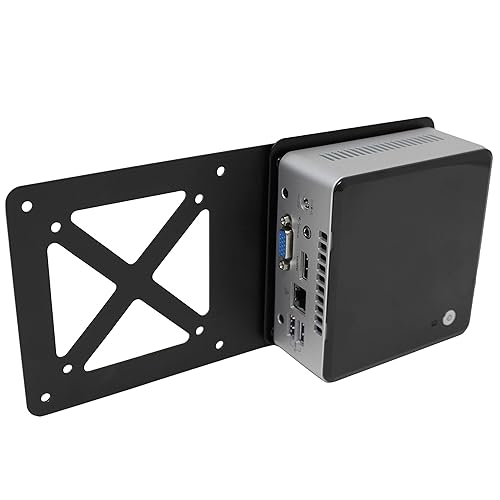
An extension plate that adapts an Intel NUC's own mounting bracket to a VESA monitor arm or wall mount in 75x75 and 100x100 patterns.
Pros
- Designed for Intel NUC models with 75x75 and 100x100 VESA patterns
- Extends an existing NUC bracket to a monitor arm or wall mount
- Fast install with included hardware and a screwdriver
- Measures 10.5 x 4.9 x 0.75 in and weighs 0.31 kg
Cons
- Does not fit Hades Canyon or Skull Canyon NUC models
- Extension plate only; you need the NUC's own mounting bracket too
- No capacity figure is stated
- No warranty term is stated
Detailed Review
HumanCentric lists the 101-2040 as an extension plate for Intel NUC mini PCs. It attaches the NUC bracket that shipped with your NUC to a VESA monitor arm or wall mount in 75x75 and 100x100 patterns. It does not fit Hades Canyon or Skull Canyon NUC models, and it is not a complete mount kit by itself: you must use the Intel NUC mounting bracket that came with your NUC. The plate measures 10.5 x 4.9 x 0.75 in, weighs 0.31 kg, and ships with the needed hardware. Note the spec table lists 'Monitor' as the included component, conflicting with the bullets' 'extension plate only'; we trust the bullets. No capacity or warranty term is stated.
Who it's for: an Intel NUC owner who already has the NUC's bracket and wants it on a VESA arm. Who should skip it: anyone without that bracket, or with a Hades Canyon or Skull Canyon NUC.
Its Office Score of 9.4/10 comes from performance 24/35, build 19/25, value 18/25, safety 5/10 and warranty 0/5: 66 of 100 points, placed on our 9.2 to 9.8 scale.
Key Specifications
| VESA patterns | 75x75, 100x100 |
|---|---|
| Plate size | 10.5 x 4.9 x 0.75 in |
| Item weight | 0.31 kg |
| Fits | Intel NUC, not Hades or Skull Canyon |
Figures as published on the retailer listing, collected 23 October 2026. Performance figures are manufacturer rated.
Safety and Warranty
What this listing states. 75x75 and 100x100 VESA compatibility stated, so safety scores 5 of 10. No warranty term, so warranty scores zero. See How We Pick.
Match the mount. Check your screen's VESA pattern, size and weight against the stated range, and check that your desk thickness and edge suit a clamp or grommet mount before you drill or clamp.
This is general buying information, not professional advice. Follow each product manual and local rules, and see our Safety Disclaimer.

Pholiten MTB001
A simply stated alloy steel bracket for thin clients and small CPUs, with wall mounting stated and few further details.
Pros
- Alloy steel bracket for minicomputers, CPUs and thin clients
- Title lists VESA, under-desk and monitor-arm mounting
- Stated item weight of 0.72 kg
- Black finish on an alloy steel frame
Cons
- No dimensions, capacity or fit range are stated
- One-line bullets give no VESA pattern figures
- Spec table warranty line reads '1' with no term, so no warranty is stated
- No installation hardware list is stated
Detailed Review
Pholiten lists the MTB001 as an adjustable thin client mini PC mount bracket, a CPU VESA under-desk and monitor-arm computer holder. The single bullet line covers minicomputers, CPUs, docking stations and thin clients; the spec table states alloy steel, a black finish and a 0.72 kg item weight. No dimensions, capacity, VESA pattern figures, fit range or hardware list appear anywhere in the listing, and the warranty line reads '1' with no term, so no warranty is stated.
Who it's for: someone who only needs a plain steel bracket and is comfortable with a thin listing. Who should skip it: anyone who needs stated dimensions, a fit range or a warranty term.
Its Office Score of 9.2/10 comes from performance 21/35, build 16/25, value 15/25, safety 0/10 and warranty 0/5: 52 of 100 points, placed on our 9.2 to 9.8 scale.
Key Specifications
| Material | Alloy Steel |
|---|---|
| Item weight | 0.72 kg |
| Mounting type | Wall mount |
| Color | Black |
Figures as published on the retailer listing, collected 23 October 2026. Performance figures are manufacturer rated.
Safety and Warranty
What this listing states. This product does not plug in or run on a battery, so safety is not part of its score. No warranty term, so warranty scores zero. See How We Pick.
Match the mount. Check your screen's VESA pattern, size and weight against the stated range, and check that your desk thickness and edge suit a clamp or grommet mount before you drill or clamp.
This is general buying information, not professional advice. Follow each product manual and local rules, and see our Safety Disclaimer.
As an Amazon Associate I earn from qualifying purchases.
More picks to compare
 Motiexic MO0049Fits 0.63 to 2.8 in widths and holds 12 lb, with cable management includedCheck on Amazon
 Freejia 0522DRZJ02Made for Dell OptiPlex Micro models, with hook and loop adapter strapsCheck on Amazon
 VIVO MOUNT-DLMM2Conceals a Dell OptiPlex Micro behind the monitor on a VESA plateCheck on Amazon
 Lenovo ThinkCentre Tiny MountVESA wall and under-desk bracket for Lenovo ThinkCentre Tiny modelsCheck on Amazon
 HP Desktop Mini MountVESA wall and under-desk mount for HP ProDesk Mini and EliteDesk MiniCheck on Amazon
Compare the picks
| Mount | Office Score | Mounting options | Device fit | Capacity | Warranty | Amazon |
|---|---|---|---|---|---|---|
| VIVO MOUNT-PC05C | 9.7/10 | 3 (monitor, pole, under desk) | 1.8 to 7.1 cm width | 11 lb (5 kg) | 3-year limited | View on Amazon |
| HumanCentric 101-2047 | 9.7/10 | 3 (under desk, monitor, pole) | 0.65 to 2.55 in depth | 11 lb device, 18 lb combined | Not stated | View on Amazon |
| suptek ZJJ002 | 9.6/10 | 3 (monitor, pole, under desk) | 0.6 to 2.7 in width | 11 lb | Not stated | View on Amazon |
| HumanCentric 101-2040 | 9.4/10 | VESA arm or wall mount | Intel NUC, 75×75 and 100×100 | Not stated | Not stated | View on Amazon |
| Pholiten MTB001 | 9.2/10 | Wall mount stated | Thin clients, small CPUs | Not stated | Not stated | View on Amazon |
Specifications are manufacturer rated as listed, collected 23 October 2026. Four of the five state 75×75 and 100×100 VESA compatibility, three state a mounting capacity, and one states a warranty term.
How we scored them
The Office Score weighs performance (fit range, mounting options and listing detail), build (stated materials and finish), value for the stated specs, safety and warranty. For a mount, safety means a stated weight capacity or stated VESA compatibility on the listing; three brackets state a capacity and two state VESA compatibility. Only one listing states a warranty term: the VIVO MOUNT-PC05C, with a limited 3-year manufacturer warranty. How we pick explains the weights.
| Product | Office Score | Perf. /35 | Build /25 | Value /25 | Safety /10 | Warranty /5 |
|---|---|---|---|---|---|---|
| VIVO MOUNT-PC05C | 9.7 | 30 | 21 | 21 | 8 | 3 |
| HumanCentric 101-2047 | 9.7 | 32 | 21 | 21 | 8 | 0 |
| suptek ZJJ002 | 9.6 | 29 | 20 | 20 | 8 | 0 |
| HumanCentric 101-2040 | 9.4 | 24 | 19 | 18 | 5 | 0 |
| Pholiten MTB001 | 9.2 | 21 | 16 | 15 | 0 | 0 |
Scores run from 9.2 to 9.8: each product’s point total is placed on that range, so more points always means a higher score.
How to choose the best mini pc mount for monitor
Match the VESA pattern, not just the brand
Four of these five state 75×75 and 100×100 VESA patterns; the Pholiten MTB001 calls itself a VESA bracket in its title but names no patterns. Check your monitor’s hole pattern against the listing before you buy. All of these hang on a monitor arm or a VESA plate you already own.
Pick where the box will live
The HumanCentric 101-2047, the VIVO MOUNT-PC05C and the suptek ZJJ002 each give three places to put the computer: behind the monitor, under the desk or clamped to a pole. The HumanCentric 101-2040 plate instead adapts an Intel NUC to a VESA monitor arm or a wall mount. The VIVO needs a desktop at least 1.6 cm thick for under-desk mounting, and its pole clamp fits poles from 3 to 4.1 cm in diameter.
| Mount | Behind monitor | Under desk | Pole clamp |
|---|---|---|---|
| HumanCentric 101-2047 | Stated | Stated | Stated |
| VIVO MOUNT-PC05C | Stated | Stated | Stated |
| suptek ZJJ002 | Stated | Stated | Stated |
| HumanCentric 101-2040 | VESA arm or wall | Not stated | Not stated |
| Pholiten MTB001 | Stated in title | Stated in title | Not stated |
Figures as stated in each listing.
Measure the device, then read the fit range
The HumanCentric 101-2047 states a depth range of 0.65 to 2.55 in, the VIVO MOUNT-PC05C an adjustable width of 1.8 to 7.1 cm, and the suptek ZJJ002 a width of 0.6 to 2.7 in. The HumanCentric 101-2040 plate fits Intel NUC models only, except the Hades Canyon and Skull Canyon form factors. The Pholiten MTB001 states no fit range. These brackets also hold docking stations and USB hubs: see our docking stations and USB hubs picks.
Capacity and warranty: read the line
Three listings state a weight capacity: the HumanCentric 101-2047 at 11 lb for the device and 18 lb combined with a monitor, the VIVO MOUNT-PC05C at 11 lb, and the suptek ZJJ002 at 11 lb. The other two state no capacity. On warranty, only the VIVO states a term: a limited 3-year manufacturer warranty. For cables, see our surge protectors and cable management picks.
Setup Notes
- Check your monitor’s VESA hole pattern (75×75 or 100×100) before ordering.
- Measure the mini PC and match it to the bracket’s stated fit range.
- Confirm the power button sits where the straps will not cover it.
- For under-desk installs, confirm the desktop is at least 1.6 cm thick.
- If a monitor shares the VESA mount, respect the 18 lb combined limit.
Frequently Asked Questions
What VESA patterns do these mini PC mounts fit?
Four of the five state 75×75 and 100×100 VESA patterns. The Pholiten MTB001 calls itself a VESA bracket without naming patterns.
Can I mount the mini PC under the desk instead of behind the monitor?
Yes, on the HumanCentric 101-2047, the VIVO MOUNT-PC05C and the suptek ZJJ002; the VIVO needs a desktop at least 1.6 cm thick.
Will these mounts fit an Intel NUC or a Mac Mini?
The HumanCentric 101-2040 plate is made for Intel NUC models except the Hades Canyon and Skull Canyon form factors. The other three list Mac Mini in their compatibility.
Which of these listings states a warranty?
Only the VIVO MOUNT-PC05C, with a limited 3-year manufacturer warranty. The other four listings state no warranty term.
What does the 18 lb figure on the HumanCentric bracket mean?
It is the combined limit: up to 11 lb of device alone, or up to 18 lb when a monitor rides on the same VESA mount.
Related guides
See every monitor arms and stands guide and all computer peripherals guides. Also see our best monitor arm for monitor. Also see our best VESA monitor arm for Apple Studio Display. Also see our best metal cable management.
More picks: standing desks, mice and mouse pads, docking stations and USB hubs.