
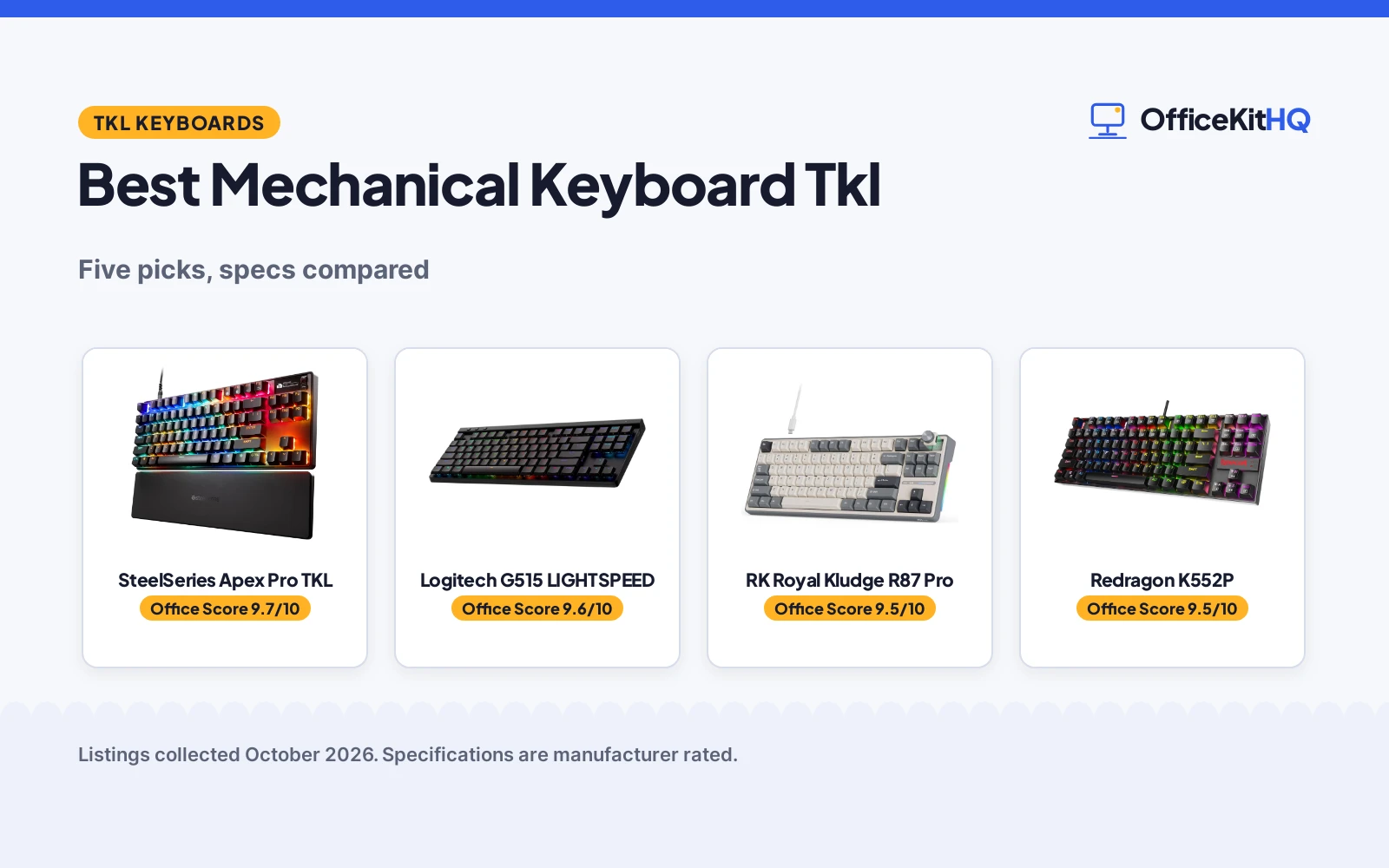
The morning video call ends and your mouse is parked on top of a notebook again because the full-size board hogs the whole desk tray. The best mechanical keyboard tkl is the one that gives that space back without losing the function row or the arrow keys. We compared five tenkeyless mechanical keyboards by switch type, key count, backlight modes, connection options, construction and stated warranty terms, using only what each listing publishes.
OfficeKitHQ earns a commission when you buy through links on this page, at no extra cost to you. As an Amazon Associate I earn from qualifying purchases. Affiliate disclosure.
Quick picks
 Best Overall SteelSeries Apex Pro TKL: 40 actuation levels, Rapid Trigger, OLED display stated Check price on Amazon
 Best Wireless Logitech G515 LIGHTSPEED: LIGHTSPEED wireless, 36-hour battery and 1 ms report rate stated Check price on Amazon
 Best Knob RK Royal Kludge R87 Pro: Programmable detachable CNC knob and gasket build stated Check price on Amazon
 Spill-Resistant Pick Redragon K552P: Spill-resistant metal frame with hot-swappable switches stated Check price on Amazon
 Gasket Pick AJAZZ AK820: Gasket mount with 5-layer foam and CNC aluminum knob stated Check price on Amazon
The picks
| # | Product | Office Score | Buy |
|---|---|---|---|
| 1 | SteelSeries Apex Pro TKL | 9.7/10 | Buy on Amazon |
| 2 | Logitech G515 LIGHTSPEED | 9.6/10 | Buy on Amazon |
| 3 | RK Royal Kludge R87 Pro | 9.5/10 | Buy on Amazon |
| 4 | Redragon K552P | 9.5/10 | Buy on Amazon |
| 5 | AJAZZ AK820 | 9.4/10 | Buy on Amazon |

SteelSeries Apex Pro TKL
An 84-key TKL with OmniPoint 3.0 Hall Effect magnetic switches, 40 actuation levels, Rapid Trigger and Rapid Tap modes, and an OLED smart display.
Pros
- 40 actuation levels from 0.1 to 4.0 mm with 45 g bottom out force are stated
- Rapid Trigger, Rapid Tap and Protection Mode all in one board
- OLED display changes settings from the keyboard with configs saved onboard
- 1 Year warranty stated and PBT keycaps listed
Cons
- 84 keys is the lowest key count here
- PC-only compatibility is stated
- Spec table lists 13.98 in for both length and width, which cannot both be right
- External certification line reads as not applicable
Detailed Review
SteelSeries lists the Apex Pro TKL Gen 3 with OmniPoint 3.0 analog magnetic switches using Hall Effect sensors, 40 levels of adjustable actuation from 0.1 to 4.0 mm and a 45 g bottom out force. Rapid Trigger, Rapid Tap and Protection Mode are all stated, with Protection Mode described as reducing accidental keypresses on nearby keys. The OLED smart display changes settings directly on the board, configs stay saved onboard, and RGB plus PBT keycaps are listed. The spec table gives a 1 Year warranty and a 3.5 lb item weight. One oddity: the table lists 13.98 in for both length and width, which cannot describe a TKL rectangle, so treat the footprint as not reliably stated.
Who it's for: a gamer who wants adjustable actuation depth and onboard settings on a TKL board. Who should skip it: anyone who needs Mac support or wants a clear footprint figure.
Its Office Score of 9.7/10 comes from performance 32/35, build 21/25, value 21/25, safety 5/10 and warranty 3/5: 82 of 100 points, placed on our 9.2 to 9.8 scale.
Key Specifications
| Switches | OmniPoint 3.0, Hall Effect magnetic |
|---|---|
| Actuation | 40 levels, 0.1 to 4.0 mm |
| Keys | 84 |
| Warranty | 1 Year |
Figures as published on the retailer listing, collected 23 October 2026. Performance figures are manufacturer rated.
Safety and Warranty
What this listing states. Protection Mode reduces accidental keypresses on nearby keys, so safety scores 5 of 10. 1 Year. It does not say everything a buyer needs, such as who pays return shipping, so warranty scores 3 of 5. See How We Pick.
Fit the desk first. Check the stated size against your desk depth and keyboard tray, and charge or pair as the manual describes. No keyboard, mouse or wrist rest prevents or treats injury.
This is general buying information, not professional advice. Follow each product manual and local rules, and see our Safety Disclaimer.

Logitech G515 LIGHTSPEED
A slim wireless TKL with low-profile GL linear switches, LIGHTSPEED wireless, Bluetooth and wired modes, and up to 36 hours of battery life.
Pros
- Three connection modes: LIGHTSPEED wireless, Bluetooth and wired
- Up to 36 hours of continuous battery life stated
- 1 ms report rate on LIGHTSPEED is stated
- Double-shot PBT keycaps and 16.8 M color RGB stated
Cons
- Spec table lists Number of Keys as 90 while the title says TKL and bullets say 87
- 2.6 lb item weight is stated with no low-profile weight advantage claimed
- Battery life varies with use conditions, per the listing
- Three hotkeys cover connection and Game Mode only
Detailed Review
Logitech lists the G515 LIGHTSPEED TKL with low-profile GL mechanical switches that are factory-lubed, tri-mode connectivity via LIGHTSPEED wireless, Bluetooth or wired data mode, and up to 36 hours of continuous battery life. KEYCONTROL allows per-key customization, LIGHTSYNC RGB offers 16.8 M colors, and the listing states an ultra-fast 1 ms report rate on LIGHTSPEED. Double-shot PBT keycaps with an anti-oil design are listed, and three hotkeys switch between LIGHTSPEED, Bluetooth and Game Mode. A 1 Year Limited Hardware Warranty is stated. The one contradiction: the spec table says Number of Keys 90 while the title and bullets describe an 87-key TKL, so we trust the title and bullets.
Who it's for: someone who wants one keyboard that moves between wireless, Bluetooth and wired without swapping boards. Who should skip it: anyone who wants the full key count spelled out cleanly, since the listing contradicts itself.
Its Office Score of 9.6/10 comes from performance 30/35, build 21/25, value 21/25, safety 4/10 and warranty 3/5: 79 of 100 points, placed on our 9.2 to 9.8 scale.
Key Specifications
| Switches | Low-profile GL linear, factory-lubed |
|---|---|
| Connection | LIGHTSPEED, Bluetooth, wired |
| Battery | Up to 36 hours |
| Warranty | 1 Year Limited Hardware Warranty |
Figures as published on the retailer listing, collected 23 October 2026. Performance figures are manufacturer rated.
Safety and Warranty
What this listing states. Game Mode hotkey disables accidental key presses during play, so safety scores 4 of 10. 1 Year Limited Hardware Warranty. It does not say everything a buyer needs, such as who pays return shipping, so warranty scores 3 of 5. See How We Pick.
Fit the desk first. Check the stated size against your desk depth and keyboard tray, and charge or pair as the manual describes. No keyboard, mouse or wrist rest prevents or treats injury.
This is general buying information, not professional advice. Follow each product manual and local rules, and see our Safety Disclaimer.

RK Royal Kludge R87 Pro
A wired 75 percent TKL with a detachable programmable knob, QMK and VIA support, gasket structure and hot-swappable 3 and 5-pin switches.
Pros
- Detachable programmable CNC metal knob for volume or custom functions
- QMK and VIA support for remapping, per the listing
- Hot-swappable base accepts 3 and 5-pin switches without soldering
- 5-layer gasket design stated to reduce noise and vibration
Cons
- Title says 87 keys while bullets and the spec table say 88
- Spec table Button Quantity of 81 does not match the key count either
- Over 15 RGB effects are stated but no exact count
- 1.62 kg item weight is stated with no portability claim
Detailed Review
RK lists the R87 Pro as a wired 75 percent TKL with a CNC metal knob that is hot-swappable and programmable for volume, mute or custom functions, plus QMK and VIA support. The 5-layer gasket design is stated to reduce noise and vibration, the hot-swappable base supports 3 and 5-pin switches, and over 15 RGB lighting effects adjust brightness and speed through key combinations. The spec table gives dimensions of 14.37 by 5.47 by 1.57 in, a 1.62 kg item weight and a 1 Year warranty. The key count is muddled: the title says 87 keys, the bullets say 88-key design, and the table says 88 with a Button Quantity of 81. We note the conflict and use 87 per the title.
Who it's for: a tinkerer who wants a programmable knob and remappable firmware on a wired TKL. Who should skip it: anyone who wants an exact key count or a wireless option.
Its Office Score of 9.5/10 comes from performance 29/35, build 20/25, value 21/25, safety 0/10 and warranty 3/5: 73 of 100 points, placed on our 9.2 to 9.8 scale.
Key Specifications
| Knob | Detachable, programmable CNC metal |
|---|---|
| Switches | Linear creamy, hot-swappable 3/5-pin |
| Dimensions | 14.37 x 5.47 x 1.57 in |
| Warranty | 1 Year |
Figures as published on the retailer listing, collected 23 October 2026. Performance figures are manufacturer rated.
Safety and Warranty
What this listing states. This product does not plug in or run on a battery, so safety is not part of its score. 1 Year. It does not say everything a buyer needs, such as who pays return shipping, so warranty scores 3 of 5. See How We Pick.
Fit the desk first. Check the stated size against your desk depth and keyboard tray, and charge or pair as the manual describes. No keyboard, mouse or wrist rest prevents or treats injury.
This is general buying information, not professional advice. Follow each product manual and local rules, and see our Safety Disclaimer.

Redragon K552P
An 87-key TKL with 18 RGB backlight modes, a metal frame with spill-resistant design, double-shot PBT keycaps and N-key rollover.
Pros
- 18 RGB backlight modes with software and shortcut control stated
- Metal frame with spill-resistant design and water resistant design stated
- Double-shot PBT keycaps stated to resist fading
- N-key rollover so every press registers, plus macro support
Cons
- Title says Red switches while the bullets describe a clicky Blue switch
- Warranty Description reads NO, so no warranty term is stated
- Hot-swap supports 3-pin switches only
- Limited Mac OS keyboard support is stated
Detailed Review
Redragon lists the K552P as an 87-key TKL with 18 RGB backlight modes controlled through software or FN key shortcuts, a robust metal frame with spill-resistant, water resistant design, double-shot PBT keycaps, N-key rollover and programmable macros. Dimensions are stated as 13.94 by 4.86 by 1.46 in with a 900 g item weight, and the listing includes a keycap puller and USB cable. The listing contradicts itself on switches: the title says Red switches while the bullets describe a Clicky Blue switch with a tactile bump and audible click. The bullets are more specific, so we describe it as clicky, but check with the seller before buying. The Warranty Description reads NO, so warranty scores zero.
Who it's for: someone who wants a spill-resistant metal-frame TKL with lots of lighting modes. Who should skip it: anyone who wants a stated warranty or a listing that names one switch type.
Its Office Score of 9.5/10 comes from performance 27/35, build 20/25, value 20/25, safety 5/10 and warranty 0/5: 72 of 100 points, placed on our 9.2 to 9.8 scale.
Key Specifications
| Backlight | 18 RGB modes |
|---|---|
| Frame | Metal, spill-resistant |
| Keys | 87, N-key rollover |
| Dimensions | 13.94 x 4.86 x 1.46 in |
Figures as published on the retailer listing, collected 23 October 2026. Performance figures are manufacturer rated.
Safety and Warranty
What this listing states. Spill-resistant design and water resistant design are stated, so safety scores 5 of 10. No warranty term, so warranty scores zero. See How We Pick.
Fit the desk first. Check the stated size against your desk depth and keyboard tray, and charge or pair as the manual describes. No keyboard, mouse or wrist rest prevents or treats injury.
This is general buying information, not professional advice. Follow each product manual and local rules, and see our Safety Disclaimer.

AJAZZ AK820
An 82-key 75 percent board with a CNC aluminum media knob, gasket mount, 5-layer sound absorbing foam and 20 white LED lighting effects.
Pros
- CNC machined aluminum media knob for volume control stated
- Gasket mount with 5-layer sound absorbing foam stated
- Full-key hot-swap supports 3-pin and 5-pin linear red switches
- 20 lighting effects with adjustable brightness and speed stated
Cons
- No warranty term is stated
- No dimensions or item weight are stated
- White LED backlight only, no RGB option listed
- OEM keycaps listed while the market often expects PBT at this layout
Detailed Review
AJAZZ lists the AK820 as an 82-key 75 percent mechanical keyboard with a CNC machined aluminum media knob, a gasket mount structure and 5 layers of sound absorbing foam made of EVA cotton, IXPE foam, a PET sound pad, bottom filler cotton and a silicone pad. The board supports 3-pin and 5-pin hot-swappable switches with pre-lubed linear red switches, offers 20 white LED lighting effects with adjustable brightness and speed, and connects by Type-C. Compatibility runs through Windows 7, 8, 10 and 11, Mac OS and Android. No dimensions, item weight or warranty appear in the listing.
Who it's for: someone who wants a knob and a gasket board in an 82-key layout for Windows or Mac. Who should skip it: anyone who wants a warranty term or exact dimensions before buying.
Its Office Score of 9.4/10 comes from performance 28/35, build 20/25, value 21/25, safety 0/10 and warranty 0/5: 69 of 100 points, placed on our 9.2 to 9.8 scale.
Key Specifications
| Layout | 75%, 82 keys |
|---|---|
| Knob | CNC machined aluminum |
| Backlight | 20 white LED effects |
| Connection | Type-C wired |
Figures as published on the retailer listing, collected 23 October 2026. Performance figures are manufacturer rated.
Safety and Warranty
What this listing states. This product does not plug in or run on a battery, so safety is not part of its score. No warranty term, so warranty scores zero. See How We Pick.
Fit the desk first. Check the stated size against your desk depth and keyboard tray, and charge or pair as the manual describes. No keyboard, mouse or wrist rest prevents or treats injury.
This is general buying information, not professional advice. Follow each product manual and local rules, and see our Safety Disclaimer.
As an Amazon Associate I earn from qualifying purchases.
More picks to compare
 Keychron C3 Pro 8K TKLWired TKL with 8000 Hz polling and QMK programming for competitive playCheck on Amazon
 Keychron V3 8K TKLProgrammable knob and 8000 Hz polling for Mac and Windows setupsCheck on Amazon
Compare the picks
| Keyboard | Office Score | Switch type | Keys | Backlight | Connection | Warranty | Amazon |
|---|---|---|---|---|---|---|---|
| SteelSeries Apex Pro TKL | 9.7/10 | Hall Effect magnetic, 40 actuation levels | 84 | RGB | USB-C | 1 Year | View on Amazon |
| Logitech G515 LIGHTSPEED | 9.6/10 | Low-profile GL linear | 87 (spec table says 90) | RGB | LIGHTSPEED, Bluetooth, wired | 1 Year Limited Hardware Warranty | View on Amazon |
| RK Royal Kludge R87 Pro | 9.5/10 | Linear creamy, hot-swappable | 87 (bullets and spec table say 88) | RGB | USB-C | 1 Year | View on Amazon |
| Redragon K552P | 9.5/10 | Clicky Blue (title says Red) | 87 | RGB | USB | Not stated | View on Amazon |
| AJAZZ AK820 | 9.4/10 | Linear Red, hot-swappable | 82 | White LED | USB-C | Not stated | View on Amazon |
Specifications are manufacturer rated as listed, collected 23 October 2026. Three of the five state a warranty term; three state a safety-relevant feature.
How we scored them
The Office Score weighs performance (switch type, key count, connection options, layout extras and stated features), build (frame, keycaps, mount and construction), value for the stated specs, safety and warranty. For a keyboard, safety means a stated spill resistance or a mechanism that reduces accidental keypresses; the Redragon states water resistance, the SteelSeries states Protection Mode and the Logitech states Game Mode, while the other two do not. Three listings state a warranty term: the SteelSeries, the RK Royal Kludge and the Logitech at 1 Year each. How we pick explains the weights.
| Product | Office Score | Perf. /35 | Build /25 | Value /25 | Safety /10 | Warranty /5 |
|---|---|---|---|---|---|---|
| SteelSeries Apex Pro TKL | 9.7 | 32 | 21 | 21 | 5 | 3 |
| Logitech G515 LIGHTSPEED | 9.6 | 30 | 21 | 21 | 4 | 3 |
| RK Royal Kludge R87 Pro | 9.5 | 29 | 20 | 21 | 0 | 3 |
| Redragon K552P | 9.5 | 27 | 20 | 20 | 5 | 0 |
| AJAZZ AK820 | 9.4 | 28 | 20 | 21 | 0 | 0 |
Scores run from 9.2 to 9.8: each product’s point total is placed on that range, so more points always means a higher score.
How to choose the best mechanical keyboard tkl
Count the keys and check the layout
Tenkeyless does not mean one key count. The SteelSeries Apex Pro TKL states 84 keys, the Redragon states 87, the Logitech bullets say 87 while its spec table says 90, the RK title says 87 while its bullets say 88, and the AJAZZ states 82 keys in a 75 percent layout. None of these listings states its full dimension row except the Redragon at 13.94 by 4.86 by 1.46 in and the RK at 14.37 by 5.47 by 1.57 in. Measure your tray before you buy, and keep the function row and arrow keys non-negotiable.
Pick a switch type for how you type
The listings here cover four switch families. The Redragon listing describes a clicky switch with a tactile bump and an audible click. The AJAZZ uses pre-lubed linear red switches, the RK lists linear creamy switches, and the Logitech G515 uses low-profile GL linear switches that are factory-lubed. The SteelSeries takes a different route with OmniPoint 3.0 Hall Effect magnetic switches and 40 actuation levels from 0.1 to 4.0 mm. If you share a room, note that only the clicky option advertises an audible click; the gasket-mounted AJAZZ and RK state foam layers that soften the board, though neither lists a measured sound level. For more on slim boards, see our best mechanical keyboard low profile guide.
| Keyboard | Keys | Backlight modes stated | Warranty |
|---|---|---|---|
| SteelSeries Apex Pro TKL | 84 | Not stated | 1 Year |
| Logitech G515 LIGHTSPEED | 87 | Not stated | 1 Year Limited Hardware Warranty |
| RK Royal Kludge R87 Pro | 87 | Over 15 RGB effects | 1 Year |
| Redragon K552P | 87 | 18 RGB modes | Not stated |
| AJAZZ AK820 | 82 | 20 white LED effects | Not stated |
Figures as stated in each listing. Where a listing contradicts itself on key count, the title and bullets win over the spec table.
Wired or wireless, and where the cable goes
Four of the five boards are wired: the SteelSeries and AJAZZ and RK connect by USB-C, and the Redragon connects by USB. Only the Logitech G515 runs wireless, with LIGHTSPEED wireless, Bluetooth and a wired mode, plus up to 36 hours of battery life per charge. On a home desk, a wired board means one more cable to route along the tray, so check that your dock or PC has a free USB port.
Knobs, macros and backlight extras
Extras separate these boards once the switches are decided. The AJAZZ and the RK each put a CNC metal knob on the board for volume control, and the RK knob is detachable and programmable. The Redragon offers 18 RGB modes plus macro support through its software, the Logitech offers KEYCONTROL per-key customization, and the SteelSeries saves configs to its OLED-equipped onboard memory. None of these extras change the typing feel, so buy the switch and layout first and treat the rest as a bonus.
Setup Notes
- Measure the tray: the Redragon states 13.94 in wide and the RK states 14.37 in wide, so leave roughly 5 in of depth and clear space to the right for the mouse.
- Route one cable per wired board: the SteelSeries, AJAZZ and RK use USB-C cables and the Redragon uses a USB cable, all listed as included.
- The Logitech G515 is the only rechargeable board here with up to 36 hours stated; the other four draw power from the cable.
- A keycap puller is included with the Redragon, AJAZZ and RK listings: use it to lift caps straight off before swapping any hot-swappable switches.
- Pair the board with a rubber desk mat to keep the TKL from sliding during long typing sessions.
Frequently Asked Questions
How is a mechanical keyboard different?
Each key sits on its own mechanical switch rather than a shared membrane. The listings here show the range: clicky switches with an audible click, linear switches for a smooth press, and magnetic Hall Effect switches with adjustable actuation depth.
How long do mechanical keyboards last?
None of the five main listings states a lifespan figure. The Redragon lists double-shot PBT keycaps that resist fading, and the AJAZZ and RK list hot-swappable switches, so worn switches can be replaced without soldering on those boards.
Why is a mechanical keyboard expensive?
The listings here charge for per-key switches, extras like magnetic switches with 40 actuation levels, gasket mounts with foam layers, CNC metal knobs and per-key RGB lighting. The AJAZZ and Redragon show that a basic hot-swappable TKL exists without those extras.
Can a mechanical keyboard connect to a phone?
The AJAZZ lists Android among its supported systems, and the Logitech G515 lists Bluetooth as one of its three connection modes. Check the specific listing for phone support before counting on it.
How do you use a keycap puller?
The Redragon, AJAZZ and RK listings include a keycap puller. Hook it under opposite edges of a cap, pull straight up to remove it, then press the new switch or cap straight down on a hot-swappable board.
Related guides
See every keyboards guide and all computer peripherals guides. Also see our best mechanical keyboard low profile guide and our best keyboard with red switches guide.
More picks: mini mechanical keyboards, replacement keycap sets, RGB mechanical keyboards, wired gaming mice.



