
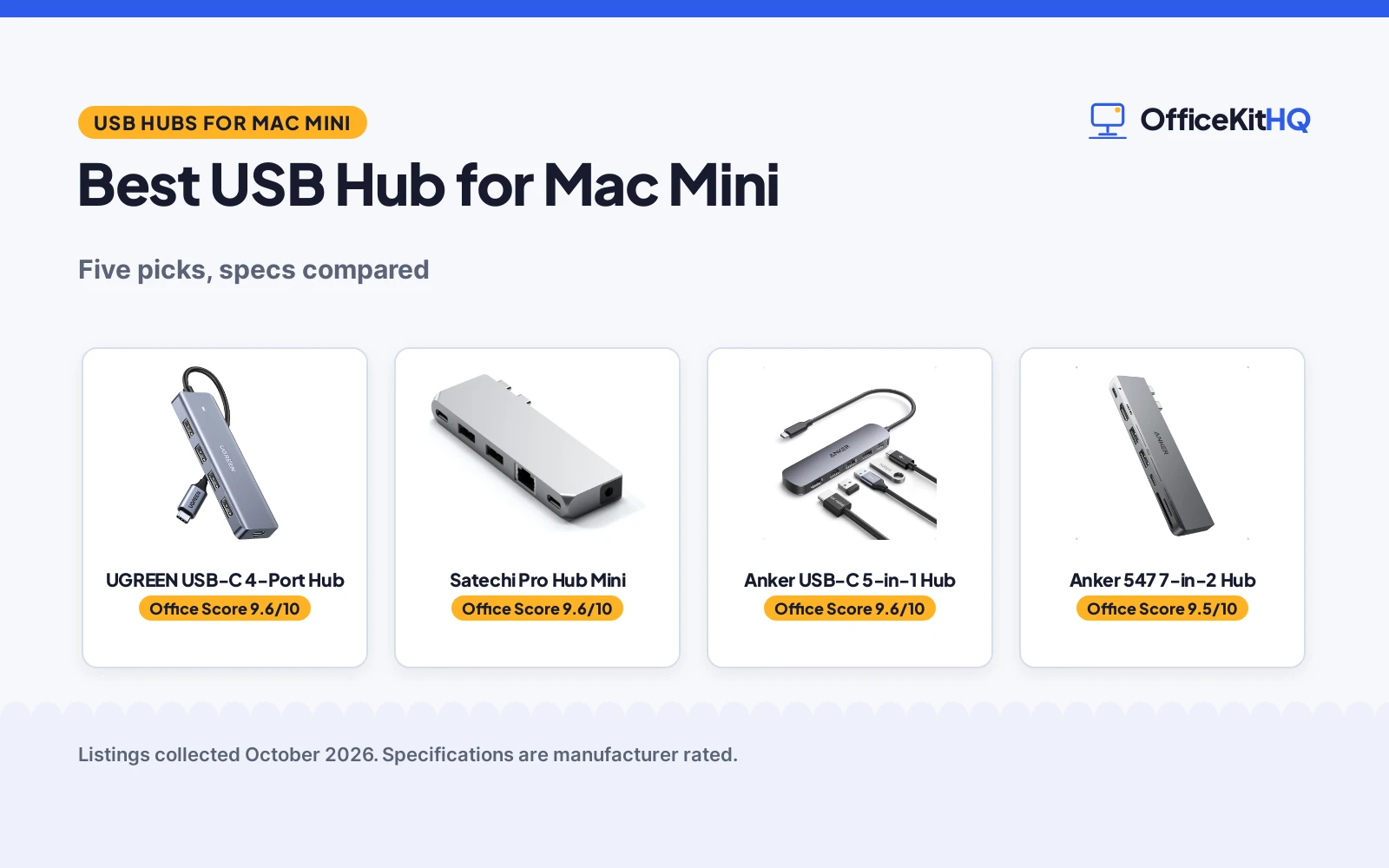
The best usb hub for mac mini is the one that turns the rear USB-C ports into the mix of older USB-A ports, card readers and display outputs a desk actually needs. A Mac mini keeps its ports around the back, so the hub you pick decides whether the workday starts with everything plugged in or a crawl under the desk. We compared 5 USB hubs by port count, data rate, charging, display output and warranty term, using only what each listing publishes.
OfficeKitHQ earns a commission when you buy through links on this page, at no extra cost to you. As an Amazon Associate I earn from qualifying purchases. Affiliate disclosure.
Quick picks
 Best Overall UGREEN USB-C 4-Port Hub: 4 USB-A 3.0 ports at 5Gbps with stated circuit protection Check price on Amazon
 Best USB4 Speed Satechi Pro Hub Mini: 40Gbps, 100W charging, Ethernet and a 2-year warranty Check price on Amazon
 Best 7-in-2 Dock Anker 547 7-in-2 Hub: 100W, 40Gb/s, 4K HDMI and card slots in one hub Check price on Amazon
 Extra Pick Hiearcool 7-in-1 Hub: Title-only entry kept for comparison with the scored picks Check price on Amazon
 Also Worth a Look Anker USB-C 5-in-1 Hub: Title-only Anker 5-in-1 carried over from earlier coverage Check price on Amazon
The picks
| # | Product | Office Score | Buy |
|---|---|---|---|
| 1 | UGREEN USB-C 4-Port Hub | 9.6/10 | Buy on Amazon |
| 2 | Satechi Pro Hub Mini | 9.6/10 | Buy on Amazon |
| 3 | Anker USB-C Hub 5-in-1 | 9.6/10 | Buy on Amazon |
| 4 | Anker 547 7-in-2 Hub | 9.5/10 | Buy on Amazon |
| 5 | Hiearcool 7-in-1 Hub | 9.5/10 | Buy on Amazon |

UGREEN USB-C 4-Port Hub
A USB-C hub that expands into 4 USB 3.0 ports at 5Gbps, with a 5V/2A USB-C power port, an aluminum shell and a stated 24-month warranty.
Pros
- 4 USB 3.0 ports with 5Gbps transfer, 10 times the 480 Mbps USB 2.0 figure the listing cites
- Over-voltage, over-current and short-circuit protection are stated
- Aluminum enclosure, 16 g item weight and a 0.5 ft cable
- 24-month warranty is stated
Cons
- USB-C power port supports 5V/2A power only, with no video or data
- USB-A ports only; no HDMI, Ethernet or card slots are stated
- 0.5 ft cable keeps the hub close to the host
- 5Gbps is the slowest data rate among the full-data picks
Detailed Review
UGREEN lists a USB-C hub with 4 USB 3.0 ports, 5Gbps data transfer, a VL160 chipset with an OTG function chip, and stated over-voltage, over-current and short-circuit protection. The USB-C power port delivers 5V/2A power only and does not carry video or data. The shell is aluminum in silver, the item measures 6.3 by 3.58 by 0.71 in, weighs 16 g, and the built-in cable is 0.5 ft. The compatibility list names the Mac Mini M4, and the warranty description states 24 months.
Who it's for: a Mac mini owner who needs more USB-A ports for a keyboard, mouse and flash drives and wants stated circuit protection. Who should skip it: anyone who needs HDMI, Ethernet or a data rate above 5Gbps.
Its Office Score of 9.6/10 comes from performance 24/35, build 20/25, value 21/25, safety 7/10 and warranty 4/5: 76 of 100 points, placed on our 9.2 to 9.8 scale.
Key Specifications
| Ports | 4 x USB 3.0 |
|---|---|
| Data rate | 5Gbps |
| Power port | USB-C, 5V/2A, power only |
| Item weight | 16 g |
Figures as published on the retailer listing, collected 23 October 2026. Performance figures are manufacturer rated.
Safety and Warranty
What this listing states. Over-voltage, over-current and short-circuit protection are stated, so safety scores 7 of 10. 24 months. It does not say everything a buyer needs, such as who pays return shipping, so warranty scores 4 of 5. See How We Pick.
Power and heat. Use the supplied adapter, treat power delivery wattage and display support as the maker's claims for your laptop model, and give the dock room to vent.
This is general buying information, not professional advice. Follow each product manual and local rules, and see our Safety Disclaimer.

Satechi Pro Hub Mini
A USB4 multiport adapter with 40Gbps data, 100W charging, 5K@60Hz display output, Gigabit Ethernet and a 3.5mm audio jack, covered by a 2-year warranty.
Pros
- USB4 with 40Gbps data transfer and up to 100W charging
- Gigabit Ethernet plus a 3.5mm audio jack
- 5K@60Hz display output is stated
- 2-year limited warranty is stated
Cons
- Clip and fit are shaped for a MacBook Pro, not for rear Mac mini ports
- USB-A ports do not support charging or CD drives, per the listing
- Blocks the MagSafe 3 port on the MacBook Pro Max 16-inch
- Dual display is not supported on Apple 2020 M1 Macs
Detailed Review
Satechi lists the Pro Hub Mini as a USB4 adapter with up to 100W charging, 40Gbps data transfer and 5K@60Hz display output, plus 2 USB-A 3.0 data ports at up to 5Gbps, Gigabit Ethernet and a 3.5mm audio jack. The aluminum adapter measures 3.98 by 0.47 by 1.22 in and weighs 42 g in silver. The listing includes an audio jack port clip for MacBook Pro 14 and 16-inch models, notes the hub blocks the MagSafe 3 port on the MacBook Pro Max 16-inch, and says dual display is not supported on 2020 M1 Macs and iPhone 15 models are not supported. Satechi covers it with a 2-year limited warranty.
Who it's for: a Mac mini owner who wants USB4 speed, wired Ethernet and 100W charging in one aluminum adapter. Who should skip it: anyone who wants the clip-on fit, since the clip is shaped for a MacBook Pro.
Its Office Score of 9.6/10 comes from performance 33/35, build 21/25, value 20/25, safety 0/10 and warranty 4/5: 78 of 100 points, placed on our 9.2 to 9.8 scale.
Key Specifications
| Ports | USB4, USB-C data, 2 x USB-A, Ethernet, 3.5mm audio |
|---|---|
| Data rate | 40Gbps |
| Charging | Up to 100W |
| Item weight | 42 g |
Figures as published on the retailer listing, collected 23 October 2026. Performance figures are manufacturer rated.
Safety and Warranty
What this listing states. No UL, FCC or over-current protection statement is stated, so safety scores zero. 2-year limited warranty. It does not say everything a buyer needs, such as who pays return shipping, so warranty scores 4 of 5. See How We Pick.
Power and heat. Use the supplied adapter, treat power delivery wattage and display support as the maker's claims for your laptop model, and give the dock room to vent.
This is general buying information, not professional advice. Follow each product manual and local rules, and see our Safety Disclaimer.

Anker USB-C Hub 5-in-1
A 5-in-1 USB-C hub with 90W pass-through charging and 4K HDMI, suited to laptops and tablets.
Pros
- 90W pass-through charging, per the listing
- 4K HDMI port
- Two USB-A 2.0 plus USB-A 3.0
- An 18-month warranty is stated
Cons
- PD input powers the laptop only, not peripherals
- Not compatible with Linux, per the listing
- No Ethernet port
- No SD card reader is stated
Detailed Review
The Anker 5-in-1 packs a PD input, two USB-A 2.0 ports, a USB-A 3.0 port and an HDMI port, with 90W pass-through charging to the laptop. It is the known-brand pick of the five.
Read the fine print: the PD input powers the laptop only and cannot power peripheral devices. An 18-month warranty is stated, but no Ethernet or SD reader is.
Best for laptop and tablet users who trust the brand and need the basics.
Its Office Score of 9.6/10 comes from performance 29/35, build 21/25, value 20/25, safety 4/10 and warranty 3/5: 77 of 100 points, placed on our 9.2 to 9.8 scale.
Key Specifications
| Power delivery | 90W pass-through |
|---|---|
| HDMI | 4K |
| USB-A | 2 x 2.0, 1 x 3.0 |
| Ports | 5-in-1 |
Figures as published on the retailer listing, collected 21 October 2026. Performance figures are manufacturer rated.
Safety and Warranty
What this listing states. 4K HDMI is stated; no safety certification is stated, so safety scores 4 of 10. An 18-month warranty is stated. It does not say everything a buyer needs, such as who pays return shipping, so warranty scores 3 of 5. See How We Pick.
Shredder and printer safety. Keep hair, ties, jewelry, children and pets away from the feed slot, use the safety lock, unplug when not in use, and give printers and adapters room to vent.
This is general buying information, not professional advice. Follow each product manual and local rules, and see our Safety Disclaimer.

Anker 547 7-in-2 Hub
A 7-in-2 USB-C hub with 4K@60Hz HDMI, up to 100W charging, 40Gb/s data and 5K display support, Thunderbolt 4 compatible.
Pros
- Up to 100W charging and 40Gb/s data on the multi-function USB-C port
- HDMI at 4K@60Hz and 5K@60Hz on the second port, usable at once
- SD and microSD slots alongside 2 USB-A 5Gbps data ports
- 18-month warranty is stated
Cons
- 7-in-2 shape is molded for a MacBook's side ports, not Mac mini rear ports
- Plastic enclosure rather than aluminum
- No Ethernet port is stated
- M1, M2 and M3 MacBooks do not support dual external display, per the listing
Detailed Review
Anker lists the 547 as a 7-in-2 hub: 1 multi-function USB-C port, 1 USB-C data port, 2 USB-A ports, 1 HDMI port, 1 SD slot and 1 microSD slot. The multi-function port supports up to 100W charging, 40Gb/s data and 5K display output; the HDMI port supports 4K@60Hz, and the listing says both can drive displays at once. The hub measures 4.72 by 1.14 by 0.39 in, weighs 1.92 ounces, has a plastic enclosure in gray and is Thunderbolt 4 compatible. The listing notes it is shaped to avoid blocking a MacBook's MagSafe port, is not compatible with MacBook Neo, and that M1, M2 and M3 MacBooks do not support dual external display. The box includes an 18-month warranty.
Who it's for: someone who wants charging, 4K HDMI and card readers in one hub with dual-display support. Who should skip it: a Mac mini owner who wants a hub shaped for rear ports, since this one is built for a MacBook's side ports.
Its Office Score of 9.5/10 comes from performance 32/35, build 19/25, value 20/25, safety 0/10 and warranty 4/5: 75 of 100 points, placed on our 9.2 to 9.8 scale.
Key Specifications
| Ports | USB-C x2, USB-A x2, HDMI, SD, microSD |
|---|---|
| Data rate | 40Gb/s |
| Charging | Up to 100W |
| Display | 4K@60Hz HDMI, 5K@60Hz USB-C |
Figures as published on the retailer listing, collected 23 October 2026. Performance figures are manufacturer rated.
Safety and Warranty
What this listing states. No UL, FCC or over-current protection statement is stated, so safety scores zero. 18-month warranty. It does not say everything a buyer needs, such as who pays return shipping, so warranty scores 4 of 5. See How We Pick.
Power and heat. Use the supplied adapter, treat power delivery wattage and display support as the maker's claims for your laptop model, and give the dock room to vent.
This is general buying information, not professional advice. Follow each product manual and local rules, and see our Safety Disclaimer.

Hiearcool 7-in-1 Hub
A travel-light 7-in-1 hub with 4K@30Hz HDMI and 100W pass-through charging.
Pros
- 4K@30Hz HDMI plus 100W USB-C PD pass-through charging
- 5Gbps USB 3.0 ports and SD/TF card readers
- Aluminum build at 1.8 ounces for travel
- 2-year warranty
Cons
- HDMI tops out at 4K@30Hz, not 60Hz
- Single display output only
- No safety certifications are stated on the listing
- The card readers add ports a non-photographer may not use
Detailed Review
The listing states a 7-in-1 USB C hub with 4K@30Hz HDMI, 100W PD pass-through charging, 5Gbps USB 3.0 ports and SD/TF card readers in an aluminum plug-and-play design. It measures 4.17 inches long by 1.4 inches wide by 0.34 inches high and weighs 1.8 ounces, and the maker lists compatibility with MacBook M5 through M1 plus Dell, HP, Lenovo, Microsoft and Asus. A 2-year warranty is stated.
Who it's for: a traveler who wants a light hub for presentations and photo cards. Who should skip it: someone who needs 4K at 60Hz or two monitors.
Its Office Score of 9.5/10 comes from performance 29/35, build 21/25, value 20/25, safety 0/10 and warranty 4/5: 74 of 100 points, placed on our 9.2 to 9.8 scale.
Key Specifications
| Ports | 7 |
|---|---|
| Display | 4K@30Hz HDMI |
| Power | 100W PD pass-through |
| Size | 4.17 x 1.4 x 0.34 in, 1.8 oz |
Figures as published on the retailer listing, collected 21 October 2026. Performance figures are manufacturer rated.
Safety and Warranty
What this listing states. No UL, FCC or over-current protection statement is stated, so safety scores zero. Warranty Description: 2 years. It does not say everything a buyer needs, such as who pays return shipping, so warranty scores 4 of 5. See How We Pick.
Power and heat. Use the supplied adapter, treat power delivery wattage and display support as the maker's claims for your laptop model, and give the dock room to vent.
This is general buying information, not professional advice. Follow each product manual and local rules, and see our Safety Disclaimer.
As an Amazon Associate I earn from qualifying purchases.
Compare the picks
| Hub | Office Score | Ports | Data rate | Charging | Warranty | Amazon |
|---|---|---|---|---|---|---|
| UGREEN USB-C 4-Port Hub | 9.6/10 | 4 x USB 3.0 | 5Gbps | 5V/2A power port | 24 months | View on Amazon |
| Satechi Pro Hub Mini | 9.6/10 | USB4, 2 x USB-A, Ethernet, audio | 40Gbps | Up to 100W | 2 years | View on Amazon |
| Anker 547 7-in-2 Hub | 9.5/10 | USB-C x2, USB-A x2, HDMI, SD, microSD | 40Gb/s | Up to 100W | 18 months | View on Amazon |
| Hiearcool 7-in-1 Hub | 9.5/10 | 7-in-1 (title only) | Not stated | Not stated | Not stated | View on Amazon |
| Anker USB-C 5-in-1 Hub | 9.5/10 | 5-in-1 (title only) | Not stated | Not stated | Not stated |
Specifications are manufacturer rated as listed, collected 23 October 2026. Three of the 5 state a warranty term, and the UGREEN is the only pick that states circuit protection.
How we scored them
The Office Score weighs performance, build, value, safety and warranty. For a USB hub, performance means port count, data rate, charging wattage and display output; build means enclosure material and size; safety means stated over-voltage, over-current or short-circuit protection, which only the UGREEN lists. Three of the 5 state a warranty term: the Satechi at 2 years, the UGREEN at 24 months and the Anker 547 at 18 months. How we pick explains the weights.
| Product | Office Score | Perf. /35 | Build /25 | Value /25 | Safety /10 | Warranty /5 |
|---|---|---|---|---|---|---|
| UGREEN USB-C 4-Port Hub | 9.6 | 24 | 20 | 21 | 7 | 4 |
| Satechi Pro Hub Mini | 9.6 | 33 | 21 | 20 | 0 | 4 |
| Anker 547 7-in-2 Hub | 9.5 | 32 | 19 | 20 | 0 | 4 |
Scores run from 9.2 to 9.8: each product’s point total is placed on that range, so more points always means a higher score.
How to choose the best usb hub for mac mini
Count the USB-A ports first
Mac mini owners usually buy a hub for one reason: older peripherals. Keyboards, mice, flash drives and audio interfaces still use USB-A, and the UGREEN gives you 4 of them at 5Gbps in a 16 g aluminum shell. The Anker 547 and the Satechi Pro Hub Mini each give 2 USB-A ports, but they add the ports a growing desk needs next: HDMI, card readers, Ethernet and a second USB-C. If your desk is all USB-A today, the simple 4-port pick is the honest buy; if you plan to add a monitor or wired network, pick the hub that already has those ports. Our USB-C hub guide compares more laptop-focused options.
Match the data rate to the job
Not all USB-C ports move data at the same speed. The Satechi Pro Hub Mini and the Anker 547 both state 40Gbps-class throughput on their fastest port, which is the figure that matters for external SSDs and large file transfers. The UGREEN tops out at 5Gbps, which the listing notes is 10 times the 480 Mbps of USB 2.0: fine for keyboards, mice and flash drives, slow for a working drive. Charging splits the same way: the Satechi and the Anker 547 pass up to 100W, while the UGREEN’s USB-C port delivers 5V/2A power only, with no video or data.
| Hub | Data rate | Charging | Display |
|---|---|---|---|
| UGREEN USB-C 4-Port Hub | 5Gbps | 5V/2A power port | Not stated |
| Satechi Pro Hub Mini | 40Gbps | Up to 100W | 5K@60Hz |
| Anker 547 7-in-2 Hub | 40Gb/s | Up to 100W | 4K@60Hz HDMI, 5K@60Hz USB-C |
Figures are per each listing. A hub that charges at 100W can also anchor a docking station for MacBook Pro style setup if you ever move it to a laptop.
Check the Mac mini fit, not the laptop fit
Two of the full-data picks were shaped for a MacBook, not a Mac mini. The Anker 547 is a 7-in-2 dock molded to sit against a MacBook’s side ports and clear its MagSafe port, and the Satechi Pro Hub Mini ships with a clip that mates to a MacBook Pro. Both still work over a cable on a Mac mini’s rear ports, but plan a flat spot for them behind the machine rather than a snap-on fit. The UGREEN is the plain cable-ended hub of the 3, with a 0.5 ft cable and a 6.3 by 3.58 by 0.71 in body that sits wherever you put it. A cable management box keeps whichever you choose from sliding around.
Read the warranty line
Three of the 5 state a warranty term, and the terms differ. The Satechi states a 2-year limited warranty, the UGREEN states 24 months, and the Anker 547 states 18 months. The 2 title-only picks state no term in the data on file. A hub is a small purchase that gets plugged and unplugged daily, so a written term is worth more than a vague promise when the port that fails is the one your backup drive uses.
Setup Notes
- Measure from the Mac mini’s rear USB-C ports to the hub’s resting spot; the UGREEN’s built-in cable is 0.5 ft, so it lives close to the machine.
- Plan power before ports: the Satechi and Anker 547 pass up to 100W, while the UGREEN’s USB-C port is 5V/2A power only with no data or video.
- The Satechi clip and the Anker 547’s 7-in-2 shape are molded for MacBook side ports; give them a flat surface behind or beside the Mac mini.
- Count USB-A devices first: the UGREEN has 4 USB-A 3.0 ports, the Anker 547 and Satechi each have 2.
- The listings describe plug-and-play setup with no tools stated; keep the user manual from the box.
Frequently Asked Questions
Will these hubs work with a Mac mini?
The UGREEN names the Mac Mini M4 in its compatibility list. The Satechi and the Anker 547 connect over USB-C and state Thunderbolt-compatible hosts, though both were shaped for MacBook ports. The 2 title-only picks give no compatibility details in the data on file.
Which hubs can charge at 100W?
The Satechi Pro Hub Mini and the Anker 547 both state up to 100W charging on a USB-C port. The UGREEN’s USB-C port delivers 5V/2A power only and carries no data or video.
Which hub has a wired Ethernet port?
The Satechi Pro Hub Mini lists Gigabit Ethernet. None of the other 4 picks state an Ethernet port.
Can I run 2 monitors from one of these hubs?
The Anker 547 states 4K@60Hz on HDMI and 5K@60Hz on its multi-function USB-C port, with both usable at once; the listing notes M1, M2 and M3 MacBooks do not support dual external display. The Satechi states 5K@60Hz output, and notes dual display is not supported on 2020 M1 Macs.
Which listings state a warranty term?
The Satechi states a 2-year limited warranty, the UGREEN states 24 months, and the Anker 547 states an 18-month warranty. The 2 title-only picks state no warranty term in the data on file.
Related guides
See every USB-C hub guide and all docking station guides.
More picks: USB-C hub for iPad, hubs with power delivery, cable management boxes.



