
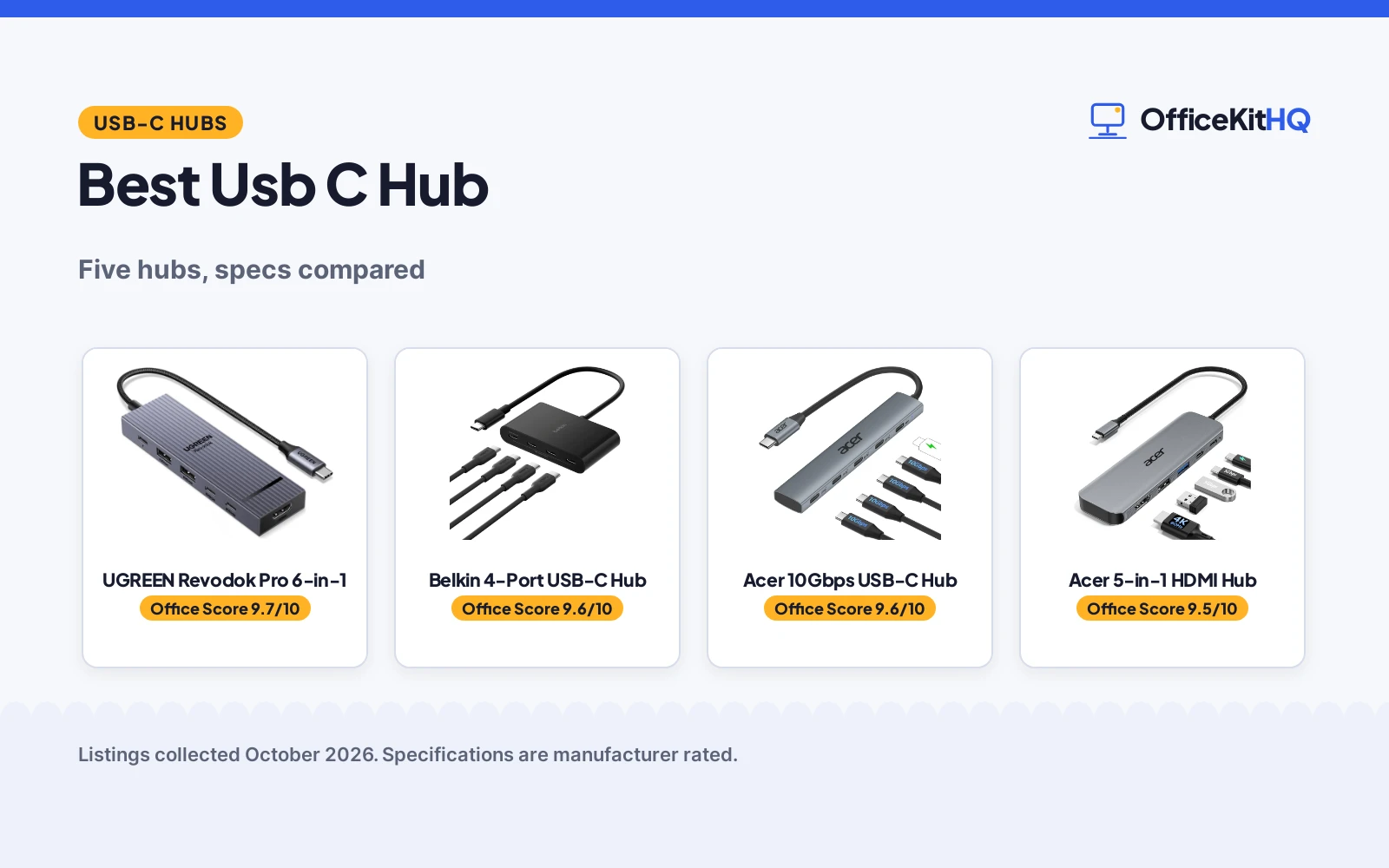
A laptop running everything off one hub is the modern desk: the webcam, the drive and the headphones all fighting over the laptop’s few ports. The best usb c hub is the one that gives each of those a lane without turning the desk into cable spaghetti. A good hub disappears into the workflow, while a bad one means unplugging something every time a new device arrives. We compared the hubs on port count, data speed, video output, power delivery, build, safety and warranty, using only what each listing publishes.
OfficeKitHQ earns a commission when you buy through links on this page, at no extra cost to you. As an Amazon Associate I earn from qualifying purchases. Affiliate disclosure.
Quick picks
 Best Overall Belkin 4-Port USB-C Hub: 4 USB-C 3.2 Gen 2 ports at 10Gbps each, 100W PD and audio. Check price on Amazon
 Best Aluminum Build Acer 10Gbps USB-C Hub: Aluminum body, 10Gbps shared, 100W PD, no video output. Check price on Amazon
 Best with HDMI UGREEN Revodok Pro 6-in-1: 6-in-1 with 4K 60Hz HDMI, 10Gbps and 100W PD. Check price on Amazon
 Best 5-in-1 Acer 5-in-1 HDMI Hub: 4K@60Hz HDMI and 100W PD in a 5-in-1 hub. Check price on Amazon
 Most Ports Anker PowerExpand 8-in-1: Eight ports in one Anker PowerExpand hub. Check price on Amazon
The picks
| # | Product | Office Score | Buy |
|---|---|---|---|
| 1 | UGREEN Revodok Pro 6-in-1 | 9.7/10 | Buy on Amazon |
| 2 | Belkin 4-Port USB-C Hub | 9.6/10 | Buy on Amazon |
| 3 | Acer 10Gbps USB-C Hub | 9.6/10 | Buy on Amazon |
| 4 | Acer 5-in-1 USB-C Hub | 9.5/10 | Buy on Amazon |
| 5 | Anker 8-in-1 | 9.5/10 | Buy on Amazon |

UGREEN Revodok Pro 6-in-1
A 6-in-1 USB-C hub with four 10Gbps ports, 4K 60Hz HDMI and 100W PD charging, for single-cable laptop desks.
Pros
- Four 10Gbps USB 3.2 Gen 2 ports stated
- 4K at 60Hz HDMI for a single external display
- 100W PD port with 85W pass-through charging stated
- 2-year manufacturer warranty stated
Cons
- No individual port switches
- Bus-powered unless the PD port feeds the laptop
- 180 g with no stated dimensions
- 85W pass-through is less than the 100W PD port rating
Detailed Review
The listing states two 10Gbps USB-C 3.2 Gen 2 ports, two 10Gbps USB-A 3.2 Gen 2 ports, 4K at 60Hz HDMI and 100W PD with 85W pass-through charging, in an aluminum alloy design with 4-layer safety features and an indicator light. It lists compatibility with MacBook, iPad Pro, ThinkPad and ROG Ally, and a 2-year manufacturer warranty. The spec table counts 4 USB ports and 6 ports total, which matches the bullets when HDMI and PD are included.
Who it's for: laptop users who want display, data and charging in one hub. Who should skip it: anyone who needs more than four USB ports or per-port switches.
Its Office Score of 9.7/10 comes from performance 32/35, build 22/25, value 21/25, safety 5/10 and warranty 4/5: 84 of 100 points, placed on our 9.2 to 9.8 scale.
Key Specifications
| Ports | 6: 4 USB, HDMI, PD |
|---|---|
| Data rate | 10Gbps, USB 3.2 Gen 2 |
| HDMI | 4K at 60Hz |
| Charging | 100W PD, 85W pass-through |
Figures as published on the retailer listing, collected 20 October 2026. Performance figures are manufacturer rated.
Safety and Warranty
What this listing states. 4-layer safety features and aluminum alloy design stated, so safety scores 5 of 10. 2 Year Manufacturer warranty stated. It does not say everything a buyer needs, such as who pays return shipping, so warranty scores 4 of 5. See How We Pick.
Power and heat. Use the supplied adapter, treat power delivery wattage and display support as the maker's claims for your laptop model, and give the dock room to vent.
This is general buying information, not professional advice. Follow each product manual and local rules, and see our Safety Disclaimer.

Belkin 4-Port USB-C Hub
A 4-port USB-C hub with 10Gbps on every port, 100W pass-through charging and audio support.
Pros
- Four USB-C 3.2 Gen 2 ports, each rated up to 10Gbps
- 100W pass-through charging powers the host device
- Audio support for headphones, speakers or an audio interface
- Fast Role Swap guards against data loss during power changes
Cons
- No HDMI or other video output stated
- Plastic enclosure rather than aluminum
- Only four ports total
- No cable length stated
Detailed Review
Belkin lists four USB-C 3.2 Gen 2 ports, each rated up to 10Gbps, with 100W pass-through Power Delivery that charges the host device while the hub runs. The bullets add audio support for headphones, speakers or an audio interface, and Fast Role Swap, which the listing says prevents data loss and interruption when a USB power source is added or removed. The spec table gives a 2.95 by 1.65 by 0.55 in plastic enclosure at 50 g, model AVC018BTBK, and a 2 year warranty.
Who it's for: a laptop user who needs more USB-C data ports with full 10Gbps on each and pass-through charging. Who should skip it: anyone who needs HDMI video or more than four ports.
Its Office Score of 9.6/10 comes from performance 29/35, build 20/25, value 20/25, safety 7/10 and warranty 4/5: 80 of 100 points, placed on our 9.2 to 9.8 scale.
Key Specifications
| Ports | 4 USB-C 3.2 Gen 2 |
|---|---|
| Data transfer | 10Gbps per port |
| Power | 100W pass-through PD |
| Warranty | 2 year warranty |
Figures as published on the retailer listing, collected 22 October 2026. Performance figures are manufacturer rated.
Safety and Warranty
What this listing states. Fast Role Swap prevents data loss and interruption when adding or removing a USB power source, so safety scores 7 of 10. 2 year warranty. It does not say everything a buyer needs, such as who pays return shipping, so warranty scores 4 of 5. See How We Pick.
Power and heat. Use the supplied adapter, treat power delivery wattage and display support as the maker's claims for your laptop model, and give the dock room to vent.
This is general buying information, not professional advice. Follow each product manual and local rules, and see our Safety Disclaimer.

Acer 10Gbps USB-C Hub
An aluminum 5-in-1 hub with 10Gbps shared across its data ports and a 100W PD charging port.
Pros
- Four USB-C 3.2 Gen 2 ports plus a 100W PD charging port
- Aluminum enclosure stated for heat dissipation
- Plug and play across Windows, macOS, Linux, iPadOS, iOS and Android
- 1 year manufacturer warranty stated
Cons
- 10Gbps is shared across all four data ports, not per port
- No video output
- Spec table typo 'Plug&Paly' against the bullets' 'Plug and Play'
- No dimensions stated
Detailed Review
Acer lists four USB-C 3.2 Gen 2 ports plus a 100W PD charging port, and the spec table counts five ports total; the fifth is the PD port. The headline speed is 10Gbps, but the bullets state that bandwidth is shared across all four data ports, so it is not 10Gbps per port. The listing states an aluminum enclosure, a 0.06 kg item weight, no video output, and a 1 Year Manufacturer warranty. One oddity: the spec table writes 'Plug&Paly' where the bullets say 'Plug and Play'; the bullets win.
Who it's for: a traveler who wants an aluminum hub with charging and fast transfers for one or two drives at a time. Who should skip it: anyone who needs HDMI output or stated per-port 10Gbps.
Its Office Score of 9.6/10 comes from performance 28/35, build 21/25, value 20/25, safety 5/10 and warranty 3/5: 77 of 100 points, placed on our 9.2 to 9.8 scale.
Key Specifications
| Ports | 4 USB-C 3.2 Gen 2 + 100W PD |
|---|---|
| Data transfer | 10Gbps shared across ports |
| Enclosure | Aluminum |
| Warranty | 1 Year Manufacturer |
Figures as published on the retailer listing, collected 22 October 2026. Performance figures are manufacturer rated.
Safety and Warranty
What this listing states. Aluminum alloy casing stated for heat dissipation and enhanced safety, so safety scores 5 of 10. 1 Year Manufacturer. It does not say everything a buyer needs, such as who pays return shipping, so warranty scores 3 of 5. See How We Pick.
Power and heat. Use the supplied adapter, treat power delivery wattage and display support as the maker's claims for your laptop model, and give the dock room to vent.
This is general buying information, not professional advice. Follow each product manual and local rules, and see our Safety Disclaimer.

Acer 5-in-1 USB-C Hub
A 5-in-1 USB-C hub with 4K@60Hz HDMI, 100W power delivery and 5Gbps data ports.
Pros
- 4K@60Hz HDMI output for an external monitor
- 100W PD input with 90W pass-through to the laptop
- USB-C and USB-A 3.0 ports at 5Gbps
- Aluminum shell for heat dissipation
Cons
- Ultrawide monitors are not supported, per the listing
- The 100W power adapter and cable are not included
- No safety certifications are stated
- The 1-year warranty is shorter than the Yottamaster 2-year term
Detailed Review
The listing states a 5-in-1 USB-C hub with 4K@60Hz HDMI 2.0, 100W PD input with 90W output to the laptop, and USB-C 3.0 and USB-A 3.0/2.0 data ports at 5Gbps, in an aluminum shell. It works with Windows, macOS and ChromeOS laptops with full-featured USB-C ports. The listing notes ultrawide monitors are not supported and the 100W adapter and cable are not included.
Who it's for: a laptop user who wants an external 4K monitor, charging and extra ports from one hub. Who should skip it: anyone with an ultrawide monitor or who needs the power adapter included.
Its Office Score of 9.5/10 comes from performance 30/35, build 21/25, value 20/25, safety 0/10 and warranty 3/5: 74 of 100 points, placed on our 9.2 to 9.8 scale.
Key Specifications
| Ports | 5 (HDMI, USB-C, USB-A 3.0, USB-A 2.0) |
|---|---|
| Video | 4K@60Hz HDMI |
| Power | 100W PD in, 90W out |
| Warranty | 1 Year Manufacturer |
Figures as published on the retailer listing, collected 22 October 2026. Performance figures are manufacturer rated.
Safety and Warranty
What this listing states. No UL, FCC or over-current protection statement is stated, so safety scores zero. 1 Year Manufacturer. It does not say everything a buyer needs, such as who pays return shipping, so warranty scores 3 of 5. See How We Pick.
Power and heat. Use the supplied adapter, treat power delivery wattage and display support as the maker's claims for your laptop model, and give the dock room to vent.
This is general buying information, not professional advice. Follow each product manual and local rules, and see our Safety Disclaimer.

Pros
- 4K@60Hz HDMI
- 85W max PD
- 10Gbps data ports
- 18-month warranty
Cons
- Single monitor only
- 18 months, not the longest
- Needs 100W charger
- 4.48 ounces
Detailed Review
The Anker 8-in-1 is the portable pick: 4K@60Hz HDMI, USB-C and 2 USB-A data ports at 10Gbps, SD/microSD reader, Ethernet and 85W pass-through PD. The built-in 7.48-inch cable keeps it tidy. The listing states an 18-month warranty.
On value: the travel-friendly Anker. For a laptop bag, this is the one.
Its Office Score of 9.5/10 comes from performance 33/35, build 20/25, value 20/25, safety 0/10 and warranty 3/5: 76 of 100 points, placed on our 9.2 to 9.8 scale.
Key Specifications
| Ports | 8 |
|---|---|
| Video | 4K@60Hz |
| PD | 85W max |
| Warranty | 18 months |
Figures as published on the retailer listing, collected 20 October 2026. Performance figures are manufacturer rated.
Safety and Warranty
What this listing states. No UL 1449 listing or joule rating is stated, so safety scores zero. 18 months. It does not say everything a buyer needs, such as who pays return shipping, so warranty scores 3 of 5. See How We Pick.
Surge protector limits. Look for a UL 1449 listing, never plug one strip into another, keep the total load under the stated rating, and replace the unit after a major surge or when its indicator says protection has ended.
This is general buying information, not professional advice. Follow each product manual and local rules, and see our Safety Disclaimer.
As an Amazon Associate I earn from qualifying purchases.
Compare the picks
| Hub | Office Score | Ports | Data transfer | Power | Video | Amazon |
|---|---|---|---|---|---|---|
| Belkin 4-Port USB-C Hub | 9.6/10 | 4 USB-C 3.2 Gen 2 | 10Gbps per port | 100W PD pass-through | Not stated | View on Amazon |
| Acer 10Gbps USB-C Hub | 9.6/10 | 4 USB-C 3.2 Gen 2 + 100W PD | 10Gbps shared | 100W PD | No video output | View on Amazon |
| UGREEN Revodok Pro 6-in-1 | 9.7/10 | 6-in-1 | 10Gbps | 100W PD | 4K 60Hz HDMI | View on Amazon |
| Acer 5-in-1 HDMI Hub | 9.6/10 | 5-in-1 | Not stated | 100W PD | 4K@60Hz HDMI | |
| Anker PowerExpand 8-in-1 | 9.5/10 | 8-in-1 | Not stated | Not stated | Not stated |
Specifications are manufacturer rated as listed, collected 22 October 2026. Two of the five state a warranty term; the Belkin states Fast Role Swap for power changes.
How we scored them
The Office Score weighs performance (port count, data speed, video output and power delivery), build (enclosure material and stated construction), value for the stated specs, safety and warranty. For a hub, safety means stated power handling, heat dissipation or data-loss protection on the listing: the Belkin states Fast Role Swap against data loss during power changes, and the Acer states an aluminum casing for heat dissipation; the other three state none. Two listings state a warranty term: the Belkin at 2 years and the Acer at 1 year. How we pick explains the weights.
| Product | Office Score | Perf. /35 | Build /25 | Value /25 | Safety /10 | Warranty /5 |
|---|---|---|---|---|---|---|
| Belkin 4-Port USB-C Hub | 9.6 | 29 | 20 | 20 | 7 | 4 |
| Acer 10Gbps USB-C Hub | 9.6 | 28 | 21 | 20 | 5 | 3 |
Scores run from 9.2 to 9.8: each product’s point total is placed on that range, so more points always means a higher score.
How to choose the best usb c hub
Count the ports you actually need
Start with the peripherals that live on the desk every day. The Belkin gives four USB-C data ports and nothing else, which suits a drive, an audio interface and two more USB-C devices. The Anker lists eight ports, the UGREEN six and the Acer 5-in-1 sits between them; more ports only help if the devices exist to fill them. Count only the devices that stay plugged in, not the ones that visit for an hour. For a desk that keeps growing, see our hubs for cable management guide.
Check whether the 10Gbps is per port or shared
Two listings claim 10Gbps, and they mean different things. The Belkin rates each of its four USB-C 3.2 Gen 2 ports at 10Gbps, while the Acer states its 10Gbps is shared across all four data ports, so simultaneous transfers split the bandwidth. The table below lines up the two full-data listings; the other three state no per-port speed at all. When a listing only says 10Gbps without saying shared or per port, treat the figure as shared until the listing says otherwise.
| Hub | USB-C data ports | 10Gbps scope | PD | Video |
|---|---|---|---|---|
| Belkin 4-Port USB-C Hub | 4 | Per port | 100W pass-through | Not stated |
| Acer 10Gbps USB-C Hub | 4 | Shared across ports | 100W | No video output |
Match the hub to the monitor plan
If the monitor connects through the hub, the choice narrows fast. The UGREEN states 4K 60Hz HDMI and the Acer 5-in-1 states 4K@60Hz HDMI, so either can drive a 4K display at 60Hz. The Acer 10G states no video output, and the Belkin states none either, which makes both data-and-charging hubs rather than display hubs. A hub that states no video at all is not broken; it is a data-and-charging hub, and that is a fine job for it to do. For more display-capable options, see our USB hubs with HDMI list.
Read the power and warranty lines
Four of the five state 100W Power Delivery, which passes power through to charge the host laptop while the hub runs; the Anker states no power figure at all. Warranty terms are thinner: the Belkin states a 2 year warranty and the Acer a 1 Year Manufacturer warranty, while the other three state no term. A hub lives on the desk for years, so a stated term is worth weighing. The Belkin’s 2 year term covers twice the Acer’s 1 year, and both beat an unstated term. For a full desk upgrade around the hub, see our docking stations for home offices guide.
Frequently Asked Questions
What is a powered USB hub?
A powered hub supplies its own power instead of drawing it all from the laptop. Four of these hubs state 100W Power Delivery, which passes power through to charge the host device while the hub runs.
How do I use a USB hub on a laptop?
Plug the hub into the laptop’s USB-C port; the Acer listing states plug and play for Windows, macOS, Linux, iPadOS, iOS and Android. Then connect drives, audio gear or other peripherals to the hub’s ports.
Do I need a hub with HDMI?
Only if the monitor plan needs video over the hub. The UGREEN and the Acer 5-in-1 state 4K@60Hz HDMI, while the Acer 10G states no video output.
What does shared 10Gbps mean?
The Acer 10G listing states its 10Gbps is shared across all four data ports, so simultaneous transfers split the bandwidth. The Belkin states 10Gbps on each of its four ports.
Does the warranty matter on a hub?
Ports and cables wear, so a stated term matters: the Belkin states a 2 year warranty and the Acer a 1 year manufacturer warranty, while the other three state no term.
Should I just use my monitor’s USB ports?
Some monitors include a built-in hub, but a dedicated hub gives stated speeds and power: the Belkin and Acer listings state 10Gbps data and 100W Power Delivery. A separate hub also moves with the laptop between desks.
Related guides
See every docking stations and USB hubs guide and all audio, power and connectivity guides.
More picks: USB hubs for file transfer, USB hubs for audio and hubs for video.



