
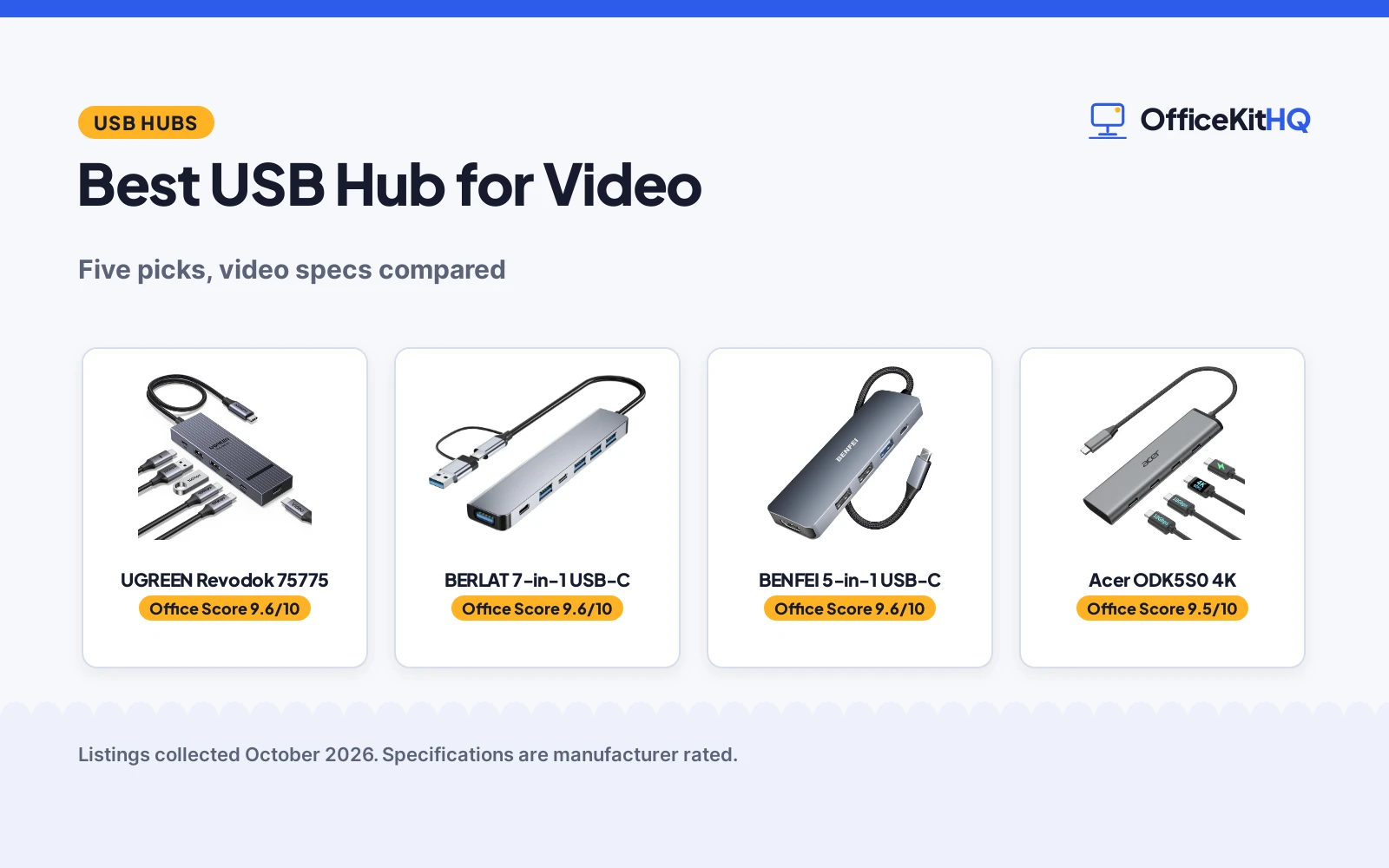
The best usb hub for video is the one that turns a single laptop port into a full desk setup: one cable to a monitor, ports for a drive and a camera, and power coming back the other way. We compared five USB-C hubs by video output, USB data ports, power delivery, build and warranty term, using only what each listing publishes.
OfficeKitHQ earns a commission when you buy through links on this page, at no extra cost to you. As an Amazon Associate I earn from qualifying purchases. Affiliate disclosure.
Quick picks
 Best Overall UGREEN Revodok 75775: 4K@60Hz video, four 10 Gbps ports and a 2 year warranty. Check price on Amazon
 Best All USB-C Acer ODK5S0 4K: 4K@60Hz output, two 10 Gbps ports and 90W charging, all USB-C. Check price on Amazon
 Best Dual Display Lemorele TC550 7-in-1: HDMI plus USB-C video, both 4K@60Hz, in a 7-port dock. Check price on Amazon
 Best Basic Aluminum BERLAT 7-in-1 USB-C: A 7-in-1 aluminum hub with 5 Gbps ports, per its title. Check price on Amazon
 Best Compact HDMI BENFEI 5-in-1 USB-C: 4K HDMI and 100W power delivery in a 5-in-1 hub. Check price on Amazon
The picks
| # | Product | Office Score | Buy |
|---|---|---|---|
| 1 | UGREEN Revodok 75775 | 9.6/10 | Buy on Amazon |
| 2 | BERLAT 7-in-1 USB-C Hub | 9.6/10 | Buy on Amazon |
| 3 | BENFEI USB C Hub 5-in-1 | 9.6/10 | Buy on Amazon |
| 4 | Acer ODK5S0 4K | 9.5/10 | Buy on Amazon |
| 5 | Lemorele TC550 7-in-1 | 9.5/10 | Buy on Amazon |

UGREEN Revodok 75775
A video-first USB-C hub with a 4K@60Hz output, four 10 Gbps ports and 100W power pass-through, in an aluminum shell with a 30 cm braided cable.
Pros
- 4K@60Hz video output over USB-C, per the listing
- Four 10 Gbps ports: 2 USB-A and 2 USB-C Gen 2
- 100W PD pass-through with up to 85W to the notebook
- 2 year manufacturer warranty, the longest stated here
Cons
- The spec table says both 4 and 6 ports; the title and bullets say 4 USB ports
- Only one video output stated, the USB-C port
- No stated dimensions, only a 30 cm cable
- No stated safety certification
Detailed Review
The Revodok 75775 is the video-first pick: a USB-C hub with a 4K@60Hz video output for a portable monitor, projector or AR glasses, plus 2 USB-A and 2 USB-C Gen 2 ports at 10 Gbps for SSDs and cameras. The listing states 100W PD pass-through with up to 85W reaching the notebook, a 30 cm braided cable and an aluminum shell, and model number 75775. One wrinkle: the spec table lists both 4 and 6 ports, while the title and bullets describe 2 USB-A plus 2 USB-C data ports, so we trust the title and bullets.
Who it's for: a remote worker whose laptop drives one external display over USB-C and needs fast ports for drives. Who should skip it: anyone who needs HDMI or a second video output, since the listing states only the USB-C video port.
Its Office Score of 9.6/10 comes from performance 30/35, build 21/25, value 21/25, safety 0/10 and warranty 4/5: 76 of 100 points, placed on our 9.2 to 9.8 scale.
Key Specifications
| Video | 4K@60Hz USB-C output |
|---|---|
| Ports | 2x USB-A + 2x USB-C Gen 2, 10 Gbps |
| Power | 100W PD pass-through, 85W to notebook |
| Build | Aluminum shell, 30 cm braided cable |
Figures as published on the retailer listing, collected 22 October 2026. Performance figures are manufacturer rated.
Safety and Warranty
What this listing states. No UL, FCC or over-current protection statement is stated, so safety scores zero. 2 Year Manufacturer. It does not say everything a buyer needs, such as who pays return shipping, so warranty scores 4 of 5. See How We Pick.
Power and heat. Use the supplied adapter, treat power delivery wattage and display support as the maker's claims for your laptop model, and give the dock room to vent.
This is general buying information, not professional advice. Follow each product manual and local rules, and see our Safety Disclaimer.

BERLAT 7-in-1 USB-C Hub
USB-C 7-in-1 hub with a mix of USB 3.0, 2.0 and USB-C ports.
Pros
- Seven ports: 1x USB 3.0, 4x USB 2.0, 2x USB-C
- USB-C host suits modern laptops and tablets
- 5Gbps transfer on the USB 3.0 port
- Aluminum casing at 4 x 1 x 0.5 inches
Cons
- Only one USB 3.0 port; four are USB 2.0
- No safety certification or protection features are stated
- 40 grams with no stated cable length
- One-year warranty is shorter than the BENFEI 18-month term
Detailed Review
BERLAT lists a 7-in-1 USB-C hub with 1 USB 3.0 port, 4 USB 2.0 ports and 2 USB-C ports, 5Gbps transfer on the USB 3.0 port, an aluminum casing measuring 4 x 1 x 0.5 inches at 40 grams, and a one-year warranty.
Who it's for: a USB-C laptop owner who needs the most ports. Who should skip it: someone who needs more than one high-speed port.
Its Office Score of 9.6/10 comes from performance 32/35, build 20/25, value 21/25, safety not scored (non-powered gear) and warranty 0/5: 73 of 90 points, placed on our 9.2 to 9.8 scale.
Key Specifications
| Ports | 7 |
|---|---|
| Speed | 5Gbps |
| Host | USB-C |
| Warranty | One year |
Figures as published on the retailer listing, collected 18 October 2026. Performance figures are manufacturer rated.
Safety and Warranty
What this listing states. This product does not plug in or run on a battery, so safety is not part of its score. No warranty term, so warranty scores zero. See How We Pick.
Power and heat. Use the supplied adapter, treat power delivery wattage and display support as the maker's claims for your laptop model, and give the dock room to vent.
This is general buying information, not professional advice. Follow each product manual and local rules, and see our Safety Disclaimer.

BENFEI USB C Hub 5-in-1
A 5-in-1 USB-C hub with certified 4K HDMI, 100W power delivery and 3 USB-A ports, suited to mobile offices.
Pros
- Certified 4K HDMI, per the listing
- 100W power delivery
- 3 USB-A ports
- 18-month warranty, per the listing
Cons
- No USB-C data port is stated
- No Ethernet port
- No SD card reader is stated
- Silicone cable may attract dust
Detailed Review
The BENFEI is a 5-in-1 USB-C hub with certified 4K HDMI, 100W power delivery and 3 USB-A ports, on a super-soft silicone woven cable. The 18-month warranty with 24-hour response is stated, per the listing.
The port mix is video, power and USB-A only: no USB-C data port, no Ethernet and no SD reader are stated. The silicone cable is a comfort feature, though it may attract dust in a bag.
Best for mobile offices that need HDMI, charging and USB-A through one port.
Its Office Score of 9.6/10 comes from performance 30/35, build 21/25, value 20/25, safety 4/10 and warranty 3/5: 78 of 100 points, placed on our 9.2 to 9.8 scale.
Key Specifications
| HDMI | 4K, certified |
|---|---|
| Power delivery | 100W |
| USB-A | 3 ports |
| Warranty | 18 months |
Figures as published on the retailer listing, collected 21 October 2026. Performance figures are manufacturer rated.
Safety and Warranty
What this listing states. Certified 4K HDMI is stated; no safety certification is stated, so safety scores 4 of 10. 18-month. It does not say everything a buyer needs, such as who pays return shipping, so warranty scores 3 of 5. See How We Pick.
Shredder and printer safety. Keep hair, ties, jewelry, children and pets away from the feed slot, use the safety lock, unplug when not in use, and give printers and adapters room to vent.
This is general buying information, not professional advice. Follow each product manual and local rules, and see our Safety Disclaimer.

Acer ODK5S0 4K
An all-USB-C 4-port hub with a 4K@60Hz display output, two 10 Gbps data ports and 100W charging, for Thunderbolt and full-featured USB-C laptops.
Pros
- 4K@60Hz USB-C display output, per the listing
- Two USB-C ports at 10 Gbps for data
- 100W PD input with 90W output to the laptop
- Aluminum enclosure
Cons
- Video output needs a full-featured USB-C port with DP Alt Mode, Thunderbolt or USB4
- The PD port is charging only, with no data or video
- Charger and cable not included, per the listing
- 1 year manufacturer warranty, shorter than the UGREEN's 2 years
Detailed Review
The Acer ODK5S0 is an all-USB-C 4-port hub: a 4K@60Hz USB-C video output, two USB-C data ports at 10 Gbps and a 100W PD port that passes 90W to the laptop. The listing states an aluminum enclosure and model ODK5S0, and its pre-use notice requires a full-featured USB-C port with DP Alt Mode, Thunderbolt 3/4 or USB4 for video, with the PD port for charging only.
Who it's for: a MacBook or iPad Pro user with Thunderbolt ports who wants everything on USB-C. Who should skip it: anyone whose laptop port lacks DP Alt Mode, or who needs USB-A ports, since this hub has none.
Its Office Score of 9.5/10 comes from performance 28/35, build 21/25, value 20/25, safety 0/10 and warranty 3/5: 72 of 100 points, placed on our 9.2 to 9.8 scale.
Key Specifications
| Video | 4K@60Hz USB-C output |
|---|---|
| Data | 2x USB-C, 10 Gbps |
| Power | 100W PD in, 90W out |
| Build | Aluminum enclosure |
Figures as published on the retailer listing, collected 22 October 2026. Performance figures are manufacturer rated.
Safety and Warranty
What this listing states. No UL, FCC or over-current protection statement is stated, so safety scores zero. 1 Year Manufacturer. It does not say everything a buyer needs, such as who pays return shipping, so warranty scores 3 of 5. See How We Pick.
Power and heat. Use the supplied adapter, treat power delivery wattage and display support as the maker's claims for your laptop model, and give the dock room to vent.
This is general buying information, not professional advice. Follow each product manual and local rules, and see our Safety Disclaimer.

Lemorele TC550 7-in-1
A 7-port dock with two 4K@60Hz video outputs, HDMI 2.0 and USB-C, plus 100W power pass-through in a compact plastic enclosure.
Pros
- Two 4K@60Hz video outputs: HDMI 2.0 and USB-C DP Alt Mode
- Seven ports in a compact dock
- 100W PD input with 85W pass-through
- Mirror and extended display modes on the HDMI port
Cons
- ABS plastic enclosure, not aluminum like the others
- Three of the four USB-A ports are 2.0 at 480 Mbps
- Mac devices only mirror on external monitors, per the listing
- 1 year manufacturer warranty
Detailed Review
The Lemorele TC550 is the dual-display pick: both an HDMI 2.0 port and a USB-C DP Alt Mode port, each stated at 4K@60Hz, alongside 1 USB-A 3.0 port at 5 Gbps and 3 USB-A 2.0 ports at 480 Mbps. The listing states 100W PD input with 85W pass-through, an ABS plastic enclosure measuring 4.49 by 1.69 by 0.49 in, and model TC550. The HDMI port supports mirror and extended modes, with the macOS note that Macs mirror only.
Who it's for: a Windows laptop user who wants two 4K displays from one hub. Who should skip it: a Mac user who needs an extended desktop on two monitors, since the listing states macOS only mirrors.
Its Office Score of 9.5/10 comes from performance 29/35, build 18/25, value 20/25, safety 0/10 and warranty 3/5: 70 of 100 points, placed on our 9.2 to 9.8 scale.
Key Specifications
| Video | HDMI 2.0 + USB-C DP Alt, dual 4K@60Hz |
|---|---|
| USB | 1x USB-A 3.0 5 Gbps, 3x USB-A 2.0 480 Mbps |
| Power | 100W PD in, 85W out |
| Size | 4.49 x 1.69 x 0.49 in, ABS plastic |
Figures as published on the retailer listing, collected 22 October 2026. Performance figures are manufacturer rated.
Safety and Warranty
What this listing states. No UL, FCC or over-current protection statement is stated, so safety scores zero. 1 Year Manufacturer. It does not say everything a buyer needs, such as who pays return shipping, so warranty scores 3 of 5. See How We Pick.
Power and heat. Use the supplied adapter, treat power delivery wattage and display support as the maker's claims for your laptop model, and give the dock room to vent.
This is general buying information, not professional advice. Follow each product manual and local rules, and see our Safety Disclaimer.
As an Amazon Associate I earn from qualifying purchases.
Compare the picks
| Hub | Office Score | Video output | USB data ports | Power delivery | Warranty | Amazon |
|---|---|---|---|---|---|---|
| UGREEN Revodok 75775 | 9.6/10 | 4K@60Hz USB-C | 2x USB-A + 2x USB-C, 10 Gbps | 100W in, 85W out | 2 year | View on Amazon |
| Acer ODK5S0 4K | 9.5/10 | 4K@60Hz USB-C | 2x USB-C, 10 Gbps | 100W in, 90W out | 1 year | View on Amazon |
| Lemorele TC550 7-in-1 | 9.5/10 | Dual 4K@60Hz HDMI + USB-C | 1x USB-A 3.0, 3x USB-A 2.0 | 100W in, 85W out | 1 year | View on Amazon |
| BERLAT 7-in-1 USB-C | 9.6/10 | Not stated | 5 Gbps, per title | Not stated | Not stated | |
| BENFEI 5-in-1 USB-C | 9.6/10 | 4K HDMI, per title | Not stated | 100W, per title | Not stated |
Specifications are manufacturer rated as listed, collected 22 October 2026.
How we scored them
The Office Score weighs performance (video output and USB data speed), build (enclosure and cable), value for the stated specs, safety and warranty. For a USB hub, safety means stated protections or certifications on the listing; none of these listings states any, so safety scores zero across the board. Three listings state a warranty term: the UGREEN at 2 years and the Acer and Lemorele at 1 year each. How we pick explains the weights.
| Product | Office Score | Perf. /35 | Build /25 | Value /25 | Safety /10 | Warranty /5 |
|---|---|---|---|---|---|---|
| UGREEN Revodok 75775 | 9.6 | 30 | 21 | 21 | 0 | 4 |
| Acer ODK5S0 4K | 9.5 | 28 | 21 | 20 | 0 | 3 |
| Lemorele TC550 7-in-1 | 9.5 | 29 | 18 | 20 | 0 | 3 |
Scores run from 9.2 to 9.8: each product’s point total is placed on that range, so more points always means a higher score.
How to choose the best usb hub for video
Video output first
Video is the reason to buy one of these hubs, so start there. The UGREEN and the Acer each state a single 4K@60Hz output over USB-C, the Lemorele states two 4K@60Hz outputs, one HDMI 2.0 and one USB-C, and the BENFEI’s title states 4K HDMI. Check that the output matches the monitor’s input: a USB-C video port needs a USB-C monitor input, and an HDMI port needs HDMI. The Acer listing adds a pre-use notice: video output requires a full-featured USB-C port with DP Alt Mode, Thunderbolt 3/4 or USB4 on the laptop itself.
USB-C, USB-A or both
The port mix decides what else plugs in. The UGREEN gives you both: 2 USB-A and 2 USB-C, all at 10 Gbps. The Acer is all USB-C, with two data ports at 10 Gbps and no USB-A at all. The Lemorele leans USB-A, with one 5 Gbps port and three 480 Mbps ports. An older drive, a webcam or a printer cable may still need USB-A, so count your peripherals before choosing; see our best usb hub for webcams if the camera is the whole point.
Power delivery math
Every hub here advertises 100W power delivery, but none passes the full 100W to the laptop. The UGREEN and the Lemorele pass up to 85W to the notebook, and the Acer passes 90W; the hub keeps the rest to run its own ports. That is enough for most ultrabooks, but a power-hungry workstation may still drain slowly under load. The Acer listing also notes its PD port is charging only, with no data or video, and that the 100W charger and cable are not included.
Mac or Windows
The operating system changes what dual display means. The UGREEN and Acer listings name MacBook models as compatible, while the Lemorele carries a warning: Mac devices only support mirrored output, so two external monitors show identical content on a Mac. On Windows the Lemorele’s HDMI port supports both mirror and extended modes. If the setup is a permanent home desk rather than a travel kit, see our best docking station for home use for bigger docks.
Setup Notes
- Check that the laptop’s USB-C port supports DP Alt Mode or Thunderbolt before buying a video hub, per the Acer listing’s pre-use notice.
- Measure the run from laptop to monitor: the UGREEN’s integrated cable is 30 cm, so plan the desk layout around it.
- Bring a 100W or stronger charger and cable for the PD port; the Acer listing states they are not included.
- Match the hub’s video outputs to the monitor’s inputs: USB-C video needs a USB-C monitor input, HDMI needs HDMI.
Frequently Asked Questions
Can any USB-C port run a 4K monitor through these hubs?
No. The Acer listing’s pre-use notice requires a full-featured USB-C port with DP Alt Mode, Thunderbolt 3/4 or USB4. A basic USB-C port that only carries data will not output video.
Will a 100W hub charge my laptop at 100W?
No. Up to 85W reaches the notebook on the UGREEN and the Lemorele, and 90W on the Acer; the hub keeps the rest to run its own ports. For most ultrabooks that is enough, but check the laptop’s draw under load.
Do these hubs work with a MacBook?
The UGREEN and Acer listings name MacBook models as compatible. The Lemorele works with MacBooks too, but its listing states macOS only supports mirrored output, so two external monitors will show identical content.
What is the difference between the Lemorele’s HDMI and USB-C video ports?
Both are stated at 4K@60Hz. The HDMI 2.0 port supports mirror and extended display modes per the listing, and it is the port to use with a TV or projector.
Can I use the Acer’s PD port for data?
No. The listing states the PD USB-C port supports charging only, with no data or video. Use the two data ports for drives and peripherals.
Related guides
See every docking stations and usb hubs guide and all audio, power and connectivity guides.
More picks: usb hubs for file transfer, docking stations with power, kvm switches with hdmi and usb hubs for cable management.



