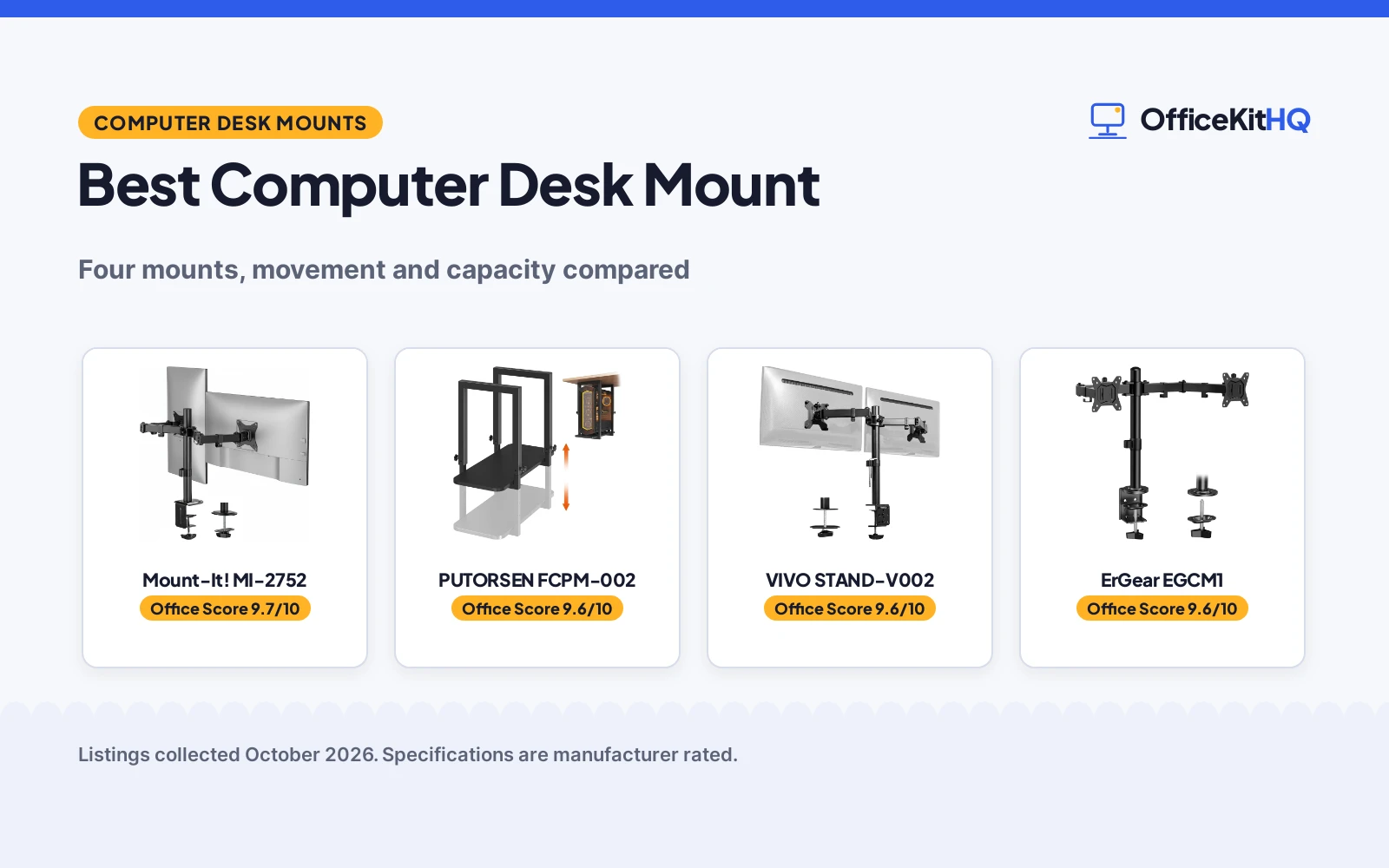
The best computer desk mount is the one that puts your monitors and your tower exactly where your work expects them, because a mount that forces you to hunch, stretch or fish cables off the floor is a mount you stop adjusting. We compared four desk mounts by screen size range, movement, stated capacity, mount type and warranty term, using only what each listing publishes. The products are ranked by our Office Score, which weighs performance, build, value, safety and warranty.
OfficeKitHQ earns a commission when you buy through links on this page, at no extra cost to you. As an Amazon Associate I earn from qualifying purchases. Affiliate disclosure.
Quick picks
 Best Overall Mount-It! MI-2752: 13 to 32 in screens, 19.8 lb each, lifetime warranty stated Check price on Amazon
 Best for PC Towers PUTORSEN FCPM-002: Under-desk mount for towers, 17.3 to 25.1 in height, 66 lb capacity Check price on Amazon
 Dual Monitor Mount VIVO STAND-V002: Title-only listing; no capacity or movement figures stated Check price on Amazon
 Dual Monitor Pick ErGear EGCM1: Title-only listing; no capacity or movement figures stated Check price on Amazon
The picks
| # | Product | Office Score | Buy |
|---|---|---|---|
| 1 | Mount-It! MI-2752 | 9.7/10 | Buy on Amazon |
| 2 | PUTORSEN FCPM-002 | 9.6/10 | Buy on Amazon |
| 3 | VIVO Dual Mount | 9.6/10 | Buy on Amazon |
| 4 | ErGear EGCM1 | 9.6/10 | Buy on Amazon |

Mount-It! MI-2752
A dual monitor arm in heavy-duty steel that carries two 13 to 32 in screens up to 19.8 lb each, with full-motion tilt, swivel and rotation and a Limited Lifetime Warranty.
Pros
- Carries two 13 to 32 in screens up to 19.8 lb each
- Full motion: +90 to -45 degree tilt, 180-degree swivel, 360-degree rotation, 17.1 in arm extension on a 16 in pole
- Steel construction with a Limited Lifetime Warranty stated
- C-clamp or grommet base with cable clips for wire routing
Cons
- Spec table lists the minimum screen size as 32 in, against the title's 13 in
- Listed for stud, solid wood or concrete surfaces; not for drywall-only desks
- C-clamp fits desktops 0.39 to 3.3 in only; thinner or thicker tops do not fit
- No assembly time is stated in the listing
Detailed Review
Mount-It! lists the MI-2752 as a dual monitor arm for 13 to 32 in screens, up to 19.8 lb each, with VESA 75x75 and 100x100 mounting patterns. The arm tilts from +90 to -45 degrees, swivels 180 degrees, rotates 360 degrees and extends 17.1 in on a 16 in pole, and the listing names heavy-duty steel construction, integrated cable clips and a choice of C-clamp (0.39 to 3.3 in) or grommet (0.39 to 1.6 in) base. One contradiction to note: the spec table lists the minimum-supported screen size as 32 inches while the title and bullets say 13 to 32 in; the title and bullets are more specific, so we trust them. The listing states a Limited Lifetime Warranty with US-based technical support.
Who it's for: someone setting up two monitors who wants full-motion positioning and a stated lifetime warranty. Who should skip it: anyone mounting to a thin or drywall-only desk, or anyone with screens outside 13 to 32 in.
Its Office Score of 9.7/10 comes from performance 30/35, build 21/25, value 21/25, safety 8/10 and warranty 4/5: 84 of 100 points, placed on our 9.2 to 9.8 scale.
Key Specifications
| Screen size | 13 to 32 in |
|---|---|
| Per-screen capacity | 19.8 lb |
| VESA patterns | 75x75, 100x100 |
| Base | C-clamp or grommet |
Figures as published on the retailer listing, collected 24 October 2026. Performance figures are manufacturer rated.
Safety and Warranty
What this listing states. Heavy-duty steel construction and 19.8 lb per-screen capacity stated, so safety scores 8 of 10. Limited Lifetime Warranty. It does not say everything a buyer needs, such as who pays return shipping, so warranty scores 4 of 5. See How We Pick.
Match the mount. Check your screen's VESA pattern, size and weight against the stated range, and check that your desk thickness and edge suit a clamp or grommet mount before you drill or clamp.
This is general buying information, not professional advice. Follow each product manual and local rules, and see our Safety Disclaimer.

PUTORSEN FCPM-002
An under-desk mount for PC towers that adjusts from 17.3 to 25.1 in high, holds up to 66 lb, and carries a 5-year warranty.
Pros
- Holds up to 66 lb on a steel frame with a 22 by 9.6 in wood base
- Height adjusts from 17.3 to 25.1 in to fit different tower sizes
- 5-year warranty stated, with mounting hardware included
- Open frame design keeps airflow around the case
Cons
- Fits cases no wider than 9.6 in; wide towers do not fit
- No monitor arm function; it holds a PC case only
- Height range tops at 25.1 in; taller towers do not fit
- No cable management clips are stated in the listing
Detailed Review
PUTORSEN lists the FCPM-002 as an under-desk mount for PC cases up to 9.6 in wide, with height adjusting from 17.3 to 25.1 in and a rated capacity of 66 lb. The build is a steel frame on a 22 by 9.6 in wood base, the open frame keeps air moving around the tower, and the item weighs 12.83 lb. The spec table gives product dimensions of 22 by 9.6 by 25.1 in and names the FCPM-002 part number and Middle Tower size. The listing states a 5-year warranty and includes mounting hardware with step-by-step instructions.
Who it's for: someone who wants a tower off the floor with room for a future upgrade. Who should skip it: anyone with a case wider than 9.6 in, or anyone who also needs a monitor arm.
Its Office Score of 9.6/10 comes from performance 29/35, build 20/25, value 20/25, safety 8/10 and warranty 4/5: 81 of 100 points, placed on our 9.2 to 9.8 scale.
Key Specifications
| Load capacity | 66 lb |
|---|---|
| Height | 17.3 to 25.1 in |
| Max case width | 9.6 in |
| Warranty | 5 years |
Figures as published on the retailer listing, collected 24 October 2026. Performance figures are manufacturer rated.
Safety and Warranty
What this listing states. Steel frame and 66 lb capacity stated, so safety scores 8 of 10. 5 years. It does not say everything a buyer needs, such as who pays return shipping, so warranty scores 4 of 5. See How We Pick.
Match the mount. Check your screen's VESA pattern, size and weight against the stated range, and check that your desk thickness and edge suit a clamp or grommet mount before you drill or clamp.
This is general buying information, not professional advice. Follow each product manual and local rules, and see our Safety Disclaimer.

VIVO Dual Mount
A dual monitor mount for two screens up to 30 in and 22 lbs each, VESA, 3-year warranty.
Pros
- Two screens to 30 in
- 22 lbs each
- VESA 75x75mm or 100x100mm
- 3-year warranty
Cons
- Mount only, no desk
- 22 lbs per screen max
- Needs a desk to clamp to
- Black color only
Detailed Review
The VIVO is the mount pick: a dual monitor mount holding two screens 13 to 30 inches and up to 22 lbs each, with VESA 75x75mm or 100x100mm holes. The arms offer tilt, swivel and rotation with height adjustment along the pole, plus cable management clips. It clamps to desks up to 3.25 inches thick or uses a grommet mount.
On warranty: the listing states a 3-year manufacturer warranty with friendly tech support. For an existing desk, this is the upgrade.
Its Office Score of 9.6/10 comes from performance 33/35, build 20/25, value 19/25, safety 4/10 and warranty 3/5: 79 of 100 points, placed on our 9.2 to 9.8 scale.
Key Specifications
| Screens | 2x 13-30 in |
|---|---|
| Capacity | 22 lbs each |
| VESA | 75x75, 100x100 |
| Mount | C-clamp, grommet |
Figures as published on the retailer listing, collected 20 October 2026. Performance figures are manufacturer rated.
Safety and Warranty
What this listing states. VESA 75x75, 100x100, so safety scores 4 of 10. 3 Year Manufacturer Warranty. It does not say everything a buyer needs, such as who pays return shipping, so warranty scores 3 of 5. See How We Pick.
Moving desk, heavy load. Stay under the stated lift or weight capacity, leave slack in every cable, keep children, pets and fingers clear while the desk moves, and treat anti-collision as the maker's claim.
This is general buying information, not professional advice. Follow each product manual and local rules, and see our Safety Disclaimer.

ErGear EGCM1
For the basic two-screen setup, this metal mount holds 13 to 32 in monitors with full tilt, swivel and rotation.
Pros
- 90-degree swivel, 45-degree tilt and 360-degree rotation, per the listing
- C-clamp and grommet mounting are included, per the listing
- 3.3 lb metal build is the lightest stated here
- Cable management clips are stated
Cons
- No warranty term is stated
- 17.6 lb per-arm capacity is the lowest here
- The listing recommends wooden desks only
- No stated arm extension figure
Detailed Review
ErGear lists the EGCM1 as a dual monitor desk mount for 13 to 32 in screens at 17.6 lb per arm with VESA 75/100, plus 90-degree swivel, 45-degree tilt and 360-degree rotation. The spec table gives a 3.3 lb item weight. No warranty term is stated.
Who it's for: someone who wants the simplest full-motion mount. Who should skip it: anyone with monitors over 17.6 lb or wanting a warranty term.
Its Office Score of 9.6/10 comes from performance 30/35, build 20/25, value 20/25, safety 7/10 and warranty 0/5: 77 of 100 points, placed on our 9.2 to 9.8 scale.
Key Specifications
| Screens | 13-32 in |
|---|---|
| Per-arm capacity | 17.6 lb |
| Weight | 3.3 lb |
| Warranty | Not stated |
Figures as published on the retailer listing, collected 17 October 2026. Performance figures are manufacturer rated.
Safety and Warranty
What this listing states. VESA 75/100 compatibility and 17.6 lb per-arm capacity are stated, so safety scores 7 of 10. No warranty term, so warranty scores zero. See How We Pick.
Match the mount. Check your screen's VESA pattern, size and weight against the stated range, and check that your desk thickness and edge suit a clamp or grommet mount before you drill or clamp.
This is general buying information, not professional advice. Follow each product manual and local rules, and see our Safety Disclaimer.
As an Amazon Associate I earn from qualifying purchases.
More picks to compare
 Mount-It! MI-7159No-drill clamp for standing desks, 66 lb capacity, lifetime warrantyCheck on Amazon
Compare the picks
| Mount | Office Score | Type | Capacity | Movement | Warranty | Amazon |
|---|---|---|---|---|---|---|
| Mount-It! MI-2752 | 9.7/10 | Dual monitor arm | 19.8 lb per screen | Tilt, swivel, rotation | Limited Lifetime Warranty | View on Amazon |
| PUTORSEN FCPM-002 | 9.6/10 | Under-desk PC mount | 66 lb | Height 17.3 to 25.1 in | 5 years | View on Amazon |
| VIVO STAND-V002 | 9.6/10 | Dual monitor desk mount | Not stated | Not stated | Not stated | |
| ErGear EGCM1 | 9.6/10 | Dual monitor desk mount | Not stated | Not stated | Not stated | View on Amazon |
Specifications are manufacturer rated as listed, collected 24 October 2026. The Mount-It! MI-2752 and the PUTORSEN FCPM-002 carry full listing details; the VIVO STAND-V002 and ErGear EGCM1 listings state titles only.
How we scored them
The Office Score weighs performance, build, value, safety and warranty; the tables and product cards show the totals. For a desk mount, safety means stated load capacity and steel construction: the Mount-It! MI-2752 and the PUTORSEN FCPM-002 state both, while the title-only listings state neither. The Mount-It! MI-2752 lists a Limited Lifetime Warranty and the PUTORSEN FCPM-002 states a warranty of 5 years. How we pick explains the weights.
| Product | Office Score | Perf. /35 | Build /25 | Value /25 | Safety /10 | Warranty /5 |
|---|---|---|---|---|---|---|
| Mount-It! MI-2752 | 9.7 | 30 | 21 | 21 | 8 | 4 |
| PUTORSEN FCPM-002 | 9.6 | 29 | 20 | 20 | 8 | 4 |
Scores run from 9.2 to 9.8: each product’s point total is placed on that range, so more points always means a higher score.
How to choose the best computer desk mount
Match the mount type to the job
A desk mount either holds your screens or your tower, and mixing the two jobs up is the most common mistake. The Mount-It! MI-2752 is a dual monitor arm: it clamps to the desk and carries two 13 to 32 in screens on a steel arm, which frees the desk surface underneath for a keyboard, a notebook and a lamp. The PUTORSEN FCPM-002 takes the opposite approach: it mounts under the desk and holds a tower case up to 9.6 in wide, which frees floor space and keeps ports and drives within reach. If your screens still sit on their factory stands, the arm changes your day more; if the tower eats your foot room, the under-desk mount does.
Check the movement numbers
For an arm, movement is the spec that matters most, and the Mount-It! listing is unusually complete here: tilt from +90 to -45 degrees, 180-degree swivel, 360-degree rotation and 17.1 in of arm extension on a 16 in pole. For a tower mount the equivalent is height adjustment: the PUTORSEN FCPM-002 adjusts from 17.3 to 25.1 in so different tower sizes sit level with the desk frame. The VIVO and ErGear listings state no movement figures, so there is nothing to compare on that axis.
| Mount | Movement | Capacity |
|---|---|---|
| Mount-It! MI-2752 | Tilt +90 to -45 degrees, 180-degree swivel, 360-degree rotation | 19.8 lb per screen |
| PUTORSEN FCPM-002 | Height 17.3 to 25.1 in | 66 lb |
| VIVO STAND-V002 | Not stated | Not stated |
| ErGear EGCM1 | Not stated | Not stated |
Cable planning matters on a moving arm: the Mount-It! arm includes cable clips, so leave slack for the full 17.1 in extension and 180-degree swivel, then route the rest toward your surge protector and cable management gear.
Measure the desk before you order
The Mount-It! arm offers two bases: a C-clamp for desktops 0.39 to 3.3 in thick, or a grommet base for 0.39 to 1.6 in. Measure your desktop thickness first, and if you plan the grommet route, confirm a solid stud, wood or concrete surface underneath; the listing states the mount is not for drywall-only desks. If your desk moves during the day, see our standing desk guides, and the Mount-It! MI-7159 more-pick below is built as a no-drill clamp for desks that rise and fall. More mounting options are in our monitor arms and stands guides.
Read the warranty line, not the headline
The Mount-It! MI-2752 lists a Limited Lifetime Warranty with US-based support, and the PUTORSEN FCPM-002 states a warranty of 5 years. The VIVO and ErGear listings state no warranty term. A mount is a load-bearing product, so a term that names a lifetime or a number of years is worth more than a support promise.
Setup Notes
- Measure your desktop thickness and confirm whether you will use the clamp (0.39 to 3.3 in) or the grommet base (0.39 to 1.6 in).
- Check that each screen is within 13 to 32 in, has a VESA 75×75 or 100×100 pattern and weighs under 19.8 lb.
- For a tower mount, confirm the case is no wider than 9.6 in and its height fits 17.3 to 25.1 in.
- Leave cable slack for the arm’s full extension and swivel, and route cables away from moving joints.
- The Mount-It! arm is listed for stud, solid wood or concrete surfaces, not drywall-only desks.
Frequently Asked Questions
What size screens fit a dual monitor arm?
The Mount-It! MI-2752 lists 13 to 32 in screens up to 19.8 lb each with VESA 75×75 and 100×100 patterns. The VIVO STAND-V002 and ErGear EGCM1 listings state no screen size figures.
Should I use a C-clamp or a grommet mount?
The Mount-It! arm gives both options: a C-clamp for desktops 0.39 to 3.3 in thick, or a grommet base for 0.39 to 1.6 in. Pick the one your desk supports, and confirm a solid mounting surface either way.
How heavy a tower can an under-desk mount hold?
The PUTORSEN FCPM-002 is rated to 66 lb, with height adjusting from 17.3 to 25.1 in to fit cases up to 9.6 in wide. The more-pick Mount-It! MI-7159 is also rated to 66 lb and clamps desks 0.59 to 2.4 in thick with no drilling.
Do any of these mounts state a warranty?
The Mount-It! MI-2752 lists a Limited Lifetime Warranty. The PUTORSEN FCPM-002 states a warranty of 5 years. The VIVO and ErGear listings state no warranty term.
Can I mount a tower under a standing desk?
The Mount-It! MI-7159 more-pick is built for moving desks: a no-drill clamp for desks 0.59 to 2.4 in thick, rated to 66 lb, and fits mid and full towers. Measure your desk leg and the clearance underneath before ordering.
Related guides
See every monitor arms and stands guide and all monitor mounts, keyboards and mice guides. Also see our best monitor stand with drawer. Also see our standing desk guides.
More picks: desks, keyboards, docking stations and USB hubs, surge protectors and cable management.