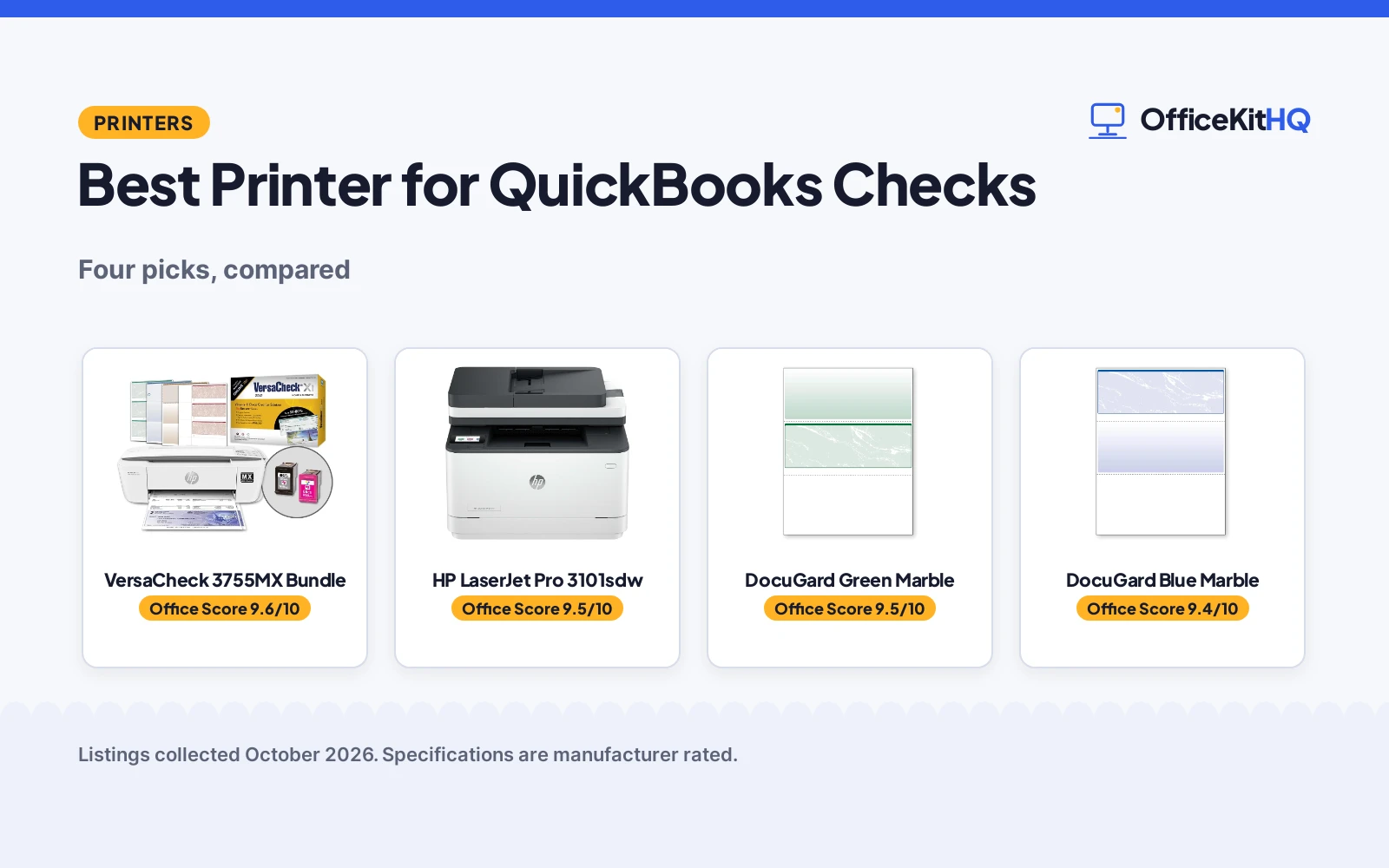
Printing checks from QuickBooks splits into two purchases: the printer and the check paper, which is why the best printer for quickbooks checks is really a short list of both. We compared four products by MICR support, software compatibility, print speed and paper security features, using only what each listing publishes.
OfficeKitHQ earns a commission when you buy through links on this page, at no extra cost to you. As an Amazon Associate I earn from qualifying purchases. Affiliate disclosure.
Quick picks
 Best Overall VersaCheck 3755MX Bundle: MICR check printer, Gold software and paper in the bundle Check price on Amazon
 Best Laser HP LaserJet Pro 3101sdw: 35 ppm black, duplex, 250-sheet tray, wireless Check price on Amazon
 Best Check Paper DocuGard Green Marble: 500 QuickBooks-compatible checks, 11 security features Check price on Amazon
 Best Value Paper DocuGard Blue Marble: 500 checks, 11 security features, laser and inkjet Check price on Amazon
The picks
| # | Product | Office Score | Buy |
|---|---|---|---|
| 1 | VersaCheck 3755MX Bundle | 9.6/10 | Buy on Amazon |
| 2 | HP LaserJet Pro 3101sdw | 9.5/10 | Buy on Amazon |
| 3 | DocuGard Green Marble | 9.5/10 | Buy on Amazon |
| 4 | DocuGard Blue Marble | 9.4/10 | Buy on Amazon |

VersaCheck 3755MX Bundle
An HP DeskJet 3755 MX bundle with magnetic MICR black ink, VersaCheck Gold software and a paper starter pack, for bank-compliant check printing.
Pros
- Magnetic MICR black ink for bank-compliant checks
- VersaCheck Gold software and paper starter pack included
- Print, copy and scan in one 5.1 lb unit
- Wireless plus USB cable in the box
Cons
- No warranty term is stated
- Inkjet speed: 8 pages per minute black
- Software lists Windows 11 and 10 only
- Compact size suits low volume, not a print room
Detailed Review
VersaCheck lists the bundle as an HP 3755MX check printer with VersaInk magnetic black MICR ink, a color cartridge, VersaCheck Presto software download, a paper starter pack and a USB cable. The bullets describe an all-in-one (print, copy, scan) at 5.1 lbs with wireless, and Gold software for Windows 11 and 10. No warranty term is stated.
Who it's for: a small office that wants MICR check printing with software in one box. Who should skip it: anyone needing high-volume laser speed or Mac software.
Its Office Score of 9.6/10 comes from performance 33/35, build 21/25, value 22/25, safety 0/10 and warranty 0/5: 76 of 100 points, placed on our 9.2 to 9.8 scale.
Key Specifications
| Printer type | Inkjet |
|---|---|
| Ink | MICR black |
| Weight | 5.1 lbs |
| Warranty | Not stated |
Figures as published on the retailer listing, collected 18 October 2026. Performance figures are manufacturer rated.
Safety and Warranty
What this listing states. This product does not plug in or run on a battery, so safety is not part of its score. No warranty term, so warranty scores zero. See How We Pick.
Shredder and printer safety. Keep hair, ties, jewelry, children and pets away from the feed slot, use the safety lock, unplug when not in use, and give printers and adapters room to vent.
This is general buying information, not professional advice. Follow each product manual and local rules, and see our Safety Disclaimer.

HP LaserJet Pro 3101sdw
A monochrome laser all-in-one with 35 ppm black printing, duplex and wireless, for fast office documents and check runs.
Pros
- Up to 35 ppm black printing
- Automatic two-sided printing
- 250-sheet input tray plus 50-sheet ADF
- Wireless with print from phone or tablet
Cons
- No warranty term is stated
- No MICR ink; pair with security check paper
- 23.1 lbs needs a sturdy desk
- Works only with HP-chip cartridges per the listing
Detailed Review
HP lists the LaserJet Pro 3101sdw as a monochrome laser all-in-one (print, copy, scan) with up to 35 ppm black, auto duplex, a 250-sheet tray and a 50-sheet auto document feeder. The bullets describe wireless printing and scan to email. No warranty term is stated.
Who it's for: a busy office that prints checks plus high-volume documents. Who should skip it: anyone who needs MICR magnetic ink or a compact desk unit.
Its Office Score of 9.5/10 comes from performance 32/35, build 22/25, value 21/25, safety 0/10 and warranty 0/5: 75 of 100 points, placed on our 9.2 to 9.8 scale.
Key Specifications
| Printer type | Laser |
|---|---|
| Speed | 35 ppm black |
| Tray | 250 sheets |
| Warranty | Not stated |
Figures as published on the retailer listing, collected 18 October 2026. Performance figures are manufacturer rated.
Safety and Warranty
What this listing states. No safety lock or safety listing is stated, so safety scores zero. No warranty term, so warranty scores zero. See How We Pick.
Shredder and printer safety. Keep hair, ties, jewelry, children and pets away from the feed slot, use the safety lock, unplug when not in use, and give printers and adapters room to vent.
This is general buying information, not professional advice. Follow each product manual and local rules, and see our Safety Disclaimer.

DocuGard Green Marble
A 500-sheet pack of green marble middle-format security check paper with 11 security features, QuickBooks compatible.
Pros
- Names QuickBooks compatibility in the title
- 500 blank checks with 11 security features
- Middle format: 3.5 in tall checks
- Works with laser and inkjet printers
Cons
- No warranty term is stated
- Paper only; needs a separate printer
- Middle format may not suit top-check workflows
- 4.8 lb ream needs dry storage
Detailed Review
DocuGard lists the green marble pack as 500 middle-format blank business checks (3.5 in tall) with 11 security features including VOID pantographs, watermarks, microtext and coin-reactive ink. The title names QuickBooks, Quicken and VersaCheck compatibility. No warranty term is stated.
Who it's for: QuickBooks users who print middle-format checks on their own printer. Who should skip it: anyone who needs top-format checks or an all-in-one MICR bundle.
Its Office Score of 9.5/10 comes from performance 29/35, build 20/25, value 21/25, safety 0/10 and warranty 0/5: 70 of 100 points, placed on our 9.2 to 9.8 scale.
Key Specifications
| Sheets | 500 |
|---|---|
| Format | Middle |
| Security features | 11 |
| Warranty | Not stated |
Figures as published on the retailer listing, collected 18 October 2026. Performance figures are manufacturer rated.
Safety and Warranty
What this listing states. This product does not plug in or run on a battery, so safety is not part of its score. No warranty term, so warranty scores zero. See How We Pick.
Shredder and printer safety. Keep hair, ties, jewelry, children and pets away from the feed slot, use the safety lock, unplug when not in use, and give printers and adapters room to vent.
This is general buying information, not professional advice. Follow each product manual and local rules, and see our Safety Disclaimer.

DocuGard Blue Marble
A 500-sheet pack of blue marble top-format security check paper with 11 security features, for laser and inkjet printers.
Pros
- 500 blank checks with 11 security features
- Top format for standard check workflows
- Works with laser and inkjet printers
- Check-21 compliancy per the listing
Cons
- No warranty term is stated
- Paper only; needs a separate printer
- Does not name QuickBooks in the title
- 4.8 lb ream needs dry storage
Detailed Review
DocuGard lists the blue marble pack as 500 top-format blank business checks with 11 security features including VOID pantographs, watermarks, microtext and an anti-splice backer. The bullets list compatibility with most money management software and all laser and inkjet printers. No warranty term is stated.
Who it's for: offices that print top-format checks on a laser or inkjet. Who should skip it: anyone who needs middle-format checks or MICR magnetic ink.
Its Office Score of 9.4/10 comes from performance 28/35, build 20/25, value 21/25, safety 0/10 and warranty 0/5: 69 of 100 points, placed on our 9.2 to 9.8 scale.
Key Specifications
| Sheets | 500 |
|---|---|
| Format | Top |
| Security features | 11 |
| Warranty | Not stated |
Figures as published on the retailer listing, collected 18 October 2026. Performance figures are manufacturer rated.
Safety and Warranty
What this listing states. No safety lock or safety listing is stated, so safety scores zero. No warranty term, so warranty scores zero. See How We Pick.
Shredder and printer safety. Keep hair, ties, jewelry, children and pets away from the feed slot, use the safety lock, unplug when not in use, and give printers and adapters room to vent.
This is general buying information, not professional advice. Follow each product manual and local rules, and see our Safety Disclaimer.
As an Amazon Associate I earn from qualifying purchases.
More picks to compare
 VersaCheck 4155 MXQ MICR All-in-One ColorCheck on Amazon
 VersaCheck M15 MXD MICR Check PrinterCheck on Amazon
Compare the picks
| Product | Office Score | Type | Key spec | Warranty | Amazon |
|---|---|---|---|---|---|
| VersaCheck 3755MX Bundle | 9.6/10 | Inkjet MICR printer | MICR ink, software, paper | Not stated | View on Amazon |
| HP LaserJet Pro 3101sdw | 9.5/10 | Laser all-in-one | 35 ppm, duplex | Not stated | View on Amazon |
| DocuGard Green Marble | 9.5/10 | Check paper | 500 sheets, 11 features | Not stated | View on Amazon |
| DocuGard Blue Marble | 9.4/10 | Check paper | 500 sheets, 11 features | Not stated | View on Amazon |
Specifications are manufacturer rated as listed, collected 18 October 2026. None of the four listings state a warranty term.
How we scored them
The Office Score weighs performance (MICR support, speed and software fit), build (duty features and paper quality), value for the stated specs, safety and warranty. None of the four listings state a safety certification or a warranty term, so safety and warranty score zero across the board. How we pick explains the weights.
| Product | Office Score | Perf. /35 | Build /25 | Value /25 | Safety /10 | Warranty /5 |
|---|---|---|---|---|---|---|
| VersaCheck 3755MX Bundle | 9.6 | 33 | 21 | 22 | 0 | 0 |
| HP LaserJet Pro 3101sdw | 9.5 | 32 | 22 | 21 | 0 | 0 |
| DocuGard Green Marble | 9.5 | 29 | 20 | 21 | 0 | 0 |
| DocuGard Blue Marble | 9.4 | 28 | 20 | 21 | 0 | 0 |
Scores run from 9.2 to 9.8: each product’s point total is placed on that range, so more points always means a higher score.
How to choose the best printer for quickbooks checks
Decide: MICR printer or regular printer plus paper
Two routes work. The VersaCheck bundle pairs an HP DeskJet 3755 MX with magnetic MICR black ink for bank-compliant check printing plus VersaCheck Gold software, a paper starter pack and a USB cable, so it is the all-in-one route. The HP LaserJet Pro 3101sdw is a fast monochrome laser (35 ppm black) with duplex and wireless, and it pairs with either DocuGard check paper for the QuickBooks workflow. MICR matters if your bank requires magnetic ink; otherwise a regular laser plus security check paper does the job.
Match the paper to QuickBooks
Both DocuGard packs hold 500 blank business checks with 11 security features each: VOID pantographs, watermarks, microtext and anti-splice backers, recommended by the National Check Fraud Center per the listings. The green marble pack is the middle format (3.5 in tall checks) and names QuickBooks, Quicken and VersaCheck compatibility in its title; the blue marble pack is the top format and lists compatibility with most money management software. Both work with laser and inkjet printers. For heavy card stock jobs beyond checks, see our best printer for cardstock printing.
Check speed and paper handling
Check runs are short but frequent. The HP LaserJet prints up to 35 ppm black with a 250-sheet input tray and 50-sheet auto document feeder, plus automatic two-sided printing for the reports around the checks. The VersaCheck bundle is an inkjet all-in-one (print, copy, scan) at 5.1 lbs with wireless, built for a small desk rather than a print room. Match the machine to your volume: occasional checks need little more than the bundle, while a busy office benefits from the laser’s tray and speed. For shipping labels on the same desk, see our best printer for eBay shipping labels.
Note what is not stated
No listing here states a warranty term or a safety certification, so buy on the stated specs: MICR ink, 35 ppm speed, 500-sheet paper packs and 11 security features. The VersaCheck bundle lists Windows 11 and 10 compatibility for its software; confirm your OS before buying any bundle.
Setup Notes
- Pick the route: MICR bundle for bank-compliant magnetic ink, or laser plus security check paper.
- Match the paper format: top (blue) or middle (green), both 500 sheets with 11 security features.
- Confirm software compatibility: QuickBooks is named on the green DocuGard pack and the VersaCheck bundle.
- Note the speeds: 35 ppm black on the HP LaserJet; the inkjet bundle lists 8 pages per minute black.
Frequently Asked Questions
Which printer here prints MICR checks?
The VersaCheck HP DeskJet 3755 MX bundle, with magnetic black MICR ink for bank-compliant check printing and VersaCheck Gold software included.
Which products work with QuickBooks?
The DocuGard green marble pack names QuickBooks compatibility in its title, the blue marble pack lists most money management software, and the VersaCheck bundle includes its own check printing software.
How many checks come in the DocuGard packs?
500 blank business checks per pack, both with 11 security features. The green is the middle format and the blue is the top format.
Which listings state a warranty?
None of the four listings state a warranty term.
Related guides
See every printers guide and all office machines and storage guides. Also see our best printer for cardstock printing. Also see our best printer for eBay shipping labels. Also see our best printer for stickers and crafts.
More picks: surge protectors for computers and printers, printers for real estate agents, printers for stickers and crafts.