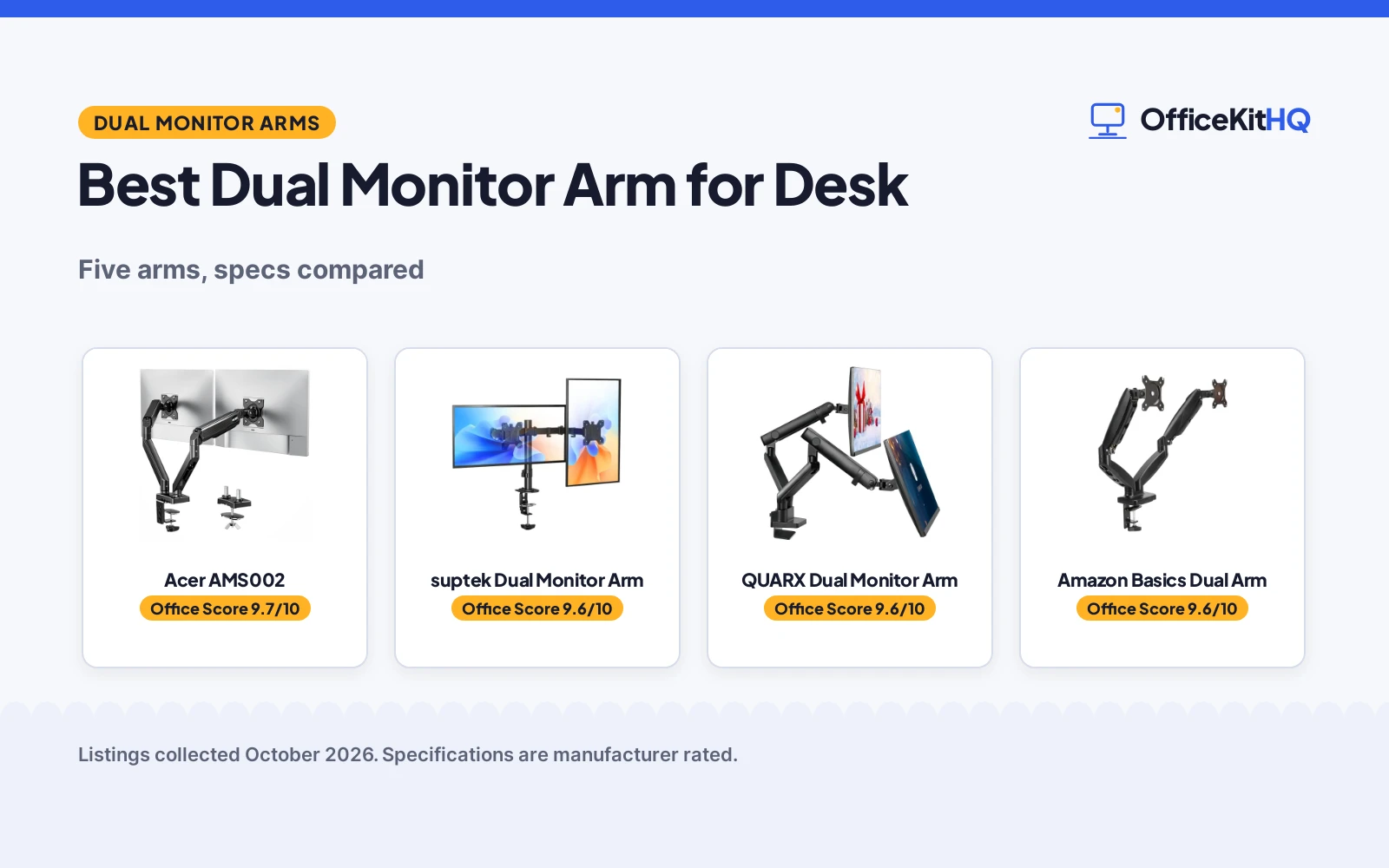
The best dual monitor arm for desk setups lifts screens off the desktop and holds them at a height that suits a morning call, a long document and a video meeting without crowding the keyboard. Monitors on factory stands eat desk space and leave cables trailing across the work surface. This article compares dual monitor arms by screen size range, weight per arm, mounting, adjustment and warranty term, using only what each maker publishes.
OfficeKitHQ earns a commission when you buy through links on this page, at no extra cost to you. As an Amazon Associate I earn from qualifying purchases. Affiliate disclosure.
Quick picks
 Best Overall Acer AMS002: 17 to 32 inch screens, 4.4 to 19.8 lb per arm, gas spring, 1-year warranty Check price on Amazon
 Best 22 lb Capacity suptek Dual Monitor Arm: 13 to 32 inch screens, 22 lb per screen, C-clamp fits 0.39 to 3.85 in Check price on Amazon
 Widest Screens QUARX Dual Monitor Arm: 17 to 35 inch screens, 26.4 lb per arm, all-metal build Check price on Amazon
 Also Consider Amazon Basics Dual Arm: Gas spring arm stated for 15 to 27 inch monitors Check price on Amazon
 Also Listed WALI GSMP002N: Stated for 13 to 32 inch screens Check price on Amazon
Our desk picks
| # | Product | Office Score | Buy |
|---|---|---|---|
| 1 | Acer AMS002 | 9.7/10 | Buy on Amazon |
| 2 | suptek Dual Monitor Arm | 9.6/10 | Buy on Amazon |
| 3 | QUARX Dual Monitor Arm | 9.6/10 | Buy on Amazon |
| 4 | Amazon Basics Dual Monitor Arm | 9.6/10 | Buy on Amazon |
| 5 | WALI GSMP002N Dual Monitor Arm | 9.6/10 | Buy on Amazon |

Acer AMS002
A gas spring dual monitor arm for 17 to 32 inch screens, with 4.4 to 19.8 lb per arm, VESA 75x75 and 100x100 mounting, and C-clamp and grommet bases.
Pros
- Gas spring arm with height adjustment to 18.1 in and extension to 21.25 in
- 360 degree rotation, 90 degree tilt up and 60 degree tilt down, and 90 degree swivel
- C-clamp and grommet mounting options
- Hidden cable clips keep cables on the arm
Cons
- 19.8 lb per arm is lower than the 22 lb suptek and 26.4 lb QUARX
- 17 inch minimum screen size leaves smaller screens outside the stated range
- Maker states it is not suitable for glass or plastic surfaces
- 1-year warranty is shorter than the 2-year suptek warranty
Detailed Review
Acer lists the AMS002 as a gas spring dual monitor arm for 17 to 32 inch screens, with 4.4 to 19.8 lb per arm and VESA 75x75 and 100x100 mounting. Height adjusts to 18.1 in and extension to 21.25 in, with 360 degree rotation, 90 degree tilt up and 60 degree tilt down, and 90 degree swivel. C-clamp and grommet mounting options are included, with a grommet hole over 10 mm, and hidden cable clips sit on the arm. The maker states a 1-year manufacturer warranty.
Who it's for: someone with 17 to 32 inch monitors who wants gas spring height adjustment and a choice of C-clamp or grommet mounting. Who should skip it: anyone with screens over 19.8 lb per arm or a glass or plastic desktop.
Its Office Score of 9.7/10 comes from performance 30/35, build 21/25, value 21/25, safety 8/10 and warranty 3/5: 83 of 100 points, placed on our 9.2 to 9.8 scale.
Key Specifications
| Screen size | 17 to 32 in |
|---|---|
| Weight per arm | 4.4 to 19.8 lb |
| Height adjustment | 18.1 in |
| Mounting | C-clamp and grommet |
These specs mirror the retailer listing as of 21 November 2026; performance figures are stated by the brand.
Safety and Warranty
What this listing states. VESA 75x75 and 100x100 mounting and 4.4 to 19.8 lb per arm capacity are stated, so safety scores 8 of 10. 1 Year Manufacturer. It does not say everything a buyer needs, such as who pays return shipping, so warranty scores 3 of 5. See How We Pick.
Match the mount. Check your screen's VESA pattern, size and weight against the stated range, and check that your desk thickness and edge suit a clamp or grommet mount before you drill or clamp.
This is general buying information, not professional advice. Follow each product manual and local rules, and see our Safety Disclaimer.

suptek Dual Monitor Arm
A dual monitor arm for 13 to 32 inch screens, with 22 lb per screen, VESA 75x75 and 100x100 mounting, and C-clamp or grommet mounting.
Pros
- 22 lb per screen is higher than the 19.8 lb Acer per arm
- Fits screens from 13 in, the smallest minimum stated here
- C-clamp fits desk thickness from 0.39 to 3.85 in, the widest stated range here
- Removable VESA plates and included hardware and instructions are stated
Cons
- 22 lb per screen is lower than the 26.4 lb QUARX per arm
- 80 degree tilt is less than the 90 degree tilt up stated for the Acer
- Grommet mounting needs a pre-drilled hole of 1.68 in or larger
- Fits only VESA 75x75 and 100x100 monitors
Detailed Review
suptek lists its dual monitor arm for 13 to 32 inch screens, with 22 lb per screen and VESA 75x75 and 100x100 mounting. It states height adjustment, 80 degree tilt up and down, 90 degree swivel and 360 degree rotation. The C-clamp fits desk thickness from 0.39 to 3.85 in, while the grommet mount works with pre-drilled holes of 1.68 in or larger. A sturdy metal structure, removable VESA plates, hardware and instructions are stated, and the maker states a 2-year warranty.
Who it's for: someone with 13 to 32 inch monitors on a desk from 0.39 to 3.85 in thick who wants full tilt, swivel and rotation. Who should skip it: anyone with screens over 22 lb per screen.
Its Office Score of 9.6/10 comes from performance 29/35, build 20/25, value 21/25, safety 7/10 and warranty 3/5: 80 of 100 points, placed on our 9.2 to 9.8 scale.
Key Specifications
| Screen size | 13 to 32 in |
|---|---|
| Weight per arm | 22 lb |
| Tilt | 80 degrees |
| Mounting | C-clamp or grommet |
These specs mirror the retailer listing as of 21 November 2026; performance figures are stated by the brand.
Safety and Warranty
What this listing states. VESA 75x75 and 100x100 mounting and 22 lb per screen capacity are stated, so safety scores 7 of 10. 2 Years. It does not say everything a buyer needs, such as who pays return shipping, so warranty scores 3 of 5. See How We Pick.
Match the mount. Check your screen's VESA pattern, size and weight against the stated range, and check that your desk thickness and edge suit a clamp or grommet mount before you drill or clamp.
This is general buying information, not professional advice. Follow each product manual and local rules, and see our Safety Disclaimer.

QUARX Dual Monitor Arm
A heavy-duty dual monitor arm for 17 to 35 inch screens, with 26.4 lb per arm, VESA 75x75 and 100x100 mounting, and an all-metal build.
Pros
- 26.4 lb per arm is the highest stated capacity here
- 17 to 35 inch screen range is the widest stated here
- All-metal construction with a 6 in base and rubber pads
- Cable management Velcro straps are included
Cons
- No warranty term is stated
- 17 inch minimum screen size leaves smaller screens outside the stated range
- Fits only VESA 75x75 and 100x100 monitors
- A 6 in base takes desk space at the back edge
Detailed Review
QUARX lists the FLYTE as a heavy-duty dual monitor arm for 17 to 35 inch screens, with 26.4 lb per arm and VESA 75x75 and 100x100 mounting. All parts are stated as premium grade metal, with a 6 in base, rubber pads, and cable management Velcro straps. The VESA plate has a clip-on clamp feature, and installation is stated as under 10 minutes with a step by step guide and included tools and hardware. The maker gives two desk thickness limits, 2.2 and 3 inches; check before ordering. No warranty term is stated.
Who it's for: someone with 17 to 35 inch monitors up to 26.4 lb per arm who wants an all-metal arm. Who should skip it: anyone who wants a stated warranty term or screens under 17 in.
Its Office Score of 9.6/10 comes from performance 32/35, build 22/25, value 20/25, safety 8/10 and warranty 0/5: 82 of 100 points, placed on our 9.2 to 9.8 scale.
Key Specifications
| Screen size | 17 to 35 in |
|---|---|
| Weight per arm | 26.4 lb |
| VESA | 75x75 and 100x100 |
| Base | 6 in |
These specs mirror the retailer listing as of 21 November 2026; performance figures are stated by the brand.
Safety and Warranty
What this listing states. All-metal construction, 6 in base and 26.4 lb per arm capacity are stated, so safety scores 8 of 10. No warranty term, so warranty scores zero. See How We Pick.
Match the mount. Check your screen's VESA pattern, size and weight against the stated range, and check that your desk thickness and edge suit a clamp or grommet mount before you drill or clamp.
This is general buying information, not professional advice. Follow each product manual and local rules, and see our Safety Disclaimer.

Amazon Basics Dual Monitor Arm
A dual gas-spring arm with independent tension adjustment, tilt, swivel and rotation for two monitors.
Pros
- Each arm supports 4.4 to 15.4 lb with independent tension adjustment
- Tilt from -90 to +85 degrees, 90-degree swivel and 360-degree rotation
- Extends up to 20.5 inches long and 18.25 inches high
- C-clamp and grommet base fits desks from 0.39 to 4 inches thick
Cons
- Stated fit tops out at 27 inches, so a 34-inch monitor is outside the stated range
- No warranty term is stated
- Tension setup takes 7 to 19 turns per arm depending on monitor weight
- Second arm is spare when mounting one monitor
Detailed Review
The listing states a dual gas-spring arm for 15 to 27 inch monitors, with each arm supporting 4.4 to 15.4 lb and independent tension adjustment. Movement is listed as tilt from -90 to +85 degrees, 90-degree swivel and 360-degree rotation, with an extension up to 20.5 inches long and 18.25 inches high. The base is a C-clamp and grommet mount for desks from 0.39 to 4 inches thick, with a grommet hole diameter of 1.5 to 2.36 inches. VESA patterns of 75x75mm and 100x100mm are supported, the build is aluminum with integrated cable management, and the item weighs 7.0 pounds. Tension is set by turns: 7 turns for 13.2 lb, 12 turns for 11 lb, 16 turns for 8.8 lb and 19 turns for 5.5 lb.
Who it's for: desk owners who want two arms with wide adjustment and a clamp or grommet base. Who should skip it: AW3423DW owners who want a stated fit for a 34-inch screen, since the stated range tops out at 27 inches.
Its Office Score of 9.6/10 comes from performance 30/35, build 22/25, value 21/25, safety 4/10 and warranty 0/5: 77 of 100 points, placed on our 9.2 to 9.8 scale.
Key Specifications
| Screen fit | 15-27 in, dual arm |
|---|---|
| Weight per arm | 4.4-15.4 lb |
| Movement | Tilt -90 to +85 deg, swivel 90 deg, rotation 360 deg |
| Base | C-clamp and grommet, desks 0.39-4 in |
These specs mirror the retailer listing as of 20 November 2026; performance figures are stated by the brand.
Safety and Warranty
What this listing states. Gas spring arms with individual tension adjustment and C-clamp and grommet base stated, so safety scores 4 of 10. No warranty term, so warranty scores zero. See How We Pick.
Match the mount. Check your screen's VESA pattern, size and weight against the stated range, and check that your desk thickness and edge suit a clamp or grommet mount before you drill or clamp.
This is general buying information, not professional advice. Follow each product manual and local rules, and see our Safety Disclaimer.

WALI GSMP002N Dual Monitor Arm
A dual monitor arm for 13 to 32 inch screens with full motion, cable management and a stated 10-year warranty.
Pros
- States a 10-year warranty
- 22 lbs per arm, the highest capacity stated here
- Full motion: tilt +70/-45, swivel +/-90, rotation 360
- C-clamp and grommet mounting, both for desks 0.39 to 2.76 in
Cons
- The maker recommends a wooden desk with no crossbeam blocking the underside
- No warranty beyond 10 years is a ceiling for some; no extension stated
- Single color option: black
Detailed Review
The listing states two arms for 13 to 32 inch screens at 22 lbs per arm, VESA 75x75mm and 100x100mm, an extension of 19.3 in, a raise of 17.3 in, tilt of +70/-45, swivel of +90/-90, 360 rotation, built-in cable management, and a 10-year warranty. The spec table says 34 inches maximum and 17 inches minimum screen size, which disagrees with the title's 13 to 32 inches; trust the title and bullets. The maker states the core is rated for 20,000+ cycles.
Who it's for: dual-screen workers who want the highest stated capacity and the longest stated warranty here. Who should skip it: anyone whose desk is not wood, or who needs a stated warranty beyond 10 years.
Its Office Score of 9.6/10 comes from performance 30/35, build 21/25, value 21/25, safety 4/10 and warranty 4/5: 80 of 100 points, placed on our 9.2 to 9.8 scale.
Key Specifications
| Screens | 13-32 in per arm |
|---|---|
| Capacity | 22 lbs per arm |
| Tilt | +70/-45 |
| Warranty | 10-year |
Figures as published on the retailer listing, collected 20 October 2026. Performance figures are manufacturer rated.
Safety and Warranty
What this listing states. VESA 75/100mm stated, so safety scores 4 of 10. 10-year warranty. It does not say everything a buyer needs, such as who pays return shipping, so warranty scores 4 of 5. See How We Pick.
Match the mount. Check your screen's VESA pattern, size and weight against the stated range, and check that your desk thickness and edge suit a clamp or grommet mount before you drill or clamp.
This is general buying information, not professional advice. Follow each product manual and local rules, and see our Safety Disclaimer.
As an Amazon Associate I earn from qualifying purchases.
Specs compared
| Monitor Arm | Office Score | Screen size | Weight per arm | Mounting | Adjustment | Warranty | Amazon |
|---|---|---|---|---|---|---|---|
| Acer AMS002 | 9.7/10 | 17 to 32 in | 4.4 to 19.8 lb | C-clamp and grommet | Height to 18.1 in, 360 degree rotation | 1 year | View on Amazon |
| suptek Dual Monitor Arm | 9.6/10 | 13 to 32 in | 22 lb | C-clamp or grommet | 80 degree tilt, 90 degree swivel | 2 years | View on Amazon |
| QUARX Dual Monitor Arm | 9.6/10 | 17 to 35 in | 26.4 lb | C-clamp and grommet | Free adjustment | Not stated | View on Amazon |
| Amazon Basics Dual Arm | 9.6/10 | 15 to 27 in | Not stated | Not stated | Not stated | Not stated | |
| WALI GSMP002N | 9.6/10 | 13 to 32 in | Not stated | Not stated | Not stated | Not stated |
Specs reflect manufacturer claims on each product listing (as of 21 November 2026). Two of the five state a warranty term; three state a VESA pattern.
How to choose the best dual monitor arm for desk
Match screen size and weight per arm first
Screen size and weight per arm decide whether an arm fits at all, so check those figures before mounting style or extras. The QUARX fits 17 to 35 inch screens at 26.4 lb per arm, the suptek fits 13 to 32 inch screens at 22 lb per screen, and the Acer fits 17 to 32 inch screens at 4.4 to 19.8 lb per arm. The WALI fits 13 to 32 inch screens and the Amazon Basics fits 15 to 27 inch monitors, with no stated weight capacity for either arm. A monitor that is heavier than the stated per-arm figure is outside the stated fit, even when its screen size falls inside the stated range.
| Monitor Arm | Screen size | Weight per arm | VESA |
|---|---|---|---|
| Acer AMS002 | 17 to 32 in | 4.4 to 19.8 lb | 75×75 and 100×100 |
| suptek Dual Monitor Arm | 13 to 32 in | 22 lb | 75×75 and 100×100 |
| QUARX Dual Monitor Arm | 17 to 35 in | 26.4 lb | 75×75 and 100×100 |
| Amazon Basics Dual Arm | 15 to 27 in | Not stated | Not stated |
| WALI GSMP002N | 13 to 32 in | Not stated | Not stated |
Figures as stated in each listing. VESA patterns are stated for the Acer, suptek and QUARX only.
Check desk thickness and the mounting base
Mounting is a desk fit question as much as a monitor fit question. The Acer offers C-clamp and grommet mounting options, with a grommet hole over 10 mm, and the maker states it is not suitable for glass or plastic surfaces. The suptek offers C-clamp or grommet mounting, with the C-clamp fitting desk thickness from 0.39 to 3.85 in and the grommet mount working with pre-drilled holes of 1.68 in or larger. The QUARX offers C-clamp and grommet mounting with a 6 in base and rubber pads. Measure desk thickness and check for a pre-drilled hole before ordering, and if a best monitor arm for Uplift desk is on the shortlist, compare its mounting figures the same way.
Adjustment: height, tilt, swivel and rotation
Adjustment figures show how far an arm moves, not just that it moves. The Acer states height adjustment to 18.1 in, extension to 21.25 in, 360 degree rotation, 90 degree tilt up and 60 degree tilt down, and 90 degree swivel, with a tension screw to adjust the gas spring for heavier or lighter monitors. The suptek states height adjustment, 80 degree tilt up and down, 90 degree swivel and 360 degree rotation. The QUARX states free adjustment without giving tilt or swivel figures. For a best webcam for dual monitor setup, the same height and angle figures decide whether the camera sits level with the screens.
Cable clips and the space under the screens
Lifting screens off the desk only clears the work surface when cables follow the arm. The Acer states hidden cable clips on the arm, and the QUARX states cable management Velcro straps on the arm. The suptek, WALI and Amazon Basics state no cable management. A monitor arms and stands guide on the same desk can help with cable routing, and the Acer extension of 21.25 in shows how far cables must reach when the screens move out.
Setup Notes
- Measure screen size and weight per arm first: Acer 17 to 32 in at 4.4 to 19.8 lb per arm, suptek 13 to 32 in at 22 lb per screen, QUARX 17 to 35 in at 26.4 lb per arm.
- Measure desk thickness and grommet holes: Acer with a grommet hole over 10 mm, suptek 0.39 to 3.85 in with grommet holes of 1.68 in or larger.
- Plan cables around the arm: Acer states hidden cable clips, QUARX states Velcro straps, and the Acer extension reaches 21.25 in.
- Assembly: QUARX states installation in under 10 minutes with a step by step guide and included tools and hardware, and suptek states removable VESA plates with hardware and instructions included.
- Adjust the Acer gas spring with the tension screw for heavier or lighter monitors, as the maker states.
FAQ
Which dual monitor arm holds the heaviest screens per arm?
The QUARX holds 26.4 lb per arm. The suptek holds 22 lb per screen, and the Acer holds 4.4 to 19.8 lb per arm. The WALI and Amazon Basics state no weight capacity per arm.
Which arms fit the widest screens?
The QUARX fits 17 to 35 inch screens. The Acer fits 17 to 32 inch screens, the suptek and WALI fit 13 to 32 inch screens, and the Amazon Basics fits 15 to 27 inch monitors.
What desk thickness do the C-clamp mounts fit?
The Acer offers C-clamp and grommet mounting for a range of desk thicknesses. The suptek C-clamp fits desk thickness from 0.39 to 3.85 in, and its grommet mount works with pre-drilled holes of 1.68 in or larger.
Which arms state a warranty term?
The Acer states a 1-year manufacturer warranty and the suptek states a 2-year warranty. The QUARX, WALI and Amazon Basics state no warranty term.
Do any of these arms state a gas spring?
The Acer states a gas spring arm, and the Amazon Basics states a gas spring arm in its name. The suptek, QUARX and WALI state no gas spring.
What VESA patterns are stated?
The Acer, suptek and QUARX state VESA 75×75 and 100×100 mounting. The WALI and Amazon Basics state no VESA pattern.
Score breakdown
The Office Score weighs performance (screen size range, weight per arm, adjustment and mounting), build (gas spring, metal construction and stated base), value for the stated specs, safety and warranty. For a monitor arm, safety means a stated weight capacity, a stated VESA mounting pattern, all-metal construction or a stated base; the Acer, suptek and QUARX state a VESA pattern and a weight capacity, the other two do not. Two listings state a warranty term: Acer at 1 year and suptek at 2 years. How we pick explains the weights.
| Product | Office Score | Perf. /35 | Build /25 | Value /25 | Safety /10 | Warranty /5 |
|---|---|---|---|---|---|---|
| Acer AMS002 | 9.7 | 30 | 21 | 21 | 8 | 3 |
| suptek Dual Monitor Arm | 9.6 | 29 | 20 | 21 | 7 | 3 |
| QUARX Dual Monitor Arm | 9.6 | 32 | 22 | 20 | 8 | 0 |
The scale opens at 9.2 and closes at 9.8; between those marks, weighted points translate linearly into the score you see.
More for your workspace
See every monitor arms and stands guide and all monitor mounts, keyboards and mice guides. Also see our best monitor arm for Uplift desk. Also see our best webcam for dual monitor setup. Also see our best USB C to dual HDMI adapter.
More picks: best triple monitor mount for gaming, best monitor stand with cable management, standing desks.