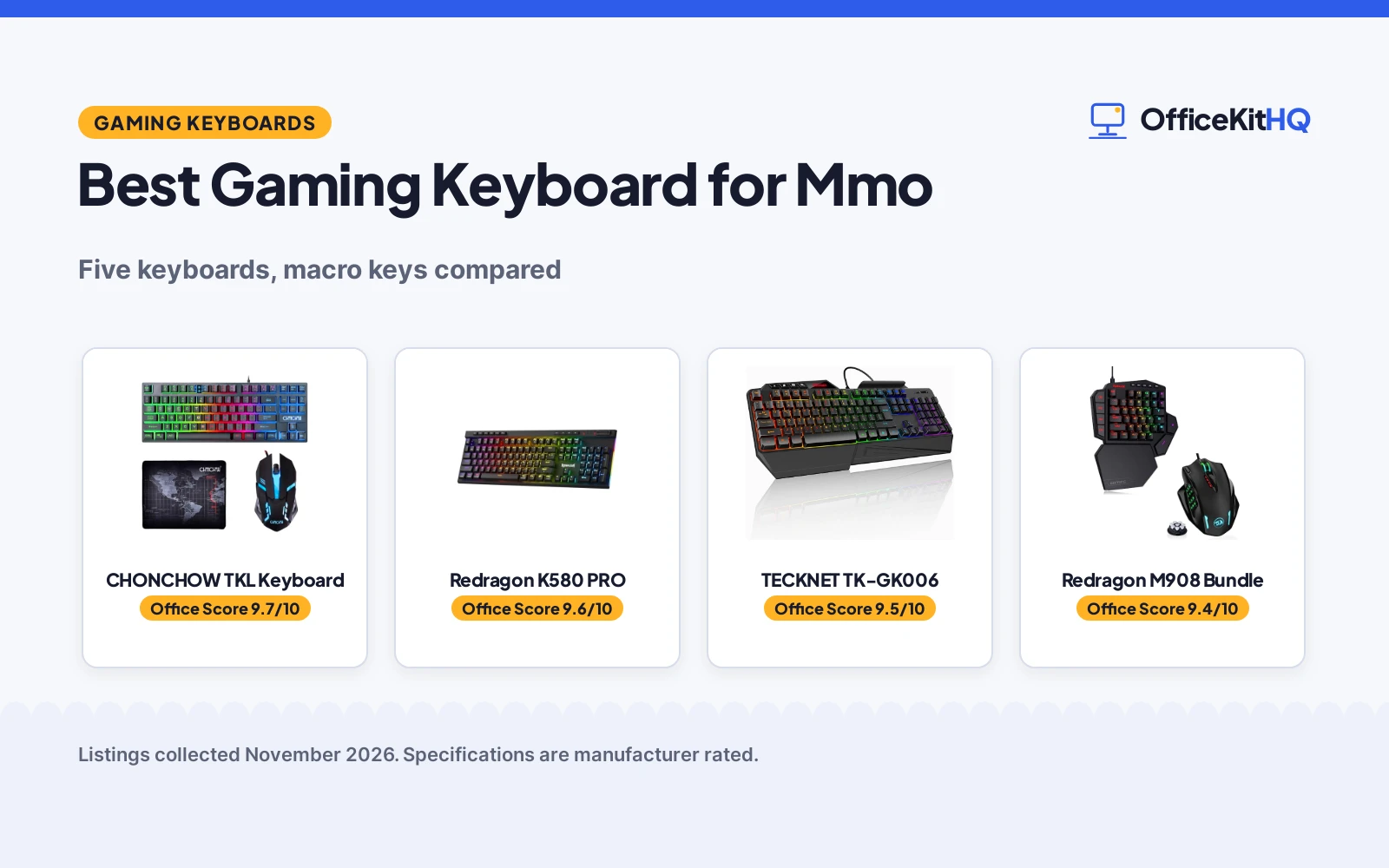
The best gaming keyboard for mmo puts your ability bar within reach of your left hand, because a rotation that lives on dedicated macro keys fires faster than a rotation spread across a full board. A keyboard that forces your hand to stretch for every cooldown slows your play and crowds your desk with keys you never press. This roundup compares the keyboards below by macro keys, layout, connectivity, backlight and warranty term, using only what each listing publishes.
OfficeKitHQ earns a commission when you buy through links on this page, at no extra cost to you. As an Amazon Associate I earn from qualifying purchases. Affiliate disclosure.
Quick picks
 Best Overall Redragon K580 PRO: 5 macro keys, tri-mode wireless, 104 keys, 1-year warranty Check price on Amazon
 Best MMO Bundle Redragon M908 Bundle: 12 MMO mouse buttons, 7 macro keys, mouse up to 12400 DPI Check price on Amazon
 Best Compact CACKBIRD 60% Keyboard: 61 keys, blue switches, 18 LED effects, keycap puller included Check price on Amazon
Our desk picks
| # | Product | Office Score | Buy |
|---|---|---|---|
| 1 |  CHONCHOW M102-C | 9.7/10 | Buy on Amazon |
| 2 | Redragon K580 PRO | 9.6/10 | Buy on Amazon |
| 3 |  TECKNET TK-GK006 | 9.5/10 | Buy on Amazon |
| 4 | Redragon M908 Bundle | 9.4/10 | Buy on Amazon |
| 5 | CACKBIRD 60% | 9.4/10 | Buy on Amazon |

CHONCHOW M102-C
An 87-key TKL keyboard and mouse combo with a rainbow LED backlight, 12 multimedia keys, 19 anti-collision keys and a mouse pad in the box.
Pros
- 87-key compact layout leaves more desktop space for the mouse
- 12 multimedia keys plus interchangeable WASD keys and a locking WIN key
- Mouse switches across DPI levels from 800 to 3200
- Mouse pad included at 10.12 by 8.16 in
Cons
- Membrane keyboard, not mechanical
- Backlight cannot be changed to one color
- 87-key TKL layout has no number pad
- 19 anti-collision keys, not full N-key rollover
Detailed Review
CHONCHOW lists the M102-C as an 87-key TKL gaming keyboard and mouse combo with a rainbow LED backlight and a mouse pad in the box. The keyboard has 12 multimedia keys, interchangeable WASD keys, a locking WIN key and 19 anti-collision keys, with 2 lighting modes and 3 levels of brightness. The wired mouse switches across DPI levels from 800 to 3200, has 6 buttons with 2 side buttons and low-friction PTFE feet, and the mouse pad measures 10.12 by 8.16 in. The listing offers 30 days refund or replacement and 12 months warranty for quality problems.
Who it's for: a player who wants a complete keyboard, mouse and mouse pad set with a compact layout and a 12-month warranty. Who should skip it: anyone who wants a mechanical switch or full N-key rollover.
Its Office Score of 9.7/10 comes from performance 30/35, build 21/25, value 21/25, safety not scored (non-powered gear) and warranty 3/5: 75 of 90 points, placed on our 9.2 to 9.8 scale.
Key Specifications
| Keys | 87 keys |
|---|---|
| Switch | Membrane |
| Mouse | 800-3200 DPI, 6 buttons |
| Warranty | 12 months |
These specs mirror the retailer listing as of 15 November 2026; performance figures are stated by the brand.
Safety and Warranty
What this listing states. This product does not plug in or run on a battery, so safety is not part of its score. 12 months warranty. It does not say everything a buyer needs, such as who pays return shipping, so warranty scores 3 of 5. See How We Pick.
Fit the desk first. Check the stated size against your desk depth and keyboard tray, and charge or pair as the manual describes. No keyboard, mouse or wrist rest prevents or treats injury.
This is general buying information, not professional advice. Follow each product manual and local rules, and see our Safety Disclaimer.

Redragon K580 PRO
A full-size wireless keyboard with 5 dedicated macro keys, tri-mode connectivity and a media wheel, built around a 104-key layout with full anti-ghosting.
Pros
- 5 dedicated macro keys (G1-G5) record combos on the keyboard with no software required
- Tri-mode connectivity: USB-C, Bluetooth and 2.4GHz wireless
- Socket accepts almost any 3-pin or 5-pin switch, so switches swap without soldering
- 104 keys with full anti-ghosting register accurately during rapid multi-key combos
Cons
- Full-size 104-key layout needs 15.75 in of desk width
- No mouse is included in the box
- Custom RGB effects need the companion software; onboard presets are the only option without it
- No keycap puller is included, while the CACKBIRD includes one
Detailed Review
Redragon lists the K580 PRO as a full-size wireless RGB gaming keyboard with 104 keys, 5 dedicated macro keys (G1-G5), a media wheel and tri-mode connectivity: USB-C, Bluetooth and 2.4GHz wireless. The socket accepts almost any 3-pin or 5-pin switch, so switches swap without soldering, and full anti-ghosting covers all 104 keys during rapid multi-key combos. The board measures 15.75 in by 5.91 in by 0.98 in, and the maker states a 1-year warranty. Companion software adds custom RGB effects and macro programming beyond the onboard presets.
Who it's for: an MMO player who wants dedicated macro keys, a wireless board and a switch socket that accepts new switches. Who should skip it: anyone who wants a compact board or a mouse in the same box.
Its Office Score of 9.6/10 comes from performance 32/35, build 21/25, value 21/25, safety 0/10 and warranty 4/5: 78 of 100 points, placed on our 9.2 to 9.8 scale.
Key Specifications
| Keys | 104 |
|---|---|
| Connectivity | USB-C, Bluetooth, 2.4GHz |
| Dimensions | 15.75 x 5.91 x 0.98 in |
| Warranty | 1 year |
These specs mirror the retailer listing as of 19 November 2026; performance figures are stated by the brand.
Safety and Warranty
What this listing states. No FCC or other safety listing is stated, so safety scores zero. 1 year. It does not say everything a buyer needs, such as who pays return shipping, so warranty scores 4 of 5. See How We Pick.
Fit the desk first. Check the stated size against your desk depth and keyboard tray, and charge or pair as the manual describes. No keyboard, mouse or wrist rest prevents or treats injury.
This is general buying information, not professional advice. Follow each product manual and local rules, and see our Safety Disclaimer.

TECKNET TK-GK006
Wired RGB gaming keyboard with 108 keys, wrist rest and phone holder.
Pros
- 108 keys, 26-key anti-ghosting
- 13 RGB lighting modes
- Wrist rest and phone holder
- Spill-resistant
Cons
- No warranty is stated
- Membrane, not mechanical
- Wired only
- Black only
Detailed Review
TECKNET lists the TK-GK006 as a wired RGB gaming keyboard with 108 membrane keys, 26-key anti-ghosting and 13 lighting modes. The keyboard has a built-in wrist rest, phone holder and spill-resistant design with drainage holes. No warranty is stated; the listing offers lifetime support with registration.
Who it's for: gamers who want RGB and a rest on a wired board. Who should skip it: anyone who needs a stated warranty.
Its Office Score of 9.5/10 comes from performance 30/35, build 21/25, value 21/25, safety 0/10 and warranty 0/5: 72 of 100 points, placed on our 9.2 to 9.8 scale.
Key Specifications
| Keys | 108 |
|---|---|
| Wrist rest | Built-in |
| RGB | 13 modes |
| Connection | Wired USB-A |
Figures as published on the retailer listing, collected 18 October 2026. Performance figures are manufacturer rated.
Safety and Warranty
What this listing states. This product does not plug in or run on a battery, so safety is not part of its score. No warranty term, so warranty scores zero. See How We Pick.
Fit the desk first. Check the stated size against your desk depth and keyboard tray, and charge or pair as the manual describes. No keyboard, mouse or wrist rest prevents or treats injury.
This is general buying information, not professional advice. Follow each product manual and local rules, and see our Safety Disclaimer.

Redragon M908 Bundle
A bundle that pairs a one-handed keyboard with 7 programmable macro keys and a mouse with 12 MMO side buttons and up to 12400 DPI.
Pros
- 12 MMO programmable side buttons on the mouse
- 7 programmable macro keys on the one-handed keyboard
- Mouse rated up to 12400 DPI with 1000 Hz polling and 30G acceleration
- 6 ft braided-fiber cable with a gold-plated USB connector
Cons
- No backlight is stated for the keyboard or the mouse
- The keyboard is sold only as part of this bundle, not on its own
- The one-handed keyboard keeps only the action keys, so typing falls to another keyboard
- Blue switches give an audible click, which carries in a shared room
Detailed Review
This bundle pairs the K585 one-handed keyboard with the M908 gaming mouse. The mouse is rated up to 12400 DPI with 5 adjustable levels, adjustable by 100 from 100 to 12400 via software, a 1000 Hz polling rate, 30G acceleration and a Pixart PAW3327 sensor. It has 8 buttons and 12 MMO programmable side buttons, TEFLON feet pads and a 6 ft braided-fiber cable with a gold-plated USB connector. The K585 uses Redragon Blue Switches with an audible click and clear tactile feedback, and 7 programmable macro keys bind single or multiple keystrokes.
Who it's for: an MMO player who wants a mouse with 12 side buttons and a one-handed keyboard with macro keys in one box. Who should skip it: anyone who wants a full-size keyboard for typing or a warranty term in writing.
Its Office Score of 9.4/10 comes from performance 29/35, build 20/25, value 20/25, safety 0/10 and warranty 0/5: 69 of 100 points, placed on our 9.2 to 9.8 scale.
Key Specifications
| Mouse DPI | Up to 12400 |
|---|---|
| Macro keys | 7 |
| Mouse buttons | 12 MMO side buttons |
| Polling rate | 1000 Hz |
These specs mirror the retailer listing as of 19 November 2026; performance figures are stated by the brand.
Safety and Warranty
What this listing states. This product does not plug in or run on a battery, so safety is not part of its score. No warranty term, so warranty scores zero. See How We Pick.
Fit the desk first. Check the stated size against your desk depth and keyboard tray, and charge or pair as the manual describes. No keyboard, mouse or wrist rest prevents or treats injury.
This is general buying information, not professional advice. Follow each product manual and local rules, and see our Safety Disclaimer.

CACKBIRD 60%
A 61-key wired mechanical board with blue switches for tiny desks; skip it if you need arrow keys or a number pad.
Pros
- True blue mechanical switches with tactile click
- Water resistant, per the listing
- Steel keyboard plate under the ABS
- 11.4 x 3.93 in; the smallest footprint here
Cons
- 60% layout: no dedicated arrows, no number pad, no function row
- Wired only
- Blue switches are loud for shared spaces
- No warranty term stated in the listing
Detailed Review
The CACKBIRD is the minimalist pick: 61 keys, true blue mechanical switches, a steel plate under ABS keycaps and water resistance stated in the listing, all in an 11.4 by 3.93 inch footprint that leaves the desk to the mouse. The detachable Type-C cable suits a bag.
The 60% layout is the whole trade. Arrows live behind Fn+Space, there is no function row and no number pad, so it suits typists who never leave the home row and frustrates everyone else. Blue switches click loudly, and no warranty is stated.
Its Office Score of 9.4/10 comes from performance 26/35, build 20/25, value 19/25, safety 4/10 and warranty 0/5: 69 of 100 points, placed on our 9.2 to 9.8 scale.
Key Specifications
| Layout | 60%, 61 keys |
|---|---|
| Switch | Blue, mechanical |
| Connection | Wired, detachable Type-C |
| Backlight | 18 LED rainbow effects |
| Keycaps | Double injection ABS |
| Water resistance | Stated |
| Dimensions | 11.4 x 3.93 x 1.3 in |
Figures as published on the retailer listing, collected 17 October 2026. Performance figures are manufacturer rated.
Safety and Warranty
What this listing states. The listing states water resistance., so safety scores 4 of 10. No warranty term, so warranty scores zero. See How We Pick.
Fit the desk first. Check the stated size against your desk depth and keyboard tray, and charge or pair as the manual describes. No keyboard, mouse or wrist rest prevents or treats injury.
This is general buying information, not professional advice. Follow each product manual and local rules, and see our Safety Disclaimer.
As an Amazon Associate I earn from qualifying purchases.
More picks to compare
 Dacoity Full Size KeyboardFull-size RGB keyboard with a wrist rest and 25-key anti-ghosting.Check on Amazon
Specs compared
| Keyboard | Office Score | Keys | Macro keys | Backlight | Warranty | Amazon |
|---|---|---|---|---|---|---|
| Redragon K580 PRO | 9.6/10 | 104 | 5 | RGB | 1 year | View on Amazon |
| Redragon M908 Bundle | 9.4/10 | Not stated | 7 | Not stated | Not stated | View on Amazon |
| CACKBIRD 60% Keyboard | 9.4/10 | 61 | Not stated | 18 LED effects | Not stated | |
| CHONCHOW TKL Keyboard | 9.7/10 | 87 | Not stated | RGB | Not stated | |
| TECKNET TK-GK006 | 9.5/10 | Not stated | Not stated | RGB | Not stated | View on Amazon |
Dimensions, weight limits and ranges are the maker’s ratings as each listing gives them, collected 19 November 2026. One of the five states a warranty term; none states a safety certification.
How to choose the best gaming keyboard for mmo
Count the macro keys first
The Redragon K580 PRO gives you 5 dedicated macro keys, G1 through G5, that record combos on the keyboard with no software required. The Redragon M908 bundle gives you 7 programmable macro keys on its one-handed keyboard, plus 12 MMO programmable side buttons on the mouse. The CACKBIRD, CHONCHOW and TECKNET state no macro keys. If your rotation needs more keys than the main board offers, start with the two picks that publish a macro count, then check whether the rest of the layout still fits your hand. A mouse with extra buttons can carry part of the load: see our best gaming mouse for mmo guide for mice built the same way.
Full-size, TKL or 60 percent: match the layout to your desk
The K580 PRO is a full-size board with 104 keys and measures 15.75 in by 5.91 in by 0.98 in. The CHONCHOW is a TKL board with 87 keys. The CACKBIRD is a 60% board with 61 keys and a detachable Type-C cable. The M908 bundle keyboard is a one-handed board that keeps only the action keys. The TECKNET states no key count. A smaller board frees desk space for the mouse, while a full-size board keeps the number pad and function row on the same board.
| Keyboard | Keys | Layout |
|---|---|---|
| Redragon K580 PRO | 104 | Full size |
| Redragon M908 Bundle | Not stated | One-handed |
| CACKBIRD 60% Keyboard | 61 | 60% |
| CHONCHOW TKL Keyboard | 87 | TKL |
| TECKNET TK-GK006 | Not stated | Not stated |
Figures as stated in each listing. A 60% board suits a small desk, while a full-size board suits a desk with room to spare.
Wired, wireless or both
The K580 PRO connects by USB-C, Bluetooth and 2.4GHz wireless, with responsiveness the maker describes as near-wired. The CACKBIRD is wired with a detachable Type-C cable on the right side. The TECKNET is wired. The M908 mouse uses a 6 ft braided-fiber cable with a gold-plated USB connector. The CHONCHOW states no connection type. A wireless board needs a USB port for its receiver and a cable for charging, while a wired board needs one free port and nothing else. If you move the keyboard between machines, the tri-mode board switches without re-pairing.
Switches and backlight
The K580 PRO uses a red switch and an RGB backlight, and its socket accepts almost any 3-pin or 5-pin switch, so the feel can change without soldering. The CACKBIRD uses blue mechanical switches with a click and tactile resistance, and 18 LED backlight effects with 5 brightness levels and speeds plus 1 customization mode. The K585 in the M908 bundle uses Redragon Blue Switches with an audible click and clear tactile feedback. The CHONCHOW and TECKNET state RGB backlight and no switch type. If you share a room, the click of a blue switch carries further than a red switch; if you play at night, a backlight with brightness levels matters more than the number of effects. For a board tuned to fast shooters rather than ability bars, see our best gaming keyboard for fps guide.
Read the warranty line
Only the K580 PRO states a warranty term: 1 year. The other four state no warranty term. A written term is the only promise that carries a length, so read that line before you order and do not assume a term that is not written down.
Setup Notes
- Measure the footprint first: the K580 PRO measures 15.75 in by 5.91 in, and the Dacoity in the more picks measures 17.48 in by 7.87 in; leave room beside the board for the mouse.
- Plan the cable route: the CACKBIRD cable detaches on the right side, the K580 PRO uses USB-C, and the M908 mouse cable runs 6 ft.
- Keep a USB port free for the 2.4GHz link on the K580 PRO and for the wired boards.
- No assembly steps are stated for any pick; each board is ready once it is plugged in or linked by Bluetooth.
FAQ
How many macro keys do I need for MMO play?
The K580 PRO gives you 5 dedicated macro keys, G1 through G5, and the M908 bundle gives you 7 programmable macro keys plus 12 MMO side buttons on the mouse. The CACKBIRD, CHONCHOW and TECKNET state no macro keys, so the count you need decides between the two boards that publish one.
What is the difference between a full-size keyboard and a 60% keyboard?
The K580 PRO is a full-size board with 104 keys. The CACKBIRD is a 60% board with 61 keys, which frees desk space for mouse movement. The CHONCHOW sits between them as a TKL board with 87 keys.
Do these keyboards work with a laptop?
The CACKBIRD states PC, Mac and Xbox use with a Type-C cable. The K580 PRO connects by USB-C, Bluetooth or 2.4GHz wireless, so it links to more than one device. The other three state no device list.
Which keyboard has the longest warranty here?
The K580 PRO states a 1-year warranty. The other four state no warranty term.
Can I swap the switches on any of these keyboards?
The K580 PRO socket accepts almost any 3-pin or 5-pin switch, so switches swap without soldering. The other four state no switch-swap socket.
Score breakdown
The Office Score weighs performance (macro keys, layout, connectivity and backlight), build (switch type, key count and stated materials), value for the stated specs, safety and warranty. For a keyboard, safety means stated safety-relevant features or certifications; none of the five listings states one, so safety scores zero across the group. One listing states a warranty term: the Redragon K580 PRO at 1 year. How we pick explains the weights.
| Product | Office Score | Perf. /35 | Build /25 | Value /25 | Safety /10 | Warranty /5 |
|---|---|---|---|---|---|---|
| Redragon K580 PRO | 9.6 | 32 | 21 | 21 | 0 | 4 |
| Redragon M908 Bundle | 9.4 | 29 | 20 | 20 | 0 | 0 |
Office Scores run on a short 9.2 to 9.8 scale. We place each item’s weighted point total on it in proportion, so a larger total is always shown as a larger score.
More for your workspace
See every keyboard guide and all monitor mounts, keyboards and mice guides. Also see our best gaming mouse for mmo. Also see our best gaming keyboard for fps. Also see our best gaming keyboard for beginners. Also see our best keyboard for competitive gaming. Also see our best gaming mouse with extra buttons. Also see our best ergonomic keyboard for work. Also see our best gaming keyboard with number pad. Also see our best mouse pad for fps gaming.
More picks: keyboards, mice and mouse pads, gaming chairs.