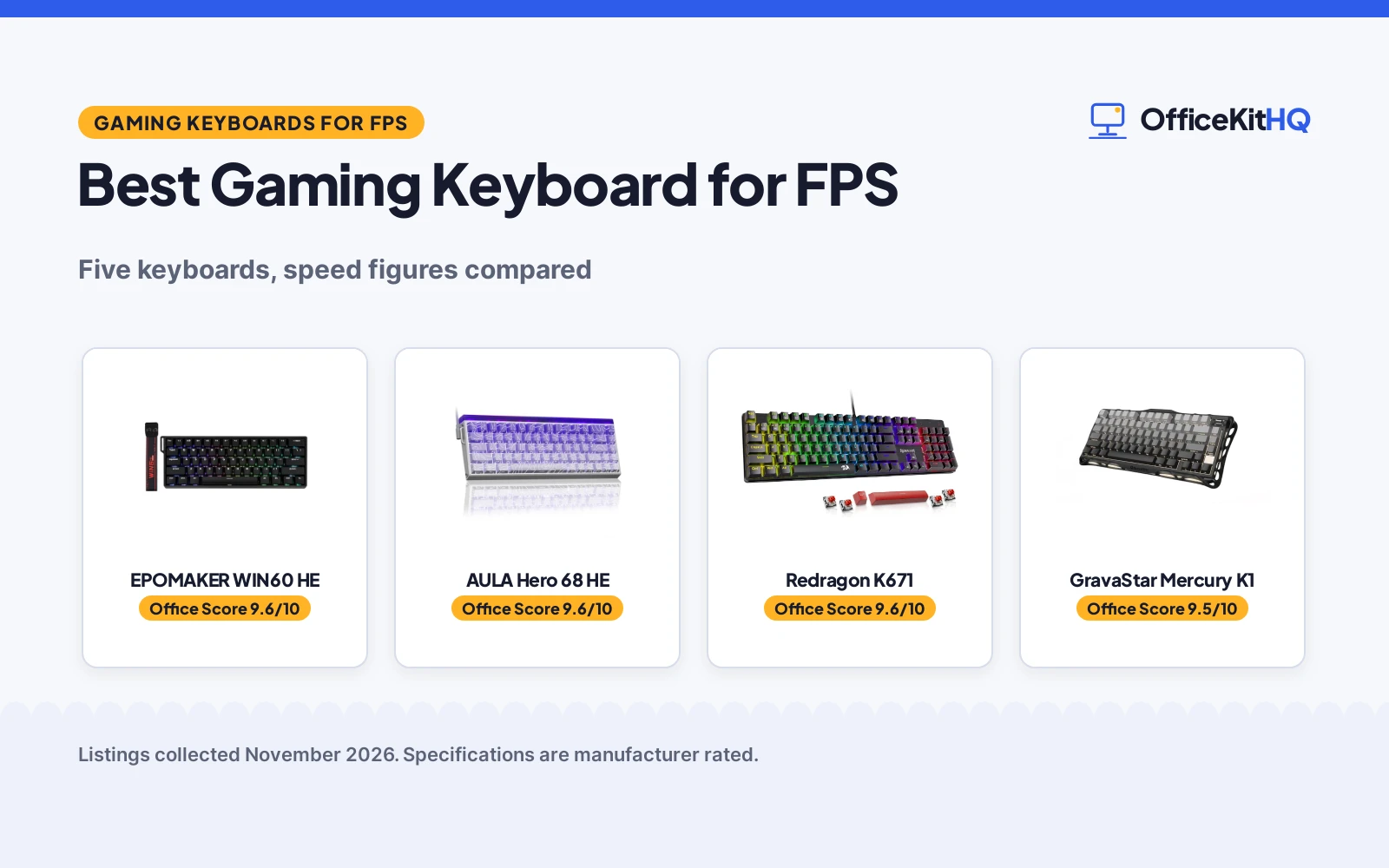
At a home desk, an FPS match turns on the keyboard: every strafe and trigger pull has to register at once, and a slow key is the difference between a hit and a respawn. The best gaming keyboard for fps is the keyboard whose switches, polling rate and actuation are built for that speed, not a general office board. This guide compares gaming keyboards by polling rate, latency, actuation, switch type and layout, using only the figures each maker publishes.
OfficeKitHQ earns a commission when you buy through links on this page, at no extra cost to you. As an Amazon Associate I earn from qualifying purchases. Affiliate disclosure.
Quick picks
 Best Overall EPOMAKER WIN60 HE: 8000Hz polling, 0.3ms latency, Snap Tap and Dynamic Keystroke for FPS. Check price on Amazon
 Best for FPS Speed AULA Hero 68 HE: 8K polling, 0.125ms latency and fast trigger with adjustable actuation. Check price on Amazon
 Best Wireless GravaStar Mercury K1: Tri-mode USB-C, Bluetooth 5.0 and 2.4GHz with a 75% aluminum frame. Check price on Amazon
 Longest Warranty Redragon K671: 24-month warranty stated, hot-swappable red switches and 11 backlit modes. Check price on Amazon
Our desk picks
| # | Product | Office Score | Buy |
|---|---|---|---|
| 1 | EPOMAKER WIN60 HE | 9.6/10 | Buy on Amazon |
| 2 | AULA Hero 68 HE | 9.6/10 | Buy on Amazon |
| 3 | Redragon K671 Wired | 9.6/10 | Buy on Amazon |
| 4 | GravaStar Mercury K1 | 9.5/10 | Buy on Amazon |
| 5 |  Redragon S107 Combo | 9.5/10 | Buy on Amazon |

EPOMAKER WIN60 HE
A 60% Hall Effect keyboard with 8000Hz polling, 0.3ms latency, Snap Tap and Dynamic Keystroke, and actuation adjustable from 0.08mm to 3.4mm.
Pros
- 8000Hz polling with a 32KHz scan rate and 0.3ms latency
- Snap Tap for fast directional changes in FPS games
- Dynamic Keystroke gives up to 4 actions in a single stroke
- Actuation adjustable from 0.08mm to 3.4mm in 0.02mm increments
Cons
- Wired only, with no wireless connection stated
- 60% layout leaves out the number pad and function row
- 1 Year Warranty is shorter than the 24-month Redragon warranty
- No spare switches or extra keycaps stated
Detailed Review
The WIN60 HE is a 60% wired keyboard with Hall Effect magnetic switches, 8000Hz polling and a 32KHz scan rate, and the maker states 0.3ms latency. Snap Tap prioritizes the latest input between two keys for fast directional changes in FPS games, and Dynamic Keystroke gives up to 4 actions in a single stroke for combos and macros. Actuation is adjustable in 0.02mm increments, and the maker names two actuation ranges, 0.08 to 3.4mm and 0.1 to 3.4mm for the Max version; check before ordering. The RT sensitivity is 0.01mm on Max and 0.02mm on Standard. Double-shot keycaps resist fading, the RGB backlight offers 20+ lighting modes with 16.8 million colors, and a web driver handles settings with real-time visual feedback.
Who it's for: FPS players who want Snap Tap, Dynamic Keystroke and adjustable actuation for fast play. Who should skip it: anyone who wants wireless or a full-size layout with a number pad.
Its Office Score of 9.6/10 comes from performance 33/35, build 22/25, value 21/25, safety 0/10 and warranty 3/5: 79 of 100 points, placed on our 9.2 to 9.8 scale.
Key Specifications
| Layout | 60% |
|---|---|
| Polling rate | 8000 Hz |
| Latency | 0.3ms |
| Actuation | 0.08 to 3.4mm |
These specs mirror the retailer listing as of 19 November 2026; performance figures are stated by the brand.
Safety and Warranty
What this listing states. This product does not plug in or run on a battery, so safety is not part of its score. 1 Year Warranty. It does not say everything a buyer needs, such as who pays return shipping, so warranty scores 3 of 5. See How We Pick.
Fit the desk first. Check the stated size against your desk depth and keyboard tray, and charge or pair as the manual describes. No keyboard, mouse or wrist rest prevents or treats injury.
This is general buying information, not professional advice. Follow each product manual and local rules, and see our Safety Disclaimer.

AULA Hero 68 HE
A 68-key 60% Hall Effect keyboard with 8K polling, 0.125ms latency, fast trigger mode and adjustable actuation from 0.1mm to 3.4mm.
Pros
- 8K polling rate with 0.125ms latency
- Fast trigger mode with an adjustable RT range of 0.1 to 3.4mm
- Side-printed PBT keycaps that resist fading and sweat
- 20 lighting effects with 16.8 million RGB colors
Cons
- 6 Months warranty is the shortest term here
- Web driver does not support Mac, only Windows
- Wired only, with no wireless connection stated
- 60% layout leaves out the number pad and function row
Detailed Review
The AULA Hero 68 HE is a 68-key 60% wired keyboard with Hall Effect magnetic switches, an 8K polling rate and 0.125ms latency. Fast trigger mode works with an adjustable RT range of 0.1 to 3.4mm at 0.01mm accuracy, and a web driver remaps keys, sets macros and hotkeys, and adjusts lighting and the actuation point. Side-printed PBT keycaps use double injection molding and heat sublimation, the RGB backlight offers 16.8 million colors with south-facing LEDs and 20 lighting effects, and USB-C wired mode gives a stable connection. The driver does not support Mac, only Windows.
Who it's for: FPS players who want a compact 60% board with fast trigger and a low latency figure. Who should skip it: anyone who needs Mac driver support or a wireless connection.
Its Office Score of 9.6/10 comes from performance 32/35, build 21/25, value 21/25, safety 0/10 and warranty 2/5: 76 of 100 points, placed on our 9.2 to 9.8 scale.
Key Specifications
| Layout | 60%, 68-key |
|---|---|
| Polling rate | 8K Hz |
| Latency | 0.125ms |
| Actuation | 0.1 to 3.4mm |
These specs mirror the retailer listing as of 19 November 2026; performance figures are stated by the brand.
Safety and Warranty
What this listing states. This product does not plug in or run on a battery, so safety is not part of its score. 6 Months. It does not say everything a buyer needs, such as who pays return shipping, so warranty scores 2 of 5. See How We Pick.
Fit the desk first. Check the stated size against your desk depth and keyboard tray, and charge or pair as the manual describes. No keyboard, mouse or wrist rest prevents or treats injury.
This is general buying information, not professional advice. Follow each product manual and local rules, and see our Safety Disclaimer.

Redragon K671 Wired
Suits a typist or gamer who wants a full-size wired board with hot-swap and a 24-month warranty; skip it if you need wireless.
Pros
- 104-key full-size layout with hot-swappable red linear switches
- 11 backlight modes with 5 brightness levels
- Full-key anti-ghosting and 12 multimedia shortcuts
- 24-month warranty stated, the longest of the five
Cons
- Wired only, no wireless option
- Title says PBT but bullets say ABS keycaps
- Backlight color cannot be changed, per the bullets
- Heavier footprint at 17.13 inches wide
Detailed Review
Redragon lists the K671 as a wired mechanical keyboard with hot-swappable red linear switches, 104 keys, 11 backlight modes and macro editing. The bullets state full-key anti-ghosting, 12 multimedia shortcuts, water resistance, and a 24-month warranty. The listing gives dimensions of 17.13 x 4.88 x 1.42 inches. One contradiction: the title says double-shot PBT keycaps while the bullets say double injection ABS keycaps.
Who it's for: a typist or gamer who wants a full-size wired board with hot-swap and the longest stated warranty. Who should skip it: anyone who needs wireless, since this is wired only.
Its Office Score of 9.6/10 comes from performance 29/35, build 21/25, value 21/25, safety 0/10 and warranty 4/5: 75 of 100 points, placed on our 9.2 to 9.8 scale.
Key Specifications
| Keys | 104 |
|---|---|
| Switch | Red linear, hot-swap |
| Connection | Wired |
| Warranty | 24 months |
These specs mirror the retailer listing as of 17 October 2026; performance figures are stated by the brand.
Safety and Warranty
What this listing states. No FCC or other safety listing is stated, so safety scores zero. 24-Month Warranty. It does not say everything a buyer needs, such as who pays return shipping, so warranty scores 4 of 5. See How We Pick.
Fit the desk first. Check the stated size against your desk depth and keyboard tray, and charge or pair as the manual describes. No keyboard, mouse or wrist rest prevents or treats injury.
This is general buying information, not professional advice. Follow each product manual and local rules, and see our Safety Disclaimer.

GravaStar Mercury K1
A 75% wireless mechanical keyboard with an aluminum alloy exoskeleton, GravaStar x Kailh linear switches and tri-mode USB-C, Bluetooth 5.0 and 2.4GHz connections.
Pros
- Tri-mode USB-C, Bluetooth 5.0 and 2.4GHz wireless
- Aluminum alloy exoskeleton with a gradient black finish
- Gasket mount with five layers of sound-dampening foam
- Hot swappable linear switches with 40gf actuation force
Cons
- No polling rate or latency figure stated
- 75% layout has no number pad
- No adjustable actuation stated, unlike the Hall Effect picks
- 1 Year Manufacturer warranty is shorter than the 24-month Redragon warranty
Detailed Review
The GravaStar Mercury K1 is a 75% wireless mechanical keyboard with an aluminum alloy exoskeleton in gradient black. GravaStar x Kailh linear switches have a 40gf actuation force, 1.5mm pre-travel and 3.5mm total travel, and the gasket-mounted design with a flexible polycarbonate plate and five layers of sound-dampening foam softens each keystroke. Tri-mode connections cover wired USB-C, Bluetooth 5.0 and 2.4GHz wireless, with Windows and Mac compatibility, and dual RGB lighting offers 16.8 million colors with 13 backlight modes. The switches are hot swappable.
Who it's for: anyone who wants a wireless keyboard for FPS and typing, with a solid aluminum frame and quiet keys. Who should skip it: anyone who wants a stated polling rate or latency figure, where the Hall Effect picks state both.
Its Office Score of 9.5/10 comes from performance 27/35, build 22/25, value 20/25, safety 0/10 and warranty 3/5: 72 of 100 points, placed on our 9.2 to 9.8 scale.
Key Specifications
| Layout | 75% |
|---|---|
| Switches | GravaStar x Kailh linear, 40gf |
| Connectivity | USB-C, Bluetooth 5.0, 2.4GHz |
| Travel | 1.5mm pre-travel, 3.5mm total |
These specs mirror the retailer listing as of 19 November 2026; performance figures are stated by the brand.
Safety and Warranty
What this listing states. No FCC or other safety listing is stated, so safety scores zero. 1 Year Manufacturer. It does not say everything a buyer needs, such as who pays return shipping, so warranty scores 3 of 5. See How We Pick.
Fit the desk first. Check the stated size against your desk depth and keyboard tray, and charge or pair as the manual describes. No keyboard, mouse or wrist rest prevents or treats injury.
This is general buying information, not professional advice. Follow each product manual and local rules, and see our Safety Disclaimer.

Redragon S107 Combo
A wired 104-key RGB combo with 25-key anti-ghosting and a mouse reaching 10000 DPI via software, backed by a 36-month warranty.
Pros
- Mouse reaches 10000 DPI via software, 5000 on the DPI button
- 1000Hz polling rate adjustable in the Redragon software
- 25-key anti-ghosting on the keyboard
- 36-month warranty stated in the bullets, the longest here
Cons
- Wired only, no wireless option
- Software needed for the full DPI and macro features
- No safety certification stated
Detailed Review
The Redragon S107 pairs a 104-key RGB keyboard with 6 lighting modes and 25-key anti-ghosting with a mouse that adjusts to 5000 DPI on the button and up to 10000 DPI through the Redragon software, which also sets polling up to 1000Hz. The keyboard adds 12 multimedia keys, a foldable stand and floating keycaps. Note the warranty mismatch: the bullets promise a 36-month warranty while the spec table says 2; we trust the bullets.
Who it's for: gamers who want software control over DPI, polling and macros with the longest stated warranty here. Who should skip it: anyone who wants wireless, because this combo is wired only.
Its Office Score of 9.5/10 comes from performance 30/35, build 20/25, value 20/25, safety 0/10 and warranty 4/5: 74 of 100 points, placed on our 9.2 to 9.8 scale.
Key Specifications
| Keys | 104 |
|---|---|
| Mouse DPI | 5000 button, 10000 software |
| Polling | 1000Hz |
| Backlight | RGB, 6 modes |
Figures as published on the retailer listing, collected 23 October 2026. Performance figures are manufacturer rated.
Safety and Warranty
What this listing states. This product does not plug in or run on a battery, so safety is not part of its score. 36-month warranty. It does not say everything a buyer needs, such as who pays return shipping, so warranty scores 4 of 5. See How We Pick.
Fit the desk first. Check the stated size against your desk depth and keyboard tray, and charge or pair as the manual describes. No keyboard, mouse or wrist rest prevents or treats injury.
This is general buying information, not professional advice. Follow each product manual and local rules, and see our Safety Disclaimer.
As an Amazon Associate I earn from qualifying purchases.
Specs compared
| Keyboard | Office Score | Layout | Switch type | Polling rate | Warranty | Amazon |
|---|---|---|---|---|---|---|
| EPOMAKER WIN60 HE | 9.6/10 | 60% | Hall Effect magnetic | 8000 Hz | 1 Year | View on Amazon |
| AULA Hero 68 HE | 9.6/10 | 60% | Hall Effect magnetic | 8K Hz | 6 Months | View on Amazon |
| GravaStar Mercury K1 | 9.5/10 | 75% | GravaStar x Kailh linear | Not stated | 1 Year | View on Amazon |
| Redragon K671 | 9.6/10 | Not stated | Hot-swappable red | Not stated | 24-Month | |
| Redragon S107 | 9.5/10 | Not stated | Not stated | Not stated | Not stated |
We quote these figures from each listing as the brand rates them; captured 19 November 2026. Four of the five state a warranty term; the Redragon S107 states none.
How to choose the best gaming keyboard for fps
Polling rate and latency first
Polling rate and latency are the speed figures to check first for FPS. The WIN60 states 8000Hz polling with a 32KHz scan rate and 0.3ms latency, and the AULA states an 8K polling rate with 0.125ms latency. The GravaStar and Redragon K671 state no polling rate or latency figure, and the S107 states none either. A higher polling rate and a lower latency figure mean the keyboard reports keypresses more often and faster, so compare those two figures before the rest.
Hall Effect actuation and fast trigger
Hall Effect switches let you set the actuation point instead of living with a fixed one. The AULA adjusts from 0.1mm to 3.4mm with fast trigger mode, and the WIN60 adjusts from 0.08mm to 3.4mm in 0.02mm increments, with Snap Tap for directional changes and Dynamic Keystroke for up to 4 actions in a single stroke. The GravaStar switches have a fixed 1.5mm pre-travel and 3.5mm total travel, and the Redragon K671 uses a hot-swappable red switch with no stated actuation range. If you play FPS, set a shallow actuation point for movement keys and a deeper one for keys you hit by accident.
| Keyboard | Polling rate | Latency | Actuation range |
|---|---|---|---|
| EPOMAKER WIN60 HE | 8000 Hz | 0.3ms | 0.08 to 3.4mm |
| AULA Hero 68 HE | 8K Hz | 0.125ms | 0.1 to 3.4mm |
| GravaStar Mercury K1 | Not stated | Not stated | Fixed 1.5mm pre-travel |
Figures as stated by each maker. The WIN60 and AULA state both speed figures; the GravaStar states neither.
Layout: 60% or 75%
The AULA and WIN60 use a 60% layout, the GravaStar uses a 75% layout, and the Redragon picks state no layout size. A 60% board saves desk space for mouse movement, which matters in FPS, while a 75% board keeps more keys within reach. The AULA keeps its arrow keys in a 68-key layout, so check which keys you need before you pick a compact board.
Wired, wireless or both
The GravaStar is the only pick with wireless, covering USB-C, Bluetooth 5.0 and 2.4GHz, and it works with Windows and Mac. The AULA and WIN60 are wired USB-C, and the Redragon K671 is wired too. The AULA states that USB-C wired mode gives a more stable connection, while the GravaStar suits a desk where the keyboard moves between machines. If you want a mouse to match, see the best gaming mouse for competitive FPS picks.
Keycaps, lighting and warranty
Keycaps decide how the board feels over time. The AULA uses side-printed PBT keycaps, the WIN60 uses double-shot keycaps, and the K671 comes with 4 spare switches and 2 red keycaps. Lighting runs to 16.8 million colors on the AULA, WIN60 and GravaStar, with 20 lighting effects on the AULA, 20+ modes on the WIN60 and 13 modes on the GravaStar. Warranty terms run from 6 months on the AULA to 24 months on the K671, so read the term before you buy.
Setup Notes
- Measure the desk space before you order: the GravaStar is a 75% board while the AULA and WIN60 are 60% boards, so check the fit against the space in front of the monitor.
- Keep the USB-C cable routed behind the desk, since the AULA, WIN60 and K671 are wired, and the GravaStar also takes a USB-C cable for wired play.
- Set the actuation point in the web driver before a match: the AULA driver and the WIN60 driver are both web drivers.
- Check the warranty term before you buy: 6 months on the AULA, 1 year on the WIN60 and GravaStar, and 24 months on the K671.
FAQ
What polling rate do I need for FPS games?
The WIN60 states 8000Hz polling and the AULA states an 8K polling rate, the only two polling figures stated here. The GravaStar and Redragon K671 state no polling rate. A higher polling rate reports keypresses more often, so pick one of the two Hall Effect picks if speed is the priority.
Do Hall Effect keyboards need special software?
The AULA and WIN60 both use a web driver to adjust actuation, lighting and macros, with no install needed. The AULA driver does not support Mac, only Windows. The GravaStar uses dedicated software for RGB and functions.
Can I use a 60% keyboard for work as well as FPS?
Yes. The AULA keeps its arrow keys in a 68-key layout, and the WIN60 web driver remaps keys and sets macros and hotkeys. A 60% board leaves out the number pad and function row, so check that your work does not need those keys.
Which keyboard has the longest warranty?
The Redragon K671 states a 24-month warranty, the longest term here. The WIN60 and GravaStar state 1 year each, and the AULA states 6 months.
What is Snap Tap on the WIN60?
Snap Tap prioritizes the latest input between two keys for fast directional changes in FPS games. Only the WIN60 states it among these five.
Score breakdown
The Office Score weighs performance (polling rate, latency, actuation range and switch speed for FPS), build (keycaps, frame, layout and weight), value for the stated specs, safety and warranty. For a keyboard, safety means stated certifications or safety features; none of these five states one, so all five score zero for safety. Four state a warranty term: the AULA at 6 months, the WIN60 and GravaStar at 1 year each, and the Redragon K671 at 24 months. How we pick explains the weights.
| Product | Office Score | Perf. /35 | Build /25 | Value /25 | Safety /10 | Warranty /5 |
|---|---|---|---|---|---|---|
| EPOMAKER WIN60 HE | 9.6 | 33 | 22 | 21 | 0 | 3 |
| AULA Hero 68 HE | 9.6 | 32 | 21 | 21 | 0 | 2 |
| GravaStar Mercury K1 | 9.5 | 27 | 22 | 20 | 0 | 3 |
Score placement follows the weighted total: the lowest totals read 9.2, the highest 9.8, and everything between keeps its order.
More for your workspace
See every keyboard guide and all computer peripherals guides. Also see the best gaming keyboard for PS5, best gaming keyboard for beginners, best ergonomic keyboard for programmers and best split keyboards for programmers.
More picks: gaming mouse for competitive FPS, mouse pad for Overwatch, gaming keyboard for PS5.