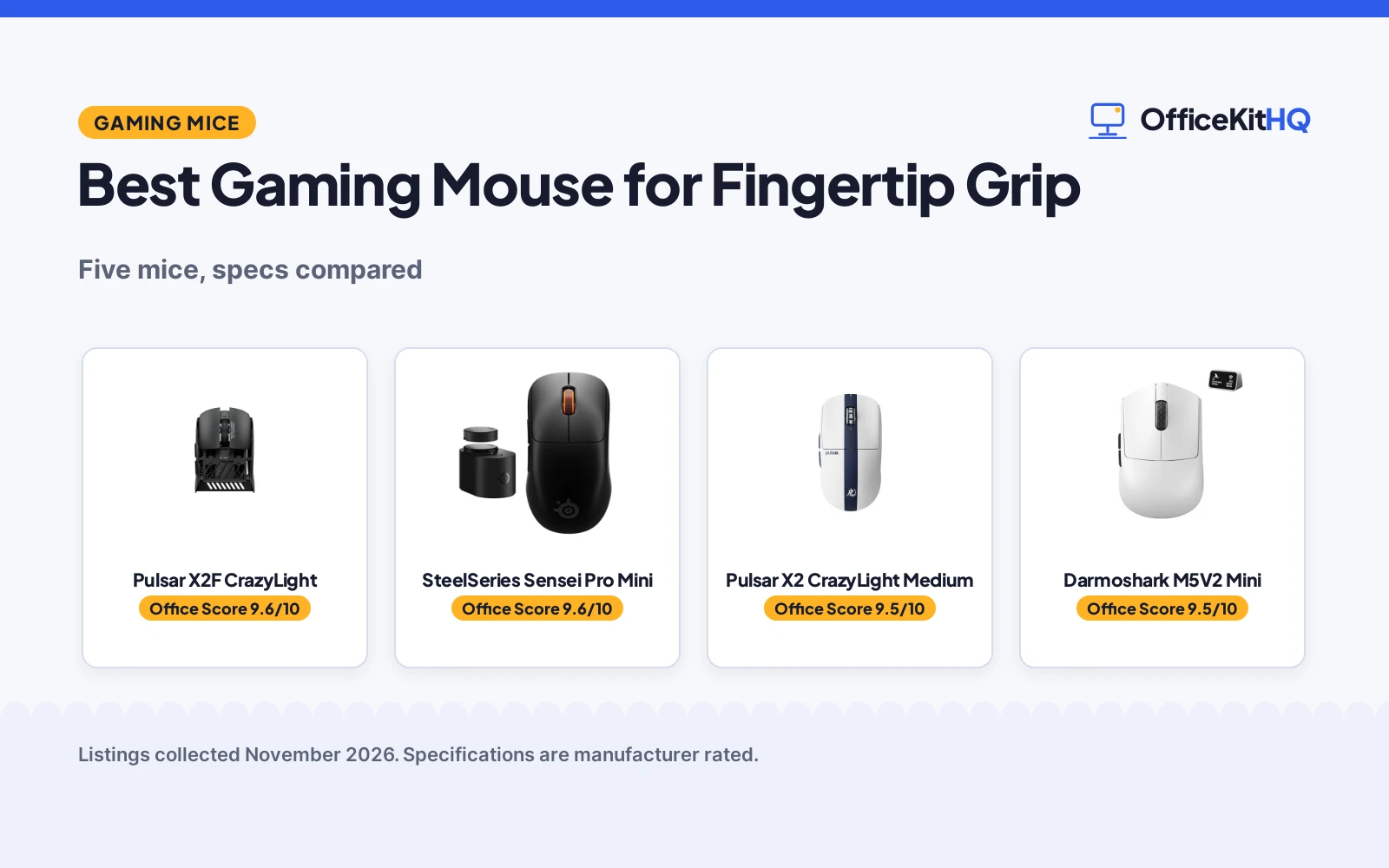
The best gaming mouse for fingertip grip is the one that answers to fingertips alone, with no palm resting on the shell and no weight dragging the flick. At a home desk, that means a light symmetrical body that lifts and resets without a thought, and a sensor that keeps up when the aim moves fast. This guide compares what each listing states: weight, sensor, polling rate, battery life, connection modes and warranty terms.
OfficeKitHQ earns a commission when you buy through links on this page, at no extra cost to you. As an Amazon Associate I earn from qualifying purchases. Affiliate disclosure.
Quick picks
 Best Overall Pulsar X2F CrazyLight: 29g fingertip shape with XS-2 42K DPI sensor and 8K polling Check price on Amazon
 Best Battery Setup SteelSeries Sensei Pro Mini: Two hot-swap batteries and up to 120 hours at 1K polling Check price on Amazon
 Best for Larger Hands Pulsar X2 CrazyLight Medium: Medium shape for hands under 19cm with claw and fingertip grip Check price on Amazon
 Longest Battery Life Darmoshark M5V2 Mini: About 110 hours of battery life with tri-mode connection Check price on Amazon
 Best Carbon Fiber Darmoshark M5Air Mini: 31g carbon fiber body with tri-mode 8K connection Check price on Amazon
Our desk picks
| # | Product | Office Score | Buy |
|---|---|---|---|
| 1 | Pulsar X2F CrazyLight | 9.6/10 | Buy on Amazon |
| 2 | SteelSeries Sensei Pro Mini | 9.6/10 | Buy on Amazon |
| 3 | Pulsar X2 CrazyLight Medium | 9.5/10 | Buy on Amazon |
| 4 | Darmoshark M5V2 Mini | 9.5/10 | Buy on Amazon |
| 5 | Darmoshark M5Air Mini | 9.5/10 | Buy on Amazon |

Pulsar X2F CrazyLight
A 29g fingertip mouse with a reduced symmetrical shape, XS-2 sensor up to 42,000 DPI and 8K wireless polling.
Pros
- Lightest pick at 29g, with a shape made for fingertip grip
- XS-2 sensor tracks up to 42,000 DPI and 800 IPS
- 8K wireless polling with the included LINK 2 dongle
- Optical switches rated for 100 million presses
Cons
- No battery life figure is stated
- Rear section removed, so it suits fingertip grip only
- 8K polling works best with a recent CPU and a USB 3.0 port
- No Bluetooth or wired mode is stated
Detailed Review
The maker states a 29g ultralight design with a fingertip shape, the rear section removed and a reduced symmetrical body. The XS-2 sensor tracks up to 42,000 DPI and 800 IPS, with fine DPI adjustment and a Turbo Mode that holds a fixed 20,000 FPS for low-DPI players. Polling reaches 8,000Hz with the included LINK 2 dongle, and the optical switches are rated for 100 million presses. It is plug-and-play on Windows and Mac, and the Pulsar software is optional. A 2 year limited manufacturer warranty is stated.
Who it's for: fingertip players who want the lightest mouse here with a high ceiling on DPI. Who should skip it: players who rest their palm on the mouse or want Bluetooth or a stated battery life.
Its Office Score of 9.6/10 comes from performance 33/35, build 22/25, value 21/25, safety 0/10 and warranty 3/5: 79 of 100 points, placed on our 9.2 to 9.8 scale.
Key Specifications
| Weight | 29g |
|---|---|
| Sensor | XS-2, up to 42,000 DPI |
| Polling | Up to 8,000Hz |
| Switches | Optical, 100 million presses |
These specs mirror the retailer listing as of 19 November 2026; performance figures are stated by the brand.
Safety and Warranty
What this listing states. No FCC or other safety listing is stated, so safety scores zero. 2 year limited manufacturer warranty stated. It does not say everything a buyer needs, such as who pays return shipping, so warranty scores 3 of 5. See How We Pick.
Fit the desk first. Check the stated size against your desk depth and keyboard tray, and charge or pair as the manual describes. No keyboard, mouse or wrist rest prevents or treats injury.
This is general buying information, not professional advice. Follow each product manual and local rules, and see our Safety Disclaimer.

SteelSeries Sensei Pro Mini
A 49g Mini symmetrical mouse with Ultra Wideband wireless, true 8K polling and two hot-swap batteries.
Pros
- Two batteries allow charging one while using the other
- Up to 120 hours at 1K polling, or 32 hours at 8K
- Ultra Wideband wireless on the 6GHz-plus spectrum
- Mini shape is made for fingertip grips and aggressive claw
Cons
- Heaviest pick at 49g
- Battery life drops to 32 hours at 8K polling
- Mini size suits smaller hands, so larger hands may want the full-size version
- No Bluetooth mode is stated
Detailed Review
The maker states a Mini symmetrical mouse at 49g with Ultra Wideband wireless, true 8K polling with 9K over-polling, and a 42,000 DPI sensor. The Infinite Power System includes two batteries, so one charges while the other runs, with up to 120 hours at 1K polling or 32 hours at 8K, and 16 to 60 hours per battery. Click latency is stated at 0.35ms, and the SuperSync feature adjusts the sensor report rate across 1K, 2K and 4K. A 1 year warranty is stated.
Who it's for: fingertip and aggressive claw players who want swappable batteries and stable wireless. Who should skip it: players who want the lightest mouse here or a Bluetooth mode.
Its Office Score of 9.6/10 comes from performance 32/35, build 22/25, value 20/25, safety 0/10 and warranty 2/5: 76 of 100 points, placed on our 9.2 to 9.8 scale.
Key Specifications
| Weight | 49g (Mini) |
|---|---|
| Sensor | Up to 42,000 DPI |
| Polling | True 8K, 9K over-polling |
| Battery | 2 batteries, up to 120 hr at 1K |
These specs mirror the retailer listing as of 19 November 2026; performance figures are stated by the brand.
Safety and Warranty
What this listing states. No FCC or other safety listing is stated, so safety scores zero. 1 year warranty stated. It does not say everything a buyer needs, such as who pays return shipping, so warranty scores 2 of 5. See How We Pick.
Fit the desk first. Check the stated size against your desk depth and keyboard tray, and charge or pair as the manual describes. No keyboard, mouse or wrist rest prevents or treats injury.
This is general buying information, not professional advice. Follow each product manual and local rules, and see our Safety Disclaimer.

Pulsar X2 CrazyLight Medium
A 39g Medium symmetrical mouse with a low hump and wide waist, made for claw and fingertip grips.
Pros
- Symmetrical shape with a low hump and wide waist for claw and fingertip grips
- XS-1 sensor tracks up to 32,000 DPI and 750 IPS
- 8K wireless polling with the included 8K dongle
- Optical switches rated for 100 million presses
Cons
- No battery life figure is stated
- Recommended for larger hands, so smaller hands may want the Mini version
- 8K polling works best with a recent CPU and a USB 3.0 port
- No Bluetooth or wired mode is stated
Detailed Review
The maker states a 39g ultralight design with a symmetrical shape, low hump and wide waist, made for claw and fingertip grips. It recommends the shape for hands under 19cm and the Medium size for larger hands. The XS-1 sensor tracks up to 32,000 DPI and 750 IPS, with adjustable lift-off distance and Motion Sync, and Turbo Mode holds a fixed 20,000 FPS for low-DPI players. Polling reaches 8,000Hz with the included 8K dongle, and the optical switches are rated for 100 million presses. A 2 year limited manufacturer warranty is stated.
Who it's for: claw and fingertip players with larger hands who want a light symmetrical mouse. Who should skip it: players with smaller hands, who may want the Mini version, or anyone who wants a stated battery life.
Its Office Score of 9.5/10 comes from performance 30/35, build 21/25, value 20/25, safety 0/10 and warranty 3/5: 74 of 100 points, placed on our 9.2 to 9.8 scale.
Key Specifications
| Weight | 39g |
|---|---|
| Sensor | XS-1, up to 32,000 DPI |
| Polling | Up to 8,000Hz |
| Switches | Optical, 100 million presses |
These specs mirror the retailer listing as of 19 November 2026; performance figures are stated by the brand.
Safety and Warranty
What this listing states. No FCC or other safety listing is stated, so safety scores zero. 2 year limited manufacturer warranty stated. It does not say everything a buyer needs, such as who pays return shipping, so warranty scores 3 of 5. See How We Pick.
Fit the desk first. Check the stated size against your desk depth and keyboard tray, and charge or pair as the manual describes. No keyboard, mouse or wrist rest prevents or treats injury.
This is general buying information, not professional advice. Follow each product manual and local rules, and see our Safety Disclaimer.

Darmoshark M5V2 Mini
A 36g Mini fingertip mouse with a PAW3950 sensor, tri-mode connection and about 110 hours of battery life.
Pros
- About 110 hours of battery life from a 200mAh battery
- Tri-mode connection: 8K wireless, Bluetooth and wired USB-C
- PAW3950 sensor up to 30,000 DPI, 650 IPS and 50G acceleration
- 8 programmable keys with software for DPI and macros
Cons
- Right-handed shape only, so left-handed players should skip it
- Programming the 8 keys needs a software download
- 36g is heavier than the 29g and 31g fingertip picks here
- No switch click rating is stated
Detailed Review
The maker states a 36g Mini mouse with a right-handed shape, made for fingertip grasp, with a PAW3950 sensor up to 30,000 DPI, 650 IPS tracking and 50G acceleration. It connects in three modes, 8K wireless, Bluetooth and wired USB-C, and connects to up to 3 devices at the same time. The 200mAh battery gives about 110 hours of battery life, and 8 keys are programmable through downloaded software. A 1 year warranty is stated.
Who it's for: fingertip players who want tri-mode connection and long battery life in a light Mini body. Who should skip it: left-handed players, or anyone who wants stated switch durability.
Its Office Score of 9.5/10 comes from performance 29/35, build 21/25, value 21/25, safety 0/10 and warranty 2/5: 73 of 100 points, placed on our 9.2 to 9.8 scale.
Key Specifications
| Weight | 36g |
|---|---|
| Sensor | PAW3950, up to 30,000 DPI |
| Battery | 200mAh, about 110 hr |
| Connection | 8K, Bluetooth, wired USB-C |
These specs mirror the retailer listing as of 19 November 2026; performance figures are stated by the brand.
Safety and Warranty
What this listing states. No FCC or other safety listing is stated, so safety scores zero. 1 year warranty stated. It does not say everything a buyer needs, such as who pays return shipping, so warranty scores 2 of 5. See How We Pick.
Fit the desk first. Check the stated size against your desk depth and keyboard tray, and charge or pair as the manual describes. No keyboard, mouse or wrist rest prevents or treats injury.
This is general buying information, not professional advice. Follow each product manual and local rules, and see our Safety Disclaimer.
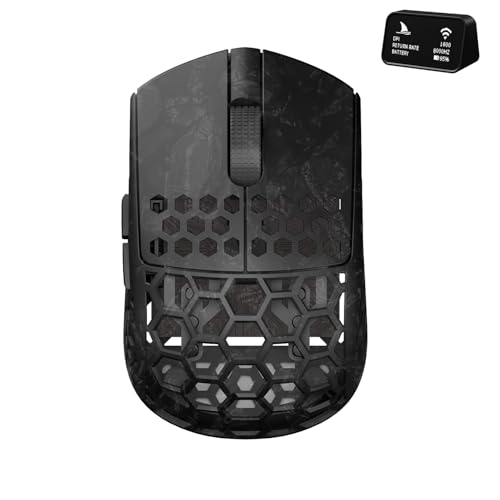
Darmoshark M5Air Mini
A 31g carbon fiber Mini fingertip mouse with a PAW3950 sensor and tri-mode 8K, Bluetooth and wired connection.
Pros
- Carbon fiber body at 31g, made for fingertip grasp
- PAW3950 sensor with up to 30,000 DPI
- Tri-mode connection: 8K, Bluetooth and wired
- 5 programmable buttons with software for DPI and settings
Cons
- No IPS figure is stated
- No battery life or battery capacity is stated
- No switch click rating is stated
- Mini size suits smaller hands, so larger hands may want a bigger mouse
Detailed Review
The maker states a 31g carbon fiber Mini mouse made for fingertip grasp, with a PAW3950 sensor and up to 30,000 DPI. It connects in three modes, 8K, Bluetooth and wired, and works with Windows and Mac. The 5 programmable buttons adjust through software from the maker's site. The maker gives two weights, 31 grams and 0.5 pounds; check before ordering. A 1 year warranty is stated.
Who it's for: fingertip players who want a carbon fiber body and tri-mode connection at 31g. Who should skip it: buyers who want stated battery life, IPS or switch durability.
Its Office Score of 9.5/10 comes from performance 28/35, build 21/25, value 20/25, safety 0/10 and warranty 2/5: 71 of 100 points, placed on our 9.2 to 9.8 scale.
Key Specifications
| Weight | 31g |
|---|---|
| Sensor | PAW3950, up to 30,000 DPI |
| Connection | 8K, Bluetooth, wired |
| Material | Carbon fiber |
These specs mirror the retailer listing as of 19 November 2026; performance figures are stated by the brand.
Safety and Warranty
What this listing states. No FCC or other safety listing is stated, so safety scores zero. 1 year warranty stated. It does not say everything a buyer needs, such as who pays return shipping, so warranty scores 2 of 5. See How We Pick.
Fit the desk first. Check the stated size against your desk depth and keyboard tray, and charge or pair as the manual describes. No keyboard, mouse or wrist rest prevents or treats injury.
This is general buying information, not professional advice. Follow each product manual and local rules, and see our Safety Disclaimer.
As an Amazon Associate I earn from qualifying purchases.
More picks to compare
 Pulsar X2 CrazyLight MiniMini version of the X2 set for claw and fingertip grips at 35gCheck on Amazon
Specs compared
| Mouse | Office Score | Weight | Sensor / DPI | Polling | Battery | Warranty | Amazon |
|---|---|---|---|---|---|---|---|
| Pulsar X2F CrazyLight | 9.6/10 | 29g | XS-2, 42,000 DPI | 8,000Hz | Not stated | 2 years | View on Amazon |
| SteelSeries Sensei Pro Mini | 9.6/10 | 49g | 42,000 DPI | 8,000Hz | Up to 120 hr at 1K | 1 year | View on Amazon |
| Pulsar X2 CrazyLight Medium | 9.5/10 | 39g | XS-1, 32,000 DPI | 8,000Hz | Not stated | 2 years | View on Amazon |
| Darmoshark M5V2 Mini | 9.5/10 | 36g | PAW3950, 30,000 DPI | 8,000Hz | About 110 hr | 1 year | View on Amazon |
| Darmoshark M5Air Mini | 9.5/10 | 31g | PAW3950, 30,000 DPI | 8,000Hz | Not stated | 1 year | View on Amazon |
All numbers are the manufacturer’s stated specs, not measured in an office, pulled on 19 November 2026. All five state a warranty term; none states a safety certification.
How to choose the best gaming mouse for fingertip grip
Start with weight and shape
The five picks weigh 29g, 31g, 36g, 39g and 49g. The X2F at 29g is the lightest here, and its rear section is removed for a pure fingertip shape, while the Sensei Pro Mini at 49g is the heaviest and suits fingertip and aggressive claw grips. The X2 Medium at 39g has a low hump and wide waist for claw and fingertip grips, and the maker recommends the Medium for larger hands. A lighter mouse lifts and resets with less effort, so match the weight to how often you lift during play. See best gaming mouse for claw grip if your grip shifts between claw and fingertip.
Sensor, DPI and polling
DPI ceilings run from 30,000 on the two Darmoshark picks to 42,000 on the X2F and the Sensei Pro Mini, with the X2 Medium at 32,000. All five poll at up to 8,000Hz, and the Sensei Pro Mini adds 9K over-polling. IPS figures are stated for three picks: 800 on the X2F, 750 on the X2 Medium and 650 on the M5V2. A higher DPI ceiling matters for low-sensitivity players who want fine adjustment, while polling rate sets how often the mouse reports its position.
| Mouse | Weight | DPI | Polling |
|---|---|---|---|
| Pulsar X2F CrazyLight | 29g | 42,000 | 8,000Hz |
| SteelSeries Sensei Pro Mini | 49g | 42,000 | 8,000Hz |
| Pulsar X2 CrazyLight Medium | 39g | 32,000 | 8,000Hz |
| Darmoshark M5V2 Mini | 36g | 30,000 | 8,000Hz |
| Darmoshark M5Air Mini | 31g | 30,000 | 8,000Hz |
Connection modes and battery life
Two picks state tri-mode connection: the M5V2 and the M5Air, each with 8K wireless, Bluetooth and wired USB-C. The Sensei Pro Mini runs on Ultra Wideband wireless with two hot-swap batteries, and the two Pulsar picks run on their included dongles. Battery life is stated for two picks: about 110 hours on the M5V2 and up to 120 hours at 1K polling on the Sensei Pro Mini. The Pulsar picks state no battery life figure, so check the listing if long sessions matter. See best wireless mouse for fingertip grip for more wireless options.
Read the warranty line
All five picks state a warranty term. The two Pulsar picks state a 2 year limited manufacturer warranty, and the other three state 1 year. A longer term is worth noting on a mouse with a rechargeable battery, since that is the part that wears out first.
Setup Notes
- Check the mouse weight against your grip: the picks run from 29g to 49g.
- Match the size to your hand: the X2 Medium is recommended for larger hands, and the Sensei Pro Mini is the smaller shape made for fingertip grips.
- Plan the connection: the M5V2 and M5Air connect by 8K wireless, Bluetooth or wired USB-C, while the Sensei Pro Mini uses Ultra Wideband wireless.
- Check the port: 8K polling on the Pulsar picks works best with a recent CPU and a USB 3.0 port.
- Charge planning: the Sensei Pro Mini includes two batteries, so one charges while the other runs.
FAQ
Which mouse here is the lightest?
The Pulsar X2F at 29g. The M5Air follows at 31g, then the M5V2 at 36g, the X2 Medium at 39g and the Sensei Pro Mini at 49g.
Which mice here connect by Bluetooth?
The Darmoshark M5V2 and M5Air both state tri-mode connection with Bluetooth, alongside 8K wireless and wired USB-C. The other three picks state wireless through Ultra Wideband or their included dongles, with no Bluetooth mode stated.
What DPI do these mice reach?
The X2F and the Sensei Pro Mini reach 42,000 DPI, the X2 Medium reaches 32,000 DPI, and the two Darmoshark picks reach 30,000 DPI.
How long do the batteries last?
The M5V2 states about 110 hours, and the Sensei Pro Mini states up to 120 hours at 1K polling or 32 hours at 8K. The other three picks state no battery life figure.
Which mice here are made for fingertip grip?
The X2F is built for fingertip grip with its rear section removed, the M5V2 and M5Air are Mini fingertip mice, and the X2 Medium and Sensei Pro Mini are made for claw and fingertip grips.
Do any of these mice work on Mac?
The two Pulsar picks state plug-and-play on Windows and Mac, and the M5Air states it works with Windows and Mac. The M5V2 and Sensei Pro Mini state Windows and PC use, with no Mac use stated.
Score breakdown
The Office Score weighs performance, build, value, safety and warranty. For a mouse, safety means stated certifications or safety features on the listing; none of these listings states one, so every pick scores zero on that line. All five listings state a warranty term: two years on the two Pulsar picks and one year on the other three. How we pick explains the weights.
| Product | Office Score | Perf. /35 | Build /25 | Value /25 | Safety /10 | Warranty /5 |
|---|---|---|---|---|---|---|
| Pulsar X2F CrazyLight | 9.6 | 33 | 22 | 21 | 0 | 3 |
| SteelSeries Sensei Pro Mini | 9.6 | 32 | 22 | 20 | 0 | 2 |
| Pulsar X2 CrazyLight Medium | 9.5 | 30 | 21 | 20 | 0 | 3 |
| Darmoshark M5V2 Mini | 9.5 | 29 | 21 | 21 | 0 | 2 |
| Darmoshark M5Air Mini | 9.5 | 28 | 21 | 20 | 0 | 2 |
We fit point totals onto a 9.2 low and 9.8 high in a straight line. One item can outscore another only by earning more points.
More for your workspace
See every Mice and Mouse Pads guide and all Monitor Mounts, Keyboards and Mice guides. Also see our best gaming mouse for claw grip. Also see our best gaming mouse for palm grip. Also see our best wireless mouse for fingertip grip. Also see our best fingertip grip mouse. Also see our best gaming mouse for competitive FPS. Also see our best mouse pad for FPS gaming. Also see our best mouse pad for high DPI. Also see our best wireless mouse for small hands.
More picks: best gaming mouse for MMO, best gaming mouse for left handers, best ergonomic mouse for small hands, best grip tape for mouse.