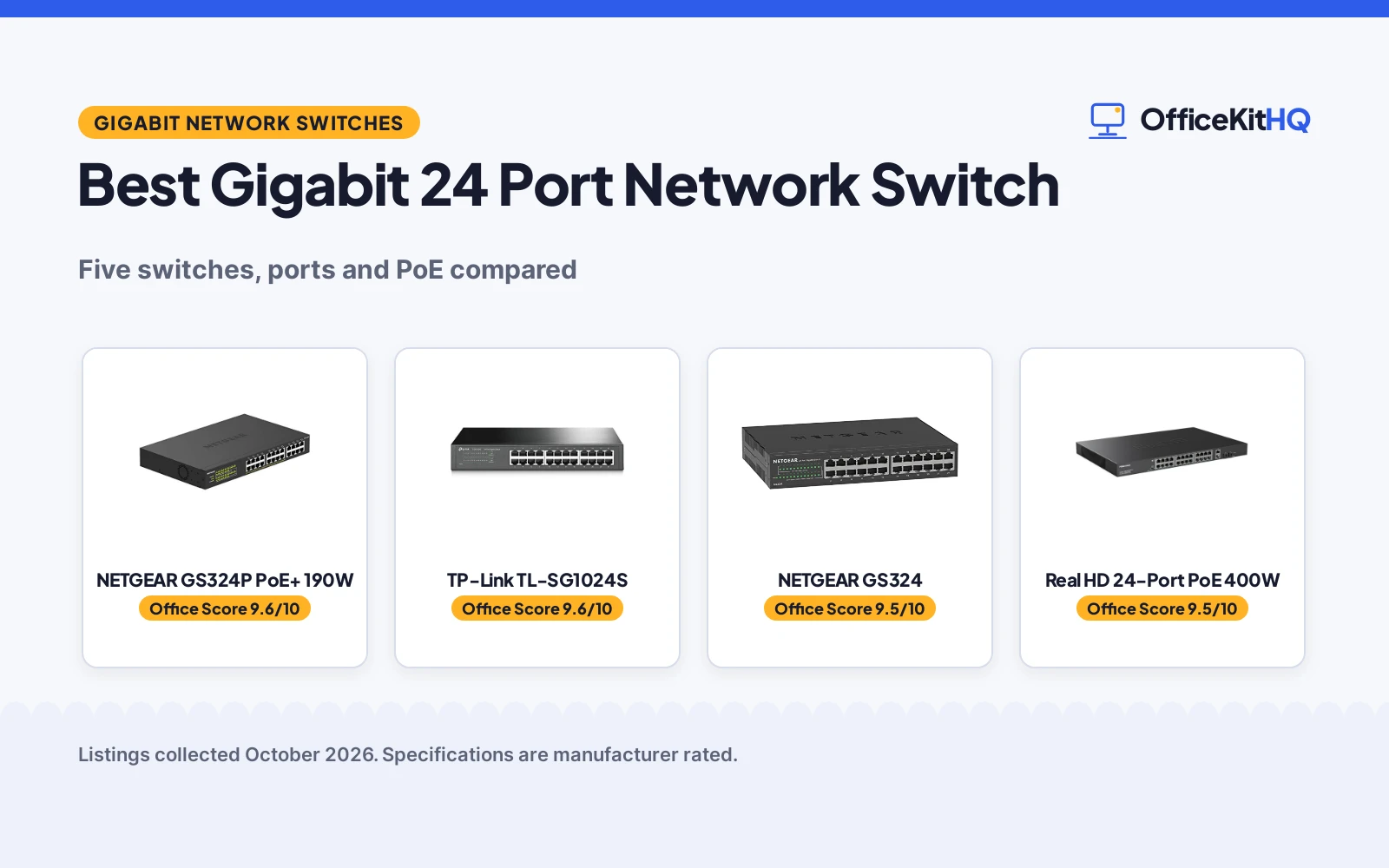
A video call that freezes while the laptop, printer and NAS share a hub is a sign the desk has outgrown its wiring, so the best gigabit 24 port network switch gives every wired device a port of its own. This guide compares the switches by port count, PoE budget, fanless design, mounting and warranty, using only what each listing publishes. A switch with enough ports keeps the desk tidy, while PoE ports power devices through the same cable that carries data.
OfficeKitHQ earns a commission when you buy through links on this page, at no extra cost to you. As an Amazon Associate I earn from qualifying purchases. Affiliate disclosure.
Quick picks
 Best Overall NETGEAR GS324P PoE+ 190W: 16 PoE+ ports at 190W, fanless, 24 gigabit ports Check price on Amazon
 Best Fanless Metal TP-Link TL-SG1024S: Shielded ports, fanless metal case, 3-year warranty Check price on Amazon
 Best Non-PoE NETGEAR GS324: 24 gigabit ports, fanless, desktop, wall or rack mount Check price on Amazon
 Best PoE Budget Real HD 24-Port PoE 400W: 400W budget, 24 gigabit PoE ports, 2 SFP ports Check price on Amazon
 Largest PoE Count YuanLey 26-Port PoE 400W: 24 PoE ports with a 400W budget and 2 gigabit uplinks Check price on Amazon
Our desk picks
| # | Product | Office Score | Buy |
|---|---|---|---|
| 1 | NETGEAR GS324P PoE+ 190W | 9.6/10 | Buy on Amazon |
| 2 | TP-Link TL-SG1024S | 9.6/10 | Buy on Amazon |
| 3 | NETGEAR GS324 | 9.5/10 | Buy on Amazon |
| 4 | Real HD 24-Port PoE 400W | 9.5/10 | Buy on Amazon |
| 5 | YuanLey 26-Port PoE 400W | 9.3/10 | Buy on Amazon |

NETGEAR GS324P PoE+ 190W
A 24-port gigabit switch with 16 PoE+ ports and a 190W power budget, with dynamic PoE allocation for power-hungry devices.
Pros
- 16 PoE+ ports with a 190W total power budget
- Dynamic PoE allocation redistributes unused power
- Fanless design for silent performance
- Plug-and-play setup with no software to install
Cons
- Only 16 of the 24 ports supply PoE+ power
- 5.38 pound weight needs a sturdy shelf or rack
- 13.0 inch width needs desk or rack space
- The 190W budget is shared, so many power-hungry devices draw from one pool
Detailed Review
NETGEAR gives this switch 24 gigabit ports, with 8 standard ports and 16 PoE+ ports at a 190W total budget. Dynamic PoE allocation redistributes unused power to devices that need more, and the fanless metal case supports desktop or rack mount placement. Auto-negotiating ports work with Cat5e or Cat6 cables, and IEEE 802.3az Energy Efficient Ethernet reduces power use without slowing the network. The switch is plug-and-play unmanaged, with no software to install or configuration required.
Who it's for: offices that need PoE+ for powered devices on 16 ports with a 190W budget. Who should skip it: offices with no PoE devices, where the non-PoE GS324 gives the same 24 gigabit ports.
Its Office Score of 9.6/10 comes from performance 32/35, build 22/25, value 21/25, safety 0/10 and warranty 3/5: 78 of 100 points, placed on our 9.2 to 9.8 scale.
Key Specifications
| Ports | 24 x 1.0Gbps |
|---|---|
| PoE | 16 PoE+ @ 190W |
| Weight | 5.38 lb |
| Warranty | Limited 3-year hardware |
These specs mirror the retailer listing as of 21 November 2026; performance figures are stated by the brand.
Safety and Warranty
What this listing states. No safety listing or safety feature is stated, so safety scores zero. Limited 3-year hardware warranty. It does not say everything a buyer needs, such as who pays return shipping, so warranty scores 3 of 5. See How We Pick.
Follow the manual. Assemble and use the product as the maker describes, stay under any stated capacity, and read the manual before first use.
This is general buying information, not professional advice. Follow each product manual and local rules, and see our Safety Disclaimer.
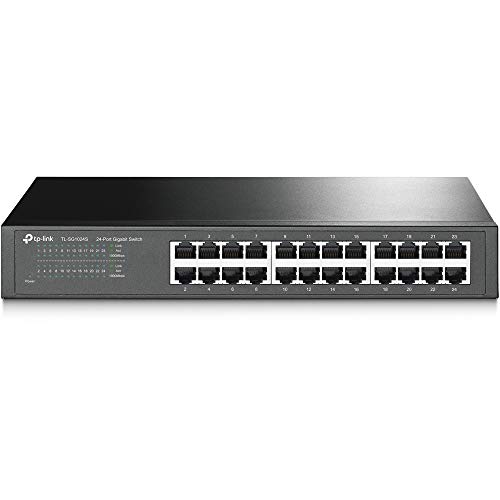
TP-Link TL-SG1024S
A 24-port gigabit switch with shielded ports, a fanless metal case and plug-and-play setup for a desk or rack.
Pros
- 24 gigabit ports with Auto Negotiation and Auto MDI/MDIX
- Shielded ports with a metal case for heat and EMI protection
- Fanless design for quiet operation
- 3-year warranty with free technical support
Cons
- No PoE ports, unlike the 16 PoE+ ports of the GS324P
- 11.6 inch length needs desk or rack space
- Heavier than the NETGEAR GS324
- Free technical support runs 6am to 6pm PST Monday to Friday only
Detailed Review
TP-Link gives this switch 24 gigabit RJ45 ports with Auto Negotiation and Auto MDI/MDIX, in a metal case with shielded ports. The fanless design runs quiet, and IEEE 802.3X flow control keeps data transfer reliable. At 11.6 by 7.1 by 1.7 inches, the switch fits a standard 1U rackmount, and plug-and-play setup needs no software installation or configuration. The maker gives two warranty terms, 3 years and a limited lifetime warranty; check before ordering.
Who it's for: offices that need 24 gigabit ports in a quiet fanless metal switch for a desk or rack. Who should skip it: offices that need PoE, where the GS324P supplies 16 PoE+ ports.
Its Office Score of 9.6/10 comes from performance 30/35, build 22/25, value 21/25, safety 0/10 and warranty 3/5: 76 of 100 points, placed on our 9.2 to 9.8 scale.
Key Specifications
| Ports | 24 x 10/100/1000Mbps |
|---|---|
| Size | 11.6 x 7.1 x 1.7 in |
| Weight | 3.44 lb |
| Warranty | 3-year |
These specs mirror the retailer listing as of 21 November 2026; performance figures are stated by the brand.
Safety and Warranty
What this listing states. This product does not plug in or run on a battery, so safety is not part of its score. 3-year warranty. It does not say everything a buyer needs, such as who pays return shipping, so warranty scores 3 of 5. See How We Pick.
Follow the manual. Assemble and use the product as the maker describes, stay under any stated capacity, and read the manual before first use.
This is general buying information, not professional advice. Follow each product manual and local rules, and see our Safety Disclaimer.

NETGEAR GS324
A 24-port gigabit switch with a fanless metal case that mounts on a desk, wall or rack.
Pros
- 24 gigabit ports with Auto Negotiation for Cat5e or Cat6 cables
- Fanless design for silent performance
- Desktop, wall or rack mount for flexible placement
- 3-year limited hardware warranty
Cons
- No PoE ports, unlike the 16 PoE+ ports of the GS324P
- Made for use in U.S. and Canada only
- Unmanaged design gives no configuration options
- 13.5 inch length needs desk, wall or rack space
Detailed Review
NETGEAR gives this switch 24 gigabit ports at 1.0Gbps each, with auto-negotiating ports for Cat5e or Cat6 cables. The compact metal case mounts on a desktop, wall or rack, and the fanless design runs silent while IEEE 802.3az Energy Efficient Ethernet reduces power use. Setup is plug-and-play with no software to install or configuration required. The switch is made for use in the U.S. and Canada only, and it carries a limited 3-year hardware warranty.
Who it's for: offices that need 24 gigabit ports in a quiet switch with flexible mounting. Who should skip it: offices that need PoE, where the GS324P adds 16 PoE+ ports at 190W.
Its Office Score of 9.5/10 comes from performance 29/35, build 21/25, value 21/25, safety 0/10 and warranty 3/5: 74 of 100 points, placed on our 9.2 to 9.8 scale.
Key Specifications
| Ports | 24 x 1.0Gbps |
|---|---|
| Mount | Desktop, wall or rack |
| Power | IEEE 802.3az |
| Warranty | Limited 3-year hardware |
These specs mirror the retailer listing as of 21 November 2026; performance figures are stated by the brand.
Safety and Warranty
What this listing states. This product does not plug in or run on a battery, so safety is not part of its score. Limited 3-year hardware warranty. It does not say everything a buyer needs, such as who pays return shipping, so warranty scores 3 of 5. See How We Pick.
Follow the manual. Assemble and use the product as the maker describes, stay under any stated capacity, and read the manual before first use.
This is general buying information, not professional advice. Follow each product manual and local rules, and see our Safety Disclaimer.

Real HD 24-Port PoE 400W
A 24-port gigabit PoE switch with a 400W budget, 2 uplink ports and 2 SFP ports for a rack.
Pros
- 24 gigabit PoE ports with a 400W total budget
- Up to 30W per PoE port for power-hungry devices
- PD detection protects non-PoE equipment from damage
- 2 uplink ports and 2 SFP ports for extra connections
Cons
- 17.3-inch metal case needs a sturdy rack
- PoE extension to 600ft drops speed to 10Mbps
- Does not support passive 24V PoE devices
- 1-year warranty is shorter than the 3-year warranties of the TP-Link and NETGEAR switches
Detailed Review
Real HD gives this switch 24 gigabit PoE ports, plus 2 gigabit RJ45 uplink ports and 2 gigabit SFP ports, with a 400W total PoE budget. Each PoE port supplies up to 30W, and PD detection finds the power each device needs while protecting non-PoE equipment from damage. The metal case measures 17.3 by 8.1 by 1.7 inches, and the switch is unmanaged plug-and-play with no IP address or web interface. PoE extension reaches up to 600ft, with speed reduced to 10Mbps when the extend function runs.
Who it's for: offices that need a 400W PoE budget across 24 gigabit PoE ports with SFP uplinks. Who should skip it: offices that need a quiet fanless switch, where the NETGEAR GS324P runs fanless at 190W.
Its Office Score of 9.5/10 comes from performance 28/35, build 20/25, value 18/25, safety 5/10 and warranty 2/5: 73 of 100 points, placed on our 9.2 to 9.8 scale.
Key Specifications
| Ports | 24 gigabit PoE + 2 RJ45 + 2 SFP |
|---|---|
| PoE budget | 400W |
| Warranty | 1 year |
These specs mirror the retailer listing as of 21 November 2026; performance figures are stated by the brand.
Safety and Warranty
What this listing states. PD detection automatically detects PoE devices and protects non-PoE equipment from damage., so safety scores 5 of 10. 1-year warranty. It does not say everything a buyer needs, such as who pays return shipping, so warranty scores 2 of 5. See How We Pick.
Follow the manual. Assemble and use the product as the maker describes, stay under any stated capacity, and read the manual before first use.
This is general buying information, not professional advice. Follow each product manual and local rules, and see our Safety Disclaimer.

YuanLey 26-Port PoE 400W
A 26-port switch with 24 PoE ports at 10/100Mbps, 2 gigabit uplinks and a 400W budget.
Pros
- 24 PoE ports with a 400W total budget
- 2 gigabit uplinks with bandwidth up to 16Gbps
- VLAN isolation on ports 1 to 24
- Plug-and-play setup with automatic device detection
Cons
- PoE ports run at 10/100Mbps, not gigabit
- Industrial fan, unlike the fanless switches in this guide
- No warranty term is stated
- Extend mode drops speed to 10Mbps over 250m
Detailed Review
YuanLey gives this switch 24 PoE ports and 2 gigabit uplink ports, for 26 ports in total, with a 400W PoE budget. The PoE ports run at 10/100Mbps, while the 2 uplinks run at 1000Mbps with bandwidth up to 16Gbps. Ports 1 to 24 support VLAN isolation, and extend mode carries 10Mbps over 250m. The metal case has an industrial fan with bilateral heat dissipation, and the switch is plug-and-play with automatic device detection.
Who it's for: offices that need many PoE ports with a 400W budget and gigabit uplinks. Who should skip it: offices that need gigabit speed on every port, where the GS324P gives 24 gigabit ports.
Its Office Score of 9.3/10 comes from performance 26/35, build 19/25, value 19/25, safety 0/10 and warranty 0/5: 64 of 100 points, placed on our 9.2 to 9.8 scale.
Key Specifications
| Ports | 24 PoE 10/100 + 2 gigabit |
|---|---|
| PoE budget | 400W |
| Size | 10.6 x 7.1 x 1.7 in |
| Bandwidth | Up to 16Gbps |
These specs mirror the retailer listing as of 21 November 2026; performance figures are stated by the brand.
Safety and Warranty
What this listing states. No safety listing or safety feature is stated, so safety scores zero. No warranty term, so warranty scores zero. See How We Pick.
Follow the manual. Assemble and use the product as the maker describes, stay under any stated capacity, and read the manual before first use.
This is general buying information, not professional advice. Follow each product manual and local rules, and see our Safety Disclaimer.
As an Amazon Associate I earn from qualifying purchases.
More picks to compare
 NETGEAR GS316 16-Port SwitchSuits a smaller network that needs 16 gigabit portsCheck on Amazon
 UGREEN 24-Port Gigabit SwitchSuits an office that needs 24 gigabit ports and 6KV surge protectionCheck on Amazon
 Real HD 24-Port 2.5Gb SwitchSuits a network that needs 24 2.5G ports and 2 10G SFP+ portsCheck on Amazon
Specs compared
| Switch | Office Score | Ports | PoE | Mount | Warranty | Amazon |
|---|---|---|---|---|---|---|
| NETGEAR GS324P PoE+ 190W | 9.6/10 | 24 x 1.0Gbps | 16 PoE+ @ 190W | Desktop or rack | 3-year | View on Amazon |
| TP-Link TL-SG1024S | 9.6/10 | 24 x 10/100/1000Mbps | None | Desktop or rack | 3-year | View on Amazon |
| NETGEAR GS324 | 9.5/10 | 24 x 1.0Gbps | None | Desktop, wall or rack | 3-year | View on Amazon |
| Real HD 24-Port PoE 400W | 9.5/10 | 24 gigabit PoE + 2 + 2 | 24 PoE+ @ 400W | Desktop or wall | 1 year | View on Amazon |
| YuanLey 26-Port PoE 400W | 9.3/10 | 24 x 10/100 + 2 gigabit | 24 PoE/PoE+ @ 400W | Rackmount | Not stated | View on Amazon |
Specs reflect manufacturer claims on each product listing (as of 21 November 2026). Four of the five state a warranty term; one states PD protection for non-PoE equipment.
How to choose the best gigabit 24 port network switch
Count the ports, then check the speed
Every switch here gives 24 ports, but the speed on those ports differs. The NETGEAR GS324P PoE+ 190W, the TP-Link TL-SG1024S and the NETGEAR GS324 each give 24 gigabit ports, and the Real HD 24-Port PoE 400W gives 24 gigabit PoE ports plus 2 gigabit RJ45 uplink ports and 2 gigabit SFP ports. The YuanLey 26-Port PoE 400W gives 24 PoE ports at 10/100Mbps and 2 gigabit uplink ports, for 26 ports in total. Count the wired devices on the desk, then check that the ports run at gigabit speed before ordering.
PoE budget decides what the switch can power
A PoE budget is the total power the switch can send to powered devices, and it is shared across the PoE ports. The NETGEAR GS324P PoE+ 190W gives 16 PoE+ ports at a 190W total budget, with dynamic PoE allocation that redistributes unused power to devices that need more. The Real HD 24-Port PoE 400W and the YuanLey 26-Port PoE 400W each give a 400W total budget, with up to 30W per PoE port on the Real HD. The TP-Link TL-SG1024S and the NETGEAR GS324 give no PoE, so powered devices on those switches need a separate power source. Match the budget to the devices, and check the per-port figure where a listing gives one. The ethernet switch types guide explains unmanaged, managed and PoE switches.
Fanless, metal and mounting
A switch sits on a desk or in a rack for years, so noise and mounting matter. The TP-Link TL-SG1024S, the NETGEAR GS324P PoE+ 190W and the NETGEAR GS324 are fanless, with metal cases that help with heat, and the TP-Link adds shielded ports with EMI protection. The YuanLey 26-Port PoE 400W uses an industrial fan with bilateral heat dissipation instead, so it suits a rack in a room where fan noise is less of a concern. The NETGEAR GS324 mounts on a desktop, wall or rack, the TP-Link TL-SG1024S fits a standard 1U rackmount at 11.6 by 7.1 by 1.7 inches, and the Real HD 24-Port PoE 400W measures 17.3 by 8.1 by 1.7 inches. Measure the desk or rack before ordering, and leave room for cables at the front.
| Switch | Ports | PoE budget | Fanless |
|---|---|---|---|
| NETGEAR GS324P PoE+ 190W | 24 gigabit | 190W | Yes |
| TP-Link TL-SG1024S | 24 gigabit | None | Yes |
| NETGEAR GS324 | 24 gigabit | None | Yes |
| Real HD 24-Port PoE 400W | 24 gigabit PoE | 400W | Not stated |
| YuanLey 26-Port PoE 400W | 24 at 10/100Mbps | 400W | No, industrial fan |
Warranty and support
Warranty terms differ across this guide, so read them before ordering. The TP-Link TL-SG1024S, the NETGEAR GS324P PoE+ 190W and the NETGEAR GS324 each carry a 3-year warranty, and the Real HD 24-Port PoE 400W carries a 1-year warranty. The YuanLey 26-Port PoE 400W states no warranty term. The TP-Link also gives free technical support from 6am to 6pm PST Monday to Friday. A longer warranty term matters most on a switch that stays in service for years, so weigh it with the port count and PoE budget. Pair the switch with a surge protector for network equipment to guard the rack.
FAQ
How many gigabit ports do these switches have?
The NETGEAR GS324P PoE+ 190W, the TP-Link TL-SG1024S, the NETGEAR GS324 and the Real HD 24-Port PoE 400W each give 24 gigabit ports. The YuanLey 26-Port PoE 400W gives 24 PoE ports at 10/100Mbps and 2 gigabit uplink ports.
What PoE budget do I need?
Match the budget to the powered devices. The NETGEAR GS324P PoE+ 190W gives a 190W total budget across 16 PoE+ ports, and the Real HD 24-Port PoE 400W and the YuanLey 26-Port PoE 400W each give a 400W total budget, with up to 30W per port on the Real HD.
Do these switches need configuration?
No, all five are unmanaged plug-and-play switches with no software to install or configuration required. The Real HD states that it has no IP address or web interface.
Which switches are fanless?
The TP-Link TL-SG1024S, the NETGEAR GS324P PoE+ 190W and the NETGEAR GS324 are fanless. The YuanLey 26-Port PoE 400W uses an industrial fan, and the Real HD states no fan design.
What warranty do these switches carry?
The TP-Link TL-SG1024S and the two NETGEAR switches carry a 3-year warranty, and the Real HD 24-Port PoE 400W carries a 1-year warranty. The YuanLey 26-Port PoE 400W states no warranty term.
Score breakdown
The Office Score weighs performance, build, value, safety and warranty. For a network switch, safety means PoE protection that keeps non-PoE equipment safe and surge protection where a listing states it; only the Real HD states PD detection that protects non-PoE equipment. Four of the five state a warranty term: the TP-Link and the two NETGEAR switches at 3 years, and the Real HD at 1 year. How we pick explains the weights.
| Product | Office Score | Perf. /35 | Build /25 | Value /25 | Safety /10 | Warranty /5 |
|---|---|---|---|---|---|---|
| NETGEAR GS324P PoE+ 190W | 9.6 | 32 | 22 | 21 | 0 | 3 |
| TP-Link TL-SG1024S | 9.6 | 30 | 22 | 21 | 0 | 3 |
| NETGEAR GS324 | 9.5 | 29 | 21 | 21 | 0 | 3 |
| Real HD 24-Port PoE 400W | 9.5 | 28 | 20 | 18 | 5 | 2 |
| YuanLey 26-Port PoE 400W | 9.3 | 26 | 19 | 19 | 0 | 0 |
The scale opens at 9.2 and closes at 9.8; between those marks, weighted points translate linearly into the score you see.
More for your workspace
See every storage and network guide and all office tech guides.
More picks: network switch for work from home and ethernet switch setup.