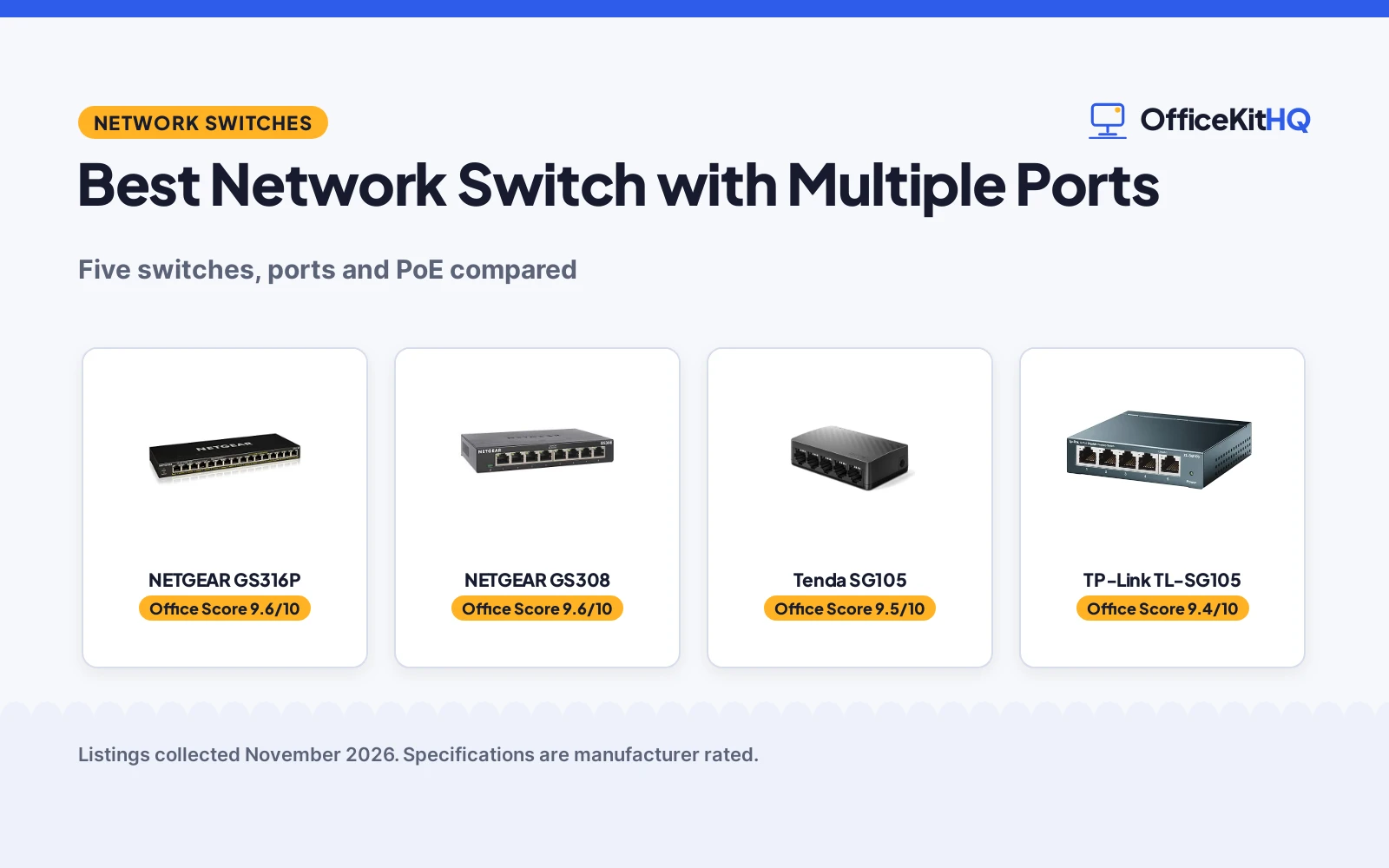
The morning call freezes while the laptop, the printer and the TV fight over one router port, and the cable spaghetti behind the desk has run out of places to plug in. The best network switch with multiple ports ends that fight by giving every wired device its own gigabit port. We compared five switches by port count, speed, PoE, fanless design and warranty, using only what each listing publishes.
OfficeKitHQ earns a commission when you buy through links on this page, at no extra cost to you. As an Amazon Associate I earn from qualifying purchases. Affiliate disclosure.
Quick picks
 Best Overall NETGEAR GS316P: 16 PoE+ ports with a 115W budget for cameras and access points. Check price on Amazon
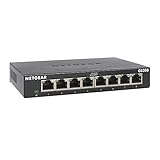 Best 8-Port NETGEAR GS308: 8 gigabit ports in a fanless metal case for a desk or wall. Check price on Amazon
 Best 5-Port Tenda SG105: 5 gigabit ports with LED indicators and a 3-year warranty. Check price on Amazon
 Best Small Switch TP-Link TL-SG105: 5 gigabit ports in a metal case that fits a small desk. Check price on Amazon
 Manual Selector Toptekits 4-Port Selector: A manual 4-way RJ45 selector that needs no power. Check price on Amazon
Our desk picks
| # | Product | Office Score | Buy |
|---|---|---|---|
| 1 | NETGEAR GS316P | 9.6/10 | Buy on Amazon |
| 2 | NETGEAR GS308 | 9.6/10 | Buy on Amazon |
| 3 | Tenda SG105 | 9.5/10 | Buy on Amazon |
| 4 | TP-Link TL-SG105 | 9.4/10 | Buy on Amazon |
| 5 | Toptekits 4-Port Selector | 9.2/10 | Buy on Amazon |

NETGEAR GS316P
A 16-port gigabit switch with PoE+ on every port and a 115W total power budget for cameras, access points and phones.
Pros
- 16 PoE+ ports with a 115W total power budget
- Dynamic PoE allocation redistributes unused power to hungry devices
- Fanless metal case runs silent on a desk or wall
- 3-year hardware warranty stated
Cons
- 16 ports suit a big setup, so it is more switch than a small desk needs
- Unmanaged, so there is no web interface for VLAN or QoS settings
- PoE budget of 115W is shared across 16 ports, so heavy devices share the pool
- Largest switch here at 11.3 inches wide and 1.94 pounds
Detailed Review
NETGEAR lists the GS316P as a 16-port gigabit switch with 16 PoE+ ports and a 115W total power budget, plus dynamic PoE allocation that redistributes unused power to power-hungry devices. The ports auto-negotiate and work with Cat5e or Cat6 cables, the fanless metal case supports desktop or wall mounting, and IEEE 802.3az Energy Efficient Ethernet reduces power use. It measures 4.0 by 11.3 by 1.1 inches, weighs 1.94 pounds, and carries a NETGEAR limited 3-year hardware warranty.
Who it is for: a desk with cameras, access points and phones that need power over the cable, plus room for 16 wired devices. Who should skip it: anyone with a small desk and no PoE devices, since 16 ports and a 115W budget are more than that setup needs.
Its Office Score of 9.6/10 comes from performance 32/35, build 21/25, value 21/25, safety 0/10 and warranty 3/5: 77 of 100 points, placed on our 9.2 to 9.8 scale.
Key Specifications
| Ports | 16 x 1.0 Gbps, PoE+ |
|---|---|
| PoE budget | 115W total |
| Design | Fanless metal, desktop or wall mount |
| Warranty | 3-year hardware |
These specs mirror the retailer listing as of 21 November 2026; performance figures are stated by the brand.
Safety and Warranty
What this listing states. No safety listing or safety feature is stated, so safety scores zero. NETGEAR limited 3-year hardware warranty. It does not say everything a buyer needs, such as who pays return shipping, so warranty scores 3 of 5. See How We Pick.
Follow the manual. Assemble and use the product as the maker describes, stay under any stated capacity, and read the manual before first use.
This is general buying information, not professional advice. Follow each product manual and local rules, and see our Safety Disclaimer.

NETGEAR GS308
An 8-port gigabit switch in a fanless metal case that plugs in and works with no setup.
Pros
- 8 gigabit ports with auto-negotiation for Cat5e or Cat6 cables
- Fanless metal case runs silent on a desk or wall
- Plug-and-play with no software to install
- 3-year hardware warranty stated
Cons
- 8 ports suit a small setup, so a bigger network needs the 16-port model
- No PoE ports, so powered devices need separate power
- Unmanaged, so there is no web interface for traffic settings
- Made for use in the U.S. and Canada only
Detailed Review
NETGEAR lists the GS308 as an 8-port gigabit switch with auto-negotiating ports that work with Cat5e or Cat6 cables, in a compact metal case for desktop or wall mounting. The fanless design runs silent, IEEE 802.3az Energy Efficient Ethernet reduces power use, and setup is plug-and-play with no software to install. It measures 6.22 by 4.02 by 1.02 inches, weighs 0.86 pounds, and carries a NETGEAR limited 3-year hardware warranty. The listing says the switch is made for use in the U.S. and Canada only.
Who it is for: a small desk that needs 8 wired gigabit ports and silent running. Who should skip it: anyone who needs PoE for cameras or more than 8 ports.
Its Office Score of 9.6/10 comes from performance 30/35, build 21/25, value 21/25, safety 0/10 and warranty 3/5: 75 of 100 points, placed on our 9.2 to 9.8 scale.
Key Specifications
| Ports | 8 x 1.0 Gbps |
|---|---|
| Design | Fanless metal, desktop or wall mount |
| Size | 6.22 x 4.02 x 1.02 in |
| Warranty | 3-year hardware |
These specs mirror the retailer listing as of 21 November 2026; performance figures are stated by the brand.
Safety and Warranty
What this listing states. This product does not plug in or run on a battery, so safety is not part of its score. NETGEAR limited 3-year hardware warranty. It does not say everything a buyer needs, such as who pays return shipping, so warranty scores 3 of 5. See How We Pick.
Follow the manual. Assemble and use the product as the maker describes, stay under any stated capacity, and read the manual before first use.
This is general buying information, not professional advice. Follow each product manual and local rules, and see our Safety Disclaimer.

Tenda SG105
A 5-port gigabit switch with LED indicators, a fanless design and a 3-year warranty with lifetime support.
Pros
- 5 gigabit ports with wire-speed forwarding
- LED indicators show status at a glance
- Fanless and silent for bedrooms and quiet offices
- 3-year warranty with lifetime technical support
Cons
- 5 ports suit a small desk, so a bigger setup needs more ports
- No PoE ports, so powered devices need separate power
- Unmanaged, so there is no web interface for traffic settings
- 5 ports leave no spare once a router, PC, console, TV and NAS are plugged in
Detailed Review
Tenda lists the SG105 as a 5-port gigabit switch with 10/100/1000 Mbps ports, wire-speed forwarding and Auto MDI/MDIX for straight-through and crossover cables. The fanless design runs silent, LED indicators show status, and the switch supports desktop placement and wall mounting. It measures 3.5 by 2.56 by 3.85 inches and carries a 3-year manufacturer warranty with lifetime technical support.
Who it is for: a small desk or bedroom that needs 5 quiet gigabit ports with status lights. Who should skip it: anyone who needs PoE or more than 5 ports.
Its Office Score of 9.5/10 comes from performance 28/35, build 20/25, value 21/25, safety 0/10 and warranty 3/5: 72 of 100 points, placed on our 9.2 to 9.8 scale.
Key Specifications
| Ports | 5 x 10/100/1000 Mbps |
|---|---|
| Design | Fanless, desktop or wall mount |
| Size | 3.5 x 2.56 x 3.85 in |
| Warranty | 3 years |
These specs mirror the retailer listing as of 21 November 2026; performance figures are stated by the brand.
Safety and Warranty
What this listing states. This product does not plug in or run on a battery, so safety is not part of its score. 3-year manufacturer warranty. It does not say everything a buyer needs, such as who pays return shipping, so warranty scores 3 of 5. See How We Pick.
Follow the manual. Assemble and use the product as the maker describes, stay under any stated capacity, and read the manual before first use.
This is general buying information, not professional advice. Follow each product manual and local rules, and see our Safety Disclaimer.

TP-Link TL-SG105
A 5-port gigabit switch in a sturdy metal case with shielded ports, listed as Renewed.
Pros
- 5 gigabit ports with auto-negotiation
- Sturdy metal case with shielded ports
- Fanless quiet design for desktop or wall mounting
- Plug-and-play with no configuration needed
Cons
- Listed as Renewed, not new
- 90-day warranty covers the least time here
- 5 ports suit a small desk, so a bigger setup needs more ports
- No PoE ports, so powered devices need separate power
Detailed Review
TP-Link lists the TL-SG105 as a 5-port gigabit switch with 10/100/1000 Mbps auto-negotiation RJ45 ports in a sturdy metal case with shielded ports. The fanless design runs quiet on a desktop or wall mount, and the listing gives an operating temperature of 0 to 40 C (32 to 104 F). It measures 3.9 by 3.9 by 1.0 inches and carries a 90 days limited warranty. The title marks this one Renewed.
Who it is for: a small desk that needs 5 gigabit ports in a metal case and accepts a Renewed listing. Who should skip it: anyone who wants a new unit or a longer warranty term.
Its Office Score of 9.4/10 comes from performance 28/35, build 20/25, value 19/25, safety 0/10 and warranty 1/5: 68 of 100 points, placed on our 9.2 to 9.8 scale.
Key Specifications
| Ports | 5 x 10/100/1000 Mbps |
|---|---|
| Case | Metal, shielded ports |
| Operating temperature | 0 to 40 C (32 to 104 F) |
| Warranty | 90 days |
These specs mirror the retailer listing as of 21 November 2026; performance figures are stated by the brand.
Safety and Warranty
What this listing states. This product does not plug in or run on a battery, so safety is not part of its score. 90 days limited warranty. It does not say everything a buyer needs, such as who pays return shipping, so warranty scores 1 of 5. See How We Pick.
Follow the manual. Assemble and use the product as the maker describes, stay under any stated capacity, and read the manual before first use.
This is general buying information, not professional advice. Follow each product manual and local rules, and see our Safety Disclaimer.

Toptekits 4-Port Selector
A manual 4-way RJ45 sharing box that connects one device at a time, with no power or software needed.
Pros
- Manual button switches between four sources with no power needed
- Works 4-in-1-out or 1-in-4-out for sharing one line
- Mini metal box fits on a crowded desk
- Rated for more than 100,000 switches
Cons
- Connects only one device at a time, unlike a real switch
- Manual switching means pressing a button for every change
- 4 ports is the fewest here, so it suits one shared line only
- 1-year warranty is shorter than the 3-year terms here
Detailed Review
Toptekits lists this box as a 4-way RJ45 manual sharing switch with a button control, no power required and no software required, in a mini metal housing. It works 4-in-1-out or 1-in-4-out at 10M, 100M or 1000M, and the maker rates the switch for more than 100,000 uses. The package includes one RJ45 splitter hub, and the listing states a 1 Year warranty. Unlike the other picks, it connects one device at a time rather than switching traffic between several devices at once.
Who it is for: a desk that shares one network line between four devices, one at a time. Who should skip it: anyone who needs several wired devices online at once, which needs a real switch.
Its Office Score of 9.2/10 comes from performance 18/35, build 18/25, value 15/25, safety 0/10 and warranty 2/5: 53 of 100 points, placed on our 9.2 to 9.8 scale.
Key Specifications
| Ports | 4 x RJ45 |
|---|---|
| Type | Manual ABCD sharing switch |
| Switching | More than 100,000 times |
| Warranty | 1 Year |
These specs mirror the retailer listing as of 21 November 2026; performance figures are stated by the brand.
Safety and Warranty
What this listing states. This product does not plug in or run on a battery, so safety is not part of its score. 1 Year warranty. It does not say everything a buyer needs, such as who pays return shipping, so warranty scores 2 of 5. See How We Pick.
Follow the manual. Assemble and use the product as the maker describes, stay under any stated capacity, and read the manual before first use.
This is general buying information, not professional advice. Follow each product manual and local rules, and see our Safety Disclaimer.
As an Amazon Associate I earn from qualifying purchases.
More picks to compare
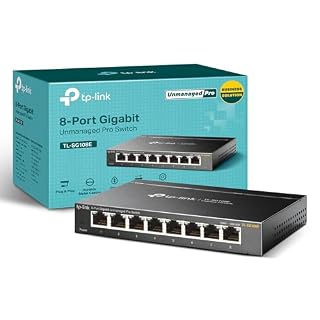 TP-Link TL-SG108EAn 8-port Easy Smart managed switch for VLAN and QoS control.Check on Amazon
Specs compared
| Switch | Office Score | Ports | Speed | PoE | Fanless | Warranty | Amazon |
|---|---|---|---|---|---|---|---|
| NETGEAR GS316P | 9.6/10 | 16 | 1.0 Gbps | 16 PoE+ ports, 115W | Yes | 3-year | View on Amazon |
| NETGEAR GS308 | 9.6/10 | 8 | 1.0 Gbps | Not stated | Yes | 3-year | View on Amazon |
| Tenda SG105 | 9.5/10 | 5 | 10/100/1000 Mbps | Not stated | Yes | 3 years | View on Amazon |
| TP-Link TL-SG105 | 9.4/10 | 5 | 10/100/1000 Mbps | Not stated | Yes | 90 days | View on Amazon |
| Toptekits 4-Port Selector | 9.2/10 | 4 | 10/100/1000 Mbps | Not stated | Not stated | 1 Year | View on Amazon |
All numbers are the manufacturer’s stated specs, not measured in an office, pulled on 21 November 2026. All five state a warranty term, from 90 days to 3 years.
How to choose the best network switch with multiple ports
Count the ports first
Port count is the first number to check, and it decides how many devices get a wired connection. The NETGEAR GS316P gives 16 ports, the NETGEAR GS308 gives 8, the Tenda SG105 and the TP-Link TL-SG105 give 5 each, and the Toptekits box gives 4. Count the router, PC, console, TV, printer and NAS on the desk, then pick a switch with a spare port or two for the next device. If the switch sits beside a monitor, see our network switch for work from home picks.
PoE or plain ports
Only one pick here powers devices over the cable. The NETGEAR GS316P lists 16 PoE+ ports with a 115W total power budget and dynamic PoE allocation that redistributes unused power to hungry devices, which suits cameras and access points that have no outlet nearby. The other four list plain gigabit ports, so a camera or access point on those switches needs its own power adapter. For powered cameras, see our gigabit PoE network switch picks.
Fanless, metal and mounting
Four of the five list a fanless design, which means no fan noise on a quiet desk. The NETGEAR GS308 and GS316P, the TP-Link TL-SG105 and the Tenda SG105 all run fanless, and the two NETGEAR models and the TP-Link use a metal case. All four support desktop or wall mounting, so measure the space against the stated size before buying: the GS316P lists 4.0 by 11.3 inches, the GS308 lists 6.22 by 4.02 inches, and the Tenda lists 3.5 by 2.56 inches.
| Switch | Ports | PoE budget | Warranty |
|---|---|---|---|
| NETGEAR GS316P | 16 | 115W total | 3-year |
| NETGEAR GS308 | 8 | Not stated | 3-year |
| Tenda SG105 | 5 | Not stated | 3 years |
| TP-Link TL-SG105 | 5 | Not stated | 90 days |
| Toptekits 4-Port Selector | 4 | Not stated | 1 Year |
Read the warranty line
Warranty terms here run from 90 days to 3 years. The two NETGEAR models and the Tenda state 3 years, with the Tenda adding lifetime technical support, while the Toptekits states 1 Year and the TP-Link TL-SG105 states 90 days. The TP-Link is also listed as Renewed, so read the condition line with the warranty line before ordering. A longer term matters most on the switch that runs all day.
Setup Notes
- Measure the desk or wall space against the stated size: the GS316P lists 4.0 by 11.3 inches and the GS308 lists 6.22 by 4.02 inches.
- Count the devices before buying: the GS316P gives 16 ports, the GS308 gives 8, and the 5-port models give 5.
- Plan power for PoE: the GS316P lists a 115W total PoE budget for cameras and access points.
- Use Cat5e or Cat6 cables, as the NETGEAR listings state, and mount the switch on a desk or wall.
FAQ
What does a network switch do?
A switch expands the wired connections from a router or modem, so a laptop, gaming console, printer, NAS and TV each get a port. The TP-Link and Tenda listings describe it the same way: plug the switch into the router, then plug devices into the switch.
How many ports do I need on a network switch?
Count the wired devices on the desk, then add a spare port or two. The GS316P gives 16 ports, the GS308 gives 8, the Tenda and TP-Link give 5 each, and the Toptekits box gives 4, so a desk with a router, PC, console, TV and printer needs at least 5 ports.
What is PoE on a network switch?
PoE, or power over Ethernet, sends power and data over the same cable, so a camera or access point needs no separate adapter. The GS316P lists 16 PoE+ ports with a 115W total budget and dynamic allocation that redistributes unused power. The other four picks list plain gigabit ports with no PoE.
Do I need a managed or unmanaged switch?
The five picks here are unmanaged plug-and-play switches with no software to install and no configuration. The TL-SG108E in More picks adds Easy Smart management with VLAN and QoS, for a desk that needs traffic settings.
Can a network switch work without a fan?
Yes. Four of the five list a fanless design: the NETGEAR GS308 and GS316P, the TP-Link TL-SG105 and the Tenda SG105. A fanless switch runs silent, which suits a bedroom or a quiet office.
Score breakdown
The Office Score weighs performance, build, value, safety and warranty. For a switch, safety means the protections the listing states; none of these five state a safety certification, so safety scores zero across the picks. All five state a warranty term: three at 3 years, one at 1 year and one at 90 days. How we pick explains the weights.
| Product | Office Score | Perf. /35 | Build /25 | Value /25 | Safety /10 | Warranty /5 |
|---|---|---|---|---|---|---|
| NETGEAR GS316P | 9.6 | 32 | 21 | 21 | 0 | 3 |
| NETGEAR GS308 | 9.6 | 30 | 21 | 21 | 0 | 3 |
| Tenda SG105 | 9.5 | 28 | 20 | 21 | 0 | 3 |
| TP-Link TL-SG105 | 9.4 | 28 | 20 | 19 | 0 | 1 |
| Toptekits 4-Port Selector | 9.2 | 18 | 18 | 15 | 0 | 2 |
We fit point totals onto a 9.2 low and 9.8 high in a straight line. One item can outscore another only by earning more points.
More for your workspace
See every Storage and Network guide and all Office Tech guides.
More picks: network switch wall mount, gigabit 24 port network switch, NAS storage with ethernet and network switch for work from home.