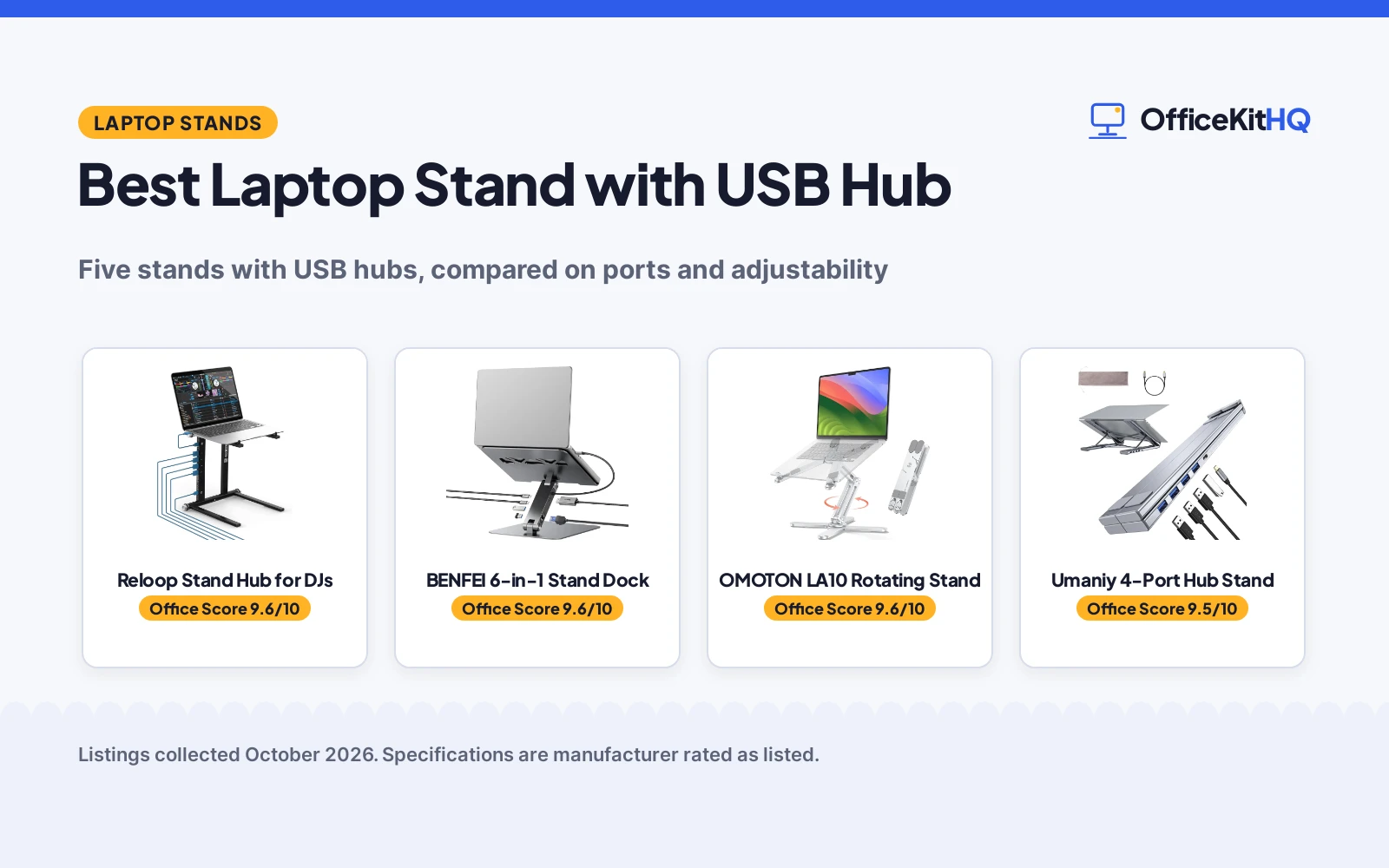
The best laptop stand with USB hub does two jobs at once: it lifts the screen to a comfortable height and replaces a separate docking station. I compared five stands with USB hubs, from a DJ-focused USB-C PD hub stand to a 6-in-1 docking stand with 4K HDMI, checking ports, adjustability and what the maker actually states.
OfficeKitHQ earns a commission when you buy through links on this page, at no extra cost to you. As an Amazon Associate I earn from qualifying purchases. Affiliate disclosure.
Quick picks
 Best Overall Reloop Stand Hub for DJs: Stand plus USB-C PD hub with six assembly positions, aimed at DJs and creatives. Check price on Amazon
 Best Hub Specs BENFEI 6-in-1 Stand Dock: 6-in-1 dock with HDMI 4K at 60Hz, 100W power delivery and gigabit ethernet. Check price on Amazon
 Best Rotating OMOTON LA10 Rotating Stand: 360-degree rotation with tool-free height and angle adjustment. Check price on Amazon
The picks
| # | Product | Office Score | Buy |
|---|---|---|---|
| 1 | Reloop Stand Hub for DJs | 9.6/10 | Buy on Amazon |
| 2 | BENFEI 6-in-1 Stand Dock | 9.6/10 | Buy on Amazon |
| 3 | OMOTON LA10 Rotating Stand | 9.6/10 | Buy on Amazon |
| 4 |  Umaniy 4-Port Hub Stand Umaniy 4-Port Hub Stand | 9.5/10 | Buy on Amazon |
| 5 |  OMOTON Dual Dock Stand OMOTON Dual Dock Stand | 9.5/10 | Buy on Amazon |

Reloop Stand Hub for DJs
A laptop stand with a USB-C PD hub and six assembly positions, suited to DJs, producers and creatives who want power and connectivity from the stand.
Pros
- USB-C PD hub powers compatible laptops from the stand
- Six assembly positions for different setups
- Cables included: USB-C to C and USB-A to C leads
- Flexible assembly suits a wide range of applications, per the listing
Cons
- No concrete port count is stated for the hub
- Black is the only color stated
- Pricey-looking DJ branding may not suit a plain office
- Item Type Name is listed as Tower form factor, an odd label for a stand
Detailed Review
The Reloop listing keeps the hub details light: it describes a USB-C PD hub with stable power routing and compatibility with DJs, producers and creatives, and states that laptops with a USB-C power port can be powered directly from the stand hub. The stand itself offers six assembly positions and a flexible, matte black design.
Who it is for: performers and creators who want one unit that holds the laptop and powers it. Who should skip it: anyone who needs a stated port list or a neutral office look.
Its Office Score of 9.6/10 comes from performance 29/35, build 19/25, value 19/25, safety 7/10 and warranty 3/5: 77 of 100 points, placed on our 9.2 to 9.8 scale.
Key Specifications
| Style | 6 assembly positions |
|---|---|
| Hub | USB-C PD |
| Finish | Matte black |
| Warranty | 1 year, parts and labor |
Figures as published on the retailer listing, collected 19 October 2026. Performance figures are manufacturer rated.
Safety and Warranty
What this listing states. Stable power routing for USB-C PD connectivity, per the listing, so safety scores 7 of 10. 1 year warranty, parts and labor. It does not say everything a buyer needs, such as who pays return shipping, so warranty scores 3 of 5. See How We Pick.
Match the mount. Check your screen's VESA pattern, size and weight against the stated range, and check that your desk thickness and edge suit a clamp or grommet mount before you drill or clamp.
This is general buying information, not professional advice. Follow each product manual and local rules, and see our Safety Disclaimer.

BENFEI 6-in-1 Stand Dock
A 6-in-1 docking stand with HDMI 4K at 60Hz, gigabit ethernet and 100W power delivery, suited to desk workers who want one cable doing everything.
Pros
- HDMI 4K at 60Hz plus gigabit ethernet
- 100W power delivery with up to 85W pass-through charging
- 10Gbps USB data on the USB-A and C 3.2 ports
- Wide compatibility: MacBook, Surface, Dell, HP and more are listed
Cons
- No warranty term is stated
- No concrete laptop size range is stated
- Stand hub is fixed to the stand, not detachable
- 1.21 kg weight is stated but no laptop size range
Detailed Review
The BENFEI listing is the most port-complete here: a 6-in-1 docking station with HDMI 4K at 60Hz, gigabit ethernet, 100W power delivery and 10Gbps USB-C and USB-A 3.2 ports, in an aluminum alloy stand adjustable from 68mm to 178mm high. It supports up to 85W pass-through charging via the Type-C port.
Who it is for: desk workers who want a full docking station built into the stand. Who should skip it: anyone who needs a stated warranty term or a detachable hub.
Its Office Score of 9.6/10 comes from performance 33/35, build 21/25, value 21/25, safety 8/10 and warranty 0/5: 83 of 100 points, placed on our 9.2 to 9.8 scale.
Key Specifications
| Dock | 6-in-1 |
|---|---|
| HDMI | 4K@60Hz |
| Power | 100W PD, 85W pass-through |
| Height | 68 to 178 mm |
Figures as published on the retailer listing, collected 19 October 2026. Performance figures are manufacturer rated.
Safety and Warranty
What this listing states. Anti-skid silicone pads; stable aluminum alloy build, so safety scores 8 of 10. No warranty term, so warranty scores zero. See How We Pick.
Match the mount. Check your screen's VESA pattern, size and weight against the stated range, and check that your desk thickness and edge suit a clamp or grommet mount before you drill or clamp.
This is general buying information, not professional advice. Follow each product manual and local rules, and see our Safety Disclaimer.

OMOTON LA10 Rotating Stand
A 360-degree rotating aluminum stand with tool-free height and angle adjustment, suited to collaborative work and travel, though it has no hub.
Pros
- 360-degree rotation with click feedback at each position
- Height adjusts from 1.8 to 10.4 inches, tool free
- Folds flat and includes a storage pouch
- Open X-frame design lets air flow around the laptop
Cons
- No USB hub at all, despite the roundup topic
- Bullets state 840 g while the spec table states 750 g
- No hub means a separate dock is still needed
- Warm reminder requires removing the device before adjusting
Detailed Review
The OMOTON LA10 is a stand, not a hub: the listing describes 360-degree rotation on an X-base, tool-free height and tilt adjustment from 1.8 to 10.4 inches, and folding to 11.4 by 1.7 inches for travel. Note the listing contradicts itself on weight: the bullets state 840 g while the spec table states 750 g; the bullets take precedence.
Who it is for: collaborators and travelers who swivel the screen often. Who should skip it: anyone shopping strictly for a stand with a USB hub.
Its Office Score of 9.6/10 comes from performance 26/35, build 21/25, value 20/25, safety 5/10 and warranty 3/5: 75 of 100 points, placed on our 9.2 to 9.8 scale.
Key Specifications
| Rotation | 360 degrees |
|---|---|
| Height | 1.8 to 10.4 in |
| Fits | 11 to 17 in laptops |
| Warranty | 1 year |
Figures as published on the retailer listing, collected 19 October 2026. Performance figures are manufacturer rated.
Safety and Warranty
What this listing states. Warm reminder to remove the device before adjusting; anti-slip silicone pads, so safety scores 5 of 10. 1 year warranty. It does not say everything a buyer needs, such as who pays return shipping, so warranty scores 3 of 5. See How We Pick.
Match the mount. Check your screen's VESA pattern, size and weight against the stated range, and check that your desk thickness and edge suit a clamp or grommet mount before you drill or clamp.
This is general buying information, not professional advice. Follow each product manual and local rules, and see our Safety Disclaimer.

Umaniy 4-Port Hub Stand
A 2-in-1 portable stand with a 4-port USB 3.0 hub, suited to travelers who need more USB-A ports and nothing else.
Pros
- 4-port USB 3.0 hub with up to 5Gbps transfer
- Plug and play with no drivers
- Fits laptops from 10 to 15.6 inches
- Compatible with 10 to 15.6 inch laptops including MacBook and Surface
Cons
- Data transfer only: no charging or display output
- No warranty term is stated
- Aluminum shell hub may run warm under load, unaddressed by the listing
- No height range is stated
Detailed Review
The Umaniy M61 pairs an adjustable aluminum laptop stand with a 4-port USB 3.0 hub offering up to 5Gbps data transfer. The listing is explicit about the limits: data sync only, no charging and no display output, and users should avoid devices totaling over 1000 mA for a stable connection.
Who it is for: travelers who just need more USB-A ports. Who should skip it: anyone who needs charging, an external display or ethernet from the stand.
Its Office Score of 9.5/10 comes from performance 28/35, build 20/25, value 20/25, safety 7/10 and warranty 0/5: 75 of 100 points, placed on our 9.2 to 9.8 scale.
Key Specifications
| Hub | 4x USB 3.0 |
|---|---|
| Speed | Up to 5Gbps |
| Fits | 10 to 15.6 in |
| Charging | Not supported |
Figures as published on the retailer listing, collected 19 October 2026. Performance figures are manufacturer rated.
Safety and Warranty
What this listing states. Maker asks users to keep total connected draw under 1000 mA, so safety scores 7 of 10. No warranty term, so warranty scores zero. See How We Pick.
Match the mount. Check your screen's VESA pattern, size and weight against the stated range, and check that your desk thickness and edge suit a clamp or grommet mount before you drill or clamp.
This is general buying information, not professional advice. Follow each product manual and local rules, and see our Safety Disclaimer.

OMOTON Dual Dock Stand
A dual vertical dock that stores two laptops upright to save desk space, suited to multi-laptop desks that do not need a hub.
Pros
- Holds two laptops at once, vertically
- Adjustable slot width from 0.55 to 1.65 inches
- Anodized aluminum with a wide, stable base
- Ships with an Allen key for assembly
Cons
- No USB hub despite the roundup topic
- Warranty description states only "1", not a concrete term
- Holds laptops vertically only, not a typing stand
- Silver is the only color stated
Detailed Review
The OMOTON dual vertical dock is storage, not connectivity: it holds two laptops upright in adjustable slots from 0.55 to 1.65 inches wide, machined from anodized aluminum with non-slip silicone mats. It fits laptops up to 17.3 inches and ships with an Allen key.
Who it is for: desks with two or more laptops to store upright. Who should skip it: anyone looking for a stand with a USB hub, which this is not.
Its Office Score of 9.5/10 comes from performance 24/35, build 21/25, value 20/25, safety 5/10 and warranty 0/5: 70 of 100 points, placed on our 9.2 to 9.8 scale.
Key Specifications
| Slots | 2, adjustable 0.55 to 1.65 in |
|---|---|
| Fits | Up to 17.3 in |
| Material | Anodized aluminum |
| Color | Silver |
Figures as published on the retailer listing, collected 19 October 2026. Performance figures are manufacturer rated.
Safety and Warranty
What this listing states. Non-toxic, non-slip silicone mats on the slots and base, so safety scores 5 of 10. No warranty term, so warranty scores zero. See How We Pick.
Match the mount. Check your screen's VESA pattern, size and weight against the stated range, and check that your desk thickness and edge suit a clamp or grommet mount before you drill or clamp.
This is general buying information, not professional advice. Follow each product manual and local rules, and see our Safety Disclaimer.
As an Amazon Associate I earn from qualifying purchases.
More picks to compare
 tounee Laptop StandCheck on Amazon
 HC Adjustable Laptop StandCheck on Amazon
 Mukiya Portable Laptop StandCheck on Amazon
Compare the picks
| Stand | Verdict | Hub Ports | Stand Style | Laptop Size | Warranty | Amazon |
|---|---|---|---|---|---|---|
| Reloop Stand Hub for DJs | Top pick | USB-C PD hub | 6 assembly positions | Not stated | 1 year, parts and labor | View on Amazon |
| BENFEI 6-in-1 Stand Dock | Best hub specs | HDMI 4K, gigabit, 100W PD | Adjustable height and angle | Not stated | Not stated | View on Amazon |
| OMOTON LA10 Rotating Stand | Best rotating | No hub | 360-degree rotation, folds | 11 to 17 in | 1 year | View on Amazon |
| Umaniy 4-Port Hub Stand | Best data hub | 4x USB 3.0, data only | Adjustable | 10 to 15.6 in | Not stated | View on Amazon |
| OMOTON Dual Dock Stand | Best dual dock | No hub | Vertical dual dock | Up to 17.3 in | Not stated | View on Amazon |
Specifications are manufacturer rated as listed, collected 19 October 2026.
How we scored them
The Office Score weighs performance, build, value, safety and warranty. Here performance means hub capability plus stand adjustability, so the full docking stations score highest. Only the Reloop and the OMOTON LA10 state a concrete one-year warranty. How we pick explains the weights.
| Product | Office Score | Perf. /35 | Build /25 | Value /25 | Safety /10 | Warranty /5 |
|---|---|---|---|---|---|---|
| Reloop Stand Hub for DJs | 9.6 | 29 | 19 | 19 | 7 | 3 |
| BENFEI 6-in-1 Stand Dock | 9.6 | 33 | 21 | 21 | 8 | 0 |
| OMOTON LA10 Rotating Stand | 9.6 | 26 | 21 | 20 | 5 | 3 |
| Umaniy 4-Port Hub Stand | 9.5 | 28 | 20 | 20 | 7 | 0 |
| OMOTON Dual Dock Stand | 9.5 | 24 | 21 | 20 | 5 | 0 |
Scores run from 9.2 to 9.8: each product’s point total is placed on that range, so more points always means a higher score.
How to choose the best laptop stand with USB hub
Decide how much dock you need
The BENFEI is a true 6-in-1 docking station with HDMI 4K at 60Hz, gigabit ethernet and 100W power delivery, while the Umaniy combines a simpler 4-port USB 3.0 hub with a stand. Note the Umaniy states data transfer only, not charging or display output, so match the hub to your peripherals before choosing.
Check the fit and the adjustability
The stands here fit laptops from about 10 to 17.3 inches depending on the model. The OMOTON LA10 rotates 360 degrees and adjusts from 1.8 to 10.4 inches high, while the Reloop offers six assembly positions. If you only need storage rather than a hub, the OMOTON dual dock holds two laptops vertically but has no USB ports at all.
Read the fine print on power and warranty
The BENFEI supports up to 85W pass-through charging via its Type-C port, and the Reloop powers USB-C laptops directly from the stand hub. Only two listings here state a one-year warranty; the others state no concrete term.
In the Office
- Plug the hub into a full-featured USB-C port, or ports will not all work.
- Keep total connected draw within the hub’s stated limits; the Umaniy asks users to stay under 1000 mA total.
- Remove the laptop before folding or re-adjusting a stand with a high-tension hinge.
- Pair an elevated stand with an external keyboard and mouse for the best posture.
Frequently Asked Questions
Do laptop stand USB hubs need drivers?
The listings here describe plug-and-play hubs with no drivers needed, though the Umaniy states it works for data sync only, not charging or display.
Can a laptop stand hub charge my laptop?
Some can. The BENFEI states 100W power delivery with up to 85W pass-through charging, and the Reloop powers USB-C laptops from the stand hub. The Umaniy states charging is not supported.
What size laptop fits these stands?
It varies: the OMOTON dual dock fits up to 17.3-inch laptops, the LA10 fits 11 to 17 inches, and the Umaniy fits 10 to 15.6 inches. Check the listing’s stated range for your model.
Related guides
See every monitor arms and stands guide and all computer peripherals guides.
More picks: Best Laptop Stand for Eye Level, Best USB Hub for External Drives, Best Docking Station for Business.