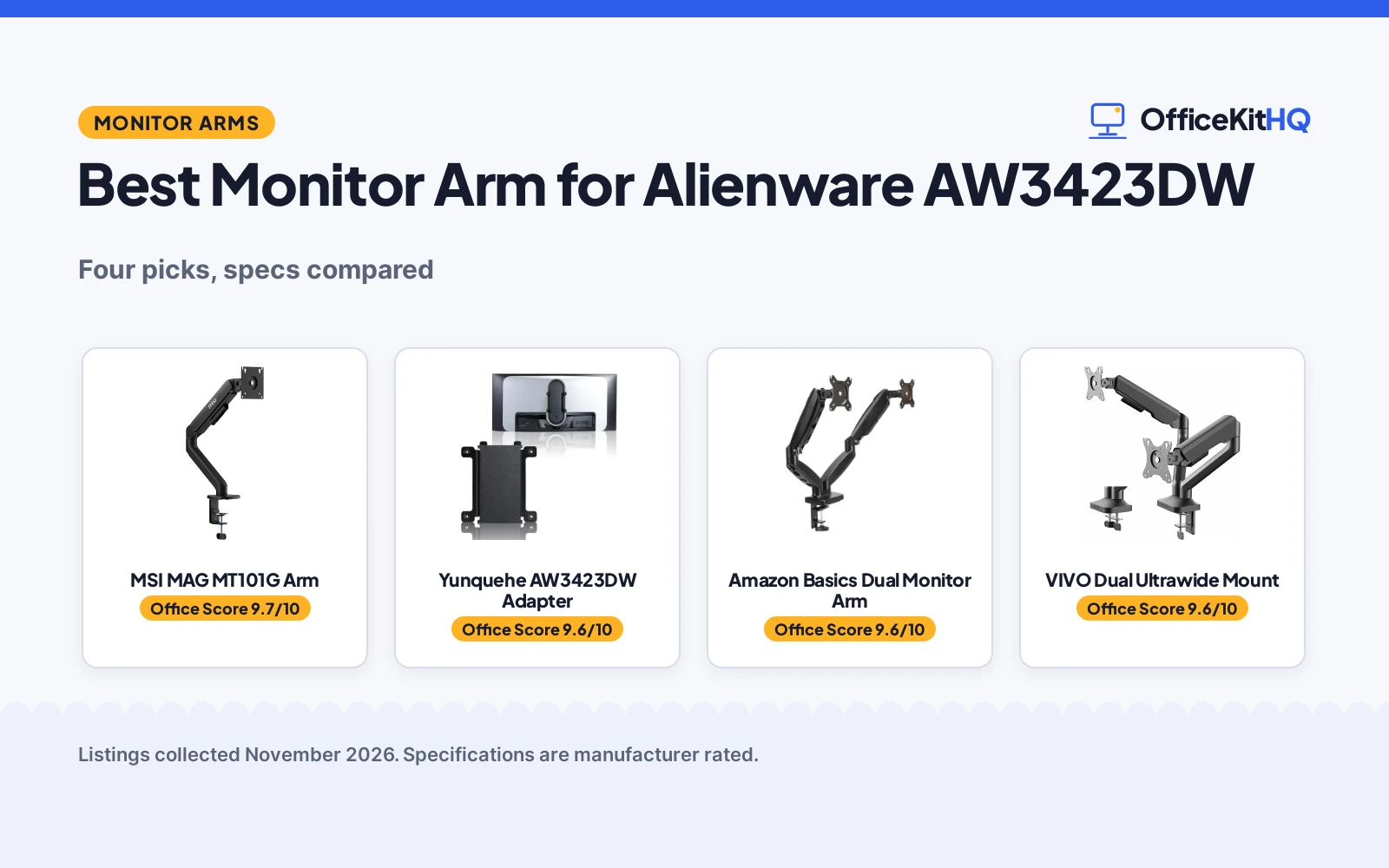
The best monitor arm for Alienware AW3423DW duty starts with a problem the stock base cannot solve: a wide curved screen that fills the desk and leaves little room for anything else. The AW3423DW needs an adapter before any standard arm can hold it, because its rear slot is not a VESA mount. This roundup compares the adapter made for that slot with the arms here, on screen fit, weight capacity, VESA pattern and warranty term, using only what each listing states. The adapter leads because it is the piece that makes the other arms possible, and the arms differ on how much screen they cover.
OfficeKitHQ earns a commission when you buy through links on this page, at no extra cost to you. As an Amazon Associate I earn from qualifying purchases. Affiliate disclosure.
Quick picks
 Best AW3423DW Fit Yunquehe AW3423DW Adapter: snap-fit piece for the monitor rear slot, with VESA 100×100 holes Check price on Amazon
 Best Dual Arm Amazon Basics Dual Monitor Arm: dual gas-spring arms with individual tension, 4.4 to 15.4 lb each Check price on Amazon
 Ultrawide Dual Mount VIVO Dual Ultrawide Mount: dual pneumatic arms for two screens up to 35 inches Check price on Amazon
 Single Arm Option MSI MAG MT101G Arm: single gas-spring arm for 17 to 32 inch monitors, 22 lb capacity Check price on Amazon
Our desk picks
| # | Product | Office Score | Buy |
|---|---|---|---|
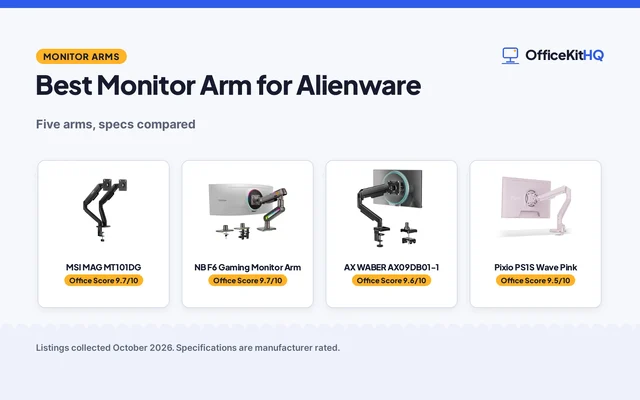
| 1 | MSI MAG MT101G | 9.7/10 | Buy on Amazon |
| 2 | Yunquehe AW3423DW Adapter | 9.6/10 | Buy on Amazon |
| 3 | Amazon Basics Dual Monitor Arm | 9.6/10 | Buy on Amazon |
| 4 | VIVO Dual Pneumatic Arm | 9.6/10 | Buy on Amazon |

MSI MAG MT101G
A gas spring single monitor arm for 17 to 32 in screens up to 22 lb, with a quick-release VESA plate and a stated 3 year warranty.
Pros
- Gas spring arm for 17 to 32 in screens up to 22 lb
- Quick-release VESA plate for 75x75 and 100x100 mm
- Tilt +80/-45, swivel +90/-90 and rotation +180/-180
- Clamp and grommet bases; clamp fits desks 10 to 75 mm
Cons
- Bullets call it a dual monitor stand while the title says single
- No arm reach or max height is stated
- Black only; no color options stated
- No item weight is stated
Detailed Review
MSI lists the MAG MT101G as a gas spring single monitor arm for 17 to 32 in screens up to 22 lb, with a quick-release VESA plate for 75x75 and 100x100 mm. The arm adjusts tilt up to +80/-45, swivel up to +90/-90 and rotation up to +180/-180, with clamp and grommet bases for desk thicknesses of 10 to 75 mm and 10 to 45 mm. The bullets call it a dual monitor stand, which conflicts with the title's single arm, so trust the title. The spec table states a 3 year warranty.
Who it's for: anyone who wants a fully adjustable gas spring arm with a stated 3 year warranty. Who should skip it: shoppers who want a stated arm reach or a different color.
Its Office Score of 9.7/10 comes from performance 30/35, build 21/25, value 20/25, safety not scored (non-powered gear) and warranty 3/5: 74 of 90 points, placed on our 9.2 to 9.8 scale.
Key Specifications
| Screen size | 17-32 in |
|---|---|
| Capacity | 22 lb |
| Tilt | Up to +80/-45 |
| Warranty | 3 Years |
Figures as published on the retailer listing, collected 22 October 2026. Performance figures are manufacturer rated.
Safety and Warranty
What this listing states. This product does not plug in or run on a battery, so safety is not part of its score. 3 Years. It does not say everything a buyer needs, such as who pays return shipping, so warranty scores 3 of 5. See How We Pick.
Match the mount. Check your screen's VESA pattern, size and weight against the stated range, and check that your desk thickness and edge suit a clamp or grommet mount before you drill or clamp.
This is general buying information, not professional advice. Follow each product manual and local rules, and see our Safety Disclaimer.

Yunquehe AW3423DW Adapter
A snap-fit adapter made for the AW3423DW rear slot that adds a standard VESA 100x100 mount to the monitor.
Pros
- Made for the AW3423DW rear slot with a snap-fit design
- Adds standard VESA 100x100 mounting holes for third-party arms and stands
- Supports the monitor weight up to 15.26 lb
- Installs with included screws and no modifications to the monitor
Cons
- Fits the AW3423DW only and is incompatible with the AW3423DWF
- No 75x75mm VESA holes, so arms that support only 75x75 will not fit
- 90-day warranty term is short
- An arm or stand is still needed; this piece alone holds no monitor
Detailed Review
The listing states an adapter made for the AW3423DW 34-inch curved QD-OLED monitor, with a precision-cut interface and snap-fit design for the monitor rear mounting slot. It adds standard VESA 100x100mm mounting holes and works with most third-party monitor stands and wall mounts. The build is described as reinforced high-strength material that supports the monitor weight up to 15.26 lb. Installation uses the monitor quick-release slot with included screws and no modifications, and a 90-day warranty is stated.
Who it's for: AW3423DW owners who want the monitor on a standard arm or wall mount. Who should skip it: AW3423DWF owners, since the listing states it is incompatible with that model, and anyone whose arm supports only 75x75mm VESA.
Its Office Score of 9.6/10 comes from performance 30/35, build 21/25, value 21/25, safety 4/10 and warranty 1/5: 77 of 100 points, placed on our 9.2 to 9.8 scale.
Key Specifications
| Fit | AW3423DW, 34 in curved |
|---|---|
| VESA | 100x100mm |
| Weight support | Up to 15.26 lb |
| Install | Snap-fit, screws included |
These specs mirror the retailer listing as of 20 November 2026; performance figures are stated by the brand.
Safety and Warranty
What this listing states. VESA 100x100mm mounting standard stated, so safety scores 4 of 10. 90 day warranty stated. It does not say everything a buyer needs, such as who pays return shipping, so warranty scores 1 of 5. See How We Pick.
Match the mount. Check your screen's VESA pattern, size and weight against the stated range, and check that your desk thickness and edge suit a clamp or grommet mount before you drill or clamp.
This is general buying information, not professional advice. Follow each product manual and local rules, and see our Safety Disclaimer.

Amazon Basics Dual Monitor Arm
A dual gas-spring arm with independent tension adjustment, tilt, swivel and rotation for two monitors.
Pros
- Each arm supports 4.4 to 15.4 lb with independent tension adjustment
- Tilt from -90 to +85 degrees, 90-degree swivel and 360-degree rotation
- Extends up to 20.5 inches long and 18.25 inches high
- C-clamp and grommet base fits desks from 0.39 to 4 inches thick
Cons
- Stated fit tops out at 27 inches, so a 34-inch monitor is outside the stated range
- No warranty term is stated
- Tension setup takes 7 to 19 turns per arm depending on monitor weight
- Second arm is spare when mounting one monitor
Detailed Review
The listing states a dual gas-spring arm for 15 to 27 inch monitors, with each arm supporting 4.4 to 15.4 lb and independent tension adjustment. Movement is listed as tilt from -90 to +85 degrees, 90-degree swivel and 360-degree rotation, with an extension up to 20.5 inches long and 18.25 inches high. The base is a C-clamp and grommet mount for desks from 0.39 to 4 inches thick, with a grommet hole diameter of 1.5 to 2.36 inches. VESA patterns of 75x75mm and 100x100mm are supported, the build is aluminum with integrated cable management, and the item weighs 7.0 pounds. Tension is set by turns: 7 turns for 13.2 lb, 12 turns for 11 lb, 16 turns for 8.8 lb and 19 turns for 5.5 lb.
Who it's for: desk owners who want two arms with wide adjustment and a clamp or grommet base. Who should skip it: AW3423DW owners who want a stated fit for a 34-inch screen, since the stated range tops out at 27 inches.
Its Office Score of 9.6/10 comes from performance 30/35, build 22/25, value 21/25, safety 4/10 and warranty 0/5: 77 of 100 points, placed on our 9.2 to 9.8 scale.
Key Specifications
| Screen fit | 15-27 in, dual arm |
|---|---|
| Weight per arm | 4.4-15.4 lb |
| Movement | Tilt -90 to +85 deg, swivel 90 deg, rotation 360 deg |
| Base | C-clamp and grommet, desks 0.39-4 in |
These specs mirror the retailer listing as of 20 November 2026; performance figures are stated by the brand.
Safety and Warranty
What this listing states. Gas spring arms with individual tension adjustment and C-clamp and grommet base stated, so safety scores 4 of 10. No warranty term, so warranty scores zero. See How We Pick.
Match the mount. Check your screen's VESA pattern, size and weight against the stated range, and check that your desk thickness and edge suit a clamp or grommet mount before you drill or clamp.
This is general buying information, not professional advice. Follow each product manual and local rules, and see our Safety Disclaimer.

VIVO Dual Pneumatic Arm
A dual pneumatic arm mount holding two ultrawides up to 35 in and 26.4 lb per arm, with spring lift, detachable VESA plates and cable management.
Pros
- Holds two ultrawides: the only dual mount here
- Pneumatic spring arms adjust height at a touch
- +90 to -90 degree tilt, 180 degree swivel, 360 degree rotation
- Detachable VESA plates and integrated cable management
Cons
- 26.4 lb per arm sits under the Ergotron's 42 lb ceiling
- Screens cap at 35 in, so the largest ultrawides are out
- Grommet option fits only 1.7 in against the clamp's 3.15 in
- Warranty is 3 years against the Ergotron's 10
Detailed Review
The VIVO STAND-V200O mounts two ultrawides up to 35 in and 26.4 lb each on one desk mount, with pneumatic spring arms that counterbalance the screens for height adjustment of 10.8 in, a tilting head rated +90 to -90 degrees, 180 degree swivel and 360 degree rotation. Detachable VESA plates ease the install, cable management covers tidy the runs, and the mount secures with a heavy-duty C-clamp to desks up to 3.15 in thick or a grommet at 1.7 in.
The stated warranty is 3 Year Warranty. Who it's for: a two-ultrawide desk that wants one mount, one clamp and matched arms. Who should skip it: a single heavy 49 in screen, which belongs on the Ergotron.
Its Office Score of 9.6/10 comes from performance 29/35, build 21/25, value 20/25, safety 4/10 and warranty 3/5: 77 of 100 points, placed on our 9.2 to 9.8 scale.
Key Specifications
| Screens | 2, up to 35 in each |
|---|---|
| Capacity | 26.4 lb per arm |
| Height adjustment | 10.8 in |
| Tilt | +90 to -90 degrees |
| Mount | C-clamp to 3.15 in, grommet 1.7 in |
| VESA | 75x75, 100x100mm |
Figures as published on the retailer listing, collected 18 October 2026. Performance figures are manufacturer rated.
Safety and Warranty
What this listing states. VESA 75x75mm and 100x100mm compatibility stated, so safety scores 4 of 10. 3 Year Warranty. It does not say everything a buyer needs, such as who pays return shipping, so warranty scores 3 of 5. See How We Pick.
Match the mount. Check your screen's VESA pattern, size and weight against the stated range, and check that your desk thickness and edge suit a clamp or grommet mount before you drill or clamp.
This is general buying information, not professional advice. Follow each product manual and local rules, and see our Safety Disclaimer.
As an Amazon Associate I earn from qualifying purchases.
Specs compared
| Arm | Office Score | Screen fit | Weight capacity | VESA | Warranty | Amazon |
|---|---|---|---|---|---|---|
| Yunquehe AW3423DW Adapter | 9.6/10 | 34 in AW3423DW | Up to 15.26 lb | 100×100 | 90 days | View on Amazon |
| Amazon Basics Dual Monitor Arm | 9.6/10 | 15-27 in | 4.4-15.4 lb each arm | 75×75 / 100×100 | Not stated | View on Amazon |
| VIVO Dual Ultrawide Mount | 9.6/10 | Up to 35 in | Not stated | Not stated | Not stated | |
| MSI MAG MT101G Arm | 9.7/10 | 17-32 in | 22 lb | Not stated | Not stated |
Specs reflect manufacturer claims on each product listing (as of 20 November 2026). One of the four states a warranty term.
How to choose the best monitor arm for Alienware AW3423DW
Start with the adapter, not the arm
The AW3423DW rear slot takes a snap-fit adapter, not a VESA plate, so the adapter comes first in any mounting plan. The Yunquehe adapter is made for the AW3423DW 34-inch curved QD-OLED monitor and adds standard VESA 100x100mm mounting holes for third-party arms and stands. It is incompatible with the AW3423DWF, so check the model on the back of the monitor before ordering; the DWF model has its own guide at best monitor arm for AW3423DWF. The adapter also has no 75x75mm VESA holes, so it works only with stands that support the 100x100mm specification. See are all monitors compatible with monitor arms for the general fit rules.
Match screen size and weight to the arm
Screen fit is where these picks split. The VIVO mount covers two screens up to 35 inches, so a 34-inch screen sits inside its stated range. The Amazon Basics arm fits 15 to 27 inch monitors and the MSI arm fits 17 to 32 inch monitors, so a 34-inch screen sits outside both stated ranges even though the weight figures look fine: the adapter supports up to 15.26 lb, each Amazon Basics arm supports 4.4 to 15.4 lb, and the MSI arm holds up to 22 lb. Weight capacity alone does not make an arm fit; the stated screen range decides it. See the best monitor arm for ultrawide 34 guide for more arms sized for wide screens.
| Arm | Screen fit | Weight capacity | VESA |
|---|---|---|---|
| Yunquehe AW3423DW Adapter | 34 in AW3423DW | Up to 15.26 lb | 100×100 |
| Amazon Basics Dual Monitor Arm | 15-27 in | 4.4-15.4 lb each arm | 75×75 / 100×100 |
| VIVO Dual Ultrawide Mount | Up to 35 in | Not stated | Not stated |
| MSI MAG MT101G Arm | 17-32 in | 22 lb | Not stated |
Check the desk and the base
Only the Amazon Basics arm publishes base details, and they matter on a real desk. Its C-clamp and grommet base fits desks from 0.39 to 4 inches thick, with a grommet hole diameter of 1.5 to 2.36 inches. The arm extends up to 20.5 inches long and 18.25 inches high, with tilt from -90 to +85 degrees, 90-degree swivel and 360-degree rotation, and the build is aluminum with integrated cable management. The adapter installs through the monitor quick-release slot with included screws and no modifications. Measure the desk thickness and the grommet hole before choosing a base type, and leave room behind the desk for the arm to swing.
Dual arms or a single arm
Two of the arms here hold two screens and one holds a single screen, and that choice shapes the desk. The Amazon Basics arm is a dual gas-spring arm with independent tension adjustment on each arm, and the VIVO mount is a dual pneumatic arm for two screens up to 35 inches. The MSI arm is a single gas-spring arm for one monitor. A dual arm leaves a spare arm when it holds one monitor, so a single-monitor desk is better served by a single arm. See the dual monitor arm setup guide for two-screen layouts.
Read the warranty line
Only one pick here states a warranty term. The Yunquehe adapter states a 90-day warranty, which is short next to the multi-year terms that some office gear carries. The Amazon Basics arm, the VIVO mount and the MSI arm state no warranty term at all. A short term is still better than silence: it gives a written window for a faulty part, while the other three leave the buyer with no stated cover.
FAQ
Does the AW3423DW fit a standard VESA arm?
Not directly. The monitor rear slot needs the Yunquehe adapter, which adds VESA 100x100mm mounting holes for third-party arms and stands. The adapter is incompatible with the AW3423DWF.
Which arm here states a fit for a 34-inch screen?
The VIVO mount, which covers two screens up to 35 inches. The Amazon Basics arm tops out at 27 inches and the MSI arm tops out at 32 inches, so a 34-inch screen sits outside both stated ranges.
What weight does the adapter support?
Up to 15.26 lb, per the listing. The adapter is made for the AW3423DW and its rear mounting slot.
Which picks here state a warranty?
Only the Yunquehe adapter, with a 90-day warranty stated. The Amazon Basics arm, the VIVO mount and the MSI arm state no warranty term.
Score breakdown
The Office Score weighs performance, build, value, safety and warranty. For a monitor arm, safety means stated protections such as gas spring tension control, a secure clamp or grommet base and a VESA standard the arm actually supports; a pick that states none scores zero on that line. One of the four picks states a warranty term: the Yunquehe adapter at 90 days. Two picks state a VESA pattern: the adapter at 100x100mm and the Amazon Basics arm at 75x75mm and 100x100mm. How we pick explains the weights.
| Product | Office Score | Perf. /35 | Build /25 | Value /25 | Safety /10 | Warranty /5 |
|---|---|---|---|---|---|---|
| Yunquehe AW3423DW Adapter | 9.6 | 30 | 21 | 21 | 4 | 1 |
| Amazon Basics Dual Monitor Arm | 9.6 | 30 | 22 | 21 | 4 | 0 |
The scale opens at 9.2 and closes at 9.8; between those marks, weighted points translate linearly into the score you see.
More for your workspace
See every Monitor Arms and Stands guide and all Monitor Mounts, Keyboards and Mice guides. Also see our best monitor arm for AW3423DWF. Also see our best monitor arm for ultrawide 34. Also see our dual monitor arm setup. Also see our are all monitors compatible with monitor arms.
More picks: best monitor arm for ultrawide, best cable management for monitor arm and monitor stand types.