The desk is clear, the phone is full of photos from the weekend, and the best printer for photos and stickers is the one that turns those files into peel-and-stick prints without a print shop trip. We compared them by print technology, included sheets, prints per charge, size and warranty term. Every pick prints from a phone over Bluetooth and makes sticky-back prints.
OfficeKitHQ earns a commission when you buy through links on this page, at no extra cost to you. As an Amazon Associate I earn from qualifying purchases. Affiliate disclosure.
Quick picks
 Best Overall Liene Pearl N200 Pro: Dye sublimation, 60 sheets, 6 cartridges, 27 prints per charge Check price on Amazon
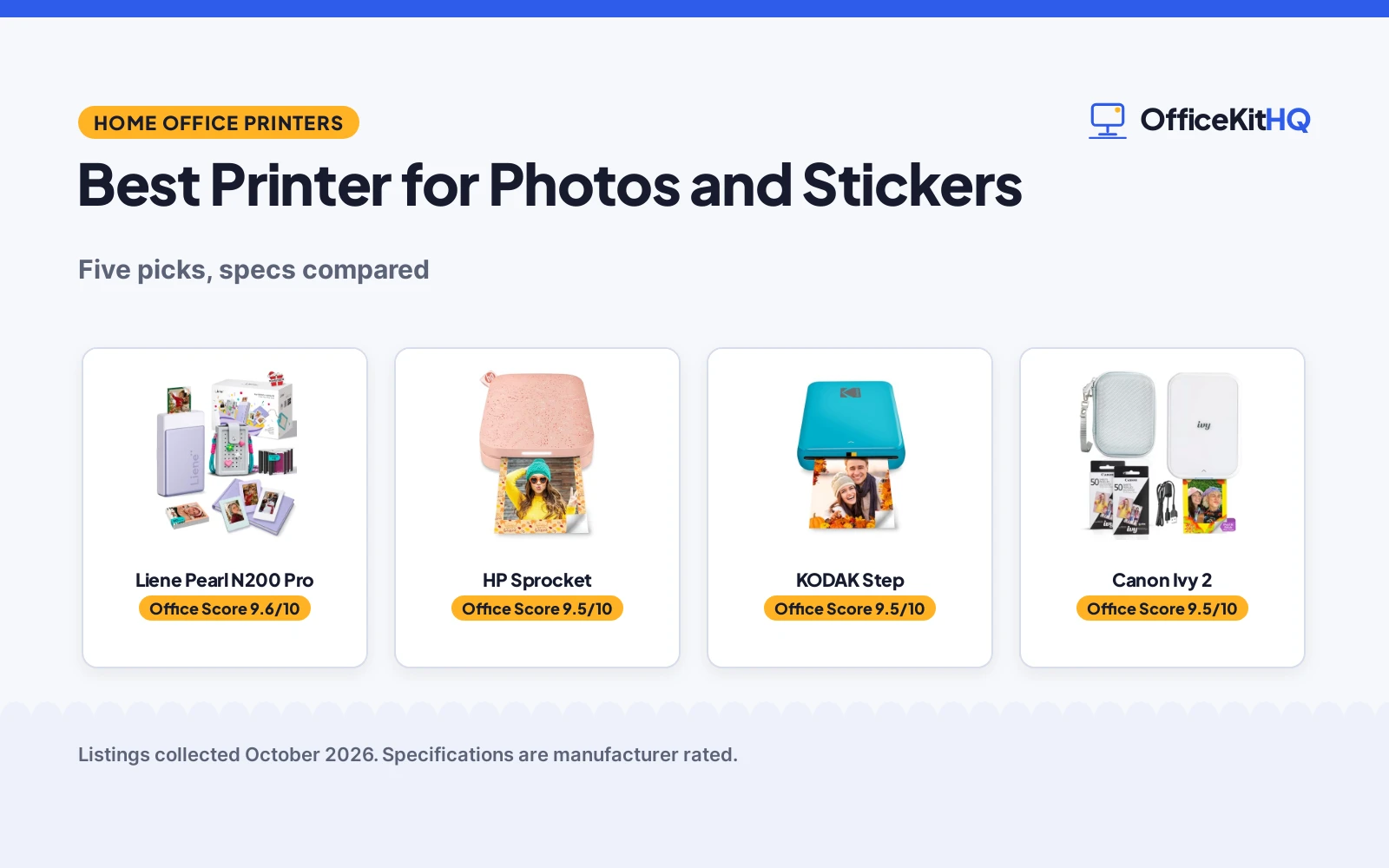
 Best Pocket Pick HP Sprocket: 0.98 in thick, 2×3 Zink prints, Bluetooth 5.0, 10 sheets Check price on Amazon
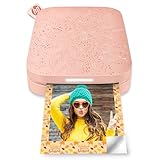
 Best App Editing KODAK Step: Bluetooth and NFC, 25 prints per charge, app stickers Check price on Amazon
 Biggest Bundle Canon Ivy 2: 110 Zink sheets, LED light bar, case and USB cable Check price on Amazon
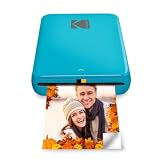
 Best Sticker Maker Cricut StickerPix Print: Photos and pre-cut stickers, 18 prints, 36 sticker sheets Check price on Amazon
Our desk picks
| # | Product | Office Score | Buy |
|---|---|---|---|
| 1 | Liene Pearl N200 Pro | 9.6/10 | Buy on Amazon |
| 2 | HP Sprocket | 9.5/10 | Buy on Amazon |
| 3 | KODAK Step | 9.5/10 | Buy on Amazon |
| 4 | Canon Ivy 2 | 9.5/10 | Buy on Amazon |
| 5 | Cricut StickerPix Print | 9.5/10 | Buy on Amazon |

Liene Pearl N200 Pro
A dye-sublimation bundle with 60 sheets of 2x3 adhesive sticker paper, 6 cartridges, Bluetooth 5.2 and up to 27 prints on a full charge.
Pros
- Dye-sublimation printing for sharp, vibrant 2x3 sticker photos
- Bundle holds 60 sheets, 6 cartridges, a carry bag, an album and 3 magnetic frames
- Up to 27 prints on a full charge with Bluetooth 5.2 multi-device printing
- One-touch InstaPic mode with built-in CCD filters for shoot-and-print photos
Cons
- Purple bundle only, with a fixed set of album and frames
- App features such as AI portraits and background removal need the Liene app on a phone
- No print size beyond 2x3 in is stated
- Dye-sublimation prints need cartridges, so the 6 included cartridges set the first limit on print count
Detailed Review
Liene lists the Pearl N200 Pro as a dye-sublimation printer that makes sharp, vibrant 2x3 sticker photos over Bluetooth 5.2, with AI portraits and background removal in the Liene app. The bundle holds the purple printer, 60 sheets of 2x3 adhesive sticker paper, 6 ink cartridges, a silicone carry bag, a custom purple photo album, 3 magnetic fridge photo frames, a power cable and a user manual. One-touch InstaPic mode uses built-in CCD filters, multi-device group printing is stated, and a full charge supports up to 27 prints. The maker lists a 5.69 by 3.44 by 1.16 in size and a 1 Year Manufacturer warranty.
Who it's for: someone who wants a ready-to-give bundle with sheets, cartridges, a bag, an album and frames for sticker photos. Who should skip it: anyone who wants prints larger than 2x3 in or a printer without app-based features.
Its Office Score of 9.6/10 comes from performance 32/35, build 22/25, value 21/25, safety 0/10 and warranty 3/5: 78 of 100 points, placed on our 9.2 to 9.8 scale.
Key Specifications
| Print size | 2x3 in |
|---|---|
| Print tech | Dye sublimation |
| Sheets included | 60 sheets |
| Prints per charge | Up to 27 |
These specs mirror the retailer listing as of 18 November 2026; performance figures are stated by the brand.
Safety and Warranty
What this listing states. No safety lock or safety listing is stated, so safety scores zero. 1 Year Manufacturer. It does not say everything a buyer needs, such as who pays return shipping, so warranty scores 3 of 5. See How We Pick.
Shredder and printer safety. Keep hair, ties, jewelry, children and pets away from the feed slot, use the safety lock, unplug when not in use, and give printers and adapters room to vent.
This is general buying information, not professional advice. Follow each product manual and local rules, and see our Safety Disclaimer.

HP Sprocket
A pocket-size Zink printer with Bluetooth 5.0, a 2x3 sticky-back format, multi-device printing and 10 sheets in the box.
Pros
- 0.98 in thick, the thinnest pick here
- Bluetooth 5.0 with sleep mode, stated to stay connected when not in use
- Multiple devices can print at the same time, with an LED light showing whose photo is printing
- Augmented reality queue in the Sprocket app for Android 5 and above and iOS 10 and above
Cons
- Only 10 sheets are included, so more paper is needed for a long print run
- No print count per charge is stated
- Zink prints are fixed at 2x3 in, with no larger size stated
- The AR queue and shared albums need the HP Sprocket app on a phone
Detailed Review
HP lists the Sprocket as a pocket-size printer that prints 2x3 sticky-backed photos on Zink paper from iOS and Android devices over Bluetooth 5.0. Several devices can print at the same time, a personalized LED light shows whose photo is printing, and the Sprocket app adds an augmented reality queue and shared albums. The maker lists a 4.63 by 3.15 by 0.98 in size and a 1-year limited hardware warranty, and 10 sheets of 2x3 paper are included. The maker gives two sheet counts, 5 and 10; check before ordering.
Who it's for: someone who wants the thinnest printer here for a pocket or small bag, with shared printing for friends. Who should skip it: anyone who wants a large sheet bundle or prints larger than 2x3 in.
Its Office Score of 9.5/10 comes from performance 29/35, build 21/25, value 21/25, safety 0/10 and warranty 3/5: 74 of 100 points, placed on our 9.2 to 9.8 scale.
Key Specifications
| Print size | 2x3 in |
|---|---|
| Print tech | Zink |
| Sheets included | 10 sheets |
| Connectivity | Bluetooth 5.0 |
These specs mirror the retailer listing as of 18 November 2026; performance figures are stated by the brand.
Safety and Warranty
What this listing states. No safety lock or safety listing is stated, so safety scores zero. 1-year limited hardware warranty. It does not say everything a buyer needs, such as who pays return shipping, so warranty scores 3 of 5. See How We Pick.
Shredder and printer safety. Keep hair, ties, jewelry, children and pets away from the feed slot, use the safety lock, unplug when not in use, and give printers and adapters room to vent.
This is general buying information, not professional advice. Follow each product manual and local rules, and see our Safety Disclaimer.

KODAK Step
A palm-size Zink printer with Bluetooth and NFC, app editing with stickers and borders, and 25 prints on a full charge.
Pros
- Bluetooth or NFC connection to iOS and Android devices
- 25 prints on a full charge from the built-in rechargeable battery
- Zink sticky-back prints resist moisture, rips, tears and smudges, per the listing
- App adds collages, filters, borders, stickers and text to prints
Cons
- Only 5 sheets in the listed pack, so more paper is needed for a long print run
- Prints are fixed at 2x3 in, with no larger size stated
- Blue is the only color in this listing
- Multi-device printing is not stated for this pick
Detailed Review
KODAK lists the Step as a palm-size printer that turns phone photos into 2x3 sticky-back prints with Zink zero-ink paper, connecting over Bluetooth or NFC to iOS and Android devices. The KODAK app adds collages, filters, borders, stickers and text, and the prints resist moisture, rips, tears and smudges, per the listing. The maker lists a 1.0 by 3.0 by 5.0 in size, a weight of less than a pound and 25 prints on a full charge, with a 1 year limited warranty.
Who it's for: someone who wants a light pocket printer with NFC and playful app editing for stickers. Who should skip it: anyone who wants a large sheet bundle or a stated multi-device mode.
Its Office Score of 9.5/10 comes from performance 29/35, build 21/25, value 20/25, safety 0/10 and warranty 3/5: 73 of 100 points, placed on our 9.2 to 9.8 scale.
Key Specifications
| Print size | 2x3 in |
|---|---|
| Print tech | Zink |
| Sheets included | 5 sheets |
| Prints per charge | 25 |
These specs mirror the retailer listing as of 18 November 2026; performance figures are stated by the brand.
Safety and Warranty
What this listing states. No safety lock or safety listing is stated, so safety scores zero. 1 year limited warranty. It does not say everything a buyer needs, such as who pays return shipping, so warranty scores 3 of 5. See How We Pick.
Shredder and printer safety. Keep hair, ties, jewelry, children and pets away from the feed slot, use the safety lock, unplug when not in use, and give printers and adapters room to vent.
This is general buying information, not professional advice. Follow each product manual and local rules, and see our Safety Disclaimer.

Canon Ivy 2
A Zink bundle with 110 sticky-back sheets, an LED light bar, a protective case and a USB cable, charging in as little as 45 minutes.
Pros
- 110 sheets in the bundle: 2 packs of 50 plus 10 sheets in the printer
- Powers up in as little as 45 minutes, per the listing
- LED light bar, protective case and USB cable are included
- Zink paper needs no ink, with a peel-and-stick backing for photos and stickers
Cons
- No warranty term is stated
- No print size is stated in the listing
- No prints-per-charge figure is stated
- No dimensions or weight are stated, so the desk space it needs is not given
Detailed Review
Canon lists the Ivy 2 Mini as a compact photo sticker printer that prints over Bluetooth 5.0 from iOS and Android devices through the Canon Mini Print App, using Zink paper so no ink is needed. The bundle holds the printer with an LED light bar, 110 sheets in total with 2 packs of 50 plus 10 sheets in the printer, a protective case and a USB charging cable. The maker states improved print quality, and charging in as little as 45 minutes. No warranty term is stated.
Who it's for: someone who wants the largest sheet bundle here and a case and cable in the box. Who should skip it: anyone who wants a warranty term in writing or a stated print size.
Its Office Score of 9.5/10 comes from performance 30/35, build 21/25, value 21/25, safety 0/10 and warranty 0/5: 72 of 100 points, placed on our 9.2 to 9.8 scale.
Key Specifications
| Print tech | Zink |
|---|---|
| Sheets included | 110 sheets |
| Charge time | As little as 45 minutes |
| Connectivity | Bluetooth 5.0 |
These specs mirror the retailer listing as of 18 November 2026; performance figures are stated by the brand.
Safety and Warranty
What this listing states. No safety lock or safety listing is stated, so safety scores zero. No warranty term, so warranty scores zero. See How We Pick.
Shredder and printer safety. Keep hair, ties, jewelry, children and pets away from the feed slot, use the safety lock, unplug when not in use, and give printers and adapters room to vent.
This is general buying information, not professional advice. Follow each product manual and local rules, and see our Safety Disclaimer.
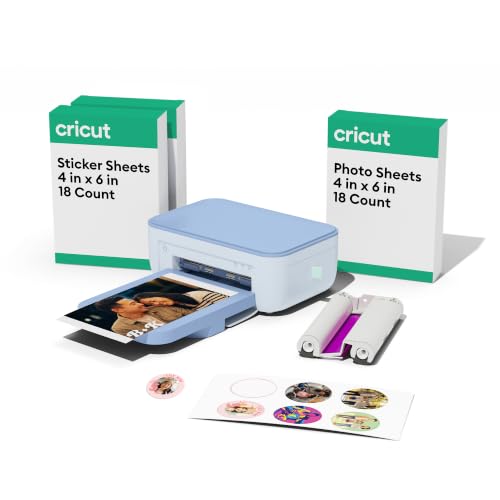
Cricut StickerPix Print
A dye-sublimation printer that prints photos and pre-cut stickers and labels, with supplies for 18 photo prints and 36 sticker sheets.
Pros
- Prints photos, cards and invitations plus pre-cut stickers and labels in one machine
- Dye-sublimation prints are stated water, scratch and fade resistant
- Content library holds 1.8M+ sticker images from original artists
- Bundle includes an ink cartridge, photo paper and pre-cut sticker sheets for 18 photo prints and 36 sticker sheets
Cons
- No warranty term is stated
- Full content library and some software features need a paid Cricut Access subscription
- Needs a compatible device with Bluetooth and a high-speed internet connection
- Not intended for use by children 12 years and younger
Detailed Review
Cricut lists the StickerPix Print as an all-in-one machine that prints photos, cards and invitations plus pre-cut stickers and labels from a phone, using dye-sublimation for water, scratch and fade resistant prints. The Essential Bundle includes an ink cartridge, photo paper and pre-cut sticker sheets, enough for 18 photo prints and 36 sticker sheets, and the content library holds 1.8M+ sticker images. The maker lists a 3.5 by 7.8 by 5.0 in size and a limited warranty with no term stated. The listing notes the printer is not intended for use by children 12 years and younger, and it carries a California warning about Bisphenol A exposure.
Who it's for: someone who wants one machine for photos and pre-cut stickers with a large sticker library. Who should skip it: anyone who wants a warranty term in writing or a printer that works without a subscription for the full library.
Its Office Score of 9.5/10 comes from performance 30/35, build 20/25, value 20/25, safety 0/10 and warranty 0/5: 70 of 100 points, placed on our 9.2 to 9.8 scale.
Key Specifications
| Print tech | Dye sublimation |
|---|---|
| Sticker library | 1.8M+ images |
| Size | 3.5 by 7.8 by 5.0 in |
| Warranty | Limited, no term stated |
These specs mirror the retailer listing as of 18 November 2026; performance figures are stated by the brand.
Safety and Warranty
What this listing states. This product does not plug in or run on a battery, so safety is not part of its score. No warranty term, so warranty scores zero. See How We Pick.
Shredder and printer safety. Keep hair, ties, jewelry, children and pets away from the feed slot, use the safety lock, unplug when not in use, and give printers and adapters room to vent.
This is general buying information, not professional advice. Follow each product manual and local rules, and see our Safety Disclaimer.
As an Amazon Associate I earn from qualifying purchases.
More picks to compare
 Liene Pearl N200 Pro GoldSame dye-sublimation printer in gold with 50 sheets and 5 cartridgesCheck on Amazon
 Liene Pearl K100Zink printer with 50 sheets and 30 prints per chargeCheck on Amazon
Specs compared
| Printer | Office Score | Print size | Print tech | Sheets included | Prints per charge | Warranty | Amazon |
|---|---|---|---|---|---|---|---|
| Liene Pearl N200 Pro | 9.6/10 | 2×3 in | Dye sublimation | 60 sheets | Up to 27 | 1 year | View on Amazon |
| HP Sprocket | 9.5/10 | 2×3 in | Zink | 10 sheets | Not stated | 1 year | View on Amazon |
| KODAK Step | 9.5/10 | 2×3 in | Zink | 5 sheets | 25 | 1 year | View on Amazon |
| Canon Ivy 2 | 9.5/10 | Not stated | Zink | 110 sheets | Not stated | Not stated | View on Amazon |
| Cricut StickerPix Print | 9.5/10 | Not stated | Dye sublimation | 18 prints, 36 sticker sheets | Not stated | Limited, no term | View on Amazon |
We quote these figures from each listing as the brand rates them; captured 18 November 2026. Three of the five state a warranty term; none state a safety certification.
How to choose the best printer for photos and stickers
Start with print size and print technology
Three picks state a 2×3 in print size: the Liene, the HP Sprocket and the KODAK Step. The Canon Ivy 2 and the Cricut StickerPix Print state no print size. The Liene and the Cricut use dye sublimation, while the KODAK, the HP Sprocket and the Canon use Zink paper with dye crystals in the paper and no ink to load. For larger color photo prints, see our best color printer for pictures guide.
Count the sheets and the prints per charge
Sheets in the box run from 5 in the KODAK Step pack to 110 in the Canon Ivy 2 bundle, with the HP Sprocket at 10 and the Liene bundle at 60 plus 6 cartridges. The Cricut bundle is counted differently, with supplies for 18 photo prints and 36 sticker sheets. Prints per charge is stated for two picks only: up to 27 on the Liene and 25 on the KODAK Step. The HP Sprocket, Canon Ivy 2 and Cricut state no figure.
Figures as stated. More sheets suit a sticker project; a smaller pack suits a trial run.
Sticker paper, apps and extras
Every pick here makes sticker prints, but the paper differs. The KODAK Step, HP Sprocket and Canon Ivy 2 print on Zink sticky-back paper, the Liene bundle holds 60 sheets of adhesive sticker paper, and the Cricut bundle holds pre-cut sticker sheets for finished stickers without cutting. The KODAK app adds collages, filters, borders, stickers and text; the HP Sprocket app adds an augmented reality queue and shared albums; the Liene app adds AI portraits and background removal; the Canon Mini Print App connects the Ivy 2 to a phone. The Cricut needs a paid Cricut Access subscription for the full content library and some software features.
Read the warranty line, not the headline
Three listings state a warranty term of 1 year: the KODAK Step, the HP Sprocket and the Liene Pearl N200 Pro. The Cricut states a limited warranty with no term given, and the Canon Ivy 2 states no warranty term at all. Weigh the warranty term beside the sheet count and print technology when two picks look alike.
Setup Notes
- Desk space: the Liene measures 5.69 by 3.44 by 1.16 in, the HP Sprocket 4.63 by 3.15 by 0.98 in, the KODAK Step 1.0 by 3.0 by 5.0 in and the Cricut 3.5 by 7.8 by 5.0 in.
- Charge first: the Canon powers up in as little as 45 minutes, and the KODAK and Liene state prints per charge.
- Sheets in the box: the Canon bundle holds 110 sheets, the Liene bundle 60 sheets and 6 cartridges, and the Cricut bundle holds supplies for 18 photo prints and 36 sticker sheets.
- Keep the phone and app nearby: every pick prints over Bluetooth from a phone; the Cricut also needs a high-speed internet connection.
FAQ
Which printer prints the most photos on a full charge?
The Liene states up to 27 prints on a full charge, and the KODAK Step states 25. The other three state no prints-per-charge figure.
Which of these printers use dye sublimation?
The Liene and the Cricut use dye sublimation. The KODAK Step, HP Sprocket and Canon Ivy 2 use Zink paper instead.
Which printer includes the most sheets?
The Canon Ivy 2 bundle holds 110 sheets: 2 packs of 50 plus 10 in the printer. The Liene holds 60 sheets, the HP Sprocket 10 and the KODAK Step 5.
Do any of these printers print without ink?
Yes. The KODAK Step, HP Sprocket and Canon Ivy 2 use Zink paper with dye crystals in the paper, so no ink is needed. The Liene and Cricut use dye sublimation with cartridges.
Which printer is the thinnest?
The HP Sprocket measures 4.63 by 3.15 by 0.98 in, the thinnest here at 0.98 in. The KODAK Step is 1.0 in at its thinnest side, and the Liene is 1.16 in.
Score breakdown
The Office Score weighs performance (print technology, print size, included sheets and prints per charge), build, value, safety and warranty. Safety means a stated safety certification; none of the five state one, so safety scores zero. KODAK, HP and Liene each state 1 year. How we pick explains the weights.
| Product | Office Score | Perf. /35 | Build /25 | Value /25 | Safety /10 | Warranty /5 |
|---|---|---|---|---|---|---|
| Liene Pearl N200 Pro | 9.6 | 32 | 22 | 21 | 0 | 3 |
| HP Sprocket | 9.5 | 29 | 21 | 21 | 0 | 3 |
| KODAK Step | 9.5 | 29 | 21 | 20 | 0 | 3 |
| Canon Ivy 2 | 9.5 | 30 | 21 | 21 | 0 | 0 |
| Cricut StickerPix Print | 9.5 | 30 | 20 | 20 | 0 | 0 |
Score placement follows the weighted total: the lowest totals read 9.2, the highest 9.8, and everything between keeps its order.
More for your workspace
See every home office printer guide and all office machines and storage guides. Also see our best printer to make stickers. Also see our best color printer for pictures. Also see our best printer for etsy sellers. Also see our best printer for glossy sticker paper. Also see our best printer for black and white photos.
More related guides (5)
More picks: label makers and shredders, best mini thermal printer sticker paper, best printer cleaning kit.