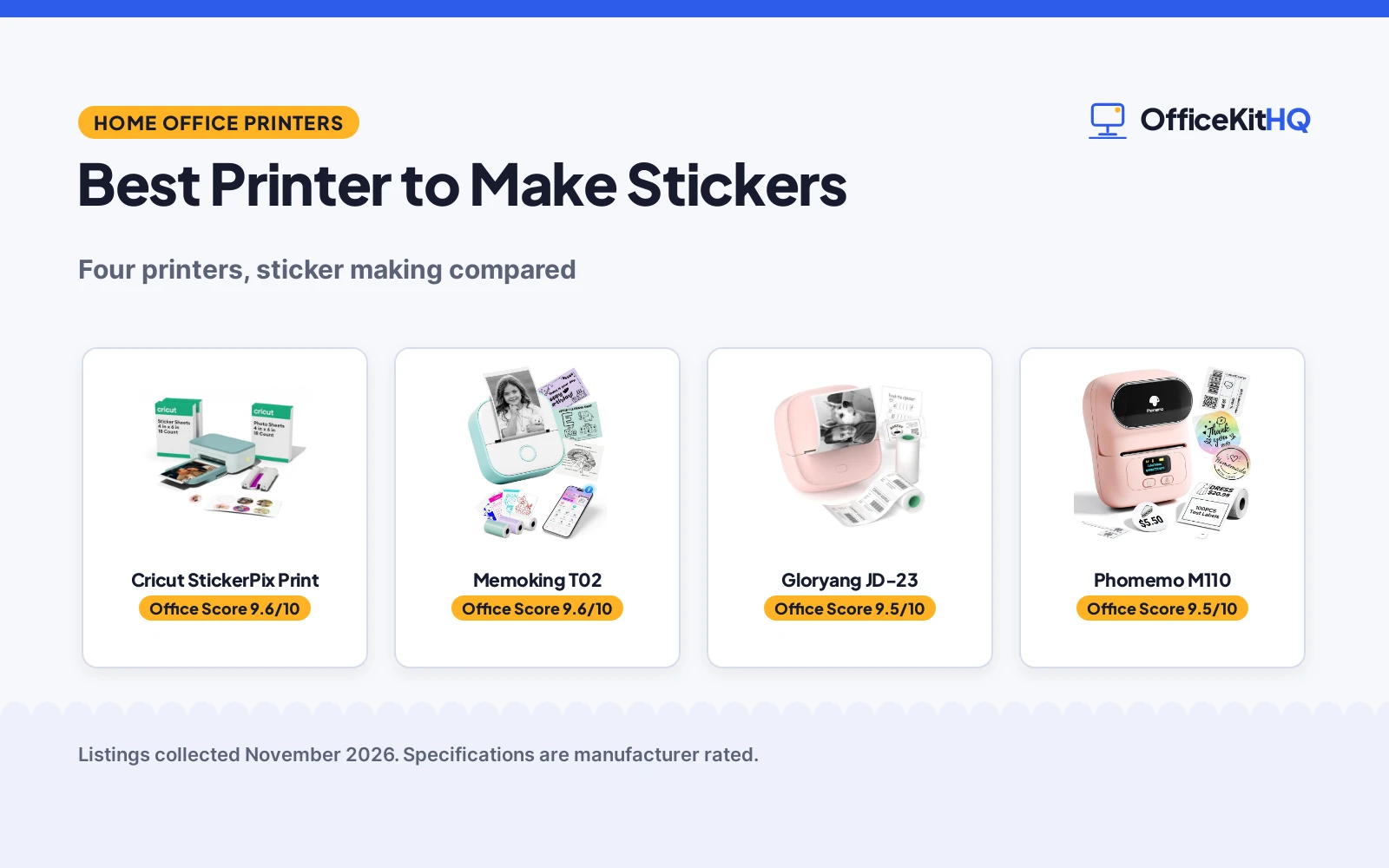
The kitchen table is the office again, and the sticker sheet is half finished: the phone holds the design, the desk holds the paper, and the printer on the shelf is the part that decides whether the stickers come out clean or curl at the edges. The best printer to make stickers is the one that matches the sticker you want to make, because a photo-quality dye-sublimation machine and a pocket thermal printer do different jobs, and the wrong one leaves you with labels that fade or sheets that do not fit. This guide compares four sticker printers by print method, print width, connection, supplies and warranty.
OfficeKitHQ earns a commission when you buy through links on this page, at no extra cost to you. As an Amazon Associate I earn from qualifying purchases. Affiliate disclosure.
Quick picks
 Best Overall Cricut StickerPix Print: Dye-sublimation prints, 1.8M+ sticker images, 18 photo prints and 36 sheets Check price on Amazon
 Best Portable Gloryang JD-23: Pocket-sized inkless thermal, 0.32 lbs, 2-inch sticker paper, 2 rolls included Check price on Amazon
 Also Consider Memoking T02: 600 labels in 3 rolls, AI sticker maker, mini thermal Check price on Amazon
 Also Consider Phomemo M110: Portable thermal label printer with a display Check price on Amazon
Our desk picks
| # | Product | Office Score | Buy |
|---|---|---|---|
| 1 | Cricut StickerPix Print | 9.6/10 | Buy on Amazon |
| 2 | Memoking T02 | 9.6/10 | Buy on Amazon |
| 3 | Gloryang JD-23 | 9.5/10 | Buy on Amazon |
| 4 | Phomemo M110 Label Printer | 9.5/10 | Buy on Amazon |

Cricut StickerPix Print
A dye-sublimation photo printer and sticker maker that prints photos, cards and pre-cut stickers from a phone, with 1.8M+ sticker images and a bundle that makes 18 photo prints and 36 sticker sheets.
Pros
- Dye-sublimation prints stated water resistant, scratch resistant and fade resistant
- 1.8M+ sticker images from hundreds of original artists
- Bundle includes ink cartridge, photo paper and pre-cut sticker sheets for 18 photo prints and 36 sticker sheets
- Bluetooth printing from a phone, with editable templates and editing tools
Cons
- No warranty term is stated
- Full content library and some software features need a paid Cricut Access subscription
- Not intended for children 12 years and younger
- Needs a compatible device with Bluetooth and high-speed internet
Detailed Review
Cricut lists the StickerPix Print as an all-in-one photo, label maker and sticker machine that works with a phone to print photos, cards and invitations, plus pre-cut stickers and labels. Dye-sublimation gives high-resolution detail and ultra-vivid color, and the prints are stated water, scratch and fade resistant. The Essential Bundle includes an ink cartridge, photo paper and pre-cut sticker sheets, enough for 18 photo prints and 36 sticker sheets. The app offers editable templates and editing tools, and a library of 1.8M+ sticker images from hundreds of original artists. The printer measures 3.5 x 7.8 x 5.0 in. No warranty term is stated, so warranty scores zero.
Who it's for: someone who wants photo-quality stickers from a phone, with a big sticker image library and supplies in the box. Who should skip it: anyone who wants a stated warranty term, or who does not want a paid subscription for the full library.
Its Office Score of 9.6/10 comes from performance 33/35, build 21/25, value 20/25, safety 5/10 and warranty 0/5: 79 of 100 points, placed on our 9.2 to 9.8 scale.
Key Specifications
| Print method | Dye-sublimation |
|---|---|
| Dimensions | 3.5 x 7.8 x 5.0 in |
| Bundle | Ink cartridge, photo paper, pre-cut sticker sheets |
| Prints | 18 photo prints, 36 sticker sheets |
| Connection | Bluetooth |
| Color | Sea Green |
These specs mirror the retailer listing as of 15 November 2026; performance figures are stated by the brand.
Safety and Warranty
What this listing states. Prints stated water, scratch and fade resistant; not intended for children 12 years and younger, so safety scores 5 of 10. No warranty term, so warranty scores zero. See How We Pick.
Shredder and printer safety. Keep hair, ties, jewelry, children and pets away from the feed slot, use the safety lock, unplug when not in use, and give printers and adapters room to vent.
This is general buying information, not professional advice. Follow each product manual and local rules, and see our Safety Disclaimer.

Memoking T02
An inkless mini thermal sticker printer with AI sticker tools in its app, 600 labels in 3 rolls, and a stated 2-year limited warranty.
Pros
- Inkless thermal printing, so the listing states no ink or toner is needed
- 600 labels in 3 rolls are included, with a stated 203 by 203 dpi resolution
- AI sticker tools in the app: AI Photo Cutout, AI Sticker, AI Filter, AI Image Blending and AI Voice-to-Image
- 2-year limited warranty is stated
Cons
- Does not support computer printing, per the listing; smartphones and tablets only
- Monochrome output: black only
- Palm-size body of 3.39 by 3.39 by 1.42 in suits labels, not full pages
- Maximum media size is 53mm, so large stickers are out
Detailed Review
Memoking lists the T02 as a mini thermal sticker printer with an AI sticker maker in the companion app, which offers AI Photo Cutout, AI Sticker, AI Filter, AI Image Blending and AI Voice-to-Image. The listing states the printer works without ink, connects to iOS and Android phones and tablets over Bluetooth through the Phomemo app within 2 seconds, and prints at a stated 203 by 203 dpi. The box includes 600 labels in 3 rolls, and the stated dimensions are 3.39 by 3.39 by 1.42 in. One line to note: the listing says the printer does not support computer printing, so a phone or tablet is required. The spec table states a 2-year limited warranty.
Who it's for: a student or home worker who prints small labels, study notes, journaling stickers and shipping labels from a phone without buying ink. Who should skip it: anyone who prints from a computer, or who needs full-page or color output.
Its Office Score of 9.6/10 comes from performance 30/35, build 21/25, value 21/25, safety 0/10 and warranty 4/5: 76 of 100 points, placed on our 9.2 to 9.8 scale.
Key Specifications
| Resolution | 203 by 203 dpi |
|---|---|
| Labels included | 600 in 3 rolls |
| Dimensions | 3.39 by 3.39 by 1.42 in |
| Connectivity | Bluetooth, Phomemo app |
Figures as published on the retailer listing, collected 20 October 2026. Performance figures are manufacturer rated.
Safety and Warranty
What this listing states. This product does not plug in or run on a battery, so safety is not part of its score. 2-year limited warranty stated. It does not say everything a buyer needs, such as who pays return shipping, so warranty scores 4 of 5. See How We Pick.
Shredder and printer safety. Keep hair, ties, jewelry, children and pets away from the feed slot, use the safety lock, unplug when not in use, and give printers and adapters room to vent.
This is general buying information, not professional advice. Follow each product manual and local rules, and see our Safety Disclaimer.

Gloryang JD-23
A pocket-sized inkless thermal printer, 3.39 x 3.5 x 1.54 in and 0.32 lbs, that prints 2-inch sticker paper over Bluetooth from the Jadens Printer App, with 2 rolls included.
Pros
- Inkless thermal printing, no ink, toner or ribbons required
- Pocket-sized at 3.39 x 3.5 x 1.54 in and 0.32 lbs
- Two rolls included: one 50×30mm label roll and one 50mm continuous adhesive sticker roll
- Bluetooth app control with templates, QR codes, OCR and AI-assisted image printing
Cons
- 2-inch width limits sticker size
- Needs the Jadens Printer App and Bluetooth to print
- Thermal printing, so no dye-sublimation photo color
- Pocket-sized build suits small labels and notes more than large sticker sheets
Detailed Review
Gloryang lists the JD-23 as a mini portable thermal printer that prints without ink, toner or ribbons, over Bluetooth from the Jadens Printer App on iOS or Android. It measures 3.39 x 3.5 x 1.54 in and weighs 0.32 lbs. The app offers document and photo printing, QR codes, OCR, drag-to-resize editing, DIY drawings, AI-assisted image printing and templates. It takes continuous and gap labels, sticky or non-sticky paper, in standard white, colored and transparent sticker paper at 2-inch width. Two rolls are included: one 50×30mm label roll and one 50mm continuous adhesive sticker roll, and a built-in serrated cutter gives neat, easy tearing. A 1 year warranty is stated. The maker gives two sizes, 3.39 x 3.5 x 1.54 in and 3.6 x 5.61 x 1.77 in; check before ordering.
Who it's for: someone who wants a pocket-sized inkless printer for small stickers, labels and notes, with no ink to buy. Who should skip it: anyone who needs wide stickers or photo-quality color.
Its Office Score of 9.5/10 comes from performance 28/35, build 21/25, value 20/25, safety 3/10 and warranty 2/5: 74 of 100 points, placed on our 9.2 to 9.8 scale.
Key Specifications
| Print method | Inkless thermal |
|---|---|
| Dimensions | 3.39 x 3.5 x 1.54 in |
| Weight | 0.32 lbs |
| Print width | 2-inch |
| Connection | Bluetooth, Jadens Printer App |
| Rolls included | 2 (50×30mm label, 50mm continuous adhesive) |
These specs mirror the retailer listing as of 15 November 2026; performance figures are stated by the brand.
Safety and Warranty
What this listing states. Inkless thermal printing, no ink, toner or ribbons to handle, so safety scores 3 of 10. 1 year warranty. It does not say everything a buyer needs, such as who pays return shipping, so warranty scores 2 of 5. See How We Pick.
Shredder and printer safety. Keep hair, ties, jewelry, children and pets away from the feed slot, use the safety lock, unplug when not in use, and give printers and adapters room to vent.
This is general buying information, not professional advice. Follow each product manual and local rules, and see our Safety Disclaimer.

Phomemo M110 Label Printer
A portable 203 dpi thermal label printer with a display, Bluetooth and a 20 to 50mm label width, for labels rather than shipping or color work.
Pros
- 20 to 50mm label width range for name, price, cable and address labels
- Bluetooth 4.0 with a stated 33 ft wireless range and 2-second pairing
- Clear electronic display with real-time battery monitoring
- App with templates, Excel batch printing and OCR text recognition
Cons
- Not for shipping labels and does not support color printing
- Templates, icons and fonts marked with a diamond icon are exclusive to paid members
- 1 page per minute stated black and white speed
Detailed Review
Phomemo lists the M110 as a portable thermal label printer with a clear electronic display, Bluetooth 4.0 with a stated 33 ft range, and a 20 to 50mm label width range. The listing gives 203 dpi resolution, a 4.48 x 4.48 by 2.44 by 3.43 inch body at 222.8 g, app control with Excel batch printing and OCR text recognition, and a stated 1 Year warranty. It is black and white only and not for shipping labels, and templates marked with a diamond icon need a paid membership. The listing contradicts itself on template count: the title says 6000+ while the bullets say 3000+. Trust the bullets.
Who it's for: small businesses and home organizers who print lots of small monochrome labels and want Bluetooth printing from a phone. Who should skip it: anyone who needs shipping labels, color printing, or a fully free template library.
Its Office Score of 9.5/10 comes from performance 28/35, build 20/25, value 20/25, safety 0/10 and warranty 3/5: 71 of 100 points, placed on our 9.2 to 9.8 scale.
Key Specifications
| Label width | 20-50mm |
|---|---|
| Resolution | 203 dpi |
| Connectivity | Bluetooth 4.0, 33 ft range, USB |
| Warranty | 1 Year (spec table) |
Figures as published on the retailer listing, collected 18 October 2026. Performance figures are manufacturer rated.
Safety and Warranty
What this listing states. This product does not plug in or run on a battery, so safety is not part of its score. The spec table lists a 1 Year warranty. It does not say everything a buyer needs, such as who pays return shipping, so warranty scores 3 of 5. See How We Pick.
Follow the manual. Assemble and use the product as the maker describes, stay under any stated capacity, and read the manual before first use.
This is general buying information, not professional advice. Follow each product manual and local rules, and see our Safety Disclaimer.
As an Amazon Associate I earn from qualifying purchases.
More picks to compare
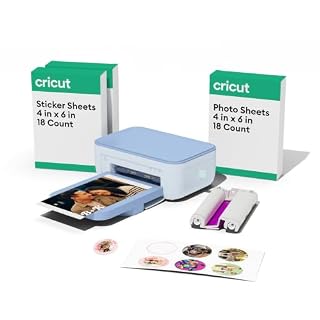 Cricut StickerPix Print Powder BlueSame dye-sublimation sticker printer as the Sea Green pick, in Powder BlueCheck on Amazon
Specs compared
| Printer | Office Score | Print method | Print width | Connection | Warranty | Amazon |
|---|---|---|---|---|---|---|
| Cricut StickerPix Print | 9.6/10 | Dye-sublimation | Not stated | Bluetooth | Not stated as a term | View on Amazon |
| Gloryang JD-23 | 9.5/10 | Inkless thermal | 2-inch | Bluetooth, app | 1 year | View on Amazon |
| Memoking T02 | 9.6/10 | Thermal | Not stated | Not stated | Not stated | View on Amazon |
| Phomemo M110 | 9.5/10 | Thermal | Not stated | Not stated | Not stated |
Specs reflect manufacturer claims on each product listing (as of 15 November 2026). One of the four states a warranty term; the Gloryang is the only one that states a print width.
How to choose the best printer to make stickers
Start with the print method
The print method decides what the sticker looks like. The Cricut StickerPix Print uses dye-sublimation, which gives high-resolution detail and ultra-vivid color, and the prints are stated water, scratch and fade resistant. The other three are thermal printers: the Gloryang JD-23 prints without ink, toner or ribbons, and the Memoking T02 and Phomemo M110 are thermal printers by name. Thermal suits small labels and notes; dye-sublimation suits photo stickers and prints that need to last. The Cricut StickerPix Print also comes in Powder Blue, with the same bundle and specs.
Match the print width to the sticker
Only one printer here states a print width. The Gloryang JD-23 takes 2-inch sticker paper, in standard white, colored and transparent, and it takes continuous and gap labels, sticky or non-sticky paper. A 2-inch width suits small stickers and labels; a larger sticker needs a wider printer, and none of the other three states a width, so check the paper size before ordering. The Cricut prints pre-cut sticker sheets and photos, and its bundle makes 18 photo prints and 36 sticker sheets.
Check the connection and the app
Two printers here print over Bluetooth. The Cricut works with a phone over Bluetooth and needs high-speed internet as well, and the full content library and some software features need a paid Cricut Access subscription. The Gloryang connects to iOS or Android over Bluetooth through the Jadens Printer App, which offers templates, QR codes, OCR, drag-to-resize editing, DIY drawings and AI-assisted image printing. The Memoking and Phomemo state no connection, so check how each one pairs before buying.
Count the supplies in the box
The supplies in the box decide how soon you print. The Cricut Essential Bundle includes an ink cartridge, photo paper and pre-cut sticker sheets, enough for 18 photo prints and 36 sticker sheets. The Gloryang includes 2 rolls: one 50×30mm label roll and one 50mm continuous adhesive sticker roll. The Memoking includes 600 labels in 3 rolls. The Phomemo states no supplies, so check what comes with it before ordering.
Read the warranty line, not the headline
Only one listing states a warranty term. The Gloryang states a 1 year warranty. The Cricut states a limited warranty with no term, and the Memoking and Phomemo state no warranty at all. A term that covers the printer is worth more than a vague promise, so read the warranty line before buying.
| Printer | Print method | Print width | In the box |
|---|---|---|---|
| Cricut StickerPix Print | Dye-sublimation | Not stated | Ink cartridge, photo paper, pre-cut sticker sheets |
| Gloryang JD-23 | Inkless thermal | 2-inch | 2 rolls: 50×30mm label, 50mm continuous adhesive |
| Memoking T02 | Thermal | Not stated | 600 labels in 3 rolls |
| Phomemo M110 | Thermal | Not stated | Not stated |
Figures as stated for each printer. Print width is the width of the sticker paper the printer takes; a wider width suits larger stickers.
Setup Notes
- Measure the desk space. The Cricut measures 3.5 x 7.8 x 5.0 in and the Gloryang measures 3.39 x 3.5 x 1.54 in; the Memoking and Phomemo state no dimensions, so check the footprint on arrival.
- Plan the connection. The Cricut and the Gloryang both print over Bluetooth, and the Cricut needs high-speed internet as well.
- Count the supplies. The Cricut bundle makes 18 photo prints and 36 sticker sheets, the Gloryang includes 2 rolls, and the Memoking includes 600 labels in 3 rolls.
- Check the paper width. The Gloryang takes 2-inch sticker paper, and the other three state no print width, so match the paper to the sticker size before ordering.
FAQ
Which printer is best for photo-quality stickers?
The Cricut StickerPix Print. It uses dye-sublimation, and the prints are stated water, scratch and fade resistant, with 1.8M+ sticker images in the library. The thermal printers here are inkless and print small labels, while the Cricut is the only dye-sublimation photo printer of the four.
Do I need ink for a thermal sticker printer?
No. The Gloryang JD-23 prints without ink, toner or ribbons, and the Memoking T02 and Phomemo M110 are thermal printers by name. The Cricut is the only one here that uses an ink cartridge, and the bundle includes one.
What sticker paper size do these printers take?
The Gloryang JD-23 takes 2-inch sticker paper, in standard white, colored and transparent, and includes one 50×30mm label roll and one 50mm continuous adhesive sticker roll. The Cricut prints pre-cut sticker sheets and photos, and the Memoking and Phomemo state no paper size.
Can I print stickers from my phone?
Yes, with the Cricut and the Gloryang. The Cricut works with a phone over Bluetooth, and the Gloryang connects to iOS or Android over Bluetooth through the Jadens Printer App. The Memoking and Phomemo state no connection, so check how each one pairs before buying.
Which of these printers has a stated warranty?
Only the Gloryang JD-23, at 1 year. The Cricut states a limited warranty with no term, and the Memoking and Phomemo state no warranty.
Score breakdown
The Office Score weighs performance (print method, print width, app and template features and stated supplies), build (size, weight and materials), value for the stated specs, safety and warranty. For a sticker printer, safety means a stated age restriction or a print that resists water, scratching and fading; the Cricut states both, the Gloryang states inkless printing with no ink to handle, and the Memoking and Phomemo state neither. One listing states a warranty term: the Gloryang at 1 year. How we pick explains the weights.
| Product | Office Score | Perf. /35 | Build /25 | Value /25 | Safety /10 | Warranty /5 |
|---|---|---|---|---|---|---|
| Cricut StickerPix Print | 9.6 | 33 | 21 | 20 | 5 | 0 |
| Gloryang JD-23 | 9.5 | 28 | 21 | 20 | 3 | 2 |
The scale opens at 9.2 and closes at 9.8; between those marks, weighted points translate linearly into the score you see.
More for your workspace
See every home office printer guide and all office machines and storage guides. Also see our best mini thermal printer sticker paper. Also see our best laser printer for zines. Also see our best portable thermal printer. Also see our best mini color printer. Also see our best pink thermal printer.
More related guides (15)
- best printer for cardstock printing
- best inkjet printer for decor paper
- best printer for business cards
- best compact inkjet printer for home
- best printer for artists
- best all in one inkjet printer with scanner
- best color printer for small office
- best printer for black and white photos
- best portable printer for travel
- best printer cleaning kit
- best dust cover for printer
- best corner printer stand
- best file cabinet with printer stand
- best computer desk with printer shelf
- best power strip for printer
More picks: label makers and shredders, desk organizers and whiteboards, bookshelves and file cabinets.