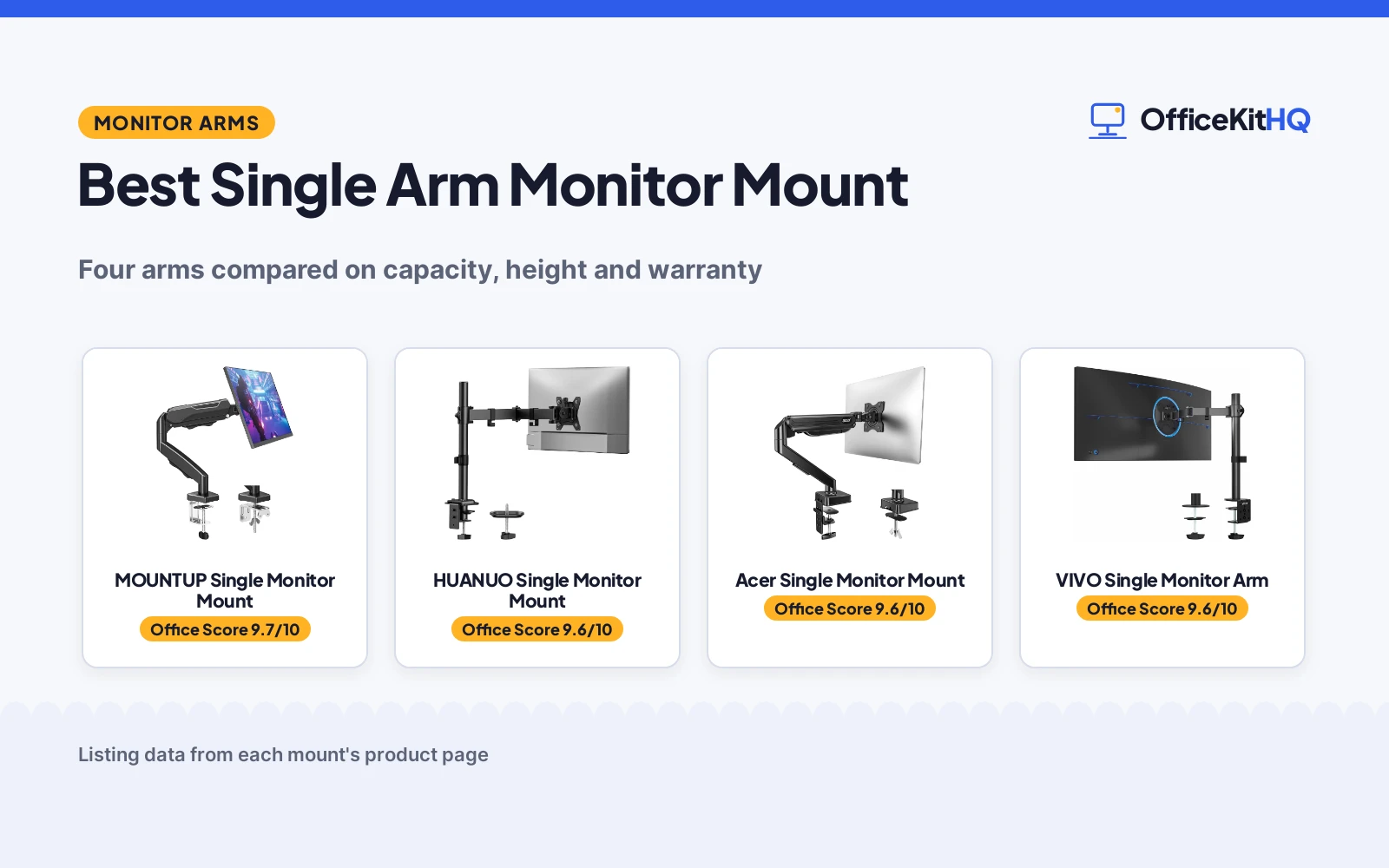
The best single arm monitor mount has to hold your screen’s weight without sagging, reach the position your neck wants, and stay there for years. We compared four arms on stated capacity, screen range, height and motion figures, and warranty, using only what each listing publishes. Three publish nearly everything; one, the widest fit of all, publishes almost nothing. A single arm is also the simplest mount decision there is, one screen and one arm, so the differences that matter fit on one page: how much it holds, how high it lifts, how far it reaches, and what happens if it fails in year three.
OfficeKitHQ earns a commission when you buy through links on this page, at no extra cost to you. As an Amazon Associate I earn from qualifying purchases. Affiliate disclosure.
Quick picks
 Best all-round MOUNTUP Single Monitor Mount: Full motion, 19.4 inch reach, 10 year warranty. Check price on Amazon
 Best build and warranty HUANUO Single Monitor Mount: Die-cast aluminum with a lifetime warranty. Check price on Amazon
 Best lift Acer Single Monitor Mount: Gas spring raising screens 18.1 inches. Check price on Amazon
 Best for ultrawide VIVO Single Monitor Arm: Fits screens up to 38 inches. Check price on Amazon
The picks
| # | Product | Office Score | Buy |
|---|---|---|---|
| 1 | MOUNTUP Single Monitor Mount | 9.7/10 | Buy on Amazon |
| 2 | HUANUO Single Monitor Mount | 9.6/10 | Buy on Amazon |
| 3 | Acer Single Monitor Mount | 9.6/10 | Buy on Amazon |
| 4 | VIVO STAND-V001 | 9.6/10 | Buy on Amazon |

MOUNTUP Single Monitor Mount
For a full-motion single screen: a tension arm for monitors 4.4-19.8 lbs, extending 19.4 inches, with a 10 year warranty.
Pros
- Extends up to 19.4 inches, the longest reach here
- Tilt -45°/+90°, swivel ±180°, 360° rotation
- Tension system rated over 20,000 cycles, per the listing
- 10 Year Warranty, a stated long term
Cons
- Tilt is set by a hex bolt on the VESA plate
- Heavier monitors need 7+ tension rotations, per the listing
- Capacity tops out at 19.8 lbs
- Curved 1000R screens are pointed elsewhere by the maker
Detailed Review
The MOUNTUP arm leads on the complete specification: a tension arm holding 4.4-19.8 lbs, with the full motion set, tilt, swivel and rotation, an extension of 19.4 inches and height adjustment to 16.9 inches above the desk. Clamp and grommet bases are both covered, and VESA 75x75 and 100x100 patterns fit.
Its listing is unusually honest about setup: tension is preset to mid, adjusted after mounting with the included hex key, and a 15+ lb monitor needs seven or more full rotations. That candour, plus a 10 Year Warranty, makes it the default pick for a single screen that will be moved often.
The trade-off is that tilt is locked by a hex bolt rather than floating free, so frequent tilt changes are a tool job. For a set-and-adjust working position, nothing here is more complete.
Its Office Score of 9.7/10 comes from performance 30/35, build 21/25, value 19/25, safety not scored (non-powered gear) and warranty 5/5: 75 of 90 points, placed on our 9.2 to 9.8 scale.
Key Specifications
| Screen size | Up to 32 inch |
|---|---|
| Capacity | 4.4-19.8 lbs |
| Extension | Up to 19.4 inches |
| VESA | 75x75 and 100x100 |
Figures as published on the retailer listing, collected 22 October 2026. Performance figures are manufacturer rated.
Safety and Warranty
What this listing states. This product does not plug in or run on a battery, so safety is not part of its score. 10 Year Warranty, so warranty scores 5 of 5. See How We Pick.
Match the mount. Check your screen's VESA pattern, size and weight against the stated range, and check that your desk thickness and edge suit a clamp or grommet mount before you drill or clamp.
This is general buying information, not professional advice. Follow each product manual and local rules, and see our Safety Disclaimer.

HUANUO Single Monitor Mount
For a solid mid-price arm: an aluminum die-cast mount for 13-32 inch screens up to 17.6 lbs, with cable clips and a lifetime warranty.
Pros
- Solid aluminum die-cast build, per the listing
- Holds position at a full 16.54 inch extension
- Cable clips included for a tidy desk
- Lifetime warranty, the strongest term here
Cons
- Capacity is 17.6 lbs, the lowest stated here
- Height tops out at 16 inches, the lowest here
- Swivel is ±90°, half the MOUNTUP's range
- Three fit criteria must be checked before buying
Detailed Review
The HUANUO mount is built around stability: an aluminum die-cast arm that the listing says holds its position even at full 16.54 inch extension, for screens 13-32 inches up to 17.6 lbs. Cable clips in the box finish the desk-cleaning job that a mount starts.
Its motion set is a step down from the leader, ±90° swivel and ±45° tilt with 360° rotation, and its 16 inch maximum height is the lowest here. The lifetime warranty is the best term in the list. For a screen that is positioned once and left, its build and warranty outrank the Acer's motion figures.
A third point in its favour is the desk itself: the mount's job is to give the desk back, and the included cable clips finish that job by routing the display and power cables along the arm instead of leaving them hanging where the stand used to be.
Its Office Score of 9.6/10 comes from performance 28/35, build 20/25, value 18/25, safety not scored (non-powered gear) and warranty 5/5: 71 of 90 points, placed on our 9.2 to 9.8 scale.
Key Specifications
| Screen size | 13-32 inch |
|---|---|
| Capacity | 17.6 lbs |
| Height | 16 inches |
| VESA | 75x75 and 100x100 |
Figures as published on the retailer listing, collected 22 October 2026. Performance figures are manufacturer rated.
Safety and Warranty
What this listing states. This product does not plug in or run on a battery, so safety is not part of its score. Lifetime warranty, so warranty scores 5 of 5. See How We Pick.
Match the mount. Check your screen's VESA pattern, size and weight against the stated range, and check that your desk thickness and edge suit a clamp or grommet mount before you drill or clamp.
This is general buying information, not professional advice. Follow each product manual and local rules, and see our Safety Disclaimer.

Acer Single Monitor Mount
For the tallest lift: a gas spring arm for 17-34 inch screens, raising a monitor up to 18.1 inches from the desk.
Pros
- Raises the screen up to 18.1 inches, the highest here
- Fits 17-34 inch screens, the widest range here
- Gas spring with one-hand adjustment
- Tilt -60° to +90°, a deeper downward tilt
Cons
- 1 Year warranty, the shortest term here
- 80% sturdier claim is the maker's own comparison
- Capacity is the same 4.4-19.8 lbs as the leader
- Gas spring tension needs tuning per monitor weight
Detailed Review
The Acer arm wins the vertical argument: a gas spring that lifts a screen up to 18.1 inches off the desk, the tallest figure here, across the widest stated screen range, 17-34 inches, at the same 4.4-19.8 lbs capacity as the MOUNTUP. Its tilt range runs deeper downward, -60° to +90°.
The listing claims an automotive-grade spring core, 20,000 motion cycles and a build 80% sturdier than typical arms; the percentage is the maker's own comparison and we treat it as such. Its 1 Year warranty is the short straw in this list. For standing-desk users who move the screen often, its lift is the reason to buy. The shorter warranty asks the buyer to trust the spring claim, 20,000 cycles being several adjustments a day for a decade, so the arithmetic favours it even where the paperwork does not.
Its Office Score of 9.6/10 comes from performance 29/35, build 20/25, value 16/25, safety not scored (non-powered gear) and warranty 3/5: 68 of 90 points, placed on our 9.2 to 9.8 scale.
Key Specifications
| Screen size | 17-34 inch |
|---|---|
| Capacity | 4.4-19.8 lbs |
| Height | Up to 18.1 inches |
| VESA | 75x75 and 100x100 |
Figures as published on the retailer listing, collected 22 October 2026. Performance figures are manufacturer rated.
Safety and Warranty
What this listing states. This product does not plug in or run on a battery, so safety is not part of its score. 1 Year Manufacturer warranty. It does not say everything a buyer needs, such as who pays return shipping, so warranty scores 3 of 5. See How We Pick.
Match the mount. Check your screen's VESA pattern, size and weight against the stated range, and check that your desk thickness and edge suit a clamp or grommet mount before you drill or clamp.
This is general buying information, not professional advice. Follow each product manual and local rules, and see our Safety Disclaimer.

VIVO STAND-V001
For 13 to 38 inch screens up to 22 lbs, with 16 inches of height adjustment.
Pros
- 13 to 38 inch range, 22 lbs capacity
- 16 inches of height along the center pole
- +90 to -90 tilt, 360 swivel and rotation
- 3 Year Warranty
Cons
- Regular screens only up to 32 inches
- Desk must be 3.25 inches thick or less
- No USB or connectivity ports
- No gas spring
Detailed Review
The listing states a single-arm mount for screens up to 22 lbs with VESA 75x75mm or 100x100mm backside mounting, covering 13 to 32 inch screens and ultrawides to 38 inches. The arm adjusts +90 to -90 tilt, 360 swivel and 360 rotation, with 16 inches of height along the pole, and the warranty description states 3 Year Warranty.
Who it's for: a worker who wants a tall pole and full motion for a 32-inch screen. Who should skip it: someone who needs more than 22 lbs of capacity.
Its Office Score of 9.6/10 comes from performance 29/35, build 20/25, value 21/25, safety 7/10 and warranty 3/5: 80 of 100 points, placed on our 9.2 to 9.8 scale.
Key Specifications
| Screen range | 13-38 in |
|---|---|
| Capacity | 22 lbs |
| Height | 16 in |
| Warranty | 3 Year |
Figures as published on the retailer listing, collected 17 October 2026. Performance figures are manufacturer rated.
Safety and Warranty
What this listing states. VESA 75x75mm or 100x100mm backside mounting stated, so safety scores 7 of 10. 3 Year Warranty. It does not say everything a buyer needs, such as who pays return shipping, so warranty scores 3 of 5. See How We Pick.
Match the mount. Check your screen's VESA pattern, size and weight against the stated range, and check that your desk thickness and edge suit a clamp or grommet mount before you drill or clamp.
This is general buying information, not professional advice. Follow each product manual and local rules, and see our Safety Disclaimer.
As an Amazon Associate I earn from qualifying purchases.
Compare the picks
| Mount | Office Score | Screen size | Capacity | Height above desk | Warranty | Amazon |
|---|---|---|---|---|---|---|
| MOUNTUP Single Monitor Mount | 9.7/10 | Up to 32 inch | 4.4-19.8 lbs | 16.9 inches | 10 Year | View on Amazon |
| HUANUO Single Monitor Mount | 9.6/10 | 13-32 inch | 17.6 lbs | 16 inches | Lifetime | View on Amazon |
| Acer Single Monitor Mount | 9.6/10 | 17-34 inch | 4.4-19.8 lbs | 18.1 inches | 1 Year | View on Amazon |
| VIVO Single Monitor Arm | 9.6/10 | 13-38 inch | Not stated | Not stated | Not stated |
Mount details as published on each listing, collected 22 October 2026.
How we scored them
The Office Score weighs performance, build, value, safety and warranty. Performance is the motion set and how the arm holds it; build is materials and stated cycle life; warranty runs from lifetime down to none stated. Every arm here fits VESA 75×75 and 100×100 where stated, so compatibility separates only the title-only VIVO. How we pick explains the weights.
| Product | Office Score | Perf. /35 | Build /25 | Value /25 | Safety /10 | Warranty /5 |
|---|---|---|---|---|---|---|
| MOUNTUP Single Monitor Mount | 9.7 | 30 | 21 | 19 | n/a | 5 |
| HUANUO Single Monitor Mount | 9.6 | 28 | 20 | 18 | n/a | 5 |
| Acer Single Monitor Mount | 9.6 | 29 | 20 | 16 | n/a | 3 |
Scores run from 9.2 to 9.8: each product’s point total is placed on that range, so more points always means a higher score. Safety counts only for powered gear or where the listing states safety features; where it does not apply, the score is taken over the remaining 90 points.
How to choose the best single arm monitor mount
Weigh the monitor before anything else
Capacity is the hard gate: 19.8 lbs on the MOUNTUP and Acer, 17.6 lbs on the HUANUO. A screen over the limit sags no matter how the tension is set. Weigh the monitor without its stand, since the stand’s weight does not ride on the arm. Our best monitor arm for ultrawide 34 list covers the biggest screens.
Height is the ergonomic figure
Stated lifts run from 16 inches to 18.1 inches above the desk. The taller figures suit standing desks and tall sitters; the shorter arms suit a seated desk with a riser already in place. Extension matters too: 19.4 inches on the MOUNTUP pulls a screen over a deep desk.
Clamp or grommet, decide before the desk
All three fully specified arms offer both bases. A clamp grips the desk edge and can move with you; a grommet mount bolts through a desk hole and sits flatter and more permanently. Desks with thick edges or modesty panels can rule the clamp out, which is why both options matter more than one more degree of tilt.
Tension systems need setting once
Both the MOUNTUP and the Acer describe the same ritual: mount the screen, then tune the tension screw until the arm floats. Budget ten minutes for it. An arm that drifts down in the first week is usually an untuned arm, not a broken one.
Frequently Asked Questions
Which mount holds the most weight?
The MOUNTUP and the Acer tie at 19.8 lbs stated capacity. The HUANUO states 17.6 lbs, and the VIVO states none here. Weigh your monitor without its stand before ordering; the figure on the box usually includes the stand.
Which mount lifts a monitor highest?
The Acer, at up to 18.1 inches from the desk. The MOUNTUP reaches 16.9 inches and the HUANUO 16 inches.
Do these fit my monitor?
If it has VESA 75×75 or 100×100 holes and falls inside the stated size and weight ranges, yes. The VIVO’s range runs widest, 13 to 38 inches.
Which has the best warranty?
The HUANUO, with a lifetime warranty stated. The MOUNTUP states 10 years and the Acer 1 year.
Related guides
More desk reading: best monitor arm for ultrawide 34, best monitor riser for macbook and best desk lamp for light sensitivity.
More picks: monitor arms and stands, standing desks, office chairs and desk mats and pads.