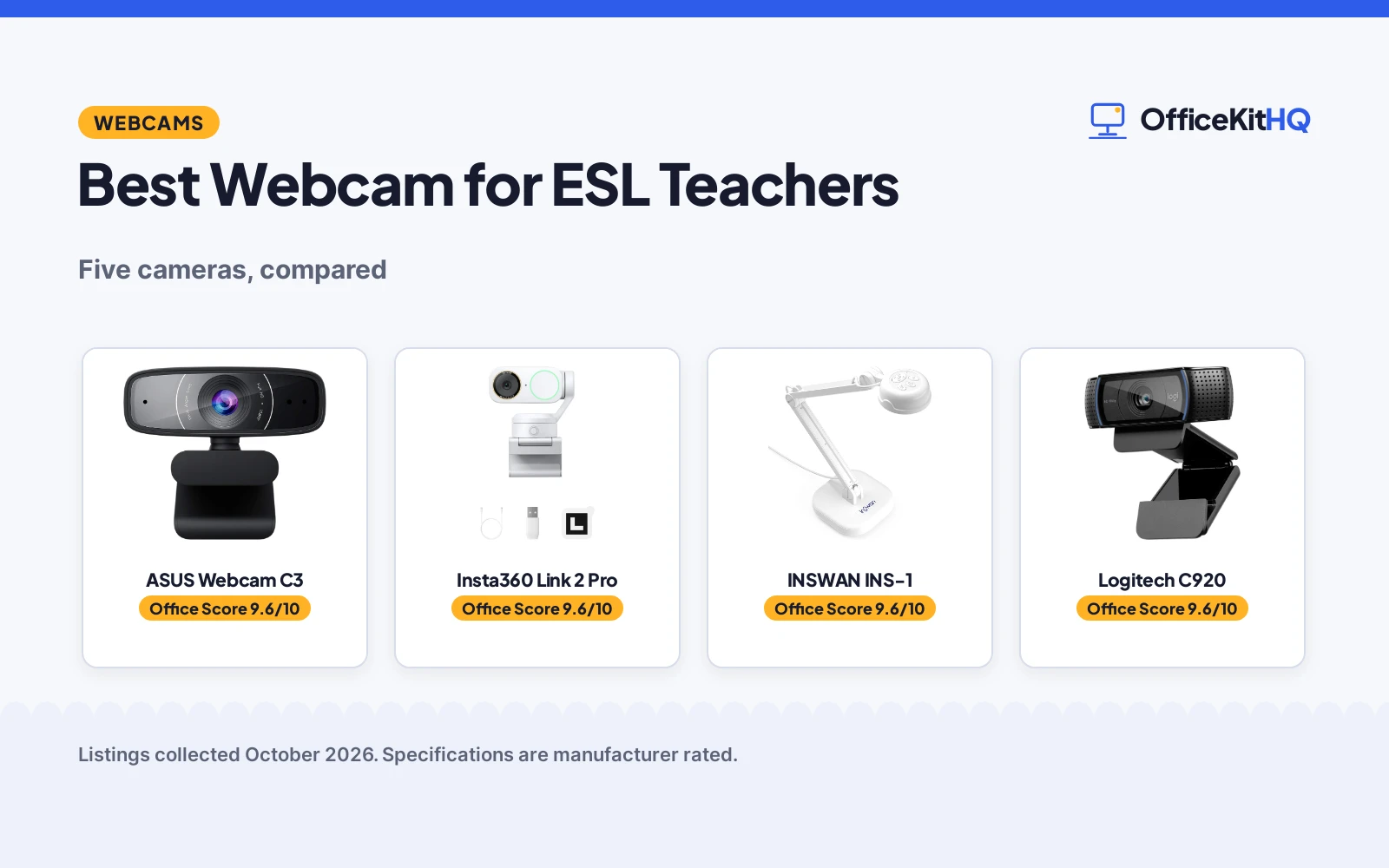
The best webcam for ESL teachers is the one that shows your face, your whiteboard and your desk work clearly on a video call. A document camera films the worksheet; a PTZ webcam with Whiteboard Mode follows you to the board. We compared five webcams by resolution, field of view, microphone, special modes and warranty, using only what each listing publishes.
OfficeKitHQ earns a commission when you buy through links on this page, at no extra cost to you. As an Amazon Associate I earn from qualifying purchases. Affiliate disclosure.
Quick picks
 Best Overall ASUS Webcam C3: 1080p, beamforming mic, 360-degree rotation, 1-year warranty Check price on Amazon
 Best 4K Insta360 Link 2 Pro: 4K PTZ, AI tracking, Whiteboard Mode Check price on Amazon
 Best Document Camera INSWAN INS-1: 8MP, LED, macro 3.9 in, annotation software Check price on Amazon
 Best Value Logitech C920: 1080p, 78 degrees, autofocus, 9.5 oz Check price on Amazon
 Best for Teams Microsoft Modern Webcam: 1080p HDR, privacy shutter, 78 degrees Check price on Amazon
The picks
| # | Product | Office Score | Buy |
|---|---|---|---|
| 1 | ASUS Webcam C3 | 9.6/10 | Buy on Amazon |
| 2 | Insta360 Link 2 Pro | 9.6/10 | Buy on Amazon |
| 3 | INSWAN INS-1 | 9.6/10 | Buy on Amazon |
| 4 | Logitech C920 | 9.6/10 | Buy on Amazon |
| 5 | Microsoft Modern Webcam | 9.5/10 | Buy on Amazon |

ASUS Webcam C3
A 1080p webcam with a beamforming mic, 360-degree rotation and a 1-year warranty.
Pros
- 1080p at 30 fps with a beamforming microphone
- 90-degree tilt clip with 360-degree rotation
- Wide field of view for side-by-side seating
- 1 Year Warranty is stated
Cons
- Fixed focus rather than autofocus
- No special teaching modes are stated
- 3.68 oz, light for a desk clip
- No privacy shutter is stated
Detailed Review
ASUS lists the Webcam C3 as a 1080p USB camera with a beamforming microphone, a 90-degree tilt-adjustable clip and a 360-degree rotation mechanism. It outputs 1920 x 1080 at 30 fps and works with Skype, Teams and Zoom. The listing states a 1 Year Warranty.
Who it's for: a teacher who wants a wide view with a stated warranty. Who should skip it: anyone who wants autofocus.
Its Office Score of 9.6/10 comes from performance 29/35, build 19/25, value 19/25, safety not scored (non-powered gear) and warranty 3/5: 70 of 90 points, placed on our 9.2 to 9.8 scale.
Key Specifications
| Resolution | 1080p |
|---|---|
| Mic | Beamforming |
| Mount | Tilt clip, 360-degree |
| Warranty | 1 year |
Figures as published on the retailer listing, collected 18 October 2026. Performance figures are manufacturer rated.
Safety and Warranty
What this listing states. This product does not plug in or run on a battery, so safety is not part of its score. 1 Year Warranty. It does not say everything a buyer needs, such as who pays return shipping, so warranty scores 3 of 5. See How We Pick.
Light and privacy. Use the supplied adapter for ring lights, keep lights and cords away from drinks and paper, and cover or unplug a webcam when it is not in use.
This is general buying information, not professional advice. Follow each product manual and local rules, and see our Safety Disclaimer.

Insta360 Link 2 Pro
A 4K PTZ webcam with AI tracking, Whiteboard Mode and DeskView.
Pros
- 4K with a 1/1.3 in sensor and HDR
- AI tracking that pans and tilts to follow you
- Whiteboard Mode and DeskView are listed
- Directional noise-canceling mics
Cons
- No warranty is stated (Warranty Description: NO)
- Not compatible with ARM-based Windows, per the listing
- No field of view is stated
- Gesture and phone control may be more than a teacher needs
Detailed Review
Insta360 lists the Link 2 Pro as a 4K PTZ webcam with a 1/1.3 in sensor, AI tracking that pans and tilts, directional noise-canceling mics and specialized modes including Whiteboard Mode, DeskView and 4K portrait. The listing states no warranty and notes incompatibility with ARM-based Windows.
Who it's for: a teacher who moves around the room and uses a whiteboard. Who should skip it: anyone on ARM-based Windows.
Its Office Score of 9.6/10 comes from performance 34/35, build 21/25, value 20/25, safety not scored (non-powered gear) and warranty 0/5: 75 of 90 points, placed on our 9.2 to 9.8 scale.
Key Specifications
| Resolution | 4K |
|---|---|
| Sensor | 1/1.3 in |
| Modes | Whiteboard, DeskView |
| Tracking | AI PTZ |
Figures as published on the retailer listing, collected 18 October 2026. Performance figures are manufacturer rated.
Safety and Warranty
What this listing states. This product does not plug in or run on a battery, so safety is not part of its score. No warranty term, so warranty scores zero. See How We Pick.
Light and privacy. Use the supplied adapter for ring lights, keep lights and cords away from drinks and paper, and cover or unplug a webcam when it is not in use.
This is general buying information, not professional advice. Follow each product manual and local rules, and see our Safety Disclaimer.

Pros
- 8MP camera with 3264 x 2448 stills and 30 fps video
- Built-in LED with 7-segment brightness control
- Macro focus down to 3.9 in for worksheets
- Annotation software with digital zoom is bundled
Cons
- No warranty term is stated
- 0.8 kg, the heaviest unit here
- 59-degree real angle of view is narrow for a room
- iPad needs a USB-C port, per the listing
Detailed Review
INSWAN lists the INS-1 as a USB document camera and webcam with an 8MP Sony camera, 3264 x 2448 stills, 30 fps video, a built-in LED and autofocus with macro to 3.9 in. The bundled Documate software adds annotation and digital zoom. No warranty term is stated.
Who it's for: a teacher who films worksheets and demos. Who should skip it: anyone who wants a simple face camera.
Its Office Score of 9.6/10 comes from performance 33/35, build 20/25, value 20/25, safety not scored (non-powered gear) and warranty 0/5: 73 of 90 points, placed on our 9.2 to 9.8 scale.
Key Specifications
| Resolution | 8MP / 2448P |
|---|---|
| Macro | 3.9 in |
| Light | Built-in LED |
| Zoom | 16x digital |
Figures as published on the retailer listing, collected 18 October 2026. Performance figures are manufacturer rated.
Safety and Warranty
What this listing states. This product does not plug in or run on a battery, so safety is not part of its score. No warranty term, so warranty scores zero. See How We Pick.
Light and privacy. Use the supplied adapter for ring lights, keep lights and cords away from drinks and paper, and cover or unplug a webcam when it is not in use.
This is general buying information, not professional advice. Follow each product manual and local rules, and see our Safety Disclaimer.

Logitech C920
A Full HD 1080p webcam with autofocus and a 78-degree field of view.
Pros
- Full HD 1080p at 30 fps with H.264 encoding
- 78-degree field of view with autofocus
- Digital image stabilization is listed
- 9.5 oz compact form
Cons
- Warranty Description lists only 'Manufacturers', no term
- No special teaching modes are stated
- No privacy shutter is stated
- Older model with no 4K option
Detailed Review
Logitech lists the C920 as a Full HD 1080p webcam with 30 fps video, a 78-degree field of view, autofocus and digital image stabilization. The spec table's Warranty Description reads only 'Manufacturers' with no term.
Who it's for: someone who wants a proven 1080p webcam. Who should skip it: anyone who wants a warranty term or 4K.
Its Office Score of 9.6/10 comes from performance 30/35, build 20/25, value 20/25, safety not scored (non-powered gear) and warranty 0/5: 70 of 90 points, placed on our 9.2 to 9.8 scale.
Key Specifications
| Resolution | 1080p |
|---|---|
| FOV | 78 degrees |
| Focus | Autofocus |
| Weight | 9.5 oz |
Figures as published on the retailer listing, collected 18 October 2026. Performance figures are manufacturer rated.
Safety and Warranty
What this listing states. This product does not plug in or run on a battery, so safety is not part of its score. No warranty term, so warranty scores zero. See How We Pick.
Light and privacy. Use the supplied adapter for ring lights, keep lights and cords away from drinks and paper, and cover or unplug a webcam when it is not in use.
This is general buying information, not professional advice. Follow each product manual and local rules, and see our Safety Disclaimer.

Microsoft Modern Webcam
A 1080p HDR webcam with a privacy shutter and Teams certification.
Pros
- 1080p HDR with True Look facial retouch and auto light
- Integrated privacy shutter with LED status light
- 78-degree field of view
- Certified for Microsoft Teams
Cons
- No warranty term is stated
- Fixed zoom
- No special teaching modes are stated
- 88.3 g, very light for a desk mount
Detailed Review
Microsoft lists the Modern Webcam as a 1080p HDR webcam with True Look, a 78-degree field of view, autofocus and an integrated privacy shutter. It is certified for Microsoft Teams and mounts on a monitor, laptop, desk or tripod. No warranty term is stated.
Who it's for: a Teams teacher who wants a privacy shutter. Who should skip it: anyone who wants a warranty term.
Its Office Score of 9.5/10 comes from performance 29/35, build 19/25, value 19/25, safety not scored (non-powered gear) and warranty 0/5: 67 of 90 points, placed on our 9.2 to 9.8 scale.
Key Specifications
| Resolution | 1080p |
|---|---|
| FOV | 78 degrees |
| Feature | Privacy shutter |
| Mount | Monitor, desk, tripod |
Figures as published on the retailer listing, collected 18 October 2026. Performance figures are manufacturer rated.
Safety and Warranty
What this listing states. This product does not plug in or run on a battery, so safety is not part of its score. No warranty term, so warranty scores zero. See How We Pick.
Light and privacy. Use the supplied adapter for ring lights, keep lights and cords away from drinks and paper, and cover or unplug a webcam when it is not in use.
This is general buying information, not professional advice. Follow each product manual and local rules, and see our Safety Disclaimer.
As an Amazon Associate I earn from qualifying purchases.
Compare the picks
| Webcam | Office Score | Resolution | Field of view | Mic | Warranty | Amazon |
|---|---|---|---|---|---|---|
| ASUS Webcam C3 | 9.6/10 | 1080p | Wide | Beamforming | 1 year | View on Amazon |
| Insta360 Link 2 Pro | 9.6/10 | 4K | Not stated | Directional noise-canceling | Not stated | View on Amazon |
| INSWAN INS-1 | 9.6/10 | 8MP / 2448P | 59 degrees | Built-in | Not stated | View on Amazon |
| Logitech C920 | 9.6/10 | 1080p | 78 degrees | Not stated | Not stated | View on Amazon |
| Microsoft Modern Webcam | 9.5/10 | 1080p | 78 degrees | Not stated | Not stated | View on Amazon |
Specifications are manufacturer rated as listed, collected 18 October 2026.
How we scored them
The Office Score weighs performance (resolution, field of view, mics and teaching modes), build (sensor and materials), value for the stated specs, safety and warranty. For a webcam, safety means a stated privacy feature or certification on the listing; the Microsoft lists a privacy shutter. Only the ASUS states a warranty: 1 year. How we pick explains the weights.
| Product | Office Score | Perf. /35 | Build /25 | Value /25 | Safety /10 | Warranty /5 |
|---|---|---|---|---|---|---|
| ASUS Webcam C3 | 9.6 | 29 | 19 | 19 | n/a | 3 |
| Insta360 Link 2 Pro | 9.6 | 34 | 21 | 20 | n/a | 0 |
| INSWAN INS-1 | 9.6 | 33 | 20 | 20 | n/a | 0 |
| Logitech C920 | 9.6 | 30 | 20 | 20 | n/a | 0 |
| Microsoft Modern Webcam | 9.5 | 29 | 19 | 19 | n/a | 0 |
Scores run from 9.2 to 9.8: each product’s point total is placed on that range, so more points always means a higher score. Safety counts only for powered gear or where the listing states safety features; where it does not apply, the score is taken over the remaining 90 points.
How to choose the best webcam for ESL teachers
Resolution and sensor
The Insta360 lists 4K with a 1/1.3 in sensor; the INSWAN lists 8MP stills with 2448P video; the other three list 1080p. Higher resolution helps when students read your board.
Teaching modes
The Insta360 lists Whiteboard Mode, DeskView and AI tracking that pans and tilts to follow you. The INSWAN is a document camera with macro focus down to 3.9 in and annotation software. The other three are standard webcams. For a board to pair with the camera, see best whiteboard for teaching online.
Microphone and mounting
The ASUS lists a beamforming mic and a 90-degree tilt clip with 360-degree rotation; the Insta360 lists directional noise-canceling mics. The Microsoft lists a privacy shutter and Teams certification. For better lighting, see best webcam for light correction.
Setup Notes
- The INSWAN works with Windows, Mac, Chromebook and iPad (a USB-C port is needed), per the listing.
- The Insta360 is not compatible with ARM-based Windows or Windows Hello, per the listing.
- The Microsoft mounts on a monitor, laptop, desk or tripod.
- The ASUS clip fits laptop screens and desktop monitors with 90-degree tilt.
- The INSWAN ships with an anti-glare sheet and a microscope adapter.
Frequently Asked Questions
Which is 4K?
The Insta360 Link 2 Pro. The others list 1080p or 8MP stills.
Which works as a document camera?
The INSWAN INS-1, with macro focus down to 3.9 in and annotation software.
Which have AI tracking?
The Insta360 Link 2 Pro, which pans and tilts to follow you around the room.
Which state a warranty?
Only the ASUS: 1 year. The others state no warranty.
Related guides
See every webcams and ring lights guide and all computer peripherals guides.
More picks: best webcam for proctored exams, best webcam for vtuber tracking.