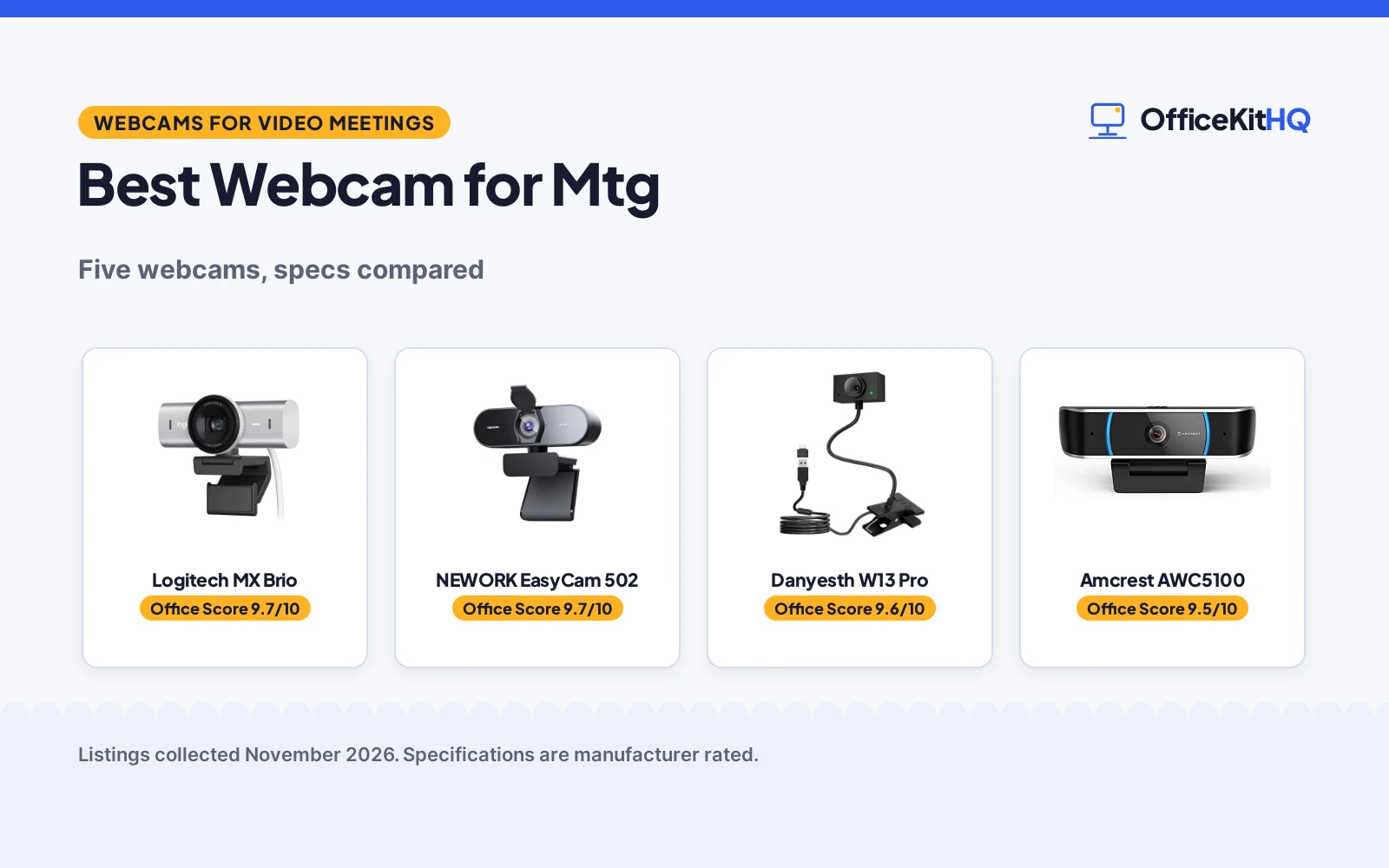
The best webcam for mtg keeps your face clear and your voice audible when the meeting runs long and the light in the room stays dim. A dim frame, a microphone that catches every keystroke, and a camera that drifts out of focus can turn a routine call into a chore. The roundup compares webcams for video meetings by resolution and frame rate, autofocus, microphone pickup, privacy cover and warranty term, using only what each listing publishes.
OfficeKitHQ earns a commission when you buy through links on this page, at no extra cost to you. As an Amazon Associate I earn from qualifying purchases. Affiliate disclosure.
Quick picks
 Best Overall Logitech MX Brio: 4K at 30 fps, 1080p at 60 fps, dual beamforming mics, Show Mode Check price on Amazon
 Best Autofocus NEWORK EasyCam 502: Dual autofocus, 79-degree field of view, dual mics with 3-meter pickup Check price on Amazon
 Best Gooseneck Stand Danyesth W13 Pro: 40 cm gooseneck stand, 110 cm cable, 2K at 30 fps, document camera Check price on Amazon
 Best 5-Megapixel Amcrest AWC5100: 5-megapixel full-HD, 65-degree viewing angle, dual noise-reducing mics Check price on Amazon
 Simple 1080p Logitech Brio 100: 1080p webcam for video calls Check price on Amazon
Our desk picks
| # | Product | Office Score | Buy |
|---|---|---|---|
| 1 | Logitech MX Brio | 9.7/10 | Buy on Amazon |
| 2 | NEWORK EasyCam 502 | 9.7/10 | Buy on Amazon |
| 3 | Danyesth W13 Pro | 9.6/10 | Buy on Amazon |
| 4 | Amcrest AWC5100 | 9.5/10 | Buy on Amazon |
| 5 | Logitech Brio 100 Webcam | 9.5/10 | Buy on Amazon |

Logitech MX Brio
A 4K webcam with 1080p at 60 fps, dual beamforming microphones, Show Mode for desk sharing and a built-in privacy cover.
Pros
- 4K at 30 fps and 1080p at 60 fps from the same webcam
- Dual beamforming microphones reduce background noise
- Show Mode tilts down to share notes and sketches on the desk
- Built-in privacy cover rotates to block the camera between meetings
Cons
- 1-year warranty is shorter than the 2-year terms on the NEWORK and Danyesth
- Full streaming controls need Logitech software and a paired MX keyboard and mouse
- Field of view is not stated
- No gooseneck stand or clamp is stated for desk-level angles
Detailed Review
Logitech lists the MX Brio as a 4K webcam that records 4K at 30 fps and 1080p at 60 fps, with dual beamforming noise-reducing microphones, Show Mode for sharing desk work, and a built-in privacy cover that rotates to block the lens. The maker claims 70% larger pixels and 2x better face visibility in difficult light, with auto-exposure, auto white balance, noise reduction and autofocus, plus fine controls for ISO, shutter speed, tint and vibrance. It connects over USB-C and is certified for Zoom, Microsoft Teams, Google Meet, Chromebook and Streamlabs, and it works with Windows, macOS, Chrome OS and Linux. The maker states a 1 Year Limited Hardware Warranty.
Who it's for: someone who runs meetings on Teams, Zoom or Google Meet and wants 4K video, clear voice pickup and a privacy cover together. Who should skip it: anyone who wants a longer warranty term or a gooseneck stand for desk-level angles.
Its Office Score of 9.7/10 comes from performance 32/35, build 22/25, value 21/25, safety 8/10 and warranty 3/5: 86 of 100 points, placed on our 9.2 to 9.8 scale.
Key Specifications
| Resolution | 4K |
|---|---|
| Frame rate | 4K at 30 fps, 1080p at 60 fps |
| Microphones | Dual beamforming, noise-reducing |
| Warranty | 1 Year Limited Hardware Warranty |
These specs mirror the retailer listing as of 19 November 2026; performance figures are stated by the brand.
Safety and Warranty
What this listing states. Built-in privacy cover and certification for Zoom, Microsoft Teams, Google Meet, Chromebook and Streamlabs are stated, so safety scores 8 of 10. 1 Year Limited Hardware Warranty. It does not say everything a buyer needs, such as who pays return shipping, so warranty scores 3 of 5. See How We Pick.
Light and privacy. Use the supplied adapter for ring lights, keep lights and cords away from drinks and paper, and cover or unplug a webcam when it is not in use.
This is general buying information, not professional advice. Follow each product manual and local rules, and see our Safety Disclaimer.

NEWORK EasyCam 502
A 4K webcam with PDAF and CDAF autofocus, a 79-degree field of view and dual noise-cancelling microphones with a 3-meter pickup range.
Pros
- 4K at 30 fps and 1080p at 60 fps with dual autofocus
- 79-degree field of view suits group video calls
- Dual noise-cancelling microphones with a 3-meter pickup range
- Auto light correction adjusts the image in changing light
Cons
- 79-degree view shows more of the room behind the caller
- 3-meter microphone pickup can catch room noise as well as voice
- No gooseneck stand or clamp is stated for desk-level angles
- No platform certification is stated, only compatibility with Zoom, Skype, Teams and OBS
Detailed Review
NEWORK lists the EasyCam 502 as a 4K webcam with 4K at 30 fps and 1080p at 60 fps, PDAF and CDAF autofocus, a 79-degree field of view and dual noise-cancelling microphones with a 3-meter pickup range. Auto light correction adjusts the image in changing light, a built-in privacy cover blocks the lens when the camera is not in use, and the webcam works with Windows, Mac and Linux and with Zoom, Skype, Teams and OBS. It connects over USB with plug and play setup and no drivers, and the maker states a 2 Year Warranty.
Who it's for: someone who wants 4K video with fast autofocus and a wide 79-degree view for group calls. Who should skip it: anyone who wants a gooseneck stand or a document camera mode.
Its Office Score of 9.7/10 comes from performance 30/35, build 21/25, value 21/25, safety 7/10 and warranty 3/5: 82 of 100 points, placed on our 9.2 to 9.8 scale.
Key Specifications
| Resolution | 4K |
|---|---|
| Frame rate | 4K at 30 fps, 1080p at 60 fps |
| Field of view | 79 degrees |
| Warranty | 2 Year Warranty |
These specs mirror the retailer listing as of 19 November 2026; performance figures are stated by the brand.
Safety and Warranty
What this listing states. Built-in privacy cover is stated, so safety scores 7 of 10. 2 Year Warranty. It does not say everything a buyer needs, such as who pays return shipping, so warranty scores 3 of 5. See How We Pick.
Light and privacy. Use the supplied adapter for ring lights, keep lights and cords away from drinks and paper, and cover or unplug a webcam when it is not in use.
This is general buying information, not professional advice. Follow each product manual and local rules, and see our Safety Disclaimer.

Danyesth W13 Pro
A 2K webcam on a 40 cm gooseneck stand with a 110 cm cable, a desktop clamp, a sliding privacy cover and a noise-canceling microphone.
Pros
- 40 cm gooseneck stand adjusts the angle freely
- 110 cm USB cable and desktop clamp suit a deep desk
- Physical sliding privacy cover blocks the lens
- Document camera mode with image flipping shares papers on calls
Cons
- 2K resolution is lower than the 4K picks here
- Manual focus only, with no autofocus stated
- Zoom in and out works only at 1080p resolution
- No field of view is stated
Detailed Review
Danyesth lists the W13 Pro as a 2K webcam with manual focus, 2K at 30 fps and a noise-canceling microphone. It sits on a freely adjustable gooseneck stand of 40 cm with a desktop clamp, a physical sliding privacy cover, and a USB cable of 110 cm, and it works over USB 2.0 with plug and play setup and no extra drivers. It also works as a document camera with image flipping, and zoom in and out is supported only at 1080p resolution. The maker states a 2 Years warranty.
Who it's for: someone who wants an adjustable gooseneck stand and a document camera for sharing papers on calls. Who should skip it: anyone who wants 4K resolution or autofocus.
Its Office Score of 9.6/10 comes from performance 27/35, build 20/25, value 20/25, safety 7/10 and warranty 3/5: 77 of 100 points, placed on our 9.2 to 9.8 scale.
Key Specifications
| Resolution | 2K |
|---|---|
| Frame rate | 2K at 30 fps |
| Stand | 40 cm gooseneck |
| Warranty | 2 Years |
These specs mirror the retailer listing as of 19 November 2026; performance figures are stated by the brand.
Safety and Warranty
What this listing states. Physical sliding privacy cover is stated, so safety scores 7 of 10. 2 Years. It does not say everything a buyer needs, such as who pays return shipping, so warranty scores 3 of 5. See How We Pick.
Light and privacy. Use the supplied adapter for ring lights, keep lights and cords away from drinks and paper, and cover or unplug a webcam when it is not in use.
This is general buying information, not professional advice. Follow each product manual and local rules, and see our Safety Disclaimer.

Amcrest AWC5100
A 5-megapixel full-HD webcam with a 65-degree viewing angle, dual noise-reducing microphones and a built-in privacy cover.
Pros
- 5-megapixel full-HD image with a wide 65-degree viewing angle
- Dual noise-reducing microphones for clear stereo audio
- Built-in privacy cover blocks the lens when not in use
- Works with Windows, MacOS, Linux and Android and with Zoom, Teams and Google Meet
Cons
- No frame rate is stated
- No autofocus is stated
- 1-year warranty is shorter than the 2-year terms on the NEWORK and Danyesth
- USB 2.0 connection only, with no USB-C stated
Detailed Review
Amcrest lists the AWC5100 as a 5-megapixel full-HD webcam with a wide 65-degree viewing angle and a built-in dual noise-reducing microphone. A built-in privacy cover blocks the lens when the camera is not in use. It connects over USB 2.0 with plug and play setup and works with Windows 11, 10, 8 and 7, MacOS, Linux and Android, and with Zoom, Microsoft Teams, Skype, YouTube, Google Meet, OBS Studio and Facebook Live. The maker states a 1 Year Warranty.
Who it's for: someone who wants a full-HD webcam with a wide 65-degree view and a privacy cover for webinars and video conferencing. Who should skip it: anyone who wants 4K resolution or a stated frame rate.
Its Office Score of 9.5/10 comes from performance 26/35, build 19/25, value 20/25, safety 7/10 and warranty 2/5: 74 of 100 points, placed on our 9.2 to 9.8 scale.
Key Specifications
| Resolution | 5-megapixel full-HD |
|---|---|
| Field of view | 65 degrees |
| Microphones | Dual, noise-reducing |
| Warranty | 1 Year Warranty |
These specs mirror the retailer listing as of 19 November 2026; performance figures are stated by the brand.
Safety and Warranty
What this listing states. Built-in privacy cover is stated, so safety scores 7 of 10. 1 Year Warranty. It does not say everything a buyer needs, such as who pays return shipping, so warranty scores 2 of 5. See How We Pick.
Light and privacy. Use the supplied adapter for ring lights, keep lights and cords away from drinks and paper, and cover or unplug a webcam when it is not in use.
This is general buying information, not professional advice. Follow each product manual and local rules, and see our Safety Disclaimer.

Logitech Brio 100 Webcam
A compact 1080p webcam, best for interviewees who want a small Logitech cam.
Pros
- 1080p with RightLight auto-light correction
- Built-in mic with privacy shutter
- USB-A plug and play
- 2.65 ounces, compact
Cons
- Fixed focus, no autofocus
- 58-degree viewing angle is the narrowest here
- Not water resistant, per the spec table
- 1 Year warranty, shorter than the NIVEOLI's 2
Detailed Review
Logitech lists the Brio 100 as a 1080p webcam with RightLight auto-light correction and a built-in mic. An integrated webcam cover slides for privacy, and USB-A plug and play works with Teams, Zoom and Google Meet. The spec table gives a 2.87 by 4.1 by 1.26 inch size, a 2.65-ounce weight, a 58-degree viewing angle and a 1 Year Limited Hardware Warranry.
Who it's for: interviewees who want a compact Logitech cam. Who should skip it: anyone who wants 4K or a wider view.
Its Office Score of 9.5/10 comes from performance 26/35, build 19/25, value 20/25, safety 5/10 and warranty 3/5: 73 of 100 points, placed on our 9.2 to 9.8 scale.
Key Specifications
| Video | 1080p |
|---|---|
| Light | RightLight |
| Mic | Built-in |
| Warranty | 1 Year |
Figures as published on the retailer listing, collected 17 October 2026. Performance figures are manufacturer rated.
Safety and Warranty
What this listing states. Integrated webcam cover stated, so safety scores 5 of 10. 1 Year Limited Hardware Warranry. It does not say everything a buyer needs, such as who pays return shipping, so warranty scores 3 of 5. See How We Pick.
Light and privacy. Use the supplied adapter for ring lights, keep lights and cords away from drinks and paper, and cover or unplug a webcam when it is not in use.
This is general buying information, not professional advice. Follow each product manual and local rules, and see our Safety Disclaimer.
As an Amazon Associate I earn from qualifying purchases.
Specs compared
| Webcam | Office Score | Resolution | Frame rate | Field of view | Microphones | Warranty | Amazon |
|---|---|---|---|---|---|---|---|
| Logitech MX Brio | 9.7/10 | 4K | 4K at 30 fps, 1080p at 60 fps | Not stated | Dual beamforming, noise-reducing | 1 year | View on Amazon |
| NEWORK EasyCam 502 | 9.7/10 | 4K | 4K at 30 fps, 1080p at 60 fps | 79 degrees | Dual, noise-cancelling, 3-meter pickup | 2 years | View on Amazon |
| Danyesth W13 Pro | 9.6/10 | 2K | 2K at 30 fps | Not stated | Noise-canceling | 2 years | View on Amazon |
| Amcrest AWC5100 | 9.5/10 | 5-megapixel full-HD | Not stated | 65 degrees | Dual, noise-reducing | 1 year | View on Amazon |
| Logitech Brio 100 | 9.7/10 | 1080p | Not stated | Not stated | Not stated | Not stated |
Dimensions, weight limits and ranges are the maker’s ratings as each listing gives them, collected 19 November 2026. Four of the five state a warranty term; four state a privacy cover.
How to choose the best webcam for mtg
Start with resolution and frame rate
Resolution and frame rate decide how sharp the picture looks on a call. The Logitech MX Brio and the NEWORK EasyCam 502 both record 4K at 30 fps and 1080p at 60 fps, so either covers a high-resolution meeting and a smooth lower-resolution call. The Danyesth W13 Pro records 2K at 30 fps, the Amcrest AWC5100 records full-HD from a 5-megapixel sensor with no frame rate stated, and the Logitech Brio 100 records 1080p. A higher frame rate suits movement on camera, while a higher resolution suits a still speaker in good light.
| Webcam | Resolution | Frame rate | Field of view |
|---|---|---|---|
| Logitech MX Brio | 4K | 4K at 30 fps, 1080p at 60 fps | Not stated |
| NEWORK EasyCam 502 | 4K | 4K at 30 fps, 1080p at 60 fps | 79 degrees |
| Danyesth W13 Pro | 2K | 2K at 30 fps | Not stated |
| Amcrest AWC5100 | 5-megapixel full-HD | Not stated | 65 degrees |
| Logitech Brio 100 | 1080p | Not stated | Not stated |
Figures as stated in each listing. The 4K picks share the same stated frame rates, so the choice between them turns on autofocus, microphones and warranty term.
Autofocus and field of view decide the framing
Autofocus keeps the speaker sharp when they lean in or move. The NEWORK EasyCam 502 pairs PDAF and CDAF autofocus, and the Logitech MX Brio lists autofocus with auto-exposure, auto white balance and noise reduction. The Danyesth W13 Pro uses manual focus, so the focus stays where it is set. Field of view decides how much of the room the camera shows: the NEWORK states 79 degrees, the Amcrest states 65 degrees, and the MX Brio, Danyesth and Brio 100 state no field of view. A wide view suits a group call, while a narrow view keeps the frame on a single speaker.
Microphones and privacy covers matter on every call
The MX Brio, NEWORK, Amcrest and Danyesth state a built-in microphone. The Logitech MX Brio has dual beamforming noise-reducing microphones, the NEWORK has dual noise-cancelling microphones with a 3-meter pickup range, the Amcrest has a built-in dual noise-reducing microphone, and the Danyesth has a noise-canceling microphone. A privacy cover is stated for each of them: the MX Brio cover rotates, the Danyesth cover slides, and the NEWORK and Amcrest covers are built in. A privacy cover blocks the lens between meetings, and a noise-reducing microphone keeps background sound out of the call.
Mounting, cables and the desk setup
The Danyesth is the only pick here with a stated stand: a freely adjustable gooseneck stand of 40 cm with a desktop clamp and a USB cable of 110 cm. The MX Brio, NEWORK, Amcrest and Brio 100 state no stand or clamp, so check the desk depth and the cable run before ordering. The MX Brio connects over USB-C, the Danyesth over USB 2.0, and the Amcrest over USB 2.0. If the monitor mount does not put the camera at eye level, a webcam tripod stand or a webcam stand for desk can raise it, and a phone stand for video calls covers calls that run on a phone.
Setup Notes
- Measure the run from the camera to the computer: the Danyesth USB cable is 110 cm and its gooseneck stand is 40 cm.
- Check the ports on the computer: the MX Brio connects over USB-C, the Danyesth over USB 2.0, and the Amcrest over USB 2.0.
- Place the speaker within the stated microphone range: the NEWORK microphones pick up voice from 3 meters.
- Close the privacy cover between meetings: the MX Brio cover rotates, the Danyesth cover slides, and the NEWORK and Amcrest covers are built in.
FAQ
Which of these webcams record in 4K?
The Logitech MX Brio and the NEWORK EasyCam 502 both record 4K at 30 fps and 1080p at 60 fps. The Danyesth records 2K at 30 fps, the Amcrest records full-HD, and the Logitech Brio 100 records 1080p.
Which webcam has the widest field of view?
The NEWORK EasyCam 502 states a 79-degree field of view. The Amcrest states 65 degrees, and the MX Brio, Danyesth and Brio 100 state no field of view.
Do these webcams work with Google Meet?
The Logitech MX Brio is certified for Google Meet, and the Danyesth and Amcrest list Google Meet among the apps they work with. The NEWORK lists Zoom, Skype, Teams and OBS.
Which webcam is best for sharing documents on a call?
The Danyesth W13 Pro works as a document camera with image flipping, and its 40 cm gooseneck stand adjusts the angle for papers on the desk. The Logitech MX Brio has Show Mode, which tilts down to share notes and sketches on the desk.
How far away can the microphone hear?
The NEWORK states a 3-meter pickup range for its dual noise-cancelling microphones. The other listings state noise-canceling or noise-reducing microphones but give no pickup distance.
Score breakdown
The Office Score weighs performance (resolution, frame rate, autofocus and microphone pickup), build (mounting, cable and privacy cover), value for the stated specs, safety and warranty. For a webcam, safety means a stated privacy cover and platform certification; the Logitech MX Brio, NEWORK, Danyesth and Amcrest state a privacy cover, and the MX Brio also states certification for Zoom, Microsoft Teams, Google Meet, Chromebook and Streamlabs. Four listings state a warranty term: the MX Brio and Amcrest at 1 year, and the NEWORK and Danyesth at 2 years. How we pick explains the weights.
| Product | Office Score | Perf. /35 | Build /25 | Value /25 | Safety /10 | Warranty /5 |
|---|---|---|---|---|---|---|
| Logitech MX Brio | 9.7 | 32 | 22 | 21 | 8 | 3 |
| NEWORK EasyCam 502 | 9.7 | 30 | 21 | 21 | 7 | 3 |
| Danyesth W13 Pro | 9.6 | 27 | 20 | 20 | 7 | 3 |
| Amcrest AWC5100 | 9.5 | 26 | 19 | 20 | 7 | 2 |
Office Scores run on a short 9.2 to 9.8 scale. We place each item’s weighted point total on it in proportion, so a larger total is always shown as a larger score.
More for your workspace
See every webcam and ring light guide and all monitor mounts, keyboards and mice guides. Also see best webcam for OBS. Also see best webcam with light. Also see best webcam for telehealth. Also see best webcam for podcasting. Also see best webcam for live selling. Also see best webcam for HP laptop. Also see best webcam for Mac Mini. Also see best webcam for Linux. Also see best webcam for Windows Hello. Also see best webcam stand for streaming. Also see best tablet stand for video calls. Also see best desk mat for home studio. Also see best home studio mic.
More picks: webcam for vtuber, webcam for pastors, webcam for Mac Mini M4.