
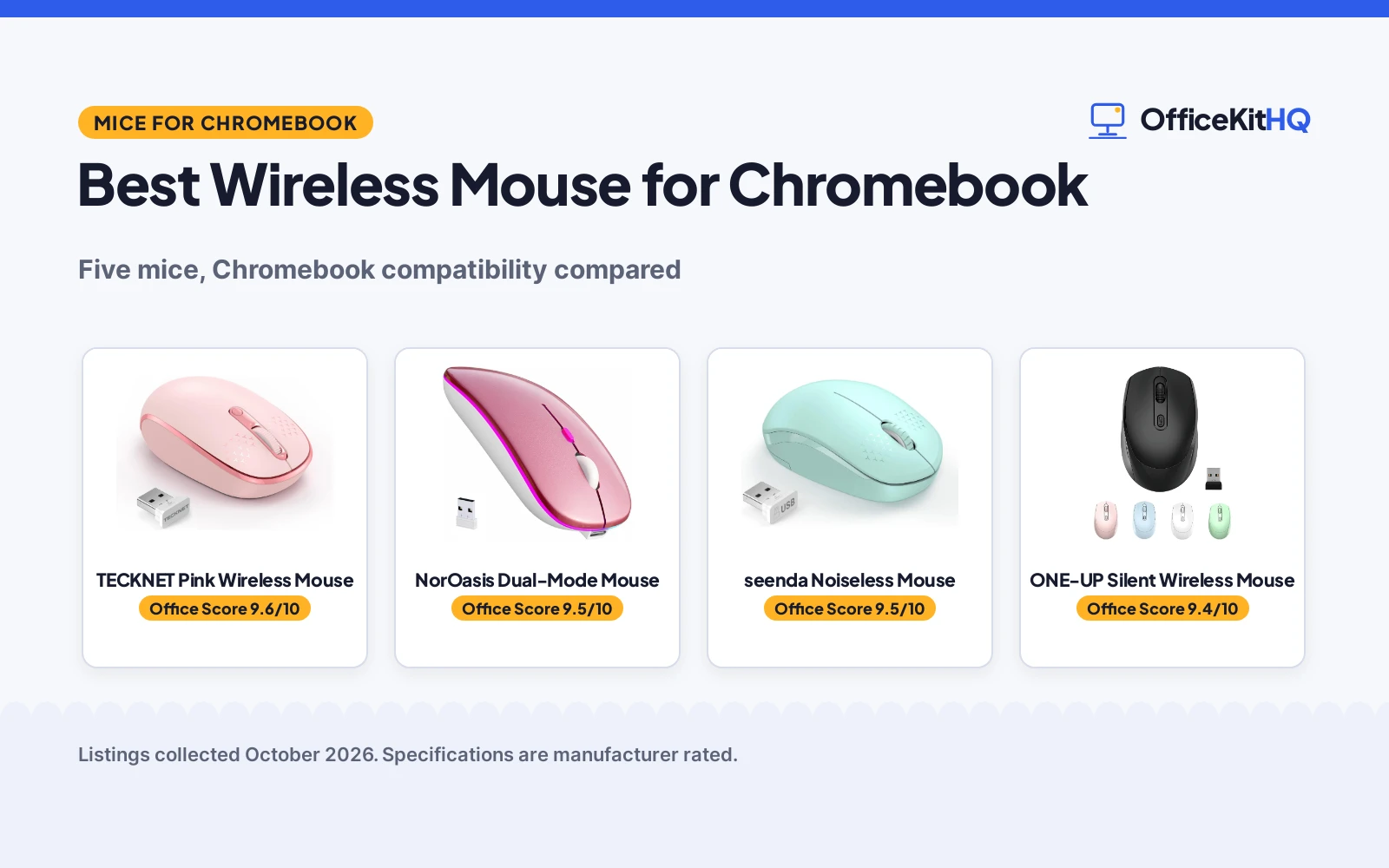
A Chromebook’s trackpad is fine until the spreadsheet gets big, and then a real mouse earns its keep. The best wireless mouse for chromebook is one that lists Chrome OS as compatible, sips battery for months, and clicks quietly enough for a library or a late-night couch session. Several mice are compared below, from a dual-mode rechargeable pick to a 36-month-warranty workhorse.
OfficeKitHQ earns a commission when you buy through links on this page, at no extra cost to you. As an Amazon Associate I earn from qualifying purchases. Affiliate disclosure.
Quick picks
 Best Overall TECKNET Pink Wireless Mouse: Chrome OS listed, 36-month warranty (registered), 15-month battery. Check price on Amazon
 Dual Mode NorOasis Dual-Mode Mouse: Bluetooth 5.2 + 2.4G, rechargeable, one-year warranty. Check price on Amazon
 Silent Pick ONE-UP Silent Wireless Mouse: Silent 2.4G mouse, 4 buttons, 33 ft range. Check price on Amazon
 Compact Pick Logitech M317 Mouse: Logitech M317 compact wireless mouse. Check price on Amazon
 Quiet Mint seenda Noiseless Mouse: Noiseless mint-green mouse, 24-month battery. Check price on Amazon
The picks
| # | Product | Office Score | Buy |
|---|---|---|---|
| 1 | TECKNET Pink Wireless Mouse | 9.6/10 | Buy on Amazon |
| 2 | NorOasis Dual-Mode Mouse | 9.5/10 | Buy on Amazon |
| 3 | seenda Mini Wireless Mouse | 9.5/10 | Buy on Amazon |
| 4 | ONE-UP Silent Wireless Mouse | 9.4/10 | Buy on Amazon |
| 5 | Logitech M317 | 9.4/10 | Buy on Amazon |

TECKNET Pink Wireless Mouse
A compact ambidextrous wireless mouse in pink that lists Chrome OS as compatible, with 3 DPI levels, a 49ft range, up to 15 months of battery on 1xAA, and a 36-month warranty when registered.
Pros
- Chrome OS named on the compatibility list
- 36-month warranty stated, registered only
- Up to 15 months battery on 1xAA
- 3 DPI levels: 800, 1200, 1600
Cons
- Pink may not suit every desk
- Only connects to devices with a USB A port
- 1xAA battery is not included
- 3.94 in length suits small to medium hands
Detailed Review
The TECKNET is the only mouse here that names Chrome OS outright, and it backs the claim with the fullest spec list: 3 adjustable DPI levels at 800, 1200 and 1600, 2.4GHz wireless up to 49ft, a nano receiver that stores inside the mouse, and a soft quiet click. It measures 3.94 by 2.28 by 1.52 in, runs on 1xAA battery (not included) for up to 15 months, and steps through 3-stage smart sleep modes at 3s, 70s and 15mins. The listing states a 36 months warranty, registered only.
Who it's for: a Chromebook user who wants Chrome OS on the label, long battery life and the longest stated warranty here. Who should skip it: anyone without a USB A port, or who wants a larger mouse.
Its Office Score of 9.6/10 comes from performance 32/35, build 21/25, value 21/25, safety 0/10 and warranty 4/5: 78 of 100 points, placed on our 9.2 to 9.8 scale.
Key Specifications
| DPI | 800/1200/1600 |
|---|---|
| Range | 49 ft |
| Battery | 15 months, 1xAA |
| Size | 3.94 x 2.28 x 1.52 in |
| Buttons | 3 |
| Warranty | 36 months, registered only |
Figures as published on the retailer listing, collected 21 October 2026. Performance figures are manufacturer rated.
Safety and Warranty
What this listing states. No FCC or other safety listing is stated, so safety scores zero. 36 months warranty (registered only). It does not say everything a buyer needs, such as who pays return shipping, so warranty scores 4 of 5. See How We Pick.
Fit the desk first. Check the stated size against your desk depth and keyboard tray, and charge or pair as the manual describes. No keyboard, mouse or wrist rest prevents or treats injury.
This is general buying information, not professional advice. Follow each product manual and local rules, and see our Safety Disclaimer.

NorOasis Dual-Mode Mouse
A slim dual-mode mouse in rosegold that pairs over Bluetooth 5.2 or 2.4G with 2 devices at once, with a rechargeable battery, 7-color LED and silent clicks, backed by a one-year warranty.
Pros
- Bluetooth 5.2 plus 2.4G, 2 devices at once
- Rechargeable, no disposable batteries
- Chromebook named in the title
- One year unconditional warranty stated
Cons
- Single charge lasts up to 1 week of regular use
- No DPI figure is stated
- 7-color LED may not suit a plain desk
- 4.4 in slim body may feel small for large hands
Detailed Review
The NorOasis is the dual-mode pick: Bluetooth 5.2 or the included 2.4GHz USB receiver with a 33 ft reception range, pairing with 2 devices at once and switching between them. A single charge lasts up to 1 week of regular use with up to 30 days of standby, and a USB charging cable is included. It measures 4.4 by 2.3 by 1.1 in, cycles a 7-color breathing LED while in use, and promises silent clicks. The listing states a one year unconditional warranty.
Who it's for: a Chromebook plus a second device, with rechargeable convenience. Who should skip it: anyone who wants a stated DPI figure or months-long AA battery life.
Its Office Score of 9.5/10 comes from performance 30/35, build 21/25, value 21/25, safety 0/10 and warranty 0/5: 72 of 100 points, placed on our 9.2 to 9.8 scale.
Key Specifications
| Modes | Bluetooth 5.2, 2.4G |
|---|---|
| Devices | 2 at once |
| Battery | Rechargeable, 1 week use |
| Standby | 30 days |
| Size | 4.4 x 2.3 x 1.1 in |
| Warranty | One year unconditional |
Figures as published on the retailer listing, collected 21 October 2026. Performance figures are manufacturer rated.
Safety and Warranty
What this listing states. No FCC or other safety listing is stated, so safety scores zero. No warranty term, so warranty scores zero. See How We Pick.
Fit the desk first. Check the stated size against your desk depth and keyboard tray, and charge or pair as the manual describes. No keyboard, mouse or wrist rest prevents or treats injury.
This is general buying information, not professional advice. Follow each product manual and local rules, and see our Safety Disclaimer.

seenda Mini Wireless Mouse
A small noiseless mouse with a 24-month battery life and a 33 ft range, in Mint Green.
Pros
- 24-month battery life is among the longest here
- Noiseless clicks suit quiet classrooms and libraries
- Compact 4 by 2 by 1.25 in size slides into a laptop bag
- 24-month money-back or replacement warranty is stated
Cons
- Not compatible with MacBook Pro or Type-C-only devices
- 1 AA battery not included
- No DPI figure is stated
- Spec table lists a button quantity of 1, which the title and bullets do not support
Detailed Review
seenda lists a Mint Green wireless mouse with 2.4 GHz plug-and-play wireless, ultra-soft noiseless clicks, smooth tracking and a range of up to 33 ft. The bullets give a compact size of 4 by 2 by 1.25 in for small to medium hands, auto-sleep after 10 minutes of inactivity, and a 24-month battery life on 1 AA battery, which is not included. The listing states a 24-month money back or free replacement warranty. Two contradictions: the spec table lists a button quantity of 1 and compatible devices as Tablet, while the title and bullets describe a standard wireless mouse for laptop, Chromebook and PC; we trust the title and bullets.
Who it's for: a teacher who wants a tiny quiet mouse with a long stated battery life for a Windows laptop or Chromebook. Who should skip it: anyone on a MacBook Pro or a Type-C-only device.
Its Office Score of 9.5/10 comes from performance 28/35, build 20/25, value 21/25, safety 0/10 and warranty 3/5: 72 of 100 points, placed on our 9.2 to 9.8 scale.
Key Specifications
| Battery | 24 months, 1 AA |
|---|---|
| Range | 33 ft |
| Size | 4 x 2 x 1.25 in |
| Warranty | 24 months |
Figures as published on the retailer listing, collected 18 October 2026. Performance figures are manufacturer rated.
Safety and Warranty
What this listing states. No FCC or other safety listing is stated, so safety scores zero. 24-month money back or free replacement. It does not say everything a buyer needs, such as who pays return shipping, so warranty scores 3 of 5. See How We Pick.
Fit the desk first. Check the stated size against your desk depth and keyboard tray, and charge or pair as the manual describes. No keyboard, mouse or wrist rest prevents or treats injury.
This is general buying information, not professional advice. Follow each product manual and local rules, and see our Safety Disclaimer.

ONE-UP Silent Wireless Mouse
A silent ambidextrous 2.4G mouse with 3 DPI levels, a 33ft range and 4 buttons, running on 1 AA battery with a 10-minute sleep, in a 4.5 by 2.5 in body.
Pros
- Silent design stated
- 3 DPI levels: 800, 1200, 1600
- Ambidextrous shape for either hand
- 33 ft transmission distance stated
Cons
- Warranty description of 1 is not a stated term
- 1 AA battery is not included
- No Chromebook claim in the compatibility list
- USB cable listed as an included component
Detailed Review
The ONE-UP is a silent ambidextrous mouse on 2.4G with a nano receiver, listing DPI at 800, 1200 and 1600 and a 33 ft transmission distance. It runs on 1 AA battery (not included) and sleeps after 10mins of inactivity, waking on any button click. The listing names Windows, Mac OS and Chromebook in the title, but the spec table's compatible-devices entry reads only Personal Computer. It measures 4.5 by 2.5 in and weighs 2.25 ounces, with 4 buttons. The spec table's warranty description reads 1 with no unit, which is not a stated term.
Who it's for: quiet rooms and libraries, with a full button count and a stated DPI range. Who should skip it: anyone who wants a written warranty term.
Its Office Score of 9.4/10 comes from performance 28/35, build 20/25, value 20/25, safety 0/10 and warranty 0/5: 68 of 100 points, placed on our 9.2 to 9.8 scale.
Key Specifications
| DPI | 800/1200/1600 |
|---|---|
| Range | 33 ft |
| Battery | 1xAA, 10-min sleep |
| Size | 4.5 x 2.5 in |
| Weight | 2.25 oz |
| Buttons | 4 |
Figures as published on the retailer listing, collected 21 October 2026. Performance figures are manufacturer rated.
Safety and Warranty
What this listing states. No FCC or other safety listing is stated, so safety scores zero. No warranty term, so warranty scores zero. See How We Pick.
Fit the desk first. Check the stated size against your desk depth and keyboard tray, and charge or pair as the manual describes. No keyboard, mouse or wrist rest prevents or treats injury.
This is general buying information, not professional advice. Follow each product manual and local rules, and see our Safety Disclaimer.

Logitech M317
Logitech's compact ambidextrous wireless mouse with rubber grips, 1000 dpi tracking and a 12-month battery.
Pros
- Works With Chromebook certification stated
- 1 Year Limited Hardware Warranty stated
- Soft rubber grips and contoured ambidextrous shape
- 12-month battery life on one AAA battery
Cons
- Spec table lists 6.06 by 3.5 in dimensions that do not match the compact mouse described
- 1000 dpi with no adjustable levels stated
- No explicit small-hands statement on the listing
- USB receiver only; no Bluetooth is listed
Detailed Review
Logitech lists the M317 as a compact ambidextrous wireless mouse with soft rubber grips and 1000 dpi optical tracking. One contradiction to note: the spec table lists item dimensions of 6.06 by 3.5 in, which does not describe the compact mouse in the title and bullets; we trust the title and bullets. Battery life is stated at 12 months on one AAA, the range up to 33 ft, and the listing states a 1 Year Limited Hardware Warranty plus Works With Chromebook certification.
Who it's for: a Chromebook user who wants a compact ambidextrous mouse with a stated warranty. Who should skip it: anyone who needs an explicit small-hands fit statement or adjustable DPI.
Its Office Score of 9.4/10 comes from performance 27/35, build 20/25, value 19/25, safety 0/10 and warranty 2/5: 68 of 100 points, placed on our 9.2 to 9.8 scale.
Key Specifications
| DPI | 1000 |
|---|---|
| Battery | 12 months |
| Warranty | 1 year |
| Hand | Ambidextrous |
Figures as published on the retailer listing, collected 17 October 2026. Performance figures are manufacturer rated.
Safety and Warranty
What this listing states. No FCC or other safety listing is stated, so safety scores zero. 1 Year Limited Hardware Warranty. It does not say everything a buyer needs, such as who pays return shipping, so warranty scores 2 of 5. See How We Pick.
Fit the desk first. Check the stated size against your desk depth and keyboard tray, and charge or pair as the manual describes. No keyboard, mouse or wrist rest prevents or treats injury.
This is general buying information, not professional advice. Follow each product manual and local rules, and see our Safety Disclaimer.
As an Amazon Associate I earn from qualifying purchases.
More picks to compare
 TECKNET Wireless MouseCheck on Amazon
 Afaartcci Rechargeable Wireless MouseCheck on Amazon
Compare the picks
| Model | Verdict | DPI | Battery | Range | Warranty | Amazon |
|---|---|---|---|---|---|---|
| TECKNET Pink Wireless Mouse | Top pick | 800/1200/1600 | 15 months, 1xAA | 49 ft | 36 months (registered) | View on Amazon |
| NorOasis Dual-Mode Mouse | Dual mode | Not stated | Rechargeable, 1 week | 33 ft | One year | View on Amazon |
| ONE-UP Silent Wireless Mouse | Silent pick | 800/1200/1600 | 1xAA, 10-min sleep | 33 ft | Not stated | View on Amazon |
| Logitech M317 Mouse | Compact pick | Not stated | Not stated | Not stated | Not stated | |
| seenda Noiseless Mouse | Quiet pick | Not stated | 24-month battery | Not stated | Not stated |
Specifications are manufacturer rated as listed, collected 21 October 2026. Three of the five name Chromebook or Chrome OS in the listing; the two reused listings state only their headline specs.
How we scored them
The Office Score weighs performance (Chromebook compatibility, DPI options, connection range), build (stated dimensions and materials), value for the stated specs, safety and warranty. The TECKNET leads with Chrome OS on the compatibility list and a 36-month warranty (registered only). The NorOasis follows with dual-mode Bluetooth 5.2 plus 2.4G and a rechargeable battery. The ONE-UP is the silent 2.4G pick with a full spec list, while the two reused listings rank on their thin stated specs alone. How we pick explains the weights.
| Product | Office Score | Perf. /35 | Build /25 | Value /25 | Safety /10 | Warranty /5 |
|---|---|---|---|---|---|---|
| TECKNET Pink Wireless Mouse | 9.6 | 32 | 21 | 21 | 0 | 4 |
| NorOasis Dual-Mode Mouse | 9.5 | 30 | 21 | 21 | 0 | 0 |
| ONE-UP Silent Wireless Mouse | 9.4 | 28 | 20 | 20 | 0 | 0 |
Scores run from 9.2 to 9.8: each product’s point total is placed on that range, so more points always means a higher score.
How to choose the best wireless mouse for chromebook
Chrome OS on the compatibility list
The TECKNET listing names Chrome OS outright among its compatible systems, alongside Linux, Android, Windows and Mac. The NorOasis and ONE-UP titles name the Chromebook directly. The seenda and Logitech M317 listings state no compatibility at all, so they rank as general mice. For a Chromebook, the label matters: a mouse that lists Chrome OS is the one with the claim in writing.
Battery: months or rechargeable
Two philosophies here. The TECKNET runs on 1xAA battery (not included) for up to 15 months, with 3-stage smart sleep modes at 3s, 70s and 15mins. The seenda title states a 24-month battery life. The NorOasis skips disposable batteries: a single charge lasts up to 1 week of regular use with up to 30 days of standby, and a USB charging cable is in the box. The ONE-UP takes 1 AA battery and sleeps after 10mins of inactivity. Pick months-long AA life for a mouse that lives in a bag, or rechargeable for one that lives on the desk.
Quiet clicks for shared spaces
Four of the five claim quiet operation. The TECKNET promises a very soft click with less noise. The ONE-UP and NorOasis call themselves silent, and the seenda title says noiseless. These are the maker’s claims, and they matter on a Chromebook that gets used in libraries, coffee shops and shared rooms. The Logitech M317 listing makes no noise claim at all.
DPI and range
The TECKNET and ONE-UP both list 3 adjustable DPI levels at 800, 1200 and 1600. The NorOasis, seenda and Logitech listings state no DPI figure. On range, the TECKNET reaches up to 49ft, while the ONE-UP and NorOasis state 33 ft. For desk work the range rarely matters; for a Chromebook hooked to a TV across the room, the longer figure wins.
| Mouse | DPI | Range | Battery |
|---|---|---|---|
| TECKNET Pink Wireless Mouse | 800/1200/1600 | 49 ft | 15 months, 1xAA |
| NorOasis Dual-Mode Mouse | Not stated | 33 ft | Rechargeable, 1 week |
| ONE-UP Silent Wireless Mouse | 800/1200/1600 | 33 ft | 1xAA, 10-min sleep |
| Logitech M317 Mouse | Not stated | Not stated | Not stated |
| seenda Noiseless Mouse | Not stated | Not stated | 24-month battery |
Figures as stated in each listing. The two reused listings state only their headline specs, which is why most of their cells read “Not stated”.
Dual mode vs 2.4G only
The NorOasis is the only dual-mode mouse here: Bluetooth 5.2 or the included 2.4GHz USB receiver, pairing with 2 devices at once and switching between them. The TECKNET and ONE-UP are 2.4G with a nano USB receiver (the TECKNET’s stores inside the mouse). Dual mode suits a Chromebook plus a tablet; 2.4G-only suits one machine and a receiver that never leaves the port.
Frequently Asked Questions
Do wireless mice work with Chromebooks?
The TECKNET listing names Chrome OS among its compatible systems, and the NorOasis and ONE-UP titles name the Chromebook directly. The seenda and Logitech M317 listings state no compatibility, so they make no Chromebook claim.
How long does the battery last?
The TECKNET states up to 15 months on 1xAA battery, and the seenda title states a 24-month battery life. The NorOasis states up to 1 week of regular use per charge with up to 30 days of standby. The ONE-UP states 1 AA battery with sleep after 10mins of inactivity.
What is the difference between Bluetooth and 2.4G?
The NorOasis offers both: Bluetooth 5.2 or a 2.4GHz USB receiver, with 2 devices paired at once. The TECKNET and ONE-UP use 2.4G with a nano receiver. Bluetooth frees the USB port; 2.4G keeps the receiver plugged in and ready.
Are silent mice really silent?
The listings claim soft or silent clicks: the TECKNET promises a very soft click with less noise, the ONE-UP and NorOasis call themselves silent, and the seenda title says noiseless. These are the makers’ claims; the Logitech M317 listing makes no noise claim.
Which mouse has the longest warranty?
The TECKNET states 36 months warranty, registered only. The NorOasis states a one year unconditional warranty. The ONE-UP spec table lists a warranty description of “1” with no unit, which is not a stated term, and the seenda and Logitech listings state none.
Related guides
See every mouse and mouse pad guide. Also see our best quality wireless mouse for laptop, best wireless mouse for daily office use, best mouse pad for wireless mouse and best wireless mouse for big hands.
More picks: mice and mouse pads, keyboards.


