
Scrubbing a timeline with a basic office mouse means dragging the bottom scroll bar back and forth all afternoon, and the best wireless mouse for video editing fixes exactly that. We compared five wireless mice by DPI range, button count, scroll wheels, battery and warranty, using only what each listing publishes. Video editing rewards a mouse that can move sideways through a timeline, hold precise positions on a cut, and keep working through long sessions without a cable. Every figure below comes from the listings, not from our own measurements.
OfficeKitHQ earns a commission when you buy through links on this page, at no extra cost to you. As an Amazon Associate I earn from qualifying purchases. Affiliate disclosure.
Quick picks
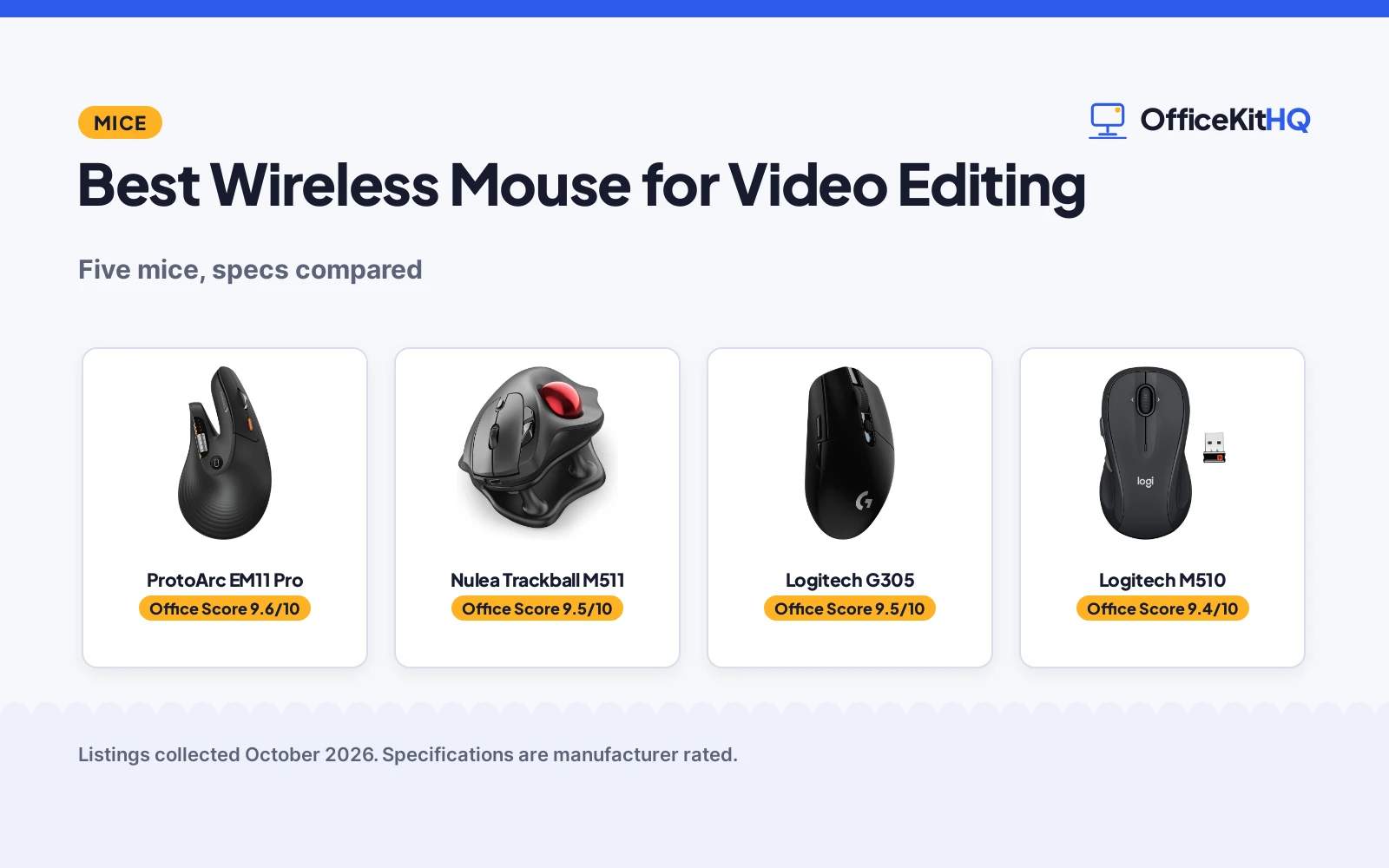
 Best Overall ProtoArc EM11 Pro: Side scroll wheel, up to 7200 DPI, 8 buttons, 2-year warranty Check price on Amazon
 Best Trackball Nulea Trackball M511: Thumb trackball, 21.7-degree tilt, 4 DPI levels, silent Check price on Amazon
 Best Tilt Scroll Logitech M510: 7 buttons with tilt scroll for timelines Check price on Amazon
 Best Responsive Logitech G305: Lightspeed wireless with 6 buttons Check price on Amazon
 Best Vertical Anker Vertical Mouse: 2.4G wireless vertical ergonomic mouse Check price on Amazon
The picks
| # | Product | Office Score | Buy |
|---|---|---|---|
| 1 | ProtoArc EM11 Pro | 9.6/10 | Buy on Amazon |
| 2 | Nulea Trackball M511 | 9.5/10 | Buy on Amazon |
| 3 | Logitech G305 Black Mouse | 9.5/10 | Buy on Amazon |
| 4 | Logitech M510 Mouse | 9.5/10 | Buy on Amazon |
| 5 | Anker Vertical Mouse | 9.4/10 | Buy on Amazon |

ProtoArc EM11 Pro
A vertical wireless mouse with a side scroll wheel for timelines, up to 7200 DPI and a 2-year warranty, for editors with large hands.
Pros
- Side scroll wheel for timelines and wide canvases
- Up to 7200 DPI with browser-based button customization
- 500mAh USB-C rechargeable battery
- 2-year warranty is stated
Cons
- Designed for 7.5 to 8.5 inch hands; smaller hands may struggle
- Vertical grip takes 1 to 2 weeks to adjust to, per the listing
- No safety certification is stated
- Type-C cable is for charging only
Detailed Review
ProtoArc lists the EM11 Pro as a vertical ergonomic mouse designed for hand lengths of 19.0 to 21.5 cm (7.5 to 8.5 inches). The listing gives a side scroll wheel for moving left and right in timelines and wide canvases, 6 customizable buttons through a browser-based tool, adjustable sensitivity up to 7200 DPI, and connections over two Bluetooth 5.0 channels plus a 2.4 GHz USB-A receiver for up to 3 devices. A built-in 500mAh battery recharges over USB Type-C, and the spec table gives a 122 gram weight and a 2 Year warranty.
Who it's for: video editors who scrub timelines and want a side scroll wheel plus high DPI. Who should skip it: anyone with small hands or who wants a traditional flat mouse.
Its Office Score of 9.6/10 comes from performance 33/35, build 21/25, value 21/25, safety 0/10 and warranty 3/5: 78 of 100 points, placed on our 9.2 to 9.8 scale.
Key Specifications
| DPI | Up to 7200 |
|---|---|
| Buttons | 8 |
| Battery | 500mAh, USB Type-C |
| Warranty | 2 Year |
Figures as published on the retailer listing, collected 17 October 2026. Performance figures are manufacturer rated.
Safety and Warranty
What this listing states. No FCC or other safety listing is stated, so safety scores zero. 2 Year. It does not say everything a buyer needs, such as who pays return shipping, so warranty scores 3 of 5. See How We Pick.
Fit the desk first. Check the stated size against your desk depth and keyboard tray, and charge or pair as the manual describes. No keyboard, mouse or wrist rest prevents or treats injury.
This is general buying information, not professional advice. Follow each product manual and local rules, and see our Safety Disclaimer.

Nulea Trackball M511
A thumb-controlled trackball mouse with a 21.7 degree tilt stand and 4 DPI levels, for precise editing without moving the mouse.
Pros
- Thumb trackball for precise control without moving the mouse
- 4 adjustable DPI levels
- 21.7 degree tilt stand for a natural wrist position
- Silent buttons and scroll wheel
Cons
- Buttons are not programmable, per the listing
- 1600 DPI max is lower than the ProtoArc's 7200
- Only 12 months of warranty is stated
- Right-hand orientation only
Detailed Review
Nulea lists the M511 as a thumb-controlled wireless trackball mouse with a 21.7 degree tilt stand. The listing gives 4 adjustable DPI levels, connections over Bluetooth or the included USB receiver with switching between up to 3 devices, 6 buttons, and silent operation from the trackball to every button and scroll wheel. The spec table gives a 128 gram weight and a 12 months warranty.
Who it's for: editors who want precise cursor control in tight desk spaces. Who should skip it: anyone who wants programmable buttons or a traditional mouse shape.
Its Office Score of 9.5/10 comes from performance 30/35, build 20/25, value 20/25, safety 0/10 and warranty 2/5: 72 of 100 points, placed on our 9.2 to 9.8 scale.
Key Specifications
| DPI | 4 adjustable levels |
|---|---|
| Buttons | 6 |
| Tilt | 21.7 degrees |
| Warranty | 12 months |
Figures as published on the retailer listing, collected 17 October 2026. Performance figures are manufacturer rated.
Safety and Warranty
What this listing states. This product does not plug in or run on a battery, so safety is not part of its score. 12 months. It does not say everything a buyer needs, such as who pays return shipping, so warranty scores 2 of 5. See How We Pick.
Fit the desk first. Check the stated size against your desk depth and keyboard tray, and charge or pair as the manual describes. No keyboard, mouse or wrist rest prevents or treats injury.
This is general buying information, not professional advice. Follow each product manual and local rules, and see our Safety Disclaimer.
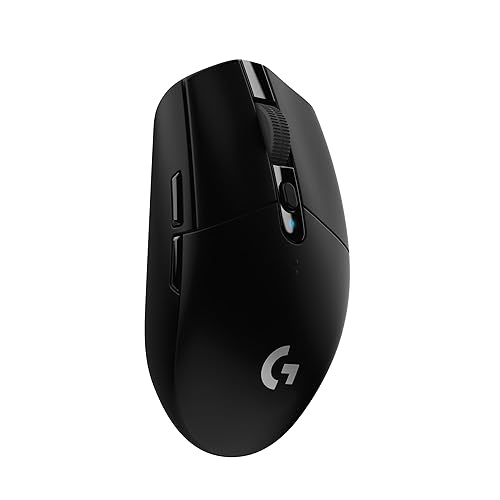
Logitech G305 Black Mouse
An ambidextrous wireless gaming mouse with 6 programmable buttons, 12000 DPI and a stated 250-hour battery.
Pros
- 6 programmable buttons with on-board memory
- 12000 DPI HERO optical sensor with 1 ms LIGHTSPEED wireless
- 250 hours stated, with a 9-month endurance mode
- 3.4 oz stated weight, light for the class
Cons
- No warranty term is stated
- AA battery means spares or rechargeables to manage
- No stated tilt scroll
- Glossy finish shows fingerprints per the finish listing
Detailed Review
Logitech lists the black G305 with a 12000 DPI HERO optical sensor, LIGHTSPEED wireless at a 1 ms report rate, 6 programmable buttons with on-board memory and an ambidextrous classic shape. The listing states 250 hours on 1 AA with an endurance mode up to 9 months via G HUB software, a 3.4 oz weight and built-in receiver storage. No warranty term is stated.
Who it's for: gamers and general users who want a light ambidextrous mouse with long battery life. Who should skip it: anyone who needs more than 6 programmable buttons.
Its Office Score of 9.5/10 comes from performance 30/35, build 21/25, value 21/25, safety 0/10 and warranty 0/5: 72 of 100 points, placed on our 9.2 to 9.8 scale.
Key Specifications
| Buttons | 6 programmable |
|---|---|
| DPI | 12000 max |
| Battery | 250 hours, 1 AA |
| Hand | Ambidextrous |
Figures as published on the retailer listing, collected 17 October 2026. Performance figures are manufacturer rated.
Safety and Warranty
What this listing states. No FCC or other safety listing is stated, so safety scores zero. No warranty term, so warranty scores zero. See How We Pick.
Fit the desk first. Check the stated size against your desk depth and keyboard tray, and charge or pair as the manual describes. No keyboard, mouse or wrist rest prevents or treats injury.
This is general buying information, not professional advice. Follow each product manual and local rules, and see our Safety Disclaimer.

Logitech M510 Mouse
A full-size right-hand wireless mouse with 7 buttons, tilt-to-scroll and a stated 2-year battery life.
Pros
- 2-year stated battery life on 2 AA batteries
- Back and Forward buttons programmable, plus tilt scroll and zoom
- Contoured shape with soft rubber grips
- Full-size broad palm area
Cons
- Only the Back/Forward buttons are programmable
- 1000 DPI maximum is the lowest here
- Right-hand shape only; the listing notes right-handers specifically
- Full button programming needs the SetPoint software
Detailed Review
Logitech lists the M510 as a full-size wireless mouse with 7 buttons: three standard plus Back and Forward buttons programmable to switch apps or go full screen, with tilt-to-scroll and zoom via SetPoint software. The listing states a 2-year battery life on 2 AA batteries and a contoured right-hand shape with rubber grips. Maximum sensitivity is 1000 DPI. A 1 Year warranty is stated.
Who it's for: office users who want tilt scrolling and a comfortable full-size shape. Who should skip it: anyone who needs many programmable buttons or high DPI.
Its Office Score of 9.5/10 comes from performance 27/35, build 21/25, value 21/25, safety 0/10 and warranty 2/5: 71 of 100 points, placed on our 9.2 to 9.8 scale.
Key Specifications
| Buttons | 7, Back/Forward programmable |
|---|---|
| DPI | 1000 max |
| Battery | 2 years, 2 AA |
| Hand | Right |
Figures as published on the retailer listing, collected 17 October 2026. Performance figures are manufacturer rated.
Safety and Warranty
What this listing states. No FCC or other safety listing is stated, so safety scores zero. 1 Year. It does not say everything a buyer needs, such as who pays return shipping, so warranty scores 2 of 5. See How We Pick.
Fit the desk first. Check the stated size against your desk depth and keyboard tray, and charge or pair as the manual describes. No keyboard, mouse or wrist rest prevents or treats injury.
This is general buying information, not professional advice. Follow each product manual and local rules, and see our Safety Disclaimer.

Anker Vertical Mouse
A vertical wireless mouse with a handshake grip, 5 buttons and 2.4G connectivity.
Pros
- Handshake wrist position stated
- 5 buttons with next and previous stated
- 800 to 1600 DPI stated
- Power-saving after 8 minutes stated
Cons
- Click sounds stated as unavoidable
- 2.4G only; no Bluetooth
- No battery term is stated
- No warranty term is stated
Detailed Review
Anker lists a 2.4G wireless vertical ergonomic mouse with a handshake wrist and arm position, 800, 1200 and 1600 DPI and next and previous buttons. The listing states power-saving mode after 8 minutes of inactivity and notes that key click sounds are unavoidable. It is not Bluetooth. No warranty term is stated.
Who it's for: anyone who wants a simple vertical mouse with extra buttons. Who should skip it: anyone who needs quiet clicks.
Its Office Score of 9.4/10 comes from performance 28/35, build 20/25, value 20/25, safety 0/10 and warranty 0/5: 68 of 100 points, placed on our 9.2 to 9.8 scale.
Key Specifications
| Shape | Vertical |
|---|---|
| DPI | 800-1600 |
| Buttons | 5 |
| Connection | 2.4G |
Figures as published on the retailer listing, collected 17 October 2026. Performance figures are manufacturer rated.
Safety and Warranty
What this listing states. This product does not plug in or run on a battery, so safety is not part of its score. No warranty term, so warranty scores zero. See How We Pick.
Fit the desk first. Check the stated size against your desk depth and keyboard tray, and charge or pair as the manual describes. No keyboard, mouse or wrist rest prevents or treats injury.
This is general buying information, not professional advice. Follow each product manual and local rules, and see our Safety Disclaimer.
As an Amazon Associate I earn from qualifying purchases.
More picks to compare
 Logitech Signature M650 L Full SizeCheck on Amazon
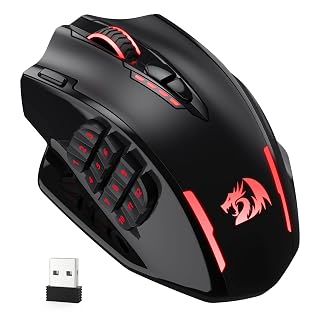 Redragon M913 Wireless RGB MMO GamingCheck on Amazon
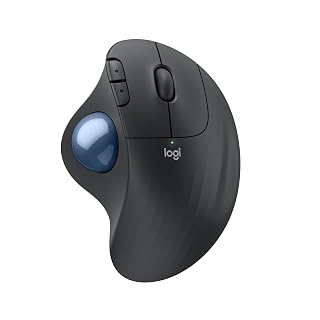 Logitech Ergo M575S Wireless BluetoothCheck on Amazon
Compare the picks
| Mouse | Office Score | DPI | Buttons | Scroll | Warranty | Amazon |
|---|---|---|---|---|---|---|
| ProtoArc EM11 Pro | 9.6/10 | Up to 7200 | 8 | Side scroll wheel | 2-year | View on Amazon |
| Nulea Trackball M511 | 9.5/10 | 4 levels | 6 | Scroll wheel | 12-month | View on Amazon |
| Logitech M510 | 9.4/10 | Not stated | 7 | Tilt scroll | Not stated | |
| Logitech G305 | 9.5/10 | Not stated | 6 | Not stated | Not stated | |
| Anker Vertical Mouse | 9.4/10 | Not stated | Not stated | Not stated | Not stated | View on Amazon |
Specifications are manufacturer rated as listed, collected 17 October 2026.
How we scored them
The Office Score weighs typing comfort, build quality, value, safety and warranty. For a mouse, safety would mean a stated certification or a guarded electrical design, and none of the five listings names one, so no safety points were given. The ProtoArc states a 2-year warranty and the Nulea states 12 months; the other three state no warranty term. How we pick explains the weights.
| Product | Office Score | Perf. /35 | Build /25 | Value /25 | Safety /10 | Warranty /5 |
|---|---|---|---|---|---|---|
| ProtoArc EM11 Pro | 9.6 | 33 | 21 | 21 | 0 | 3 |
| Nulea Trackball M511 | 9.5 | 30 | 20 | 20 | 0 | 2 |
Scores run from 9.2 to 9.8: each product’s point total is placed on that range, so more points always means a higher score.
How to choose the best wireless mouse for video editing
Scroll wheels beat dragging
The ProtoArc’s side scroll wheel moves left and right through timelines without touching the bottom scroll bar, and its 6 buttons are customizable through a browser-based tool. The Logitech M510’s tilt scroll does similar duty. The Nulea trackball stays put while your thumb does the moving, which suits tight desk spaces. For timeline work, a horizontal scroll option matters more than raw DPI.
DPI and buttons
The ProtoArc adjusts up to 7200 DPI across 8 buttons for fast moves across large or multi-screen setups. The Nulea offers 4 fixed sensitivity levels with 6 buttons that are not programmable, per the listing. The other three listings state no DPI figures. More buttons help only if you can assign them: the ProtoArc’s browser-based customization is the only stated remapping here, and it needs no software download.
Battery and connections
The ProtoArc’s 500mAh battery recharges over USB Type-C, with the cable included for charging only. The Nulea is rechargeable and connects over Bluetooth or the included USB receiver, switching between up to 3 devices at the tap of a button. The ProtoArc connects over two Bluetooth 5.0 channels plus a 2.4 GHz USB-A receiver for 3 devices. The other three listings state no battery details. For precision cursor work, see our wireless mouse for CAD picks.
What the thin listings don’t tell you
The Anker, G305 and M510 listings state almost nothing beyond their titles, so check the live listings for DPI, battery and warranty before buying. The G305 is a gaming mouse, which suits responsive cursor work but may lack office comfort features. The M510’s tilt scroll is genuinely useful for timelines if the listing confirms it. For long editing sessions, see our wireless mouse for coding guide.
Ergonomic shapes compared
The ProtoArc’s vertical shape holds the hand in a handshake position, which the listing says keeps the wrist and forearm more natural through long sessions. The Nulea’s 21.7 degree tilt stand elevates the trackball for a similar effect without a full vertical grip. The Anker is also vertical, though its listing states no further details. A vertical or tilted mouse suits all-day editing better than a flat one, but the ProtoArc listing advises allowing 1 to 2 weeks to adjust to the grip.
Setup Notes
- Measure your hand: the ProtoArc is designed for 7.5 to 8.5 inch hands; measure before ordering.
- Plan charging: the ProtoArc uses USB Type-C with the cable included; the Nulea pairs over Bluetooth or USB receiver.
- The ProtoArc’s vertical grip can take 1 to 2 weeks to feel natural, per the listing.
- Pair up to 3 devices on the ProtoArc or Nulea and switch with the device button instead of re-pairing.
Frequently Asked Questions
Which mouse is best for scrubbing video timelines?
The ProtoArc EM11 Pro, with its side scroll wheel for left-right timeline movement and up to 7200 DPI. The Logitech M510’s tilt scroll is a simpler alternative.
Which of these mice are rechargeable?
The ProtoArc has a 500mAh battery charged over USB Type-C, and the Nulea is rechargeable with Bluetooth or USB receiver. The other three listings state no battery details.
Which mouse has the most buttons?
The ProtoArc with 8 customizable buttons, followed by the Logitech M510 with 7 and the Nulea and G305 with 6 each.
Which has the longest warranty?
The ProtoArc at 2 years, then the Nulea at 12 months. The other three state no warranty term.
Do any of these work with Mac?
The ProtoArc lists macOS 10.12 or later, Windows 8 and 10 or later, and Android 4.3 or later. The Nulea lists PC and Mac compatibility.
Which mouse works without moving it?
The Nulea trackball: the ball moves under your thumb while the mouse stays put, so it works in tight spaces and on any surface. The other four are traditional mice that need room to glide.
Related guides
See every mice and mouse pads guide and all computer peripherals guides.
More picks: wireless mouse for CAD, wireless mouse for coding and wrist rest for mouse.


