Laptop stand size decides whether a stand lifts the screen enough, holds the laptop steady, and still fits the desk. A laptop that sits flat on the desk puts the screen low and the keyboard high, and a stand is the small change that lifts the screen and lets air move under the machine. This guide walks through each measurement, then shows the stands and tray tables below with their stated sizes, so you can match a stand to a laptop before you buy.
OfficeKitHQ earns a commission when you buy through links on this page, at no extra cost to you. As an Amazon Associate I earn from qualifying purchases. Affiliate disclosure.
Laptop stand size: the measurements that matter
The fit comes down to the laptop footprint, the height range, and the desk space. Measure the laptop width and depth first, then compare those figures with the stand tray or platform, the height range, and the room left on the desk.
| Measurement | What to check | Stated figures in this guide | Amazon |
|---|---|---|---|
| Laptop width and depth | Tray or platform holds the whole laptop | Amazon Basics fits 10 to 15.6 inches; CAHAYA tray 16 x 11 inches | |
| Height range | Screen rises to a comfortable level | CAHAYA 26 to 51.5 inches; Kitstorack 19 to 30 inches; HUANUO 21.53 to 28.74 inches | |
| Desk footprint | Room left for keyboard, mouse and papers | Amazon Basics folds to 10 x 8.7 x 1.8 inches; HUANUO tabletop 20.5 x 15.55 inches |
Check each figure against the listing before you buy, since tray tables list panel sizes rather than laptop sizes.
Measure the laptop first
Measure the laptop width and depth, then compare those figures with the stand tray or platform. The Amazon Basics stand (on Amazon) lists a fit for laptops from 10 to 15.6 inches, so a laptop inside that range sits on it. The CAHAYA tray (on Amazon) lists 16 x 11 inches, the Kitstorack panel lists 16 x 12 inches, and the HUANUO tabletop lists 20.5 x 15.55 inches, so each holds a laptop with room to spare on the sides. Check the listing for a stated laptop size range before buying, since the tray tables list panel sizes rather than laptop sizes. Our laptop stands for travel picks compare more folding stands.
Check the height range
Height range is the figure that decides how far the screen rises. The CAHAYA stand adjusts from 26 to 51.5 inches, which suits a floor stand for sitting or standing. The Kitstorack table (on Amazon) offers 9 height settings from 19 to 30 inches, and the HUANUO table (on Amazon) offers 6 height adjustments from 21.53 to 28.74 inches. The Amazon Basics stand lists up to 7 inches of height adjustment for a desk riser. Match the range to the desk: a floor stand needs a tall range, while a desk riser needs a small range. Our laptop stands for height picks compare taller options.
Stands that fit the measurements
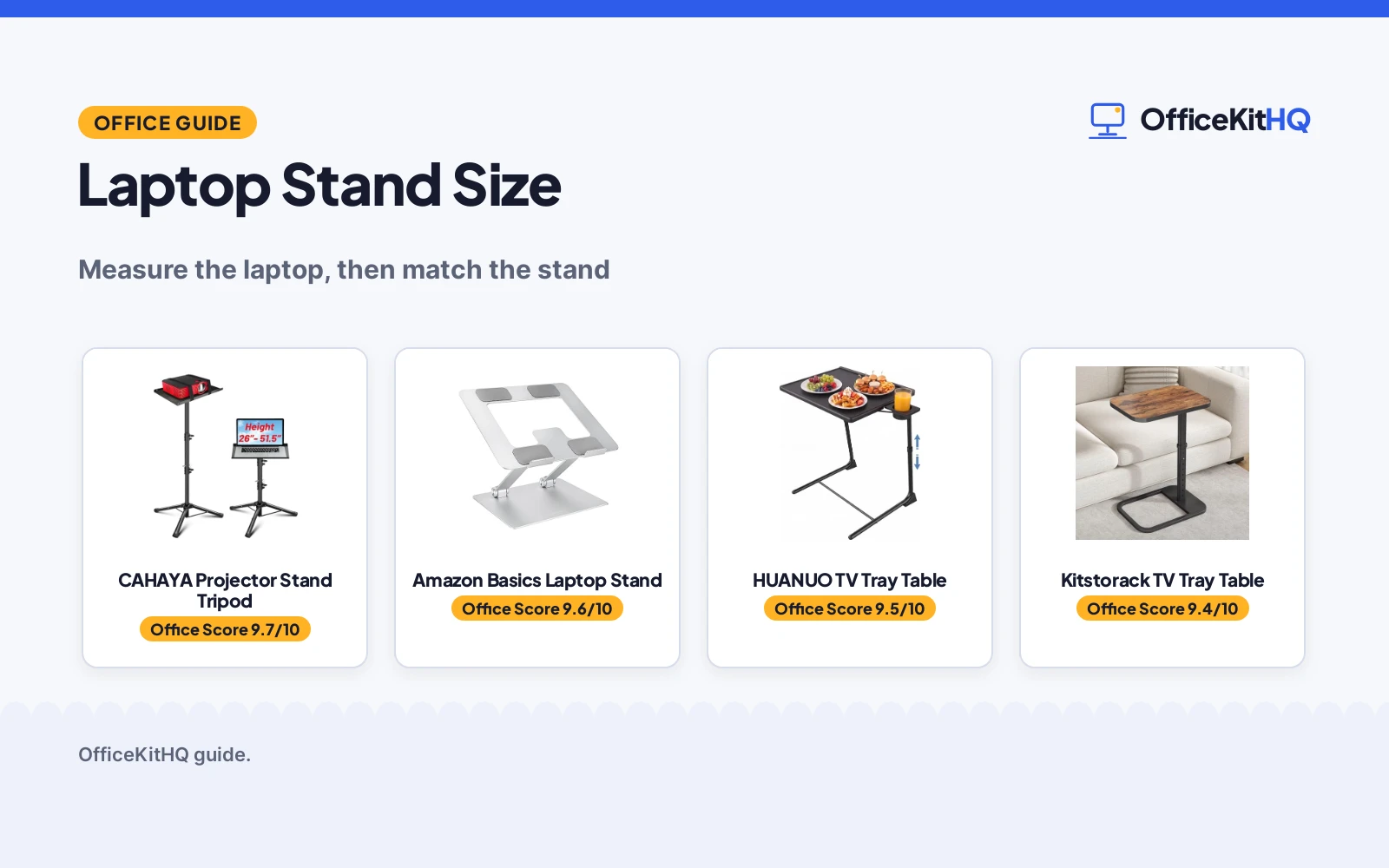
Measure the laptop and the desk first, then match the figures below: each stand or table lists the height range, platform size and capacity it states, and the cards say which part of the sizing job it handles.
| # | Product | Office Score | Buy |
|---|---|---|---|
| 1 |  CAHAYA Projector Stand Tripod | 9.7/10 | Buy on Amazon |
| 2 |  Amazon Basics Laptop Stand | 9.6/10 | Buy on Amazon |
| 3 |  HUANUO TV Tray Table | 9.5/10 | Buy on Amazon |
| 4 |  Kitstorack TV Tray Table | 9.4/10 | Buy on Amazon |

CAHAYA Projector Stand Tripod
A tall tripod stand with a tilting tray that handles the height part of the sizing job, adjusting from 26 to 51.5 inches with a 30 lbs capacity.
Pros
- Height adjusts from 26 to 51.5 inches, so it works sitting or standing
- Tray tilts up to 180 degrees for viewing angle changes
- 30 lbs capacity on a metal tripod frame
- 2 year manufacturer warranty is stated
Cons
- Sold as a projector stand first; laptop use is secondary
- Tripod legs need floor space a desk stand does not
- No laptop size range is stated, only a 30 lbs capacity
Detailed Review
The CAHAYA listing describes a tripod projector stand with a 16 x 11 inch tray that tilts up to 180 degrees, height from 26 to 51.5 inches, and a 30 lbs capacity on a metal tripod frame. Sponge pads and spring straps hold devices on the tray, and an anti-sliding lock keeps the height in place. The stand folds compactly for storage or transport, and the listing states a 2 year manufacturer warranty. The spec table lists dimensions that do not match the tray size in the bullets, so check which figure is the tray before buying.
Who it's for: anyone who wants a tall, freestanding stand for a projector or laptop in a meeting room or home theater. Who should skip it: anyone who wants a small desk riser that stays on the desk.
Its Office Score of 9.7/10 comes from performance 29/35, build 21/25, value 20/25, safety 7/10 and warranty 4/5: 81 of 100 points, placed on our 9.2 to 9.8 scale.
Key Specifications
| Height range | 26 to 51.5 inches |
|---|---|
| Tray | 16 x 11 inches |
| Capacity | 30 lbs |
| Tilt | Up to 180 degrees |
Figures as published on the retailer listing, collected 10 November 2026. Performance figures are manufacturer rated.
Safety and Warranty
What this listing states. Anti-sliding lock, sponge pads and spring straps hold devices on the tray, so safety scores 7 of 10. 2 Year Manufacturer warranty. It does not say everything a buyer needs, such as who pays return shipping, so warranty scores 4 of 5. See How We Pick.
Match the mount. Check your screen's VESA pattern, size and weight against the stated range, and check that your desk thickness and edge suit a clamp or grommet mount before you drill or clamp.
This is general buying information, not professional advice. Follow each product manual and local rules, and see our Safety Disclaimer.

Amazon Basics Laptop Stand
A folding aluminum laptop stand that handles the laptop-fit part of the sizing job, with up to 7 inches of height adjustment for laptops from 10 to 15.6 inches.
Pros
- Fits laptops from 10 to 15.6 inches
- Up to 7 inches of height adjustment
- Ventilated hollow design promotes airflow under the laptop
- Folds flat to 10 x 8.7 x 1.8 inches for travel and storage
Cons
- 11 lbs capacity suits most laptops but not heavier devices
- No warranty term is stated
- Needs a flat, solid surface for best stability
Detailed Review
The Amazon Basics listing describes a folding aluminum laptop stand with up to 7 inches of height adjustment, a fit for laptops from 10 to 15.6 inches, and an 11 lbs capacity. The listing calls the stand ergonomic. Non-slip silicone pads and protective hooks hold the laptop, and the open hollow design promotes airflow under it. The stand folds flat to 10 x 8.7 x 1.8 inches and weighs 1.7 lbs. The spec table lists a 6 inch height while the bullets list up to 7 inches of adjustment, so confirm the raised height before buying.
Who it's for: laptop users who want a light, folding stand for a desk or a bag. Who should skip it: anyone with a laptop over 15.6 inches or a heavier device that needs more than 11 lbs of support.
Its Office Score of 9.6/10 comes from performance 30/35, build 21/25, value 21/25, safety 7/10 and warranty 0/5: 79 of 100 points, placed on our 9.2 to 9.8 scale.
Key Specifications
| Fits laptops | 10 to 15.6 inches |
|---|---|
| Height adjustment | Up to 7 inches |
| Capacity | 11 lbs |
| Folded size | 10 x 8.7 x 1.8 inches |
Figures as published on the retailer listing, collected 10 November 2026. Performance figures are manufacturer rated.
Safety and Warranty
What this listing states. Non-slip silicone pads and protective hooks hold the laptop, so safety scores 7 of 10. No warranty term, so warranty scores zero. See How We Pick.
Match the mount. Check your screen's VESA pattern, size and weight against the stated range, and check that your desk thickness and edge suit a clamp or grommet mount before you drill or clamp.
This is general buying information, not professional advice. Follow each product manual and local rules, and see our Safety Disclaimer.

HUANUO TV Tray Table
A foldable TV tray table that handles the tilt part of the sizing job, with 6 height and 3 tilt adjustments and a 20.5 x 15.55 inch tabletop.
Pros
- Height adjusts from 21.53 to 28.74 inches with 6 height settings
- Tabletop tilts with 3 angle options
- 20.5 x 15.55 inch tabletop with a 3 inch cup holder
- Folds flat for storage and assembles in 5 minutes or less
Cons
- Sold as a TV tray table, not a laptop stand; no ventilation stated
- 1 year warranty is shorter than the CAHAYA 2 year term
- When folded it cannot fit fully under a low sofa or bed without detaching the center rod
Detailed Review
The HUANUO listing describes a foldable TV tray with height from 21.53 to 28.74 inches, 6 height adjustments and 3 tilt angle options. The 20.5 x 15.55 inch tabletop includes a 3 inch cup holder, and the tray folds down for storage. The listing states a 1 year warranty. The bullets list a 15.55 inch tabletop depth while the spec table lists 15.5 inches, a small mismatch to check before buying.
Who it's for: anyone who wants a tilting tray table for a laptop, dinner or reading at the sofa. Who should skip it: anyone who wants a ventilated laptop stand or a stated laptop size range.
Its Office Score of 9.5/10 comes from performance 26/35, build 19/25, value 19/25, safety 5/10 and warranty 3/5: 72 of 100 points, placed on our 9.2 to 9.8 scale.
Key Specifications
| Height range | 21.53 to 28.74 inches |
|---|---|
| Tabletop | 20.5 x 15.55 inches |
| Height adjustments | 6 |
| Tilt angles | 3 |
Figures as published on the retailer listing, collected 10 November 2026. Performance figures are manufacturer rated.
Safety and Warranty
What this listing states. Non-slip pads keep the tray from sliding, so safety scores 5 of 10. 1 year warranty. It does not say everything a buyer needs, such as who pays return shipping, so warranty scores 3 of 5. See How We Pick.
Match the mount. Check your screen's VESA pattern, size and weight against the stated range, and check that your desk thickness and edge suit a clamp or grommet mount before you drill or clamp.
This is general buying information, not professional advice. Follow each product manual and local rules, and see our Safety Disclaimer.

Kitstorack TV Tray Table
A C-shaped TV tray table that handles the desk-space part of the sizing job, with 9 height settings from 19 to 30 inches and a 16 x 12 inch panel.
Pros
- 9 height settings from 19 to 30 inches
- 16 x 12 inch panel fits a laptop, books and drinks
- Flip-top folds up 90 degrees when not in use
- C shape slides to the edge of a sofa or chair
Cons
- Sold as a TV tray table, not a laptop stand; no ventilation stated
- No warranty term is stated
- At 8.0 pounds it is heavier to move than the 1.7 lb Amazon Basics stand
- No tilt angle is stated; the panel stays flat
Detailed Review
The Kitstorack listing describes a C-shaped TV tray table with 9 height settings from 19 to 30 inches and a 16 x 12 inch panel. It flips up 90 degrees when not in use and fits at the edge of a sofa for eating, working or relaxing. The listing calls it a tray table for laptops, books and drinks, so it works as a laptop table, not as a ventilated laptop stand.
Who it's for: anyone who works from a sofa or chair and wants a height-adjustable table for a laptop. Who should skip it: anyone who wants a ventilated desk stand with a stated laptop size range.
Its Office Score of 9.4/10 comes from performance 26/35, build 19/25, value 19/25, safety 5/10 and warranty 0/5: 69 of 100 points, placed on our 9.2 to 9.8 scale.
Key Specifications
| Height range | 19 to 30 inches |
|---|---|
| Height settings | 9 |
| Panel | 16 x 12 inches |
| Weight | 8.0 pounds |
Figures as published on the retailer listing, collected 10 November 2026. Performance figures are manufacturer rated.
Safety and Warranty
What this listing states. Thicker upright posts and a wider metal base steady the table, so safety scores 5 of 10. No warranty term, so warranty scores zero. See How We Pick.
Match the mount. Check your screen's VESA pattern, size and weight against the stated range, and check that your desk thickness and edge suit a clamp or grommet mount before you drill or clamp.
This is general buying information, not professional advice. Follow each product manual and local rules, and see our Safety Disclaimer.
As an Amazon Associate I earn from qualifying purchases.
FAQ
What size laptop stand do I need?
Match the stand to the laptop first. The Amazon Basics stand lists a fit for laptops from 10 to 15.6 inches, while the CAHAYA tray lists 16 x 11 inches and the HUANUO tabletop lists 20.5 x 15.55 inches. Measure the laptop, then compare those figures.
How high should a laptop stand lift the screen?
It depends on the stand type. The CAHAYA tripod adjusts from 26 to 51.5 inches for floor use, while the Amazon Basics desk stand lists up to 7 inches of height adjustment. Check the stated height range against the desk and the chair.
Will a TV tray table work as a laptop stand?
It can, with limits. The Kitstorack and HUANUO tables list laptop use, height adjustment and tilt, but neither lists ventilation or a laptop size range. A dedicated stand such as the Amazon Basics lists both a laptop size range and a ventilated design.
What weight capacity do I need in a laptop stand?
Match the capacity to the laptop. The Amazon Basics lists 11 lbs, the CAHAYA lists 30 lbs, and the Kitstorack lists 8.0 pounds as its item weight rather than a capacity. Check whether the listing states a capacity or only an item weight.
More for your workspace
See every monitor arms and stands guide and all computer peripherals guides. Also see our best laptop stands for airflow. Also see our best laptop stands for cooling. Also see our best vertical laptop stands. Also see our best laptop stands for presentations.