
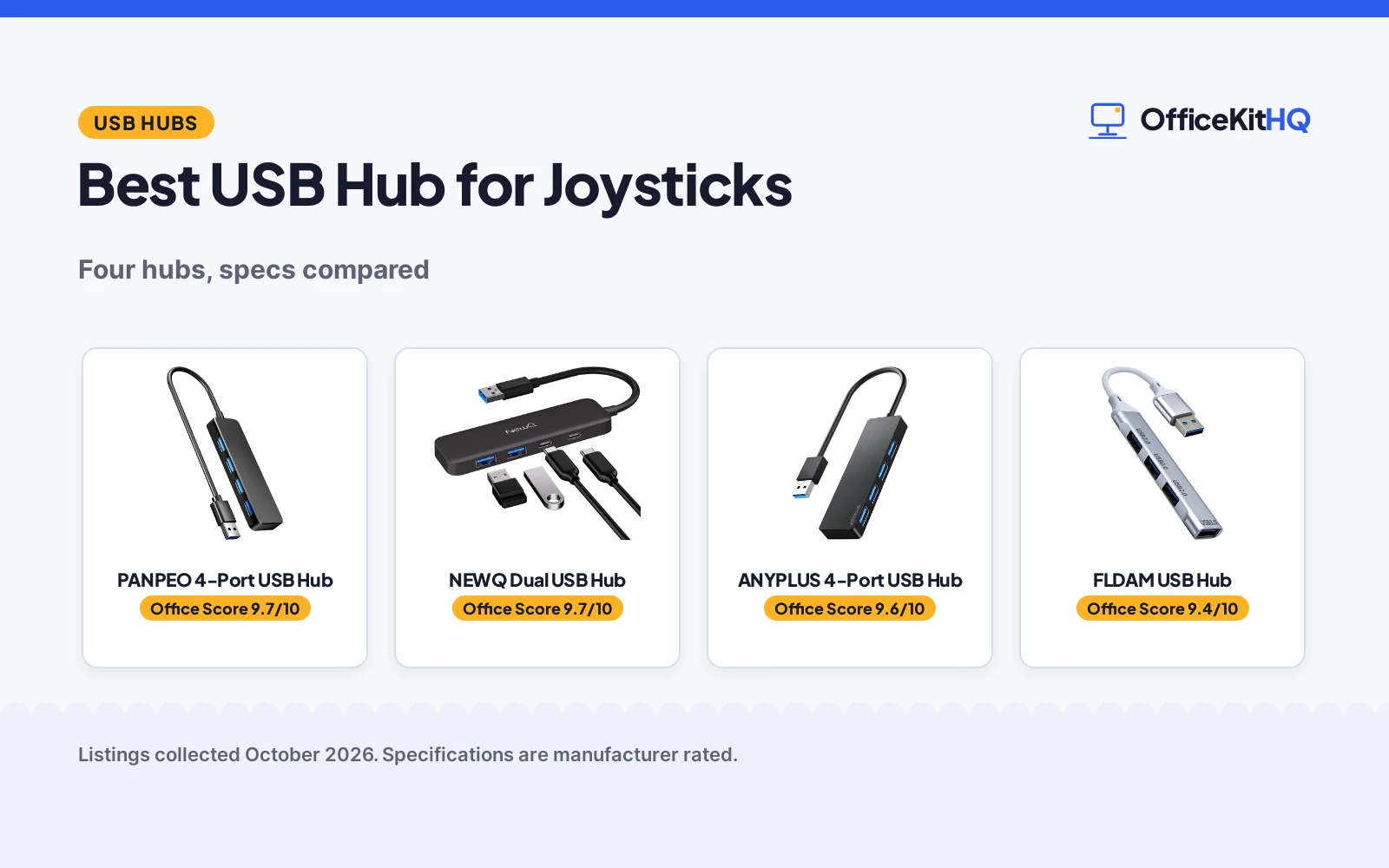
The best usb hub for joysticks is the one with enough ports for every controller, a cable that reaches your desk and no surprises about charging. A hub that cannot pass power to your devices is fine for joysticks, but only if you know that going in. We compared four USB hubs by stated port count and mix, transfer speed, cable length, size, weight and warranty terms, using only what each listing publishes.
OfficeKitHQ earns a commission when you buy through links on this page, at no extra cost to you. As an Amazon Associate I earn from qualifying purchases. Affiliate disclosure.
Quick picks
 Best Overall PANPEO 4-Port USB Hub: 24-month warranty, 5Gbps, 1 ft cable stated Check price on Amazon
 Best USB-C Mix NEWQ Dual USB Hub: 2 USB-C and 2 USB-A, 18-month warranty stated Check price on Amazon
 Best Compact ANYPLUS 4-Port USB Hub: 45 g, 24 cm cable, 900mA limit stated Check price on Amazon
 Best Aluminum FLDAM USB Hub: Aluminum enclosure, 5Gbps stated Check price on Amazon
The picks
| # | Product | Office Score | Buy |
|---|---|---|---|
| 1 | PANPEO 4-Port USB Hub | 9.7/10 | Buy on Amazon |
| 2 | NEWQ Dual USB Hub | 9.7/10 | Buy on Amazon |
| 3 | ANYPLUS 4-Port USB Hub | 9.6/10 | Buy on Amazon |
| 4 | FLDAM USB Hub | 9.4/10 | Buy on Amazon |

PANPEO 4-Port USB Hub
A 4-port USB 3.0 hub with 5Gbps transfer, a 1 ft cable, a 3.94 by 2.36 by 0.39 in body at 35 g and a stated 24-month warranty.
Pros
- 4 USB 3.0 ports at 5Gbps with backward compatibility stated
- 24 months warranty is stated, the longest term here
- 1 ft cable length is stated
- 3.94 by 2.36 by 0.39 in body at 35 g is stated
Cons
- No safety certification is stated
- Backward compatibility is stated but no speeds are given for USB 2.0
- Only one cable length, 1 ft, is stated
- Plastic enclosure, like most of the others here
Detailed Review
PANPEO lists a 4-port USB 3.0 hub with 5Gbps transfer, a 1 ft cable, a plastic enclosure measuring 3.94 by 2.36 by 0.39 in at 35 g, and plug-and-play with Windows, macOS, Chrome OS and Linux. The listing states a 24 months warranty and notes that the hub does not support device charging, for data transfer only. No safety certification appears in the listing.
Who it's for: someone who wants the longest stated warranty here and a clear full spec set. Who should skip it: anyone who needs charging support or USB-C ports.
Its Office Score of 9.7/10 comes from performance 30/35, build 21/25, value 21/25, safety not scored (non-powered gear) and warranty 4/5: 76 of 90 points, placed on our 9.2 to 9.8 scale.
Key Specifications
| Ports | 4 x USB-A 3.0 |
|---|---|
| Speed | 5Gbps |
| Cable | 1 ft |
| Warranty | 24 months |
Figures as published on the retailer listing, collected 21 October 2026. Performance figures are manufacturer rated.
Safety and Warranty
What this listing states. This product does not plug in or run on a battery, so safety is not part of its score. 24 months. It does not say everything a buyer needs, such as who pays return shipping, so warranty scores 4 of 5. See How We Pick.
Power and heat. Use the supplied adapter, treat power delivery wattage and display support as the maker's claims for your laptop model, and give the dock room to vent.
This is general buying information, not professional advice. Follow each product manual and local rules, and see our Safety Disclaimer.

NEWQ Dual USB Hub
A 4-port hub with two USB-C 3.0 and two USB-A 3.0 ports, 5Gbps transfer, a 3.93 in cable and a stated 18 month warranty.
Pros
- Two USB-C 3.0 and two USB-A 3.0 ports, the only USB-C mix here
- 5Gbps transfer speed is stated
- 18 month warranty is stated
- 4.1 by 1.14 by 0.35 in slim body is stated
Cons
- PD charging and monitor support are not supported, per the listing
- No safety certification is stated
- 3.93 in cable is the smallest length stated here
- 0.04 kg item weight is stated in kilograms
Detailed Review
NEWQ lists a 4-port hub with two USB-C 3.0 and two USB-A 3.0 ports, all USB 3.0 at 5Gbps, in a 4.1 by 1.14 by 0.35 in body at 0.04 kg with a 3.93 in cable. The listing states an 18 month warranty and notes that PD charging and monitor support are not supported. No safety certification appears in the listing.
Who it's for: someone whose computer needs USB-C ports on the hub. Who should skip it: anyone who needs charging or monitor pass-through.
Its Office Score of 9.7/10 comes from performance 29/35, build 21/25, value 20/25, safety not scored (non-powered gear) and warranty 3/5: 73 of 90 points, placed on our 9.2 to 9.8 scale.
Key Specifications
| Ports | 2 x USB-C 3.0, 2 x USB-A 3.0 |
|---|---|
| Speed | 5Gbps |
| Cable | 3.93 in |
| Warranty | 18 month |
Figures as published on the retailer listing, collected 21 October 2026. Performance figures are manufacturer rated.
Safety and Warranty
What this listing states. This product does not plug in or run on a battery, so safety is not part of its score. 18 month. It does not say everything a buyer needs, such as who pays return shipping, so warranty scores 3 of 5. See How We Pick.
Power and heat. Use the supplied adapter, treat power delivery wattage and display support as the maker's claims for your laptop model, and give the dock room to vent.
This is general buying information, not professional advice. Follow each product manual and local rules, and see our Safety Disclaimer.

ANYPLUS 4-Port USB Hub
A 4-port USB 3.0 hub with 5Gbps transfer, a 24 cm cable, a 3.54 by 0.39 by 1.42 in body at 45 g and a stated 900mA output limit.
Pros
- 4 USB 3.0 ports at 5Gbps, all usable at once per the listing
- 900mA maximum output is stated, so the limit is clear
- 3.54 by 0.39 by 1.42 in body at 45 g is stated
- Wide OS compatibility is stated: Windows, Mac OS X, Linux and Chrome OS
Cons
- Warranty description reads only "1", which names no term
- Not suitable for charging: 900mA maximum output is stated
- No safety certification is stated
- 0.39 in width is the slimmest stated, but the cable is only 24 cm
Detailed Review
ANYPLUS lists a 4-port USB 3.0 hub with 5Gbps transfer, plus stated 480Mbps for USB 2.0 and 12Mbps for USB 1.1, in a 3.54 by 0.39 by 1.42 in body at 45 g with a 24 cm cable. The listing states a 900mA maximum output and says the hub is not suitable for charging devices, for data transfer and peripherals only. The warranty description reads only "1", which names no term. No safety certification appears in the listing.
Who it's for: someone who wants a compact data-only hub with a clearly stated output limit. Who should skip it: anyone who wants a stated warranty term or charging support.
Its Office Score of 9.6/10 comes from performance 28/35, build 20/25, value 20/25, safety not scored (non-powered gear) and warranty 0/5: 68 of 90 points, placed on our 9.2 to 9.8 scale.
Key Specifications
| Ports | 4 x USB-A 3.0 |
|---|---|
| Speed | 5Gbps |
| Cable | 24 cm |
| Weight | 45 g |
Figures as published on the retailer listing, collected 21 October 2026. Performance figures are manufacturer rated.
Safety and Warranty
What this listing states. This product does not plug in or run on a battery, so safety is not part of its score. No warranty term, so warranty scores zero. See How We Pick.
Power and heat. Use the supplied adapter, treat power delivery wattage and display support as the maker's claims for your laptop model, and give the dock room to vent.
This is general buying information, not professional advice. Follow each product manual and local rules, and see our Safety Disclaimer.

FLDAM USB Hub
A 4-port USB hub with an aluminum enclosure, a stated 5Gbps transfer rate and no stated warranty term.
Pros
- Aluminum enclosure, the only metal body here
- 5Gbps transfer rate is stated in the spec table
- 5Gbps transfer matches the speed the other three state
- 4 ports are stated
Cons
- No cable length, dimensions or weight are stated
- Only one bullet describes the product
- No safety certification is stated
- No warranty term is stated
Detailed Review
FLDAM lists a 4-port USB hub in a silver aluminum enclosure with a stated 5Gbps transfer rate. The warranty description reads only "One month", which names no concrete term, so no warranty term is stated. The listing is the thinnest here: one bullet, no stated cable length, no dimensions and no weight. No safety certification appears in the listing.
Who it's for: someone who wants an aluminum hub body and can live with the thin spec set. Who should skip it: anyone who wants stated dimensions, cable length or a longer warranty term.
Its Office Score of 9.4/10 comes from performance 24/35, build 18/25, value 18/25, safety not scored (non-powered gear) and warranty 0/5: 60 of 90 points, placed on our 9.2 to 9.8 scale.
Key Specifications
| Ports | 4 ports |
|---|---|
| Speed | 5Gbps |
| Enclosure | Aluminum |
| Warranty | Not stated |
Figures as published on the retailer listing, collected 21 October 2026. Performance figures are manufacturer rated.
Safety and Warranty
What this listing states. This product does not plug in or run on a battery, so safety is not part of its score. No warranty term, so warranty scores zero. See How We Pick.
Power and heat. Use the supplied adapter, treat power delivery wattage and display support as the maker's claims for your laptop model, and give the dock room to vent.
This is general buying information, not professional advice. Follow each product manual and local rules, and see our Safety Disclaimer.
As an Amazon Associate I earn from qualifying purchases.
Compare the picks
| USB Hub | Office Score | Ports | Speed | Cable | Weight | Warranty | Amazon |
|---|---|---|---|---|---|---|---|
| PANPEO 4-Port USB Hub | 9.7/10 | 4 x USB-A 3.0 | 5Gbps | 1 ft | 35 g | 24 months | View on Amazon |
| NEWQ Dual USB Hub | 9.7/10 | 2 x USB-C, 2 x USB-A | 5Gbps | 3.93 in | 0.04 kg | 18 month | View on Amazon |
| ANYPLUS 4-Port USB Hub | 9.6/10 | 4 x USB-A 3.0 | 5Gbps | 24 cm | 45 g | Not stated | View on Amazon |
| FLDAM USB Hub | 9.4/10 | 4 ports | 5Gbps | Not stated | Not stated | Not stated | View on Amazon |
Specifications are manufacturer rated as listed, collected 21 October 2026. Two of the four state a warranty term; none states a safety certification.
How we scored them
The Office Score weighs performance (stated port count, transfer speed and cable length), build (enclosure material, dimensions and weight), value for the stated specs, safety and warranty. For a USB hub, safety means a stated certification; none of the four states one, so all score zero there. Two listings state a warranty term: the PANPEO at 24 months and the NEWQ at 18 month. How we pick explains the weights.
| Product | Office Score | Perf. /35 | Build /25 | Value /25 | Safety /10 | Warranty /5 |
|---|---|---|---|---|---|---|
| PANPEO 4-Port USB Hub | 9.7 | 30 | 21 | 21 | n/a | 4 |
| NEWQ Dual USB Hub | 9.7 | 29 | 21 | 20 | n/a | 3 |
| ANYPLUS 4-Port USB Hub | 9.6 | 28 | 20 | 20 | n/a | 0 |
| FLDAM USB Hub | 9.4 | 24 | 18 | 18 | n/a | 0 |
Scores run from 9.2 to 9.8: each product’s point total is placed on that range, so more points always means a higher score. Safety counts only for powered gear or where the listing states safety features; where it does not apply, the score is taken over the remaining 90 points.
How to choose the best usb hub for joysticks
Port count and port mix
Every pick here expands one port to four. The NEWQ is the only one with USB-C ports: two USB-C 3.0 and two USB-A 3.0. The PANPEO, ANYPLUS and FLDAM are USB-A hubs. Count your controllers and any other peripherals before you buy, and check your computer’s own port type: a laptop with only USB-C needs the NEWQ or an adapter. For more port-mix options see our best USB hub with ethernet.
Speed and power limits
All four state 5Gbps transfer speed (USB 3.0), so none of them is the bottleneck for a joystick. Power is where they differ: the ANYPLUS states a 900mA maximum output and says it is not suitable for charging devices, the NEWQ states that PD charging is not supported, and the PANPEO states data transfer only with no charging support. The FLDAM states nothing about charging. If you need the hub to charge as well as connect, none of these four states charging support; see best USB hub with external power for powered options.
| USB hub | Ports | Speed | Cable | Warranty |
|---|---|---|---|---|
| PANPEO 4-Port USB Hub | 4 x USB-A 3.0 | 5Gbps | 1 ft | 24 months |
| NEWQ Dual USB Hub | 2 x USB-C, 2 x USB-A | 5Gbps | 3.93 in | 18 month |
| ANYPLUS 4-Port USB Hub | 4 x USB-A 3.0 | 5Gbps | 24 cm | Not stated |
| FLDAM USB Hub | 4 ports | 5Gbps | Not stated | Not stated |
Figures as stated in each listing. The FLDAM states no cable length, weight or dimensions.
Size and cable length
The PANPEO states a 1 ft cable and a 3.94 by 2.36 by 0.39 in body at 35 g. The NEWQ states a 3.93 in cable and a 4.1 by 1.14 by 0.35 in body at 0.04 kg. The ANYPLUS states a 24 cm cable and a 3.54 by 0.39 by 1.42 in body at 45 g. The FLDAM states no cable length, dimensions or weight at all, which is why it scores lowest here despite its aluminum enclosure. Measure the distance from your computer’s port to where the hub will sit before you count on a short cable.
Read the warranty line
Two of these state a warranty term: the PANPEO states 24 months and the NEWQ states 18 month. The ANYPLUS warranty description reads only “1” and the FLDAM reads only “One month”, neither naming a concrete term, so both score zero on warranty. If a term in writing matters to you, the PANPEO’s 24 months is the longest stated here.
Setup Notes
- Check your computer’s free port type first: the NEWQ is the only pick with USB-C ports.
- Note the stated cable lengths: 1 ft on the PANPEO, 3.93 in on the NEWQ and 24 cm on the ANYPLUS; the FLDAM states none.
- Plan power separately: the ANYPLUS, NEWQ and PANPEO state no charging support, and the FLDAM states nothing about charging.
- Leave room on the desk for the hub body: the PANPEO states 3.94 by 2.36 in and the NEWQ states 4.1 by 1.14 in.
Frequently Asked Questions
Which of these hubs state a warranty term?
The PANPEO states 24 months and the NEWQ states 18 month. The ANYPLUS warranty description reads only “1” and the FLDAM reads only “One month”, and neither names a concrete term.
Which hub has USB-C ports?
Only the NEWQ, with two USB-C 3.0 ports and two USB-A 3.0 ports. The other three are USB-A hubs.
Can these hubs charge devices?
The ANYPLUS states a 900mA maximum output and says it is not suitable for charging, the NEWQ states no PD charging support and the PANPEO states data transfer only. The FLDAM states nothing about charging.
What transfer speed do these hubs state?
All four state 5Gbps, which is USB 3.0 speed. The ANYPLUS also states 480Mbps for USB 2.0 and 12Mbps for USB 1.1.
Related guides
See every docking station and USB hub guide and all audio, power and connectivity guides. Also see our best USB hub with ethernet. Also see our best USB hub with external power. Also see our best USB hub for low latency.
More picks: docking stations and USB hubs, docking station with VGA, laptop stand with USB hub.



