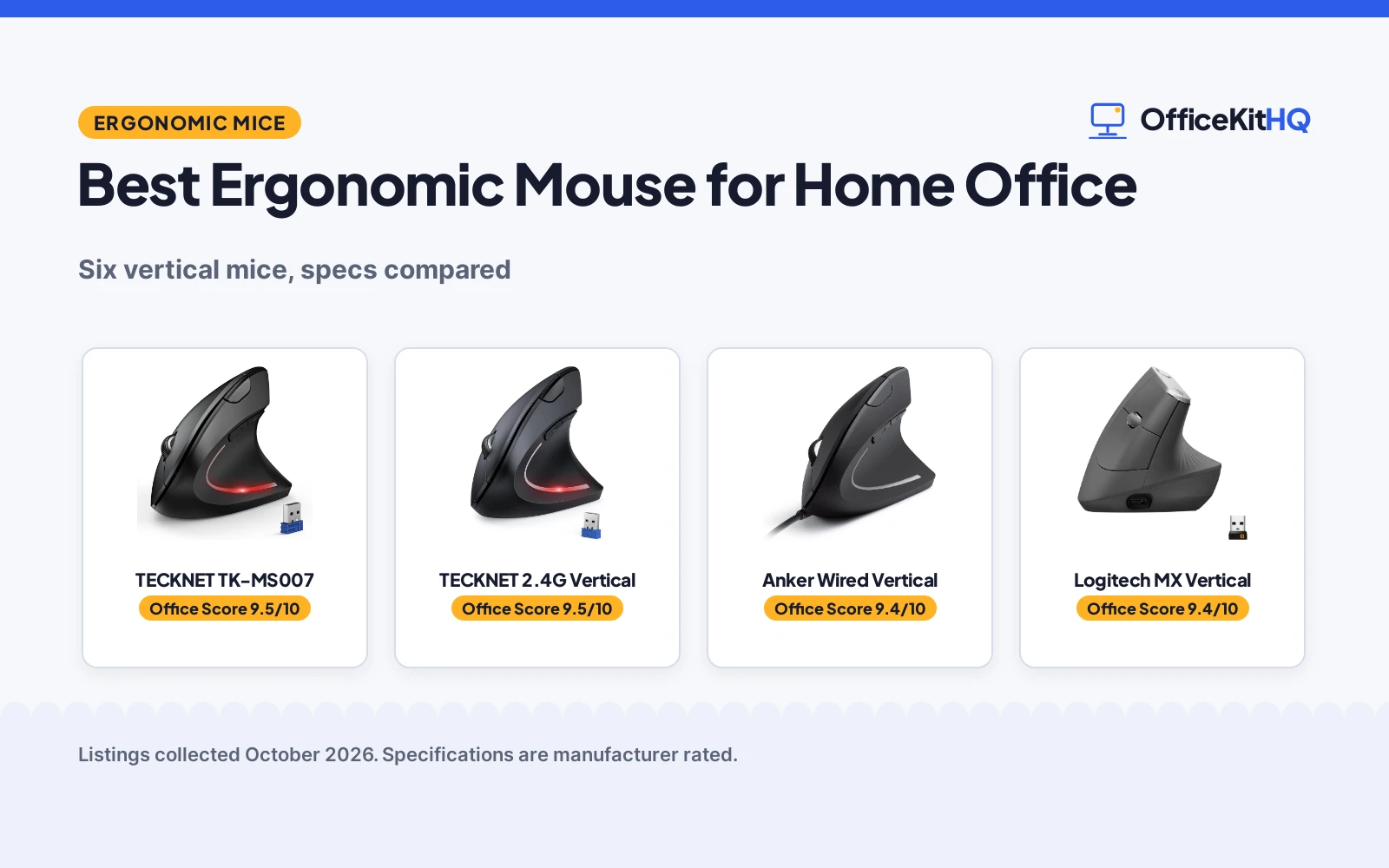
The morning call starts with a dim webcam and a chair that has been sinking since breakfast, and the mouse is the part of the desk you touch all day without ever really looking at it. For anyone choosing the best ergonomic mouse for home office work, the grip shape and the sensor matter more than the marketing around them, because your hand meets the mouse every minute of the workday. We compared six vertical mice by sensor resolution, button count, connection type, stated battery life, dimensions, item weight and warranty term, using only what each listing publishes.
OfficeKitHQ earns a commission when you buy through links on this page, at no extra cost to you. As an Amazon Associate I earn from qualifying purchases. Affiliate disclosure.
Quick picks
 Best Overall TECKNET TK-MS007: 4800 DPI, 6 levels, Bluetooth 5.0/3.0 plus 2.4G, 3-device switch Check price on Amazon
 Best Palm Fit TECKNET 2.4G Vertical: 6.7 to 8.3 in palm length and 3.5 to 4.7 in width stated Check price on Amazon
 Best Wired Pick Anker Wired Vertical: wired USB with 4.9 ft cable, 1000/1600 DPI, 18-month warranty Check price on Amazon
 Best Rechargeable Logitech MX Vertical: USB-C rechargeable, 4-month battery, 57-degree angle, 4 buttons Check price on Amazon
 Best Compact KYSONA Wireless Vertical: 4.2 x 2.9 x 2.8 in, 3.52 oz, Bluetooth plus 2.4G, silent switch Check price on Amazon
The picks
| # | Product | Office Score | Buy |
|---|---|---|---|
| 1 | TECKNET TK-MS007 | 9.5/10 | Buy on Amazon |
| 2 | TECKNET 2.4G Vertical | 9.5/10 | Buy on Amazon |
| 3 | Anker Wired Vertical | 9.4/10 | Buy on Amazon |
| 4 | Logitech MX Vertical | 9.4/10 | Buy on Amazon |
| 5 | KYSONA Wireless Vertical | 9.4/10 | Buy on Amazon |

TECKNET TK-MS007
A vertical wireless mouse with 4800 DPI, six adjustable levels and switching between three devices over Bluetooth 5.0/3.0 or 2.4G.
Pros
- 4800 DPI with 6 adjustable levels (4800/3200/2400/1600/1200/800)
- Connects to 3 devices over Bluetooth 5.0/3.0 plus 2.4G USB-A
- Quiet left and right clicks
- 36-month warranty stated, registered only
Cons
- 2 AAA batteries required and not included
- Side buttons are not compatible with macOS
- Right-hand use only
- The 36-month warranty requires registration
Detailed Review
The listing states a vertical wireless mouse with 4800 DPI and six adjustable levels (4800/3200/2400/1600/1200/800), six buttons and quiet left and right clicks. It connects over Bluetooth 5.0/3.0 or 2.4G USB-A and switches between three devices, with a stated 24-month average battery life and a 33 ft range. The mouse takes 2 AAA batteries (not included), enters deep sleep after 10 to 30 minutes of inactivity and wakes on a click. TECKNET states a 36-month warranty, registered only.
Who it's for: multi-device desks that want Bluetooth plus 2.4G, high DPI and quiet clicks without recharging. Who should skip it: macOS users who rely on side buttons, which the listing says are not compatible, and anyone who wants the batteries in the box.
Its Office Score of 9.5/10 comes from performance 30/35, build 20/25, value 20/25, safety 0/10 and warranty 4/5: 74 of 100 points, placed on our 9.2 to 9.8 scale.
Key Specifications
| Sensor | 4800 DPI |
|---|---|
| Buttons | 6 |
| Connection | Bluetooth 5.0/3.0, 2.4G USB-A |
| Item weight | 4.32 oz |
Figures as published on the retailer listing, collected 22 October 2026. Performance figures are manufacturer rated.
Safety and Warranty
What this listing states. This product does not plug in or run on a battery, so safety is not part of its score. 36 Months Warranty (Registered Only). It does not say everything a buyer needs, such as who pays return shipping, so warranty scores 4 of 5. See How We Pick.
Fit the desk first. Check the stated size against your desk depth and keyboard tray, and charge or pair as the manual describes. No keyboard, mouse or wrist rest prevents or treats injury.
This is general buying information, not professional advice. Follow each product manual and local rules, and see our Safety Disclaimer.

TECKNET 2.4G Vertical
A 2.4G wireless vertical mouse with 4800 DPI, five adjustable levels and a stated palm-measurement fit guide.
Pros
- 4800 DPI with 5 adjustable levels (4800/3200/2400/1600/800)
- 49 ft stated 2.4G connection range
- Quiet clicks, with noise reduced by more than 90% stated
- Palm sizing stated: 6.7 to 8.3 in length, 3.5 to 4.7 in width
Cons
- 2.4G only, no Bluetooth
- Title states 12 months of battery while the spec table states 6 months
- 2 AAA batteries required and not included
- Side buttons are not suitable for Mac systems
Detailed Review
The listing states a 2.4G wireless vertical mouse with 4800 DPI across five adjustable levels, six buttons with forward and backward side buttons, and quiet clicks the maker says cut clicking noise by more than 90%. It publishes a fit guide: 6.7 to 8.3 in palm length and 3.5 to 4.7 in width, with a stated 49 ft connection range and sleep mode after 8 minutes of inactivity. The battery line contradicts itself: the title states 12 months while the spec table states 6 months, and we follow the title. It takes 2 AAA batteries (not included), and TECKNET states 36 months of support, registered only.
Who it's for: buyers who want a simple 2.4G vertical mouse with a stated palm-measurement guide and long stated range. Who should skip it: anyone who needs Bluetooth, macOS side-button support, or batteries included in the box.
Its Office Score of 9.5/10 comes from performance 29/35, build 19/25, value 19/25, safety 0/10 and warranty 4/5: 71 of 100 points, placed on our 9.2 to 9.8 scale.
Key Specifications
| Sensor | 4800 DPI |
|---|---|
| Buttons | 6 |
| Range | 49 feet |
| Battery | 12 months stated |
Figures as published on the retailer listing, collected 22 October 2026. Performance figures are manufacturer rated.
Safety and Warranty
What this listing states. No FCC or other safety listing is stated, so safety scores zero. 36 Months (Registered Only). It does not say everything a buyer needs, such as who pays return shipping, so warranty scores 4 of 5. See How We Pick.
Fit the desk first. Check the stated size against your desk depth and keyboard tray, and charge or pair as the manual describes. No keyboard, mouse or wrist rest prevents or treats injury.
This is general buying information, not professional advice. Follow each product manual and local rules, and see our Safety Disclaimer.

Anker Wired Vertical
A corded vertical mouse with 1000/1600 DPI optical tracking and a 4.9 ft USB cable, with no batteries to manage.
Pros
- Wired USB connection, no batteries or charging
- 1000/1600 DPI optical tracking with next and previous buttons
- 4.9 ft (1.5 m) cable stated
- 18-month warranty stated
Cons
- Lower sensor resolution than the wireless picks here
- Corded, so cable reach limits placement
- Listing contradicts itself: 5.3 oz in the bullets, 3.36 oz in the spec table
- Wired only, no wireless option
Detailed Review
The listing states a corded vertical mouse with 1000/1600 DPI optical tracking, five buttons including next and previous navigation, and a 4.9 ft (1.5 m) USB cable, so no batteries are involved. The weight line contradicts itself: the bullets state 5.3 oz while the spec table states 3.36 oz, and we follow the bullets. The spec table lists ambidextrous hand orientation, and the listing states an 18-month warranty.
Who it's for: desk setups where the mouse never leaves the desk and a cable is acceptable, with no charging or battery swaps. Who should skip it: anyone who needs wireless freedom or higher sensor resolution than 1600 DPI.
Its Office Score of 9.4/10 comes from performance 26/35, build 19/25, value 20/25, safety 0/10 and warranty 3/5: 68 of 100 points, placed on our 9.2 to 9.8 scale.
Key Specifications
| Sensor | 1000/1600 DPI |
|---|---|
| Buttons | 5 |
| Cable | 4.9 ft (1.5 m) |
| Item weight | 5.3 oz (bullets) |
Figures as published on the retailer listing, collected 22 October 2026. Performance figures are manufacturer rated.
Safety and Warranty
What this listing states. No FCC or other safety listing is stated, so safety scores zero. 18-month warranty. It does not say everything a buyer needs, such as who pays return shipping, so warranty scores 3 of 5. See How We Pick.
Fit the desk first. Check the stated size against your desk depth and keyboard tray, and charge or pair as the manual describes. No keyboard, mouse or wrist rest prevents or treats injury.
This is general buying information, not professional advice. Follow each product manual and local rules, and see our Safety Disclaimer.

Logitech MX Vertical
A rechargeable vertical mouse with a 57-degree angle, 4000 DPI sensor and switching between three computers.
Pros
- 57-degree vertical angle with textured rubber surface
- 4000 DPI sensor with cursor speed switch
- Moves content between 3 Windows and Apple computers
- Rechargeable over USB-C, 4-month battery stated
Cons
- No concrete warranty term is stated
- Only 4 buttons
- 8 oz, the heaviest stated weight here
- Windows, macOS and iPadOS only; no Linux or Chrome OS stated
Detailed Review
The listing states a 57-degree vertical mouse with a textured rubber surface, a 4000 DPI sensor with a cursor speed switch, and four buttons. It connects over Bluetooth or the included USB receiver, moves content between three Windows and Apple computers, and recharges over USB-C with a stated 4-month battery life. The listing notes FSC-certified paper packaging and a 10.0 meter range. The warranty line only says the manufacturer's warranty can be requested from customer service, which is not a concrete term.
Who it's for: buyers who want a rechargeable vertical mouse from a major brand with multi-computer flow and a cursor speed switch. Who should skip it: anyone who wants a stated warranty term, more than four buttons or a lighter mouse than the stated 8 oz.
Its Office Score of 9.4/10 comes from performance 30/35, build 20/25, value 20/25, safety 0/10 and warranty 0/5: 70 of 100 points, placed on our 9.2 to 9.8 scale.
Key Specifications
| Sensor | 4000 DPI |
|---|---|
| Angle | 57 degrees |
| Battery | 4 months, rechargeable |
| Item weight | 8 oz |
Figures as published on the retailer listing, collected 22 October 2026. Performance figures are manufacturer rated.
Safety and Warranty
What this listing states. No FCC or other safety listing is stated, so safety scores zero. No warranty term, so warranty scores zero. See How We Pick.
Fit the desk first. Check the stated size against your desk depth and keyboard tray, and charge or pair as the manual describes. No keyboard, mouse or wrist rest prevents or treats injury.
This is general buying information, not professional advice. Follow each product manual and local rules, and see our Safety Disclaimer.

KYSONA Wireless Vertical
A compact dual-mode vertical mouse with five DPI levels and a silent switch, recommended for small to medium hands.
Pros
- 5 adjustable DPI settings (800, 1200, 1600, 2400, 4000)
- Bluetooth 3.0/5.0 plus 2.4G dual-mode connection
- Silent switch for quiet clicks
- Compact: 4.2 x 2.9 x 2.8 in, 3.52 oz
Cons
- No concrete warranty term is stated
- 2 AAA batteries required and not included
- Right-hand use only
- Glossy plastic finish
Detailed Review
The listing states a compact vertical mouse (4.2 x 2.9 x 2.8 in, 3.52 oz) recommended for small to medium hands, with a 57-degree ergonomic shape and a silent switch. It offers five adjustable DPI settings (800, 1200, 1600, 2400, 4000) and dual-mode connection over Bluetooth 3.0/5.0 or 2.4G with a stated 10.0 meter range. Battery is stated as up to 12 months in the bullets while the spec table lists 200 hours of average life; we report both as stated. It takes 2 AAA batteries (not included), and the warranty description is a bare 1, which is not a concrete term.
Who it's for: smaller hands and quiet shared spaces, with Bluetooth plus 2.4G flexibility. Who should skip it: anyone who wants a stated warranty term, batteries in the box or more than five buttons.
Its Office Score of 9.4/10 comes from performance 28/35, build 19/25, value 19/25, safety 0/10 and warranty 0/5: 66 of 100 points, placed on our 9.2 to 9.8 scale.
Key Specifications
| Sensor | 4000 DPI max |
|---|---|
| Buttons | 5 |
| Connection | Bluetooth 3.0/5.0, 2.4G |
| Dimensions | 4.2 x 2.9 x 2.8 in |
Figures as published on the retailer listing, collected 22 October 2026. Performance figures are manufacturer rated.
Safety and Warranty
What this listing states. This product does not plug in or run on a battery, so safety is not part of its score. No warranty term, so warranty scores zero. See How We Pick.
Fit the desk first. Check the stated size against your desk depth and keyboard tray, and charge or pair as the manual describes. No keyboard, mouse or wrist rest prevents or treats injury.
This is general buying information, not professional advice. Follow each product manual and local rules, and see our Safety Disclaimer.
As an Amazon Associate I earn from qualifying purchases.
Compare the picks
| Mouse | Office Score | Sensor | Buttons | Connection | Battery | Warranty | Amazon |
|---|---|---|---|---|---|---|---|
| TECKNET TK-MS007 | 9.5/10 | 4800 DPI | 6 | Bluetooth 5.0/3.0 + 2.4G | 24 months | 36 months, registered only | View on Amazon |
| TECKNET 2.4G Vertical | 9.5/10 | 4800 DPI | 6 | 2.4G wireless | 12 months stated | 36 months, registered only | View on Amazon |
| Anker Wired Vertical | 9.4/10 | 1000/1600 DPI | 5 | Wired USB | Corded electric | 18 months | View on Amazon |
| Logitech MX Vertical | 9.4/10 | 4000 DPI | 4 | Bluetooth + USB receiver | 4 months, rechargeable | Not stated as a term | View on Amazon |
| KYSONA Wireless Vertical | 9.4/10 | 4000 DPI | 5 | Bluetooth 3.0/5.0 + 2.4G | Up to 12 months | Not stated as a term | View on Amazon |
Specifications are manufacturer rated as listed, collected 22 October 2026.
How we scored them
The Office Score weighs performance (sensor resolution, DPI levels, buttons and connection), build (materials, shape and item weight), value for the stated specs, safety and warranty. For a mouse, safety would mean stated safety certifications or safety-relevant features; none of these six listings states one, so safety scores zero across the board. Four listings state a warranty term: both TECKNET listings at 36 months (registered only), the Anker at 18 months and the Logitech Lift at 1 year. How we pick explains the weights.
| Product | Office Score | Perf. /35 | Build /25 | Value /25 | Safety /10 | Warranty /5 |
|---|---|---|---|---|---|---|
| TECKNET TK-MS007 | 9.5 | 30 | 20 | 20 | 0 | 4 |
| TECKNET 2.4G Vertical | 9.5 | 29 | 19 | 19 | 0 | 4 |
| Anker Wired Vertical | 9.4 | 26 | 19 | 20 | 0 | 3 |
| Logitech MX Vertical | 9.4 | 30 | 20 | 20 | 0 | 0 |
| KYSONA Wireless Vertical | 9.4 | 28 | 19 | 19 | 0 | 0 |
Scores run from 9.2 to 9.8: each product’s point total is placed on that range, so more points always means a higher score.
How to choose the best ergonomic mouse for home office
Match the sensor and buttons to your work
Sensor resolution is the headline number on every listing here, and it ranges from the Anker’s 1000/1600 DPI to 4800 DPI on both TECKNET models, with the two Logitech models and the KYSONA at 4000 DPI. Adjustable DPI levels matter more than the maximum: the TECKNET TK-MS007 lists six levels (4800/3200/2400/1600/1200/800), the TECKNET 2.4G and the KYSONA each list five, and the MX Vertical adds a cursor speed switch the listing says adjusts DPI with the touch of a button. Count the buttons against what you actually click: the Lift and both TECKNET models list six buttons, the Anker and KYSONA list five, and the MX Vertical lists four. One compatibility wrinkle to read before you buy: both TECKNET listings note their side buttons are not compatible with macOS.
Choose wired, 2.4G or Bluetooth
The Anker is the only wired pick, with a 4.9 ft USB cable that draws power from the computer and never needs batteries. The TECKNET 2.4G connects over a USB-A receiver with a stated 49 ft range, and its listing warns that computers with only USB-C ports may need an adapter. The TECKNET TK-MS007 and the KYSONA pair over Bluetooth (the TK-MS007 lists Bluetooth 5.0/3.0, the KYSONA lists 3.0/5.0) or 2.4G, and the TK-MS007 switches between three devices, which suits a desk shared with a laptop. The MX Vertical connects over Bluetooth or its included USB receiver and moves content between three Windows and Apple computers, while the Lift uses Bluetooth Low Energy or the Logi Bolt USB receiver. If the mouse is one part of a bigger desk rebuild, our best wireless keyboard for home office and best docking station for home office guides cover the other pieces most home desks are missing.
Check size, weight and hand fit
Vertical mice live or die by fit, and these listings publish enough to judge it. The KYSONA is recommended for small to medium hands at 4.2 x 2.9 x 2.8 in, the Lift is sized for small to medium right hands, and the TECKNET 2.4G goes further with a stated guide: 6.7 to 8.3 in palm length and 3.5 to 4.7 in width. The MX Vertical is the heavyweight at a stated 8 oz with a 7.5 x 6 in footprint, while the KYSONA has the lowest stated weight at 3.52 oz. The Anker listing disagrees with itself on weight (5.3 oz in the bullets, 3.36 oz in the spec table), and we go with the bullets.
| Mouse | Dimensions | Item weight |
|---|---|---|
| Logitech Lift | 4.3 x 2.7 in | 125 g |
| TECKNET TK-MS007 | 4.74 x 2.49 in | 4.32 oz |
| TECKNET 2.4G Vertical | 4.71 x 2.47 in | Not stated |
| Anker Wired Vertical | 4.72 x 2.47 in | 5.3 oz (bullets) |
| Logitech MX Vertical | 7.5 x 6 in | 8 oz |
| KYSONA Wireless Vertical | 4.2 x 2.9 x 2.8 in | 3.52 oz |
Read the battery and warranty lines
Battery claims are where these listings diverge most. The Lift states up to two years on one AA battery (included), the TK-MS007 states a 24-month average battery life on 2 AAA batteries (not included), and the KYSONA states up to 12 months on 2 AAA batteries (not included). The TECKNET 2.4G title states 12 months while its spec table states 6 months; we follow the title, and both agree the 2 AAA batteries are not included. The MX Vertical is the rechargeable outlier: one lithium polymer battery, USB-C cable included, 4 months stated per charge. The Anker skips batteries entirely with its corded design. On warranty, four of the six listings state a term: 36 months (registered only) on both TECKNET models, 18 months on the Anker and 1 year on the Lift. The MX Vertical and KYSONA state no concrete term.
Setup Notes
- Measure your palm against the stated guides before ordering: the TECKNET 2.4G lists 6.7 to 8.3 in length and 3.5 to 4.7 in width, the KYSONA is recommended for small to medium hands, and the Lift fits small to medium right hands.
- Count free USB-A ports on the computer. Each 2.4G receiver occupies one, and the TECKNET 2.4G listing warns that USB-C-only computers may need an adapter; Bluetooth models leave the ports alone.
- Plan power up front: the two TECKNET models and the KYSONA run on 2 AAA batteries (not included), the Lift ships with one AA battery, the MX Vertical recharges over the included USB-C cable, and the Anker draws power through its cable.
- For the wired Anker, check that 4.9 ft of cable reaches from the mouse position to the computer or hub without pulling across the desk.
- Confirm hand orientation: five of the six listings state right-hand use, while the Anker spec table lists ambidextrous orientation.
Frequently Asked Questions
Which of these mice has the highest stated sensor resolution?
The two TECKNET models state 4800 DPI, the highest here. The Logitech Lift, MX Vertical and KYSONA state 4000 DPI, and the Anker states 1000/1600 DPI.
Which mice here connect to more than one device?
The TECKNET TK-MS007 switches between three devices over Bluetooth 5.0/3.0 and 2.4G. The MX Vertical moves content between three Windows and Apple computers over Bluetooth or its USB receiver. The KYSONA pairs over Bluetooth 3.0/5.0 or 2.4G, and the Lift connects over Bluetooth Low Energy or Logi Bolt.
Which of these mice is wired?
Only the Anker. It connects over USB with a stated 4.9 ft (1.5 m) cable and draws power from the computer, so there are no batteries to buy or recharge.
How many of these listings state a warranty term?
Four of the six: both TECKNET models at 36 months (registered only), the Anker at 18 months and the Logitech Lift at 1 year. The MX Vertical and KYSONA state no concrete term.
Do any of these mice fit smaller hands?
The KYSONA is recommended for small to medium hands, and the Lift is sized for small to medium right hands. The TECKNET 2.4G publishes a palm guide (6.7 to 8.3 in length, 3.5 to 4.7 in width) so you can check before buying.
Related guides
See every mice and mouse pads guide and all monitor mounts, keyboards and mice guides. Also see our best wireless mouse for autocad. Also see our best wireless mouse for nurses. Also see our best mouse pad.
More picks: mouse pads, large desk mats, wireless keyboards for home office.