
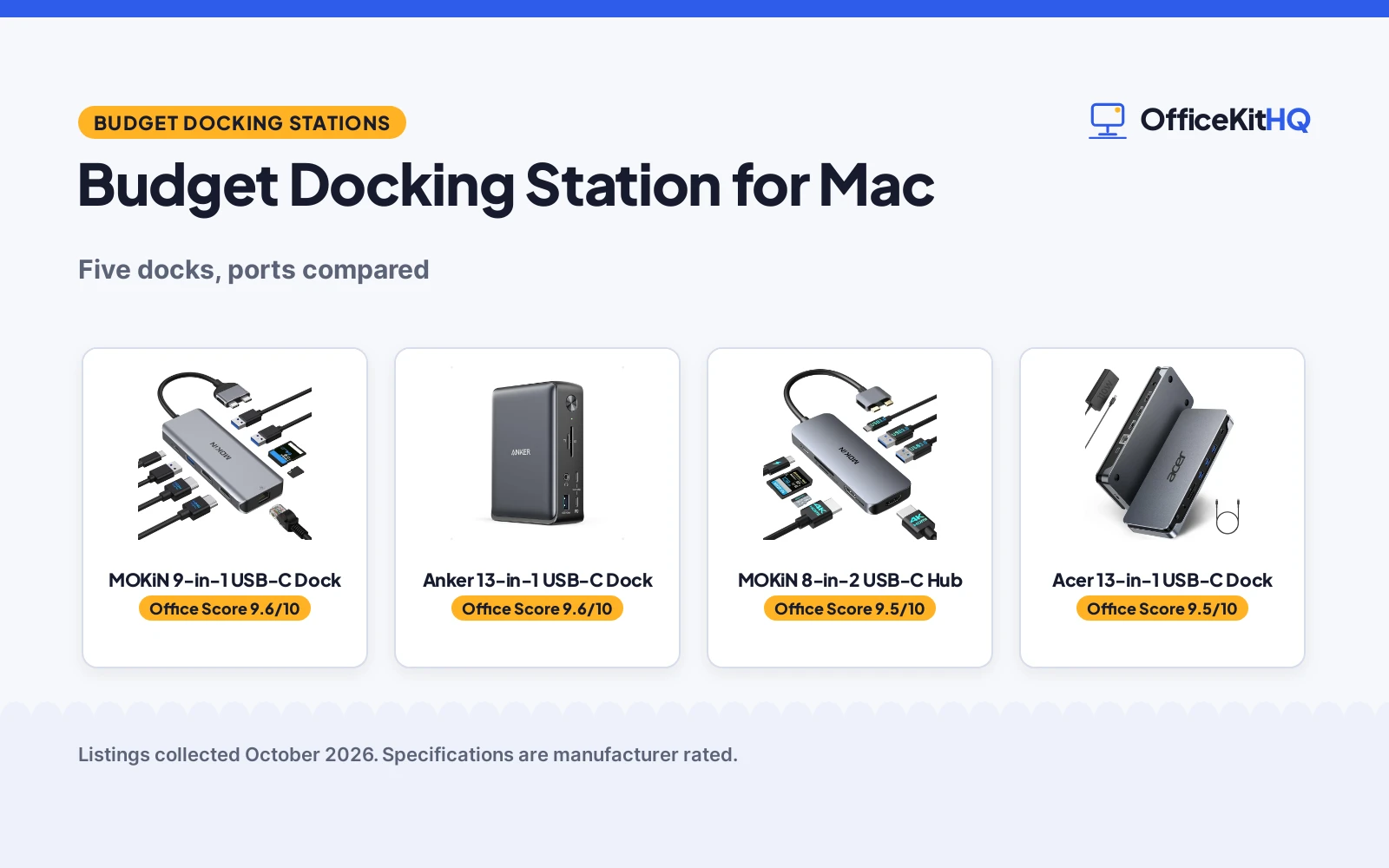
A laptop running everything off one hub is fine until the morning call needs another monitor, a wired connection and a card reader at the same time, and the dongle pile on the desk stops being charming. That is the exact situation a budget docking station for mac is made for. We compared five docking stations for MacBook Pro and Air on their stated ports, HDMI modes, USB speeds, card readers, power delivery, compatibility and warranty terms, using only what each listing publishes.
OfficeKitHQ earns a commission when you buy through links on this page, at no extra cost to you. As an Amazon Associate I earn from qualifying purchases. Affiliate disclosure.
Quick picks
 Best Overall MOKiN 9-in-1 USB-C Dock: 9 ports with dual HDMI, Ethernet, Thunderbolt 3 and a 2-year warranty Check price on Amazon
 Best Dual HDMI MOKiN 8-in-2 USB-C Hub: Dual HDMI at 4K@60Hz, 3x USB 3.0 and 100W PD, 2-year warranty Check price on Amazon
 Best 13-in-1 Anker Anker 13-in-1 USB-C Dock: 13-in-1 USB-C dock with triple display support stated Check price on Amazon
 Best 13-in-1 Acer Acer 13-in-1 USB-C Dock: 13-in-1 USB-C dock with stated triple display support Check price on Amazon
 Best Compact Anker Nano 8-in-1 Dock: 8-in-1 dock with dual monitor support stated Check price on Amazon
The picks
| # | Product | Office Score | Buy |
|---|---|---|---|
| 1 | MOKiN 9-in-1 USB-C Dock | 9.6/10 | Buy on Amazon |
| 2 | Anker 13-in-1 Dock | 9.6/10 | Buy on Amazon |
| 3 | MOKiN 8-in-2 USB-C Hub | 9.5/10 | Buy on Amazon |
| 4 | Acer 13-in-1 Docking Station | 9.5/10 | Buy on Amazon |
| 5 | Anker Nano 8-in-1 Docking Station | 9.4/10 | Buy on Amazon |

MOKiN 9-in-1 USB-C Dock
MOKiN lists this 9-in-1 USB-C dock with dual HDMI, Gigabit Ethernet and a Thunderbolt 3 port for MacBook Pro and Air models from 2017 to 2021.
Pros
- 9 ports stated: 2x HDMI, 3x USB 3.0, 1x USB 2.0, SD/TF reader, Ethernet and Thunderbolt 3
- Single HDMI stated up to 4K@60Hz, dual HDMI up to 4K@30Hz
- 100W power delivery stated to keep the MacBook charging
- Anodized aluminum body with stated dimensions 4.84 by 1.85 by 0.65 in and 103 g weight
Cons
- Only for MacBook Pro and Air 2017 to 2021 with 2 Thunderbolt 3 ports on one side
- A MacBook with only 1 Thunderbolt 3 port on one side is not supported, per the listing
- No stated support for newer M-series chips beyond the 2021 models
- Bullet header reads (9 in 2) while the title and spec table say 9 in 1 and 9 ports
Detailed Review
MOKiN lists the MOUC0306 as a 9-in-1 USB-C docking station for MacBook Pro and Air 13, 15 and 16 inch models from 2017 to 2021, with 2x HDMI (4K@60Hz on one display, 4K@30Hz when both run), 3x USB 3.0 and 1x USB 2.0 ports at up to 5Gbps, an SD/TF card reader at up to 104mb/s, Gigabit Ethernet at up to 1000Mbps, a Thunderbolt 3 port and 100W power delivery. The listing states an anodized aluminum body, dimensions of 4.84 by 1.85 by 0.65 in and a weight of 103 g. One oddity: the bullet header says (9 in 2) while the title says 9 in 1 and the spec table says 9 ports, so the listing disagrees with itself on the name of the port count. The spec table states a 2-year warranty.
Who it's for: a MacBook Pro or Air owner from 2017 to 2021 who wants dual HDMI, wired Ethernet and Thunderbolt 3 in one hub. Who should skip it: anyone on a MacBook with a single Thunderbolt 3 port on one side, since the listing says it is not supported.
Its Office Score of 9.6/10 comes from performance 30/35, build 21/25, value 20/25, safety 0/10 and warranty 4/5: 75 of 100 points, placed on our 9.2 to 9.8 scale.
Key Specifications
| Ports | 9 |
|---|---|
| HDMI | 2x, 4K@60Hz single or 4K@30Hz dual |
| Power delivery | 100W |
| Warranty | 2 Years |
Figures as published on the retailer listing, collected 22 October 2026. Performance figures are manufacturer rated.
Safety and Warranty
What this listing states. No UL, FCC or over-current protection statement is stated, so safety scores zero. 2 Years. It does not say everything a buyer needs, such as who pays return shipping, so warranty scores 4 of 5. See How We Pick.
Power and heat. Use the supplied adapter, treat power delivery wattage and display support as the maker's claims for your laptop model, and give the dock room to vent.
This is general buying information, not professional advice. Follow each product manual and local rules, and see our Safety Disclaimer.

Anker 13-in-1 Dock
A 13-port dock with triple display support and 85W charging for small desks.
Pros
- 13 ports through a single cable: 2 HDMI, DisplayPort, 3 USB-C, 3 USB-A, Ethernet, SD/microSD and audio
- Up to 3 monitors at 1080p@60Hz, or a single 4K@60Hz display
- 85W laptop charging plus 18W phone charging at the same time, with a 135W adapter included
- 18-month warranty; compact 4.9 x 3.5 x 1.6 in, 13.1 oz vertical design
Cons
- On a Mac, external monitors are limited to mirror mode
- Triple displays require Windows 10/11 or ChromeOS with MST
- No safety certifications are stated on the listing
- The included 135W power adapter is one more item to place
Detailed Review
The listing states 13 ports: 2 HDMI, a DisplayPort, three USB-C (85W host, 18W PD, 10Gbps data), three USB-A at 5Gbps, Gigabit Ethernet, SD and microSD, 3.5mm audio and DC-IN, all through a single cable. It charges a laptop at 85W and a phone at 18W at the same time, and a 135W power adapter is included. It runs up to 3 external monitors at 1080p@60Hz, or one 4K@60Hz display, with extended triple displays on Windows 10/11 and ChromeOS; on a Mac the monitors are limited to mirror mode. The compact vertical design measures 4.9 x 3.5 x 1.6 inches and weighs 13.1 ounces, and an 18-month warranty is included.
Who it's for: a Windows user who wants one dock for three monitors and full-speed charging on a small desk. Who should skip it: a Mac user who needs extended multi-monitor displays.
Its Office Score of 9.6/10 comes from performance 32/35, build 21/25, value 21/25, safety 0/10 and warranty 4/5: 78 of 100 points, placed on our 9.2 to 9.8 scale.
Key Specifications
| Ports | 13 |
|---|---|
| Display | Triple 1080p@60Hz or single 4K@60Hz |
| Charging | 85W laptop, 18W phone |
| Size | 4.9 x 3.5 x 1.6 in, 13.1 oz |
Figures as published on the retailer listing, collected 21 October 2026. Performance figures are manufacturer rated.
Safety and Warranty
What this listing states. No UL, FCC or over-current protection statement is stated, so safety scores zero. Includes an 18-month warranty. It does not say everything a buyer needs, such as who pays return shipping, so warranty scores 4 of 5. See How We Pick.
Power and heat. Use the supplied adapter, treat power delivery wattage and display support as the maker's claims for your laptop model, and give the dock room to vent.
This is general buying information, not professional advice. Follow each product manual and local rules, and see our Safety Disclaimer.

MOKiN 8-in-2 USB-C Hub
MOKiN lists this 8-in-2 USB-C hub with dual HDMI at 4K@60Hz, 3x USB 3.0 and 100W power delivery for MacBook Pro and Air.
Pros
- 2x HDMI with 4K@60Hz stated, one 4K monitor when both are used
- 3x USB 3.0 ports stated with 5Gbps and 480Mbps transfer speeds
- 100W PD charging stated for MacBook or other USB-C devices
- 2-year warranty stated in the spec table
Cons
- Bullets say the hub converts to 6 ports while the title and spec table say 8-in-2 and 8 ports
- Only supports MacBook Pro and Air with 2 Thunderbolt 3 ports on one side
- Only one external monitor stated for Apple laptops with M1 or M2 processors
- No Ethernet port stated
Detailed Review
MOKiN lists the MOUC0423 as an 8-in-2 USB-C hub for MacBook Pro 2016 to 2020 and MacBook Air 2018 to 2020, with 2x HDMI at 4K@60Hz, 3x USB 3.0, an SD/TF card reader and 100W power delivery. The bullets promise converting the USB-C port into 6 ports, while the title says 8-in-2 and the spec table says 8 ports; we trust the title and spec table. The listing notes that Apple laptops with M1 or M2 processors support only one external monitor, and that the 100W PD port is for charging only, not data. The spec table states a 2-year warranty.
Who it's for: an Intel MacBook Pro or Air owner who wants dual HDMI and 100W charging from a compact hub. Who should skip it: anyone on an M1 or M2 MacBook who needs two external monitors, since the listing states only one is supported.
Its Office Score of 9.5/10 comes from performance 29/35, build 20/25, value 20/25, safety 0/10 and warranty 4/5: 73 of 100 points, placed on our 9.2 to 9.8 scale.
Key Specifications
| Ports | 8 |
|---|---|
| HDMI | 2x 4K@60Hz |
| Power delivery | 100W |
| Warranty | 2 Years |
Figures as published on the retailer listing, collected 22 October 2026. Performance figures are manufacturer rated.
Safety and Warranty
What this listing states. No UL, FCC or over-current protection statement is stated, so safety scores zero. 2 Years. It does not say everything a buyer needs, such as who pays return shipping, so warranty scores 4 of 5. See How We Pick.
Power and heat. Use the supplied adapter, treat power delivery wattage and display support as the maker's claims for your laptop model, and give the dock room to vent.
This is general buying information, not professional advice. Follow each product manual and local rules, and see our Safety Disclaimer.

Acer 13-in-1 Docking Station
A 13-in-1 Acer docking station with 2 HDMI and 1 DisplayPort outputs, 100W laptop charging and a 110W adapter.
Pros
- Three display outputs: 2 HDMI plus 1 DisplayPort, per the listing.
- 100W laptop charging with a 110W adapter included.
- 13-in-1 with Gigabit Ethernet and SD/TF reader.
- 3.5mm AUX jack, per the description.
Cons
- The '1 Year Warranty' is not specific enough to score; treated as not stated.
- The rear USB-C port supports data only, no video, per the listing.
- No 4K claim is stated for the display outputs.
- No Thunderbolt support is stated.
Detailed Review
Who it's for: setups that need three display outputs. The listing states 2 HDMI, 1 DisplayPort, 100W charging, a 110W adapter and Gigabit Ethernet.
Who should skip it: anyone who needs video from every USB-C port; the rear one is data-only. No specific warranty term is stated.
Its Office Score of 9.5/10 comes from performance 30/35, build 20/25, value 21/25, safety 0/10 and warranty 0/5: 71 of 100 points, placed on our 9.2 to 9.8 scale.
Key Specifications
| Ports | 13-in-1 |
|---|---|
| Displays | 2 HDMI, 1 DisplayPort |
| Power | 100W charging, 110W adapter |
Figures as published on the retailer listing, collected 18 October 2026. Performance figures are manufacturer rated.
Safety and Warranty
What this listing states. No safety listing or safety feature is stated, so safety scores zero. No warranty term, so warranty scores zero. See How We Pick.
Follow the manual. Assemble and use the product as the maker describes, stay under any stated capacity, and read the manual before first use.
This is general buying information, not professional advice. Follow each product manual and local rules, and see our Safety Disclaimer.

Anker Nano 8-in-1 Docking Station
An 8-in-1 Anker USB-C hub with dual 4K@60Hz HDMI outputs for Windows, 85W max power and SD/TF slots.
Pros
- Two HDMI ports at up to 4K@60Hz, per the listing.
- 85W max output with 100W PD input.
- SD and TF 3.0 slots at up to 104 MB/s.
- Compact 8-in-1 for travel, per the form factor.
Cons
- 8-in-1, the fewest ports here.
- 85W max output is the lowest power here.
- Dual 4K@60Hz is stated for Windows; macOS limits are noted.
- No Ethernet port is stated.
Detailed Review
Who it's for: travelers who want dual monitors in a small hub. The listing states 8-in-1, two HDMI at 4K@60Hz, 85W max output and SD/TF slots.
Who should skip it: anyone on macOS who needs dual 4K; the listing notes limits. No specific warranty term is stated.
Its Office Score of 9.4/10 comes from performance 28/35, build 20/25, value 21/25, safety 0/10 and warranty 0/5: 69 of 100 points, placed on our 9.2 to 9.8 scale.
Key Specifications
| Ports | 8-in-1 |
|---|---|
| Displays | 2 HDMI, 4K@60Hz (Windows) |
| Power | 85W max output |
Figures as published on the retailer listing, collected 18 October 2026. Performance figures are manufacturer rated.
Safety and Warranty
What this listing states. No safety listing or safety feature is stated, so safety scores zero. No warranty term, so warranty scores zero. See How We Pick.
Follow the manual. Assemble and use the product as the maker describes, stay under any stated capacity, and read the manual before first use.
This is general buying information, not professional advice. Follow each product manual and local rules, and see our Safety Disclaimer.
As an Amazon Associate I earn from qualifying purchases.
More picks to compare
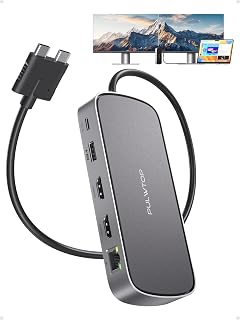 PULWTOP 10-in-2 Mac Dockdual 4K@60Hz HDMI, 10Gbps USB and 100W PD for MacBook Pro and MaxCheck on Amazon
 WAVLINK DisplayLink 13-Port Docktriple monitors, 100W PD and 10Gbps USB for M1 to M5 Macs and WindowsCheck on Amazon
Compare the picks
| Docking station | HDMI | USB ports | Power delivery | Ethernet | Warranty | Amazon |
|---|---|---|---|---|---|---|
| MOKiN 9-in-1 USB-C Dock | 2x 4K@60Hz single, 4K@30Hz dual | 3x USB 3.0, 1x USB 2.0 | 100W | Gigabit | 2 Years | View on Amazon |
| MOKiN 8-in-2 USB-C Hub | 2x 4K@60Hz | 3x USB 3.0 | 100W | Not stated | 2 Years | View on Amazon |
| Anker 13-in-1 USB-C Dock | Not stated | Not stated | Not stated | Not stated | Not stated | |
| Acer 13-in-1 USB-C Dock | Not stated | Not stated | Not stated | Not stated | Not stated | |
| Anker Nano 8-in-1 Dock | Not stated | Not stated | Not stated | Not stated | Not stated |
Specifications are manufacturer rated as listed, collected 22 October 2026. Two of the five state a warranty term; none states a safety certification.
How we scored them
The Office Score weighs performance, build, value, safety and warranty. For a docking station, performance means stated ports, HDMI modes and transfer speeds; build means stated materials, dimensions and weight; safety means a stated certification or power protection, and none of these five listings states one, so safety scores are zero across the board. Two listings state a warranty term: both MOKiN docks state 2 years. How we pick explains the weights.
| Product | Office Score | Perf. /35 | Build /25 | Value /25 | Safety /10 | Warranty /5 |
|---|---|---|---|---|---|---|
| MOKiN 9-in-1 USB-C Dock | 9.6 | 30 | 21 | 20 | 0 | 4 |
| MOKiN 8-in-2 USB-C Hub | 9.5 | 29 | 20 | 20 | 0 | 4 |
Scores run from 9.2 to 9.8: each product’s point total is placed on that range, so more points always means a higher score.
How to choose a budget docking station for mac
Count your ports before you buy
Start with the port list, because the port count is the first place listings fudge. The MOKiN 9-in-1 lists 9 ports in its title and spec table, and names each one: 2x HDMI, 3x USB 3.0, 1x USB 2.0, an SD and micro SD reader, Gigabit Ethernet and a Thunderbolt 3 port. The MOKiN 8-in-2 lists 8 ports in its title and spec table but says 6 ports in its bullets; we read the listing as 8 and note the conflict. The three other listings give only a title: 13-in-1, 13-in-1 and 8-in-1, with no port breakdown at all. When a listing will not name its ports, treat the port count as a headline, not a promise.
Check the HDMI modes, not just the HDMI count
Two HDMI ports can mean very different things. The MOKiN 9-in-1 states 4K@60Hz on a single HDMI and 4K@30Hz when both run at once; the MOKiN 8-in-2 states 4K@60Hz but notes that with two external displays connected only one can be 4K. The Anker 13-in-1 and Acer 13-in-1 state triple display support with no resolution figures, and the Anker Nano states dual monitor support with no figures at all. If your desk plan is two 4K screens, the stated modes are the whole decision.
Confirm the MacBook fits the dock’s limits
Both MOKiN listings are specific about which MacBooks they fit: the 9-in-1 fits MacBook Pro and Air from 2017 to 2021 with 2 Thunderbolt 3 ports on one side, and the 8-in-2 fits MacBook Pro from 2016 to 2020 and MacBook Air from 2018 to 2020 with the same two-port requirement. The 8-in-2 adds that a MacBook with only 1 Thunderbolt 3 port on one side is not supported. The 8-in-2 also states that Apple laptops with M1 or M2 processors support only one external monitor. Match the listing’s stated model years and port requirement to your MacBook before anything else. If cable sprawl is the problem, our USB hub for cable management picks pair well with a dock like these.
Read power delivery and warranty together
Power delivery is where a dock earns its desk space: both MOKiN listings state 100W PD, so the MacBook charges through the dock’s cable while it runs the displays. The 8-in-2 notes its PD port is for charging only, not data. On warranties, both MOKiN listings state 2 years in their spec tables, and the other three listings state no warranty term at all. A stated warranty and stated 100W charging are the two surest signs in these listings. If the dock will carry the whole desk, our docking station with power roundup compares docks by their stated power figures.
Setup Notes
- Check the Thunderbolt 3 layout on your MacBook: both MOKiN docks require 2 Thunderbolt 3 ports on one side.
- Plan monitor resolution against the stated modes: 4K@60Hz single or 4K@30Hz dual on the 9-in-1, and a single 4K monitor when two displays connect on the 8-in-2.
- Budget one cable for charging: both MOKiN docks state 100W power delivery to the MacBook.
- Measure the desk space: the 9-in-1 lists 4.84 by 1.85 by 0.65 in and 103 g; the other four list no dimensions.
- Keep the card reader in mind: the 9-in-1 lists an SD and micro SD reader at up to 104mb/s.
Frequently Asked Questions
Will these docks work with an M1 or M2 MacBook?
The MOKiN 8-in-2 listing states that Apple laptops with M1 or M2 processors support only one external monitor through it. The MOKiN 9-in-1 listing names MacBook Pro and Air models from 2017 to 2021 and does not state M-series support. Check your MacBook’s model year against each listing before buying.
Can I run two 4K monitors at 60Hz from these docks?
Not per these listings. The MOKiN 9-in-1 states 4K@60Hz on one HDMI and 4K@30Hz when both are used, and the MOKiN 8-in-2 states 4K@60Hz with only one 4K monitor when two external displays are connected.
Which of these docks has Ethernet?
The MOKiN 9-in-1 lists a Gigabit Ethernet port at up to 1000Mbps. The MOKiN 8-in-2 lists no Ethernet port. The three other listings name no ports at all.
Do these docks charge the MacBook?
Both MOKiN listings state 100W power delivery for charging the MacBook through the dock. The other three listings state no power delivery figure.
What warranty do these listings state?
Both MOKiN listings state a 2-year warranty in their spec tables. The Anker and Acer listings state no warranty term.
Related guides
See every docking station guide and all audio, power and connectivity guides.
More picks: docking station for home office, docking station for home use, USB hub for video and USB hub for file transfer.



