
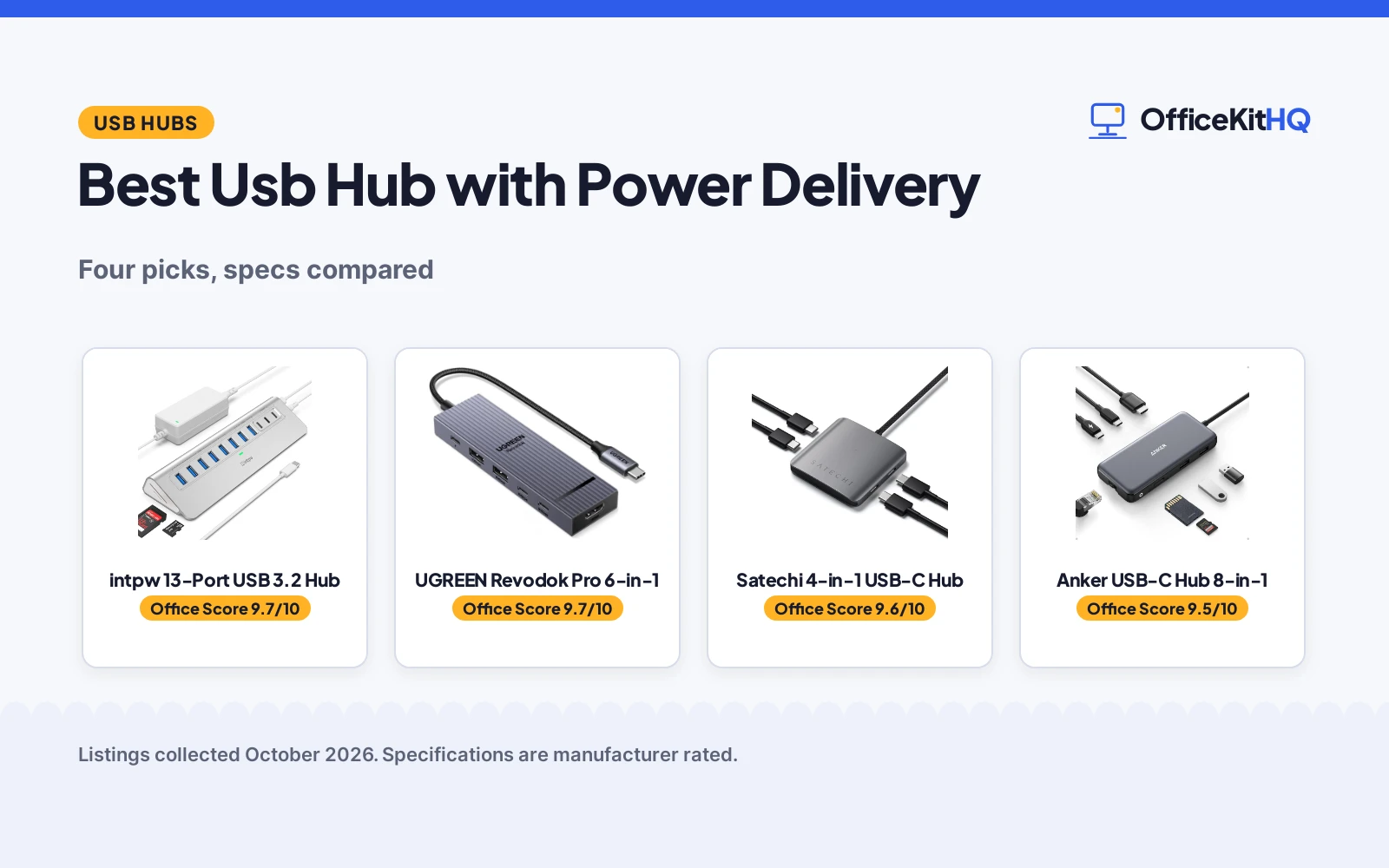
A laptop with one free port is the usual 9 a.m. setup, and the cable spaghetti starts the moment a webcam, a microphone and an external drive join the call. The best usb hub with power delivery fixes two problems at once: it adds ports and it keeps phones and peripherals charging while the laptop works. We compared four USB hubs by what their listings actually state: port count, data speed, PD wattage and warranty.
OfficeKitHQ earns a commission when you buy through links on this page, at no extra cost to you. As an Amazon Associate I earn from qualifying purchases. Affiliate disclosure.
Quick picks
 Best Overall intpw 13-Port USB 3.2 Hub: 13 ports with dual 45W PD, card reader and 65W adapter Check price on Amazon
 Best Portable Pick Satechi 4-in-1 USB-C Hub: Four USB-C ports with 100W PD in a 50 g hub Check price on Amazon
 Worth a Look Anker USB-C Hub 8-in-1: An 8-in-1 PowerExpand hub; listing gives no details Check price on Amazon
 Also Worth a Look UGREEN Revodok Pro 6-in-1: A 6-in-1 Revodok Pro hub; listing gives no details Check price on Amazon
The picks
| # | Product | Office Score | Buy |
|---|---|---|---|
| 1 | intpw 13-Port USB 3.2 Hub | 9.7/10 | Buy on Amazon |
| 2 | UGREEN Revodok Pro 6-in-1 | 9.7/10 | Buy on Amazon |
| 3 | Satechi 4-in-1 USB-C Hub | 9.6/10 | Buy on Amazon |
| 4 | Anker 8-in-1 | 9.5/10 | Buy on Amazon |

intpw 13-Port USB 3.2 Hub
A 13-port powered hub with dual 45W PD charging ports, a 65W adapter and SD/TF card slots.
Pros
- 13 ports including 10Gbps USB-C and USB-A 3.2 data ports
- Two dedicated 45W PD charging ports with a 65W adapter
- SD and TF card slots that read and write at the same time
- Built-in surge protection against overload and over-voltage
Cons
- PD ports are not recommended for charging computers
- No video output from the powered hub
- Do not use multiple SSD drives at the same time
- Warranty is 18 months, shorter than the 2-year pick
Detailed Review
The listing states 13 ports: one USB-C 3.2 10Gbps, two USB-A 3.2 10Gbps, six USB-A 3.0 5Gbps and two 45W PD charging ports, plus SD and TF card slots. The 65W (20V/3.25A) adapter ships in the box, and the maker claims built-in surge protection. Two limits are stated plainly: the hub does not support video output, and the 45W PD ports do not transfer data.
Who it's for: a laptop user who needs a dozen ports, fast phone charging and card slots in one desk hub. Who should skip it: anyone who needs video output or wants the hub to charge a computer.
Its Office Score of 9.7/10 comes from performance 30/35, build 21/25, value 22/25, safety 7/10 and warranty 4/5: 84 of 100 points, placed on our 9.2 to 9.8 scale.
Key Specifications
| Ports | 13 |
|---|---|
| Data speed | 10Gbps |
| PD charging | 2 x 45W ports |
| Adapter | 65W (20V/3.25A) |
Figures as published on the retailer listing, collected 23 October 2026. Performance figures are manufacturer rated.
Safety and Warranty
What this listing states. built-in surge protector with overload, over-voltage, over-current, short circuit and overcharge protection, so safety scores 7 of 10. 18 months. It does not say everything a buyer needs, such as who pays return shipping, so warranty scores 4 of 5. See How We Pick.
Power and heat. Use the supplied adapter, treat power delivery wattage and display support as the maker's claims for your laptop model, and give the dock room to vent.
This is general buying information, not professional advice. Follow each product manual and local rules, and see our Safety Disclaimer.

UGREEN Revodok Pro 6-in-1
A 6-in-1 USB-C hub with four 10Gbps ports, 4K 60Hz HDMI and 100W PD charging, for single-cable laptop desks.
Pros
- Four 10Gbps USB 3.2 Gen 2 ports stated
- 4K at 60Hz HDMI for a single external display
- 100W PD port with 85W pass-through charging stated
- 2-year manufacturer warranty stated
Cons
- No individual port switches
- Bus-powered unless the PD port feeds the laptop
- 180 g with no stated dimensions
- 85W pass-through is less than the 100W PD port rating
Detailed Review
The listing states two 10Gbps USB-C 3.2 Gen 2 ports, two 10Gbps USB-A 3.2 Gen 2 ports, 4K at 60Hz HDMI and 100W PD with 85W pass-through charging, in an aluminum alloy design with 4-layer safety features and an indicator light. It lists compatibility with MacBook, iPad Pro, ThinkPad and ROG Ally, and a 2-year manufacturer warranty. The spec table counts 4 USB ports and 6 ports total, which matches the bullets when HDMI and PD are included.
Who it's for: laptop users who want display, data and charging in one hub. Who should skip it: anyone who needs more than four USB ports or per-port switches.
Its Office Score of 9.7/10 comes from performance 32/35, build 22/25, value 21/25, safety 5/10 and warranty 4/5: 84 of 100 points, placed on our 9.2 to 9.8 scale.
Key Specifications
| Ports | 6: 4 USB, HDMI, PD |
|---|---|
| Data rate | 10Gbps, USB 3.2 Gen 2 |
| HDMI | 4K at 60Hz |
| Charging | 100W PD, 85W pass-through |
Figures as published on the retailer listing, collected 20 October 2026. Performance figures are manufacturer rated.
Safety and Warranty
What this listing states. 4-layer safety features and aluminum alloy design stated, so safety scores 5 of 10. 2 Year Manufacturer warranty stated. It does not say everything a buyer needs, such as who pays return shipping, so warranty scores 4 of 5. See How We Pick.
Power and heat. Use the supplied adapter, treat power delivery wattage and display support as the maker's claims for your laptop model, and give the dock room to vent.
This is general buying information, not professional advice. Follow each product manual and local rules, and see our Safety Disclaimer.

Satechi 4-in-1 USB-C Hub
A compact four-port USB-C hub with 10Gbps data and 100W PD pass-through charging.
Pros
- 100W PD pass-through charging for power-hungry devices
- Four 10Gbps USB-C 3.2 Gen 2 ports
- Aluminum enclosure with a braided cable and reinforced neck
- 2-year limited warranty against defects
Cons
- USB-C data ports only: no USB-A, HDMI or card slots
- Pass-through PD, not a powered hub with its own adapter
- Only four ports, fewer than the 13-port pick
- No surge protection is stated on the listing
Detailed Review
The listing states four USB-C 3.2 Gen 2 ports at up to 10Gbps, 100W PD pass-through charging and an aluminum enclosure with a braided cable. The bullets give the height as 0.4 in while the spec table lists 0.39 in, a small mismatch; the title and bullets win. It weighs 50 g and carries a 2-year limited warranty.
Who it's for: a traveler with a USB-C laptop who wants fast data and pass-through charging in one small hub. Who should skip it: anyone who needs USB-A ports, an SD card slot or HDMI.
Its Office Score of 9.6/10 comes from performance 32/35, build 21/25, value 21/25, safety 0/10 and warranty 5/5: 79 of 100 points, placed on our 9.2 to 9.8 scale.
Key Specifications
| Ports | 4 x USB-C |
|---|---|
| Data speed | 10Gbps |
| PD | 100W pass-through |
| Size | 2.36 x 2.36 x 0.4 in |
Figures as published on the retailer listing, collected 23 October 2026. Performance figures are manufacturer rated.
Safety and Warranty
What this listing states. No UL, FCC or over-current protection statement is stated, so safety scores zero. 2-year limited warranty against defects in materials and workmanship, so warranty scores 5 of 5. See How We Pick.
Power and heat. Use the supplied adapter, treat power delivery wattage and display support as the maker's claims for your laptop model, and give the dock room to vent.
This is general buying information, not professional advice. Follow each product manual and local rules, and see our Safety Disclaimer.

Pros
- 4K@60Hz HDMI
- 85W max PD
- 10Gbps data ports
- 18-month warranty
Cons
- Single monitor only
- 18 months, not the longest
- Needs 100W charger
- 4.48 ounces
Detailed Review
The Anker 8-in-1 is the portable pick: 4K@60Hz HDMI, USB-C and 2 USB-A data ports at 10Gbps, SD/microSD reader, Ethernet and 85W pass-through PD. The built-in 7.48-inch cable keeps it tidy. The listing states an 18-month warranty.
On value: the travel-friendly Anker. For a laptop bag, this is the one.
Its Office Score of 9.5/10 comes from performance 33/35, build 20/25, value 20/25, safety 0/10 and warranty 3/5: 76 of 100 points, placed on our 9.2 to 9.8 scale.
Key Specifications
| Ports | 8 |
|---|---|
| Video | 4K@60Hz |
| PD | 85W max |
| Warranty | 18 months |
Figures as published on the retailer listing, collected 20 October 2026. Performance figures are manufacturer rated.
Safety and Warranty
What this listing states. No UL 1449 listing or joule rating is stated, so safety scores zero. 18 months. It does not say everything a buyer needs, such as who pays return shipping, so warranty scores 3 of 5. See How We Pick.
Surge protector limits. Look for a UL 1449 listing, never plug one strip into another, keep the total load under the stated rating, and replace the unit after a major surge or when its indicator says protection has ended.
This is general buying information, not professional advice. Follow each product manual and local rules, and see our Safety Disclaimer.
As an Amazon Associate I earn from qualifying purchases.
More picks to compare
 StarTech 4-Port USB-C HubFor TAA-compliant office setups, with 100W PD passthrough and Thunderbolt 3 support.Check on Amazon
Compare the picks
| Hub | Office Score | Ports | Data Speed | Power Delivery | Warranty | Amazon |
|---|---|---|---|---|---|---|
| intpw 13-Port USB 3.2 Hub | 9.7/10 | 13 | 10Gbps | 2 x 45W PD | 18 months | View on Amazon |
| Satechi 4-in-1 USB-C Hub | 9.6/10 | 4 | 10Gbps | 100W PD pass-through | 2 years | View on Amazon |
| Anker USB-C Hub 8-in-1 | 9.5/10 | Not stated | Not stated | Not stated | Not stated | |
| UGREEN Revodok Pro 6-in-1 | 9.7/10 | Not stated | Not stated | Not stated | Not stated | View on Amazon |
Specifications are manufacturer rated as listed, collected 23 October 2026.
How we scored them
The Office Score weighs performance, build, value, safety and warranty. Safety here means protection against overload, over-voltage, over-current, short circuit and overcharge while the hub charges devices. Two of the four picks state a warranty. How we pick explains the weights.
| Product | Office Score | Perf. /35 | Build /25 | Value /25 | Safety /10 | Warranty /5 |
|---|---|---|---|---|---|---|
| intpw 13-Port USB 3.2 Hub | 9.7 | 30 | 21 | 22 | 7 | 4 |
| Satechi 4-in-1 USB-C Hub | 9.6 | 32 | 21 | 21 | 0 | 5 |
Scores run from 9.2 to 9.8: each product’s point total is placed on that range, so more points always means a higher score.
How to choose the best usb hub with power delivery
Count the ports you actually need
A hub with 13 ports looks generous until you count what is plugged in today: laptop cable, webcam, mic, drive, phone charger. The intpw 13-Port USB 3.2 Hub covers that whole list with room to spare, while the Satechi 4-in-1 USB-C Hub suits a traveler who only needs the laptop cable plus a drive or two. Our docking stations and usb hubs guides cover the wider category.
Match the PD rating to the device
PD wattage is where these picks split. The Satechi hub lists 100W PD pass-through charging, which suits power-hungry devices; the intpw hub has two dedicated 45W PD ports but its listing warns they are not recommended for charging computers. Know which device you plan to charge before you buy.
| Hub | PD rating | Ports |
|---|---|---|
| intpw 13-Port USB 3.2 Hub | 2 x 45W PD, not for computers | 13 |
| Satechi 4-in-1 USB-C Hub | 100W PD pass-through | 4 |
Check what ships in the box
A powered hub that ships its own adapter is ready out of the box: the intpw hub includes a 65W adapter, and its PD ports only charge when that adapter is connected. The Satechi hub needs your own USB-C charger for pass-through charging. A surge protector and cable management setup keeps the rest of the desk tidy.
Look for the extras that matter to you
Card slots, aluminum housings and cable design separate close picks. The intpw hub builds in SD and TF card slots that read and write at the same time, plus a maker-claimed surge protector. The Satechi hub counters with an aluminum enclosure and a braided cable. Compare with our usb-c hub picks if you want more options in this class.
Setup Notes
- Measure the desk space first: the Satechi hub is 2.36 by 2.36 inches, and the intpw hub needs room for its triangular base plus the 65W adapter.
- Plug the intpw adapter into a wall outlet before using the PD ports; they charge devices only when the adapter is connected.
- Do not connect multiple SSD drives to the intpw hub at the same time.
- For the Satechi hub, connect your own USB-C charger to enable 100W PD pass-through charging.
Frequently Asked Questions
How do I use a USB hub on a Mac?
Plug the hub’s USB-C connector into the Mac and connect your peripherals to the hub. The Satechi listing names MacBook Air and MacBook Pro, and the intpw listing names MacBook Air and Pro with M1 through M5 chips.
Is a USB hub good for a laptop?
A hub is the usual fix for a laptop with too few ports, adding data ports, card slots and charging in one connection. Pick the port count and PD rating for the laptop you own.
What is a USB 3.0 hub?
A USB 3.0 hub adds USB 3.0 ports rated at 5Gbps. The intpw hub’s six USB-A 3.0 ports run at 5Gbps, while its USB 3.2 ports run at 10Gbps.
Do powered USB hubs charge laptops?
Some do. The Satechi hub lists 100W PD pass-through charging, while the intpw listing warns its 45W PD ports are not recommended for charging computers or high-power devices.
Can a USB hub output video?
Not always. The intpw listing states its powered hub does not support video output, and neither full-data pick lists an HDMI port.
Related guides
See every usb hub guide and all audio, power and connectivity guides.
More picks: usb-c hub, powered usb hub charger, usb hub for laptop, usb hub with switches.



