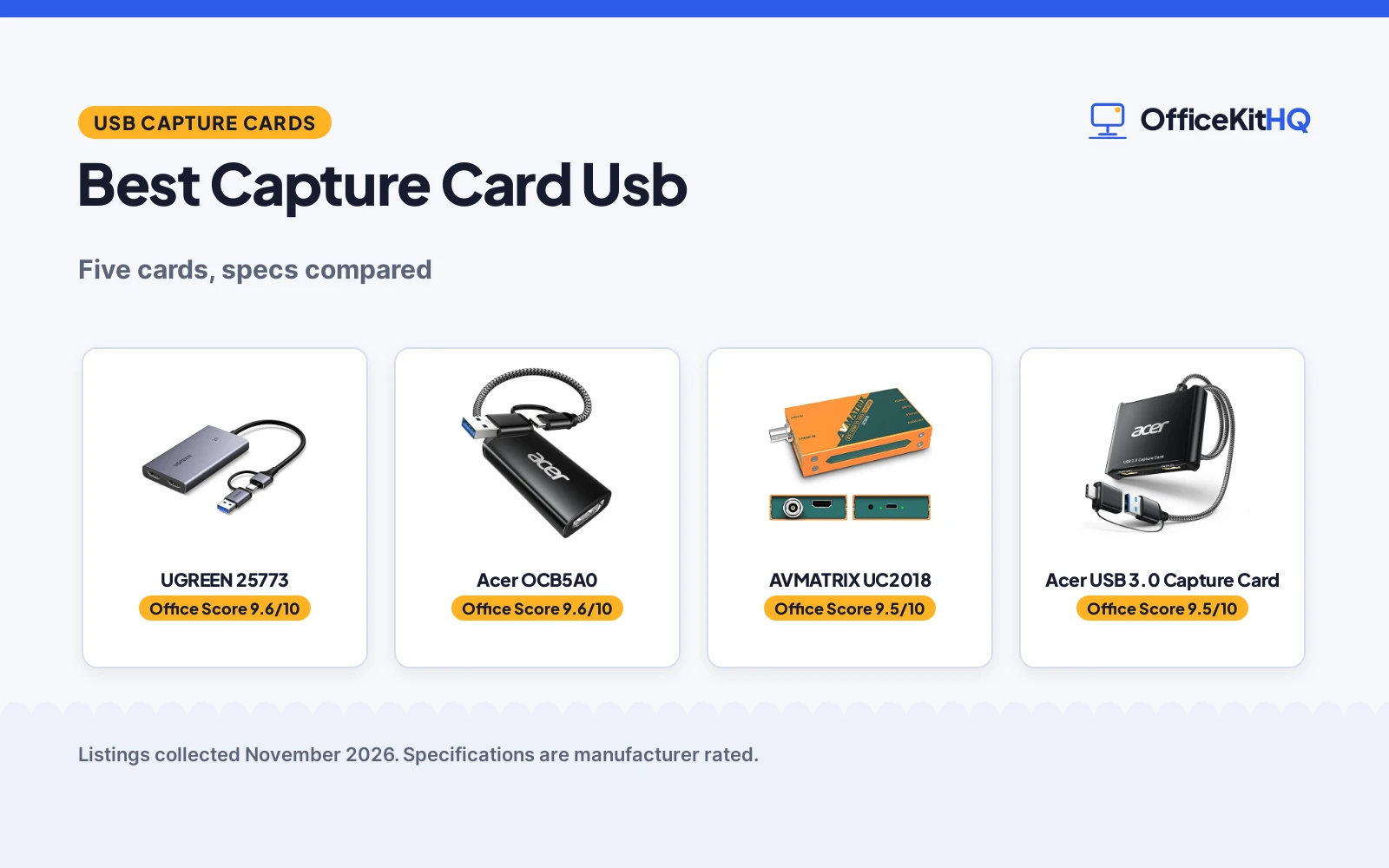
The best capture card usb takes the HDMI signal from a console or camera and hands a clean feed to a laptop for streaming or recording, because a card that drops frames or loses audio turns a stream into a troubleshooting session. A console beside the desk, a camera on a tripod and a laptop running the broadcast all meet at this small box, so the choice comes down to what it accepts, what it passes on and what it records. This roundup compares USB capture cards by capture resolution, HDMI input, loop-out, connection and warranty term.
OfficeKitHQ earns a commission when you buy through links on this page, at no extra cost to you. As an Amazon Associate I earn from qualifying purchases. Affiliate disclosure.
Quick picks
 Best Overall UGREEN 25773: 2K 30FPS capture, 4K 30Hz input and loop-out, USB-A and USB-C Check price on Amazon
 Best for Consoles Acer OCB5A0: 1080P 60FPS capture, USB-A and USB-C, works with Switch 2, PS5 and Xbox Check price on Amazon
 Longest Warranty AVMATRIX UC2018: 3-year warranty, SDI and HDMI inputs, 1080p60 uncompressed capture Check price on Amazon
 Best SDI Loop-Out ATCCPYDM S2U-2: 3G-SDI and HDMI loop out, 1080P 60FPS, driver-free Check price on Amazon
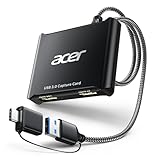 Also Listed Acer USB 3.0 Capture Card: 4K loop-out, 1080P 60Hz capture; no further detail stated Check price on Amazon
Our desk picks
| # | Product | Office Score | Buy |
|---|---|---|---|
| 1 | UGREEN 25773 | 9.6/10 | Buy on Amazon |
| 2 | Acer OCB5A0 | 9.6/10 | Buy on Amazon |
| 3 | AVMATRIX UC2018 | 9.5/10 | Buy on Amazon |
| 4 | Acer OCB5B0 Capture Card | 9.5/10 | Buy on Amazon |
| 5 | ATCCPYDM S2U-2 | 9.4/10 | Buy on Amazon |

UGREEN 25773
A USB 3.0 capture card that records at 2K 30FPS from a 4K 30Hz HDMI input and passes the same 4K 30Hz signal to a second display.
Pros
- Records at 2K 30FPS from a 4K 30Hz HDMI input
- 4K 30Hz loop-out for live preview with zero-latency monitoring
- USB-A and USB-C ports with MJPEG and YUY2 formats
- No driver or external power supply required
Cons
- 4K capture is not supported, only 4K input and loop-out
- PS4 and PS5 need HDCP turned off before use
- Not compatible with Fire TV Stick
- iPhone cannot be used as a recording device, as it does not support the UVC protocol
Detailed Review
UGREEN lists this card for 2K 30FPS capture from a 4K 30Hz HDMI input, with 4K 30Hz loop-out and zero-latency monitoring for a second display. It connects over USB 3.0 through Type-C and Type-A ports, records in MJPEG or YUY2, and needs no driver or external power supply, with an aluminum casing stated to spread heat during long sessions. It works with Switch, Switch 2, PS4, PS5, Xbox Series X and Meta Quest 3 and 2, and with Windows, macOS, Linux and Android. The maker gives dimensions of 35.433 by 19.685 by 1.5748 inches; check before ordering.
Who it's for: a streamer or recorder who wants 2K capture with a 4K loop-out to a second display and a card that needs no extra power. Who should skip it: anyone who needs 4K capture, uses a Fire TV Stick, or wants to record from an iPhone.
Its Office Score of 9.6/10 comes from performance 32/35, build 21/25, value 21/25, safety 0/10 and warranty 4/5: 78 of 100 points, placed on our 9.2 to 9.8 scale.
Key Specifications
| Capture | 2K at 30FPS |
|---|---|
| HDMI input | 4K at 30Hz |
| Loop-out | 4K at 30Hz |
| Formats | MJPEG and YUY2 |
These specs mirror the retailer listing as of 21 November 2026; performance figures are stated by the brand.
Safety and Warranty
What this listing states. No safety listing or safety feature is stated, so safety scores zero. 24 months. It does not say everything a buyer needs, such as who pays return shipping, so warranty scores 4 of 5. See How We Pick.
Follow the manual. Assemble and use the product as the maker describes, stay under any stated capacity, and read the manual before first use.
This is general buying information, not professional advice. Follow each product manual and local rules, and see our Safety Disclaimer.

Acer OCB5A0
An HDMI to USB 3.0 capture card that records at 1080P 60FPS from a 4K 30FPS input, with USB-A and USB-C ports and no driver to install.
Pros
- HDMI input up to 4K 30FPS with 1080P 60FPS capture
- USB 3.0 interface with up to 5Gbps bandwidth
- 2-in-1 USB-A and Type-C interface for laptops, consoles and tablets
- Aluminum casing stated to spread heat during long sessions
Cons
- No HDMI loop-out; transmission is one-way from HDMI to USB
- Needs a USB 3.0 port for the best results
- HDMI input only, with no SDI input for cameras that use SDI
- No separate audio input; sound travels with the HDMI signal
Detailed Review
Acer lists this card for HDMI to USB 3.0 capture at 1080P 60FPS, from an HDMI input of up to 4K 30FPS, over a USB 3.0 interface stated at up to 5Gbps. The 2-in-1 USB-A and Type-C interface works with laptops, tablets, PS4, PS5, Nintendo Switch, cameras and TV boxes, and with Windows, Mac OS, Linux, Android and iPadOS, with no driver to install. The aluminum casing is stated to spread heat during long high-bandwidth sessions. The maker gives two capture rates for 2K, 30FPS and 60FPS; check before ordering.
Who it's for: someone capturing console or camera footage at 1080P 60FPS who wants USB-A and USB-C in one card and no driver to install. Who should skip it: anyone who needs a loop-out to a second display or an SDI input.
Its Office Score of 9.6/10 comes from performance 30/35, build 21/25, value 21/25, safety 0/10 and warranty 4/5: 76 of 100 points, placed on our 9.2 to 9.8 scale.
Key Specifications
| Capture | 1080P at 60FPS |
|---|---|
| HDMI input | 4K at 30FPS |
| Interface | USB 3.0, USB-A and Type-C |
| Bandwidth | Up to 5Gbps |
These specs mirror the retailer listing as of 21 November 2026; performance figures are stated by the brand.
Safety and Warranty
What this listing states. No safety listing or safety feature is stated, so safety scores zero. 18 months. It does not say everything a buyer needs, such as who pays return shipping, so warranty scores 4 of 5. See How We Pick.
Follow the manual. Assemble and use the product as the maker describes, stay under any stated capacity, and read the manual before first use.
This is general buying information, not professional advice. Follow each product manual and local rules, and see our Safety Disclaimer.

AVMATRIX UC2018
An SDI and HDMI to USB 3.0 capture card that records uncompressed 1080p60 video with line-in audio in a 92 by 58 by 19 mm body.
Pros
- Uncompressed YUY2 video capture at up to 1080p60
- SDI and HDMI inputs with a separate line-in for audio
- Driver-free, with UVC and UAC support for OBS, Zoom and Teams
- Compact at 92 by 58 by 19 mm and 205 g, rated from -20 to 60 degrees Celsius
Cons
- No loop-out is stated for the SDI or HDMI input
- Capture tops out at 1080p60, below the 2K capture of the UGREEN
- Game consoles are not named among the supported sources
- Heaviest of the cards that state a weight, at 205 g
Detailed Review
AVMATRIX lists the UC2018 for SDI and HDMI to USB 3.0 capture at up to 1080p60, in uncompressed YUY2 with a separate line-in for audio, over a USB 3.0 output stated at up to 200MB per second. It is driver-free, complies with UVC and UAC, and works with Windows, Linux and macOS and with OBS Studio, Skype, Zoom, Teams and Google Meet. The body measures 92 by 58 by 19 mm, weighs 205 g, and is rated to work from -20 to 60 degrees Celsius.
Who it's for: someone capturing SDI or HDMI sources for video calls, teaching or church streams who wants uncompressed video and a separate audio input. Who should skip it: anyone who needs 2K or 4K capture, a loop-out, or a card built around game consoles.
Its Office Score of 9.5/10 comes from performance 29/35, build 20/25, value 20/25, safety 0/10 and warranty 4/5: 73 of 100 points, placed on our 9.2 to 9.8 scale.
Key Specifications
| Capture | 1080p60, uncompressed YUY2 |
|---|---|
| Inputs | SDI and HDMI |
| Audio in | Line-in, 2-channel, 1536kbps |
| Size | 92 by 58 by 19 mm, 205 g |
These specs mirror the retailer listing as of 21 November 2026; performance figures are stated by the brand.
Safety and Warranty
What this listing states. No safety listing or safety feature is stated, so safety scores zero. 3 years. It does not say everything a buyer needs, such as who pays return shipping, so warranty scores 4 of 5. See How We Pick.
Follow the manual. Assemble and use the product as the maker describes, stay under any stated capacity, and read the manual before first use.
This is general buying information, not professional advice. Follow each product manual and local rules, and see our Safety Disclaimer.

Acer OCB5B0 Capture Card
A USB 3.0 HDMI capture card with 4K loop-out, 1080P60 output and a 3.5 mm mic input.
Pros
- 4K loop-out with 1080P60 output
- YUY2 output for richer colors than MJPEG
- 3.5 mm mic input for headsets and mics
- USB Type-A and Type-C ports included
Cons
- 1-year warranty, shorter than the UGREEN 24-month term
- 1080P60 is the highest capture resolution stated
- Captures at 1080P60 while the input and loop-out run at 4K
- Mic input fits most 3.5 mm devices, not all
Detailed Review
The maker lists a USB 3.0 HDMI capture card with 4K input, 4K loop-out and 1080P60 output with YUY2. A 3.5 mm mic input takes a headset or mic for commentary, and USB Type-A and Type-C ports cover Mac and PC. No driver or external power is needed, and a 1-year warranty is stated.
Who it's for: Mac users who want a mic input with dual USB ports. Who should skip it: anyone who needs 2K30 capture or a longer warranty.
Its Office Score of 9.5/10 comes from performance 29/35, build 21/25, value 21/25, safety 0/10 and warranty 3/5: 74 of 100 points, placed on our 9.2 to 9.8 scale.
Key Specifications
| Input | 4K |
|---|---|
| Capture | 1080P60 |
| Loop-out | 4K |
| Warranty | 1 year |
These specs mirror the retailer listing as of 19 November 2026; performance figures are stated by the brand.
Safety and Warranty
What this listing states. No safety listing or safety feature is stated, so safety scores zero. 1 year warranty. It does not say everything a buyer needs, such as who pays return shipping, so warranty scores 3 of 5. See How We Pick.
Follow the manual. Assemble and use the product as the maker describes, stay under any stated capacity, and read the manual before first use.
This is general buying information, not professional advice. Follow each product manual and local rules, and see our Safety Disclaimer.

ATCCPYDM S2U-2
A 3G-SDI to USB 3.0 capture card that records 1080P 60FPS with HDMI and SDI loop out and no driver to install.
Pros
- 3G-SDI and HDMI inputs with loop out on both
- 1080P 60FPS capture in YUY2 or MJPEG
- Driver-free, with UVC and UAC support for Windows, Linux, Android and Mac
- Capture resolutions run up to 1920 by 1080
Cons
- No warranty term is stated
- No 2K or 4K capture is stated; capture tops out at 1080P
- No separate audio input for a microphone or mixer
- USB 3.0 output only, with no USB-C port named
Detailed Review
ATCCPYDM lists this card for 3G-SDI to USB 3.0 capture at 1080P 60FPS, with HDMI and SDI loop out, in YUY2 or MJPEG under the UVC and UAC standards. It is driver-free and works with Windows, Linux, Android and Mac, and lists capture resolutions up to 1920 by 1080. The maker gives two sizes, 4.0 by 2.0 by 1.7 inches and 94 by 64 by 24 mm; check before ordering.
Who it's for: someone who needs SDI and HDMI loop out on a driver-free card for 1080P capture. Who should skip it: anyone who wants a stated warranty, 2K capture, or a separate audio input.
Its Office Score of 9.4/10 comes from performance 27/35, build 19/25, value 19/25, safety 0/10 and warranty 0/5: 65 of 100 points, placed on our 9.2 to 9.8 scale.
Key Specifications
| Capture | 1080P at 60FPS |
|---|---|
| Inputs | 3G-SDI and HDMI |
| Loop out | SDI and HDMI |
| Formats | YUY2 and MJPEG |
These specs mirror the retailer listing as of 21 November 2026; performance figures are stated by the brand.
Safety and Warranty
What this listing states. No safety listing or safety feature is stated, so safety scores zero. No warranty term, so warranty scores zero. See How We Pick.
Follow the manual. Assemble and use the product as the maker describes, stay under any stated capacity, and read the manual before first use.
This is general buying information, not professional advice. Follow each product manual and local rules, and see our Safety Disclaimer.
As an Amazon Associate I earn from qualifying purchases.
Specs compared
| Capture Card | Office Score | Capture | Loop-out | Inputs | Warranty | Amazon |
|---|---|---|---|---|---|---|
| UGREEN 25773 | 9.6/10 | 2K at 30FPS | 4K at 30Hz | HDMI | 24 months | View on Amazon |
| Acer OCB5A0 | 9.6/10 | 1080P at 60FPS | Not stated | HDMI | 18 months | View on Amazon |
| AVMATRIX UC2018 | 9.5/10 | 1080p60 | Not stated | SDI and HDMI | 3 years | View on Amazon |
| ATCCPYDM S2U-2 | 9.4/10 | 1080P at 60FPS | SDI and HDMI | 3G-SDI and HDMI | Not stated | View on Amazon |
| Acer USB 3.0 Capture Card | 9.6/10 | 1080P at 60Hz | 4K | HDMI | Not stated |
Dimensions, weight limits and ranges are the maker’s ratings as each listing gives them, collected 21 November 2026. Three of the five state a warranty term; none states a safety certification.
How to choose the best capture card usb
Start with capture resolution, not input resolution
Input and capture are different figures on these cards, and the capture figure is the one that decides what the recording looks like. The UGREEN takes a 4K 30Hz input and records at 2K 30FPS, while the Acer OCB5A0 takes a 4K 30FPS input and records at 1080P 60FPS. The AVMATRIX and the ATCCPYDM top out at 1080p60 and 1080P 60FPS, and the Acer USB 3.0 Capture Card records at 1080P 60Hz. Pick the capture resolution first, then check that the input accepts the source you own, since a card that accepts 4K but records at 1080P still gives a 1080P stream.
| Capture card | HDMI input | Capture | Loop-out |
|---|---|---|---|
| UGREEN 25773 | 4K at 30Hz | 2K at 30FPS | 4K at 30Hz |
| Acer OCB5A0 | 4K at 30FPS | 1080P at 60FPS | Not stated |
| AVMATRIX UC2018 | 1080p60 | 1080p60 | Not stated |
| ATCCPYDM S2U-2 | 1080P at 60FPS | 1080P at 60FPS | SDI and HDMI |
| Acer USB 3.0 Capture Card | Not stated | 1080P at 60Hz | 4K |
Input is the highest signal the card accepts; capture is what it records to the computer.
Loop-out decides whether the TV stays in play
A loop-out sends the signal to a second display while the card records, so a console stays playable on a TV while the laptop captures. The UGREEN passes 4K at 30Hz to a second display, the ATCCPYDM loops out both SDI and HDMI, and the Acer USB 3.0 Capture Card names 4K loop-out. The Acer OCB5A0 states one-way transmission only, and the AVMATRIX states no loop-out. If the whole room watches that display, a card without loop-out leaves it dark. For a Twitch stream, see the best capture card for Twitch.
Match the ports to the computer
USB-A, USB-C or both decides whether the card plugs straight in or needs an adapter. The UGREEN and the Acer OCB5A0 carry both USB-A and Type-C, the AVMATRIX ends in USB 3.0 Type-C, and the ATCCPYDM states a USB 3.0 output with no USB-C port named. The Acer OCB5A0 notes that a USB 3.0 port is needed for the best results, and the UGREEN notes that Windows 7 systems need USB 3.0 drivers installed. Check the ports on the recording computer before ordering. A USB-C hub for desktop can add ports, but it does not change what the card itself accepts.
Audio rides with the signal, except on one card
Four of the five cards here carry audio with the HDMI signal and state no separate audio input. The AVMATRIX is the exception, with a line-in for audio alongside the SDI and HDMI inputs, and 2-channel audio at 1536kbps. A microphone or mixer feed separate from the picture needs that line-in; otherwise the HDMI audio is enough. For a console stream, remember the UGREEN needs HDCP turned off on PS4 and PS5 before the signal passes at all.
Read the warranty line before ordering
Three cards state a warranty term and two do not. The AVMATRIX states 3 years, the UGREEN states 24 months and the Acer OCB5A0 states 18 months. The ATCCPYDM and the Acer USB 3.0 Capture Card state no term, so a buyer who values written cover should weigh that against the loop-out and SDI inputs on offer. A warranty term is the only promise here with a length attached.
Setup Notes
- Measure the desk and the recording computer first: the AVMATRIX measures 92 by 58 by 19 mm and weighs 205 g, and it is the only card here with a size a buyer can plan around.
- Plan the cable run: the UGREEN and the Acer OCB5A0 carry both USB-A and Type-C, the AVMATRIX ends in USB 3.0 Type-C, and the ATCCPYDM states a USB 3.0 output, so match the cable to the port on the recording computer.
- Power planning: the UGREEN needs no external power supply, and the Acer OCB5A0 needs a USB 3.0 port for the best results, so a free USB 3.0 port on the recording computer covers both.
- Assembly is plug-and-play on the UGREEN, the Acer OCB5A0, the AVMATRIX and the ATCCPYDM, with no driver to install, except that Windows 7 systems need USB 3.0 drivers for the UGREEN.
FAQ
How does a capture card work?
A capture card takes an HDMI signal from a console or camera and sends it over USB to a computer, where software such as OBS Studio records or streams it. The cards here connect over USB 3.0 and need no driver except for the UGREEN on Windows 7.
How do I deal with capture card audio delay?
Start with the connection: the Acer OCB5A0 notes that a USB 3.0 port is needed for the best results, and the UGREEN records in MJPEG or YUY2 with low delay stated for USB-A and USB-C. The AVMATRIX carries a separate line-in for audio, so a microphone or mixer can feed audio straight into the card. If the source is a PS4 or PS5, the UGREEN needs HDCP turned off before the signal passes at all.
Do I need a capture card to record PC games?
Not for the PC itself: these cards take an HDMI signal from an outside source, such as a console or camera, into a computer. A PC game already runs on the recording computer, so the card adds nothing unless the game runs on a separate console or a second computer with an HDMI output.
Which capture card here has the longest warranty?
The AVMATRIX UC2018 states 3 years. The UGREEN states 24 months and the Acer OCB5A0 states 18 months, while the ATCCPYDM and the Acer USB 3.0 Capture Card state no warranty term.
Which of these cards passes the signal to a second display?
The UGREEN passes 4K at 30Hz to a second display, the ATCCPYDM loops out both SDI and HDMI, and the Acer USB 3.0 Capture Card names 4K loop-out. The Acer OCB5A0 states one-way transmission only, and the AVMATRIX states no loop-out.
Score breakdown
The Office Score weighs performance (capture resolution, input resolution, loop-out and connection), build (casing, size and stated weight), value for the stated specs, safety and warranty. For a capture card, safety means a stated safety certification or protective feature; none of the five states one, so every safety score is zero. Three of the five state a warranty term: AVMATRIX at 3 years, UGREEN at 24 months and Acer at 18 months. How we pick explains the weights.
| Product | Office Score | Perf. /35 | Build /25 | Value /25 | Safety /10 | Warranty /5 |
|---|---|---|---|---|---|---|
| UGREEN 25773 | 9.6 | 32 | 21 | 21 | 0 | 4 |
| Acer OCB5A0 | 9.6 | 30 | 21 | 21 | 0 | 4 |
| AVMATRIX UC2018 | 9.5 | 29 | 20 | 20 | 0 | 4 |
| ATCCPYDM S2U-2 | 9.4 | 27 | 19 | 19 | 0 | 0 |
Office Scores run on a short 9.2 to 9.8 scale. We place each item’s weighted point total on it in proportion, so a larger total is always shown as a larger score.
More for your workspace
See every streaming gear guide and all home studio guides. Also see best capture card for Twitch. Also see best capture card for Linux. Also see best key light for home streaming. Also see best home studio essentials. Also see best webcam for streaming 4k 60fps. Also see best HDMI cable for streaming.
More picks: streaming gear, key light for home streaming, home studio essentials.