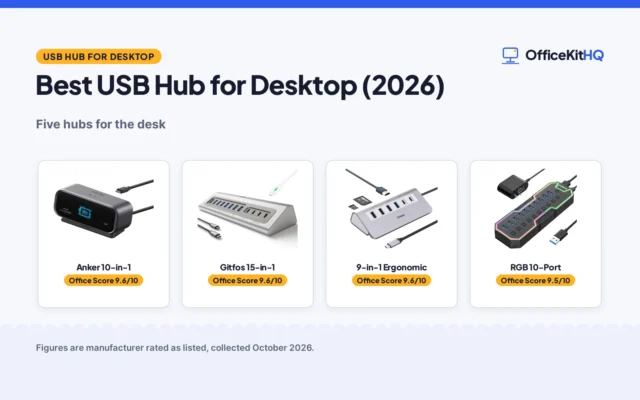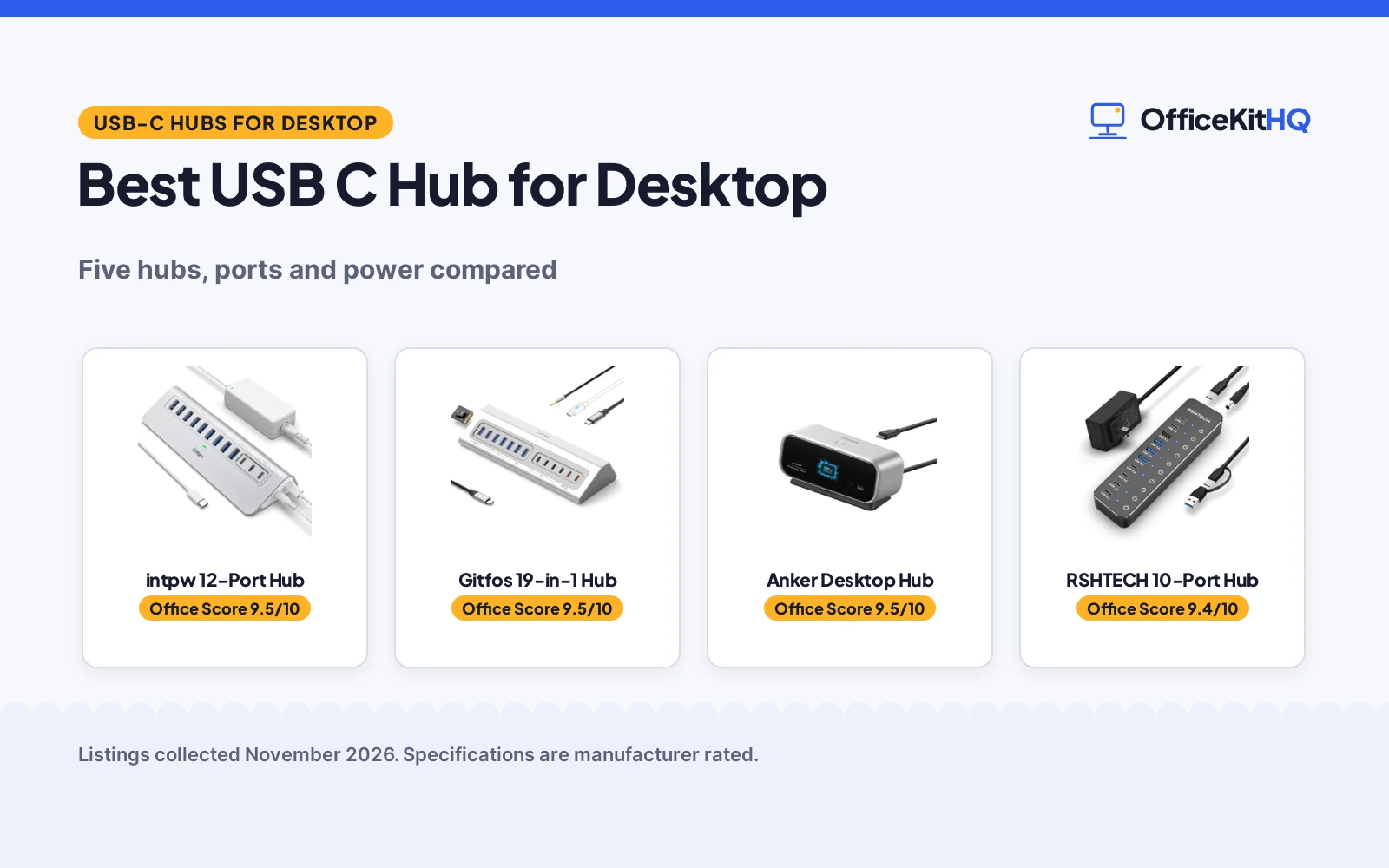
When a desktop setup outgrows its ports and the desk fills with drives, keyboards and card readers, the best usb c hub for desktop is the piece that keeps everything connected without constant cable swapping. This guide compares powered hubs by data port count, transfer speeds, display output, charging ports and the adapters in the box, so the hub you pick matches the desk you actually work at.
OfficeKitHQ earns a commission when you buy through links on this page, at no extra cost to you. As an Amazon Associate I earn from qualifying purchases. Affiliate disclosure.
Quick picks
 Best Overall intpw 12-Port Hub: Three 10Gbps ports, two 45W charging ports and a 65W adapter included Check price on Amazon
 Best for Many Devices Gitfos 19-in-1 Hub: Eleven data ports plus SD, TF and a 3.5mm audio jack for a full desk Check price on Amazon
 Best for Dual Monitors Anker Desktop Hub: HDMI and DisplayPort for dual 2K@240Hz displays, plus Gigabit Ethernet Check price on Amazon
 Best for USB-C Devices RSHTECH 10-Port Hub: Six USB-C ports with individual touch switches and a 60W power supply Check price on Amazon
 Best with Switches UGREEN 7-Port Hub: Seven ports with individual on/off switches and a 24W adapter included Check price on Amazon
Our desk picks
| # | Product | Office Score | Buy |
|---|---|---|---|
| 1 | intpw 12-Port Hub | 9.5/10 | Buy on Amazon |
| 2 | Gitfos 19-in-1 Hub | 9.5/10 | Buy on Amazon |
| 3 | Anker Desktop Hub | 9.5/10 | Buy on Amazon |
| 4 | RSHTECH 10-Port Hub | 9.4/10 | Buy on Amazon |
| 5 | UGREEN 7-Port Hub | 9.3/10 | Buy on Amazon |

intpw 12-Port Hub
A powered 12-port USB hub with three 10Gbps USB 3.2 ports, seven USB 3.0 ports, two 45W PD charging ports and a 65W power adapter included.
Pros
- Three USB 3.2 ports stated up to 10Gbps
- Two dedicated 45W PD charging ports for phones and tablets
- 65W power adapter and 3.3FT cable included
- Surge protection stated for overload and over-voltage
Cons
- No video output function, per the maker
- Not recommended for charging computers or high-power devices
- Maker advises against running multiple SSD drives at once
- PD charging ports do not carry data
Detailed Review
intpw's powered hub expands a desktop to twelve ports: one USB-C 3.2 port and two USB-A 3.2 ports at up to 10Gbps, seven USB-A 3.0 ports at up to 5Gbps, and two USB-C PD ports for 45W fast charging of phones and tablets. The included 65W power adapter supplies the hub so connected devices draw power from the wall instead of the computer. The maker states built-in protection against overload, over-voltage, over-current, short circuit and overcharge, in an angled aluminum body with feet for desktop stability.
Who it's for: desktop users who need many USB-A ports for drives and peripherals, plus two charging ports for a phone and tablet. Who should skip it: anyone who needs monitor output from the hub or laptop charging through it.
Its Office Score of 9.5/10 comes from performance 27/35, build 20/25, value 20/25, safety 5/10 and warranty 2/5: 74 of 100 points, placed on our 9.2 to 9.8 scale.
Key Specifications
| Ports | 12: 1x USB-C 3.2, 2x USB-A 3.2, 7x USB-A 3.0, 2x USB-C PD |
|---|---|
| Data rate | Up to 10Gbps (USB 3.2); 5Gbps (USB 3.0) |
| Display output | None stated |
| Power | 65W adapter included; 2x 45W PD charging ports |
| Cable | 3.3FT USB-C to USB-C |
| Weight | 1.39 pounds |
These specs mirror the retailer listing as of 21 November 2026; performance figures are stated by the brand.
Safety and Warranty
What this listing states. Maker states a built-in surge protector with overload, over-voltage, over-current, short circuit and overcharge protection., so safety scores 5 of 10. 18 months. It does not say everything a buyer needs, such as who pays return shipping, so warranty scores 2 of 5. See How We Pick.
Power and heat. Use the supplied adapter, treat power delivery wattage and display support as the maker's claims for your laptop model, and give the dock room to vent.
This is general buying information, not professional advice. Follow each product manual and local rules, and see our Safety Disclaimer.

Gitfos 19-in-1 Hub
A 19-in-1 powered USB-C hub with eleven data ports, two 45W charging ports, SD and TF card slots, a 3.5mm audio jack and a 65W adapter.
Pros
- Eleven USB data ports, five of them up to 10Gbps
- SD and TF card slots stated up to 104MB/s
- 3.5mm audio jack for headphones or speakers
- 100W PD input for charging the host laptop
Cons
- No video output, per the maker
- Hub will not work unless the 65W DC adapter is connected
- Charging ports do not transfer data
- Laptop charging needs your own USB-C charger
Detailed Review
Gitfos packs the most connections in this guide into one angled aluminum body: four USB-C 3.2 and one USB-A 3.2 data ports at up to 10Gbps, six USB-A 3.0 ports at up to 5Gbps, two USB-C charging ports at up to 45W for one device or 20W each for two, SD and TF card slots, and a 3.5mm audio jack. A 100W PD input port charges the host laptop with your own charger, while the included 65W DC adapter powers the hub itself and must stay connected. The maker states the aluminum housing helps dissipate heat during extended use.
Who it's for: creators and power users who keep drives, card readers, headphones and phones connected at one desk. Who should skip it: anyone who needs display output from the hub, or who does not want a hub that depends on its DC adapter.
Its Office Score of 9.5/10 comes from performance 29/35, build 20/25, value 20/25, safety 3/10 and warranty 2/5: 74 of 100 points, placed on our 9.2 to 9.8 scale.
Key Specifications
| Ports | 19 in 1: 4x USB-C 3.2, 1x USB-A 3.2, 6x USB-A 3.0, 2x USB-C charge, SD, TF, 3.5mm audio |
|---|---|
| Data rate | Up to 10Gbps (USB 3.2); 5Gbps (USB 3.0) |
| Display output | None stated |
| Power | 65W DC adapter included; 100W PD IN; 45W charging ports |
| Cable | 3.3ft USB-C host cable |
| Weight | 0.66 pounds |
These specs mirror the retailer listing as of 21 November 2026; performance figures are stated by the brand.
Safety and Warranty
What this listing states. Maker states a durable aluminum housing to help dissipate heat and support stable operation during extended use., so safety scores 3 of 10. 1 Year Manufacturer. It does not say everything a buyer needs, such as who pays return shipping, so warranty scores 2 of 5. See How We Pick.
Power and heat. Use the supplied adapter, treat power delivery wattage and display support as the maker's claims for your laptop model, and give the dock room to vent.
This is general buying information, not professional advice. Follow each product manual and local rules, and see our Safety Disclaimer.

Anker Desktop Hub
A 10-in-1 desktop USB-C hub with HDMI and DisplayPort for dual displays, Gigabit Ethernet, 10Gbps data ports, card slots and a smart display.
Pros
- Dual display support stated up to 2K@240Hz
- Gigabit Ethernet port for wired networking
- Smart display shows port status and charging power
- SD and microSD card slots included
Cons
- Charger not included for pass-through charging
- On macOS, both external monitors show identical content
- Not compatible with Linux, per the maker
- Dual 2K@240Hz needs a host port with DP 2.1 and DSC
Detailed Review
Anker's desktop hub is the only pick here with display output: an HDMI 2.1 port and a DisplayPort 1.4 port drive a single monitor at up to 4K@144Hz or 2K@240Hz, or dual 2K@240Hz displays where the host port supports DP 2.1 with DSC 3:1. It adds one 10Gbps USB-C port, one 10Gbps USB-A port, two 5Gbps USB-A ports, a Gigabit Ethernet port and SD and microSD card slots, with 80W pass-through charging from your own charger. The built-in smart display shows port status, charging power, data transfer speed and device temperature, and most ports face the rear for cable routing.
Who it's for: desktop users who want monitors, wired Ethernet and card slots on one hub with a status display. Who should skip it: Linux users, and Mac users who need two different external displays rather than mirrored content.
Its Office Score of 9.5/10 comes from performance 30/35, build 21/25, value 20/25, safety 0/10 and warranty 2/5: 73 of 100 points, placed on our 9.2 to 9.8 scale.
Key Specifications
| Ports | 10 in 1: HDMI 2.1, DisplayPort 1.4, USB-C 10Gbps, USB-A 10Gbps, 2x USB-A 5Gbps, Ethernet, SD, microSD |
|---|---|
| Data rate | Up to 10Gbps (USB-C and USB-A) |
| Display output | Dual 2K@240Hz; single 4K@144Hz |
| Power | 80W pass-through; charger not included |
| Cable | 2.3ft built-in host cable |
| Weight | 0.73 pounds |
These specs mirror the retailer listing as of 21 November 2026; performance figures are stated by the brand.
Safety and Warranty
What this listing states. No UL, FCC or over-current protection statement is stated, so safety scores zero. 18 months. It does not say everything a buyer needs, such as who pays return shipping, so warranty scores 2 of 5. See How We Pick.
Power and heat. Use the supplied adapter, treat power delivery wattage and display support as the maker's claims for your laptop model, and give the dock room to vent.
This is general buying information, not professional advice. Follow each product manual and local rules, and see our Safety Disclaimer.

RSHTECH 10-Port Hub
A powered 10-port USB hub with six USB-C ports and four USB-A ports, three of them up to 10Gbps, individual touch switches and a 60W supply.
Pros
- Six USB-C ports for newer peripherals
- Three USB 3.2 ports stated up to 10Gbps
- Individual touch switches with LED power status
- Detachable USB-A and USB-C dual connector cable
Cons
- USB-C ports do not support video output
- No dedicated charging ports stated
- Seven of the ten ports run at 5Gbps
- No card reader slots stated
Detailed Review
RSHTECH's hub leans toward USB-C: six USB-C ports (two USB 3.2 and four USB 3.0) sit alongside four USB-A ports (one USB 3.2 and three USB 3.0), for ten data ports in total. Three ports run at up to 10Gbps and seven at up to 5Gbps. A 12V/5A 60W power supply feeds the hub, and each port has an individual touch switch with a blue LED showing power status, so devices can be turned off without unplugging. The detachable 3.3ft cable carries both USB-A and USB-C host connectors.
Who it's for: desktop users with a mix of USB-C and USB-A peripherals who want per-port switches. Who should skip it: anyone who needs display output, card reader slots or dedicated charging ports on the hub.
Its Office Score of 9.4/10 comes from performance 26/35, build 19/25, value 19/25, safety 0/10 and warranty 2/5: 66 of 100 points, placed on our 9.2 to 9.8 scale.
Key Specifications
| Ports | 10: 6x USB-C (2x 3.2, 4x 3.0), 4x USB-A (1x 3.2, 3x 3.0) |
|---|---|
| Data rate | Up to 10Gbps (3 ports); 5Gbps (7 ports) |
| Display output | None stated |
| Power | 60W (12V/5A) power supply |
| Cable | 3.3ft detachable USB-A/C cable |
| Weight | 1.01 pounds |
These specs mirror the retailer listing as of 21 November 2026; performance figures are stated by the brand.
Safety and Warranty
What this listing states. No UL, FCC or over-current protection statement is stated, so safety scores zero. 18 months warranty for non-human damage. It does not say everything a buyer needs, such as who pays return shipping, so warranty scores 2 of 5. See How We Pick.
Power and heat. Use the supplied adapter, treat power delivery wattage and display support as the maker's claims for your laptop model, and give the dock room to vent.
This is general buying information, not professional advice. Follow each product manual and local rules, and see our Safety Disclaimer.

UGREEN 7-Port Hub
A powered 7-port USB 3.0 hub with five USB-A and two USB-C data ports, individual on/off switches and a 24W power adapter included.
Pros
- Individual on/off switch on every port
- 24W power adapter included in the box
- 2 Year warranty stated, the longest term here
- 3.3 ft cable for under-desk placement
Cons
- All ports share one 5Gbps upstream channel
- Does not provide charging to the host laptop
- Host connection is USB-A, not USB-C
- Single port power tops out at 7.5W stated
Detailed Review
UGREEN's powered hub turns one USB-A port into five USB-A and two USB-C data ports for keyboards, mice, flash drives and printers. Every port has its own on/off switch, so connected devices can be powered down without unplugging. All seven ports share one 5Gbps upstream channel, so simultaneous transfers split the bandwidth. The included 24W power adapter helps keep multiple peripherals connected reliably, with a single port providing up to 7.5W under suitable conditions, and the 3.3 ft cable reaches towers under a desk.
Who it's for: desktop users with a USB-A host port who want switched ports for everyday peripherals. Who should skip it: anyone who needs 10Gbps transfers, laptop charging through the hub, or a USB-C host connection.
Its Office Score of 9.3/10 comes from performance 23/35, build 19/25, value 18/25, safety 0/10 and warranty 3/5: 63 of 100 points, placed on our 9.2 to 9.8 scale.
Key Specifications
| Ports | 7: 5x USB-A, 2x USB-C data ports |
|---|---|
| Data rate | Up to 5Gbps shared |
| Display output | None stated |
| Power | 24W DC adapter included; up to 7.5W per port |
| Cable | 3.3 ft cable |
| Host connection | USB-A |
These specs mirror the retailer listing as of 21 November 2026; performance figures are stated by the brand.
Safety and Warranty
What this listing states. No UL, FCC or over-current protection statement is stated, so safety scores zero. 2 Year. It does not say everything a buyer needs, such as who pays return shipping, so warranty scores 3 of 5. See How We Pick.
Power and heat. Use the supplied adapter, treat power delivery wattage and display support as the maker's claims for your laptop model, and give the dock room to vent.
This is general buying information, not professional advice. Follow each product manual and local rules, and see our Safety Disclaimer.
As an Amazon Associate I earn from qualifying purchases.
More picks to compare
 Rosonway 7-Port Powered HubFor seven 10Gbps ports with individual switches and surge protectionCheck on Amazon
 Gitfos 18-in-1 Powered HubFor thirteen 10Gbps data ports plus dual USB-C charging portsCheck on Amazon
 intpw 12-Port Powered HubFor ten 10Gbps ports and two 45W charging ports on a deskCheck on Amazon
 Xiaobi 7-Port USB 3.0 HubFor seven USB 3.0 ports with a 4ft cable and aluminum bodyCheck on Amazon
 ABFCRTTW Desk Clamp HubFor a clamp-mounted hub that keeps ports at the desk edgeCheck on Amazon
Specs compared
| Hub | Office Score | Data ports | Top data rate | Display output | Power | Warranty | Amazon |
|---|---|---|---|---|---|---|---|
| intpw 12-Port Hub | 9.5/10 | 10 data + 2 charging | 10Gbps (3 ports) | None | 65W adapter included | 18 months | View on Amazon |
| Gitfos 19-in-1 Hub | 9.5/10 | 11 data + 2 charging | 10Gbps (5 ports) | None | 65W adapter + 100W PD IN | 1 Year Manufacturer | View on Amazon |
| Anker Desktop Hub | 9.5/10 | 4 data + card slots | 10Gbps (2 ports) | HDMI + DP, dual 2K@240Hz | 80W pass-through (charger not incl.) | 18 months | View on Amazon |
| RSHTECH 10-Port Hub | 9.4/10 | 10 data | 10Gbps (3 ports) | None | 60W power supply | 18 months | View on Amazon |
| UGREEN 7-Port Hub | 9.3/10 | 7 data | 5Gbps shared | None | 24W adapter included | 2 Year | View on Amazon |
Dimensions, weight limits and ranges are the maker’s ratings as each listing gives them, collected 21 November 2026.
How to choose the best usb c hub for desktop
Data ports and speeds
Port counts here run from seven data ports on the UGREEN hub to eleven on the Gitfos hub. Speeds split the guide: the intpw, Gitfos, Anker and RSHTECH hubs state USB 3.2 ports at up to 10Gbps, while the UGREEN hub states up to 5Gbps shared across all seven ports. Count how many of your devices are USB-C and how many are USB-A before ordering: the RSHTECH hub carries six USB-C ports, while the intpw hub carries nine USB-A ports. For larger dock-style setups, see the wider docking stations and USB hubs guides.
Display output: one hub here has it
Only the Anker hub in this guide states display output, with HDMI and DisplayPort ports for dual 2K@240Hz displays or a single 4K@144Hz monitor. The intpw, Gitfos, RSHTECH and UGREEN hubs state no video output, so monitors stay connected to the computer itself. Anker also notes that on macOS both external monitors show identical content, and that dual 2K@240Hz needs a host port with DP 2.1 and DSC. If monitors are part of the plan, that single fact decides the shortlist.
Power adapters and charging ports
Powered hubs split into two jobs: feeding the hub’s own ports, and charging devices. The intpw and Gitfos hubs include 65W adapters and add two 45W charging ports each for phones and tablets, while the UGREEN hub includes a 24W adapter and states it does not charge the host laptop. The Anker hub passes through 80W from your own charger, which is not included. Check what is in the box against what you already own, and see our docking stations with power delivery guide for docks built around laptop charging.
Switches, cables and desk placement
Per-port switches keep rarely used devices powered down without unplugging: the UGREEN hub has an on/off switch on every port, and the RSHTECH hub uses touch switches with LED status. Cable length decides placement: the Anker hub has a 2.3ft built-in cable with most ports facing the rear, while the intpw, Gitfos, RSHTECH and UGREEN hubs state 3.3 ft cables that reach towers under a desk. Angled bodies on the intpw and Gitfos hubs raise the ports toward the user for easier plugging.
Setup Notes
- Connect the included DC adapter before judging port power: the Gitfos hub states it will not work without its 65W adapter connected.
- Match the host connector to your computer: the UGREEN hub connects by USB-A, while the Anker, intpw, Gitfos and RSHTECH hubs connect by USB-C.
- Keep simultaneous high-speed transfers in view: the UGREEN hub shares one 5Gbps channel, and intpw advises against running multiple SSD drives at once.
- Budget for a charger where the maker states one is not included, as Anker does for its 80W pass-through charging.
- Check display needs first: only the Anker hub here states HDMI and DisplayPort output.
FAQ
Which of these hubs can drive monitors?
Only the Anker hub states display output, with HDMI and DisplayPort ports for dual 2K@240Hz displays or a single 4K@144Hz monitor. The intpw, Gitfos, RSHTECH and UGREEN hubs state no video output.
Do these hubs charge a laptop?
The Anker hub passes through 80W from your own charger, and the Gitfos hub charges the host laptop through its 100W PD input with your own charger. The UGREEN hub states it does not provide charging to the host laptop, and intpw states its hub is not recommended for charging computers.
What data speeds do the ports offer?
The intpw, Gitfos, Anker and RSHTECH hubs state USB 3.2 ports at up to 10Gbps alongside 5Gbps USB 3.0 ports. The UGREEN hub states up to 5Gbps shared across its seven ports.
Which hubs include a power adapter?
The intpw and Gitfos hubs include 65W adapters, the RSHTECH hub includes a 60W power supply, and the UGREEN hub includes a 24W adapter. The Anker hub states the charger is not included and recommends a 65W or higher USB-C charger.
Which hubs have card reader slots?
The Gitfos hub states SD and TF card slots at up to 104MB/s, and the Anker hub states SD and microSD 3.0 card slots. The intpw, RSHTECH and UGREEN hubs state no card reader slots.
Score breakdown
The Office Score weighs performance, build, value, safety and warranty. For powered hubs, safety here means stated electrical protection and heat dissipation features, which two makers state. All five hubs state a warranty term, from 1 year to 2 years. How we pick explains the weights.
| Product | Office Score | Perf. /35 | Build /25 | Value /25 | Safety /10 | Warranty /5 |
|---|---|---|---|---|---|---|
| intpw 12-Port Hub | 9.5 | 27 | 20 | 20 | 5 | 2 |
| Gitfos 19-in-1 Hub | 9.5 | 29 | 20 | 20 | 3 | 2 |
| Anker Desktop Hub | 9.5 | 30 | 21 | 20 | 0 | 2 |
| RSHTECH 10-Port Hub | 9.4 | 26 | 19 | 19 | 0 | 2 |
| UGREEN 7-Port Hub | 9.3 | 23 | 19 | 18 | 0 | 3 |
Office Scores run on a short 9.2 to 9.8 scale. We place each item’s weighted point total on it in proportion, so a larger total is always shown as a larger score.
More for your workspace
See every Docking Stations and USB Hubs guide and all Audio, Power and Connectivity guides.
More picks: USB hubs for Mac mini M4, docking stations with power delivery, USB hubs for gaming PCs.