
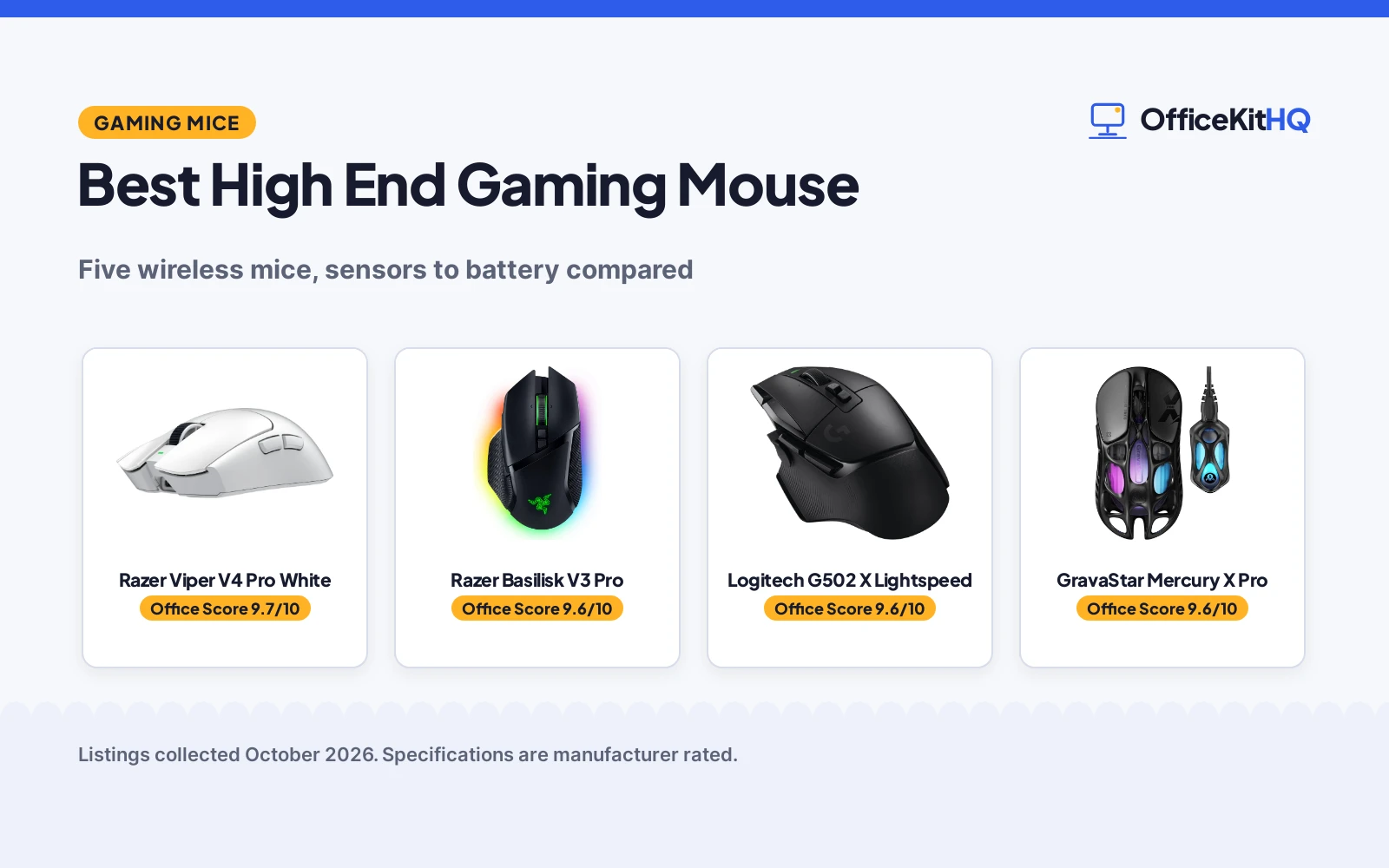
A mouse that drags in a firefight is where the best high end gaming mouse proves its worth. We compared five wireless gaming mice by what each listing publishes: sensor resolution, weight, button count, polling rate, battery life and warranty. From ultralight esports shells to button-packed ergonomic shapes, these are the picks for serious play at home or in competition, ranked by our scores.
OfficeKitHQ earns a commission when you buy through links on this page, at no extra cost to you. As an Amazon Associate I earn from qualifying purchases. Affiliate disclosure.
Quick picks
 Best Overall Razer Viper V4 Pro White: 50g, 50K DPI, 8000 Hz polling, 180hr battery, 2-year warranty Check price on Amazon
 Runner-Up Razer Basilisk V3 Pro: 11 buttons, 30K sensor, HyperScroll tilt wheel, 2-year warranty Check price on Amazon
 Best Buttons Logitech G502 X Lightspeed: 13 programmable controls, HERO 44K, 140hr battery Check price on Amazon
 Best Ultralight Value GravaStar Mercury X Pro: 49g magnesium, 32K DPI, 8K dongle included Check price on Amazon
 Lightest Pick Redragon M916AK: 42g, 26K DPI, 150hr battery, 1-year warranty Check price on Amazon
The picks
| # | Product | Office Score | Buy |
|---|---|---|---|
| 1 | Razer Viper V4 Pro White | 9.7/10 | Buy on Amazon |
| 2 | Razer Basilisk V3 Pro | 9.6/10 | Buy on Amazon |
| 3 | Logitech G502 X Lightspeed | 9.6/10 | Buy on Amazon |
| 4 | GravaStar Mercury X Pro | 9.6/10 | Buy on Amazon |
| 5 | Redragon M916AK | 9.5/10 | Buy on Amazon |

Razer Viper V4 Pro White
A 50-gram wireless esports mouse with 50K DPI sensor and 180-hour battery.
Pros
- 50g ultralight with 50K DPI optical sensor
- 8000 Hz polling with HyperSpeed Wireless Gen-2
- 180 hours battery at 1000 Hz, 45 hours at 8000 Hz
- 2-year manufacturer warranty stated
Cons
- 6 buttons only, fewer than the Basilisk
- White only in this listing
- 45-hour battery at 8000 Hz is shorter
- No tilt wheel stated
Detailed Review
The listing states a 50-gram wireless esports mouse with a Focus Pro 50K DPI optical sensor, 8000 Hz polling and Gen-4 optical switches. It lists 180 hours of battery at 1000 Hz or 45 hours at 8000 Hz, with USB-C charging and a 2-year manufacturer warranty. The spec table lists 40000 DPI maximum, but the title and bullets state 50K.
Who it's for: competitive players who want the lightest Razer with top sensor specs. Who should skip it: anyone who needs many programmable buttons or a tilt wheel.
Its Office Score of 9.7/10 comes from performance 33/35, build 22/25, value 21/25, safety 5/10 and warranty 3/5: 84 of 100 points, placed on our 9.2 to 9.8 scale.
Key Specifications
| Weight | 50 g |
|---|---|
| Sensor | 50K DPI |
| Polling | 8000 Hz |
| Battery | 180 hr |
Figures as published on the retailer listing, collected 23 October 2026. Performance figures are manufacturer rated.
Safety and Warranty
What this listing states. HyperSpeed Wireless Gen-2, so safety scores 5 of 10. 2 Year Manufacturer. It does not say everything a buyer needs, such as who pays return shipping, so warranty scores 3 of 5. See How We Pick.
Fit the desk first. Check the stated size against your desk depth and keyboard tray, and charge or pair as the manual describes. No keyboard, mouse or wrist rest prevents or treats injury.
This is general buying information, not professional advice. Follow each product manual and local rules, and see our Safety Disclaimer.

Razer Basilisk V3 Pro
An ergonomic wireless mouse with 11 buttons, 30K sensor and HyperScroll tilt wheel.
Pros
- 11 programmable buttons with HyperScroll tilt wheel
- Focus Pro 30K optical sensor, tracks on glass
- 150 hours on Bluetooth, 110 hours on HyperSpeed
- 2-year manufacturer warranty stated
Cons
- 3.84 ounces, heavier than ultralight picks
- 8K polling needs dock or dongle sold separately
- 13-zone Chroma may drain battery faster
- Right-hand only
Detailed Review
The listing states an ergonomic wireless mouse with 11 programmable buttons, a Focus Pro 30K optical sensor and a HyperScroll tilt wheel. It lists 150 hours on Bluetooth or 110 hours on HyperSpeed wireless, with Gen-3 optical switches rated for 90 million clicks. The spec table lists a 2-year manufacturer warranty.
Who it's for: players who want many buttons and an ergonomic shape for long sessions. Who should skip it: anyone who wants an ultralight mouse under 60 grams.
Its Office Score of 9.6/10 comes from performance 32/35, build 21/25, value 20/25, safety 5/10 and warranty 3/5: 81 of 100 points, placed on our 9.2 to 9.8 scale.
Key Specifications
| Buttons | 11 |
|---|---|
| Sensor | 30K DPI |
| Battery | 150 hr |
| Weight | 3.84 oz |
Figures as published on the retailer listing, collected 23 October 2026. Performance figures are manufacturer rated.
Safety and Warranty
What this listing states. HyperSpeed Wireless, so safety scores 5 of 10. 2 year manufacturer. It does not say everything a buyer needs, such as who pays return shipping, so warranty scores 3 of 5. See How We Pick.
Fit the desk first. Check the stated size against your desk depth and keyboard tray, and charge or pair as the manual describes. No keyboard, mouse or wrist rest prevents or treats injury.
This is general buying information, not professional advice. Follow each product manual and local rules, and see our Safety Disclaimer.

Logitech G502 X Lightspeed
A wireless G502 with 13 buttons, HERO 44K sensor and dual-mode scroll wheel.
Pros
- 13 programmable controls with DPI-shift button
- HERO 44K sensor with zero smoothing
- 140-hour battery, PowerPlay compatible
- Dual-mode scroll wheel with tilt
Cons
- 1-year warranty, shorter than Razer picks
- 3.59 ounces, not ultralight
- Non-RGB in this listing
- PowerPlay charging sold separately
Detailed Review
The listing states a wireless G502 with 13 programmable controls, a HERO 44K sensor and Lightforce hybrid switches. It lists 140 hours of battery, a dual-mode scroll wheel with tilt, and PowerPlay compatibility. The spec table lists a 1-year limited hardware warranty.
Who it's for: G502 fans who want the classic shape with modern wireless. Who should skip it: anyone who wants a 2-year warranty or an ultralight build.
Its Office Score of 9.6/10 comes from performance 30/35, build 21/25, value 20/25, safety 5/10 and warranty 3/5: 79 of 100 points, placed on our 9.2 to 9.8 scale.
Key Specifications
| Buttons | 13 |
|---|---|
| Sensor | HERO 44K |
| Battery | 140 hr |
| Weight | 3.59 oz |
Figures as published on the retailer listing, collected 23 October 2026. Performance figures are manufacturer rated.
Safety and Warranty
What this listing states. Lightspeed wireless, so safety scores 5 of 10. 1 Year Limited Hardware Warranty. It does not say everything a buyer needs, such as who pays return shipping, so warranty scores 3 of 5. See How We Pick.
Fit the desk first. Check the stated size against your desk depth and keyboard tray, and charge or pair as the manual describes. No keyboard, mouse or wrist rest prevents or treats injury.
This is general buying information, not professional advice. Follow each product manual and local rules, and see our Safety Disclaimer.

GravaStar Mercury X Pro
A 49-gram magnesium alloy mouse with 32K DPI sensor and 8K polling dongle.
Pros
- 49g magnesium alloy hollow frame
- 32000 DPI PAW 3950 sensor
- 8000 Hz polling with included 8K dongle
- 113-hour battery, tri-mode connectivity
Cons
- 5 buttons only
- 1-year warranty
- Hollow frame may not suit all grips
- Lesser-known brand
Detailed Review
The listing states a 49-gram wireless mouse with a magnesium alloy hollow frame and a 32000 DPI PAW 3950 sensor. It lists 8000 Hz polling with an included 8K dongle, 113 hours of battery and tri-mode connectivity. The spec table lists a 1-year warranty.
Who it's for: players who want ultralight with 8K polling at a lower price. Who should skip it: anyone who needs more than 5 buttons.
Its Office Score of 9.6/10 comes from performance 29/35, build 20/25, value 19/25, safety 5/10 and warranty 3/5: 76 of 100 points, placed on our 9.2 to 9.8 scale.
Key Specifications
| Weight | 49 g |
|---|---|
| Sensor | 32000 DPI |
| Polling | 8000 Hz |
| Battery | 113 hr |
Figures as published on the retailer listing, collected 23 October 2026. Performance figures are manufacturer rated.
Safety and Warranty
What this listing states. Tri-mode connectivity, so safety scores 5 of 10. 1 Year. It does not say everything a buyer needs, such as who pays return shipping, so warranty scores 3 of 5. See How We Pick.
Fit the desk first. Check the stated size against your desk depth and keyboard tray, and charge or pair as the manual describes. No keyboard, mouse or wrist rest prevents or treats injury.
This is general buying information, not professional advice. Follow each product manual and local rules, and see our Safety Disclaimer.

Redragon M916AK
A 42-gram wireless mouse with 26K DPI sensor and 5 programmable buttons.
Pros
- 42 grams, the lightest in this guide
- 26000 DPI with 5 redefinable levels
- 150-hour battery, tri-mode connectivity
- 1-year warranty stated
Cons
- 5 buttons only
- Anime theme may not suit all
- 1K Hz polling, not 8K
- Lesser-known sensor brand
Detailed Review
The listing states a 42-gram wireless mouse with a 26000 DPI sensor and 5 programmable buttons. It lists 150 hours of battery, tri-mode connectivity with Bluetooth and 2.4GHz, and 5 DPI levels from 1000 to 26000. The spec table lists a 1-year warranty.
Who it's for: players who want the lightest mouse on a budget. Who should skip it: anyone who wants 8K polling or a neutral design.
Its Office Score of 9.5/10 comes from performance 28/35, build 19/25, value 19/25, safety 5/10 and warranty 3/5: 74 of 100 points, placed on our 9.2 to 9.8 scale.
Key Specifications
| Weight | 42 g |
|---|---|
| Sensor | 26000 DPI |
| Battery | 150 hr |
| Buttons | 5 |
Figures as published on the retailer listing, collected 23 October 2026. Performance figures are manufacturer rated.
Safety and Warranty
What this listing states. Tri-mode connectivity, so safety scores 5 of 10. 1 year. It does not say everything a buyer needs, such as who pays return shipping, so warranty scores 3 of 5. See How We Pick.
Fit the desk first. Check the stated size against your desk depth and keyboard tray, and charge or pair as the manual describes. No keyboard, mouse or wrist rest prevents or treats injury.
This is general buying information, not professional advice. Follow each product manual and local rules, and see our Safety Disclaimer.
As an Amazon Associate I earn from qualifying purchases.
More picks to compare
 Razer Viper V4 Pro BlackFor the black 49g version with 180hr battery.Check on Amazon
 Keychron G3 Carbon FiberFor a 47g carbon fiber mouse with 160hr battery.Check on Amazon
Compare the picks
| Gaming Mouse | Office Score | Weight | Sensor | Buttons | Battery | Warranty | Amazon |
|---|---|---|---|---|---|---|---|
| Razer Viper V4 Pro White | 9.7/10 | 50 g | 50K DPI | 6 | 180 hr | 2-year | View on Amazon |
| Razer Basilisk V3 Pro | 9.6/10 | 3.84 oz | 30K DPI | 11 | 150 hr | 2-year | View on Amazon |
| Logitech G502 X Lightspeed | 9.6/10 | 3.59 oz | HERO 44K | 13 | 140 hr | 1-year | View on Amazon |
| GravaStar Mercury X Pro | 9.6/10 | 49 g | 32K DPI | 5 | 113 hr | 1-year | View on Amazon |
| Redragon M916AK | 9.5/10 | 42 g | 26K DPI | 5 | 150 hr | 1-year | View on Amazon |
Specifications are manufacturer rated as listed, collected 23 October 2026.
How we scored them
The Office Score weighs performance, build, value, safety and warranty. For a gaming mouse, safety means a reliable wireless connection that will not drop mid-game, as the listings state it. Performance covers the sensor, polling rate and button count the listing publishes. Three of the five state a 2-year warranty and two state a 1-year warranty. How we pick explains the weights.
| Product | Office Score | Perf. /35 | Build /25 | Value /25 | Safety /10 | Warranty /5 |
|---|---|---|---|---|---|---|
| Razer Viper V4 Pro White | 9.7 | 33 | 22 | 21 | 5 | 3 |
| Razer Basilisk V3 Pro | 9.6 | 32 | 21 | 20 | 5 | 3 |
| Logitech G502 X Lightspeed | 9.6 | 30 | 21 | 20 | 5 | 3 |
| GravaStar Mercury X Pro | 9.6 | 29 | 20 | 19 | 5 | 3 |
| Redragon M916AK | 9.5 | 28 | 19 | 19 | 5 | 3 |
Scores run from 9.2 to 9.8: each product’s point total is placed on that range, so more points always means a higher score.
How to choose the best high end gaming mouse
Weight decides how it moves
Ultralight mice suit fast flicks. The Redragon lists 42 grams, the GravaStar lists 49 grams and the Viper V4 Pro lists 50 grams. The Basilisk V3 Pro lists 3.84 ounces and the G502 X lists 3.59 ounces for players who prefer some heft. There is no best weight, only the weight your aim prefers.
Sensor and polling for speed
Higher DPI suits high-resolution displays and low sensitivity players. The Viper V4 Pro lists 50K DPI, the G502 X lists a HERO 44K sensor and the GravaStar lists 32000 DPI. For polling, the Viper V4 Pro and GravaStar list 8000 Hz, while the others list standard rates. Match these to your monitor and playstyle.
Buttons for your bindings
Count the commands you actually bind. The G502 X lists 13 programmable controls and the Basilisk V3 Pro lists 11 buttons for MMO and productivity macros. The Viper V4 Pro, GravaStar and Redragon list 5 to 6 buttons for FPS players who want less to misclick. More buttons help only if you use them.
Battery and warranty
Wireless mice live or die by battery. The Viper V4 Pro lists 180 hours, the Basilisk V3 Pro lists 150 hours on Bluetooth and the Redragon lists 150 hours. On warranty, the two Razer picks list 2 years while the others list 1 year. For a mouse pad to pair with your pick, see our best large mouse pad guide.
Shape and grip style
Shape matters as much as specs. The Basilisk V3 Pro and G502 X list ergonomic right-hand shapes that suit palm grips, while the Viper V4 Pro, GravaStar and Redragon list lighter symmetric-friendly shells for claw and fingertip grips. If possible, match the shape to how you hold a mouse today; a great sensor in the wrong shape still feels wrong.
Wired vs wireless for high-end play
All five picks are wireless, which is the standard for high-end gaming mice now. The listings cite HyperSpeed, Lightspeed and tri-mode connectivity with Bluetooth and 2.4GHz, plus wired USB-C fallback on several models. Wireless removes cable drag, which matters for low-sensitivity players who move the mouse across a large pad. If you play where wireless interference is a concern, the wired mode on these mice covers you.
Setup Notes
- Charge fully before first use; the picks list 113 to 180 hours depending on polling rate.
- Keep the wireless dongle close with a clear line of sight for the stated polling rates.
- Match grip style to shape: the Basilisk and G502 suit palm grips, the ultralights suit claw and fingertip.
- Install the maker software to remap buttons and set DPI steps as the listings describe.
Frequently Asked Questions
What DPI do I need for gaming?
It depends on your sensitivity and monitor. The picks list 26000 to 40000 DPI maximum, but most players use far less. Set the DPI in software and see what feels right.
Is wireless good enough for competitive play?
Yes, per the listings. The Viper V4 Pro and GravaStar list 8000 Hz polling over wireless, and all five list dedicated wireless modes for gaming.
How many buttons do I need?
For FPS, 5 to 6 buttons as the Viper, GravaStar and Redragon list is enough. For MMO or macros, the G502 X lists 13 and the Basilisk lists 11.
Do these work on Mac?
The Viper V4 Pro and Basilisk V3 Pro list Mac compatibility. Check the listing for your specific model before buying for a Mac.
What is polling rate?
Polling rate is how often the mouse reports its position, measured in Hz. The Viper V4 Pro and GravaStar list 8000 Hz, which means 8000 reports per second for lower latency than standard 1000 Hz.
Does weight really matter?
For fast flicks, yes. The Redragon at 42 grams and the GravaStar at 49 grams move with less effort than the 3.84-ounce Basilisk. Try ultralight if your aim feels sluggish, or a heavier mouse if it feels twitchy.
Related guides
See every mice and mouse pads guide and all computer peripherals guides.
More picks: white gaming mouse, gaming mouse and keyboard and mouse pad for PC.


