
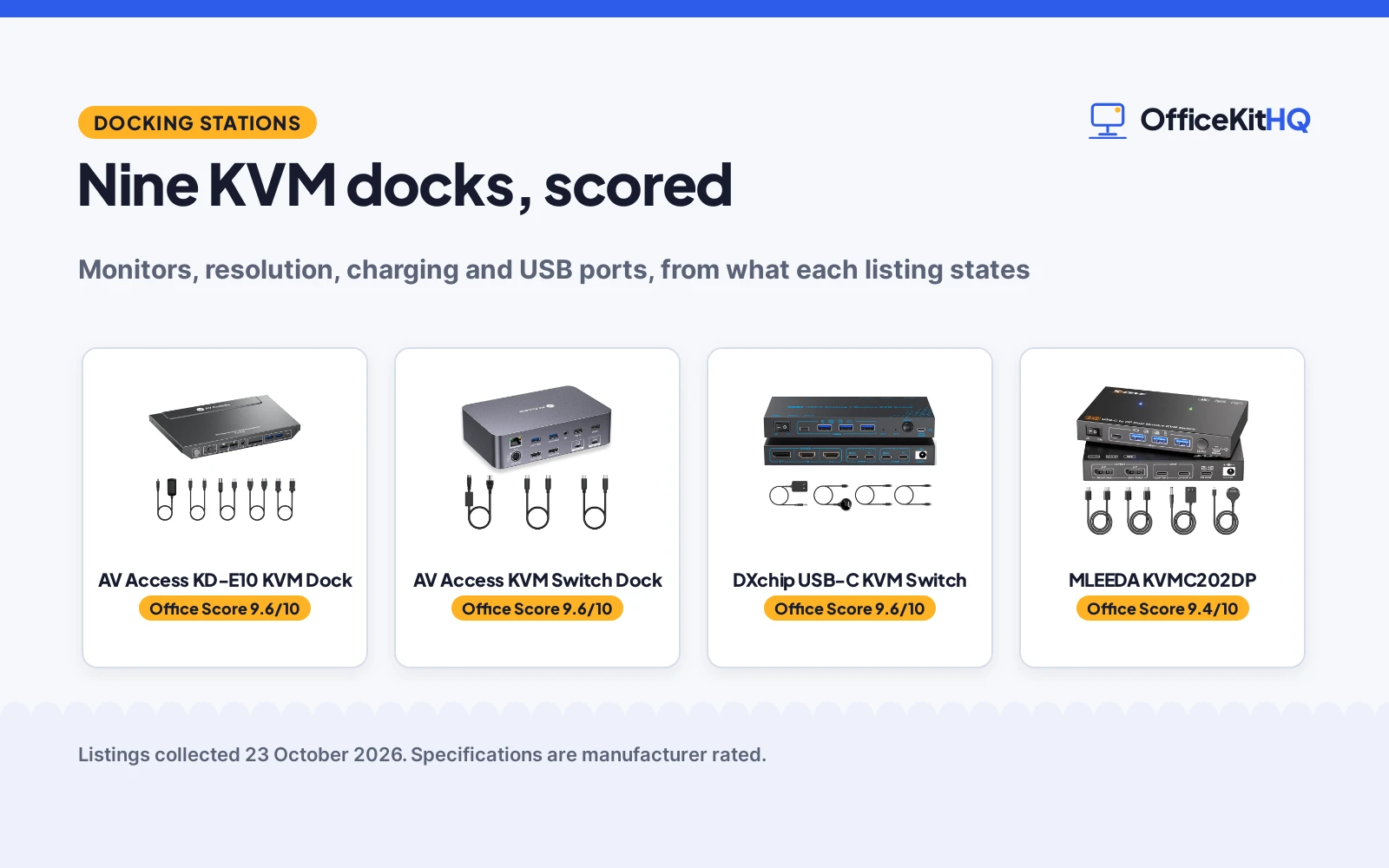
The morning call starts and the laptop is running everything through a single hub while the desktop sits dark beside it. A KVM switch with a dock ends the cable swap: one button press moves the monitors, keyboard and mouse between machines. We compared nine listings on monitors supported, resolution, charging, USB ports and warranty, using only what each listing publishes, to find the best kvm switch with dock for a home desk.
OfficeKitHQ earns a commission when you buy through links on this page, at no extra cost to you. As an Amazon Associate I earn from qualifying purchases. Affiliate disclosure.
Quick picks
 Best Overall AV Access KD-E10 KVM Dock: KVM plus dock in one: 100W PD charging, Gigabit Ethernet, EDID emulation, 4K@60Hz on 2 monitors. Check price on Amazon
 Runner-Up MLEEDA KVMC202DP: Dual 4K@60Hz for 2 laptops, 10Gbps USB hub, 100W PD shared at 45W per laptop, 1 year warranty. Check price on Amazon
 Highest Resolution RubiPro HDMI KVM Switch: 8K@60Hz and 4K@120Hz switching with a 4-port USB 3.0 hub and a wired remote. Check price on Amazon
 Triple Monitor DXchip USB-C KVM Switch: Title names 3 monitors for 2 laptops with dual 4K output. Check price on Amazon
The picks
| # | Product | Office Score | Buy |
|---|---|---|---|
| 1 | AV Access KD-E10 KVM Dock | 9.6/10 | Buy on Amazon |
| 2 |  AV Access iDock C20 AV Access iDock C20 | 9.6/10 | Buy on Amazon |
| 3 | DXchip Triple Monitor KVM | 9.6/10 | Buy on Amazon |
| 4 | MLEEDA KVMC202DP | 9.4/10 | Buy on Amazon |
| 5 | RubiPro HDMI KVM Switch | 9.4/10 | Buy on Amazon |

AV Access KD-E10 KVM Dock
The AV Access KD-E10 pairs a 2-monitor KVM switch with a laptop dock: one USB-C laptop and one desktop share 2 HDMI monitors, keyboard, mouse and USB peripherals with a single press. The listing states 4K@60Hz, 100W PD charging for the laptop, Gigabit Ethernet, EDID emulation and a switch time of 2 to 3 seconds. The dock adds 3 USB 3.0 ports, 2 USB 2.0 ports, a USB-C port, an SD card reader and 3.5mm audio.
Pros
- KVM switching plus full laptop docking in one unit
- 100W PD charging keeps the laptop powered while docked
- Gigabit Ethernet and SD card reader on the dock
- EDID emulation keeps display settings through switches
Cons
- Built for 1 laptop plus 1 desktop only, not for 2 laptops
- PD charging adapter not included in the box
- Ethernet reaches the laptop side only, not the desktop
- macOS supports mirrored displays only
Detailed Review
The listing is unusually complete: every claim in the title repeats in the bullets, including the 100W PD figure and the EDID line. The 2 to 3 second switch time and the laptop-side-only Ethernet note are the kind of specifics that score well.
It takes Best Overall because no other listing here combines switching and docking this thoroughly. The fixed laptop-plus-desktop pairing is the main limitation; a two-laptop desk should look at the MLEEDA.
Its Office Score of 9.6/10 comes from performance 34/35, build 22/25, value 21/25, safety 0/10 and warranty 0/5: 77 of 100 points, placed on our 9.2 to 9.8 scale.
Key Specifications
| Monitors | 2 HDMI |
|---|---|
| Computers | 1 USB-C laptop + 1 desktop |
| Resolution | 4K@60Hz, 1440p to 144Hz, 1080p to 240Hz |
| Charging | 100W PD (adapter not included) |
| USB ports | 3x USB 3.0, 2x USB 2.0, USB-C |
| Network | Gigabit Ethernet, laptop side only |
| Extras | SD card reader, 3.5mm audio, EDID |
| Size | 9.06 x 5.51 x 0.98 inches |
| Housing | Metal |
Figures as published on the retailer listing, collected 23 October 2026. Performance figures are manufacturer rated.
Safety and Warranty
What this listing states. No UL, FCC or over-current protection statement is stated, so safety scores zero. No warranty term, so warranty scores zero. See How We Pick.
Power and heat. Use the supplied adapter, treat power delivery wattage and display support as the maker's claims for your laptop model, and give the dock room to vent.
This is general buying information, not professional advice. Follow each product manual and local rules, and see our Safety Disclaimer.

AV Access iDock C20
A KVM docking station for sharing dual monitors between two laptops.
Pros
- 60W power delivery for each laptop stated
- 12-in-1 connectivity with Ethernet stated
- EDID emulation for stable switching stated
- 1-year warranty stated
Cons
- Requires USB-C with DP Alt Mode
- Mac supports mirrored displays only
- 3.9 pounds; heavier than basic switches
- Not compatible with 5K monitors
Detailed Review
The listing states a KVM docking station for 2 laptops and 2 monitors, with 60W power delivery for each PC, 1G Ethernet and EDID emulation. The 12-in-1 connectivity includes USB 3.0, USB 2.0, USB-C, SD card slot and HDMI outputs. A 12-month warranty is stated.
Who it is for: laptop users who want docking and KVM in one device. Who should skip it: anyone with incompatible USB-C ports or 5K monitors.
Its Office Score of 9.6/10 comes from performance 32/35, build 22/25, value 21/25, safety 0/10 and warranty 3/5: 78 of 100 points, placed on our 9.2 to 9.8 scale.
Key Specifications
| Monitors | 2 |
|---|---|
| Power Delivery | 60W per PC |
| Warranty | 1 year |
Figures as published on the retailer listing, collected 22 October 2026. Performance figures are manufacturer rated.
Safety and Warranty
What this listing states. No UL, FCC or over-current protection statement is stated, so safety scores zero. 12-month warranty. It does not say everything a buyer needs, such as who pays return shipping, so warranty scores 3 of 5. See How We Pick.
Power and heat. Use the supplied adapter, treat power delivery wattage and display support as the maker's claims for your laptop model, and give the dock room to vent.
This is general buying information, not professional advice. Follow each product manual and local rules, and see our Safety Disclaimer.

DXchip Triple Monitor KVM
A USB-C docking KVM that shares 3 monitors and 4 USB ports between 2 laptops.
Pros
- Drives 3 monitors: dual 4K at 60Hz plus 1080P
- 4 USB 3.1 Gen2 ports at 10Gbps
- 100W Power Delivery charging stated
- 1 year warranty is stated
Cons
- 10Gbps is slower than the 20Gbps picks here
- Triple display needs 11th gen CPU or above
- MacOS does not support MST extended mode
- Actual charging is 73 to 80W, not full 100W
Detailed Review
The listing states a 2-laptop, 3-monitor USB-C docking KVM with 2 HDMI and 1 DisplayPort outputs, supporting dual 4K at 60Hz plus 1080P at 60Hz. It has 4 USB 3.1 Gen2 ports at 10Gbps and 100W Power Delivery, though actual charging is 73 to 80W. The unit measures 5.91 by 3.94 by 1.97 inches and carries a 1 year warranty.
Who it's for: a Windows user with 2 laptops and 3 monitors who wants a dock and KVM in one. Who should skip it: anyone needing 20Gbps speeds or full MacOS multi-monitor support.
Its Office Score of 9.6/10 comes from performance 29/35, build 20/25, value 20/25, safety 3/10 and warranty 3/5: 75 of 100 points, placed on our 9.2 to 9.8 scale.
Key Specifications
| Video | Dual 4K@60Hz + 1080P@60Hz |
|---|---|
| USB | 4x USB 3.1 Gen2, 10Gbps |
| Power | 100W PD (73-80W actual) |
| Size | 5.91 x 3.94 x 1.97 in |
Figures as published on the retailer listing, collected 22 October 2026. Performance figures are manufacturer rated.
Safety and Warranty
What this listing states. CE specification and metal housing are stated, no UL listing is stated, so safety scores 3 of 10. A 1 year warranty is stated. It does not say everything a buyer needs, such as who pays return shipping, so warranty scores 3 of 5. See How We Pick.
Power and heat. Use the supplied adapter, treat power delivery wattage and display support as the maker's claims for your laptop model, and give the dock room to vent.
This is general buying information, not professional advice. Follow each product manual and local rules, and see our Safety Disclaimer.

MLEEDA KVMC202DP
The MLEEDA KVMC202DP switches 2 laptops across 2 monitors at 4K@60Hz each through MST, with a 10Gbps USB 3.2 hub built in. The listing states 100W PD charging shared at 45W per laptop, and includes two 40Gbps USB-C cables, a wired remote and a 12V power adapter. The unit measures 7.48 x 3.54 x 0.79 inches in a metal housing.
Pros
- Dual 4K@60Hz from a single USB-C cable per laptop
- 100W PD shared at 45W per laptop
- 10Gbps USB 3.2 hub with 1 USB-C and 3 USB-A ports
- 1 year warranty stated, plus 2 USB-C cables in the box
Cons
- macOS supports mirror mode only, no extended display
- No EDID emulation, FreeSync, G-SYNC or hotkey switching
- Laptops need 11th generation CPUs or newer
- Laptop USB-C port must support DP Alt Mode
Detailed Review
The listing states its limits plainly, which is why it scores well: the CPU generation floor, the 1.5M DP cable note and the macOS mirror limit are all in the open. The 1 year warranty is the only stated term among the full-data picks.
It lands as Runner-Up behind the AV Access because it is a pure switch without Ethernet or an SD reader. For a two-laptop desk, the per-laptop USB-C connection is simpler than the AV Access desktop wiring.
Its Office Score of 9.4/10 comes from performance 28/35, build 20/25, value 19/25, safety 0/10 and warranty 3/5: 70 of 100 points, placed on our 9.2 to 9.8 scale.
Key Specifications
| Monitors | 2, 4K@60Hz via MST |
|---|---|
| Computers | 2 laptops |
| Charging | 100W PD shared, 45W per laptop |
| USB ports | 4 USB 3.2 (1 USB-C + 3 USB-A), 10Gbps |
| Included | 2 USB-C 40Gbps cables, wired remote, 12V adapter |
| Size | 7.48 x 3.54 x 0.79 inches |
| Weight | 260 g |
| Housing | Metal, silver |
Figures as published on the retailer listing, collected 23 October 2026. Performance figures are manufacturer rated.
Safety and Warranty
What this listing states. No UL, FCC or over-current protection statement is stated, so safety scores zero. 1 year warranty. It does not say everything a buyer needs, such as who pays return shipping, so warranty scores 3 of 5. See How We Pick.
Power and heat. Use the supplied adapter, treat power delivery wattage and display support as the maker's claims for your laptop model, and give the dock room to vent.
This is general buying information, not professional advice. Follow each product manual and local rules, and see our Safety Disclaimer.

RubiPro HDMI KVM Switch
The RubiPro HDMI KVM switch moves 2 computers across 2 monitors at up to 8K@60Hz or 4K@120Hz, with a 4-port USB 3.0 hub for shared peripherals. The listing states a metal housing, a Genesys Logic GL3510 chipset and a braided 8K HDMI cable in the box. Switching runs from the front button or the included wired remote.
Pros
- 8K@60Hz and 4K@120Hz, the highest resolution here
- 4-port USB 3.0 hub at 5Gbps with charging protocols
- Braided 8K HDMI cable included in the box
- Metal housing with a 5V/2A adapter for stable power
Cons
- No laptop PD charging stated; the 5V/2A adapter powers the unit
- No Ethernet or SD card reader
- No EDID emulation stated
- No warranty term stated
Detailed Review
The resolution figures are the headline, and the bullets repeat them consistently. Note the charging protocols cover connected devices, not laptop charging: the listing states no PD output.
It scores below the two dock-style picks because it switches only, without docking extras. For a pure resolution play on a 2-computer desk, the 8K@60Hz figure leads this list.
Its Office Score of 9.4/10 comes from performance 29/35, build 21/25, value 19/25, safety 0/10 and warranty 0/5: 69 of 100 points, placed on our 9.2 to 9.8 scale.
Key Specifications
| Monitors | 2 |
|---|---|
| Computers | 2 |
| Resolution | 8K@60Hz, 4K@120Hz |
| USB ports | 4 USB 3.0, 5Gbps |
| Charging | BC 1.2, Apple, Samsung protocols for devices |
| Power | 5V/2A adapter |
| Switching | Front button, wired remote |
| Housing | Metal, black |
Figures as published on the retailer listing, collected 23 October 2026. Performance figures are manufacturer rated.
Safety and Warranty
What this listing states. No UL, FCC or over-current protection statement is stated, so safety scores zero. No warranty term, so warranty scores zero. See How We Pick.
Power and heat. Use the supplied adapter, treat power delivery wattage and display support as the maker's claims for your laptop model, and give the dock room to vent.
This is general buying information, not professional advice. Follow each product manual and local rules, and see our Safety Disclaimer.
As an Amazon Associate I earn from qualifying purchases.
More picks to compare
 ATLAHET USB-C KVM Switch Dock13-in-1 dock for 1 laptop and 1 desktop with 4K@60Hz and EDID; the listing states no PD charging.Check on Amazon
 AV Access iDock X20Dual USB-C laptop dock that charges both laptops at 65W at once, with dual 4K@60Hz and a wired remote.Check on Amazon
 AV Access 3-Monitor KVM DockThe title names 3 monitors, 2 computers and 8K@60Hz docking.Check on Amazon
 Cable Matters 40Gbps USB-C KVMThe title names 40Gbps USB-C switching for 2 laptops, Thunderbolt compatible.Check on Amazon
Compare the picks
| Model | Office Score | Monitors | Resolution | Charging | USB ports | Warranty | Amazon |
|---|---|---|---|---|---|---|---|
| AV Access KD-E10 KVM Dock | 9.6/10 | 2 | 4K@60Hz | 100W PD | 3x 3.0, 2x 2.0, USB-C | None stated | View on Amazon |
| MLEEDA KVMC202DP | 9.4/10 | 2 | 4K@60Hz | 100W PD, 45W each | 4 USB 3.2 | 1 year | View on Amazon |
| RubiPro HDMI KVM Switch | 9.4/10 | 2 | 8K@60Hz, 4K@120Hz | None stated | 4 USB 3.0 | None stated | View on Amazon |
| AV Access KVM Switch Dock | 9.6/10 | 2 | 4K | None stated | None stated | None stated | |
| DXchip USB-C KVM Switch | 9.6/10 | 3 (title) | Dual 4K (title) | None stated | None stated | None stated |
Specifications are manufacturer rated as listed, collected 23 October 2026. One of the nine listings states a warranty term; none states a safety certification.
How we scored them
The Office Score weighs performance (resolution, monitor count, charging, USB ports and switching), build (housing, chipset and item weight), value for the stated specs, safety and warranty. For a dock, safety means a stated electrical safety certification; none of these listings states one, so every pick scores zero on that criterion. One listing states a warranty term: the MLEEDA at 1 year. How we pick explains the weights.
| Product | Office Score | Perf. /35 | Build /25 | Value /25 | Safety /10 | Warranty /5 |
|---|---|---|---|---|---|---|
| AV Access KD-E10 KVM Dock | 9.6 | 34 | 22 | 21 | 0 | 0 |
| MLEEDA KVMC202DP | 9.4 | 28 | 20 | 19 | 0 | 3 |
| RubiPro HDMI KVM Switch | 9.4 | 29 | 21 | 19 | 0 | 0 |
Scores run from 9.2 to 9.8: each product’s point total is placed on that range, so more points always means a higher score.
How to choose the best kvm switch with dock
Count the monitors first
The picks here name 2 monitors, except the DXchip title which names 3. The AV Access KD-E10 drives its pair over 2 HDMI outputs, the MLEEDA over USB-C with MST, and the RubiPro over HDMI. Match the switch to the monitors on the desk: a 2-monitor listing will not drive a third.
Read the charging line
Two listings state laptop charging: the AV Access at 100W PD and the MLEEDA at 100W shared at 45W per laptop. The RubiPro 5V/2A adapter powers the switch itself, and the ATLAHET more-pick states outright that PD charging is not supported. If the laptop must charge through the dock, that line decides the pick. For a laptop-only desk, see our best docking station for home use.
Check the computer pairing
The AV Access is built for exactly 1 USB-C laptop and 1 desktop: the desktop needs USB-B plus HDMI plus DisplayPort. The MLEEDA takes 2 laptops over USB-C, and the RubiPro takes 2 computers over HDMI. Buy for the pair on the desk now; a switch built for a different pair will not fit.
| Model | Computers | Switching | macOS note |
|---|---|---|---|
| AV Access KD-E10 | 1 laptop + 1 desktop | Button | Mirrored only |
| MLEEDA KVMC202DP | 2 laptops | Button, wired remote | Mirrored only |
| RubiPro | 2 computers | Button, wired remote | Extend supported |
Figures as stated in each listing. The two limited-data picks below name their pairing in the title only, with no switching detail published.
Mind the macOS limits
Two listings state that macOS supports mirrored displays only: the AV Access and the MLEEDA. The RubiPro states mirror and extend modes on Windows, Mac and Linux. If the desk runs Macs, the extend question comes before the resolution question.
USB ports and the extras
The AV Access lists 3 USB 3.0, 2 USB 2.0 and a USB-C port, plus Gigabit Ethernet and an SD card reader. The MLEEDA lists 4 USB 3.2 ports at 10Gbps. The RubiPro lists 4 USB 3.0 ports at 5Gbps. Count the peripherals that must stay connected: keyboard, mouse and anything else. A hub roundup like our best USB-C hub covers the port math for a laptop-only desk.
Setup Notes
- Measure the desk depth against the unit: the AV Access is 9.06 x 5.51 x 0.98 inches, the MLEEDA 7.48 x 3.54 x 0.79 inches.
- Plan power: the MLEEDA includes a 12V adapter; the AV Access PD charging needs a separate compatible USB-C PD adapter.
- Use the included cables where the listing names them: the MLEEDA ships 2 USB-C 40Gbps cables, the RubiPro a braided 8K HDMI cable.
- Check each laptop’s USB-C port for DP Alt Mode before buying, per the MLEEDA listing.
Frequently Asked Questions
Can a KVM switch with a dock charge my laptop?
Two listings here state it: the AV Access at 100W PD and the MLEEDA at 100W shared at 45W per laptop. The RubiPro states no laptop charging, and the ATLAHET more-pick states that PD charging is not supported. Check the charging line before assuming the dock powers the laptop.
Do these KVM switches support dual monitors on a Mac?
The AV Access and MLEEDA listings state that macOS supports mirrored displays only. The RubiPro states mirror and extend modes on Mac. Extended dual monitors on a Mac need a listing that states it.
What cables come in the box?
The AV Access includes a USB-C cable, a Type-B cable, an HDMI cable and a DP cable. The MLEEDA includes 2 USB-C 40Gbps cables, a wired remote and a 12V adapter. The RubiPro includes a braided 8K HDMI cable, 2 USB cables, a 5V/2A adapter and a wired remote.
How fast does switching take?
The AV Access listing states about 2 to 3 seconds with EDID emulation. The MLEEDA and RubiPro state switching by button or wired remote without a time. EDID emulation keeps the displays from rearranging during the switch.
Do I need a KVM switch if I have one computer?
A KVM switch exists to share one desk between computers. With a single computer, a plain dock does the same job with less hardware. See our best docking station for home use for laptop-only desks.
Related guides
See every Docking Stations and USB Hubs guide and all Audio, Power and Connectivity guides. Also see our best docking station with power. Also see our best USB hub for video.
More picks: docking stations and USB hubs, audio, power and connectivity.



