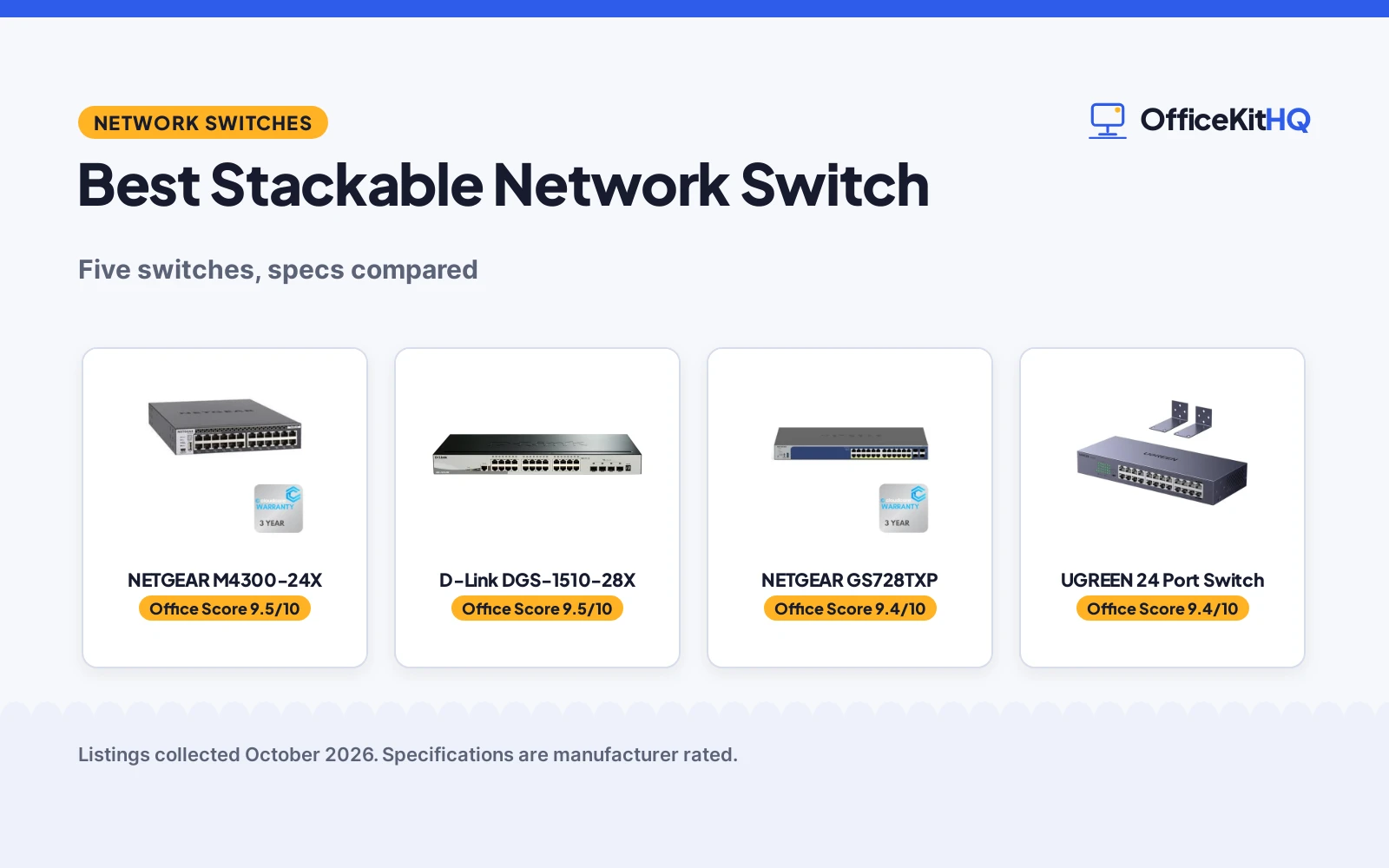
When the laptop, desktop, printer and NAS all land on the same desk run of cable, the best stackable network switch picks below sort the managed stacking models from the plug-and-play boxes. This guide compares 5 switches by stated ports, stacking, uplinks, PoE budget and warranty, so a home office can grow from a desk corner to a rack without guessing.
OfficeKitHQ earns a commission when you buy through links on this page, at no extra cost to you. As an Amazon Associate I earn from qualifying purchases. Affiliate disclosure.
Quick picks
 Best Overall NETGEAR M4300-24X: Stackable Layer 3 switch with 10G ports and 480 Gbps stated Check price on Amazon
 Best Lifetime Warranty D-Link DGS-1510-28X: Physical stacking with 10G uplinks, Limited Lifetime warranty Check price on Amazon
 Best PoE Stacking NETGEAR GS728TXP: Stacks up to 6 units, 24 PoE+ ports at 195W stated Check price on Amazon
 Best Surge Protection UGREEN 24 Port Switch: 24 gigabit ports, fanless metal case, 6KV surge protection Check price on Amazon
 Best Port Count TP-Link TL-SG1048: 48 gigabit ports, fanless rackmount case, plug and play Check price on Amazon
Our desk picks
| # | Product | Office Score | Buy |
|---|---|---|---|
| 1 | NETGEAR M4300-24X | 9.5/10 | Buy on Amazon |
| 2 | D-Link DGS-1510-28X | 9.5/10 | Buy on Amazon |
| 3 | NETGEAR GS728TXP | 9.4/10 | Buy on Amazon |
| 4 | UGREEN 24 Port Switch | 9.4/10 | Buy on Amazon |
| 5 | TP-Link TL-SG1048 | 9.4/10 | Buy on Amazon |

NETGEAR M4300-24X
A stackable Layer 3 switch with 24 copper ports and 4 SFP+ ports, rated at 480 Gbps, for rack mounting.
Pros
- Stackable design with Advanced Layer 3 management stated
- 24 ports support 100M/1G/10G copper connections, as stated
- 4 SFP+ ports for fiber uplinks in the same chassis
- Routing protocols stated include static, RIP, OSPF, VRRP, PIM and PBR
Cons
- Port count stops at 24 copper ports, below the 48 ports of the TP-Link
- Layer 3 management suits managed networks, not plug-and-play setups
- Rack-mountable design needs rack space in the office or cabinet
- No PoE power budget is stated for powering cameras or phones
Detailed Review
The maker states a data transfer rate of 480 Gbps for the M4300-24X, with 24 ports supporting 100M/1G/10G copper connections and 4 SFP+ ports. The switch is stackable and rack-mountable, with Advanced Layer 3 management and routing protocols stated as static, RIP, OSPF, VRRP, PIM and PBR. RJ45 RS232 ports and a Mini-USB interface are included. The maker gives warranty terms of 3 Year and 5 Year; check before ordering.
Who it's for: offices that need a stackable Layer 3 core with 10G copper and SFP+ ports. Who should skip it: buyers who want plug-and-play setup with no configuration, and buyers who need PoE ports.
Its Office Score of 9.5/10 comes from performance 32/35, build 21/25, value 18/25, safety 0/10 and warranty 2/5: 73 of 100 points, placed on our 9.2 to 9.8 scale.
Key Specifications
| Ports | 24 + 4 SFP+ |
|---|---|
| Stacking | Stackable |
| Transfer rate | 480 Gbps |
| Management | Advanced Layer 3 |
| Warranty | 3 Year |
These specs mirror the retailer listing as of 21 November 2026; performance figures are stated by the brand.
Safety and Warranty
What this listing states. This product does not plug in or run on a battery, so safety is not part of its score. Cloud Care's 3 Year Warranty SupportPlus Included. It does not say everything a buyer needs, such as who pays return shipping, so warranty scores 2 of 5. See How We Pick.
Follow the manual. Assemble and use the product as the maker describes, stay under any stated capacity, and read the manual before first use.
This is general buying information, not professional advice. Follow each product manual and local rules, and see our Safety Disclaimer.

D-Link DGS-1510-28X
A stackable smart managed switch with 24 gigabit ports and 4 10GbE SFP+ ports, with a Limited Lifetime warranty stated.
Pros
- Physical Stacking stated for expanding with more switches
- 4 10-Gigabit SFP+ ports for high-bandwidth uplinks
- L3 Static Routing stated for traffic between networks
- Limited Lifetime warranty stated in the specifications
Cons
- Gigabit copper ports stop at 24, below the 48 ports of the TP-Link
- Smart managed setup suits managed networks, not plug-and-play use
- Dimensions are stated as 8.26 x 17.32 x 1.73 inches for rack planning
- No PoE power budget is stated for cameras or phones
Detailed Review
The maker states 24 10/100/1000BASE-T ports and 4 10-Gigabit SFP+ ports for the DGS-1510-28X, with Physical Stacking and L3 Static Routing for SMB networks. Security features stated include IP-MAC-Port binding, Safeguard Engine, ACL and ARP Spoofing Prevention, with IPv6 management. Item weight is stated as 4.21 pounds and dimensions as 8.26 x 17.32 x 1.73 inches. The warranty is stated as Limited Lifetime.
Who it's for: offices that want physical stacking with 10G uplinks and a lifetime warranty term. Who should skip it: buyers who want unmanaged plug-and-play setup, and buyers who need PoE ports.
Its Office Score of 9.5/10 comes from performance 29/35, build 20/25, value 19/25, safety 0/10 and warranty 3/5: 71 of 100 points, placed on our 9.2 to 9.8 scale.
Key Specifications
| Ports | 28 |
|---|---|
| Stacking | Physical Stacking |
| Uplinks | 10G SFP+ |
| Management | Smart Managed, L2+/L3 Lite |
| Warranty | Limited Lifetime |
These specs mirror the retailer listing as of 21 November 2026; performance figures are stated by the brand.
Safety and Warranty
What this listing states. This product does not plug in or run on a battery, so safety is not part of its score. Limited Lifetime. It does not say everything a buyer needs, such as who pays return shipping, so warranty scores 3 of 5. See How We Pick.
Follow the manual. Assemble and use the product as the maker describes, stay under any stated capacity, and read the manual before first use.
This is general buying information, not professional advice. Follow each product manual and local rules, and see our Safety Disclaimer.

NETGEAR GS728TXP
A stackable smart switch with 24 PoE+ ports at a 195W budget, plus 10G copper and SFP+ uplinks, stacking up to 6 units.
Pros
- Stacks up to 6 units for simplified management, as stated
- 24 PoE+ ports with a total power budget of 195W stated
- 2 x 10G Copper and 2 x 10G SFP+ ports for uplinks
- Layer 3 static routing stated for network traffic
Cons
- PoE budget stops at 195W for powered devices on the network
- Managed setup suits configured networks, not plug-and-play use
- Copper port count stops at 24 PoE+ ports in the stated layout
- Stacking stops at 6 units, as stated by the maker
Detailed Review
The maker states 24 PoE+ ports with a total power budget of 195W for the GS728TXP, for powering IP cameras, VoIP phones and other PoE devices. The stackable design supports up to 6 units, with 2 x 10G Copper and 2 x 10G SFP+ ports for uplinks. Advanced Layer 3 features stated include static routing. The warranty is stated as 3 Year Cloud Care Warranty.
Who it's for: offices that power cameras and phones over PoE and want to stack switches as the network grows. Who should skip it: buyers who want unmanaged plug-and-play setup with no configuration.
Its Office Score of 9.4/10 comes from performance 29/35, build 20/25, value 18/25, safety 0/10 and warranty 2/5: 69 of 100 points, placed on our 9.2 to 9.8 scale.
Key Specifications
| Ports | 28 |
|---|---|
| Stacking | Up to 6 units |
| PoE budget | 195W |
| Uplinks | 10G Copper and SFP+ |
| Warranty | 3 Year |
These specs mirror the retailer listing as of 21 November 2026; performance figures are stated by the brand.
Safety and Warranty
What this listing states. No safety listing or safety feature is stated, so safety scores zero. 3 Year Cloud Care Warranty. It does not say everything a buyer needs, such as who pays return shipping, so warranty scores 2 of 5. See How We Pick.
Follow the manual. Assemble and use the product as the maker describes, stay under any stated capacity, and read the manual before first use.
This is general buying information, not professional advice. Follow each product manual and local rules, and see our Safety Disclaimer.

UGREEN 24 Port Switch
An unmanaged 24-port gigabit switch in a fanless metal case with rack, wall and desktop mounting and 6KV surge protection stated.
Pros
- 24 gigabit ports with plug and play setup, no configuration stated
- Rackmount ears included for standard 19 inch racks
- 4 working modes stated, including port isolation and link aggregation
- 6KV surge protection stated for demanding environments
Cons
- Unmanaged design, so web-managed setups do not suit
- Gigabit ports only, below the 10G uplinks of the managed picks
- Port count stops at 24, below the 48 ports of the TP-Link
- Made for standalone setups, not for stacking with other switches
Detailed Review
The maker states 24 10/100/1000Mbps auto-negotiation ports for the UGREEN switch, with plug and play setup and no software installation. Installation options stated include rackmount ears for standard 19 inch racks, wall mounting and desktop placement, in a fanless metal housing. Working modes stated are standard mode, port isolation, link aggregation up to 2Gbps and flow control. Surge protection is stated at 6KV, and the warranty is stated as 24 Months.
Who it's for: offices that want a quiet fanless gigabit switch for a rack, wall or desk with no configuration. Who should skip it: buyers who need stacking, managed features or 10G uplinks.
Its Office Score of 9.4/10 comes from performance 22/35, build 19/25, value 20/25, safety 4/10 and warranty 2/5: 67 of 100 points, placed on our 9.2 to 9.8 scale.
Key Specifications
| Ports | 24 |
|---|---|
| Stacking | Not stated |
| Uplinks | Gigabit |
| Surge protection | 6KV |
| Warranty | 24 Months |
These specs mirror the retailer listing as of 21 November 2026; performance figures are stated by the brand.
Safety and Warranty
What this listing states. 6KV surge protection stated, so safety scores 4 of 10. 24 Months Warranty Service by UGREEN. It does not say everything a buyer needs, such as who pays return shipping, so warranty scores 2 of 5. See How We Pick.
Follow the manual. Assemble and use the product as the maker describes, stay under any stated capacity, and read the manual before first use.
This is general buying information, not professional advice. Follow each product manual and local rules, and see our Safety Disclaimer.

TP-Link TL-SG1048
An unmanaged 48-port gigabit switch in a fanless metal case with a 96Gbps switching capacity stated, for rack mounting.
Pros
- 48 gigabit RJ45 ports for large wired networks
- 96Gbps switching capacity stated for data throughput
- Fanless design stated for quiet operation
- Plug and play setup with no configuration stated
Cons
- Unmanaged design, so web-managed setups do not suit
- Gigabit ports only, below the 10G uplinks of the managed picks
- Dimensions are stated as 17.32 x 8.66 x 1.73 inches
- Made for standalone setups, not for stacking with other switches
Detailed Review
The maker states 48 10/100/1000Mbps RJ45 ports for the TL-SG1048, with a 96Gbps switching capacity and an 8K MAC address table. The fanless metal case is made for rackmount use, with plug and play setup and no software installation. Item weight is stated as 9.22 pounds. The maker gives warranty terms of 3-year and 5 year; check before ordering.
Who it's for: offices that need the highest stated port count here in a single unmanaged switch. Who should skip it: buyers who need stacking, managed features or 10G uplinks.
Its Office Score of 9.4/10 comes from performance 26/35, build 19/25, value 20/25, safety 0/10 and warranty 2/5: 67 of 100 points, placed on our 9.2 to 9.8 scale.
Key Specifications
| Ports | 48 |
|---|---|
| Stacking | Not stated |
| Switching capacity | 96Gbps |
| Management | Unmanaged |
| Warranty | 3-year |
These specs mirror the retailer listing as of 21 November 2026; performance figures are stated by the brand.
Safety and Warranty
What this listing states. This product does not plug in or run on a battery, so safety is not part of its score. 3-year warranty. It does not say everything a buyer needs, such as who pays return shipping, so warranty scores 2 of 5. See How We Pick.
Follow the manual. Assemble and use the product as the maker describes, stay under any stated capacity, and read the manual before first use.
This is general buying information, not professional advice. Follow each product manual and local rules, and see our Safety Disclaimer.
As an Amazon Associate I earn from qualifying purchases.
More picks to compare
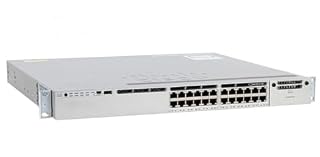 Cisco WS-C3850-24P-SFor buyers who want a renewed stackable switch with 24 ports.Check on Amazon
 HPE Instant On 1960For growing networks that need stackable PoE ports and app management.Check on Amazon
Specs compared
| Switch | Office Score | Ports | Stacking | Uplinks | Warranty | Amazon |
|---|---|---|---|---|---|---|
| NETGEAR M4300-24X | 9.5/10 | 24 + 4 SFP+ | Stackable | 10G | 3 Year | View on Amazon |
| D-Link DGS-1510-28X | 9.5/10 | 28 | Physical Stacking | 10G SFP+ | Limited Lifetime | View on Amazon |
| NETGEAR GS728TXP | 9.4/10 | 28 | Up to 6 units | 10G Copper and SFP+ | 3 Year | View on Amazon |
| UGREEN 24 Port Switch | 9.4/10 | 24 | Not stated | Gigabit | 24 Months | View on Amazon |
| TP-Link TL-SG1048 | 9.4/10 | 48 | Not stated | Gigabit | 3-year | View on Amazon |
We quote these figures from each listing as the brand rates them; captured 21 November 2026.
How to choose the best stackable network switch
Stacking: managed stacks or single boxes
True stacking lets switches act as a group under shared management. The NETGEAR GS728TXP states stacking up to 6 units, the D-Link DGS-1510-28X states Physical Stacking, and the NETGEAR M4300-24X states a stackable design. The UGREEN 24 Port Switch and the TP-Link TL-SG1048 state unmanaged plug-and-play operation for standalone setups. For switch types in plain terms, see ethernet switch types.
Ports and uplinks
Count wired devices, then leave room to grow. The TP-Link TL-SG1048 states 48 gigabit ports for a large network. The managed picks state 10G uplinks for links between switches and servers: SFP+ ports on the D-Link and M4300-24X, and 10G Copper plus SFP+ on the GS728TXP. Home office setups with fewer wired devices can compare network switches for work from home.
Management style follows the same split. Managed picks state web management, VLANs and routing features for segmented networks, while unmanaged picks state plug and play setup with no software installation. A desk with a laptop, desktop and printer usually needs ports more than management, while a rack serving cameras, phones and servers benefits from the managed features stated on the stacking models. Match the stated management list to the network you actually run, rather than paying attention to features your setup will never open.
PoE for cameras and phones
PoE ports power devices over the network cable. The NETGEAR GS728TXP states 24 PoE+ ports with a total power budget of 195W for IP cameras and VoIP phones. Check the stated budget against the powered devices you plan to connect, since the budget is shared across ports. More PoE options are compared in gigabit PoE network switches.
Uplink speed matters when switches link to each other or to a server. Gigabit ports handle desk devices, while 10G uplinks carry combined traffic between switches. The D-Link switch states 4 10-Gigabit SFP+ ports, the GS728TXP states 10G Copper and SFP+ ports, and the M4300-24X states 10G copper connections with SFP+ ports. If your network stays inside a single room with gigabit devices, gigabit ports cover the stated need; if traffic crosses between rooms or to a NAS, the stated 10G uplinks earn their place.
Mounting and noise at the desk
Rack, wall and desktop mounting decide where a switch can live. The UGREEN switch states rackmount ears for standard 19 inch racks plus wall and desktop placement, in a fanless metal case for silent operation. The TP-Link switch states a fanless rackmount case. Measure rack depth and desk space against the stated dimensions before ordering.
Setup Notes
- Measure rack depth against stated dimensions, such as 17.32 inches deep on the D-Link switch.
- Plan cable runs to the stated port layout: front ports and LEDs on the HPE more-pick switch.
- Budget PoE watts across ports: 195W total stated on the NETGEAR GS728TXP.
- Keep the power outlet within reach of the rack or desk position you choose.
FAQ
What is a network switch and how does it work?
A switch connects wired devices on a local network and forwards traffic between ports. The picks here state gigabit ports for computers, printers and NAS units, with managed models adding stacking and routing features.
Does a network switch need power?
Yes. Each switch here is a powered network device, and PoE models also supply power to connected devices: the NETGEAR GS728TXP states a 195W PoE budget for cameras and phones.
What does stackable mean on a network switch?
Stackable switches link together for shared management and expansion. The NETGEAR GS728TXP states stacking up to 6 units, and the D-Link DGS-1510-28X states Physical Stacking.
How many ports does a home office need?
Count every wired device: desktop, laptop dock, printer, NAS, cameras and phones. The picks here state 24, 28 and 48 port layouts, so match the stated count to your device list with room left for growth. Stackable models state expansion by adding units, as with stacking up to 6 units on the GS728TXP.
Unmanaged or managed: which switch fits a home office?
Unmanaged picks here state plug and play setup with no configuration, as on the UGREEN and TP-Link switches. Managed picks state web management, VLANs and routing for larger networks.
Score breakdown
The Office Score weighs performance, build, value, safety and warranty. For switches, safety means stated protection features such as surge protection, and each pick here states a warranty term. How we pick explains the weights.
| Product | Office Score | Perf. /35 | Build /25 | Value /25 | Safety /10 | Warranty /5 |
|---|---|---|---|---|---|---|
| NETGEAR M4300-24X | 9.5 | 32 | 21 | 18 | 0 | 2 |
| D-Link DGS-1510-28X | 9.5 | 29 | 20 | 19 | 0 | 3 |
| NETGEAR GS728TXP | 9.4 | 29 | 20 | 18 | 0 | 2 |
| UGREEN 24 Port Switch | 9.4 | 22 | 19 | 20 | 4 | 2 |
| TP-Link TL-SG1048 | 9.4 | 26 | 19 | 20 | 0 | 2 |
Score placement follows the weighted total: the lowest totals read 9.2, the highest 9.8, and everything between keeps its order.
More for your workspace
See every Storage and Network guide and all Office Tech guides.
More picks: gigabit 24 port switches, network switch cabinets and ethernet switch setup.