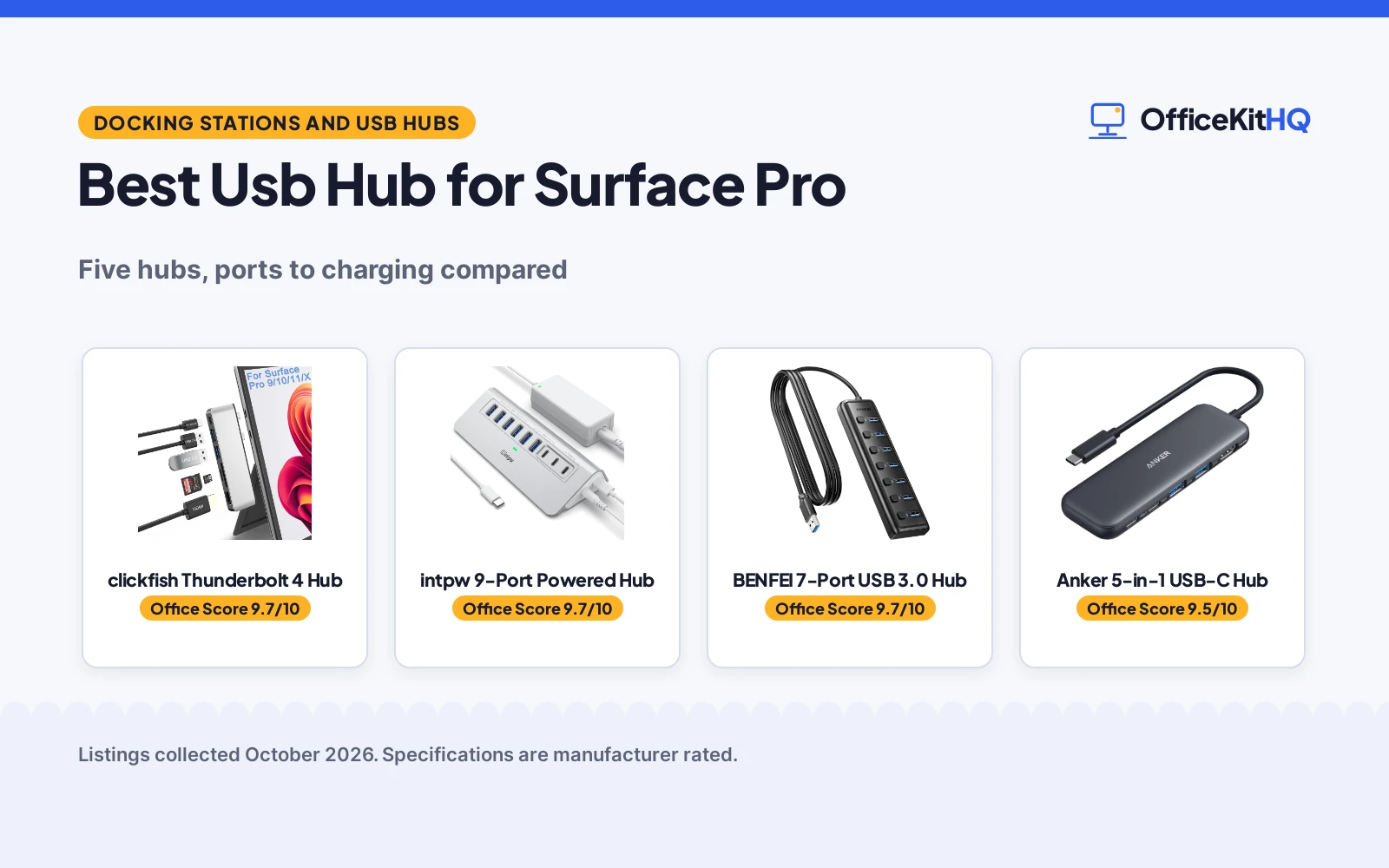
When the tablet on the desk has to drive a monitor, take a keyboard and a mouse, and read a memory card at the same time, the best usb hub for surface pro is the one that adds those ports without a tangle of adapters. We compared hubs and docking stations by port mix, video output, charging, card slots and warranty, using only what each listing publishes. Surface fit matters most here, because two of the hubs are shaped for specific Surface Pro models while the others connect through a standard USB-C port.
OfficeKitHQ earns a commission when you buy through links on this page, at no extra cost to you. As an Amazon Associate I earn from qualifying purchases. Affiliate disclosure.
Quick picks
 Best Overall clickfish Thunderbolt 4 Hub: Thunderbolt 4 with 8K video, 40Gbps data and 100W charging Check price on Amazon
 Best General Use Anker 5-in-1 USB-C Hub: 5-in-1 hub with 4K HDMI and 85W pass-through charging Check price on Amazon
 Best Surface Fit Cateck Surface Pro Dock Hub: Shaped for Surface Pro 4, 5 and 6 with HDMI and card slots Check price on Amazon
 9-Port Option intpw 9-Port Powered Hub: 9 USB 3.2 ports at 10Gbps in a powered hub Check price on Amazon
 7-Port Option BENFEI 7-Port USB 3.0 Hub: 7 USB 3.0 ports with a 3.3ft cable Check price on Amazon
The picks
| # | Product | Office Score | Buy |
|---|---|---|---|
| 1 | clickfish Thunderbolt 4 Hub | 9.7/10 | Buy on Amazon |
| 2 | intpw Powered USB Hub 9-Port | 9.7/10 | Buy on Amazon |
| 3 | BENFEI 7-Port USB Hub | 9.7/10 | Buy on Amazon |
| 4 | Anker 5-in-1 USB-C Hub | 9.5/10 | Buy on Amazon |
| 5 | Cateck Surface Pro Dock Hub | 9.5/10 | Buy on Amazon |

clickfish Thunderbolt 4 Hub
A Surface Pro 9, 10, 11 and X hub with Thunderbolt 4, HDMI, USB ports and card slots.
Pros
- Thunderbolt 4 port with 8K@30Hz video, 40Gbps data and 100W charging
- Second display via 4K@30Hz HDMI for two monitors at once
- SD and TF slots with card reading up to 2TB
- 2 year manufacturer warranty is stated
Cons
- SD and TF cards cannot be read at the same time
- Tablet case needs removal before fitting, or the socket connection can loosen
- Only one USB-C port, the Thunderbolt 4 port itself
- No stated support for models outside Surface Pro 9, 10, 11 and X
Detailed Review
clickfish lists a Thunderbolt 4 port with 8K@30Hz video, 40Gbps data transfer and 100W PD charging, a 4K@30Hz HDMI port, two USB 3.0 ports at up to 5Gbps, and SD and TF slots with reading up to 2TB and speeds up to 60MB/S, in an aluminium alloy case that dissipates heat. The listing states a 2 year manufacturer warranty and dimensions of 4.3 by 1.3 by 0.4 inches, and warns that the tablet case should be removed so the socket link stays tight. The spec table lists Total Usb Ports as 3 and Number of Ports as 6; the bullets explain the split, with three USB data ports plus HDMI and card slots, so the bullets are followed here.
Who it's for: Surface Pro 9, 10, 11 and X owners who want two monitors, fast data and charging from one port. Who should skip it: owners of older Surface Pro models, or anyone who needs SD and TF cards read at the same time.
Its Office Score of 9.7/10 comes from performance 33/35, build 22/25, value 21/25, safety 5/10 and warranty 3/5: 84 of 100 points, placed on our 9.2 to 9.8 scale.
Key Specifications
| Ports | Thunderbolt 4, 2 USB 3.0, HDMI, SD, TF |
|---|---|
| Video | 8K@30Hz via Thunderbolt 4, 4K@30Hz via HDMI |
| Charging | 100W PD via Thunderbolt 4 |
| Size | 4.3 by 1.3 by 0.4 inches |
Figures as published on the retailer listing, collected 24 October 2026. Performance figures are manufacturer rated.
Safety and Warranty
What this listing states. Aluminium alloy case dissipates heat, so safety scores 5 of 10. 2 year manufacturer warranty. It does not say everything a buyer needs, such as who pays return shipping, so warranty scores 3 of 5. See How We Pick.
Power and heat. Use the supplied adapter, treat power delivery wattage and display support as the maker's claims for your laptop model, and give the dock room to vent.
This is general buying information, not professional advice. Follow each product manual and local rules, and see our Safety Disclaimer.

intpw Powered USB Hub 9-Port
A 9-port powered USB hub with 10Gbps data ports and dual 45W charging, aimed at desks mixing fast transfers and device charging.
Pros
- Three 10Gbps data ports and four 5Gbps ports
- Two PD 45W charging ports
- 65W power adapter included
- Built-in surge protector with FCC and UL certification
Cons
- PD 45W ports do not transfer data
- Not recommended for charging computers
- The listing says not to use multiple SSD drives simultaneously
- No video output is stated
Detailed Review
The listing describes a 9-port powered USB hub with one USB-C 3.2 and two USB-A 3.2 ports at 10Gbps, four USB-A 3.0 ports at 5Gbps and two USB-C PD 45W charging ports that do not transfer data, with a 65W power adapter and a 3.3 ft cable. It lists FCC and UL certification and an 18-month warranty, and notes it is not recommended for charging computers.
Who it's for: a desk that needs fast data ports plus phone charging from one powered hub. Who should skip it: someone who needs video output, which this hub does not support.
Its Office Score of 9.7/10 comes from performance 32/35, build 21/25, value 21/25, safety 9/10 and warranty 3/5: 86 of 100 points, placed on our 9.2 to 9.8 scale.
Key Specifications
| Ports | 9 (3x 10Gbps, 4x 5Gbps, 2x PD 45W) |
|---|---|
| Adapter | 65W |
| Cable | 3.3 ft |
| Weight | 0.57 kg |
Figures as published on the retailer listing, collected 19 October 2026. Performance figures are manufacturer rated.
Safety and Warranty
What this listing states. Built-in surge protection with FCC and UL certification, so safety scores 9 of 10. 18 months. It does not say everything a buyer needs, such as who pays return shipping, so warranty scores 3 of 5. See How We Pick.
Power and heat. Use the supplied adapter, treat power delivery wattage and display support as the maker's claims for your laptop model, and give the dock room to vent.
This is general buying information, not professional advice. Follow each product manual and local rules, and see our Safety Disclaimer.

BENFEI 7-Port USB Hub
A 7-port USB 3.0 hub with 5Gbps speed, individual switches and a 3.3 ft cable.
Pros
- Seven USB 3.0 ports
- Individual on/off switches with LED indicators
- 3.3 ft cable for flexible placement
- 18-month warranty stated
Cons
- No charging support
- No stated safety certification
- 0.12 kg is heavier than the mini hubs
- No USB-C data port
Detailed Review
BENFEI lists the 7-port hub as a USB 3.0 splitter with 5Gbps data transfer, individual port switches, LED indicators and a 3.3 ft cable. The bullets state it is data-only with no charging port, and the listing states an 18-month warranty.
Who it's for: desks with many receivers and drives. Who should skip it: anyone who wants charging.
Its Office Score of 9.7/10 comes from performance 32/35, build 21/25, value 22/25, safety not scored (non-powered gear) and warranty 3/5: 78 of 90 points, placed on our 9.2 to 9.8 scale.
Key Specifications
| Ports | 7 |
|---|---|
| Speed | 5Gbps |
| Cable | 3.3 ft |
| Warranty | 18 months |
Figures as published on the retailer listing, collected 19 October 2026. Performance figures are manufacturer rated.
Safety and Warranty
What this listing states. This product does not plug in or run on a battery, so safety is not part of its score. 18-month warranty stated. It does not say everything a buyer needs, such as who pays return shipping, so warranty scores 3 of 5. See How We Pick.
Fit the desk first. Check the stated size against your desk depth and keyboard tray, and charge or pair as the manual describes. No keyboard, mouse or wrist rest prevents or treats injury.
This is general buying information, not professional advice. Follow each product manual and local rules, and see our Safety Disclaimer.
Anker 5-in-1 USB-C Hub
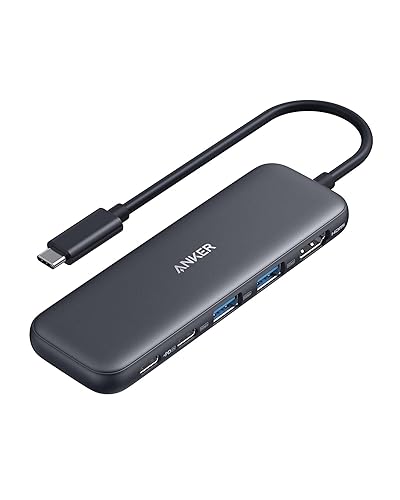
A 5-in-1 USB-C hub with HDMI, data ports and pass-through charging for USB-C laptops.
Pros
- 4K HDMI port for an external monitor at up to 4K@30Hz
- Up to 85W pass-through charging while using the hub
- USB-C and USB-A data ports at up to 5 Gbps
- 18-month warranty is stated
Cons
- PD-IN port supports charging only, not data devices
- USB-C data port does not support video output
- Charger is not included for pass-through charging
- Not compatible with Linux
Detailed Review
Anker lists a 4K HDMI port at up to 4K@30Hz, a 5 Gbps USB-C data port, two 5 Gbps USB-A ports, and a USB-C PD-IN port, with up to 85W pass-through charging and an 18-month warranty, in a body measuring 4.78 by 1.59 by 0.45 inches. The listing names MacBook models on macOS 12 and newer, Windows 10 and 11, and ChromeOS, with DP Alt Mode and Power Delivery. The title and bullets count 5 ports while the spec table lists Total Usb Ports as 3; the three are the data ports, with HDMI and PD-IN making five in total, so the title and bullets are followed here. The PD-IN port accepts up to 100W while pass-through charging tops out at 85W.
Who it's for: USB-C laptop owners who want one HDMI display plus data ports and charging in a small hub. Who should skip it: anyone who needs video from a USB-C data port, or Linux support.
Its Office Score of 9.5/10 comes from performance 30/35, build 20/25, value 21/25, safety 0/10 and warranty 2/5: 73 of 100 points, placed on our 9.2 to 9.8 scale.
Key Specifications
| Ports | HDMI, USB-C data, 2 USB-A, PD-IN |
|---|---|
| Video | 4K@30Hz via HDMI |
| Charging | Up to 85W pass-through |
| Size | 4.78 by 1.59 by 0.45 inches |
Figures as published on the retailer listing, collected 24 October 2026. Performance figures are manufacturer rated.
Safety and Warranty
What this listing states. No UL, FCC or over-current protection statement is stated, so safety scores zero. 18-month warranty. It does not say everything a buyer needs, such as who pays return shipping, so warranty scores 2 of 5. See How We Pick.
Power and heat. Use the supplied adapter, treat power delivery wattage and display support as the maker's claims for your laptop model, and give the dock room to vent.
This is general buying information, not professional advice. Follow each product manual and local rules, and see our Safety Disclaimer.

Cateck Surface Pro Dock Hub
A Surface Pro 4, 5 and 6 docking hub with HDMI, USB ports and card slots in a bevel-side shape.
Pros
- Designed to fit Surface Pro 4, 5 and 6 with a bevel-side shape
- 4K HDMI port at up to 4K@30Hz for an external display
- SD and TF card slots that read both card types at the same time
- No driver installation and no external power required
Cons
- No warranty term is stated
- No tablet charging specification is stated
- Limited to Surface Pro 4, 5 and 6 models
- No dimensions are stated in the listing
Detailed Review
Cateck lists a hub shaped for Surface Pro 4, 5 and 6 with a 4K@30Hz HDMI port, three USB 3.0 ports at up to 5Gbps, and SD and TF slots that read both card types at the same time, with cards up to 128GB, in an aluminium case that releases heat. The listing states plug and play with no driver installation and no external power required, and names Windows, Mac and Android systems. The bullets call it a 6-port hub while the USB data ports number three; the six counts HDMI and card slots alongside the USB ports, so the title and bullets are followed here for the USB count.
Who it's for: Surface Pro 4, 5 and 6 owners who want a shaped dock with HDMI and card reading and no extra power cable. Who should skip it: owners of newer Surface Pro models, or anyone who needs tablet charging through the hub.
Its Office Score of 9.5/10 comes from performance 29/35, build 21/25, value 20/25, safety 3/10 and warranty 0/5: 73 of 100 points, placed on our 9.2 to 9.8 scale.
Key Specifications
| Ports | HDMI, 3 USB 3.0, SD, TF |
|---|---|
| Video | 4K@30Hz via HDMI |
| Fits | Surface Pro 4, 5 and 6 |
| Material | Aluminum |
Figures as published on the retailer listing, collected 24 October 2026. Performance figures are manufacturer rated.
Safety and Warranty
What this listing states. Aluminium case releases heat, so safety scores 3 of 10. No warranty term, so warranty scores zero. See How We Pick.
Power and heat. Use the supplied adapter, treat power delivery wattage and display support as the maker's claims for your laptop model, and give the dock room to vent.
This is general buying information, not professional advice. Follow each product manual and local rules, and see our Safety Disclaimer.
As an Amazon Associate I earn from qualifying purchases.
More picks to compare
 Microsoft Surface USB-C Travel HubFor Microsoft devices needing VGA and HDMI display connections in a portable hubCheck on Amazon
 Suejezt Surface Pro USB-C HubFor Surface Pro tablets needing HDMI displays, Thunderbolt 4 and an audio jackCheck on Amazon
Compare the picks
| Hub | Office Score | Ports | Video | Charging | Warranty | Amazon |
|---|---|---|---|---|---|---|
| clickfish Thunderbolt 4 Hub | 9.7/10 | 6 | 8K@30Hz, 4K@30Hz | 100W | 2 year | View on Amazon |
| Anker 5-in-1 USB-C Hub | 9.5/10 | 5 | 4K@30Hz | 85W | 18-month | View on Amazon |
| Cateck Surface Pro Dock Hub | 9.5/10 | 6 | 4K@30Hz | Not stated | Not stated | View on Amazon |
| intpw 9-Port Powered Hub | 9.7/10 | 9 | Not stated | Not stated | Not stated | |
| BENFEI 7-Port USB 3.0 Hub | 9.7/10 | 7 | Not stated | Not stated | Not stated |
Specifications are manufacturer rated as listed, collected 24 October 2026.
How we scored them
The Office Score weighs performance, build, value, safety and warranty. For a hub, safety means heat dissipation from the case and a charging design that matches the listing, plus a port layout that avoids forcing a connection. Two listings state a warranty term: clickfish at 2 years and Anker at 18 months. How we pick explains the weights.
| Product | Office Score | Perf. /35 | Build /25 | Value /25 | Safety /10 | Warranty /5 |
|---|---|---|---|---|---|---|
| clickfish Thunderbolt 4 Hub | 9.7 | 33 | 22 | 21 | 5 | 3 |
| Anker 5-in-1 USB-C Hub | 9.5 | 30 | 20 | 21 | 0 | 2 |
| Cateck Surface Pro Dock Hub | 9.5 | 29 | 21 | 20 | 3 | 0 |
Scores run from 9.2 to 9.8: each product’s point total is placed on that range, so more points always means a higher score.
How to choose the best usb hub for surface pro
Match the hub to your Surface Pro model
Model fit comes first, because a shaped hub only fits the models its listing names. The Cateck hub is designed for Surface Pro 4, 5 and 6, while the clickfish hub is designed for Surface Pro 9, 10, 11 and X. The Anker hub connects through USB-C instead, and its listing names MacBook models on macOS 12 and newer, Windows 10 and 11, and ChromeOS, with DP Alt Mode and Power Delivery, and states that it is not compatible with Linux. Confirm the model before ordering a shaped hub, since the wrong shape will not seat properly.
Video: one monitor or two
Video output decides how far a small tablet screen can stretch. The clickfish hub supports two monitors at once, with 8K@30Hz video through its Thunderbolt 4 port and 4K@30Hz through its HDMI port, in mirror mode and extended mode. The Anker hub lists a single 4K@30Hz HDMI port, and the Cateck hub lists 4K@30Hz HDMI with 1080P support for HDTVs, monitors and projectors. See best usb hub with hdmi for more HDMI options.
| Hub | Video | Charging |
|---|---|---|
| clickfish | 8K@30Hz, 4K@30Hz | 100W |
| Anker | 4K@30Hz | 85W |
| Cateck | 4K@30Hz | Not stated |
Charging and data on the same port
A single port that charges and moves data is the most useful port on a tablet hub, but the listings split the two jobs differently. The clickfish Thunderbolt 4 port lists 40Gbps data transfer and 100W PD charging in the same port, with its two USB 3.0 ports at up to 5Gbps. The Anker hub lists up to 85W pass-through charging, with its USB-C and USB-A data ports at up to 5Gbps, while its PD-IN port supports charging only and its USB-C data port does not support video output. See best usb hub with power delivery for more charging hubs.
Card slots and the rest of the desk
Card slots matter when photos and files live on memory cards. The Cateck hub reads SD and TF cards at the same time, with support for cards up to 128GB, while the clickfish hub lists SD and TF slots with reading up to 2TB but states that the two cards cannot be read at the same time. For a desk that needs ports more than video, the title-only options in this guide list 9 and 7 ports respectively, with no further specifications published for them. Compare tablet docks in best docking station for tablet before choosing a shaped hub.
Setup Notes
- Confirm your tablet model before ordering the clickfish or Cateck hub, since each fits a stated set of Surface Pro models.
- Remove the tablet case before fitting the clickfish hub, as its listing warns a case can loosen the socket connection.
- Plan for a charger with the Anker hub, since pass-through charging requires a charger that is not included.
- Measure the desk space for a hub body: the clickfish hub measures 4.3 by 1.3 by 0.4 inches and the Anker hub measures 4.78 by 1.59 by 0.45 inches.
Frequently Asked Questions
Which hub fits Surface Pro 9, 10, 11 and X?
The clickfish hub is designed for Surface Pro 9, 10, 11 and X, with a Thunderbolt 4 port, a 4K@30Hz HDMI port, two USB 3.0 ports and SD and TF slots.
Which hub fits older Surface Pro 4, 5 and 6?
The Cateck hub is designed for Surface Pro 4, 5 and 6, with a bevel-side shape, a 4K@30Hz HDMI port, three USB 3.0 ports and SD and TF card slots.
Can I charge a tablet through these hubs?
The clickfish hub lists 100W PD charging through its Thunderbolt 4 port, and the Anker hub lists up to 85W pass-through charging with a charger that is not included. The Cateck listing states no tablet charging specification.
Can SD and TF cards be read at the same time?
The Cateck hub supports reading SD and TF cards at the same time. The clickfish hub states that SD and TF cards cannot be read at the same time.
Do any of these hubs state a warranty?
The clickfish listing states a 2 year manufacturer warranty and the Anker listing states an 18-month warranty. The other listings state no warranty term.
Related guides
See every docking station and USB hub guide and all connectivity guides.
More picks: best usb hub for tablet, best docking station for surface laptop and best usb c hub.