
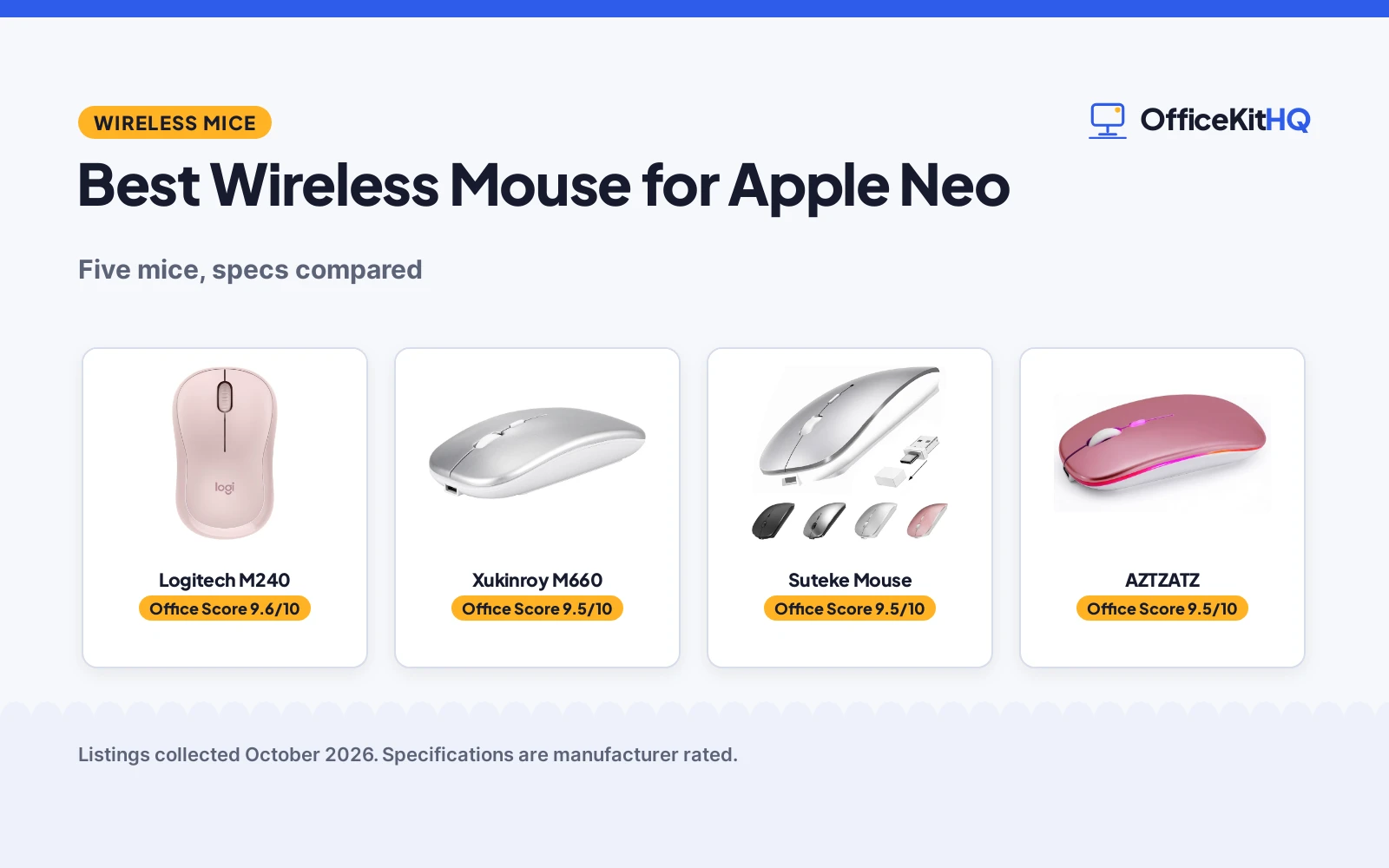
The best wireless mouse for apple neo is the one that pairs in seconds and then stays out of the way through a day of calls, docs and tab-hopping. A laptop bag has room for one mouse, not a dongle collection, so the connection modes decide which mouse fits the setup. We compared five wireless mice by connection modes, DPI levels, battery and charging claims, stated weight and warranty term, using only what each listing publishes.
OfficeKitHQ earns a commission when you buy through links on this page, at no extra cost to you. As an Amazon Associate I earn from qualifying purchases. Affiliate disclosure.
Quick picks
 Best Overall Logitech M240: MacBook Neo listed as compatible, 4000 DPI, silent clicks, 18-month battery Check price on Amazon
 Best for Apple Neo Xukinroy M660: Apple Neo named in the listing, dual-mode Bluetooth and 2.4G, 1-year warranty Check price on Amazon
 Best Multi-Device Suteke Mouse: Bluetooth 5.2 plus USB-A and USB-C receivers, 18-month warranty Check price on Amazon
 Best for Style AZTZATZ: 7-color RGB breathing light, Bluetooth 5.2 and 2.4G, 500mAh battery Check price on Amazon
 Best 4-Mode KLO K8: Bluetooth 3.0/5.2 plus USB 2.4G and Type-C receiver, rechargeable Check price on Amazon
The picks
| # | Product | Office Score | Buy |
|---|---|---|---|
| 1 | Logitech M240 | 9.6/10 | Buy on Amazon |
| 2 | Xukinroy M660 | 9.5/10 | Buy on Amazon |
| 3 | Suteke Mouse | 9.5/10 | Buy on Amazon |
| 4 | AZTZATZ | 9.5/10 | Buy on Amazon |
| 5 | KLO K8 | 9.4/10 | Buy on Amazon |

Logitech M240
A compact rose Bluetooth mouse with 4000 DPI, quiet clicks, an 18-month battery and MacBook Neo listed as compatible.
Pros
- MacBook Neo laptops listed as compatible with instant Bluetooth connection
- 4000 DPI is the highest sensitivity stated here
- Silent clicks with 90% reduced click sound, per the listing
- 18-month battery life with auto sleep
Cons
- 3 non-customizable buttons, the fewest here
- Bluetooth only: no 2.4G receiver is included
- Runs on a replaceable battery rather than rechargeable
- Rose is the only color stated in this listing
Detailed Review
Logitech lists the M240 Silent as a compact Bluetooth mouse with 4000 DPI, quiet clicks stated to reduce click sound by 90%, and an 18-month battery life with auto sleep. The listing names compatibility with Windows, macOS, Linux, ChromeOS, iPadOS and Android, and states compatibility with MacBook Neo laptops with an instant Bluetooth connection. It measures 3.89 by 2.36 in, weighs 73.8 g, and the listing states a 1-year limited hardware warranty. Contradiction to note: the spec table requires 1 AA battery while the included components list 1 AAA battery; either way it runs on a replaceable battery, not a rechargeable one.
Who it's for: a MacBook Neo owner who wants a quiet, compact Bluetooth mouse with the highest DPI here and a long battery life. Who should skip it: anyone who needs a 2.4G receiver or a rechargeable battery.
Its Office Score of 9.6/10 comes from performance 32/35, build 21/25, value 21/25, safety 0/10 and warranty 2/5: 76 of 100 points, placed on our 9.2 to 9.8 scale.
Key Specifications
| Sensitivity | 4000 DPI |
|---|---|
| Battery life | 18 months |
| Range | 10 m |
| Size | 3.89 x 2.36 in |
Figures as published on the retailer listing, collected 18 October 2026. Performance figures are manufacturer rated.
Safety and Warranty
What this listing states. No FCC or other safety listing is stated, so safety scores zero. 1-year limited hardware warranty. It does not say everything a buyer needs, such as who pays return shipping, so warranty scores 2 of 5. See How We Pick.
Fit the desk first. Check the stated size against your desk depth and keyboard tray, and charge or pair as the manual describes. No keyboard, mouse or wrist rest prevents or treats injury.
This is general buying information, not professional advice. Follow each product manual and local rules, and see our Safety Disclaimer.

Xukinroy M660
A silver dual-mode mouse with Bluetooth and 2.4G, 1600 DPI, quiet clicks and Apple Neo named in the listing.
Pros
- Apple MacBook Air Pro Neo and Mac Mini named as compatible in the title
- Dual-mode: Bluetooth plus 2.4G USB receiver for two devices
- Quiet clicks stated to reduce noise by up to 90%
- 60 g is the lowest stated weight here
Cons
- Rechargeable battery stated at 30 days, shorter than the 18-month Logitech
- Bluetooth requires macOS 10.10, iOS 13 or iPadOS 13 and above, per the listing
- Right-hand orientation only
- No USB-C receiver is stated, unlike the Suteke and KLO
Detailed Review
Xukinroy lists the M660 as a dual-mode mouse that switches between Bluetooth and a 2.4G USB receiver, connecting two devices, with a stated range of up to 33 feet. The title names Apple MacBook Air Pro Neo and Mac Mini as compatible, alongside iPad, iPhone and other devices. The listing states 3 DPI levels (800, 1200, 1600), quiet clicks with up to 90% noise reduction, an ergonomic right-hand design, and dimensions of 4.33 by 2.3 by 1.06 in at 60 g. The rechargeable battery is stated at more than 30 days with 2 hours of daily use, and the listing states a 1-year warranty.
Who it's for: an Apple Neo or Mac Mini user who wants one mouse for two devices over Bluetooth and 2.4G. Who should skip it: left-handed users, since the shape is right-hand only.
Its Office Score of 9.5/10 comes from performance 30/35, build 20/25, value 21/25, safety 0/10 and warranty 2/5: 73 of 100 points, placed on our 9.2 to 9.8 scale.
Key Specifications
| DPI | 800/1200/1600 |
|---|---|
| Modes | Bluetooth, 2.4G |
| Battery | 30 days |
| Weight | 60 g |
Figures as published on the retailer listing, collected 18 October 2026. Performance figures are manufacturer rated.
Safety and Warranty
What this listing states. No FCC or other safety listing is stated, so safety scores zero. 1-year warranty. It does not say everything a buyer needs, such as who pays return shipping, so warranty scores 2 of 5. See How We Pick.
Fit the desk first. Check the stated size against your desk depth and keyboard tray, and charge or pair as the manual describes. No keyboard, mouse or wrist rest prevents or treats injury.
This is general buying information, not professional advice. Follow each product manual and local rules, and see our Safety Disclaimer.

Suteke Mouse
A silver Bluetooth 5.2 mouse with USB-A and USB-C receivers, 1600 DPI, quiet clicks and an 18-month warranty.
Pros
- Bluetooth 5.2/3.0 plus dual-head USB-A and USB-C receivers
- 96% noise reduction stated for the clicks
- Rechargeable over USB-C with 3 to 4 weeks per charge, per the bullets
- 18-month warranty is the longest stated here
Cons
- Bullets state 3 to 4 weeks per charge while the spec table claims 18 months of battery life
- Not stated as fitting large hands; listed for small or medium palms
- Ambidextrous shape with no right-hand contour option
- No explicit Apple Neo mention, unlike the Logitech and Xukinroy
Detailed Review
Suteke lists a 4-mode mouse switching between Bluetooth 5.2/3.0 and a dual-head USB-A and USB-C receiver, with an optical sensor and 3 DPI levels (800, 1200, 1600). The bullets claim 96% noise reduction on the clicks, an ergonomic slim shape for small or medium hands, and a rechargeable battery giving 3 to 4 weeks per charge from a 2.5-hour USB-C charge. It measures 4.3 by 2.3 in, weighs 68 g, and the listing states an 18-month warranty with 24/7 support. Contradiction to note: the spec table lists battery average life as 18 months, which conflicts with the 3 to 4 weeks per charge in the bullets; we trust the bullets.
Who it's for: someone who switches between Mac, PC and tablet and wants both USB-A and USB-C receivers in the box. Who should skip it: anyone with large hands, since the listing says it suits small or medium palms.
Its Office Score of 9.5/10 comes from performance 29/35, build 20/25, value 21/25, safety 0/10 and warranty 3/5: 73 of 100 points, placed on our 9.2 to 9.8 scale.
Key Specifications
| DPI | 800/1200/1600 |
|---|---|
| Bluetooth | 5.2/3.0 |
| Receivers | USB-A and USB-C |
| Weight | 68 g |
Figures as published on the retailer listing, collected 18 October 2026. Performance figures are manufacturer rated.
Safety and Warranty
What this listing states. This product does not plug in or run on a battery, so safety is not part of its score. 18-month warranty. It does not say everything a buyer needs, such as who pays return shipping, so warranty scores 3 of 5. See How We Pick.
Fit the desk first. Check the stated size against your desk depth and keyboard tray, and charge or pair as the manual describes. No keyboard, mouse or wrist rest prevents or treats injury.
This is general buying information, not professional advice. Follow each product manual and local rules, and see our Safety Disclaimer.

AZTZATZ
A rose gold dual-mode mouse with Bluetooth 5.2, 2.4G, a 500mAh battery, quiet clicks and a 7-color RGB light.
Pros
- Dual-mode Bluetooth 5.2/3.0 plus 2.4G USB receiver
- 500mAh rechargeable battery with 7+ days of continuous use stated
- 7-color RGB breathing light with multiple modes
- 90% click noise reduction stated
Cons
- No warranty term is stated; the warranty description reads 0.3
- The listing warns against using a high-power or fast charger
- No explicit Apple Neo compatibility is stated
- 7+ days of continuous use is the lowest per-charge claim here
Detailed Review
AZTZATZ lists a rose gold dual-mode mouse with Bluetooth 5.2/3.0 and a 2.4G USB receiver, a 500mAh rechargeable battery, and 3 DPI levels (1000, 1200, 1600). The bullets state 7+ days of continuous use and 30 days of standby from a 2-hour Type-C charge, 90% click noise reduction, a 7-color RGB breathing light, and a 10-meter range. It measures 4.4 by 2.3 by 1.1 in and weighs 2.5 ounces. The warranty description reads 0.3 with no term, so warranty scores zero. Safety note: the listing states a charging caution not to use a high-power or fast charger.
Who it's for: someone who wants a dual-mode mouse with an RGB light for a home office or dorm desk. Who should skip it: anyone who wants a warranty term in writing.
Its Office Score of 9.5/10 comes from performance 28/35, build 19/25, value 20/25, safety 4/10 and warranty 0/5: 71 of 100 points, placed on our 9.2 to 9.8 scale.
Key Specifications
| Battery | 500mAh |
|---|---|
| DPI | 1000/1200/1600 |
| Range | 10 m |
| Size | 4.4 x 2.3 x 1.1 in |
Figures as published on the retailer listing, collected 18 October 2026. Performance figures are manufacturer rated.
Safety and Warranty
What this listing states. Charging caution stated: do not use a high-power or fast charger, so safety scores 4 of 10. No warranty term, so warranty scores zero. See How We Pick.
Fit the desk first. Check the stated size against your desk depth and keyboard tray, and charge or pair as the manual describes. No keyboard, mouse or wrist rest prevents or treats injury.
This is general buying information, not professional advice. Follow each product manual and local rules, and see our Safety Disclaimer.

KLO K8
A black 4-mode mouse with Bluetooth 3.0/5.2, USB 2.4G and Type-C receivers, 1600 DPI and a rechargeable battery.
Pros
- 4 connection modes: Bluetooth 3.0/5.2, USB 2.4G and Type-C receiver
- Dual-port 2-in-1 USB and Type-C nano receiver included
- Quiet clicks with up to 96% noise reduction, per the listing
- Rechargeable with 2 to 3 hours of charging for 7 to 30 days of use
Cons
- No warranty term is stated; the warranty description reads 1
- 1600 DPI maximum is the joint-lowest here
- No explicit Apple Neo mention in the listing
- Sleeps after 5 minutes of inactivity, which may annoy during short pauses
Detailed Review
KLO lists the K8 as a rechargeable 4-mode mouse switching between Bluetooth 3.0/5.2, USB 2.4G and a Type-C receiver, with a dual-port 2-in-1 nano receiver included. The listing states 3 DPI levels (1000, 1200, 1600), quiet clicks with up to 96% noise reduction, a contoured right-hand shape, and a lithium polymer battery giving 7 to 30 days of use from 2 to 3 hours of charging. It measures 4.4 by 2.3 in and weighs 3.2 ounces. The warranty description reads 1 with no term, so warranty scores zero.
Who it's for: someone who wants every receiver type in the box for Mac, PC and Chromebook without re-pairing. Who should skip it: anyone who wants a stated warranty term.
Its Office Score of 9.4/10 comes from performance 28/35, build 19/25, value 20/25, safety 0/10 and warranty 0/5: 67 of 100 points, placed on our 9.2 to 9.8 scale.
Key Specifications
| DPI | 1000/1200/1600 |
|---|---|
| Modes | BT 3.0/5.2, 2.4G, Type-C |
| Battery | 7-30 days |
| Size | 4.4 x 2.3 in |
Figures as published on the retailer listing, collected 18 October 2026. Performance figures are manufacturer rated.
Safety and Warranty
What this listing states. No FCC or other safety listing is stated, so safety scores zero. No warranty term, so warranty scores zero. See How We Pick.
Fit the desk first. Check the stated size against your desk depth and keyboard tray, and charge or pair as the manual describes. No keyboard, mouse or wrist rest prevents or treats injury.
This is general buying information, not professional advice. Follow each product manual and local rules, and see our Safety Disclaimer.
As an Amazon Associate I earn from qualifying purchases.
More picks to compare
 Afaartcci Rechargeable Wireless MouseCheck on Amazon
 Apple Magic MouseCheck on Amazon
 Kovess Wireless Bluetooth MouseCheck on Amazon
 Satechi Slim EX Wireless MouseCheck on Amazon
 FYBC Bluetooth LED Wireless MouseCheck on Amazon
Compare the picks
| Mouse | Office Score | DPI | Connection | Battery | Warranty | Amazon |
|---|---|---|---|---|---|---|
| Logitech M240 | 9.6/10 | 4000 | Bluetooth | 18 months | 1 year | View on Amazon |
| Xukinroy M660 | 9.5/10 | 1600 | Bluetooth, 2.4G | 30 days | 1 year | View on Amazon |
| Suteke Mouse | 9.5/10 | 1600 | Bluetooth 5.2, USB-A/C | 3-4 weeks | 18 months | View on Amazon |
| AZTZATZ | 9.5/10 | 1600 | Bluetooth 5.2, 2.4G | 7+ days | Not stated | View on Amazon |
| KLO K8 | 9.4/10 | 1600 | Bluetooth, 2.4G, Type-C | 7-30 days | Not stated | View on Amazon |
Specifications are manufacturer rated as listed, collected 18 October 2026.
How we scored them
The Office Score weighs performance (connection modes, DPI and Mac compatibility), build (stated weight, dimensions and materials), value for the stated specs, safety and warranty. For a mouse, safety means stated certifications or protective cautions; only the AZTZATZ states one, a charging caution against high-power or fast chargers. Three of the five listings state a warranty term: the Logitech and Xukinroy at 1 year and the Suteke at 18 months. How we pick explains the weights.
| Product | Office Score | Perf. /35 | Build /25 | Value /25 | Safety /10 | Warranty /5 |
|---|---|---|---|---|---|---|
| Logitech M240 | 9.6 | 32 | 21 | 21 | 0 | 2 |
| Xukinroy M660 | 9.5 | 30 | 20 | 21 | 0 | 2 |
| Suteke Mouse | 9.5 | 29 | 20 | 21 | 0 | 3 |
| AZTZATZ | 9.5 | 28 | 19 | 20 | 4 | 0 |
| KLO K8 | 9.4 | 28 | 19 | 20 | 0 | 0 |
Scores run from 9.2 to 9.8: each product’s point total is placed on that range, so more points always means a higher score.
How to choose the best wireless mouse for apple neo
Start with the connection
Every mouse here speaks Bluetooth, but only some bring a receiver. The Logitech M240 is Bluetooth only with no dongle, while the Xukinroy M660 and AZTZATZ pair Bluetooth with a 2.4G USB receiver for a second device. The Suteke goes further with Bluetooth 5.2 plus dual-head USB-A and USB-C receivers, and the KLO K8 lists four modes: Bluetooth 3.0/5.2, USB 2.4G and a Type-C receiver. If the laptop has only USB-C ports, a bundled Type-C receiver saves a dongle hunt; see all our mice and mouse pads guides for more connection setups.
DPI and the way you work
DPI sets how far the cursor travels per inch of hand movement. The Logitech M240 lists 4000 DPI, the highest here by far, while the other four list 1600 DPI maximum with stepped switches (800/1200/1600 on the Xukinroy, Suteke and KLO; 1000/1200/1600 on the AZTZATZ). Higher DPI suits large or multi-monitor setups; for fine cursor work at a desk, a lower step with a wireless mouse for palm grip may feel more controlled.
| Mouse | DPI | Connection | Weight |
|---|---|---|---|
| Logitech M240 | 4000 | Bluetooth | 73.8 g |
| Xukinroy M660 | 1600 | Bluetooth, 2.4G | 60 g |
| Suteke Mouse | 1600 | Bluetooth 5.2, USB-A/C | 68 g |
| AZTZATZ | 1600 | Bluetooth 5.2, 2.4G | 2.5 oz |
| KLO K8 | 1600 | Bluetooth, 2.4G, Type-C | 3.2 oz |
Figures as stated in each listing. DPI is the maximum sensitivity each listing states.
Battery: rechargeable or replaceable
Four of the five recharge over USB and one does not. The Logitech M240 runs on a replaceable battery with an 18-month life stated, the longest claim here. The Suteke states 3 to 4 weeks per USB-C charge, the Xukinroy more than 30 days, the AZTZATZ 7+ days of continuous use from its 500mAh battery, and the KLO 7 to 30 days. A rechargeable mouse means one more cable on the desk; a long-life replaceable battery means buying cells twice a decade. Our best wireless mouse with Bluetooth roundup covers more cord-free options.
Weight and hand fit
Stated weights run from 60 g on the Xukinroy M660 to 73.8 g on the Logitech M240, with the Suteke at 68 g. The Xukinroy is right-hand only with an ergonomic shape, the M240 and Suteke are ambidextrous, and the Suteke listing says it suits small or medium palms rather than large hands. If you share the desk or switch hands, an ambidextrous shape is the safer pick; if one hand does all the work, match the contour to it.
Setup Notes
- Check the receiver: the Suteke includes USB-A and USB-C receivers, the KLO includes a dual-port 2-in-1 receiver, and the M240 has no receiver at all.
- Plan charging: the Suteke, Xukinroy, AZTZATZ and KLO recharge over USB; the M240 runs on a replaceable battery.
- Pairing notes: the Xukinroy needs macOS 10.10, iOS 13 or iPadOS 13 and above for Bluetooth; the Suteke notes a mouse pad improves tracking.
- Match the shape: the Suteke suits small or medium palms per the listing, the Xukinroy is right-hand only, and the M240 is ambidextrous.
Frequently Asked Questions
Which mice here name Apple Neo as compatible?
The Logitech M240 lists compatibility with MacBook Neo laptops, and the Xukinroy M660 names Apple MacBook Air Pro Neo in its title. The Suteke, AZTZATZ and KLO list Mac or macOS compatibility generally.
Which mouse has the highest DPI?
The Logitech M240 at 4000 DPI. The Xukinroy, Suteke, KLO and AZTZATZ each list 1600 DPI maximum.
Which mice are rechargeable?
The Suteke charges over USB-C, the AZTZATZ over Type-C, and the Xukinroy and KLO recharge over USB. The Logitech M240 runs on a replaceable battery instead.
Do any include a USB-C receiver?
The Suteke includes a dual-head USB-A and USB-C receiver, and the KLO includes a dual-port 2-in-1 USB and Type-C receiver. The others do not state a USB-C receiver.
Which listings state a warranty term?
The Suteke states an 18-month warranty, and the Logitech and Xukinroy state a 1-year warranty. The KLO and AZTZATZ listings state no warranty term.
Related guides
See every mice and mouse pads guide and all computer peripherals guides.
More picks: wireless mouse for Apple laptop, wireless mouse with Bluetooth, wireless mouse for palm grip.


