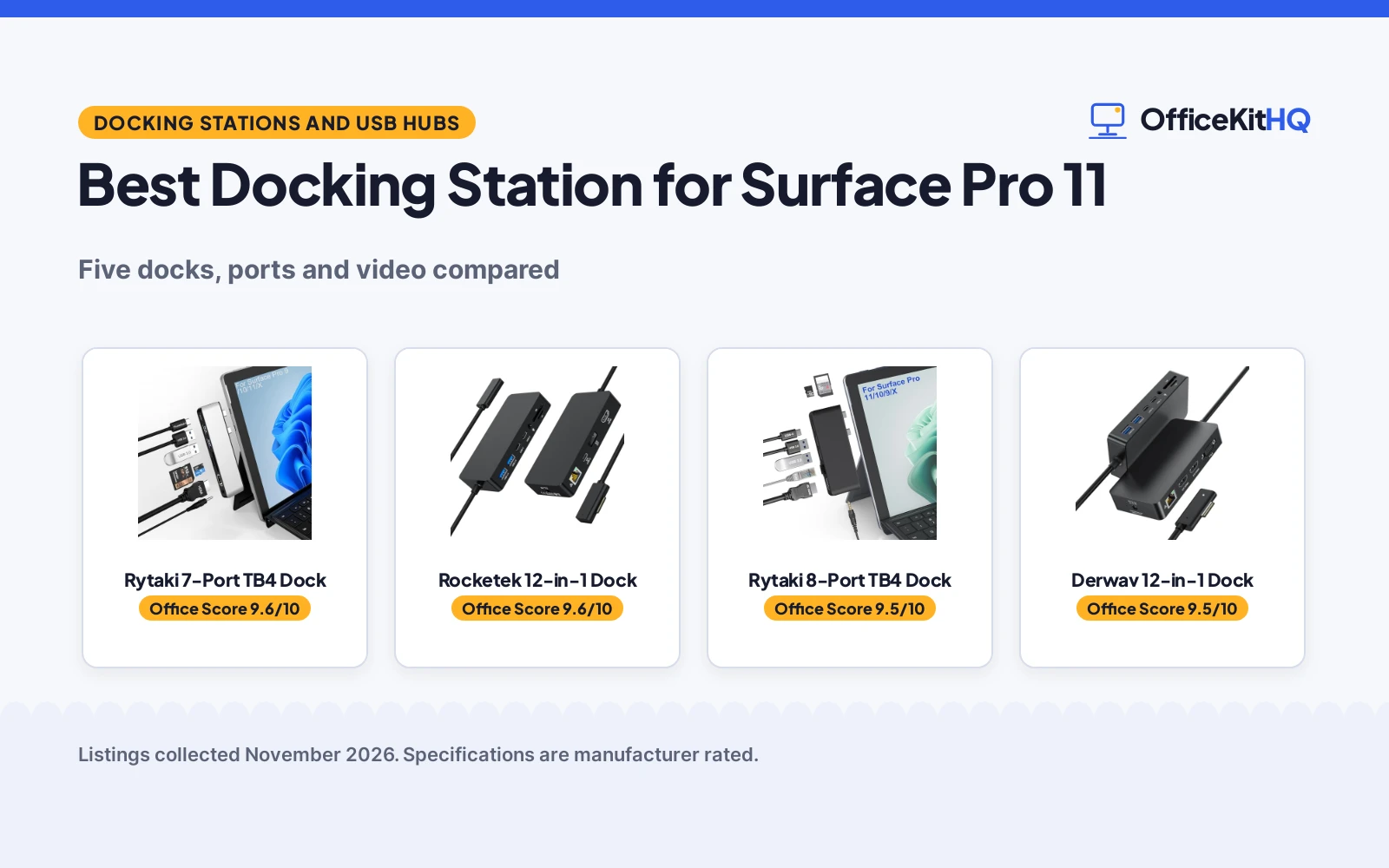
The best docking station for Surface Pro 11 turns a crowded desk into a calm workspace, with a connection that wakes the monitors, keyboard, drive and headset before the morning call. A Surface Pro 11 on its own runs everything off its own ports, and the cable pile grows with every device added. Docking stations for the Surface Pro 11 are compared here by ports, video output, power delivery, Ethernet and warranty, using only what each listing publishes.
OfficeKitHQ earns a commission when you buy through links on this page, at no extra cost to you. As an Amazon Associate I earn from qualifying purchases. Affiliate disclosure.
Quick picks
 Best Overall Rytaki 7-Port TB4 Dock: Thunderbolt 4 with 8K video, 40Gbps data, 100W PD and a 2-year warranty. Check price on Amazon
 Best Triple 4K 60Hz Rocketek 12-in-1 Dock: Three 4K at 60Hz outputs with a 72W adapter included and 12 ports. Check price on Amazon
 Best with Ethernet Rytaki 8-Port TB4 Dock: Thunderbolt 4, 100M Ethernet and 100W PD in an 8-port dock. Check price on Amazon
 Best Triple Display Derwav 12-in-1 Dock: Dual 4K HDMI plus VGA for three displays, with Ethernet and 12 ports. Check price on Amazon
 Best Gigabit MTAKYA 10-in-1 Dock: Gigabit Ethernet, 4K at 60Hz and 100W PD in a 10-port dock. Check price on Amazon
Our desk picks
| # | Product | Office Score | Buy |
|---|---|---|---|
| 1 | Rytaki 7-Port TB4 Dock | 9.6/10 | Buy on Amazon |
| 2 | Rocketek 12-in-1 Dock | 9.6/10 | Buy on Amazon |
| 3 | Rytaki 8-Port TB4 Dock | 9.5/10 | Buy on Amazon |
| 4 | Derwav 12-in-1 Dock | 9.5/10 | Buy on Amazon |
| 5 | MTAKYA 10-in-1 Dock | 9.4/10 | Buy on Amazon |

Rytaki 7-Port TB4 Dock
A 7-port Surface Pro dock with Thunderbolt 4, 4K HDMI, 100W power delivery and an aluminum case.
Pros
- Thunderbolt 4 with 8K video at 30Hz, 40Gbps data and 100W PD
- Triple display with 4K HDMI, Thunderbolt 4 and the Surface screen
- Aluminum case for heat release
- 2-year warranty stated
Cons
- No Ethernet port is stated
- SD and TF cards cannot be read at the same time
- May not fit well with a protective case on the Surface
- HDMI tops out at 4K at 30Hz, not 60Hz
Detailed Review
Rytaki lists this dock for the Surface Pro 2026 (13-inch), 11, 10, 9 and X, turning the 2 USB-C connections into 7 ports: 1 4K HDMI port, 1 Thunderbolt 4 USB-C port, 2 USB 3.0 ports, SD and TF card slots, and a 3.5mm audio port. The Thunderbolt 4 port carries 8K video at 30Hz, 40Gbps data and 100W power delivery, and the HDMI port reaches 4K at 30Hz with backwards support for 2K, 1080p, 720p, 480p and 360p. The SD and TF slots take cards up to 2TB at up to 480Mbps, and the aluminum case releases heat. The listing states a 2-year warranty.
Who it's for: Surface Pro 11 owners who want Thunderbolt 4 speed and 100W charging in a compact dock. Who should skip it: anyone who needs wired Ethernet or reads SD and TF cards at the same time.
Its Office Score of 9.6/10 comes from performance 32/35, build 22/25, value 20/25, safety 0/10 and warranty 3/5: 77 of 100 points, placed on our 9.2 to 9.8 scale.
Key Specifications
| Ports | 7 |
|---|---|
| Video | 4K HDMI, Thunderbolt 4 8K |
| Power delivery | 100W PD |
| Warranty | 2 years |
These specs mirror the retailer listing as of 19 November 2026; performance figures are stated by the brand.
Safety and Warranty
What this listing states. No UL, FCC or over-current protection statement is stated, so safety scores zero. 2-year warranty. It does not say everything a buyer needs, such as who pays return shipping, so warranty scores 3 of 5. See How We Pick.
Power and heat. Use the supplied adapter, treat power delivery wattage and display support as the maker's claims for your laptop model, and give the dock room to vent.
This is general buying information, not professional advice. Follow each product manual and local rules, and see our Safety Disclaimer.

Rocketek 12-in-1 Dock
A 12-in-1 Surface dock with triple 4K at 60Hz, a 72W power adapter and Surface Connect.
Pros
- Triple 4K at 60Hz across HDMI, USB-C video and DisplayPort
- 72W power adapter included in the box
- 12 ports including 2 USB-C and 2 USB-A data ports at 5Gbps
- 12-month worry-free service stated
Cons
- No Thunderbolt port is stated
- Ethernet tops out at 100Mbps, not Gigabit
- Surface Pro 12-inch 2026 USB-C version is not supported
- Needs the power supply port connected when in use
Detailed Review
Rocketek lists this dock for the Surface Pro 12, 11, 10, 9, 8, X, 7, 6, 5 and 4, the Surface Laptop, Surface Laptop Go, Surface Go and Surface Book, with Surface Connect. All three video outputs reach 4K at 60Hz: HDMI, USB-C video and DisplayPort at up to 3840 x 2160 at 60Hz. The dock adds a 100Mbps RJ45 Ethernet port, 2 USB-C and 2 USB-A 3.0 data ports at 5Gbps, SD and TF slots at up to 5Gbps, a 3.5mm headphone jack and a DC power port. A 72W power adapter is included, and the listing states 12-month worry-free service.
Who it's for: Surface owners who run three 4K monitors at 60Hz and want the adapter in the box. Who should skip it: anyone who needs Thunderbolt or Gigabit Ethernet.
Its Office Score of 9.6/10 comes from performance 33/35, build 21/25, value 21/25, safety 0/10 and warranty 2/5: 77 of 100 points, placed on our 9.2 to 9.8 scale.
Key Specifications
| Ports | 12 |
|---|---|
| Video | Triple 4K at 60Hz |
| Power | 72W adapter included |
| Warranty | 12 months |
These specs mirror the retailer listing as of 19 November 2026; performance figures are stated by the brand.
Safety and Warranty
What this listing states. No UL, FCC or over-current protection statement is stated, so safety scores zero. 12-month worry-free service. It does not say everything a buyer needs, such as who pays return shipping, so warranty scores 2 of 5. See How We Pick.
Power and heat. Use the supplied adapter, treat power delivery wattage and display support as the maker's claims for your laptop model, and give the dock room to vent.
This is general buying information, not professional advice. Follow each product manual and local rules, and see our Safety Disclaimer.

Rytaki 8-Port TB4 Dock
An 8-port Surface Pro dock with Thunderbolt 4, 4K HDMI, 100M Ethernet and 100W power delivery.
Pros
- Thunderbolt 4 with 8K video at 30Hz, 40Gbps data and 100W PD
- 100M RJ45 Ethernet for wired networking
- Dual monitors with 4K HDMI and Thunderbolt 4
- 1-year warranty stated
Cons
- SD and TF cards cannot be read at the same time
- HDMI tops out at 4K at 30Hz, not 60Hz
- Ethernet is 100M, not Gigabit
- Remove the protective case for a better connection
Detailed Review
Rytaki lists this dock for the Surface Pro 11, 10, 9 and X, expanding the 2 USB-C connections into 8 ports: a Thunderbolt 4 USB-C port, HDMI, 100M RJ45 Ethernet, 2 USB 3.0 ports, an SD and TF card slot, and a 3.5mm audio jack. The Thunderbolt 4 port carries 8K video at 30Hz, 40Gbps data and 100W power delivery, and the HDMI port reaches 4K at 30Hz. The SD and TF slot takes cards up to 2TB, and the 2 USB 3.0 ports run at up to 5Gbps. The listing states a 1-year warranty.
Who it's for: Surface Pro 11 owners who want Thunderbolt 4 plus wired Ethernet in one compact dock. Who should skip it: anyone who needs 4K at 60Hz or Gigabit Ethernet.
Its Office Score of 9.5/10 comes from performance 32/35, build 21/25, value 20/25, safety 0/10 and warranty 2/5: 75 of 100 points, placed on our 9.2 to 9.8 scale.
Key Specifications
| Ports | 8 |
|---|---|
| Video | 4K HDMI, Thunderbolt 4 8K |
| Ethernet | 100M RJ45 |
| Warranty | 1 year |
These specs mirror the retailer listing as of 19 November 2026; performance figures are stated by the brand.
Safety and Warranty
What this listing states. No UL, FCC or over-current protection statement is stated, so safety scores zero. 1-year warranty. It does not say everything a buyer needs, such as who pays return shipping, so warranty scores 2 of 5. See How We Pick.
Power and heat. Use the supplied adapter, treat power delivery wattage and display support as the maker's claims for your laptop model, and give the dock room to vent.
This is general buying information, not professional advice. Follow each product manual and local rules, and see our Safety Disclaimer.

Derwav 12-in-1 Dock
A 12-in-1 Surface dock with dual 4K HDMI, VGA, Ethernet and triple display support.
Pros
- Dual 4K HDMI plus VGA for up to three external displays
- 12 ports including Ethernet, 2 USB-C and 2 USB 3.0
- SD and TF card readers at up to 104MB/s
- Broad Surface compatibility from Pro 7 to Pro 12
Cons
- No Thunderbolt port is stated
- HDMI tops out at 4K at 30Hz, not 60Hz
- No power delivery wattage is stated
- Triple display needs an 11th Gen Intel processor or newer
Detailed Review
Derwav lists this 12-in-1 dock for the Surface Pro 12, 11, 10, 9, 8, 7 and X, the Surface Laptop 7, 6, 5, 4 and 3, the Surface Go and the Surface Book. Dual HDMI ports reach 4K at 30Hz and the VGA port reaches 1080P at 60Hz, for up to three external displays. The dock adds an RJ45 Ethernet port, 2 USB-C and 2 USB 3.0 ports at up to 5Gbps, SD and TF card readers at up to 104MB/s, a 3.5mm audio jack and a DC power input. The listing notes that systems with 11th Gen Intel processors or newer support triple-display extension, and to connect the included power adapter for the best multi-monitor performance.
Who it's for: Surface owners who need three displays including VGA for an older monitor. Who should skip it: anyone who needs Thunderbolt, 4K at 60Hz or a stated power delivery figure.
Its Office Score of 9.5/10 comes from performance 29/35, build 20/25, value 21/25, safety 0/10 and warranty 0/5: 70 of 100 points, placed on our 9.2 to 9.8 scale.
Key Specifications
| Ports | 12 |
|---|---|
| Video | Dual 4K HDMI, VGA |
| Data | USB up to 5Gbps |
| Warranty | Not stated |
These specs mirror the retailer listing as of 19 November 2026; performance figures are stated by the brand.
Safety and Warranty
What this listing states. No UL, FCC or over-current protection statement is stated, so safety scores zero. No warranty term, so warranty scores zero. See How We Pick.
Power and heat. Use the supplied adapter, treat power delivery wattage and display support as the maker's claims for your laptop model, and give the dock room to vent.
This is general buying information, not professional advice. Follow each product manual and local rules, and see our Safety Disclaimer.

MTAKYA 10-in-1 Dock
A 10-in-1 Surface dock with 4K HDMI at 60Hz, Gigabit Ethernet, 100W PD and a 0.1 lb body.
Pros
- 4K HDMI at 60Hz with Gigabit Ethernet at 1Gbps
- 100W USB-C power delivery port
- SD and Micro SD slots read two cards at the same time
- Lightest dock here at 0.1 lb listed weight
Cons
- The 100W charger is not included
- No Thunderbolt port is stated
- No VGA output for older monitors
- One HDMI output, with no second video port stated
Detailed Review
MTAKYA lists this 10-in-1 dock for the Surface Pro 11, 10, 9, 8, X, 7, 6, 5 and 4, the Surface Laptop, Surface Laptop Go, Surface Laptop Studio and Surface Book. The HDMI port reaches 4K at 60Hz, the Gigabit Ethernet port runs at 1Gbps on 10, 100 and 1000BASE-T networks, and the USB-C PD port delivers 100W. Three USB 3.0 ports and 2 USB-C ports run at up to 5Gbps, and the SD and Micro SD slots read two cards at the same time. The listed weight is 0.1 lb, and the charger is not included.
Who it's for: Surface owners who want Gigabit Ethernet and 4K at 60Hz in the lightest dock here. Who should skip it: anyone who needs a charger in the box, Thunderbolt or a second video output.
Its Office Score of 9.4/10 comes from performance 30/35, build 20/25, value 19/25, safety 0/10 and warranty 0/5: 69 of 100 points, placed on our 9.2 to 9.8 scale.
Key Specifications
| Ports | 10 |
|---|---|
| Video | 4K HDMI at 60Hz |
| Ethernet | Gigabit, 1Gbps |
| Weight | 0.1 lb (listed) |
These specs mirror the retailer listing as of 19 November 2026; performance figures are stated by the brand.
Safety and Warranty
What this listing states. No UL, FCC or over-current protection statement is stated, so safety scores zero. No warranty term, so warranty scores zero. See How We Pick.
Power and heat. Use the supplied adapter, treat power delivery wattage and display support as the maker's claims for your laptop model, and give the dock room to vent.
This is general buying information, not professional advice. Follow each product manual and local rules, and see our Safety Disclaimer.
As an Amazon Associate I earn from qualifying purchases.
Specs compared
| Dock | Office Score | Ports | Video | Power delivery | Ethernet | Warranty | Amazon |
|---|---|---|---|---|---|---|---|
| Rytaki 7-Port TB4 Dock | 9.6/10 | 7 | 4K HDMI + TB4 8K | 100W PD | Not stated | 2 years | View on Amazon |
| Rocketek 12-in-1 Dock | 9.6/10 | 12 | Triple 4K at 60Hz | 72W adapter | 100Mbps | 12 months | View on Amazon |
| Rytaki 8-Port TB4 Dock | 9.5/10 | 8 | 4K HDMI + TB4 8K | 100W PD | 100M | 1 year | View on Amazon |
| Derwav 12-in-1 Dock | 9.5/10 | 12 | Dual 4K + VGA | Not stated | RJ45 | Not stated | View on Amazon |
| MTAKYA 10-in-1 Dock | 9.4/10 | 10 | 4K at 60Hz | 100W PD | Gigabit | Not stated | View on Amazon |
Dimensions, weight limits and ranges are the maker’s ratings as each listing gives them, collected 19 November 2026. Three of the five state a warranty term; none states a safety certification.
How to choose the best docking station for surface pro 11
Count the ports before you count the monitors
Port counts here run from 7 to 12. The Rytaki 7-port dock turns 2 USB-C connections into 7 ports, the Rytaki 8-port dock expands the same 2 connections into 8, the MTAKYA dock offers 10, and the Derwav and Rocketek docks each offer 12. Count the devices that stay plugged in every day: monitors, keyboard, mouse, drive, headset and card reader. A dock with 2 USB 3.0 ports covers a keyboard and a mouse, while a second USB-C port leaves room for a drive. If the port list already looks short, read docking station types before choosing.
Video: 4K at 30Hz or 60Hz, and how many screens
Refresh rate splits this group. The Rocketek and MTAKYA docks reach 4K at 60Hz, while the two Rytaki docks and the Derwav top out at 4K at 30Hz on HDMI. Triple display comes from the Derwav and the Rocketek, dual monitors from the two Rytaki docks, and one HDMI output from the MTAKYA. The Rytaki docks add Thunderbolt 4 with 8K video at 30Hz, the only Thunderbolt in this group. Match the dock to the monitors on the desk: a 60Hz panel deserves a 60Hz output, and a second screen needs a second video port.
| Dock | Video outputs | Top refresh |
|---|---|---|
| Rytaki 7-Port TB4 Dock | 4K HDMI, Thunderbolt 4 8K | 30Hz |
| Rocketek 12-in-1 Dock | HDMI, USB-C video, DisplayPort | 60Hz |
| Rytaki 8-Port TB4 Dock | 4K HDMI, Thunderbolt 4 8K | 30Hz |
| Derwav 12-in-1 Dock | Dual 4K HDMI, VGA | 30Hz at 4K |
| MTAKYA 10-in-1 Dock | 4K HDMI | 60Hz |
Figures as stated in each listing.
Power delivery and the adapter in the box
Power delivery runs at 100W on the two Rytaki docks and the MTAKYA, and at 72W on the Rocketek with its adapter included. The MTAKYA charger is not included, so the 100W port needs a charger of your own. The Derwav states no power delivery wattage and asks for its included adapter to be connected for the best multi-monitor performance. Check the wattage the Surface Pro 11 needs against the dock’s stated figure, and confirm what ships in the box before ordering.
Ethernet speed and card readers
Wired networking runs from 100M to Gigabit here. The MTAKYA offers Gigabit Ethernet at 1Gbps, the Rocketek offers 100Mbps, the Rytaki 8-port dock offers 100M, and the Derwav offers an RJ45 port without a stated speed. Card readers differ too: the MTAKYA reads SD and Micro SD cards at the same time, while the two Rytaki docks state that SD and TF cards cannot be read at the same time. The Derwav card readers run at up to 104MB/s, and the Rocketek SD and TF ports run at up to 5Gbps. For the rest of the desk plan, read docking station setup and check whether a docking station fits the desk.
FAQ
Does the Surface Pro 11 need a Thunderbolt dock?
Not for every desk. The two Rytaki docks carry Thunderbolt 4 with 8K video at 30Hz and 40Gbps data, while the Rocketek, Derwav and MTAKYA docks cover triple or dual displays without it. Choose Thunderbolt when the desk needs 8K video or 40Gbps data; otherwise match the dock to the monitors and ports on hand.
How many monitors can a Surface Pro 11 dock run?
The Derwav and Rocketek docks support three external displays, the two Rytaki docks support two monitors, and the MTAKYA dock has one HDMI output.
What power delivery do these docks offer?
The two Rytaki docks and the MTAKYA offer 100W power delivery, and the Rocketek includes a 72W adapter. The Derwav states no power delivery wattage. The MTAKYA charger is not included, so a charger of your own is needed to use the 100W port.
Do these docks work with a Surface Pro 11 protective case on?
The Rytaki 7-port dock may not fit well with a protective case on, and the Rytaki 8-port dock asks for the case to be removed for a better connection. The other three listings state no case note, so check the fit with the case on before relying on it.
Can I read SD and TF cards at the same time?
Only the MTAKYA states that its SD and Micro SD slots read two cards at the same time. The two Rytaki docks state that SD and TF cards cannot be read at the same time. The Derwav and Rocketek listings state no same-time note for their card readers.
Score breakdown
The Office Score weighs performance (ports, video output, data speed and power delivery), build (case, included adapter and item weight), value for the stated specs, safety and warranty. For a docking station, safety means a stated safety certification or a stated protection feature; none of these listings states one, so safety scores zero across the group. Three listings state a warranty term: Rytaki at 2 years and 1 year, and Rocketek at 12 months. How we pick explains the weights.
| Product | Office Score | Perf. /35 | Build /25 | Value /25 | Safety /10 | Warranty /5 |
|---|---|---|---|---|---|---|
| Rytaki 7-Port TB4 Dock | 9.6 | 32 | 22 | 20 | 0 | 3 |
| Rocketek 12-in-1 Dock | 9.6 | 33 | 21 | 21 | 0 | 2 |
| Rytaki 8-Port TB4 Dock | 9.5 | 32 | 21 | 20 | 0 | 2 |
| Derwav 12-in-1 Dock | 9.5 | 29 | 20 | 21 | 0 | 0 |
| MTAKYA 10-in-1 Dock | 9.4 | 30 | 20 | 19 | 0 | 0 |
Office Scores run on a short 9.2 to 9.8 scale. We place each item’s weighted point total on it in proportion, so a larger total is always shown as a larger score.
More for your workspace
See every docking stations and USB hubs guide and all audio, power and connectivity guides.
More picks: best USB hub for Surface Pro, best docking station for Dell, best USB-C docking station for multiple monitors with power delivery, best keyboard for Surface Pro.