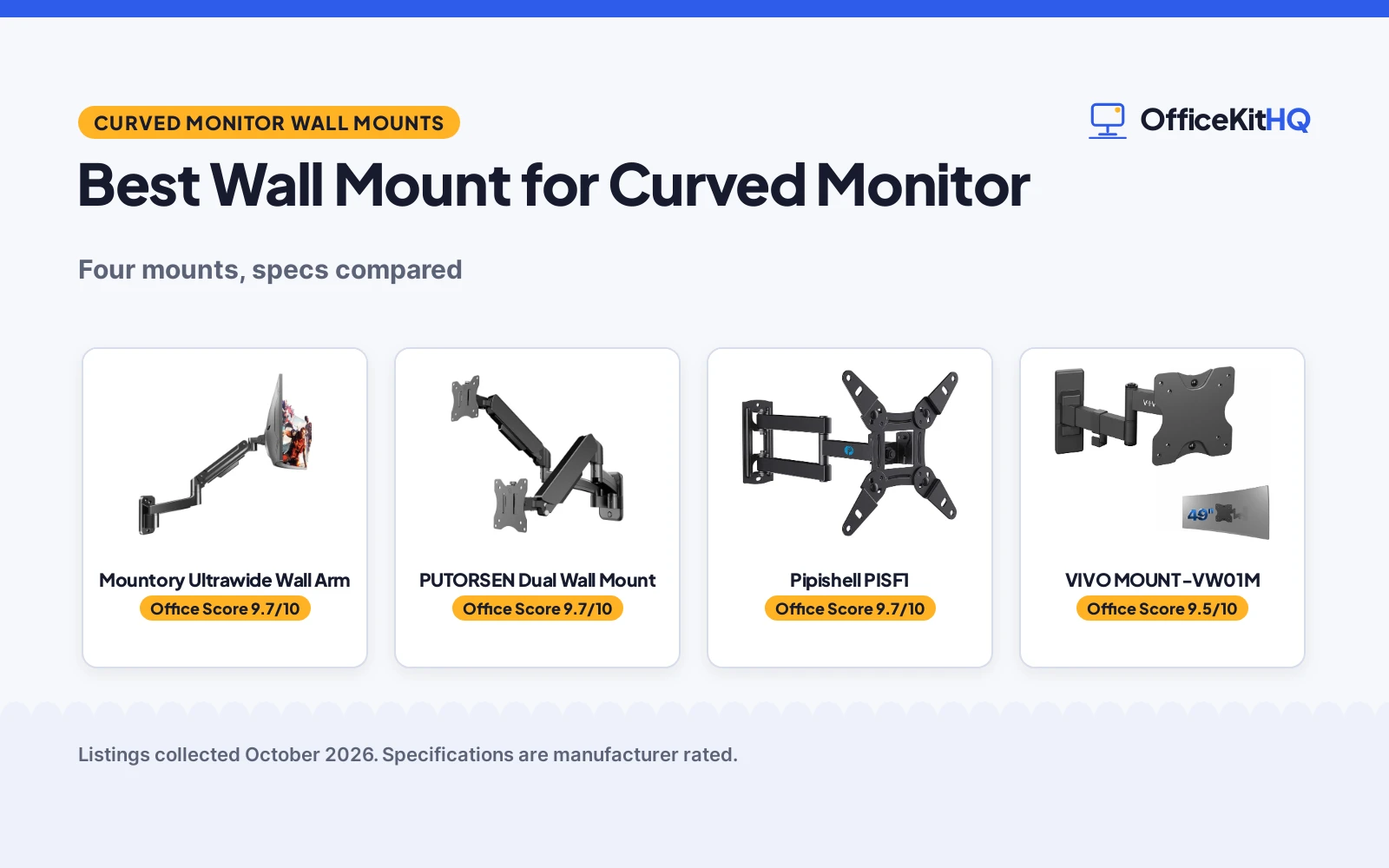
The best wall mount for curved monitor starts with a desk that has run out of room: the screen sits where the keyboard wants to be, the stand takes the middle of the desk, and the cables take the rest. We compared wall mounts made for curved screens by stated screen size, stated curved weight capacity, VESA pattern, motion range and warranty term, so the fit is clear before anything goes on the wall. A curved screen asks more of a mount than a flat panel of the same size, because more of the weight sits away from the wall plate, so the stated curved capacity matters as much as the headline size range. Read the curved figure where the maker gives one, and treat a headline capacity with care.
OfficeKitHQ earns a commission when you buy through links on this page, at no extra cost to you. As an Amazon Associate I earn from qualifying purchases. Affiliate disclosure.
Quick picks
 Best Overall Mountory Ultrawide Wall Arm: Curved screens 22 to 49 in, curved capacity 2.2 to 30.9 lbs stated Check price on Amazon
 Best for Two Screens PUTORSEN Dual Wall Mount: Two 17 to 32 in screens, 19.8 lbs per arm, gas spring arms Check price on Amazon
 Single Ultrawide Option VIVO MOUNT-VW01M: Single ultrawide screens up to 49 in, 44 lbs, 10.5 in extension Check price on Amazon
 Smaller Screen Option Pipishell PISF1: Screens 13 to 43 in, 44 lb capacity, full motion TV wall mount Check price on Amazon
Our desk picks
| # | Product | Office Score | Buy |
|---|---|---|---|
| 1 | Mountory Ultrawide Wall Arm | 9.7/10 | Buy on Amazon |
| 2 | PUTORSEN Dual Wall Mount | 9.7/10 | Buy on Amazon |
| 3 | Pipishell PISF1 | 9.7/10 | Buy on Amazon |
| 4 | VIVO Ultrawide Wall Mount | 9.5/10 | Buy on Amazon |

Mountory Ultrawide Wall Arm
A single wall arm for flat and curved screens from 22 to 49 in, with a stated curved capacity of 2.2 to 30.9 lbs and a gas spring for height changes.
Pros
- Stated curved capacity of 2.2 to 30.9 lbs suits wide curved screens
- Tilt of +90° to -45°, swivel of ±90° and rotation of 360° are stated
- Arm retracts to 5 in from the wall when pushed back
- Cable management is built in, per the maker
Cons
- Curved capacity stops at 30.9 lbs, below the 44 lbs flat figure
- VESA adapter for Samsung monitors is sold separately, not included
- Maker states not to mount on drywall alone
- Warranty term is 1 year, shorter than the PUTORSEN term
Detailed Review
Mountory lists this as a single monitor wall arm for 22 to 49 in flat and curved screens, rated at 2.2 to 30.9 lbs for curved screens and 2.2 to 44 lbs for flat screens, with VESA 75x75 and 100x100mm patterns. The maker states a steel build with a gas spring, 360° rotation, +90° to -45° tilt and ±90° swivel, and an arm that retracts to 5 in from the wall. Cable management is built in. The maker states wood studs, solid concrete and brick as wall types, states not to mount on drywall alone, and states that the VESA adapter required for Samsung monitors is sold separately. A warranty term of 1year is stated.
Who it's for: a desk with a wide curved screen in the stated size and curved weight range that needs full motion from a wall mount. Who should skip it: anyone whose curved screen weighs more than 30.9 lbs, or whose wall is drywall with no stud, concrete or brick behind it.
Its Office Score of 9.7/10 comes from performance 32/35, build 22/25, value 22/25, safety 8/10 and warranty 3/5: 87 of 100 points, placed on our 9.2 to 9.8 scale.
Key Specifications
| Screen size | 22 to 49 in |
|---|---|
| Curved capacity | 2.2 to 30.9 lbs |
| VESA | 75x75, 100x100 mm |
| Motion | Tilt +90° to -45°, swivel ±90°, rotation 360° |
These specs mirror the retailer listing as of 21 November 2026; performance figures are stated by the brand.
Safety and Warranty
What this listing states. VESA 75x75 and 100x100mm patterns are stated, with wood stud, solid concrete and brick wall types; maker states do not mount on drywall alone, so safety scores 8 of 10. 1year. It does not say everything a buyer needs, such as who pays return shipping, so warranty scores 3 of 5. See How We Pick.
Match the mount. Check your screen's VESA pattern, size and weight against the stated range, and check that your desk thickness and edge suit a clamp or grommet mount before you drill or clamp.
This is general buying information, not professional advice. Follow each product manual and local rules, and see our Safety Disclaimer.

PUTORSEN Dual Wall Mount
A dual wall mount for two 17 to 32 in flat or curved screens, rated at 19.8 lbs per arm, with gas spring arms and a stated height adjustment on the center pole.
Pros
- Holds two 17 to 32 in flat or curved screens on one wall mount
- Rated at 19.8 lbs per arm with gas spring movement
- Screens sit 3.85 in from the wall at the minimum gap stated
- Extension of 20.9 in with tilt, swivel and rotation stated
Cons
- Each screen is limited to 19.8 lbs and 32 in
- No use for a single wide ultrawide screen above 32 in
- Center pole height adjustment is stated at 11.02 in
- Wall fixing needs concrete, brick or wood, per the maker
Detailed Review
PUTORSEN lists this as a dual monitor wall mount for two 17 to 32 in flat or curved screens, rated at 19.8 lbs per arm, with VESA 75x75 and 100x100mm patterns. The maker states an aviation-grade aluminum and steel build, a gas spring system, and 11.02 in of height adjustment on the center pole. The stated minimum gap is 3.85 in from the wall, with 20.9 in of extension, ±45° tilt, 180° swivel and 360° rotation. The maker states concrete, brick and wooden walls, with expansion screws included for masonry, plus cable management and the hardware and instructions for setup. A warranty term of 2 Year Manufacture is stated.
Who it's for: a desk that runs two curved or flat screens side by side in the stated size range and wants both off the desktop on one mount. Who should skip it: anyone with a single ultrawide screen above 32 in, or a screen that weighs more than 19.8 lbs.
Its Office Score of 9.7/10 comes from performance 29/35, build 21/25, value 21/25, safety 7/10 and warranty 4/5: 82 of 100 points, placed on our 9.2 to 9.8 scale.
Key Specifications
| Screen size | 17 to 32 in, two screens |
|---|---|
| Capacity | 19.8 lbs per arm |
| VESA | 75x75, 100x100 mm |
| Motion | Tilt ±45°, swivel 180°, rotation 360° |
These specs mirror the retailer listing as of 21 November 2026; performance figures are stated by the brand.
Safety and Warranty
What this listing states. VESA 75x75 and 100x100mm patterns are stated, with concrete, brick and wooden wall types and expansion screws included for masonry, so safety scores 7 of 10. 2 Year Manufacture. It does not say everything a buyer needs, such as who pays return shipping, so warranty scores 4 of 5. See How We Pick.
Match the mount. Check your screen's VESA pattern, size and weight against the stated range, and check that your desk thickness and edge suit a clamp or grommet mount before you drill or clamp.
This is general buying information, not professional advice. Follow each product manual and local rules, and see our Safety Disclaimer.

Pipishell PISF1
A full motion wall mount for 13 to 43 in screens up to 44 lb, with tilt, 90-degree swivel and 360-degree rotation, VESA from 75x75 to 200x200mm and a 5-year warranty statement.
Pros
- Covers 13 to 43 in screens, including the 34 and 35 in ultrawide sizes the listing names
- Tilts +9/-11 degrees, swivels 90 degrees and rotates 360 degrees
- Extends 14.59 in and retracts to 2.7 in
- VESA from 75x75 to 200x200mm stated in the bullets
Cons
- 44 lb capacity is below the 80 lb Amazon Basics mount
- Single stud installation only, with no metal stud mentioned
- No cable management clips are mentioned
Detailed Review
Pipishell lists the PISF1 as a full motion wall mount for 13 to 43 in flat or curved screens up to 44 lb, with VESA from 75x75 to 200x200mm. It tilts +9/-11 degrees, swivels 90 degrees and rotates 360 degrees, extending 14.59 in and retracting to 2.7 in. It mounts to a single wood stud, concrete or brick with steel construction. One inconsistency: the spec table gives 42 in max while the title and bullets say 13 to 43 in; we trust the title and bullets. The spec table states a 5 year warranty.
Who it's for: a home worker with a 32 in or larger screen who wants full motion. Who should skip it: anyone over 44 lb.
Its Office Score of 9.7/10 comes from performance 32/35, build 21/25, value 21/25, safety 8/10 and warranty 3/5: 85 of 100 points, placed on our 9.2 to 9.8 scale.
Key Specifications
| Screen size | 13 to 43 in |
|---|---|
| Capacity | 44 lb |
| Motion | Tilt, 90-degree swivel, 360 rotation |
| Reach | 2.7 to 14.59 in |
Figures as published on the retailer listing, collected 22 October 2026. Performance figures are manufacturer rated.
Safety and Warranty
What this listing states. 44 lb capacity, VESA 75x75 to 200x200mm and steel construction are stated, so safety scores 8 of 10. 5 year manufacturer. It does not say everything a buyer needs, such as who pays return shipping, so warranty scores 3 of 5. See How We Pick.
Match the mount. Check your screen's VESA pattern, size and weight against the stated range, and check that your desk thickness and edge suit a clamp or grommet mount before you drill or clamp.
This is general buying information, not professional advice. Follow each product manual and local rules, and see our Safety Disclaimer.

VIVO Ultrawide Wall Mount
The VIVO MOUNT-VW01M single ultrawide wall mount, high-grade steel, supporting screens to 49 inches and 44 lbs on VESA 75x75 and 100x100, extending 10.5 inches.
Pros
- Ultrawide to 49 inches
- 44 lbs, the set's top capacity
- Low profile against the wall
- High-grade steel build
Cons
- VESA capped at 100x100
- Extension shorter at 10.5 in
- No warranty term stated
- No certification stated
Detailed Review
The listing states a flexible wall mount for most ultrawide monitors up to 49 inches, VESA 75x75 and 100x100, collapsing flat against the wall and extending to 10.5 inches, built of high-grade steel to hold 44 lbs, with +5 to -12 degrees of tilt and 45 degrees of swivel each way. It is the desk worker's mount here: the big curved screen floated off the desk, low and close when parked.
Who it is for: ultrawide owners freeing a desk. Who should skip it: screens with 200x200 VESA, which belong on the Amazon Basics above.
Its Office Score of 9.5/10 comes from performance 29/35, build 19/25, value 15/25, safety not scored (non-powered gear) and warranty 0/5: 63 of 90 points, placed on our 9.2 to 9.8 scale.
Key Specifications
| Screens | To 49 inch ultrawide |
|---|---|
| Capacity | 44 lbs |
| VESA | 75x75, 100x100 |
| Extension | To 10.5 inch |
Figures as published on the retailer listing, collected 22 October 2026. Performance figures are manufacturer rated.
Safety and Warranty
What this listing states. This product does not plug in or run on a battery, so safety is not part of its score. No warranty term, so warranty scores zero. See How We Pick.
Match the mount. Check your screen's VESA pattern, size and weight against the stated range, and check that your desk thickness and edge suit a clamp or grommet mount before you drill or clamp.
This is general buying information, not professional advice. Follow each product manual and local rules, and see our Safety Disclaimer.
As an Amazon Associate I earn from qualifying purchases.
More picks to compare
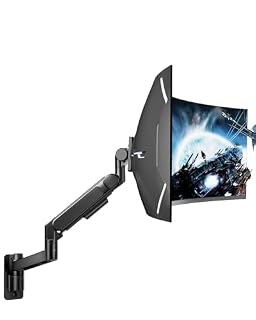 ARES WING Ultrawide Wall MountFor heavy ultrawide screens up to 57 inches and 60 lbsCheck on Amazon
Specs compared
| Wall mount | Office Score | Screen size | Stated capacity | VESA | Motion | Warranty | Amazon |
|---|---|---|---|---|---|---|---|
| Mountory Ultrawide Wall Arm | 9.7/10 | 22 to 49 in | Curved 2.2 to 30.9 lbs; flat to 44 lbs | 75×75, 100×100 mm | Tilt +90° to -45°, swivel ±90°, rotation 360° | 1 year | View on Amazon |
| PUTORSEN Dual Wall Mount | 9.7/10 | 17 to 32 in, two screens | 19.8 lbs per arm | 75×75, 100×100 mm | Tilt ±45°, swivel 180°, rotation 360° | 2 years | View on Amazon |
| VIVO MOUNT-VW01M | 9.5/10 | Up to 49 in | 44 lbs | Not stated | Tilt and swivel | Not stated | |
| Pipishell PISF1 | 9.7/10 | 13 to 43 in | 44 lb | Not stated | Full motion | Not stated | View on Amazon |
We quote these figures from each listing as the brand rates them; captured 21 November 2026. Mountory and PUTORSEN state a warranty term; VIVO and Pipishell state none.
How to choose the best wall mount for curved monitor
Match the curved capacity, not just the size
Screen size alone does not settle the fit. Mountory states 22 to 49 in screens with a curved capacity of 2.2 to 30.9 lbs and a flat capacity of 2.2 to 44 lbs, so a curved screen near the top of the flat figure can still be over the curved limit. PUTORSEN states 19.8 lbs per arm for two 17 to 32 in screens. VIVO states 44 lbs for screens up to 49 in and Pipishell states 44 lb for 13 to 43 in screens, with no separate curved figure stated for either. Weigh the screen as the maker of the screen states it, then compare that figure with the curved capacity where one is given. If your curved screen is heavy for its size, the Mountory curved range is the clearest stated fit in this group, and a screen above 30.9 lbs needs a different mount than any curved figure stated here.
Check the VESA pattern and the wall type
Mountory and PUTORSEN both state VESA 75×75 and 100x100mm patterns. Mountory states that the VESA adapter required for Samsung monitors is sold separately and not included, so a Samsung screen can need that extra part before the mount goes up. Wall type matters as much as the pattern: Mountory states wood studs, solid concrete and brick, and states not to mount on drywall alone; PUTORSEN states concrete, brick and wooden walls, with expansion screws included for masonry. VIVO and Pipishell state no VESA pattern and no wall type, so confirm both with the maker before ordering. Our guides on monitor mount screw size and monitor arm compatibility walk through the pattern check in plain steps.
Single screen or two screens
Mountory, VIVO and Pipishell are single screen mounts. Mountory covers the widest stated curved range at 22 to 49 in, and VIVO covers a single ultrawide screen up to 49 in with 10.5 in of extension. PUTORSEN is the dual option: two 17 to 32 in flat or curved screens on one mount, at 19.8 lbs per arm, with 11.02 in of height adjustment stated on the center pole. A dual desk gains the most desk space from one wall fixing, while a single wide curved screen gains more from the wider size range and the stated curved capacity of the Mountory. If the desk runs two screens today and may run one wide screen later, weigh that change before drilling, because the dual mount tops out at 32 in per screen. See our dual monitor arm setup guide for side by side layout notes.
Motion range and distance from the wall
Motion figures differ more than the size ranges do. Mountory states +90° to -45° tilt, ±90° swivel and 360° rotation, with an arm that retracts to 5 in from the wall. PUTORSEN states ±45° tilt, 180° swivel and 360° rotation, a minimum gap of 3.85 in from the wall and 20.9 in of extension. VIVO states tilt and swivel with 10.5 in of extension and a low profile shape, and Pipishell states full motion with no angles given. A screen that must turn toward a second seat or a standing position needs swivel and extension more than tilt, while a screen that stays in one place needs the stated capacity and the wall fixing most. Cable management is stated on the Mountory and the PUTORSEN, which keeps power and data cords off the desk edge and out of the arm path.
Setup Notes
- Compare the screen weight as its maker states it with the curved capacity where one is given: 2.2 to 30.9 lbs for the Mountory, 19.8 lbs per arm for the PUTORSEN.
- Confirm the VESA pattern on the back of the screen before ordering: Mountory and PUTORSEN state 75×75 and 100x100mm; VIVO and Pipishell state no pattern.
- Confirm the wall before drilling: wood studs, solid concrete or brick for the Mountory, with drywall alone ruled out by the maker; concrete, brick or wood for the PUTORSEN.
- Plan the cable run while the mount is off the wall: cable management is stated on the Mountory and the PUTORSEN, and the Samsung VESA adapter for the Mountory is sold separately.
- Check the distance from the wall at the desk: 5 in retracted for the Mountory, a 3.85 in minimum gap and 20.9 in extension for the PUTORSEN, 10.5 in extension for the VIVO.
FAQ
Can a curved monitor use a regular wall mount?
Yes, when the VESA pattern matches and the stated capacity covers the screen. Mountory and PUTORSEN state VESA 75×75 and 100x100mm patterns, and Mountory states a separate curved capacity of 2.2 to 30.9 lbs, which is the figure to check for a curved screen.
What VESA pattern do these mounts use?
Mountory and PUTORSEN state 75×75 and 100x100mm patterns. VIVO and Pipishell state no VESA pattern, so confirm the pattern with the maker before ordering either mount.
Which mount suits two curved screens?
The PUTORSEN Dual Wall Mount holds two 17 to 32 in flat or curved screens at 19.8 lbs per arm. The Mountory, VIVO and Pipishell are single screen mounts.
Can these mounts go on drywall?
Mountory states not to mount on drywall alone and states wood studs, solid concrete and brick as wall types. PUTORSEN states concrete, brick and wooden walls. VIVO and Pipishell state no wall type.
Which mount states the widest tilt range?
Mountory states +90° to -45° tilt. PUTORSEN states ±45° tilt. VIVO states tilt with no angles given, and Pipishell states full motion with no angles given.
Score breakdown
The Office Score weighs performance, build, value, safety and warranty. For a wall mount, performance means the stated screen size range, the stated curved capacity and the motion range; build means the stated materials and arm design; value means how much stated fit and movement the mount offers for its class; safety means the stated VESA pattern, the stated wall types and the stated capacity limits that keep a screen on the wall; warranty means a stated term in years. Mountory and PUTORSEN state a warranty term, and VIVO and Pipishell state none, so their warranty scores are zero. How we pick explains the weights.
| Product | Office Score | Perf. /35 | Build /25 | Value /25 | Safety /10 | Warranty /5 |
|---|---|---|---|---|---|---|
| Mountory Ultrawide Wall Arm | 9.7 | 32 | 22 | 22 | 8 | 3 |
| PUTORSEN Dual Wall Mount | 9.7 | 29 | 21 | 21 | 7 | 4 |
Score placement follows the weighted total: the lowest totals read 9.2, the highest 9.8, and everything between keeps its order.
More for your workspace
See every monitor arms and stands guide and all monitor mounts, keyboards and mice guides.
More picks: types of monitor mounts, monitor arm parts.