The laptop fan spins up the moment a video call starts, the base grows warm on the desk, and the keyboard feels hot under the hands by the end of the afternoon. The laptop still works, but the heat makes long sessions uncomfortable and the fan noise fills the room. That is when to ask do i need a laptop cooling pad: a pad lifts the laptop off the desk, blows air at the base and raises the screen, and it helps when the laptop runs hot in normal use, while a laptop that stays cool on a hard desk does not need one.
OfficeKitHQ earns a commission when you buy through links on this page, at no extra cost to you. As an Amazon Associate I earn from qualifying purchases. Affiliate disclosure.
Do I need a laptop cooling pad? The quick answer
You need a cooling pad when the laptop base stays hot to the touch during normal work, the fan runs loud for long stretches, or the laptop slows down when it gets warm. A pad lifts the laptop off the desk so air moves under it, and its fans push air at the base. You do not need one when the laptop stays cool on a hard desk and the fan stays quiet, since the laptop already sheds heat well enough on its own.
Signs a cooling pad helps
Feel the base of the laptop after an hour of normal work: a base that stays hot to the touch and a fan that runs loud point to heat the laptop cannot shed on its own. Watch for the laptop slowing down during long calls or heavy tasks, since heat can hold back performance. Check that the vents on the sides and base are clear of dust and that the laptop sits on a hard desk, not on a bed or a cushion, so air can reach the intake. If the base stays cool and the fan stays quiet, the laptop sheds heat well enough without a pad.
Match the pad to the laptop size
Measure the laptop across the base and compare it with the sizes each pad states. The Kootek fits 12 to 17-inch laptops, the KLIM Wind covers 11 to 16-inch laptops and takes 17 to 19-inch laptops with the edges overhanging, and the llano pads fit 15.6 to 19-inch and 15 to 19-inch laptops. A pad that is too small leaves part of the base hanging off the edge, and a pad built for a much larger laptop wastes desk space. The table below shows each pad against its stated laptop size.
| Pad | Laptop size | Fans | Amazon |
|---|---|---|---|
| llano V12 Ultra | 15.6 to 19 inches | 5.5-inch turbo fan | View on Amazon |
| KLIM Wind | 11 to 16 inches | 4 fans at 1200 RPM | View on Amazon |
| llano V12 | 15 to 19 inches | 5.5-inch turbo fan | View on Amazon |
| Kootek LCP05 | 12 to 17 inches | 5 fans | View on Amazon |
Cooling pads for a hot laptop
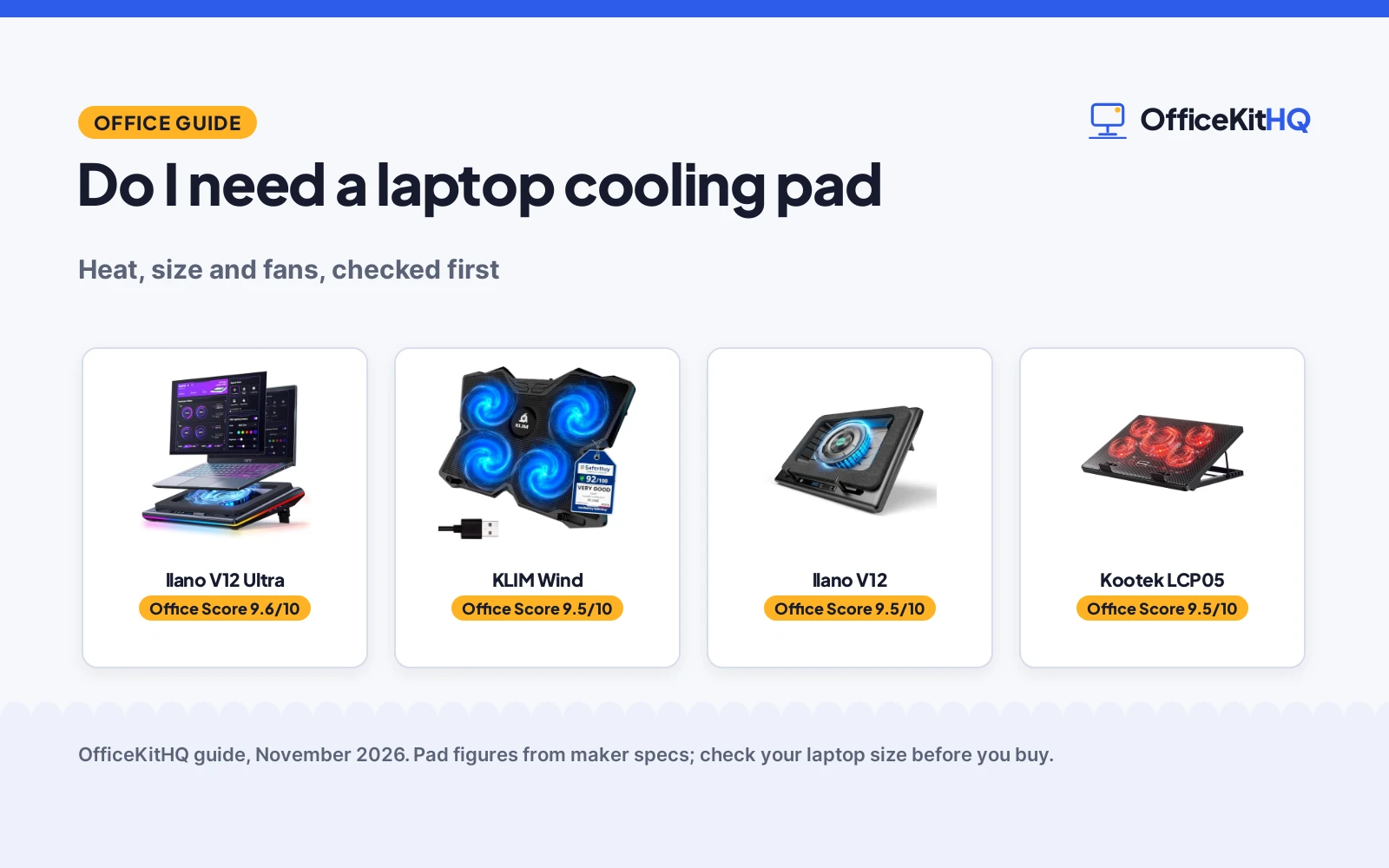
Once the base stays hot and the vents are clear, these pads lift the laptop off the desk and push air at its base.
| # | Product | Office Score | Buy |
|---|---|---|---|
| 1 |  llano V12 Ultra | 9.6/10 | Buy on Amazon |
| 2 |  KLIM Wind | 9.5/10 | Buy on Amazon |
| 3 | 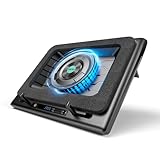 llano V12 | 9.5/10 | Buy on Amazon |
| 4 |  Kootek LCP05 | 9.5/10 | Buy on Amazon |

llano V12 Ultra
A 5.5-inch turbo fan at up to 2800 RPM with 3 smart modes, a 36W adapter and a 3-port USB 3.0 hub for 15.6 to 19-inch laptops.
Pros
- 5.5-inch turbo fan runs at up to 2800 RPM
- 3 smart modes adjust fan speed to the laptop workload
- 36W wall adapter runs the fan at full speed without draining the laptop
- Removable dust filter lifts out for cleaning
Cons
- Software control works on Windows 64-bit only, not macOS or Linux
- Fits only 15.6 to 19-inch laptops, so smaller laptops are outside its stated range
- Heaviest pad here at 3.96 lb
- Needs a wall outlet for the 36W adapter
Detailed Review
llano lists the V12 Ultra as a cooling pad for 15.6 to 19-inch gaming laptops, with a 5.5-inch turbo fan that pushes up to 2800 RPM through a memory-foam edge seal. Three smart modes (Low, Medium, High) adjust fan speed to the laptop workload through Myth.cool software, which works on Windows 64-bit only, and a built-in scroller covers manual control. It has 3 adjustable heights at 15, 12 and 3 degrees, a removable dust filter, RGB lighting with 4 effects and 5 colors, and a 3-port USB 3.0 hub at 5Gbps. A 36W power adapter runs the fan without draining the laptop, and the maker states a 1-year warranty.
Who it's for: someone with a 15.6 to 19-inch gaming laptop who wants software control and a wall-powered turbo fan. Who should skip it: anyone on macOS or Linux, or with a laptop under 15.6 inches.
Its Office Score of 9.6/10 comes from performance 32/35, build 22/25, value 22/25, safety 0/10 and warranty 3/5: 79 of 100 points, placed on our 9.2 to 9.8 scale.
Key Specifications
| Fan | 5.5-inch turbo fan, up to 2800 RPM |
|---|---|
| Laptop size | 15.6 to 19 inches |
| USB hub | 3-port USB 3.0, 5Gbps |
| Power | 36W adapter |
These specs mirror the retailer listing as of 14 November 2026; performance figures are stated by the brand.
Safety and Warranty
What this listing states. No safety listing or safety feature is stated, so safety scores zero. 1 Year. It does not say everything a buyer needs, such as who pays return shipping, so warranty scores 3 of 5. See How We Pick.
Follow the manual. Assemble and use the product as the maker describes, stay under any stated capacity, and read the manual before first use.
This is general buying information, not professional advice. Follow each product manual and local rules, and see our Safety Disclaimer.

KLIM Wind
4 fans at up to 1200 RPM with 2 rear legs and 2 USB ports, sized for 11 to 16-inch laptops and backed by a 5-year warranty.
Pros
- 4 fans spin at up to 1200 RPM
- 5-year warranty is the longest term stated here
- 2 USB ports leave one free port on the laptop
- Rear legs and frontal pegs hold the laptop in place
Cons
- 17 to 19-inch laptops extend over the edges of the pad
- One incline from the rear legs, while the Kootek offers 6 height settings
- No dust filter is included
- No smart mode adjusts fan speed to the workload
Detailed Review
KLIM lists the Wind as a cooling pad with 4 fans at up to 1200 RPM, sized for 11 to 16-inch laptops and compatible with 17, 18 and 19-inch laptops that extend over the edges. 2 rear legs set the incline and frontal pegs keep the laptop in place, and 2 USB ports leave one free port on the laptop. The maker states a 5-year warranty.
Who it's for: someone with an 11 to 16-inch laptop who wants a long warranty and a simple pad with 2 USB ports. Who should skip it: anyone with a laptop over 19 inches, or who wants software fan control.
Its Office Score of 9.5/10 comes from performance 28/35, build 21/25, value 21/25, safety 0/10 and warranty 5/5: 75 of 100 points, placed on our 9.2 to 9.8 scale.
Key Specifications
| Fans | 4 fans at up to 1200 RPM |
|---|---|
| Laptop size | 11 to 16 inches; 17 to 19 inches compatible |
| USB ports | 2 ports |
| Warranty | 5 years |
These specs mirror the retailer listing as of 14 November 2026; performance figures are stated by the brand.
Safety and Warranty
What this listing states. No safety listing or safety feature is stated, so safety scores zero. 5 years, so warranty scores 5 of 5. See How We Pick.
Follow the manual. Assemble and use the product as the maker describes, stay under any stated capacity, and read the manual before first use.
This is general buying information, not professional advice. Follow each product manual and local rules, and see our Safety Disclaimer.

llano V12
A 5.5-inch turbo fan with touch controls, an LED display, a 36W adapter and a 3-port hub for 15 to 19-inch laptops.
Pros
- 5.5-inch turbo fan with a stated temperature drop of up to 44°C in 90 seconds
- Touch controls and an LED display show fan speed in real time
- 36W power output drives the turbo fan
- Extra dust filter included in the box
Cons
- Fits only 15 to 19-inch laptops, so smaller laptops are outside its stated range
- 1-year warranty is shorter than the KLIM 5-year warranty
- No software control; fan speed adjusts by touch only
- Dust filter needs cleaning to keep airflow steady
Detailed Review
llano lists the V12 as a cooling pad for 15 to 19-inch laptops, with a 5.5-inch turbo fan and a stated temperature drop of up to 44°C for CPU and GPU in 90 seconds. Touch controls and a real-time LED display show fan speed, and a dust filter shields the laptop from dust, with an extra filter in the box. Double non-slip baffles hold the laptop in place, the height adjusts, and a 36W adapter powers the fan. The maker states a 1-year warranty.
Who it's for: someone with a 15 to 19-inch laptop who wants touch controls and a dust filter. Who should skip it: anyone with a smaller laptop, or who wants software control.
Its Office Score of 9.5/10 comes from performance 30/35, build 22/25, value 21/25, safety 0/10 and warranty 3/5: 76 of 100 points, placed on our 9.2 to 9.8 scale.
Key Specifications
| Fan | 5.5-inch turbo fan |
|---|---|
| Laptop size | 15 to 19 inches |
| USB hub | 3-port hub |
| Power | 36W adapter |
These specs mirror the retailer listing as of 14 November 2026; performance figures are stated by the brand.
Safety and Warranty
What this listing states. No safety listing or safety feature is stated, so safety scores zero. 1 Year. It does not say everything a buyer needs, such as who pays return shipping, so warranty scores 3 of 5. See How We Pick.
Follow the manual. Assemble and use the product as the maker describes, stay under any stated capacity, and read the manual before first use.
This is general buying information, not professional advice. Follow each product manual and local rules, and see our Safety Disclaimer.

Kootek LCP05
5 fans with red LEDs, 6 height settings and a dual USB hub for 12 to 17-inch laptops, powered by USB.
Pros
- 5 fans cover the laptop base, with a 5.9-inch big fan and 2.76-inch small fans
- 6 adjustable height settings
- Dual USB hub adds ports for peripherals
- 2 stoppers keep the laptop from slipping
Cons
- Fans may fail to spin or run at very low speed without a 5V 1A adapter
- Fits 12 to 17-inch laptops, so larger laptops are outside its stated range
- 12-month warranty is shorter than the KLIM 5-year warranty
- Type C devices need a Type C to USB adapter
Detailed Review
Kootek lists this cooling pad for 12 to 17-inch laptops, with 5 fans: a 5.9-inch big fan and 2.76-inch small fans, all with red LEDs. 2 switches control the fans and LEDs, running 1 fan, 4 fans or all 5 together, and 6 height settings adjust the angle. A dual USB hub adds ports for peripherals, and 2 stoppers on the front keep the laptop from slipping. The pad is USB-powered, and the maker says to use a 5V 1A adapter for best performance. The maker states a 12-month warranty.
Who it's for: someone with a 12 to 17-inch laptop who wants 5 fans and 6 height settings on a USB-powered pad. Who should skip it: anyone with a laptop over 17 inches, or without a 5V 1A adapter.
Its Office Score of 9.5/10 comes from performance 28/35, build 20/25, value 20/25, safety 0/10 and warranty 3/5: 71 of 100 points, placed on our 9.2 to 9.8 scale.
Key Specifications
| Fans | 5 fans; 5.9-inch big fan, 2.76-inch small fans |
|---|---|
| Laptop size | 12 to 17 inches |
| Height settings | 6 settings |
| USB hub | Dual USB hub |
These specs mirror the retailer listing as of 14 November 2026; performance figures are stated by the brand.
Safety and Warranty
What this listing states. No safety listing or safety feature is stated, so safety scores zero. 12 Months from the Date of Purchase. It does not say everything a buyer needs, such as who pays return shipping, so warranty scores 3 of 5. See How We Pick.
Follow the manual. Assemble and use the product as the maker describes, stay under any stated capacity, and read the manual before first use.
This is general buying information, not professional advice. Follow each product manual and local rules, and see our Safety Disclaimer.
As an Amazon Associate I earn from qualifying purchases.
FAQ
Does a cooling pad work on any laptop?
It works when the pad fits the laptop size: the Kootek fits 12 to 17-inch laptops, the KLIM Wind covers 11 to 16-inch laptops, and the llano pads fit 15.6 to 19-inch and 15 to 19-inch laptops. Check the size before you buy, since a pad that is too small leaves part of the base hanging off the edge.
Do cooling pads need software?
Only the llano V12 Ultra offers software control, through Myth.cool software that works on Windows 64-bit only, and it also has a built-in scroller for manual control. The Kootek uses switches, and the llano V12 uses touch controls.
What do the USB ports on a cooling pad do?
They connect extra devices: the Kootek dual USB hub adds ports for peripherals, and the llano pads have a 3-port USB 3.0 hub that connects a mouse, keyboard or drive. The llano V12 Ultra hub runs at 5Gbps. See USB hub types for hub options.
Does a cooling pad help an old laptop?
The KLIM Wind is made for old laptops as well as gaming, and the llano V12 suits older laptop models for longer sessions. A pad helps when the base stays hot and the fan runs loud, whatever the age of the laptop.
More for your workspace
See the best cooling pads for laptops, the laptop stand setup, the laptop stand size and the docking station setup.