A laptop cooling pad price depends on what the pad actually does: how many fans it carries, how large a laptop it fits, whether it runs off a USB port or its own wall adapter, and what extras come in the box. A basic pad that lifts a laptop and moves air with a few small fans sits at one end of the range, while a large pad with a turbo fan, software control and lighting sits at the other. This guide walks through each of those parts, using the figures makers state for real pads, so you can see what a higher price buys and what you can skip.
OfficeKitHQ earns a commission when you buy through links on this page, at no extra cost to you. As an Amazon Associate I earn from qualifying purchases. Affiliate disclosure.
The quick answer
A cooling pad costs more when it covers a larger laptop, carries more or larger fans, runs on its own wall power instead of a USB port, or adds a screen, lighting or a USB hub. The pads in this guide fit laptops from 12 in to 21 in, carry from 4 fans to 13 fans, and include USB hubs with 2 or 3 ports. Match the pad to your laptop size first, then decide how much cooling and how many extras you need.
What sets a laptop cooling pad price
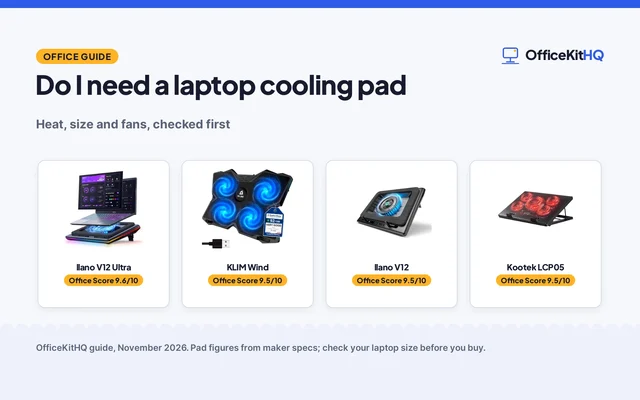
Five pads show the range. The table below lists what each maker states for fans, laptop size, power and USB ports.
| Pad | Fans | Fits laptops | Power | USB ports |
|---|---|---|---|---|
| Kootek | 5 fans, 5.9 in and 2.76 in | 12 to 17 in | USB-powered | 2 extra hubs |
| llano V12 Ultra | 5.5 in turbo fan, 2800 RPM | 15.6 to 19 in | 36W adapter | 3-port USB 3.0 hub |
| KLIM Wind | 4 fans, 1200 RPM | 11 to 16 in | USB | 2 USB ports |
| llano V12 | 5.5 in turbo fan | 15 to 19 in | 36W adapter | 3-port hub |
| KYOLLY | 13 fans, 3 large and 10 small | 15 to 21 in | USB-powered | 2 USB ports |
Fan count and fan size do the most work. The Kootek pad (on Amazon) carries 5 fans, with one 5.9 in fan and 4 small 2.76 in fans, and lets you run 1 fan, 4 fans or all 5 at once. The KLIM Wind carries 4 fans at 1200 RPM. The KYOLLY pad carries 13 fans, 3 large and 10 small, with an LCD screen for speed control. The llano pads take the other route: one 5.5 in turbo fan each, with the V12 Ultra pushing up to 2800 RPM through a memory-foam edge seal.
Power is the next split. The Kootek and KYOLLY pads run off the laptop USB port, so they need no wall outlet. The KLIM Wind is a USB stand with 2 USB ports. The llano V12 Ultra and V12 each include a 36W power adapter, which runs the turbo fan at full speed without draining the laptop. The Kootek pad adds a dual USB hub, the llano pads add a 3-port USB 3.0 hub at 5Gbps, and the KYOLLY pad adds 2 USB ports.
Extras add the rest. The llano V12 Ultra adds RGB lighting with 4 effects and 5 colors, software control with 3 modes, and a removable dust filter. The KYOLLY pad adds 10 lighting modes, 9 height angles from 10° to 45°, a phone holder and an LCD screen. The Kootek pad adds 6 height settings and red LEDs on its fans. The llano V12 adds a real-time LED display, touch controls and an extra dust filter in the box. On claimed cooling, llano states the V12 Ultra cuts CPU and GPU temperatures by up to 22°C in 90 seconds, and the V12 states a 44°C drop in 90 seconds.
Match the pad to your laptop
Start with the laptop size the maker states. The Kootek pad fits 12 to 17 in laptops. The KLIM Wind covers 11 to 16 in laptops and also fits larger laptops up to 19 in, with the laptop extending over the edges. The llano V12 Ultra fits 15.6 to 19 in laptops, the llano V12 fits 15 to 19 in laptops, and the KYOLLY pad fits 15 to 21 in laptops. A pad that is too small leaves part of the laptop base hanging over the edge, and a pad built for a 19 in gaming laptop takes up more desk space than a pad for a 12 in laptop. See the best ergonomic laptop stands for desks for pads that also raise the screen.
Height settings change the typing angle. The Kootek pad offers 6 height settings, the llano V12 Ultra offers 3 heights with tilt angles of 15°, 12° and 3°, and the KYOLLY pad offers 9 height angles from 10° to 45°. Two stoppers on the Kootek pad and double non-slip baffles on the llano V12 keep the laptop from sliding while you type.
Warranty terms to compare
Warranty terms differ across the pads here. Kootek states 12 months from the date of purchase. Both llano pads state a 1 year warranty. KLIM states a 5 year warranty. KYOLLY states a 1 year warranty. A longer term does not change how the fans perform, but it does say how long the maker stands behind the pad.
FAQ
How much does a laptop cooling pad cost?
No price is stated in the listings used here, so this guide compares what the money buys instead: fan count, laptop size, power source and extras. Pads with more fans, a wall adapter and a USB hub carry more hardware than a basic USB-powered pad with 4 fans, and that is where the price gap comes from.
What size cooling pad do I need?
Match the maker stated range to your laptop. The pads here fit 12 to 17 in, 11 to 16 in, 15.6 to 19 in, 15 to 19 in and 15 to 21 in laptops. If your laptop sits at the top of a pad range, check the pad footprint against your desk before you buy.
Do cooling pads need their own power adapter?
Not all of them. The Kootek and KYOLLY pads run off the laptop USB port, and the llano V12 Ultra and V12 each include a 36W power adapter that runs the turbo fan at full speed without draining the laptop. The Kootek listing notes its USB cable should plug into a 5V 1A adapter, or the fans may fail to spin or run at very low speed.
How many fans should a cooling pad have?
It depends on the design. The KLIM Wind uses 4 fans at 1200 RPM, the Kootek pad uses 5 fans, and the KYOLLY pad uses 13 fans. The llano pads use a single 5.5 in turbo fan instead, with the V12 Ultra pushing up to 2800 RPM. More fans spread air across the base, while one large fan pushes air through a sealed chamber.
More for your workspace
See the best cooling pads for laptops, the best gaming laptop cooling pads, the best laptop cooling pads for Mac and the best laptop stands with a USB hub.