
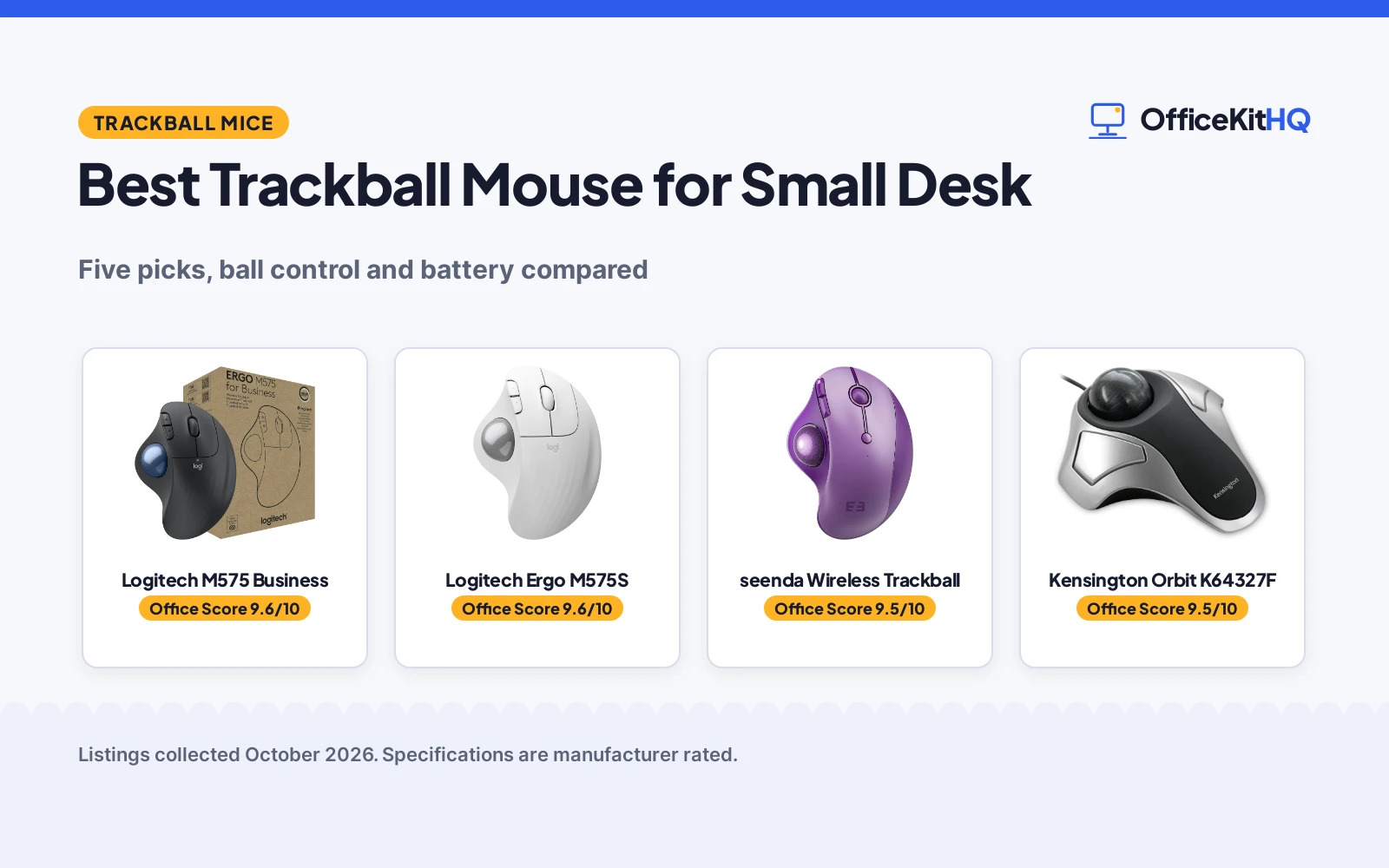
The best trackball mouse for small desk setups is the one that never asks you to clear a runway. On a crowded desk the cursor still has to travel, and a trackball moves the pointer while the body stays put. We compared five trackball mice for small desks on ball control, DPI steps, connectivity, battery and warranty, using only what each listing publishes.
OfficeKitHQ earns a commission when you buy through links on this page, at no extra cost to you. As an Amazon Associate I earn from qualifying purchases. Affiliate disclosure.
Quick picks
 Best Overall Logitech M575 Business: 5 buttons, 2000 DPI max, 18-month AA battery and a 2-year limited warranty Check price on Amazon
 Best Thumb Ball Logitech Ergo M575S: Quiet clicks, 3 customizable buttons, Bluetooth plus Logi Bolt receiver Check price on Amazon
 Best Multi-Device seenda Wireless Trackball: 3-device Bluetooth and 2.4G pairing, 5 DPI levels, USB-C rechargeable Check price on Amazon
 Best Wired Kensington Orbit K64327F: 40mm finger ball, ambidextrous shape, wired USB and a 2-year warranty Check price on Amazon
 Best RGB Nulea M508 Trackball: RGB trackball with a knob for lighting modes and 3-device wireless Check price on Amazon
The picks
| # | Product | Office Score | Buy |
|---|---|---|---|
| 1 | Logitech M575 Business | 9.6/10 | Buy on Amazon |
| 2 | Logitech Ergo M575S | 9.6/10 | Buy on Amazon |
| 3 | seenda Wireless Trackball | 9.5/10 | Buy on Amazon |
| 4 | Kensington Orbit K64327F | 9.5/10 | Buy on Amazon |
| 5 | Nulea M508 Trackball | 9.4/10 | Buy on Amazon |

Logitech M575 Business
A right-hand wireless trackball with thumb control, 5 buttons, a 2000 DPI maximum, Bluetooth plus a Logi Bolt receiver, an 18-month AA battery and a 2-year limited warranty.
Pros
- Thumb control with 5 buttons, the most stated here
- 2000 dots per inch maximum sensitivity is stated
- Bluetooth plus the included Logi Bolt USB receiver
- Up to 18 months of use from a single AA battery, per the listing
Cons
- Spec table lists a lithium polymer battery while the bullets say a single AA
- 1.9 by 3.9 in dimensions give length and width only, no height
- Only the graphite color is listed
- Right-hand shape only, no left-hand option is stated
Detailed Review
Logitech lists the Ergo M575 for Business as a right-hand wireless trackball with thumb control, 5 buttons and a 2000 dots per inch maximum, connecting over Bluetooth or the included Logi Bolt USB receiver. The bullets state up to 18 months of use from a single AA battery and call it ideal for tight workspaces and busy desks. There is a contradiction on power: the spec table says 1 lithium polymer battery is required and included, while the bullets say a single AA. The bullets are more specific, so we trust the AA line and treat the battery type as unclear in the table. The listing states a 2-year limited hardware warranty and a 52 percent post-consumer recycled plastic content in the plastic parts.
Who it's for: someone who wants the most buttons and the longest stated warranty in this group, with a battery that runs up to 18 months. Who should skip it: anyone who wants a stated height measurement or a left-hand shape.
Its Office Score of 9.6/10 comes from performance 32/35, build 21/25, value 21/25, safety 0/10 and warranty 3/5: 77 of 100 points, placed on our 9.2 to 9.8 scale.
Key Specifications
| Ball control | Thumb |
|---|---|
| Buttons | 5 |
| Max sensitivity | 2000 dots per inch |
| Warranty | 2 years limited hardware |
Figures as published on the retailer listing, collected 23 October 2026. Performance figures are manufacturer rated.
Safety and Warranty
What this listing states. No FCC or other safety listing is stated, so safety scores zero. 2 Years Limited Hardware Warranty. It does not say everything a buyer needs, such as who pays return shipping, so warranty scores 3 of 5. See How We Pick.
Fit the desk first. Check the stated size against your desk depth and keyboard tray, and charge or pair as the manual describes. No keyboard, mouse or wrist rest prevents or treats injury.
This is general buying information, not professional advice. Follow each product manual and local rules, and see our Safety Disclaimer.

Logitech Ergo M575S
A right-hand wireless trackball with thumb control, quiet clicks, Bluetooth plus a Logi Bolt receiver, an 18-month AA battery and a 1-year limited warranty.
Pros
- Thumb control that moves the cursor without moving the hand, stated as ideal for small setups
- Quiet clicks are stated
- Bluetooth plus the included Logi Bolt USB receiver
- Up to 18 months of battery life with the AA battery included
Cons
- Spec table says 2 buttons while the bullets say 3 customizable buttons
- No DPI figure is stated
- No dimensions are stated
- Right-hand shape only, no left-hand option is stated
Detailed Review
Logitech lists the Ergo M575S as a right-hand wireless trackball with thumb control and quiet clicks, connecting over Bluetooth or the included Logi Bolt USB receiver. The bullets call it ideal for small or space-saving setups because the cursor moves without moving the hand, and state up to 18 months of battery life with the AA battery included. There is a contradiction on buttons: the spec table says 2 while the bullets describe 3 customizable buttons with shortcuts and Smart Actions. The bullets win, so we treat the button count as 3. The listing states a 1-year limited hardware warranty.
Who it's for: someone who wants quiet clicks and a customizable thumb ball for a cramped desk, with Bluetooth and a receiver in the box. Who should skip it: anyone who needs a stated DPI figure or a stated footprint.
Its Office Score of 9.6/10 comes from performance 32/35, build 21/25, value 21/25, safety 0/10 and warranty 2/5: 76 of 100 points, placed on our 9.2 to 9.8 scale.
Key Specifications
| Ball control | Thumb |
|---|---|
| Buttons | 3 customizable, per the bullets |
| Battery life | 18 months, AA included |
| Warranty | 1 year limited hardware |
Figures as published on the retailer listing, collected 23 October 2026. Performance figures are manufacturer rated.
Safety and Warranty
What this listing states. No FCC or other safety listing is stated, so safety scores zero. 1 Year limited Hardware Warranty. It does not say everything a buyer needs, such as who pays return shipping, so warranty scores 2 of 5. See How We Pick.
Fit the desk first. Check the stated size against your desk depth and keyboard tray, and charge or pair as the manual describes. No keyboard, mouse or wrist rest prevents or treats injury.
This is general buying information, not professional advice. Follow each product manual and local rules, and see our Safety Disclaimer.

seenda Wireless Trackball
A purple wireless trackball with thumb control, 6 buttons, 5 DPI levels, 3-device Bluetooth and 2.4G pairing, and a USB-C rechargeable battery with a 1-year warranty.
Pros
- 5 adjustable DPI levels: 200, 400, 800, 1200 and 1600
- Pairs with up to 3 devices over Bluetooth or the 2.4G USB receiver
- Built-in rechargeable battery charged over USB-C, cable included
- 6 buttons, the most after the M575 Business
Cons
- Shaped for medium to large hands, per the listing
- No dimensions are stated
- No battery life figure is stated
- Right-hand shape only, no left-hand option is stated
Detailed Review
seenda lists a purple wireless trackball with thumb control, 6 buttons and 5 adjustable DPI levels from 200 to 1600, pairing with up to 3 devices over Bluetooth or the 2.4G USB receiver with one-click switching. The built-in battery recharges over the included USB-C cable, so no disposable batteries are needed. The listing describes a full-size shape for medium to large hands and states a 1-year warranty. No dimensions and no battery life figure appear in the listing.
Who it's for: someone who hops between a home PC, a work laptop and a tablet and wants 5 DPI steps plus a rechargeable battery. Who should skip it: smaller hands, or anyone who needs a stated footprint or battery life figure.
Its Office Score of 9.5/10 comes from performance 30/35, build 20/25, value 21/25, safety 0/10 and warranty 2/5: 73 of 100 points, placed on our 9.2 to 9.8 scale.
Key Specifications
| Ball control | Thumb |
|---|---|
| DPI levels | 200/400/800/1200/1600 |
| Device pairing | 3 devices, Bluetooth + 2.4G |
| Warranty | 1 year |
Figures as published on the retailer listing, collected 23 October 2026. Performance figures are manufacturer rated.
Safety and Warranty
What this listing states. No FCC or other safety listing is stated, so safety scores zero. 1 Year. It does not say everything a buyer needs, such as who pays return shipping, so warranty scores 2 of 5. See How We Pick.
Fit the desk first. Check the stated size against your desk depth and keyboard tray, and charge or pair as the manual describes. No keyboard, mouse or wrist rest prevents or treats injury.
This is general buying information, not professional advice. Follow each product manual and local rules, and see our Safety Disclaimer.

Kensington Orbit K64327F
A wired USB trackball with a 40mm finger-operated ball, 2 buttons, an ambidextrous compact shape of 7.9 by 6 inches and a 2-year warranty.
Pros
- 40mm finger-operated ball, the only finger ball here
- Wired USB connection needs no batteries, per the bullets
- Ambidextrous shape suits left or right hands
- Compact 7.9 by 6 in footprint for a crowded desk
Cons
- Spec table claims Bluetooth, a wireless receiver, a scroll ring and a battery, which the bullets deny
- Only 2 buttons are stated
- No DPI figure is stated
- No scroll ring, per the bullets
Detailed Review
Kensington lists the Orbit as a wired USB trackball with a medium 40mm finger-operated ball, 2 buttons and an ambidextrous compact shape of 7.9 by 6 inches, with a 2-year warranty. The bullets are explicit: wired connectivity only, no batteries needed, and no scroll ring. The spec table contradicts all three, listing Bluetooth, a 2.4GHz wireless receiver, a scroll ring, corded electric power and 1 AA battery required. The bullets and title win on every point, so treat the Orbit as a wired, battery-free, ring-free trackball and ignore the table's wireless claims.
Who it's for: someone who wants a wired trackball with no batteries to manage and a finger ball that either hand can drive. Who should skip it: anyone who needs wireless, more than 2 buttons or a scroll wheel.
Its Office Score of 9.5/10 comes from performance 28/35, build 20/25, value 20/25, safety 0/10 and warranty 3/5: 71 of 100 points, placed on our 9.2 to 9.8 scale.
Key Specifications
| Ball control | Finger, 40mm ball |
|---|---|
| Connectivity | Wired USB |
| Footprint | 7.9 x 6 inches |
| Warranty | 2 year |
Figures as published on the retailer listing, collected 23 October 2026. Performance figures are manufacturer rated.
Safety and Warranty
What this listing states. This product does not plug in or run on a battery, so safety is not part of its score. 2 year warranty. It does not say everything a buyer needs, such as who pays return shipping, so warranty scores 3 of 5. See How We Pick.
Fit the desk first. Check the stated size against your desk depth and keyboard tray, and charge or pair as the manual describes. No keyboard, mouse or wrist rest prevents or treats injury.
This is general buying information, not professional advice. Follow each product manual and local rules, and see our Safety Disclaimer.

Nulea M508 Trackball
A right-hand wireless trackball with thumb control, RGB lighting on the ball with a physical mode knob, 4 DPI levels and 3-device wireless pairing.
Pros
- RGB trackball with a physical knob for lighting modes, no software needed
- 4 DPI levels: 400, 800, 1200 and 1600
- Pairs with up to 3 devices over 2.4GHz USB or two Bluetooth channels
- Thumb control keeps the mouse in place on limited desk space
Cons
- No warranty term is stated
- No weight or dimensions are stated
- No button count is stated
- No battery type or battery life is stated
Detailed Review
Nulea lists the M508 as a right-hand wireless trackball with thumb control and a uniform RGB trackball, switching lighting modes with a physical knob without software. The listing states 4 DPI levels from 400 to 1600 and pairing with up to 3 devices over a 2.4GHz USB receiver or two Bluetooth channels. The spec table is thin: no weight, no dimensions, no button count, no battery details and no warranty term appear anywhere in the listing.
Who it's for: someone who wants an RGB trackball and 3-device pairing and can live without stated specs. Who should skip it: anyone who needs a warranty term, a stated size or a stated battery figure.
Its Office Score of 9.4/10 comes from performance 26/35, build 19/25, value 20/25, safety 0/10 and warranty 0/5: 65 of 100 points, placed on our 9.2 to 9.8 scale.
Key Specifications
| Ball control | Thumb, RGB |
|---|---|
| DPI levels | 400/800/1200/1600 |
| Device pairing | 3 devices, 2.4GHz + Bluetooth x2 |
| Warranty | Not stated |
Figures as published on the retailer listing, collected 23 October 2026. Performance figures are manufacturer rated.
Safety and Warranty
What this listing states. This product does not plug in or run on a battery, so safety is not part of its score. No warranty term, so warranty scores zero. See How We Pick.
Fit the desk first. Check the stated size against your desk depth and keyboard tray, and charge or pair as the manual describes. No keyboard, mouse or wrist rest prevents or treats injury.
This is general buying information, not professional advice. Follow each product manual and local rules, and see our Safety Disclaimer.
As an Amazon Associate I earn from qualifying purchases.
More picks to compare
 Logitech Ergo M575S Blue BallBlue-ball twin of the M575S with 18-month battery life and a 1-year warranty.Check on Amazon
 EDJO 30 Degree Trackball30-degree tilt model with 160-hour battery, 3-device pairing and a removable ball.Check on Amazon
Compare the picks
| Mouse | Office Score | Ball control | DPI | Connectivity | Battery | Warranty | Amazon |
|---|---|---|---|---|---|---|---|
| Logitech M575 Business | 9.6/10 | Thumb | 2000 dots per inch max | Bluetooth, Logi Bolt USB receiver | 18 months, single AA | 2 years limited | View on Amazon |
| Logitech Ergo M575S | 9.6/10 | Thumb | Not stated | Bluetooth, Logi Bolt USB receiver | 18 months, AA included | 1 year limited | View on Amazon |
| seenda Wireless Trackball | 9.5/10 | Thumb | 200/400/800/1200/1600 | Bluetooth + 2.4G USB, 3 devices | Rechargeable, USB-C cable included | 1 year | View on Amazon |
| Kensington Orbit K64327F | 9.5/10 | Finger, 40mm ball | Not stated | Wired USB | None needed | 2 year | View on Amazon |
| Nulea M508 Trackball | 9.4/10 | Thumb, RGB lighting | 400/800/1200/1600 | 2.4GHz USB receiver, Bluetooth x2 | Not stated | Not stated | View on Amazon |
Specifications are manufacturer rated as listed, collected 23 October 2026. Three of the five state a warranty term; none states a safety certification.
How we scored them
The Office Score weighs performance, build, value, safety and warranty. For a pointing device, safety means a stated certification; none of these five listings states one, so all five score zero there. Three listings state a warranty term: the Kensington Orbit and the Logitech M575 Business at 2 years, and the Logitech M575S and the seenda at 1 year. The M575 Business leads on the most buttons, the highest stated DPI and the 2-year term; the M575S matches it on battery and adds quiet clicks; the seenda leads on device pairing and DPI steps; the Kensington is the only wired pick; the Nulea loses points for the thinnest spec table and no stated warranty. How we pick explains the weights.
| Product | Office Score | Perf. /35 | Build /25 | Value /25 | Safety /10 | Warranty /5 |
|---|---|---|---|---|---|---|
| Logitech M575 Business | 9.6 | 32 | 21 | 21 | 0 | 3 |
| Logitech Ergo M575S | 9.6 | 32 | 21 | 21 | 0 | 2 |
| seenda Wireless Trackball | 9.5 | 30 | 20 | 21 | 0 | 2 |
| Kensington Orbit K64327F | 9.5 | 28 | 20 | 20 | 0 | 3 |
| Nulea M508 Trackball | 9.4 | 26 | 19 | 20 | 0 | 0 |
Scores run from 9.2 to 9.8: each product’s point total is placed on that range, so more points always means a higher score.
How to choose the best trackball mouse for small desk
Pick the ball your thumb or fingers drive
Four of the five are thumb balls: the two Logitech models, the seenda and the Nulea. The cursor moves under your thumb while the body never shifts, which is the whole point on a small desk. The Kensington Orbit is the odd one out with a 40mm finger-operated ball in an ambidextrous shell, so either hand can drive it. If you share the desk or switch hands through the day, the finger ball is the flexible pick; if you want your fingers free for buttons, take a thumb ball. Our best trackball mouse for work roundup covers more thumb models.
Count the buttons and the DPI steps
Button counts run from 2 on the Kensington to 6 on the seenda, with the M575 Business at 5 and the M575S at 3 customizable buttons per its bullets. The Nulea states no button count. DPI steps matter when you jump between a laptop screen and a big monitor: the seenda offers 200, 400, 800, 1200 and 1600, the Nulea offers 400, 800, 1200 and 1600, and the M575 Business states a 2000 dots per inch maximum. The Kensington and the M575S state no DPI figure, so buy those for the shape and buttons, not the sensitivity.
| Mouse | Ball | DPI | Connectivity |
|---|---|---|---|
| Logitech M575 Business | Thumb | 2000 max | Bluetooth, Logi Bolt receiver |
| Logitech Ergo M575S | Thumb | Not stated | Bluetooth, Logi Bolt receiver |
| seenda Wireless Trackball | Thumb | 200 to 1600, 5 steps | Bluetooth + 2.4G, 3 devices |
| Kensington Orbit K64327F | Finger, 40mm | Not stated | Wired USB |
| Nulea M508 Trackball | Thumb, RGB | 400 to 1600, 4 steps | 2.4GHz + Bluetooth x2, 3 devices |
Figures as stated in each listing. For gaming-oriented trackballs with higher stated DPI, see our best gaming mouse trackball picks.
Wireless or wired, and what powers it
The two Logitech models run up to 18 months on a battery, with the AA included on the M575S. The seenda recharges over USB-C with the cable in the box, so there are no disposable batteries to buy. The Kensington is wired USB and needs no batteries at all, per its bullets, which also means one more cable on the desk. The Nulea states no battery details, so plan around the unknown. If your desk already fights cable sprawl, a desk mat for PC keeps the trackball and keyboard in one tidy zone.
Check the stated footprint
Only two listings state dimensions. The Kensington gives a 7.9 by 6 in footprint, and the M575 Business gives 1.9 by 3.9 in for length and width. The other three state no footprint at all, so treat their size as unknown until the box arrives. Either way, a trackball needs no sweep room: it sits where you put it and the ball does the traveling.
Read the warranty line
Three of the five state a warranty term. The Kensington Orbit and the Logitech M575 Business each state 2 years, while the Logitech M575S and the seenda each state 1 year. The Nulea states none. A trackball’s moving part is the ball and its socket, so a stated term is the only promise you can hold the maker to.
Setup Notes
- Measure the clear area where the trackball will sit; only the Kensington and the M575 Business state dimensions.
- Pair the Bluetooth models before tucking the receiver away; the M575S and M575 Business include a Logi Bolt receiver.
- Keep the USB-C cable from the seenda box with the desk so the recharge is always at hand.
- Pop the ball out and wipe the socket when the cursor starts to drag, per the makers’ cleaning notes.
Frequently Asked Questions
Why is a trackball good for a small desk?
The body stays put and only the ball moves, so no sweep room is needed. Logitech calls the M575S ideal for small or space-saving setups, and the M575 Business ideal for tight workspaces.
Should I get a wired or wireless trackball?
The Kensington Orbit is wired USB and needs no batteries, per its bullets. The Logitech models run up to 18 months on a battery, the seenda recharges over USB-C, and the Nulea states no battery details.
What DPI do these trackballs offer?
The seenda lists 200, 400, 800, 1200 and 1600 DPI; the Nulea lists 400, 800, 1200 and 1600; the M575 Business states a 2000 dots per inch maximum. The Kensington and the M575S state no DPI figure.
How many devices can they connect to?
The seenda and the Nulea each pair with up to 3 devices. The two Logitech models connect over Bluetooth or the included Logi Bolt USB receiver. The Kensington is wired USB only.
Which of these have a stated warranty?
The Kensington Orbit states 2 years and the Logitech M575 Business states a 2-year limited hardware warranty. The Logitech M575S and the seenda each state 1 year. The Nulea states no warranty term.
Related guides
See every mice and mouse pads guide and all monitor mounts, keyboards and mice guides.
More picks: wireless mice for Blender, mouse pads for PC, high end gaming mice and white gaming mice.


