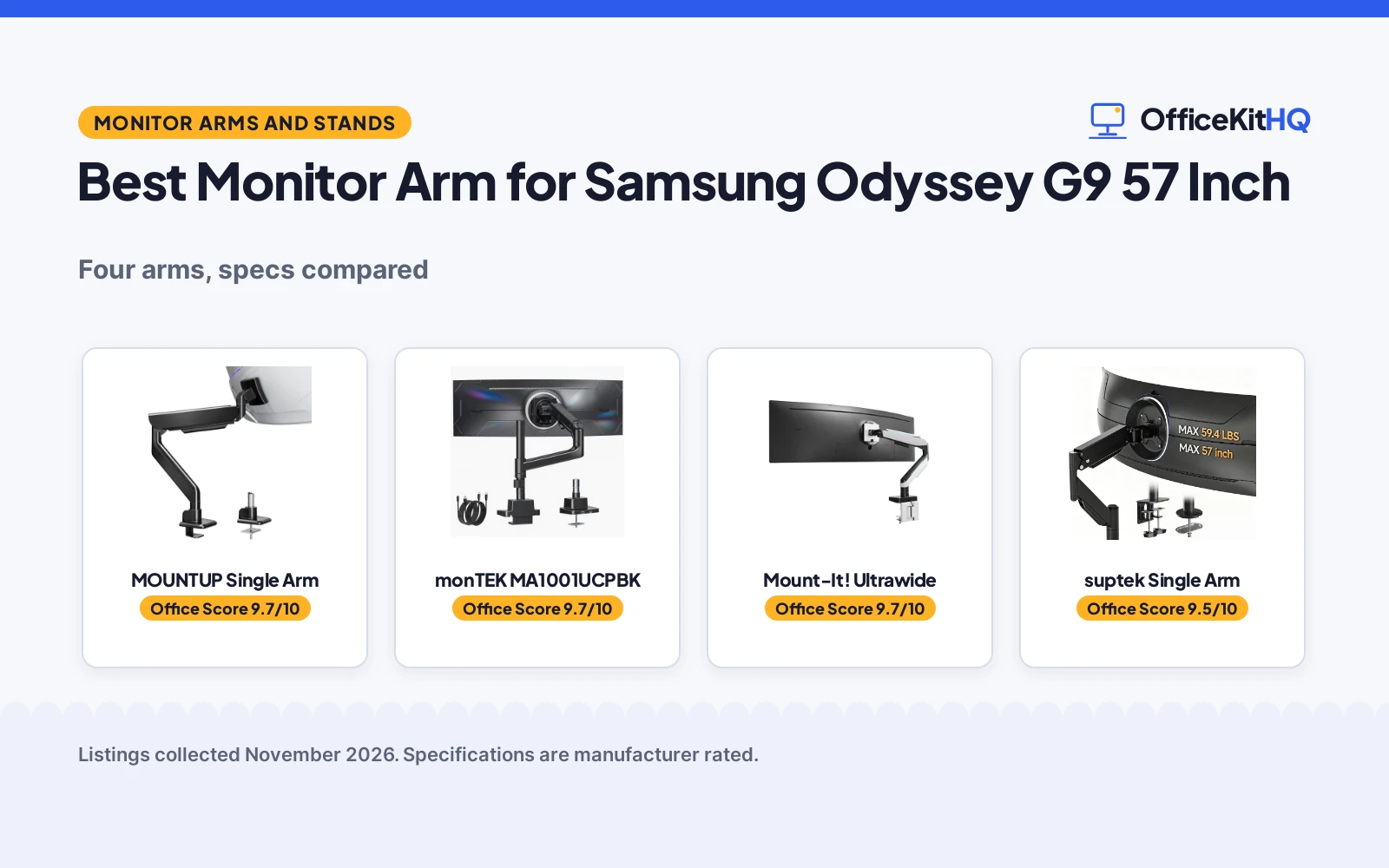
The best monitor arm for samsung odyssey g9 57 inch is the one whose weight capacity, VESA pattern and height range match the screen you already own, because those three figures decide whether the arm holds steady or sags. A screen this wide fills the desk, and the wrong arm leaves it drooping toward the keyboard by the next call of the morning. We compared four monitor arms by stated weight capacity, screen size, extension, height adjustment, tilt range and warranty term, using only what each listing publishes.
OfficeKitHQ earns a commission when you buy through links on this page, at no extra cost to you. As an Amazon Associate I earn from qualifying purchases. Affiliate disclosure.
Quick picks
 Best Overall MOUNTUP Single Arm: 66 lb capacity, 24 in extension, 2-year warranty stated Check price on Amazon
 Best Tilt Range monTEK MA1001UCPBK: Minus 75 to plus 75 degree tilt, USB-A and USB-C ports Check price on Amazon
 Also Consider suptek Single Arm: 27 to 57 inch fit at 59.4 lb Check price on Amazon
 RGB Lighting Mount-It! Ultrawide: 57 inch fit, 44 lb capacity, gas spring, RGB lighting Check price on Amazon
Our desk picks
| # | Product | Office Score | Buy |
|---|---|---|---|
| 1 | MOUNTUP Single Arm | 9.7/10 | Buy on Amazon |
| 2 | monTEK MA1001UCPBK | 9.7/10 | Buy on Amazon |
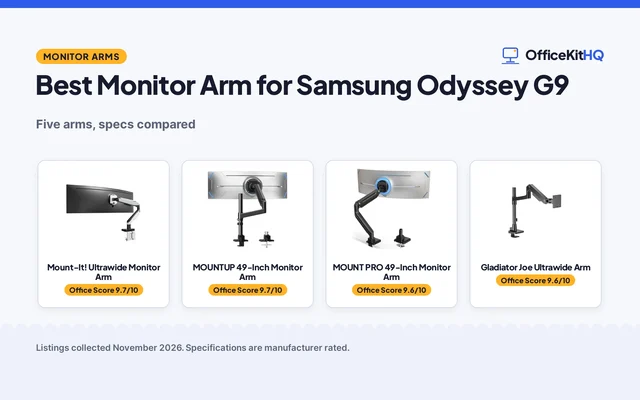
| 3 | Mount-It! Ultrawide Monitor Arm | 9.7/10 | Buy on Amazon |
| 4 | suptek MD71MAX | 9.5/10 | Buy on Amazon |

MOUNTUP Single Arm
A gas spring arm rated for 57 inch screens up to 66 lb, with 24 in of extension and a 2-year warranty.
Pros
- 66 lb capacity is the highest stated here and covers 57 inch ultrawide screens
- 24 in extension with 24.3 in maximum height and 11.9 in of height adjustment
- C-clamp or grommet mounting fits desktops 0.39 to 1.97 in thick
- 2-year manufacturer warranty is stated
Cons
- Tilt tops out at 45 degrees upward, less than the monTEK 75 degrees
- No USB ports are stated, unlike the monTEK
- Gas spring is rated for over 2,000 lift cycles, below the monTEK 20,000 cycles
- Monitors under 4.4 lb fall below the stated minimum weight
Detailed Review
MOUNTUP lists this arm for monitors from 4.4 to 66 lb and up to 57 inches, with a gas spring rated for over 2,000 lift cycles. Extension reaches 24 in, maximum height is 24.3 in, height adjustment runs 11.9 in, tilt runs minus 10 to plus 45 degrees, and swivel and rotation each run plus or minus 90 degrees. Mounting is by C-clamp or grommet on desktops 0.39 to 1.97 in thick, with 75x75mm and 100x100mm VESA patterns. The maker states a 2-year manufacturer warranty.
Who it's for: someone mounting a 57 inch ultrawide up to 66 lb who wants full motion and a stated warranty. Who should skip it: anyone who needs more than 45 degrees of upward tilt or USB ports on the arm.
Its Office Score of 9.7/10 comes from performance 32/35, build 21/25, value 21/25, safety 9/10 and warranty 4/5: 87 of 100 points, placed on our 9.2 to 9.8 scale.
Key Specifications
| Weight capacity | 66 lb |
|---|---|
| Max screen size | 57 in |
| Extension | 24 in |
| Height adjustment | 11.9 in |
These specs mirror the retailer listing as of 19 November 2026; performance figures are stated by the brand.
Safety and Warranty
What this listing states. 66 lb rated capacity with 75x75mm and 100x100mm VESA mounting, so safety scores 9 of 10. 2 Year Manufacturer. It does not say everything a buyer needs, such as who pays return shipping, so warranty scores 4 of 5. See How We Pick.
Match the mount. Check your screen's VESA pattern, size and weight against the stated range, and check that your desk thickness and edge suit a clamp or grommet mount before you drill or clamp.
This is general buying information, not professional advice. Follow each product manual and local rules, and see our Safety Disclaimer.

monTEK MA1001UCPBK
A gas spring arm for 17 to 57 inch curved monitors up to 59.4 lb, with built-in USB-A and USB-C ports.
Pros
- Tilt runs from minus 75 to plus 75 degrees, the widest stated here
- Built-in USB-A 3.0 and USB-C ports for charging and data transfer
- Gas spring rated for over 20,000 cycles, the highest stated here
- Quick-release VESA plate with C-clamp or grommet mounting
Cons
- No warranty term is stated
- 59.4 lb capacity is below the MOUNTUP 66 lb
- 11.66 lb item weight makes it a heavy arm to move and mount
- Screens under 17 inches fall outside the stated size range
Detailed Review
monTEK lists this arm for 17 to 57 inch curved monitors up to 59.4 lb, with VESA patterns from 75x75mm to 100x100mm and a heavy-duty aluminum and steel build. Tilt runs minus 75 to plus 75 degrees, swivel and rotation each run plus or minus 90 degrees, pole height adjustment is 15.3 in, arm height range reaches 25.5 in, and extension is 22.2 in. The gas spring is rated for over 20,000 cycles. Built-in USB-A 3.0 and USB-C ports handle charging and data transfer, and mounting is by C-clamp or grommet with a quick-release VESA plate. No warranty term is stated.
Who it's for: someone who wants the widest tilt range here plus USB ports on the arm. Who should skip it: anyone who needs a 66 lb capacity or a warranty term in writing.
Its Office Score of 9.7/10 comes from performance 32/35, build 22/25, value 21/25, safety 8/10 and warranty 0/5: 83 of 100 points, placed on our 9.2 to 9.8 scale.
Key Specifications
| Weight capacity | 59.4 lb |
|---|---|
| Screen size | 17 to 57 in |
| Tilt | -75 to +75 degrees |
| USB ports | USB-A 3.0 and USB-C |
These specs mirror the retailer listing as of 19 November 2026; performance figures are stated by the brand.
Safety and Warranty
What this listing states. 59.4 lb rated capacity with 75x75mm to 100x100mm VESA mounting, so safety scores 8 of 10. No warranty term, so warranty scores zero. See How We Pick.
Match the mount. Check your screen's VESA pattern, size and weight against the stated range, and check that your desk thickness and edge suit a clamp or grommet mount before you drill or clamp.
This is general buying information, not professional advice. Follow each product manual and local rules, and see our Safety Disclaimer.

Mount-It! Ultrawide Monitor Arm
A gas spring arm for screens up to 57 in and 44 lb, with RGB lighting, an 18 in extension and a lifetime warranty.
Pros
- Holds screens up to 57 in and 44 lb, the widest capacity here
- Gas spring mechanism for smooth adjustment of large screens
- RGB lighting with 20 colors and effects, switched from the base
- Lifetime warranty is stated
Cons
- Height range tops out at 19.68 in, the lowest top end here
- 18 in extension is shorter than the 23.6 in of the MOUNT PRO
- RGB lighting adds features a plain desk setup does not use
- 57-inch capacity is more than a 49-inch G9 needs
Detailed Review
Mount-It! lists this arm for ultra-wide and curved screens up to 57 in and 44 lb, including the G9. The gas spring mechanism gives full motion adjustment, with an 18 in extension, 180-degree swivel, 70 degrees of total tilt and a height range from 8.54 to 19.68 in. RGB lights are built into the arm and the base. Two desk mounting options are included, a two-piece C-clamp and a grommet mount, and the detachable VESA plate carries 75x75 and 100x100 patterns. The maker gives two screen sizes, 49 and 57 inches; check before ordering. The listing states a lifetime warranty.
Who it's for: someone mounting a 49-inch G9 who wants the widest stated capacity and a lifetime warranty. Who should skip it: anyone who wants a taller height range or a plain arm.
Its Office Score of 9.7/10 comes from performance 32/35, build 21/25, value 21/25, safety 8/10 and warranty 5/5: 87 of 100 points, placed on our 9.2 to 9.8 scale.
Key Specifications
| Max screen | 57 in |
|---|---|
| Weight capacity | 44 lb |
| Height range | 8.54 to 19.68 in |
| Warranty | Lifetime |
These specs mirror the retailer listing as of 19 November 2026; performance figures are stated by the brand.
Safety and Warranty
What this listing states. VESA 75x75 and 100x100 mounting, gas spring mechanism, C-clamp and grommet mount stated, so safety scores 8 of 10. Lifetime warranty, so warranty scores 5 of 5. See How We Pick.
Match the mount. Check your screen's VESA pattern, size and weight against the stated range, and check that your desk thickness and edge suit a clamp or grommet mount before you drill or clamp.
This is general buying information, not professional advice. Follow each product manual and local rules, and see our Safety Disclaimer.

suptek MD71MAX
A black gas spring arm for 27-57 inch ultrawides up to 59.4 lbs with clamp and grommet mounts; the pick for value.
Pros
- 59.4 lbs capacity with gas spring
- 27-57 inch ultrawide support
- Clamp and grommet both included
- 360 rotation with tilt and swivel
Cons
- Warranty field reads 1 with no clear term
- 8.26-19.9 in height, shorter than others
- Starts at 27 in, not for smaller monitors
- Black only
Detailed Review
The suptek covers the essentials: 59.4-lb capacity, 27 to 57 inch screens, a gas spring mount with 360-degree rotation, 180-degree swivel and +20/-10 tilt. Both clamp and grommet mounts come in the box for flexible desk setups.
The height range of 8.26 to 19.9 inches is the shortest here, and the 27-inch minimum means it is ultrawide-only. The warranty field reads 1 with no clear term, so it scores no warranty points. For a straightforward heavy-duty arm, it does the job.
Its Office Score of 9.5/10 comes from performance 30/35, build 19/25, value 19/25, safety 7/10 and warranty 0/5: 75 of 100 points, placed on our 9.2 to 9.8 scale.
Key Specifications
| Size range | 27-57 inches |
|---|---|
| Capacity | 59.4 lbs |
| VESA | 75x75, 100x100 |
| Height | 8.26-19.9 inches |
| Mounts | Clamp and grommet |
Figures as published on the retailer listing, collected 21 October 2026. Performance figures are manufacturer rated.
Safety and Warranty
What this listing states. VESA 75 and 100 mount; 360 rotation with tilt and swivel, so safety scores 7 of 10. No warranty term, so warranty scores zero. See How We Pick.
Match the mount. Check your screen's VESA pattern, size and weight against the stated range, and check that your desk thickness and edge suit a clamp or grommet mount before you drill or clamp.
This is general buying information, not professional advice. Follow each product manual and local rules, and see our Safety Disclaimer.
As an Amazon Associate I earn from qualifying purchases.
Specs compared
| Monitor Arm | Office Score | Weight capacity | Max screen size | Extension | Height adjustment | Warranty | Amazon |
|---|---|---|---|---|---|---|---|
| MOUNTUP Single Arm | 9.7/10 | 66 lb | 57 in | 24 in | 11.9 in | 2 years | View on Amazon |
| monTEK MA1001UCPBK | 9.7/10 | 59.4 lb | 57 in | 22.2 in | 15.3 in | Not stated | View on Amazon |
| suptek Single Arm | 9.5/10 | 59.4 lb | 57 in | Not stated | Not stated | Not stated | |
| Mount-It! Ultrawide | 9.7/10 | 44 lb | 57 in | Not stated | Not stated | Not stated |
All numbers are the manufacturer’s stated specs, not measured in an office, pulled on 19 November 2026. One of the four states a warranty term; the other three state none.
How to choose the best monitor arm for samsung odyssey g9 57 inch
Start with weight capacity and VESA
Weight capacity is the first number to check, because a 57 inch ultrawide is heavy before the arm even moves. The MOUNTUP is rated at 66 lb, the monTEK and the suptek are each rated at 59.4 lb, and the Mount-It! is rated at 44 lb. Check the weight of your screen against those figures and leave a margin, since the rating is the maker claim for the arm at full extension. VESA is the second check: the MOUNTUP and the monTEK state 75x75mm and 100x100mm patterns, while the suptek and the Mount-It! state no VESA pattern. Look at the mounting holes on the back of the screen before ordering, and match them to the pattern the arm states.
Measure extension, height and tilt
Extension decides how far the screen pulls toward you, and height decides where it sits once it is there. The MOUNTUP extends 24 in with a maximum height of 24.3 in and 11.9 in of height adjustment, while the monTEK extends 22.2 in with an arm height range up to 25.5 in and 15.3 in of pole height adjustment. Tilt is where the two part company: the MOUNTUP tilts minus 10 to plus 45 degrees, and the monTEK tilts minus 75 to plus 75 degrees, so the monTEK angles further up and down. Both swivel and rotate plus or minus 90 degrees. Measure from the desk surface to your eye level, then compare the figures in this table.
| Monitor arm | Extension | Max height | Tilt |
|---|---|---|---|
| MOUNTUP Single Arm | 24 in | 24.3 in | -10 to +45 degrees |
| monTEK MA1001UCPBK | 22.2 in | 25.5 in | -75 to +75 degrees |
| suptek Single Arm | Not stated | Not stated | Not stated |
| Mount-It! Ultrawide | Not stated | Not stated | Not stated |
Figures as stated in each listing.
USB ports, cables and desk space
The monTEK is the arm here with built-in ports: USB-A 3.0 and USB-C for charging and data transfer. The other three arms state no USB ports, so a phone or headset charges from the desk hub instead. The MOUNTUP lifts the screen off the desktop, and the maker claims it frees up to 80% of desk space for a keyboard, documents and audio gear. If your desk is a standing desk, check the cable run from the arm to the outlet before the screen goes up, since the arm moves and the cable must move with it. A cable management kit for a monitor arm keeps the run tidy.
Read the warranty line, not the headline
Only one listing here states a warranty term. The MOUNTUP states a 2-year manufacturer warranty, and the monTEK, suptek and Mount-It! state no warranty term. A gas spring is the part that wears first on an arm that moves every day, so a written term matters more than a claim about long life. The monTEK rates its gas spring for over 20,000 cycles and the MOUNTUP rates its gas spring for over 2,000 lift cycles; those are the maker figures for the mechanism, not a promise about how long it lasts. Compare the warranty term against the cycle figure, and the MOUNTUP pairs a 2-year term with a 2,000-cycle rating.
Setup Notes
- Check the VESA pattern on the back of the screen: the MOUNTUP and the monTEK state 75x75mm and 100x100mm.
- Measure desk thickness before ordering: the MOUNTUP fits desktops 0.39 to 1.97 in thick.
- Plan the cable run for the monTEK USB-A and USB-C ports so the cable follows the arm.
- Allow 24 in of reach for the MOUNTUP and 22.2 in for the monTEK when the screen swings out from the desk.
- Weigh the screen, then match it to the stated capacity: 66 lb for the MOUNTUP, 59.4 lb for the monTEK and the suptek, 44 lb for the Mount-It!.
FAQ
What weight capacity do I need for a 57 inch ultrawide?
Match the screen weight to the stated capacity with room to spare. The MOUNTUP is rated at 66 lb, the monTEK and the suptek at 59.4 lb, and the Mount-It! at 44 lb.
Which of these arms extends the farthest?
The MOUNTUP extends 24 in, and the monTEK extends 22.2 in. The suptek and the Mount-It! state no extension figure, so compare the two stated figures against the reach your desk needs.
Do any of these arms have USB ports?
The monTEK has built-in USB-A 3.0 and USB-C ports for charging and data transfer. The other three arms state no USB ports.
Which arm states a warranty term?
The MOUNTUP states a 2-year manufacturer warranty. The monTEK, suptek and Mount-It! state no warranty term.
What VESA patterns do these arms support?
The MOUNTUP states 75x75mm and 100x100mm patterns, and the monTEK states patterns from 75x75mm to 100x100mm. The suptek and the Mount-It! state no VESA pattern, so check the mounting holes on the screen before ordering.
Score breakdown
The Office Score weighs performance (weight capacity, screen size, extension, height and tilt range), build (materials, gas spring cycles and item weight), value for the stated specs, safety and warranty. For a monitor arm, safety means a stated weight capacity and VESA mounting pattern; the MOUNTUP and the monTEK state both, while the suptek and the Mount-It! state a capacity but no VESA pattern. One listing states a warranty term: MOUNTUP at 2 years. How we pick explains the weights.
| Product | Office Score | Perf. /35 | Build /25 | Value /25 | Safety /10 | Warranty /5 |
|---|---|---|---|---|---|---|
| MOUNTUP Single Arm | 9.7 | 32 | 21 | 21 | 9 | 4 |
| monTEK MA1001UCPBK | 9.7 | 32 | 22 | 21 | 8 | 0 |
We fit point totals onto a 9.2 low and 9.8 high in a straight line. One item can outscore another only by earning more points.
More for your workspace
See every monitor arms and stands guide and all computer peripherals guides. Also see our best monitor arm for Samsung Odyssey G9. Also see our are all monitors compatible with monitor arms. Also see our monitor arm parts. Also see our monitor stand types. Also see our types of monitor mounts. Also see our dual monitor arm setup. Also see our monitor mount screw size. Also see our monitor stand size guide.
More picks: keyboards, mice and mouse pads, standing desks.