
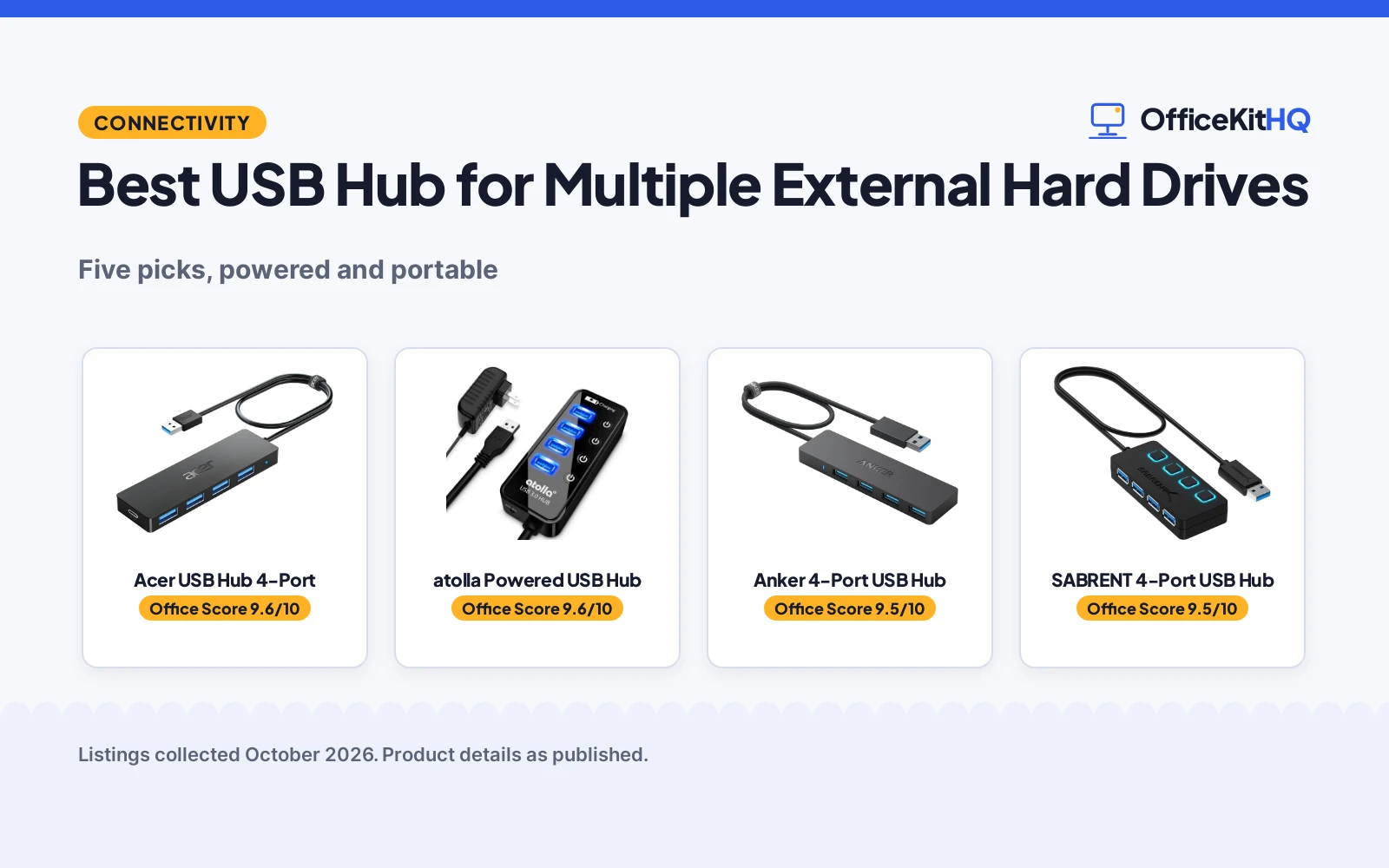
Picking the best usb hub for multiple external hard drives comes down to one question: where does the power come from. A spinning hard drive draws more current than a flash drive, so a bus-powered hub can stutter or drop a drive when two or three spin up at once. We compared five 4-port USB 3.0 hubs by power design, port control, data rate and warranty, using only what each listing publishes, so you can match the hub to your drives.
OfficeKitHQ earns a commission when you buy through links on this page, at no extra cost to you. As an Amazon Associate I earn from qualifying purchases. Affiliate disclosure.
Quick picks
 Best Overall Acer USB Hub 4-Port: Type-C power input for HDDs, GL3510 thermal design, 5Gbps Check price on Amazon
 Best Powered atolla Powered USB Hub: 5V/3A adapter included, individual switches for multiple HDDs Check price on Amazon
 Best Simple Anker 4-Port USB Hub: Heat-resistant 4-port hub, 18-month warranty Check price on Amazon
 Best Port Control SABRENT 4-Port USB Hub: Individual LED power switches, 2-year warranty Check price on Amazon
 Most Portable UGREEN 4-Port USB Hub: 0.4-inch slim hub with 24-month warranty Check price on Amazon
The picks
| # | Product | Office Score | Buy |
|---|---|---|---|
| 1 | Acer USB Hub 4-Port | 9.6/10 | Buy on Amazon |
| 2 | atolla Powered USB Hub | 9.6/10 | Buy on Amazon |
| 3 | Anker 4-Port USB Hub | 9.5/10 | Buy on Amazon |
| 4 | SABRENT 4-Port USB Hub | 9.5/10 | Buy on Amazon |
| 5 | UGREEN 4-Port USB Hub | 9.5/10 | Buy on Amazon |

Acer USB Hub 4-Port
A 4-port USB 3.0 hub with a Type-C power input for stable hard drive transfers, suited to users who connect HDDs and need extra power.
Pros
- Type-C power input steadies hard drive transfers, per the listing
- Built-in GL3510 chip with thermal design
- LED indicator shows whether the hub is working
- 2 ft cable for flexible placement
Cons
- Power adapter not included; needs a 5V USB-C source
- Type-C port is power-only, not for data
- 1-year warranty, shorter than rivals
- No individual port switches
Detailed Review
The Acer ACER-UH501 takes the middle path: bus-powered by default, but with a Type-C power input that the listing says to use when connecting hard drives for stable, fast data transmission. The listing gives 4 USB-A 3.0 ports at up to 5Gbps, a built-in GL3510 chip with a thermal design, and a 2 ft cable. The 4.13 by 1.18 by 0.35 inch case stays slim.
Who it is for: a laptop user with one or two external hard drives who already owns a 5V USB-C charger. Who should skip it: anyone who wants a hub that powers drives out of the box, since the wall charger and cable are not included.
Its Office Score of 9.6/10 comes from performance 30/35, build 21/25, value 21/25, safety 5/10 and warranty 3/5: 80 of 100 points, placed on our 9.2 to 9.8 scale.
Key Specifications
| Ports | 4 USB-A 3.0 |
|---|---|
| Data rate | 5Gbps |
| Power | Type-C 5V input (adapter not included) |
| Cable | 2 ft |
| Chip | GL3510 |
| Warranty | 1 year manufacturer |
Figures as published on the retailer listing, collected 18 October 2026. Performance figures are manufacturer rated.
Safety and Warranty
What this listing states. GL3510 chip with thermal design keeps devices and data safe, stated, so safety scores 5 of 10. 1-year manufacturer warranty. It does not say everything a buyer needs, such as who pays return shipping, so warranty scores 3 of 5. See How We Pick.
Power and heat. Use the supplied adapter, treat power delivery wattage and display support as the maker's claims for your laptop model, and give the dock room to vent.
This is general buying information, not professional advice. Follow each product manual and local rules, and see our Safety Disclaimer.

atolla Powered USB Hub
A powered 4-port USB 3.0 hub with a 5V/3A adapter, individual on-off switches and a charging port, suited to running multiple external hard drives at once.
Pros
- Powered design with 5V/3A adapter, the most reliable here for multiple HDDs
- Individual illuminated on-off switches for each port
- Charging port delivers up to 2.4A for phones and tablets
- 18-month warranty stated in the listing
Cons
- Bulkier than bus-powered hubs at 4.25 by 1.69 by 0.91 inches
- Needs a wall outlet for the power adapter
- Spec table lists 7 total ports while the title states 4; trust the title and bullet count of 4 data ports plus a charging port
- No 10Gbps option for external SSDs
Detailed Review
The atolla CH-204U3-K is the only powered hub here, and that is what matters for multiple external hard drives. The listing gives 4 USB 3.0 data ports syncing at up to 5Gbps, a separate charging port rated up to 2.4A, and a 5V/3A AC power adapter in the box. Four illuminated individual switches control each data port, and the 65 cm cable reaches from a desktop tower to a desk.
Who it is for: anyone running two or more spinning hard drives, or a drive plus peripherals, who wants stable power without dropouts. Who should skip it: a traveler who wants the smallest possible hub, since the adapter and 4.25 by 1.69 by 0.91 inch case take up real bag space.
Its Office Score of 9.6/10 comes from performance 33/35, build 22/25, value 21/25, safety 0/10 and warranty 3/5: 79 of 100 points, placed on our 9.2 to 9.8 scale.
Key Specifications
| Ports | 4 USB 3.0 data + 1 charging port |
|---|---|
| Data rate | 5Gbps |
| Power | 5V/3A AC adapter included |
| Cable | 65 cm |
| Dimensions | 4.25 x 1.69 x 0.91 inches |
| Warranty | 18 months |
Figures as published on the retailer listing, collected 18 October 2026. Performance figures are manufacturer rated.
Safety and Warranty
What this listing states. No UL, FCC or over-current protection statement is stated, so safety scores zero. 18-month warranty. It does not say everything a buyer needs, such as who pays return shipping, so warranty scores 3 of 5. See How We Pick.
Power and heat. Use the supplied adapter, treat power delivery wattage and display support as the maker's claims for your laptop model, and give the dock room to vent.
This is general buying information, not professional advice. Follow each product manual and local rules, and see our Safety Disclaimer.

Anker 4-Port USB Hub
A slim 4-port USB 3.0 data hub with a heat-resistant design, suited to laptops and desktops needing simple port expansion.
Pros
- Heat-resistant design for durability
- 5Gbps data transfer, per the listing
- 18-month warranty with customer service
- 1.28 ounces, the lightest here
Cons
- Charging not supported, per the listing
- Bus-powered with no power input
- No individual port switches
- 18-month warranty, shorter than SABRENT and UGREEN
Detailed Review
The Anker AK-A7516012 keeps it simple: 4 USB-A 3.0 ports at up to 5Gbps over a 2 ft USB-A connector, in a heat-resistant plastic case weighing 1.28 ounces. The listing states an 18-month warranty and is explicit that charging is not supported; this is a data hub.
Who it is for: a laptop or desktop user who just needs four more ports for flash drives, keyboards and mice. Who should skip it: anyone with external hard drives, since it is bus-powered with no power input and no charging support.
Its Office Score of 9.5/10 comes from performance 24/35, build 19/25, value 20/25, safety 5/10 and warranty 3/5: 71 of 100 points, placed on our 9.2 to 9.8 scale.
Key Specifications
| Ports | 4 USB-A 3.0 |
|---|---|
| Data rate | 5Gbps |
| Cable | 2 ft USB-A connector |
| Design | Heat resistant |
| Weight | 1.28 ounces |
| Warranty | 18 months |
Figures as published on the retailer listing, collected 18 October 2026. Performance figures are manufacturer rated.
Safety and Warranty
What this listing states. Heat-resistant design, stated, so safety scores 5 of 10. 18-month warranty. It does not say everything a buyer needs, such as who pays return shipping, so warranty scores 3 of 5. See How We Pick.
Power and heat. Use the supplied adapter, treat power delivery wattage and display support as the maker's claims for your laptop model, and give the dock room to vent.
This is general buying information, not professional advice. Follow each product manual and local rules, and see our Safety Disclaimer.

SABRENT 4-Port USB Hub
A slim 4-port USB 3.0 hub with individual LED power switches and a 2 ft cable, suited to Mac and PC users who want port-by-port control.
Pros
- 2-year manufacturer warranty, longest here
- Individual power switches with LED indicators
- 5Gbps transfer with backward compatibility to USB 2.0 and 1.1
- Plug and play with no driver needed
Cons
- Not for charging, per the listing
- Bus-powered, so multiple HDDs may strain the host port
- 2.2 ounces, heavier than the Anker
- No power input for stable drive transfers
Detailed Review
The SABRENT HB-UM43 is the control freak's hub: 4 USB 3.0 ports at up to 5Gbps, each with its own LED-lit on-off switch, plus a 2 ft cable for reaching awkward ports. The listing states a 2-year manufacturer warranty, the longest stated here. The slim ABS case measures 3.44 by 1.28 by 0.62 inches.
Who it is for: a desk user who plugs and unplugs drives and peripherals all day and wants each port switchable. Who should skip it: anyone running power-hungry drives, since the listing notes it is not for charging and there is no power input.
Its Office Score of 9.5/10 comes from performance 27/35, build 20/25, value 21/25, safety 0/10 and warranty 4/5: 72 of 100 points, placed on our 9.2 to 9.8 scale.
Key Specifications
| Ports | 4 USB 3.0 |
|---|---|
| Data rate | 5Gbps |
| Cable | 2 ft |
| Switches | Individual with LED indicators |
| Weight | 2.2 ounces |
| Warranty | 2 years manufacturer |
Figures as published on the retailer listing, collected 18 October 2026. Performance figures are manufacturer rated.
Safety and Warranty
What this listing states. This product does not plug in or run on a battery, so safety is not part of its score. 2-year manufacturer warranty. It does not say everything a buyer needs, such as who pays return shipping, so warranty scores 4 of 5. See How We Pick.
Power and heat. Use the supplied adapter, treat power delivery wattage and display support as the maker's claims for your laptop model, and give the dock room to vent.
This is general buying information, not professional advice. Follow each product manual and local rules, and see our Safety Disclaimer.

UGREEN 4-Port USB Hub
An ultra-slim 4-port USB 3.0 hub with a short 0.5 ft cable, suited to travelers who want a pocketable expander.
Pros
- 24-month warranty service, longest here alongside SABRENT
- Ultra-slim at 0.4 inches thick and 33g
- 5Gbps transfer; the listing says a 10 GB file moves in 16.4 seconds
- Wide compatibility including Xbox and PS5
Cons
- 0.5 ft cable limits placement
- Bus-powered with no power input
- No individual port switches
- No charging support mentioned
Detailed Review
The UGREEN 25851 is the travel pick: 4 USB-A 3.0 ports at up to 5Gbps in a case just 0.4 inches thick and 33g, with a short 0.5 ft cable that keeps things tidy. The listing states a 24-month warranty service and plug-and-play support across Windows, macOS, Linux and Chrome OS.
Who it is for: a traveler or student who needs four extra ports in a jacket pocket. Who should skip it: anyone with multiple spinning hard drives, since it is bus-powered with no power input and the short cable limits desk placement.
Its Office Score of 9.5/10 comes from performance 26/35, build 19/25, value 21/25, safety 0/10 and warranty 4/5: 70 of 100 points, placed on our 9.2 to 9.8 scale.
Key Specifications
| Ports | 4 USB-A 3.0 |
|---|---|
| Data rate | 5Gbps |
| Cable | 0.5 ft |
| Thickness | 0.4 inches |
| Weight | 33 g |
| Warranty | 24 months service |
Figures as published on the retailer listing, collected 18 October 2026. Performance figures are manufacturer rated.
Safety and Warranty
What this listing states. This product does not plug in or run on a battery, so safety is not part of its score. 24-month warranty service. It does not say everything a buyer needs, such as who pays return shipping, so warranty scores 4 of 5. See How We Pick.
Power and heat. Use the supplied adapter, treat power delivery wattage and display support as the maker's claims for your laptop model, and give the dock room to vent.
This is general buying information, not professional advice. Follow each product manual and local rules, and see our Safety Disclaimer.
As an Amazon Associate I earn from qualifying purchases.
More picks to compare
 SABRENT 4-Port Powered USB 3.0 HubCheck on Amazon
 SmartQ USB Hub 4 PortCheck on Amazon
 TP-Link Powered USB HubCheck on Amazon
 WENTER Powered USB HubCheck on Amazon
 SABRENT 10-Port 60W Powered USB 3.0 HubCheck on Amazon
Compare the picks
| USB Hub | Office Score | Ports | Power | Data Rate | Warranty | Amazon |
|---|---|---|---|---|---|---|
| Acer USB Hub 4-Port | 9.6/10 | 4 | Type-C 5V input | 5Gbps | 1 year | View on Amazon |
| atolla Powered USB Hub | 9.6/10 | 4 | 5V/3A adapter | 5Gbps | 18 months | View on Amazon |
| Anker 4-Port USB Hub | 9.5/10 | 4 | Bus powered | 5Gbps | 18 months | View on Amazon |
| SABRENT 4-Port USB Hub | 9.5/10 | 4 | Bus powered | 5Gbps | 2 years | View on Amazon |
| UGREEN 4-Port USB Hub | 9.5/10 | 4 | Bus powered | 5Gbps | 24 months | View on Amazon |
Specifications are manufacturer rated as listed, collected 18 October 2026.
How we scored them
The Office Score weighs fit for running multiple external hard drives, features and build, value, stated safety features, and the stated warranty. Powered designs score highest on fit because stable current is what keeps several drives online at once; every pick here lists 5Gbps USB 3.0 data rates, so power delivery, safety features and warranty separate them. The Acer and Anker list heat-related safety features, while the other three list none. Warranties run from 1 year on the Acer to 2 years on the SABRENT and 24 months on the UGREEN. How we pick explains the weights.
| Product | Office Score | Perf. /35 | Build /25 | Value /25 | Safety /10 | Warranty /5 |
|---|---|---|---|---|---|---|
| Acer USB Hub 4-Port | 9.6 | 30 | 21 | 21 | 5 | 3 |
| atolla Powered USB Hub | 9.6 | 33 | 22 | 21 | 0 | 3 |
| Anker 4-Port USB Hub | 9.5 | 24 | 19 | 20 | 5 | 3 |
| SABRENT 4-Port USB Hub | 9.5 | 27 | 20 | 21 | 0 | 4 |
| UGREEN 4-Port USB Hub | 9.5 | 26 | 19 | 21 | 0 | 4 |
Scores run from 9.2 to 9.8: each product’s point total is placed on that range, so more points always means a higher score.
How to choose the best usb hub for multiple external hard drives
Decide powered or bus-powered first
For two or more spinning hard drives, a powered hub is the safer choice. The atolla is the only pick here with a power adapter in the box (5V/3A), so its drives do not compete with the host port for current. The Acer sits in the middle: it runs bus-powered but offers a Type-C power input the listing says to use when connecting hard drives, though the adapter is not included. The SABRENT, UGREEN and Anker are bus-powered only, which is fine for flash drives, keyboards and mice, but can strain a laptop port when several drives spin up together.
Check what the switches and ports actually do
Individual port switches let you power down one drive without unplugging anything, which the atolla and SABRENT both offer with LED indicators. The atolla adds a charging port rated up to 2.4A, handy for a phone or tablet alongside your drives. All five picks list 4 data ports at 5Gbps, so do not pay extra for a fifth data port that is not there: the atolla spec table mentions 7 total ports, but its title and bullets describe 4 data ports plus a charging port. Browse all docking stations and USB hubs for larger port counts.
Match the cable and size to your desk
Cable length decides where the hub can live. The SABRENT, Anker and Acer include 2 ft cables that reach from a tower under the desk; the atolla gives 65 cm; the UGREEN’s 0.5 ft cable keeps it tethered close to the laptop, which suits travel. Size follows the same split: the UGREEN is 0.4 inches thick and 33g for a bag, while the powered atolla is the largest at 4.25 by 1.69 by 0.91 inches plus its adapter. Pick the smallest hub that still powers your drives.
Before you buy
- Count your drives, then add one port for the future: all five picks have 4 data ports.
- If any drive is a spinning HDD rather than an SSD, prefer a powered design like the atolla or the Acer with a 5V USB-C source.
- Confirm the power situation in the box: the atolla includes a 5V/3A adapter, while the Acer needs a separate 5V USB-C charger.
- Check the warranty card against the listing: stated terms run from 1 year to 2 years or 24 months across these picks.
- Remember that none of these charge a laptop; the Anker and SABRENT listings explicitly say charging is not supported.
Frequently Asked Questions
Can a USB hub run two external hard drives at once?
Yes, with enough power. The powered atolla includes a 5V/3A adapter for exactly this, and the Acer supports a 5V USB-C power input for hard drive transfers. Bus-powered hubs can struggle when several spinning drives draw current at once.
Do I need a powered USB hub for external hard drives?
For spinning hard drives, usually yes. Flash drives and SSDs sip power, but HDD motors draw more, which is why the atolla ships with an adapter and the Acer listing recommends powering the hub when connecting hard drives.
Will these hubs charge my phone?
Only the atolla has a charging port, rated up to 2.4A. The SABRENT and Anker listings state that charging is not supported, and the Acer’s Type-C port is power input only, not a charger.
What data speed do these hubs support?
All five list USB 3.0 at up to 5Gbps. The UGREEN listing says a 10 GB file transfers in 16.4 seconds at that rate. None of them lists 10Gbps, so pair them with USB 3.0 expectations rather than the speeds of newer USB standards.
Which hub has the longest warranty?
The SABRENT states a 2-year manufacturer warranty and the UGREEN states 24 months of warranty service. The Anker and atolla state 18 months, and the Acer states 1 year.
Related guides
See every docking stations and USB hubs guide and all connectivity guides. Also see our best docking station for laptop and 3 monitors. Also see our best docking station for external hard drive. Also see our best docking station for multiple monitors. Also see our best docking station with 2 display ports. Also see our best docking station for dual 4k monitors. Also see our best docking station for triple monitors. Also see our best docking station for work from home. Also see our best docking station with power supply. Also see our best docking station with 3 hdmi ports. Also see our best cable management for a standing desk. Also see our best headset for loud environments. Also see our best docking station for quad monitors. Also see our best docking station for photographers. Also see our best surge protector for washing machine. Also see our best docking station for odin 2 portal. Also see our best docking station for four monitors. Also see our best usb hub for vive tracker dongles. Also see our best usb hub for home assistant green. Also see our best docking station for rog flow z13. Also see our best docking station for remote work. Also see our best usb hub for pc with long cable. Also see our best usb hub for keyboard and mouse. Also see our best usb hub for vive 3.0 trackers. Also see our best usb hub for nvidia shield pro. Also see our best docking station for dyson v15. Also see our best usb hub for wireless devices. Also see our best usb hub for recording studio. Also see our best usb hub for live performance. Also see our best usb hub for desktop computer. Also see our best usb hub for astrophotography. Also see our best docking station for handheld. Also see our best docking station for business. Also see our best usb hub with sd card reader. Also see our best usb hub with external power. Also see our best usb hub for external drives. Also see our best docking station for cloning. Also see our best docking station for ubuntu. Also see our best usb hub for video editing. Also see our best usb hub for steam machine. Also see our best usb hub for external ssd. Also see our best docking station with vga. Also see our best usb hub with audio jack. Also see our best usb hub for low latency. Also see our best usb hub with ethernet. Also see our best usb hub for joysticks. Also see our best usb hub for autodarts. Also see our best usb hub for sim rig. Also see our best usb hub for desktop. Also see our best usb hub for tablet. Also see our best docking station for small desk. Also see our best docking station for dell laptop. Also see our best usb hub for macbook air. Also see our best docking station for two computers. Also see our best docking station for older laptop. Also see our best docking station for mini pc. Also see our best usb hub for raspberry pi. Also see our best usb hub for gaming. Also see our best docking station for home office. Also see our best docking station with kvm switch. Also see our best docking station for surface laptop. Also see our best kvm switch for home office. Also see our best docking station for ally x. Also see our best usb hub with hdmi. Also see our best usb hub for audio. Also see our best usb extension cable. Also see our best usb hub for djs. Also see our kvm switch laptop and desktop. Also see our best usb hub under 30. Also see our best kvm switch with displayport. Also see our best kvm switch with usb c. Also see our kvm switch hdmi. Also see our best docking station for elitebook. Also see our best docking station for home use. Also see our best docking station with power. Also see our best usb hub for file transfer. Also see our best quality usb hub for laptop. Also see our best docking station for zbook. Also see our best usb hub with switches. Also see our best usb hub for webcams. Also see our best usb hub for video.
More picks: docking stations for two monitors and laptop, docking stations for dual monitors and laptop and surge protectors for expensive electronics.



